Tail Lights TOYOTA YARIS CROSS 2023 Owners Manual
[x] Cancel search | Manufacturer: TOYOTA, Model Year: 2023, Model line: YARIS CROSS, Model: TOYOTA YARIS CROSS 2023Pages: 698, PDF Size: 147.65 MB
Page 15 of 698
13
Owners Manual_Europe_M52N75_en
Pictorial index
Precautions for car wash (vehicles with rain-sensing windshield wipers)
............................................................... ..........................................P.369
Fuel filler door ............................................... .................................P.224
Refueling method ............................................... ..............................P.225
Fuel type/fuel tank capacity ................................... ..........................P.486
Tires .......................................................... ......................................P.390
Tire size/inflation pressure ................................... ............................P.490
Winter tires/tire chains ....................................... ..............................P.337
Checking/rotation/tire pressure warning system ................. .............P.390
Coping with flat tires......................................... ........................P.448, 459
Hood ........................................................... .....................................P.380
Opening ........................................................ ...................................P.380
Engine oil ..................................................... ....................................P.486
Coping with overheating ........................................ ..........................P.477
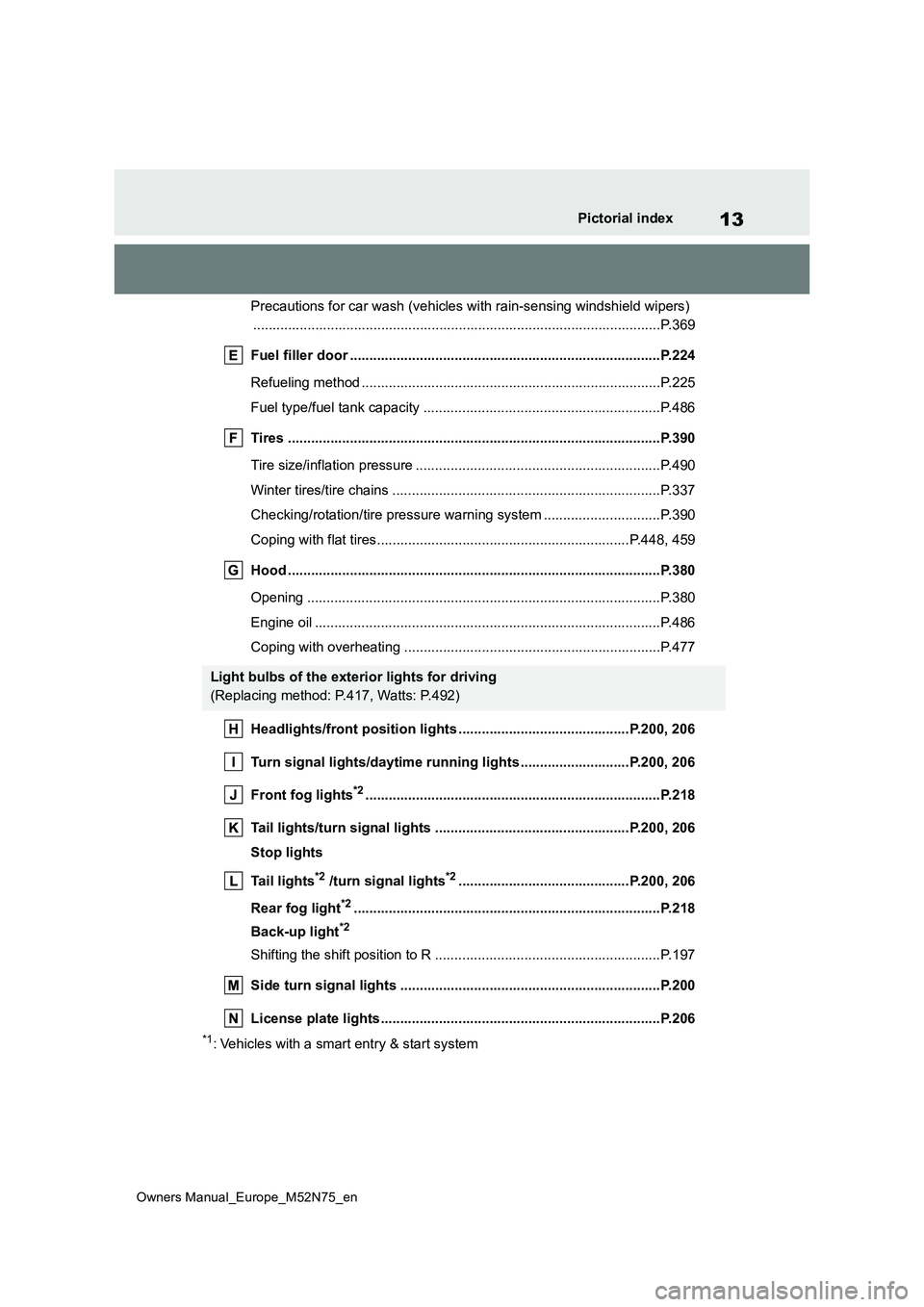
Headlights/front position lights ............................... .............P.200, 206
Turn signal lights/daytime running lights ...................... ......P.200, 206
Front fog lights*2............................................................... .............P.218
Tail lights/turn signal lights ................................. .................P.200, 206
Stop lights
Tail lights*2 /turn signal lights*2............................................P.200, 206
Rear fog light*2............................................................... ................P.218
Back-up light*2
Shifting the shift position to R ............................... ...........................P.197
Side turn signal lights ........................................ ...........................P.200
License plate lights........................................... .............................P.206
*1: Vehicles with a smart entry & start system
Light bulbs of the exterior lights for driving
(Replacing method: P.417, Watts: P.492)
Page 18 of 698
16
Owners Manual_Europe_M52N75_en
Pictorial index
Multi-information display ...................................... ................ P.106, 112
Display ........................................................ ............................. P.106, 112
Energy monitor................................................. ................................P.123
When a warning message is displayed............................ ................P.445
Turn signal lever .............................................. ..............................P.200
Headlight switch ............................................... .............................P.206
Headlights/front position lights/tail lights/daytime running li ghts ......P.206
Front fog lights*3/rear fog light ................................................ .........P.218
Windshield wiper and washer switch ............................. .............P.219
Rear window wiper and washer switch ............................ ...........P.222
Usage.......................................................... .............................P.219, 222
Adding washer fluid............................................ ..............................P.387
Emergency flasher switch....................................... ......................P.426
Hood lock release lever ........................................ .........................P.380
Tilt and telescopic steering lock release lever................ ............P.164
Air conditioning system ........................................ ........................P.342
Usage.......................................................... .....................................P.342
Rear window defogger ........................................... ..........................P.344
Multimedia system (7-inch/8-inch display model)*3, 4
Multimedia system (9-inch display model)*3, 5
Fuel filler door opener ........................................ ...........................P.225
*1: Vehicles without a smart entry & start system
*2: Vehicles with a smart entry & start system
*3: If equipped
*4: Refer to “Navigation and multimedia system Owner’s manual”.
*5: Refer to “TOYOTA SMART CONNECT Owner’s manual”.
Page 26 of 698
24
Owners Manual_Europe_M52N75_en
Pictorial index
Multi-information display ...................................... ................ P.106, 112
Display ........................................................ ............................. P.106, 112
Energy monitor................................................. ................................P.123
When a warning message is displayed............................ ................P.445
Windshield wiper and washer switch ............................. .............P.219
Rear window wiper and washer switch ............................ ...........P.222
Usage.......................................................... .............................P.219, 222
Adding washer fluid............................................ ..............................P.387
Turn signal lever .............................................. ..............................P.200
Headlight switch ............................................... .............................P.206
Headlights/front position lights/tail lights/daytime running li ghts ......P.206
Front fog lights*3/rear fog light ................................................ .........P.218
Emergency flasher switch....................................... ......................P.426
Hood lock release lever ........................................ .........................P.380
Tilt and telescopic steering lock release lever................ ............P.164
Air conditioning system ........................................ ........................P.342
Usage.......................................................... .....................................P.342
Rear window defogger ........................................... ..........................P.344
Multimedia system (7-inch/8-inch display model)*3, 4
Multimedia system (9-inch display model)*3, 5
Fuel filler door opener ........................................ ...........................P.225
*1: Vehicles without a smart entry & start system
*2: Vehicles with a smart entry & start system
*3: If equipped
*4: Refer to “Navigation and multimedia system Owner’s manual”.
*5: Refer to “TOYOTA SMART CONNECT Owner’s manual”.
Page 94 of 698
92
Owners Manual_Europe_M52N75_en
2-1. Instrument cluster
*1: These lights come on when the
power switch is turned to ON to indi-
cate that a system check is being
performed. They will turn off after the
hybrid system is started, or after a
few seconds. There may be a mal-
function in a system if the lights do
not come on, or turn off. Have the
vehicle inspected by any authorized
Toyota retailer or Toyota authorized
repairer, or any reliable repairer.
*2: This light illuminates on the multi-
information display.
*3: This light illuminates on the multi-
information display (with 7-inch dis-
play only).
The indicators inform the driver of
the operating state of the vehicle’s
various systems.
(Flashes)
RCTA OFF indicator*1, 3 (if
equipped) ( P.440)
PKSB OFF indicator*1, 3 (if
equipped) ( P.441)
(Flashes or illuminates)
PCS warning light*1 (if
equipped) ( P.441)
Slip indicator*1 ( P.442)
(Flashes)
Parking brake indicator
( P.442)
(Flashes)
Brake hold operated indica-
tor*1 ( P.442)
WARNING
■If a safety system warning light does not come on
Should a safety system light such as the ABS and SRS warning light not come on when you start the hybrid
system, this could mean that these systems are not available to help pro-tect you in an accident, which could
result in death or serious injury. Have the vehicle inspected by any autho-rized Toyota retailer or Toyota autho-
rized repairer, or any reliable repairer immediately if this occurs.
Indicators
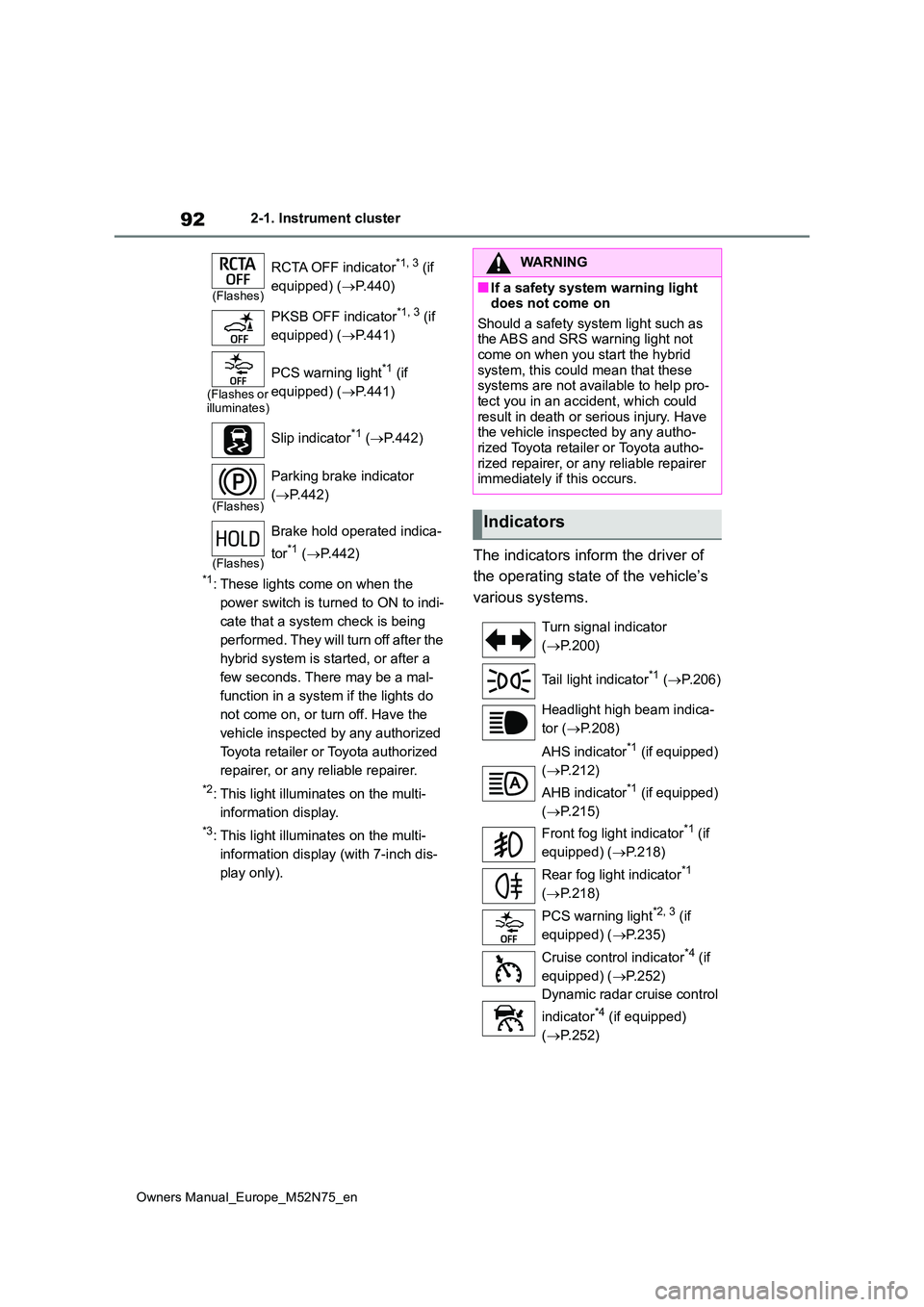
Turn signal indicator
( P.200)
Tail light indicator*1 ( P.206)
Headlight high beam indica-
tor ( P.208)
AHS indicator*1 (if equipped)
( P.212)
AHB indicator*1 (if equipped)
( P.215)
Front fog light indicator*1 (if
equipped) ( P.218)
Rear fog light indicator*1
( P.218)
PCS warning light*2, 3 (if
equipped) ( P.235)
Cruise control indicator*4 (if
equipped) ( P.252)
Dynamic radar cruise control
indicator*4 (if equipped)
( P.252)
Page 95 of 698
93
2
Owners Manual_Europe_M52N75_en
2-1. Instrument cluster
Vehicle status information and indicators
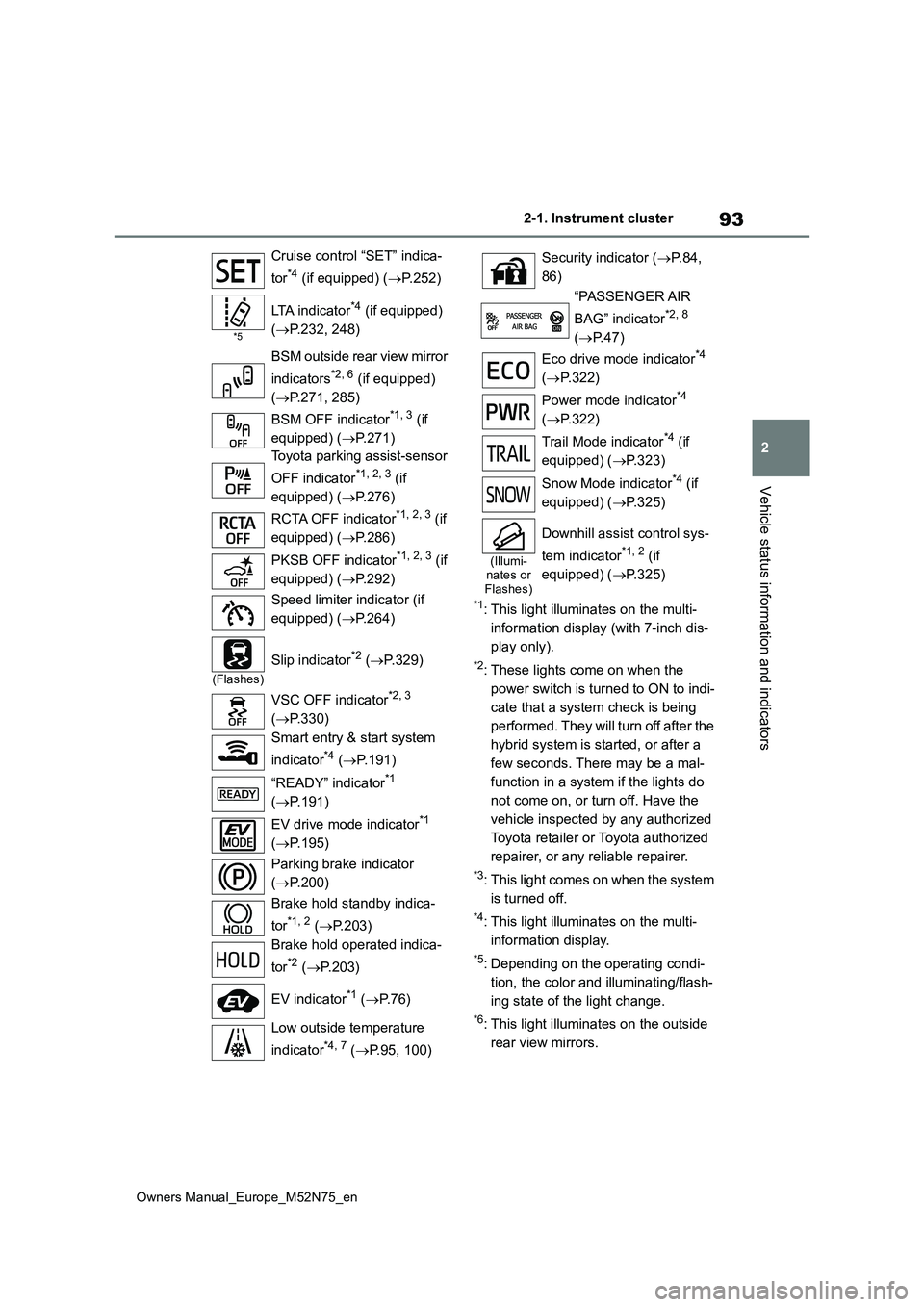
*1: This light illuminates on the multi-
information display (with 7-inch dis-
play only).
*2: These lights come on when the
power switch is turned to ON to indi-
cate that a system check is being
performed. They will turn off after the
hybrid system is started, or after a
few seconds. There may be a mal-
function in a system if the lights do
not come on, or turn off. Have the
vehicle inspected by any authorized
Toyota retailer or Toyota authorized
repairer, or any reliable repairer.
*3: This light comes on when the system
is turned off.
*4: This light illuminates on the multi-
information display.
*5: Depending on the operating condi-
tion, the color and illuminating/flash-
ing state of the light change.
*6: This light illuminates on the outside
rear view mirrors.
Cruise control “SET” indica-
tor*4 (if equipped) ( P.252)
*5
LTA indicator*4 (if equipped)
( P.232, 248)
BSM outside rear view mirror
indicators*2, 6 (if equipped)
( P.271, 285)
BSM OFF indicator*1, 3 (if
equipped) ( P.271)
Toyota parking assist-sensor
OFF indicator*1, 2, 3 (if
equipped) ( P.276)
RCTA OFF indicator*1, 2, 3 (if
equipped) ( P.286)
PKSB OFF indicator*1, 2, 3 (if
equipped) ( P.292)
Speed limiter indicator (if
equipped) ( P.264)
(Flashes)
Slip indicator*2 (P.329)
VSC OFF indicator*2, 3
( P.330)
Smart entry & start system
indicator*4 ( P.191)
“READY” indicator*1
( P.191)
EV drive mode indicator*1
( P.195)
Parking brake indicator
( P.200)
Brake hold standby indica-
tor*1, 2 ( P.203)
Brake hold operated indica-
tor*2 ( P.203)
EV indicator*1 ( P. 7 6 )
Low outside temperature
indicator*4, 7 ( P.95, 100)
Security indicator (P. 8 4 ,
86)
“PASSENGER AIR
BAG” indicator*2, 8
( P.47)
Eco drive mode indicator*4
( P.322)
Power mode indicator*4
( P.322)
Trail Mode indicator*4 (if
equipped) ( P.323)
Snow Mode indicator*4 (if
equipped) ( P.325)
(Illumi- nates or Flashes)
Downhill assist control sys-
tem indicator*1, 2 (if
equipped) ( P.325)
Page 101 of 698
99
2
Owners Manual_Europe_M52N75_en
2-1. Instrument cluster
Vehicle status information and indicators
ual”.
■Clock settings screen (vehicles
with 7-inch/8-inch display multime- dia system)
If is displayed when is
selected on the multi-information dis-
play, the system may be malfunctioning.
Have the vehicle inspected by any
authorized Toyota retailer or Toyota
authorized repairer, or any reliable
repairer.
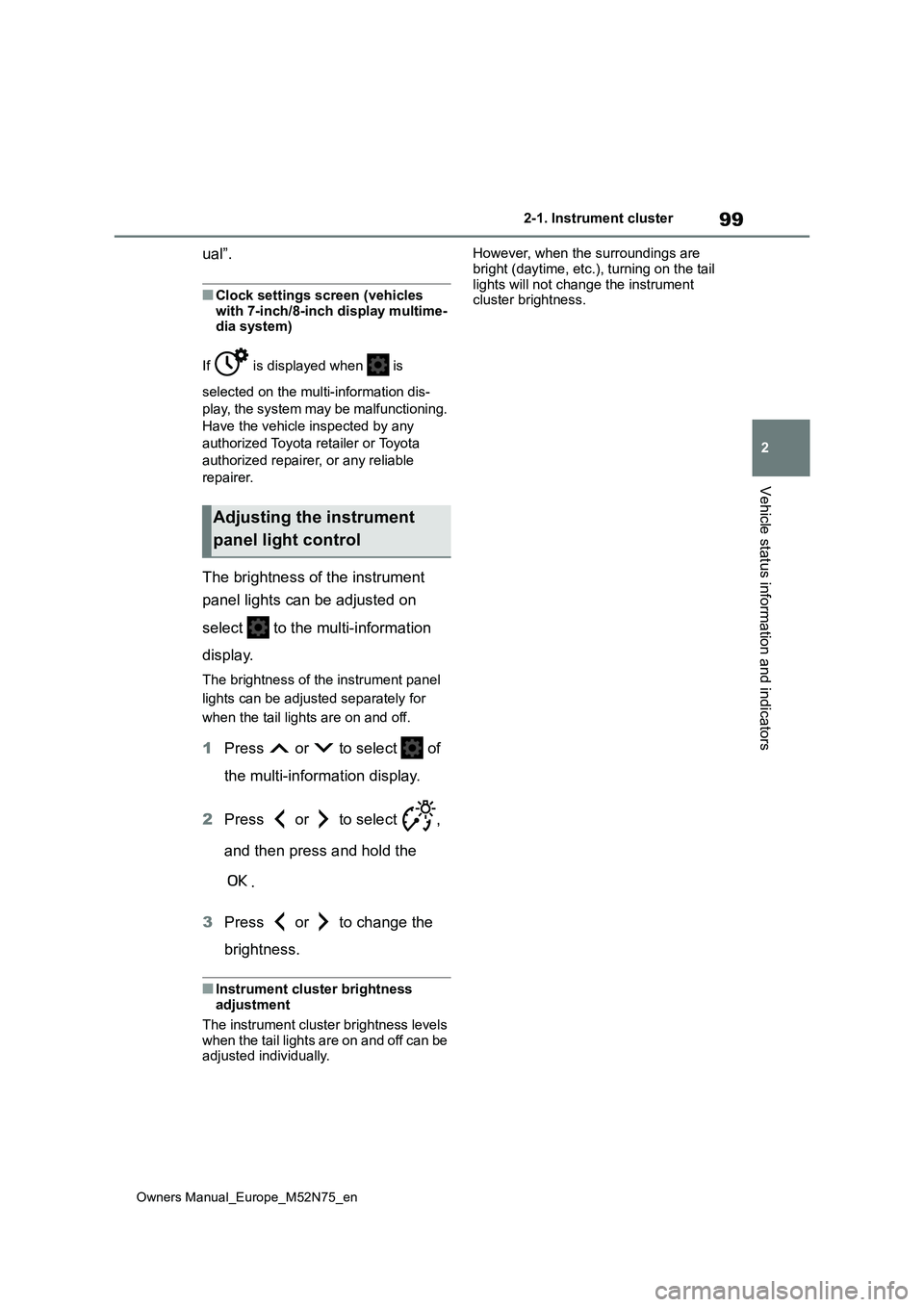
The brightness of the instrument
panel lights can be adjusted on
select to the multi-information
display.
The brightness of the instrument panel
lights can be adjusted separately for
when the tail lights are on and off.
1 Press or to select of
the multi-information display.
2 Press or to select ,
and then press and hold the
.
3 Press or to change the
brightness.
■Instrument cluster brightness adjustment
The instrument cluster brightness levels
when the tail lights are on and off can be adjusted individually.
However, when the surroundings are
bright (daytime, etc.), turning on the tail lights will not change the instrument cluster brightness.
Adjusting the instrument
panel light control
Page 107 of 698
105
2
Owners Manual_Europe_M52N75_en
2-1. Instrument cluster
Vehicle status information and indicators
Hour
Minute
The clocks on the following can be
adjusted on the multimedia system
screen.
Multi-information display
Multimedia system screen
For details, refer to “Navigation and
multimedia system Owner’s man-
ual”.
■Clock settings screen (vehicles with 7-inch/8-inch display multime-
dia system)
If “Clock: 00” is displayed when is
selected on the multi-information dis-
play, the system may be malfunctioning.
Have the vehicle inspected by any
authorized Toyota retailer or Toyota
authorized repairer, or any reliable
repairer.
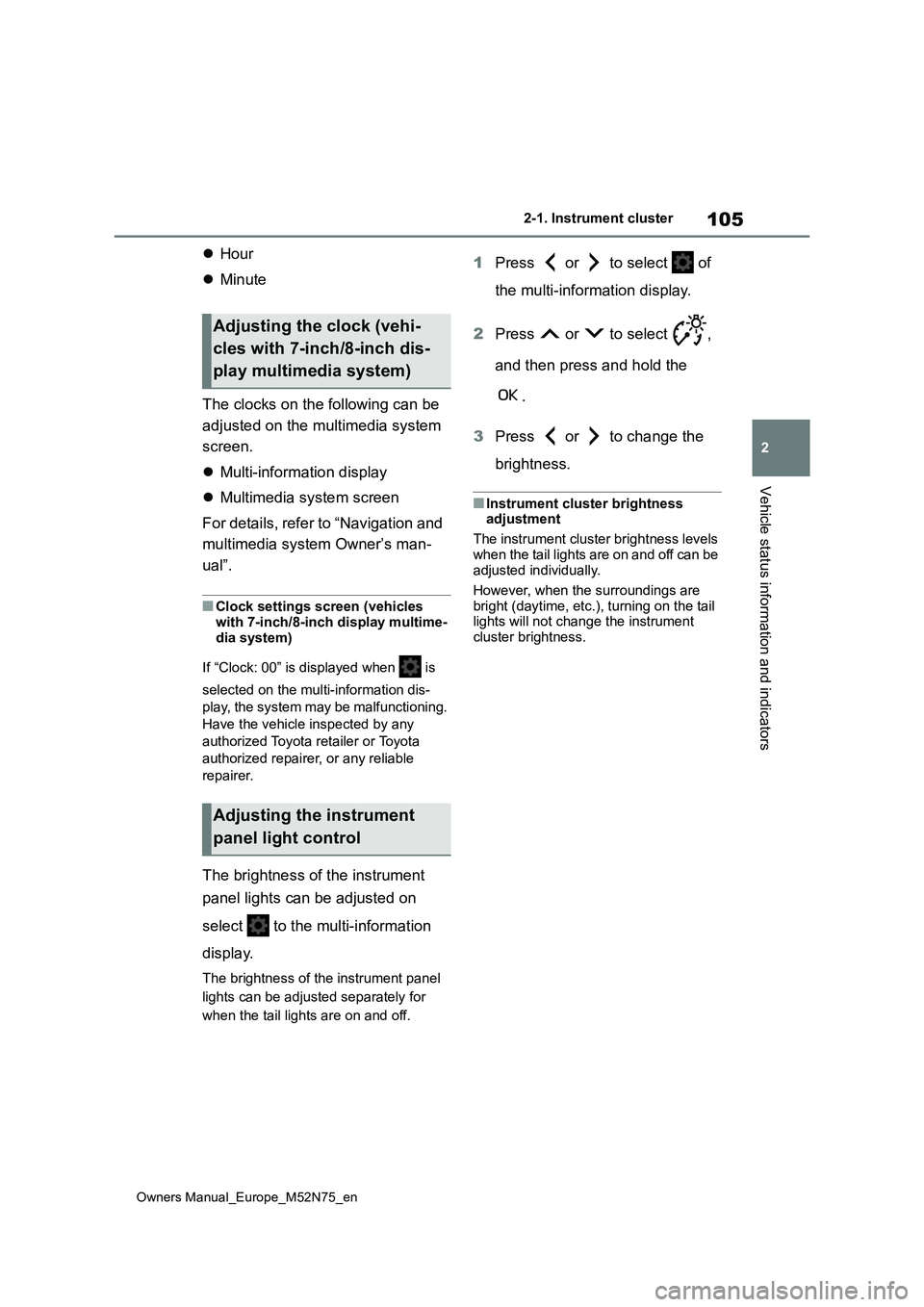
The brightness of the instrument
panel lights can be adjusted on
select to the multi-information
display.
The brightness of the instrument panel
lights can be adjusted separately for
when the tail lights are on and off.
1 Press or to select of
the multi-information display.
2 Press or to select ,
and then press and hold the
.
3 Press or to change the
brightness.
■Instrument cluster brightness adjustment
The instrument cluster brightness levels
when the tail lights are on and off can be adjusted individually.
However, when the surroundings are
bright (daytime, etc.), turning on the tail lights will not change the instrument cluster brightness.
Adjusting the clock (vehi-
cles with 7-inch/8-inch dis-
play multimedia system)
Adjusting the instrument
panel light control
Page 185 of 698
183
4
Owners Manual_Europe_M52N75_en
4-1. Before driving
Driving
Check the allowable towing capac-
ity, GVM (Gross Vehicle Mass),
MPAC (Maximum Permissible Axle
Capacity), and permissible draw-
bar load before towing. ( P. 4 8 4 )
Toyota recommends the use of the
Toyota hitch/bracket for your vehi-
cle. Other products of a suitable
nature and comparable quality may
also be used.
For vehicle where the towing
device blocks any of the lights or
license plate, the following shall be
observed:
Do not use towing devices that
cannot be easily removed or
repositioned.
Towing devices must be
removed or repositioned when
not in use.
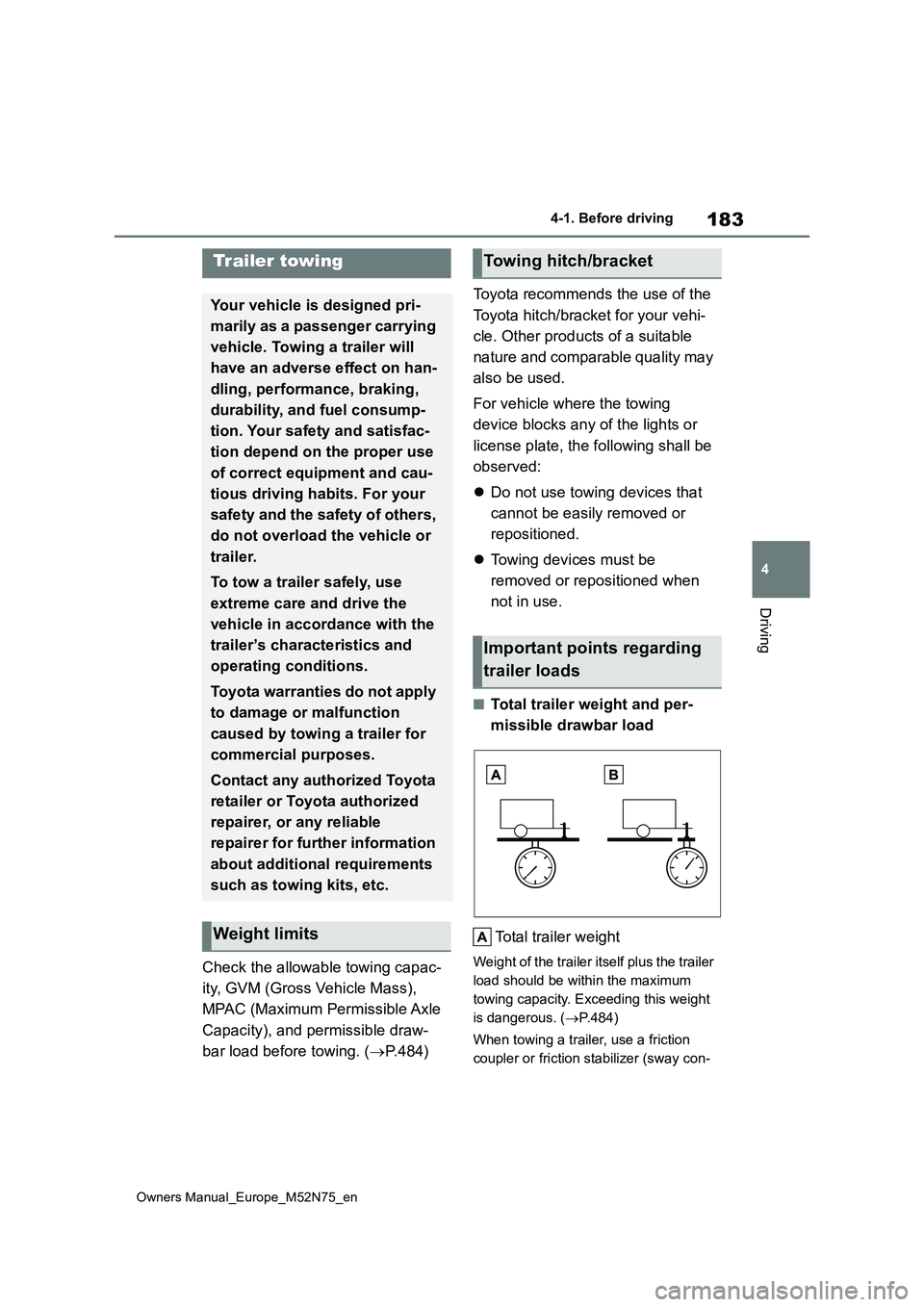
■Total trailer weight and per-
missible drawbar load
Total trailer weight
Weight of the trailer itself plus the trailer
load should be within the maximum
towing capacity. Exceeding this weight
is dangerous. ( P.484)
When towing a trailer, use a friction
coupler or friction stabilizer (sway con-
Trailer towing
Your vehicle is designed pri-
marily as a passenger carrying
vehicle. Towing a trailer will
have an adverse effect on han-
dling, performance, braking,
durability, and fuel consump-
tion. Your safety and satisfac-
tion depend on the proper use
of correct equipment and cau-
tious driving habits. For your
safety and the safety of others,
do not overload the vehicle or
trailer.
To tow a trailer safely, use
extreme care and drive the
vehicle in accordance with the
trailer’s characteristics and
operating conditions.
Toyota warranties do not apply
to damage or malfunction
caused by towing a trailer for
commercial purposes.
Contact any authorized Toyota
retailer or Toyota authorized
repairer, or any reliable
repairer for further information
about additional requirements
such as towing kits, etc.
Weight limits
Towing hitch/bracket
Important points regarding
trailer loads
Page 187 of 698
185
4
Owners Manual_Europe_M52N75_en
4-1. Before driving
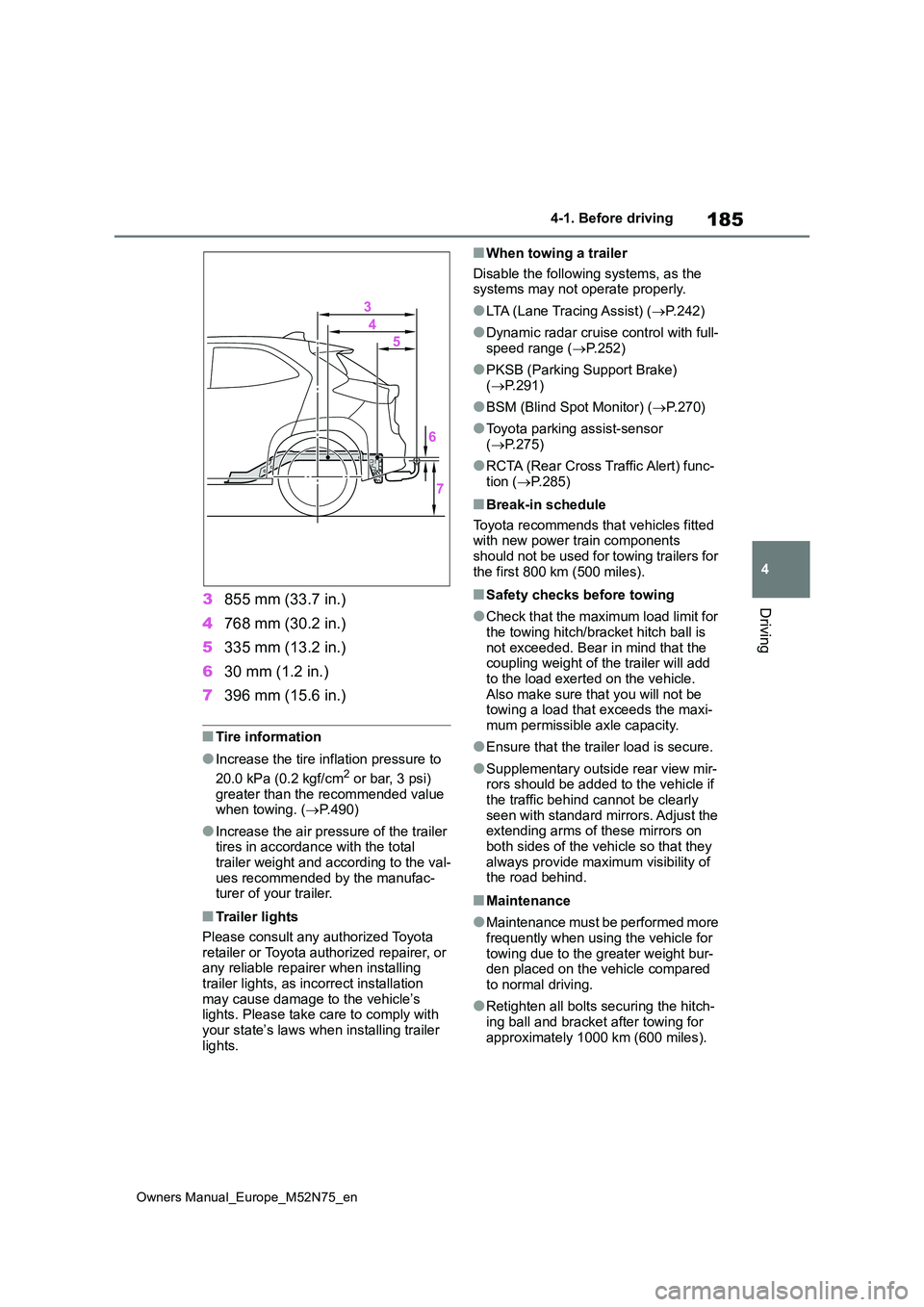
Driving3855 mm (33.7 in.)
4 768 mm (30.2 in.)
5 335 mm (13.2 in.)
6 30 mm (1.2 in.)
7 396 mm (15.6 in.)
■Tire information
●Increase the tire inflation pressure to
20.0 kPa (0.2 kgf/cm2 or bar, 3 psi) greater than the recommended value when towing. ( P.490)
●Increase the air pressure of the trailer tires in accordance with the total
trailer weight and according to the val- ues recommended by the manufac-turer of your trailer.
■Trailer lights
Please consult any authorized Toyota retailer or Toyota authorized repairer, or any reliable repairer when installing
trailer lights, as incorrect installation may cause damage to the vehicle’s lights. Please take care to comply with
your state’s laws when installing trailer lights.
■When towing a trailer
Disable the following systems, as the systems may not operate properly.
●LTA (Lane Tracing Assist) ( P. 2 4 2 )
●Dynamic radar cruise control with full-
speed range ( P.252)
●PKSB (Parking Support Brake)
( P.291)
●BSM (Blind Spot Monitor) (P.270)
●Toyota parking assist-sensor ( P.275)
●RCTA (Rear Cross Traffic Alert) func- tion ( P.285)
■Break-in schedule
Toyota recommends that vehicles fitted with new power train components should not be used for towing trailers for
the first 800 km (500 miles).
■Safety checks before towing
●Check that the maximum load limit for
the towing hitch/bracket hitch ball is not exceeded. Bear in mind that the coupling weight of the trailer will add
to the load exerted on the vehicle. Also make sure that you will not be towing a load that exceeds the maxi-
mum permissible axle capacity.
●Ensure that the trailer load is secure.
●Supplementary outside rear view mir- rors should be added to the vehicle if
the traffic behind cannot be clearly seen with standard mirrors. Adjust the extending arms of these mirrors on
both sides of the vehicle so that they always provide maximum visibility of the road behind.
■Maintenance
●Maintenance must be performed more frequently when using the vehicle for
towing due to the greater weight bur- den placed on the vehicle compared to normal driving.
●Retighten all bolts securing the hitch-ing ball and bracket after towing for
approximately 1000 km (600 miles).
Page 208 of 698
206
Owners Manual_Europe_M52N75_en
4-3. Operating the lights and wipers
4-3.Operating the lights and wipers
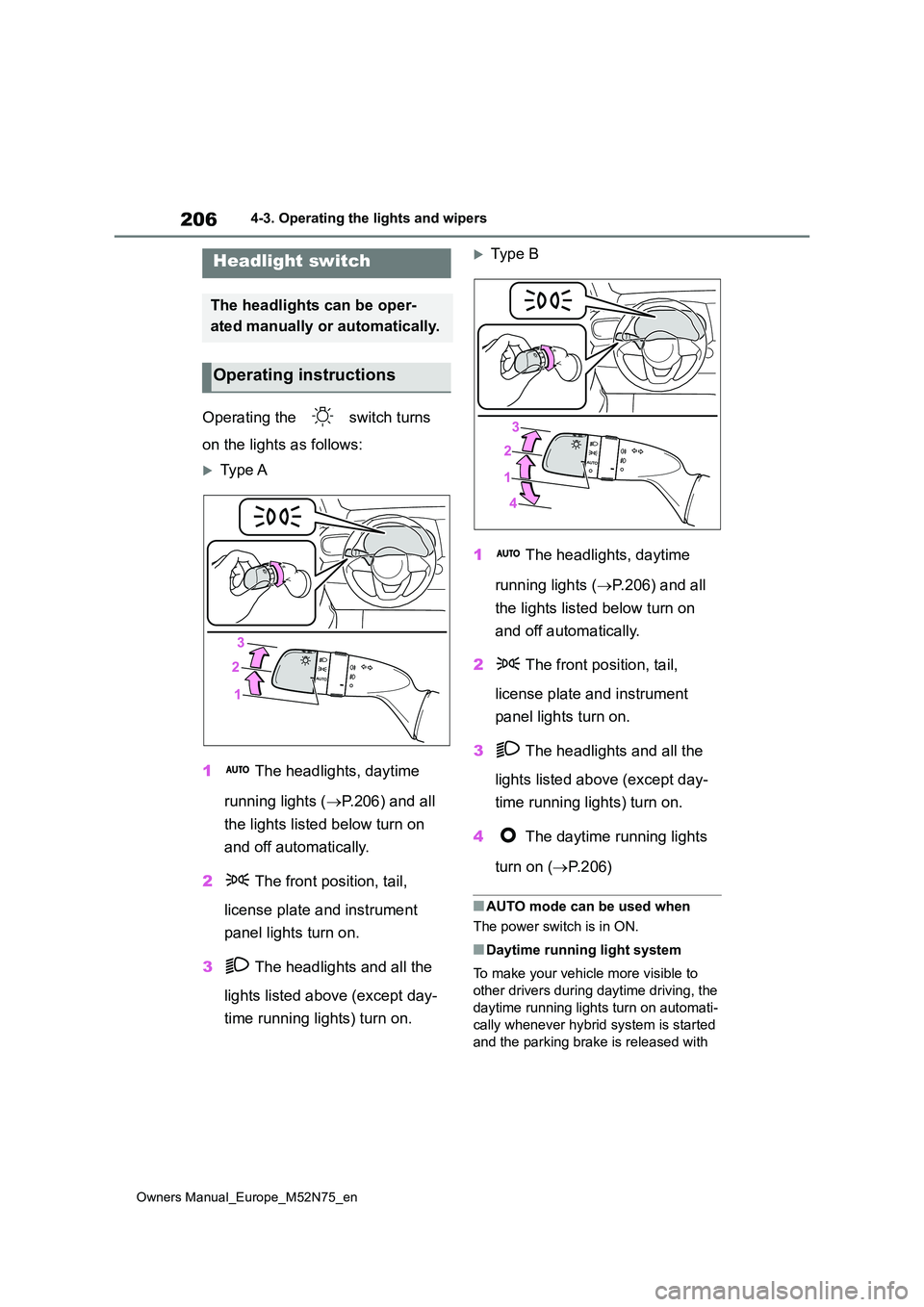
Operating the switch turns
on the lights as follows:
Type A
1 The headlights, daytime
running lights ( P.206) and all
the lights listed below turn on
and off automatically.
2 The front position, tail,
license plate and instrument
panel lights turn on.
3 The headlights and all the
lights listed above (except day-
time running lights) turn on.
Typ e B
1 The headlights, daytime
running lights ( P.206) and all
the lights listed below turn on
and off automatically.
2 The front position, tail,
license plate and instrument
panel lights turn on.
3 The headlights and all the
lights listed above (except day-
time running lights) turn on.
4 The daytime running lights
turn on ( P. 2 0 6 )
■AUTO mode can be used when
The power switch is in ON.
■Daytime running light system
To make your vehicle more visible to
other drivers during daytime driving, the
daytime running lights turn on automati-
cally whenever hybrid system is started
and the parking brake is released with
Headlight switch
The headlights can be oper-
ated manually or automatically.
Operating instructions