settings display TOYOTA YARIS CROSS 2023 Owners Manual
[x] Cancel search | Manufacturer: TOYOTA, Model Year: 2023, Model line: YARIS CROSS, Model: TOYOTA YARIS CROSS 2023Pages: 698, PDF Size: 147.65 MB
Page 101 of 698
99
2
Owners Manual_Europe_M52N75_en
2-1. Instrument cluster
Vehicle status information and indicators
ual”.
■Clock settings screen (vehicles
with 7-inch/8-inch display multime- dia system)
If is displayed when is
selected on the multi-information dis-
play, the system may be malfunctioning.
Have the vehicle inspected by any
authorized Toyota retailer or Toyota
authorized repairer, or any reliable
repairer.
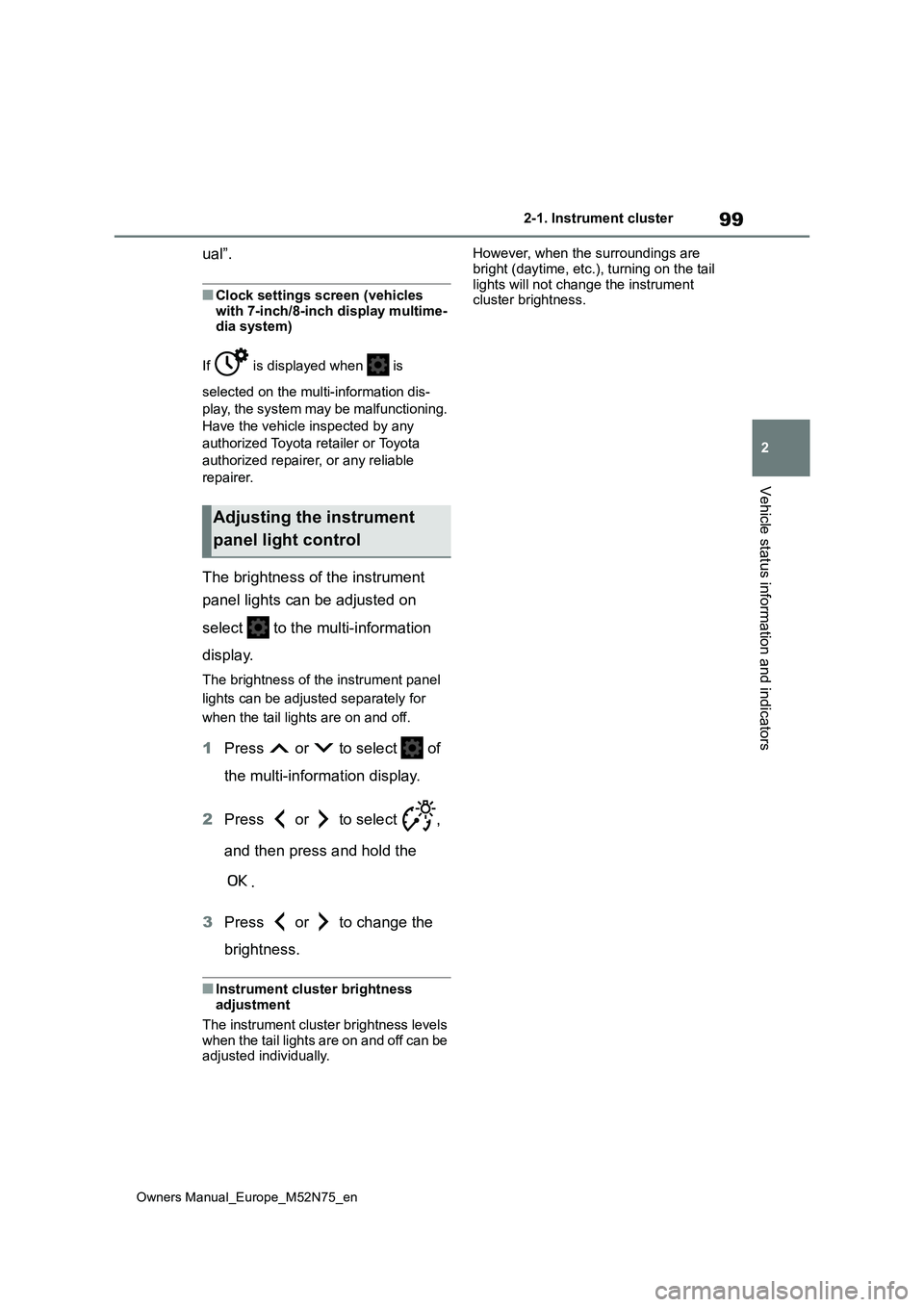
The brightness of the instrument
panel lights can be adjusted on
select to the multi-information
display.
The brightness of the instrument panel
lights can be adjusted separately for
when the tail lights are on and off.
1 Press or to select of
the multi-information display.
2 Press or to select ,
and then press and hold the
.
3 Press or to change the
brightness.
■Instrument cluster brightness adjustment
The instrument cluster brightness levels
when the tail lights are on and off can be adjusted individually.
However, when the surroundings are
bright (daytime, etc.), turning on the tail lights will not change the instrument cluster brightness.
Adjusting the instrument
panel light control
Page 107 of 698
105
2
Owners Manual_Europe_M52N75_en
2-1. Instrument cluster
Vehicle status information and indicators
Hour
Minute
The clocks on the following can be
adjusted on the multimedia system
screen.
Multi-information display
Multimedia system screen
For details, refer to “Navigation and
multimedia system Owner’s man-
ual”.
■Clock settings screen (vehicles with 7-inch/8-inch display multime-
dia system)
If “Clock: 00” is displayed when is
selected on the multi-information dis-
play, the system may be malfunctioning.
Have the vehicle inspected by any
authorized Toyota retailer or Toyota
authorized repairer, or any reliable
repairer.
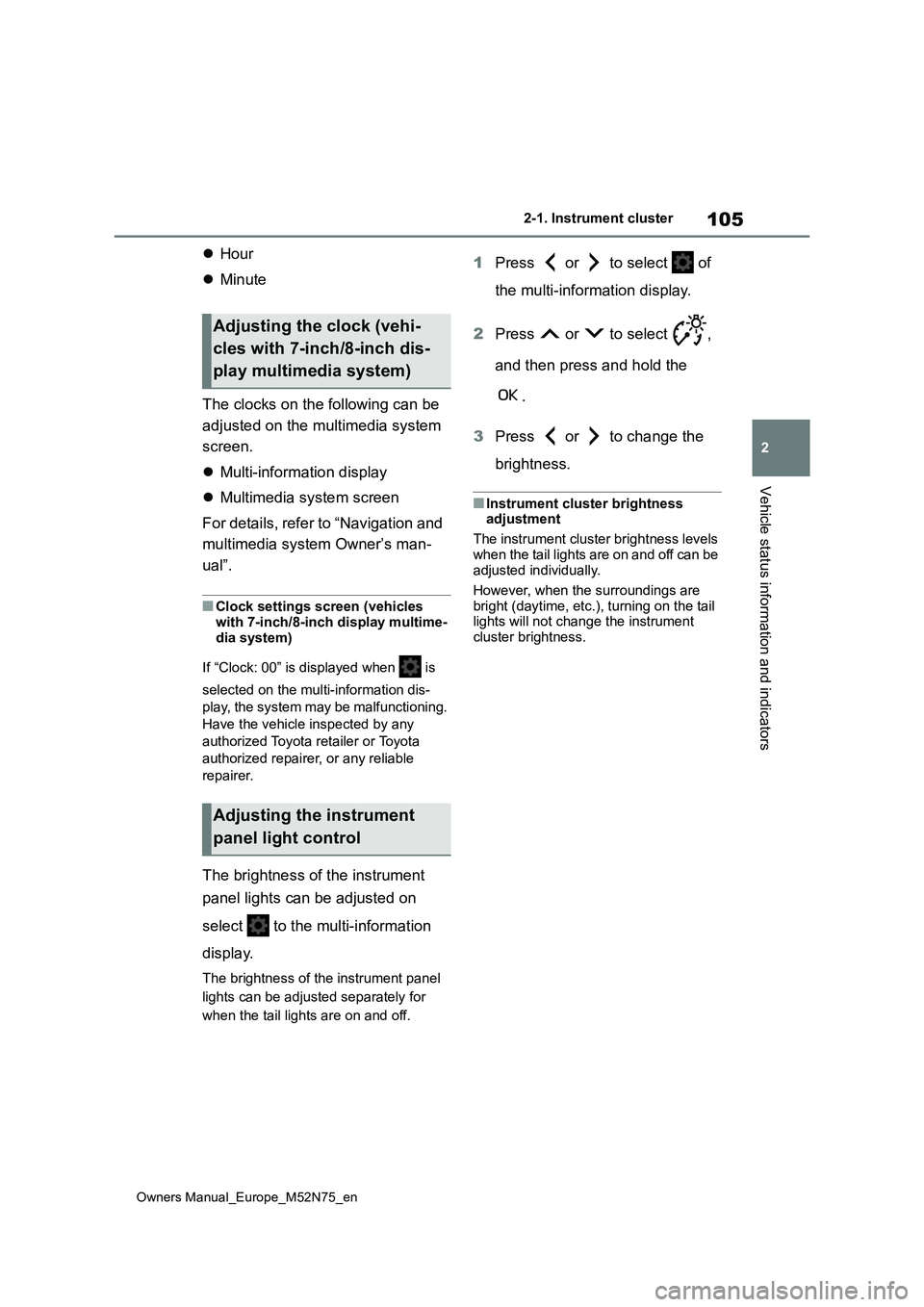
The brightness of the instrument
panel lights can be adjusted on
select to the multi-information
display.
The brightness of the instrument panel
lights can be adjusted separately for
when the tail lights are on and off.
1 Press or to select of
the multi-information display.
2 Press or to select ,
and then press and hold the
.
3 Press or to change the
brightness.
■Instrument cluster brightness adjustment
The instrument cluster brightness levels
when the tail lights are on and off can be adjusted individually.
However, when the surroundings are
bright (daytime, etc.), turning on the tail lights will not change the instrument cluster brightness.
Adjusting the clock (vehi-
cles with 7-inch/8-inch dis-
play multimedia system)
Adjusting the instrument
panel light control
Page 108 of 698
106
Owners Manual_Europe_M52N75_en
2-1. Instrument cluster
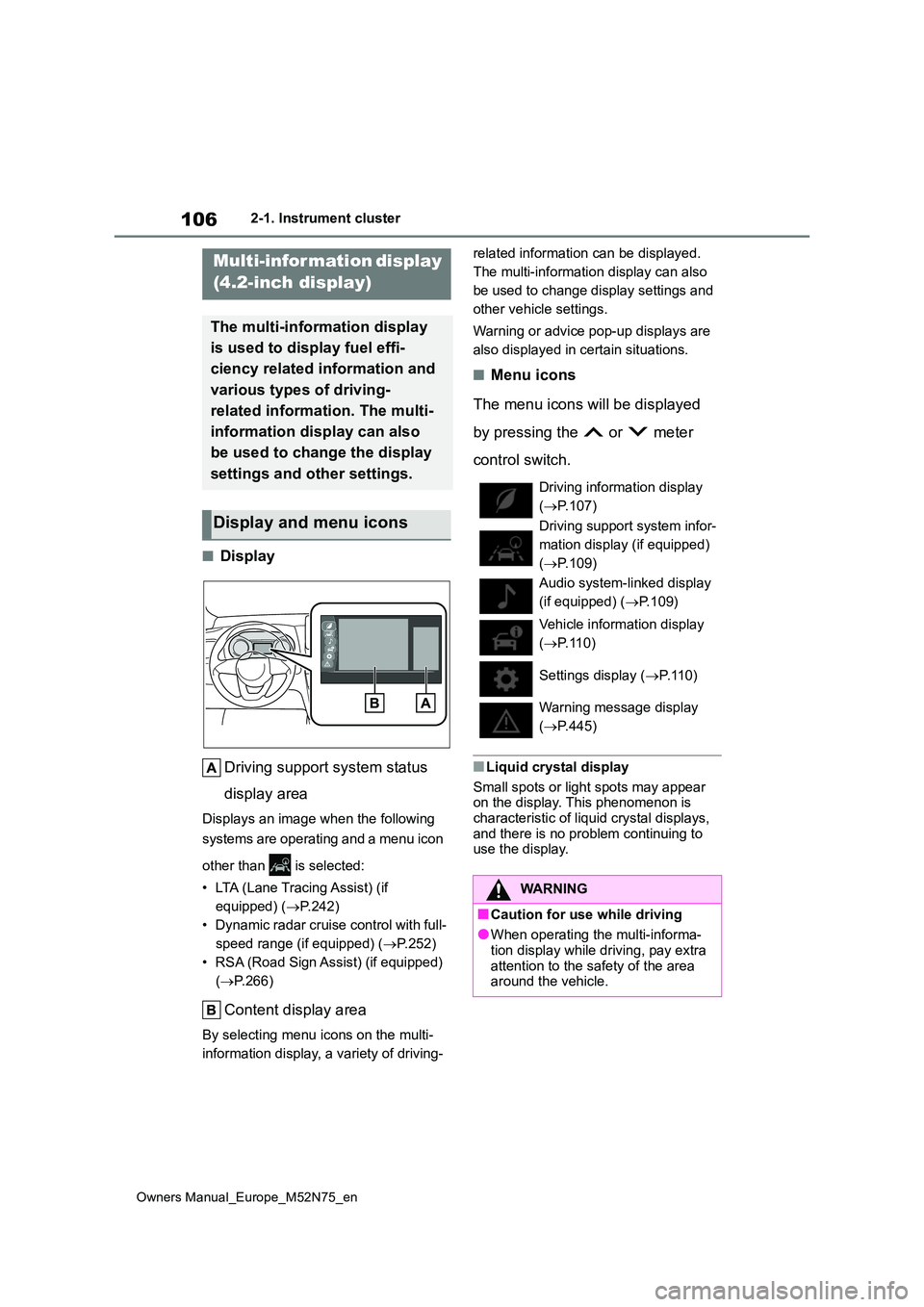
■Display
Driving support system status
display area
Displays an image when the following
systems are operating and a menu icon
other than is selected:
• LTA (Lane Tracing Assist) (if
equipped) ( P.242)
• Dynamic radar cruise control with full-
speed range (if equipped) ( P.252)
• RSA (Road Sign Assist) (if equipped)
( P.266)
Content display area
By selecting menu icons on the multi-
information display, a variety of driving-
related information can be displayed.
The multi-information display can also
be used to change display settings and
other vehicle settings.
Warning or advice pop-up displays are
also displayed in certain situations.
■Menu icons
The menu icons will be displayed
by pressing the or meter
control switch.
■Liquid crystal display
Small spots or light spots may appear on the display. This phenomenon is
characteristic of liquid crystal displays, and there is no problem continuing to use the display.
Multi-infor mation display
(4.2-inch display)
The multi-information display
is used to display fuel effi-
ciency related information and
various types of driving-
related information. The multi-
information display can also
be used to change the display
settings and other settings.
Display and menu icons
Driving information display
( P.107)
Driving support system infor-
mation display (if equipped)
( P.109)
Audio system-linked display
(if equipped) ( P.109)
Vehicle information display
( P.110)
Settings display ( P.110)
Warning message display
( P.445)
WARNING
■Caution for use while driving
●When operating the multi-informa- tion display while driving, pay extra
attention to the safety of the area around the vehicle.
Page 112 of 698
110
Owners Manual_Europe_M52N75_en
2-1. Instrument cluster
using the meter control switches.
This menu icon can be set to be dis-
played/not displayed in .
■Display items
Drive information
Energy monitor (P. 1 2 3 )
Torque distribution (if equipped)
Tire inflation pressure
■Drive information
2 items that are selected using the
“Drive Info. Items” setting (average
speed, distance and total time) can
be displayed vertically.
The displayed information changes
according to the “Drive Info. Type”
setting (since the system was
started or between resets).
( P. 1 1 0 )
Use the displayed information as a
reference only.
Following items will be displayed.
“Trip”
• “Average Speed”: Displays the aver-
age vehicle speed since hybrid sys-
tem start*
• “Distance”: Displays the distance
driven since hybrid system start*
• “Total Time”: Displays the elapsed
time since hybrid system start*
*: These items are reset each time the
hybrid system stops.
“Total”
• “Average Speed”: Displays the aver-
age vehicle speed since the display
was reset*
• “Distance”: Displays the distance
driven since the display was reset*
• “Total Time”: Displays the elapsed
time since the display was reset*
*: To reset, display the desired item and
press and hold the meter control
switch.
■Torque distribution (if
equipped)
Drive power put on each tire is dis-
played with a bar meter. The larger
the bar meter the larger the driving
power is displayed.
■Tire inflation pressure
Displays inflation pressure of each
tire.
■Meter display settings that can
be changed
Clock setting (vehicles without
navigation/multimedia system)
P. 9 8
Language
Select to change the language dis-
played.
Units
Select to change the units of measure
displayed.
EV indicator
Select to enable/disable the EV indica-
tor.
Vehicle information display
Settings display
Page 113 of 698
111
2
Owners Manual_Europe_M52N75_en
2-1. Instrument cluster
Vehicle status information and indicators
Select to change the displayed content
of the following:
• Hybrid System Indicator
Select to display/not display the Eco
Accelerator Guidance. ( P.108)
• Fuel economy display
Select to change the average fuel con-
sumption display between after
start/after reset/after refuel. ( P.107)
(if equipped)
Select to display/not display the audio
system linked display.
Select to change the displayed content
of the following:
• Display contents
Select to display/not display the energy
monitor/torque distribution display.
( P.123)
• Drive information type
Select to change the drive information
type display between after start/after
reset.
• Drive information items
Select to set the first and second items
of the drive information display to any of
the following: average vehicle
speed/distance/elapsed time.
Current trip result display
Select to change the displayed informa-
tion about the current trip, measured
from when the hybrid system was
started until it was stopped, between
drive information/eco score. (The infor-
mation will be displayed temporarily
when the hybrid system is stopped.)
Pop-up display
Select to enable/disable pop-up dis-
plays for each relevant system.
Multi-information display off
Select to turn the multi-information dis-
play off.
To turn the multi-information display on
again, press any of the following meter
control switches
//// /.
Default setting
Select to reset the meter display set-
tings to the default setting.
■Vehicle functions and settings
that can be changed
P. 4 9 4
■Suspension of the settings display
●Some settings cannot be changed while driving. When changing set-
tings, park the vehicle in a safe place.
●If a warning message is displayed,
operation of the settings display will be suspended.
WARNING
■Cautions during setting up the
display
If the hybrid system is operating while changing certain settings on the set-
tings display, ensure that the vehicle is parked in a place with adequate ventilation. In a closed area such as a
garage, exhaust gases including harmful carbon monoxide (CO) may collect and enter the vehicle. This
may lead to death or a serious health hazard.
Page 114 of 698
112
Owners Manual_Europe_M52N75_en
2-1. Instrument cluster
■Display
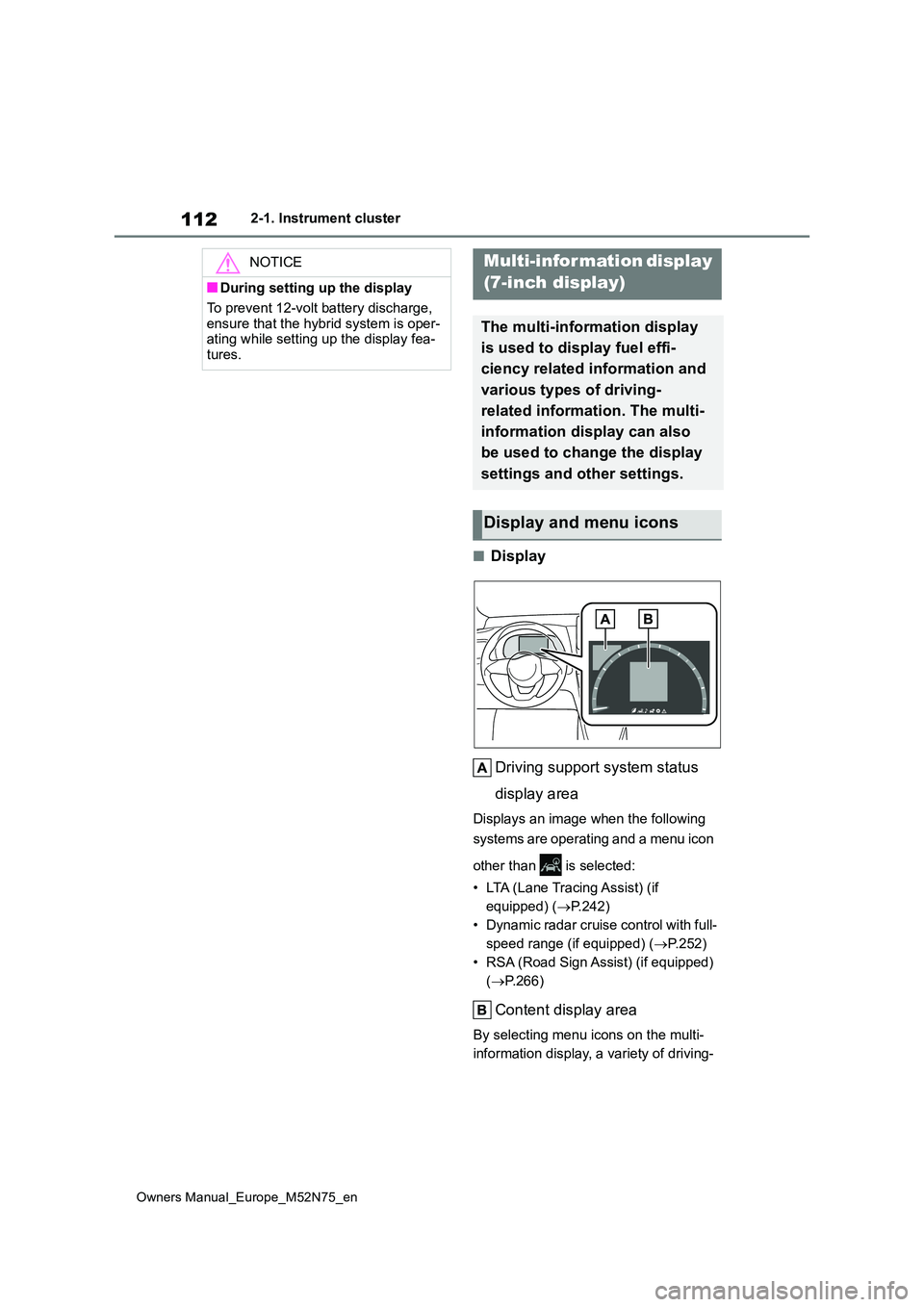
Driving support system status
display area
Displays an image when the following
systems are operating and a menu icon
other than is selected:
• LTA (Lane Tracing Assist) (if
equipped) ( P.242)
• Dynamic radar cruise control with full-
speed range (if equipped) ( P.252)
• RSA (Road Sign Assist) (if equipped)
( P.266)
Content display area
By selecting menu icons on the multi-
information display, a variety of driving-
NOTICE
■During setting up the display
To prevent 12-volt battery discharge,
ensure that the hybrid system is oper- ating while setting up the display fea-tures.
Multi-information display
(7-inch display)
The multi-information display
is used to display fuel effi-
ciency related information and
various types of driving-
related information. The multi-
information display can also
be used to change the display
settings and other settings.
Display and menu icons
Page 115 of 698
113
2
Owners Manual_Europe_M52N75_en
2-1. Instrument cluster
Vehicle status information and indicators
related information can be displayed.
The multi-information display can also
be used to change display settings and
other vehicle settings.
Warning or advice pop-up displays are
also displayed in certain situations.
■Menu icons
The menu icons will be displayed
by pressing the or meter
control switch.
■When the drive mode is changed
The multi-information display back- ground color changes in accordance to
the drive mode selected. ( P.322)
■Liquid crystal display
Small spots or light spots may appear on the display. This phenomenon is
characteristic of liquid crystal displays, and there is no problem continuing to use the display.
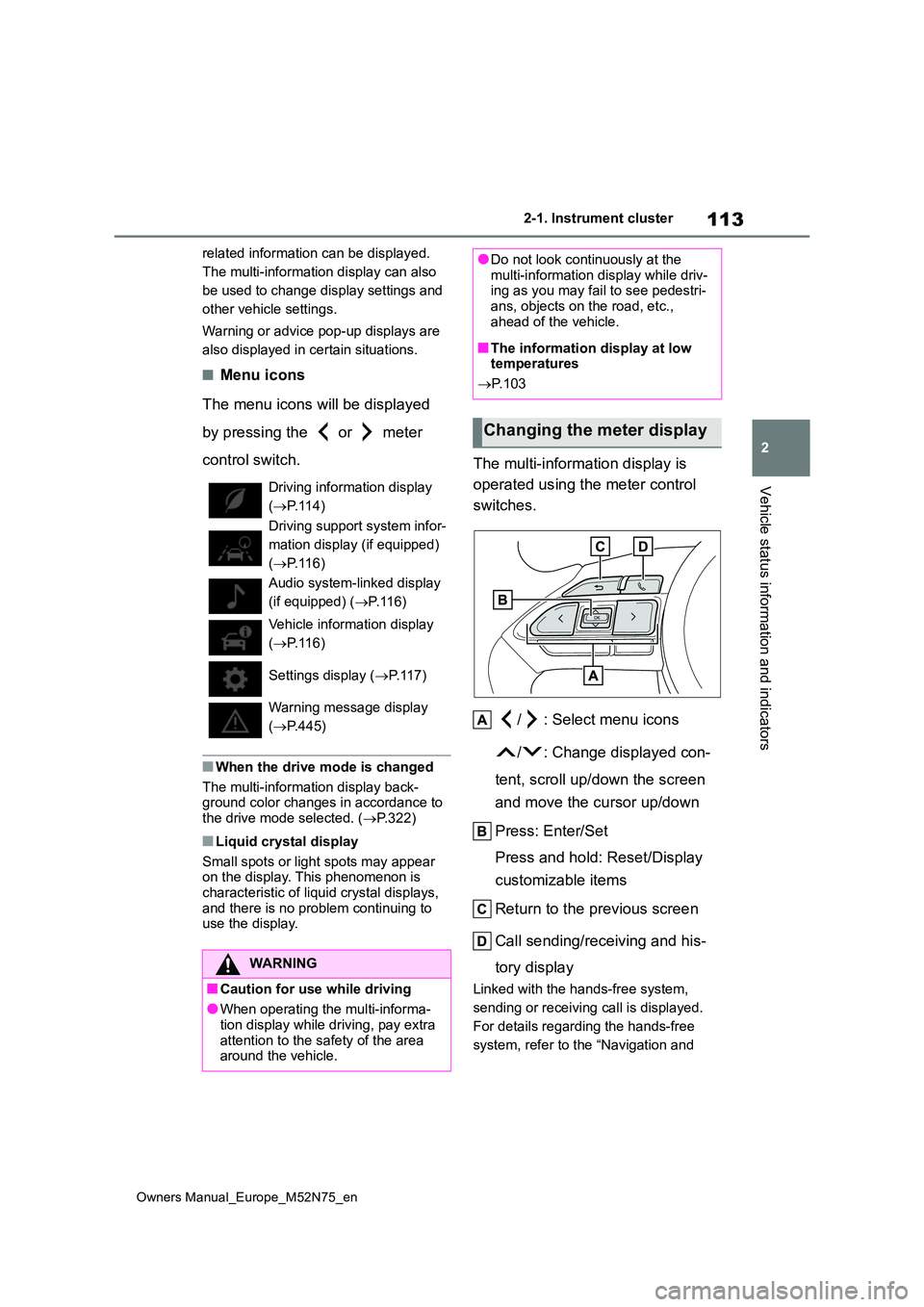
The multi-information display is
operated using the meter control
switches.
/ : Select menu icons
/ : Change displayed con-
tent, scroll up/down the screen
and move the cursor up/down
Press: Enter/Set
Press and hold: Reset/Display
customizable items
Return to the previous screen
Call sending/receiving and his-
tory display
Linked with the hands-free system,
sending or receiving call is displayed.
For details regarding the hands-free
system, refer to the “Navigation and
Driving information display
( P.114)
Driving support system infor-
mation display (if equipped)
( P.116)
Audio system-linked display
(if equipped) ( P. 1 1 6 )
Vehicle information display
( P.116)
Settings display ( P. 1 1 7 )
Warning message display
( P.445)
WARNING
■Caution for use while driving
●When operating the multi-informa- tion display while driving, pay extra
attention to the safety of the area around the vehicle.
●Do not look continuously at the multi-information display while driv-ing as you may fail to see pedestri-
ans, objects on the road, etc., ahead of the vehicle.
■The information display at low temperatures
P. 1 0 3
Changing the meter display
Page 119 of 698
117
2
Owners Manual_Europe_M52N75_en
2-1. Instrument cluster
Vehicle status information and indicators
time since hybrid system start*
*: These items are reset each time the
hybrid system stops.
“Total”
• “Average Speed”: Displays the aver-
age vehicle speed since the display
was reset*
• “Distance”: Displays the distance
driven since the display was reset*
• “Total Time”: Displays the elapsed
time since the display was reset*
*: To reset, display the desired item and
press and hold the meter control
switch.
■Torque distribution (if
equipped)
Drive power put on each tire is dis-
played with a bar meter. The larger
the bar meter the larger the driving
power is displayed.
■Tire inflation pressure
Displays inflation pressure of each
tire.
■Meter display settings that can
be changed
Clock setting (vehicles without
navigation/multimedia system)
P. 1 0 4
Language
Select to change the language dis-
played.
Units
Select to change the units of measure
displayed.
Meter Type
The speed meter display method can
be changed.
EV indicator
Select to enable/disable the EV indica-
tor.
Select to change the displayed content
of the following:
• Hybrid System Indicator
Select to display/not display the Eco
Accelerator Guidance. ( P. 1 1 4 )
• Fuel economy display
Select to change the average fuel con-
sumption display between after
start/after reset/after refuel. ( P.114)
(if equipped)
Select to display/not display the audio
system linked display.
Select to change the displayed content
of the following:
• Display contents
Select to display/not display the energy
monitor/torque distribution display.
( P.123)
• Drive information type
Select to change the drive information
type display between after start/after
reset.
• Drive information items
Select to set the first and second items
of the drive information display to any of
the following: average vehicle
speed/distance/elapsed time.
Settings display
Page 120 of 698
118
Owners Manual_Europe_M52N75_en
2-1. Instrument cluster
Current trip result display
Select to change the displayed informa-
tion about the current trip, measured
from when the hybrid system was
started until it was stopped, between
drive information/eco score. (The infor-
mation will be displayed temporarily
when the hybrid system is stopped.)
Pop-up display
Select to enable/disable pop-up dis-
plays for each relevant system.
Multi-information display off
Select to turn the multi-information dis-
play off.
To turn the multi-information display on
again, press any of the following meter
control switches
//// /.
Default setting
Select to reset the meter display set-
tings to the default setting.
■Vehicle functions and settings
that can be changed
P. 4 9 4
■Suspension of the settings display
●Some settings cannot be changed
while driving. When changing set- tings, park the vehicle in a safe place.
●If a warning message is displayed, operation of the settings display will be suspended.
WARNING
■Cautions during setting up the display
If the hybrid system is operating while changing certain settings on the set-tings display, ensure that the vehicle
is parked in a place with adequate ventilation. In a closed area such as a garage, exhaust gases including
harmful carbon monoxide (CO) may collect and enter the vehicle. This may lead to death or a serious health
hazard.
NOTICE
■During setting up the display
To prevent 12-volt battery discharge, ensure that the hybrid system is oper-ating while setting up the display fea-
tures.
Page 122 of 698
120
Owners Manual_Europe_M52N75_en
2-1. Instrument cluster
■Street name display (vehicles with
navigation system)
Only street names which are included in the map data will be displayed.Select on the multi-information
display ( P.494) and then “HUD
Main”.
■Enabling/disabling the head-
up display
Press the meter control switch
to enable/disable the head-up dis-
play.
■Changing the head-up display
settings
Press and hold the meter con-
trol switch to change the following
settings:
Brightness and vertical position
of the head-up display
Select to adjust the brightness or verti-
cal position of the head-up display.
Display content
Select to change the display between
the following:
• No content
• Hybrid System Indicator
• Tachometer
Select to enable/disable the fol-
lowing items:
• Route guidance to destination (if
equipped)
• Driving support system display (if
equipped)
• Compass (heading-up display) (if
equipped)
• Audio system operation status (if
equipped)
WARNING
■When using the head-up display
●Check that the position and bright- ness of the head-up display image
does not interfere with safe driving. Incorrect adjustment of the image’s position or brightness may obstruct
the driver’s view and lead to an accident, resulting in death or seri-ous injury.
●Do not continuously look at the head-up display while driving as
you may fail to see pedestrians, objects on the road, etc., ahead of the vehicle.
NOTICE
■Head-up display projector
●Do not place any drinks near the
head-up display projector. If the projector gets wet, electrical mal-
functions may result.
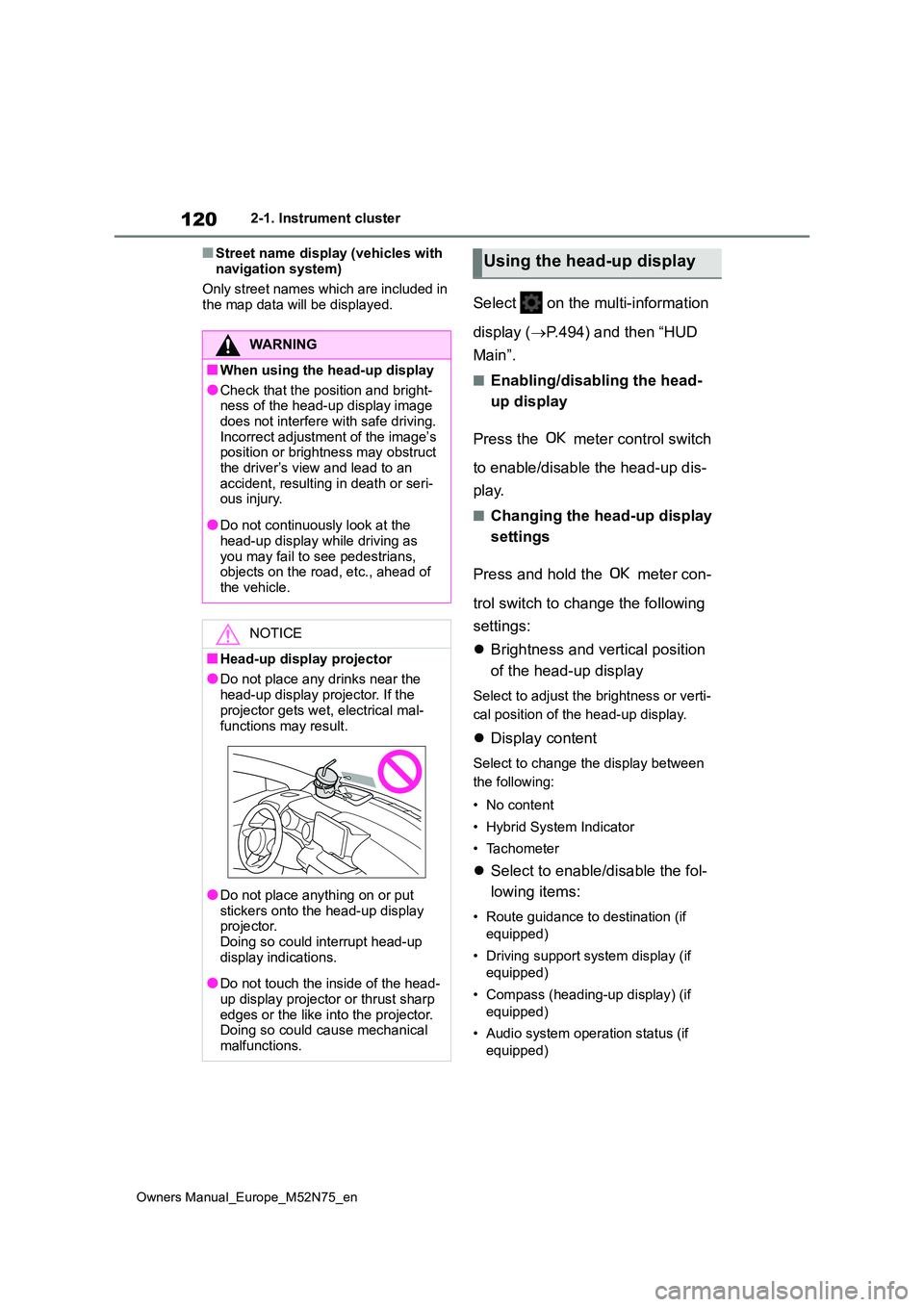
●Do not place anything on or put
stickers onto the head-up display projector. Doing so could interrupt head-up
display indications.
●Do not touch the inside of the head-
up display projector or thrust sharp edges or the like into the projector. Doing so could cause mechanical
malfunctions.
Using the head-up display