Remote TOYOTA YARIS HATCHBACK 2021 Owner's Manual
[x] Cancel search | Manufacturer: TOYOTA, Model Year: 2021, Model line: YARIS HATCHBACK, Model: TOYOTA YARIS HATCHBACK 2021Pages: 568, PDF Size: 110.34 MB
Page 307 of 568
6
307
YARIS(HB) Owner's Manual_Europe_MK0001_en
6
Maintenance and care
Maintenance and care
6-1. Maintenance and care
Cleaning and protecting the
vehicle exterior ............... 308
Cleaning and protecting the
vehicle interior ................ 311
6-2. Maintenance
Maintenance requirements 314
6-3. Do-it-yourself maintenance
Do-it-yourself service precau-
tions ................................ 316
Hood ................................. 317
Positioning a floor jack...... 319
Engine compartment ........ 320
Tires .................................. 330
Tire inflation pressure ....... 340
Wheels.............................. 341
Air conditioning filter ......... 343
Wireless remote control/elec-
tronic key battery ............ 345
Checking and replacing fuses
....................................... 348
Light bulbs ........................ 351
Page 326 of 568
326
YARIS(HB) Owner's Manual_Europe_MK0001_en
6-3. Do-it-yourself maintenance
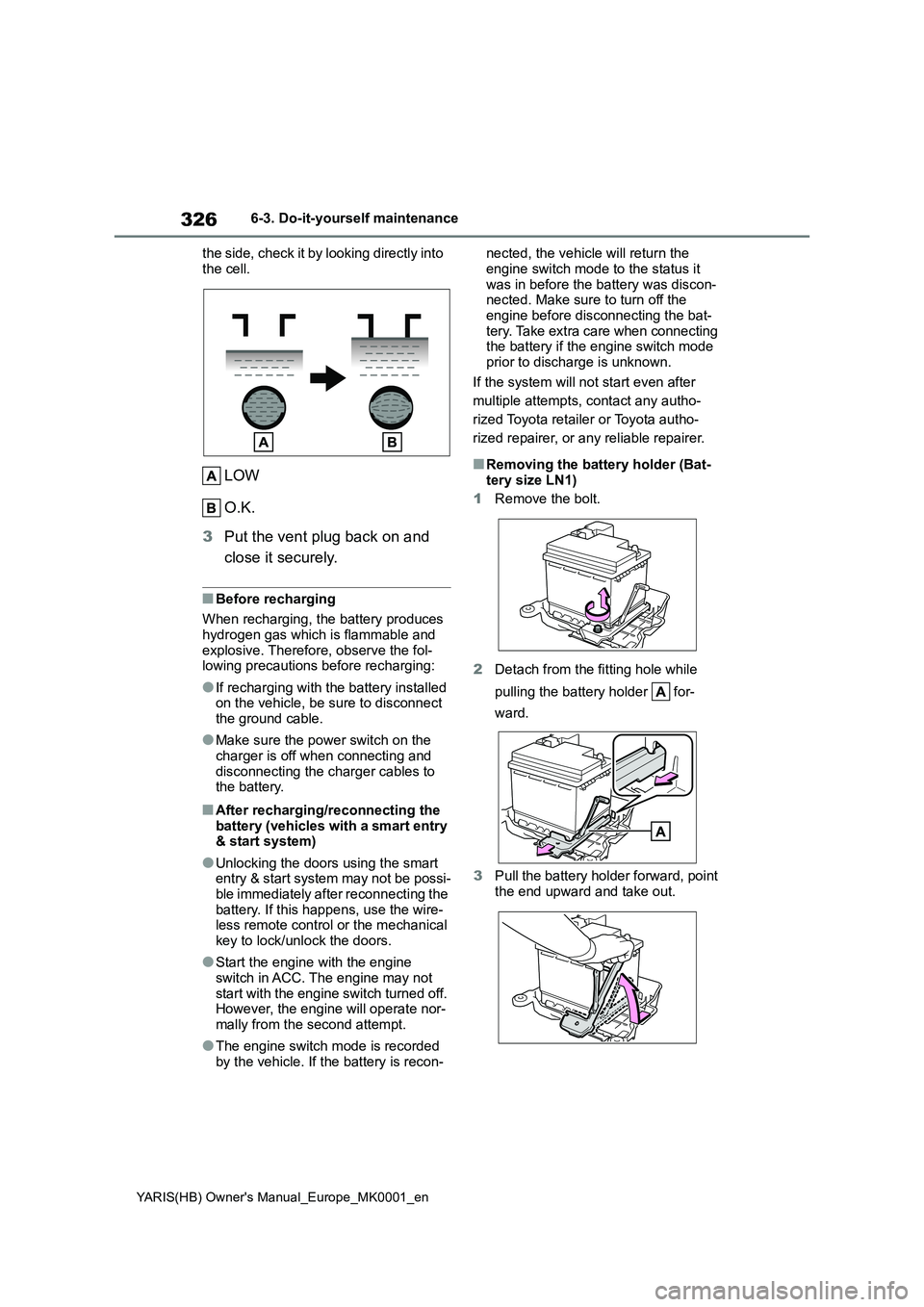
the side, check it by looking directly into
the cell.
LOW
O.K.
3 Put the vent plug back on and
close it securely.
■Before recharging
When recharging, the battery produces hydrogen gas which is flammable and
explosive. Therefore, observe the fol- lowing precautions before recharging:
●If recharging with the battery installed on the vehicle, be sure to disconnect the ground cable.
●Make sure the power switch on the
charger is off when connecting and disconnecting the charger cables to the battery.
■After recharging/reconnecting the
battery (vehicles with a smart entry & start system)
●Unlocking the doors using the smart entry & start system may not be possi-ble immediately after reconnecting the
battery. If this happens, use the wire- less remote control or the mechanical key to lock/unlock the doors.
●Start the engine with the engine switch in ACC. The engine may not
start with the engine switch turned off. However, the engine will operate nor-mally from the second attempt.
●The engine switch mode is recorded by the vehicle. If the battery is recon-
nected, the vehicle will return the
engine switch mode to the status it was in before the battery was discon-nected. Make sure to turn off the
engine before disconnecting the bat- tery. Take extra care when connecting the battery if the engine switch mode
prior to discharge is unknown.
If the system will not start even after
multiple attempts, contact any autho-
rized Toyota retailer or Toyota autho-
rized repairer, or any reliable repairer.
■Removing the battery holder (Bat- tery size LN1)
1 Remove the bolt.
2 Detach from the fitting hole while
pulling the battery holder for-
ward.
3 Pull the battery holder forward, point
the end upward and take out.
Page 345 of 568
345
6
YARIS(HB) Owner's Manual_Europe_MK0001_en
6-3. Do-it-yourself maintenance
Maintenance and care
■If the key battery is depleted
The following symptoms may occur:
●The smart entry & start system (if equipped) and wireless remote control will not function properly.
●The operational range will be reduced.
z Flathead screwdriver
z Small flathead screwdriver
z Lithium battery CR2032 (vehi-
cles without a smart entry & start
system), or CR2450 (vehicles
with a smart entry & start sys-
tem)
■Use a CR2032 (vehicles without a smart entry & start system) or
CR2450 (vehicles with a smart entry & start system) lithium bat-tery
●Batteries can be purchased at any authorized Toyota retailer or Toyota
authorized repairer, or any reliable repairer, local electrical appliance
NOTICE
■When using the air conditioning system
Make sure that a filter is always installed.Using the air conditioning system
without a filter may cause damage to the system.
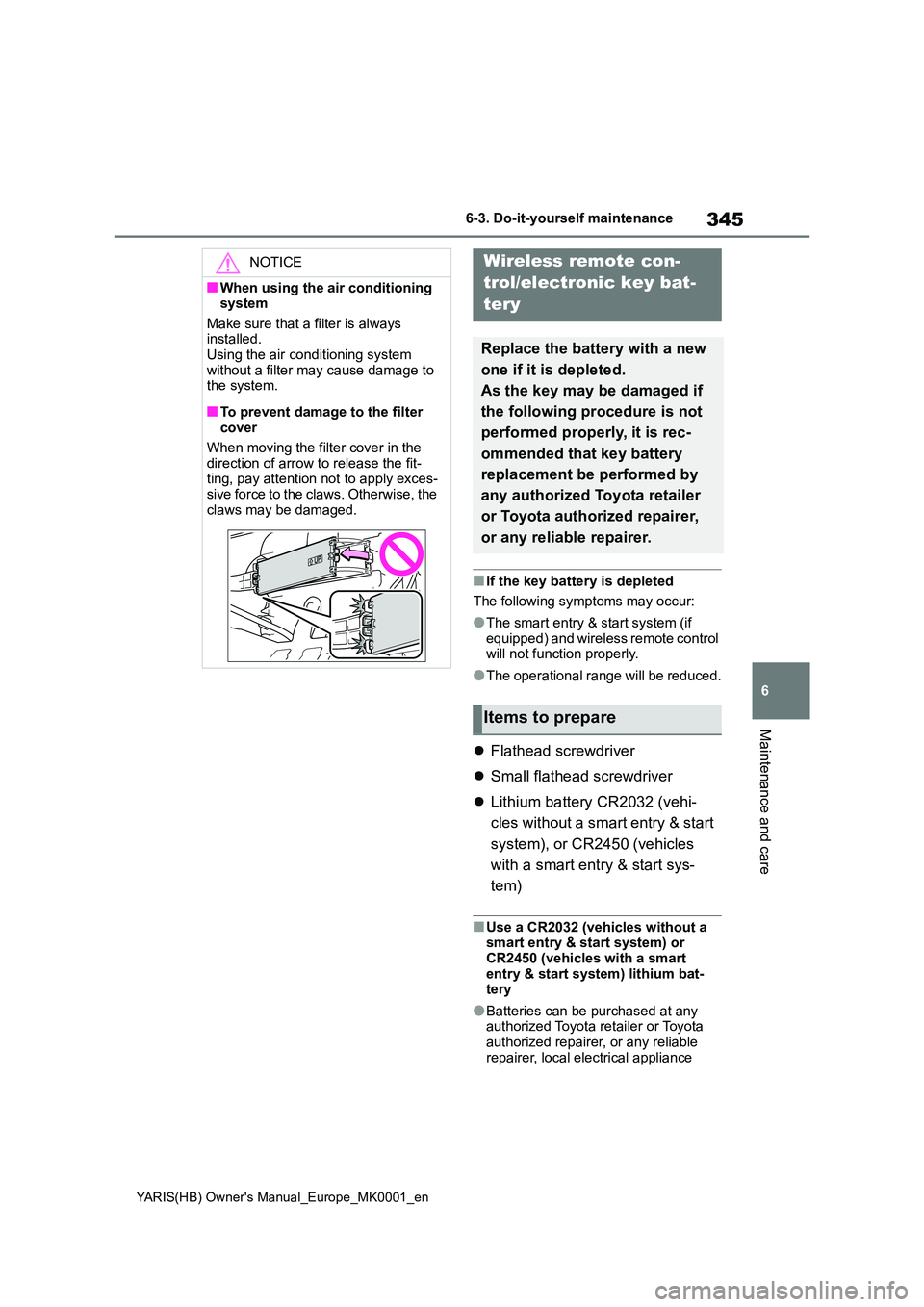
■To prevent damage to the filter cover
When moving the filter cover in the
direction of arrow to release the fit- ting, pay attention not to apply exces-sive force to the claws. Otherwise, the
claws may be damaged.
Wireless remote con-
trol/electronic key bat-
tery
Replace the battery with a new
one if it is depleted.
As the key may be damaged if
the following procedure is not
performed properly, it is rec-
ommended that key battery
replacement be performed by
any authorized Toyota retailer
or Toyota authorized repairer,
or any reliable repairer.
Items to prepare
Page 348 of 568
348
YARIS(HB) Owner's Manual_Europe_MK0001_en
6-3. Do-it-yourself maintenance
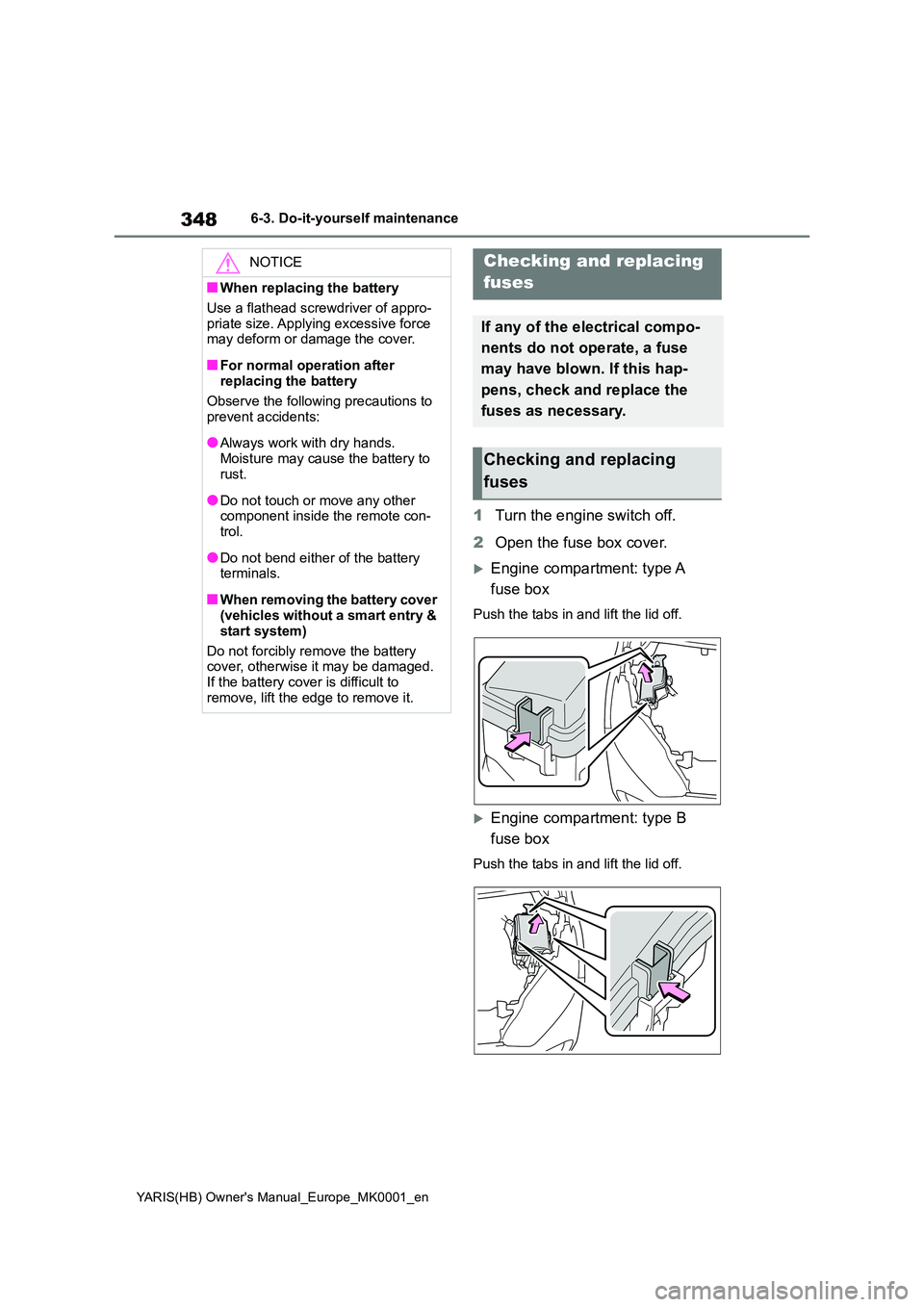
1Turn the engine switch off.
2 Open the fuse box cover.
Engine compartment: type A
fuse box
Push the tabs in and lift the lid off.
Engine compartment: type B
fuse box
Push the tabs in and lift the lid off.
NOTICE
■When replacing the battery
Use a flathead screwdriver of appro-
priate size. Applying excessive force may deform or damage the cover.
■For normal operation after replacing the battery
Observe the following precautions to
prevent accidents:
●Always work with dry hands.
Moisture may cause the battery to rust.
●Do not touch or move any other component inside the remote con-trol.
●Do not bend either of the battery terminals.
■When removing the battery cover (vehicles without a smart entry &
start system)
Do not forcibly remove the battery cover, otherwise it may be damaged.
If the battery cover is difficult to remove, lift the edge to remove it.
Checking and replacing
fuses
If any of the electrical compo-
nents do not operate, a fuse
may have blown. If this hap-
pens, check and replace the
fuses as necessary.
Checking and replacing
fuses
Page 399 of 568
399
7
YARIS(HB) Owner's Manual_Europe_MK0001_en
7-2. Steps to take in an emergency
When trouble arises
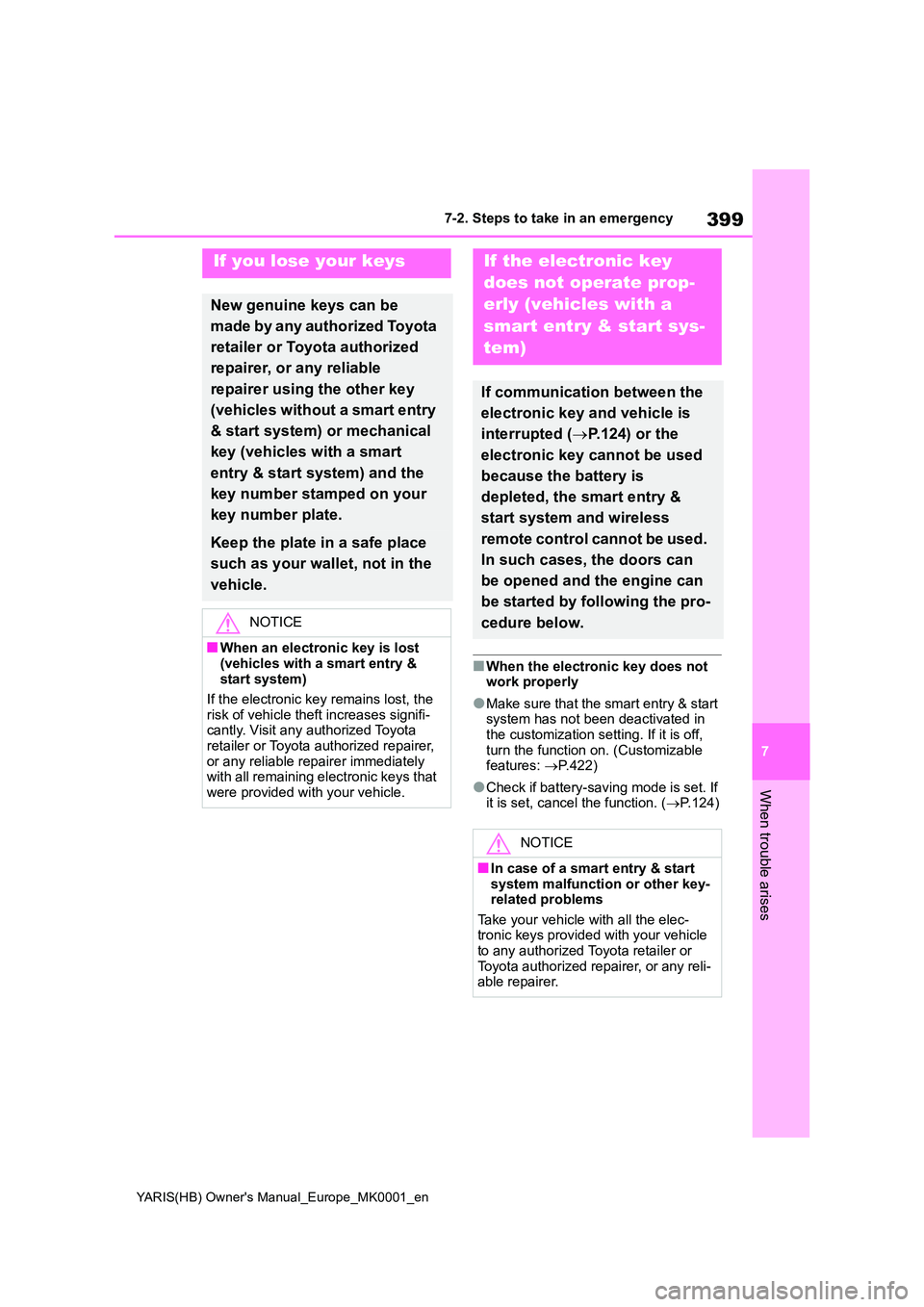
■When the electronic key does not work properly
●Make sure that the smart entry & start system has not been deactivated in
the customization setting. If it is off, turn the function on. (Customizable features: →P.422)
●Check if battery-saving mode is set. If it is set, cancel the function. ( →P.124)
If you lose your keys
New genuine keys can be
made by any authorized Toyota
retailer or Toyota authorized
repairer, or any reliable
repairer using the other key
(vehicles without a smart entry
& start system) or mechanical
key (vehicles with a smart
entry & start system) and the
key number stamped on your
key number plate.
Keep the plate in a safe place
such as your wallet, not in the
vehicle.
NOTICE
■When an electronic key is lost
(vehicles with a smart entry & start system)
If the electronic key remains lost, the
risk of vehicle theft increases signifi- cantly. Visit any authorized Toyota retailer or Toyota authorized repairer,
or any reliable repairer immediately with all remaining electronic keys that were provided with your vehicle.
If the electronic key
does not operate prop-
erly (vehicles with a
smart entry & start sys-
tem)
If communication between the
electronic key and vehicle is
interrupted ( →P.124) or the
electronic key cannot be used
because the battery is
depleted, the smart entry &
start system and wireless
remote control cannot be used.
In such cases, the doors can
be opened and the engine can
be started by following the pro-
cedure below.
NOTICE
■In case of a smart entry & start system malfunction or other key-related problems
Take your vehicle with all the elec- tronic keys provided with your vehicle to any authorized Toyota retailer or
Toyota authorized repairer, or any reli- able repairer.
Page 403 of 568
403
7
YARIS(HB) Owner's Manual_Europe_MK0001_en
7-2. Steps to take in an emergency
When trouble arises
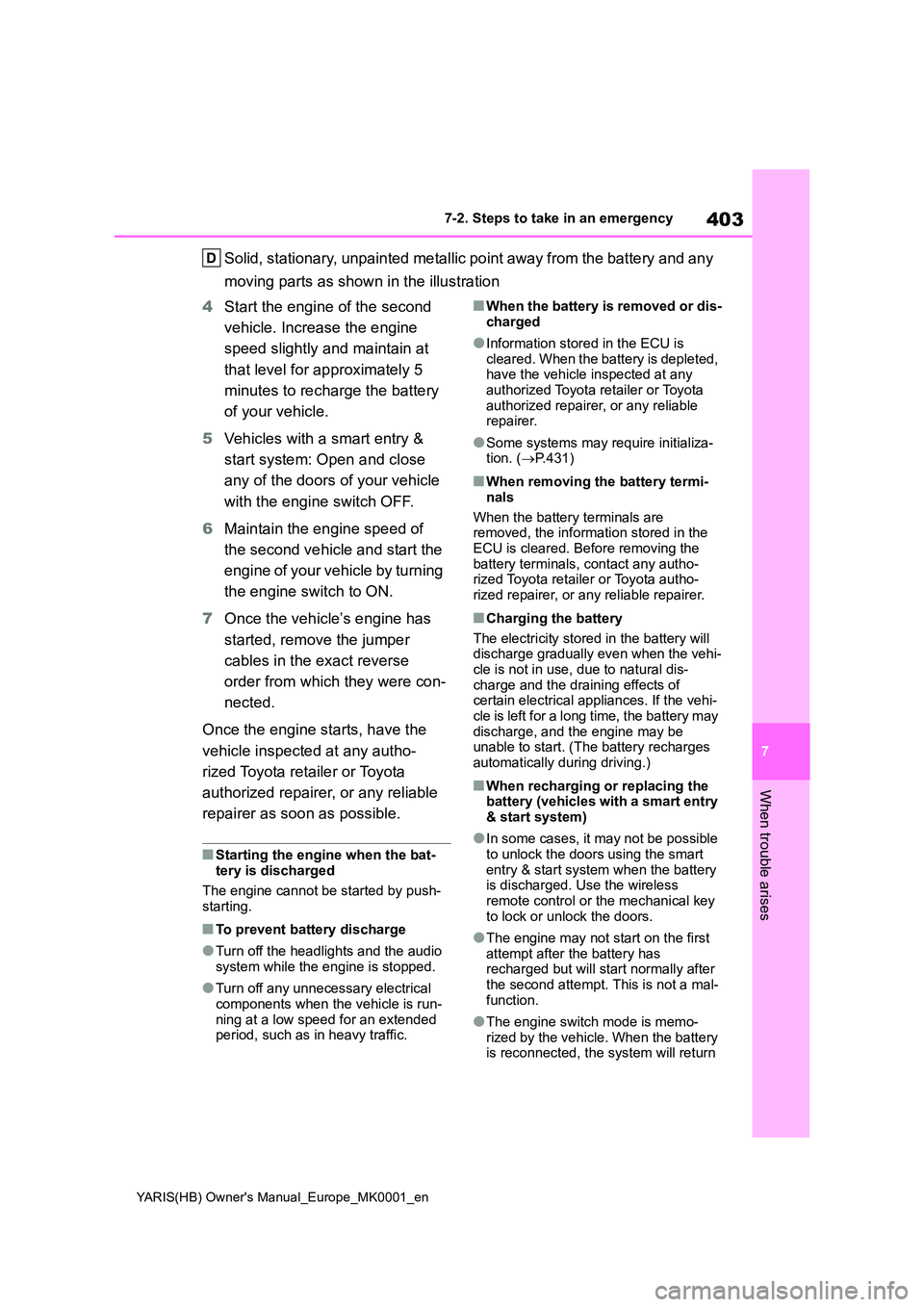
Solid, stationary, unpainted metallic point away from the battery and any
moving parts as shown in the illustration
4 Start the engine of the second
vehicle. Increase the engine
speed slightly and maintain at
that level for approximately 5
minutes to recharge the battery
of your vehicle.
5 Vehicles with a smart entry &
start system: Open and close
any of the doors of your vehicle
with the engine switch OFF.
6 Maintain the engine speed of
the second vehicle and start the
engine of your vehicle by turning
the engine switch to ON.
7 Once the vehicle’s engine has
started, remove the jumper
cables in the exact reverse
order from which they were con-
nected.
Once the engine starts, have the
vehicle inspected at any autho-
rized Toyota retailer or Toyota
authorized repairer, or any reliable
repairer as soon as possible.
■Starting the engine when the bat- tery is discharged
The engine cannot be started by push-
starting.
■To prevent battery discharge
●Turn off the headlights and the audio
system while the engine is stopped.
●Turn off any unnecessary electrical
components when the vehicle is run- ning at a low speed for an extended period, such as in heavy traffic.
■When the battery is removed or dis-charged
●Information stored in the ECU is cleared. When the battery is depleted, have the vehicle inspected at any
authorized Toyota retailer or Toyota authorized repairer, or any reliable repairer.
●Some systems may require initializa-tion. ( →P.431)
■When removing the battery termi-
nals
When the battery terminals are removed, the information stored in the
ECU is cleared. Before removing the battery terminals, contact any autho-rized Toyota retailer or Toyota autho-
rized repairer, or any reliable repairer.
■Charging the battery
The electricity stored in the battery will discharge gradually even when the vehi-
cle is not in use, due to natural dis- charge and the draining effects of certain electrical appliances. If the vehi-
cle is left for a long time, the battery may discharge, and the engine may be unable to start. (The battery recharges
automatically during driving.)
■When recharging or replacing the battery (vehicles with a smart entry & start system)
●In some cases, it may not be possible to unlock the doors using the smart
entry & start system when the battery is discharged. Use the wireless remote control or the mechanical key
to lock or unlock the doors.
●The engine may not start on the first
attempt after the battery has recharged but will start normally after the second attempt. This is not a mal-
function.
●The engine switch mode is memo-
rized by the vehicle. When the battery is reconnected, the system will return
Page 425 of 568
425
8
YARIS(HB) Owner's Manual_Europe_MK0001_en
8-2. Customization
Vehicle specifications
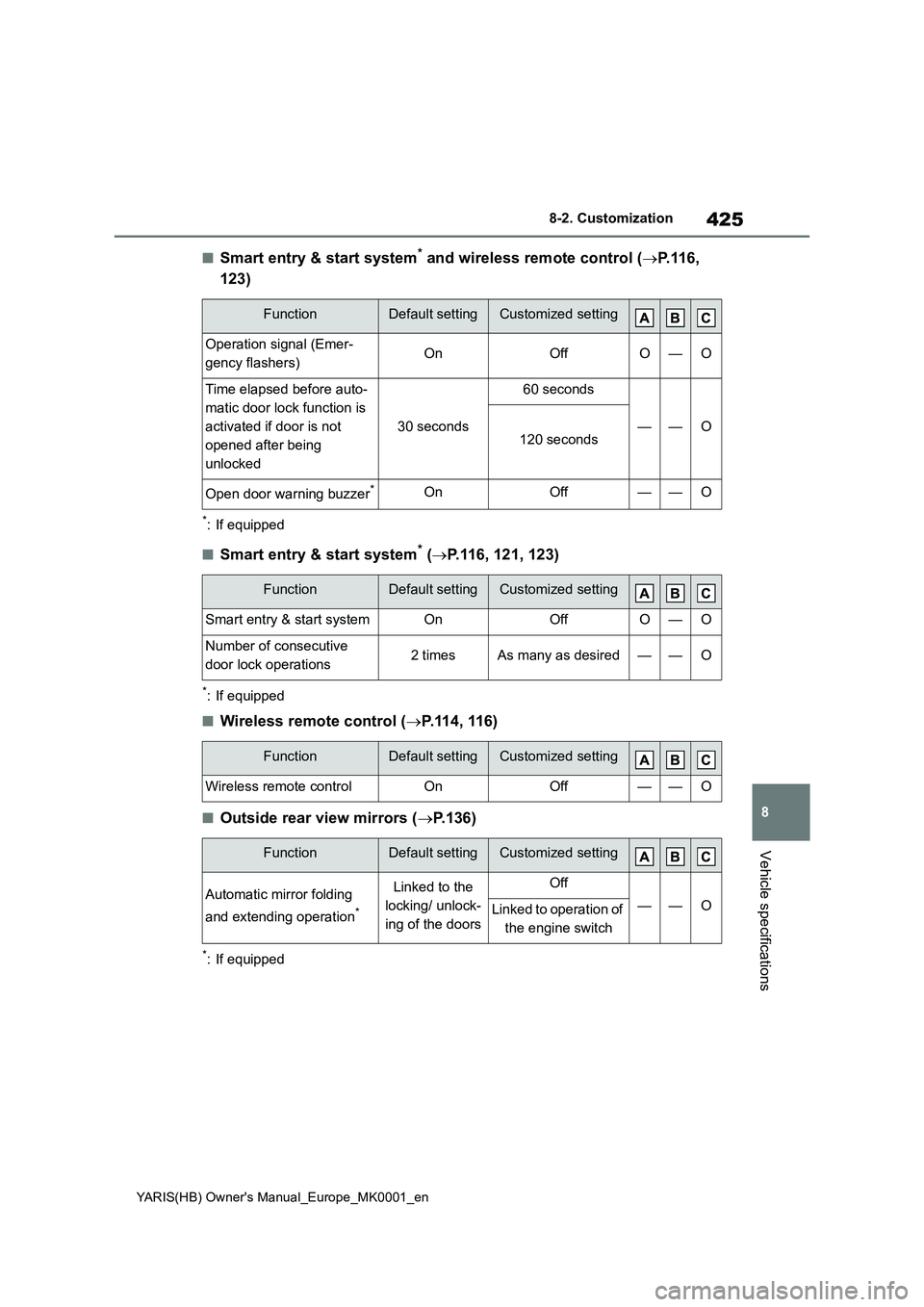
■Smart entry & start system* and wireless remote control (→P.116,
123)
*: If equipped
■Smart entry & start system* (→P.116, 121, 123)
*: If equipped
■Wireless remote control (→P.114, 116)
■Outside rear view mirrors (→P.136)
*: If equipped
FunctionDefault settingCustomized setting
Operation signal (Emer-
gency flashers)OnOffO—O
Time elapsed before auto-
matic door lock function is
activated if door is not
opened after being
unlocked
30 seconds
60 seconds
——O120 seconds
Open door warning buzzer*OnOff——O
FunctionDefault settingCustomized setting
Smart entry & start systemOnOffO—O
Number of consecutive
door lock operations2 timesAs many as desired——O
FunctionDefault settingCustomized setting
Wireless remote controlOnOff——O
FunctionDefault settingCustomized setting
Automatic mirror folding
and extending operation
*
Linked to the
locking/ unlock-
ing of the doorsOff
——OLinked to operation of
the engine switch
Page 426 of 568
426
YARIS(HB) Owner's Manual_Europe_MK0001_en
8-2. Customization
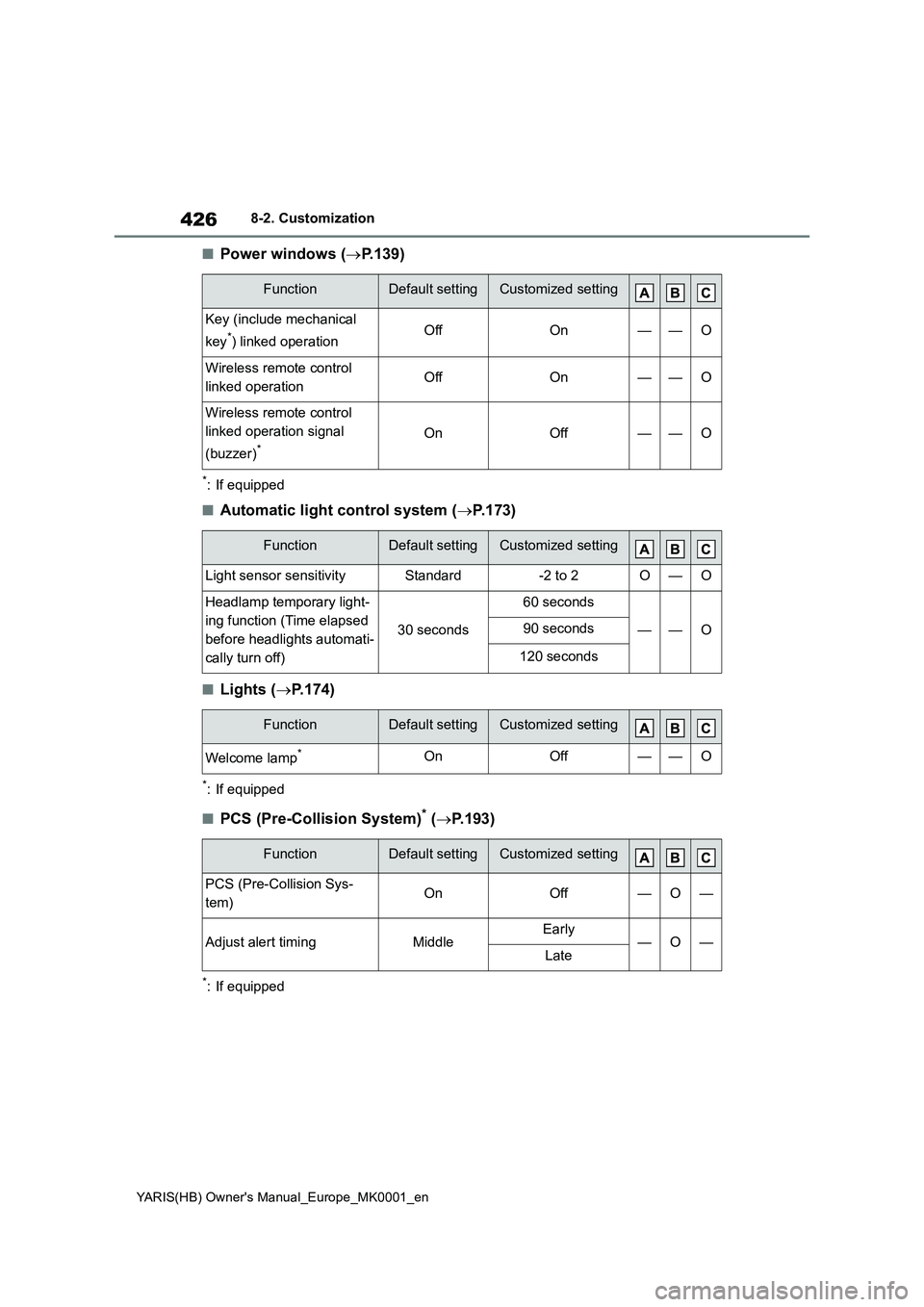
■Power windows (→P.139)
*: If equipped
■Automatic light control system (→P.173)
■Lights (→P.174)
*: If equipped
■PCS (Pre-Collision System)* (→P.193)
*: If equipped
FunctionDefault settingCustomized setting
Key (include mechanical
key
*) linked operationOffOn——O
Wireless remote control
linked operationOffOn——O
Wireless remote control
linked operation signal
(buzzer)
*OnOff——O
FunctionDefault settingCustomized setting
Light sensor sensitivityStandard-2 to 2O—O
Headlamp temporary light-
ing function (Time elapsed
before headlights automati-
cally turn off)
30 seconds
60 seconds
——O90 seconds
120 seconds
FunctionDefault settingCustomized setting
Welcome lamp*OnOff——O
FunctionDefault settingCustomized setting
PCS (Pre-Collision Sys-
tem)OnOff—O—
Adjust alert timingMiddleEarly—O—Late
Page 444 of 568
444
YARIS(HB) Owner's Manual_Europe_MK0001_en
8-4. Certifications
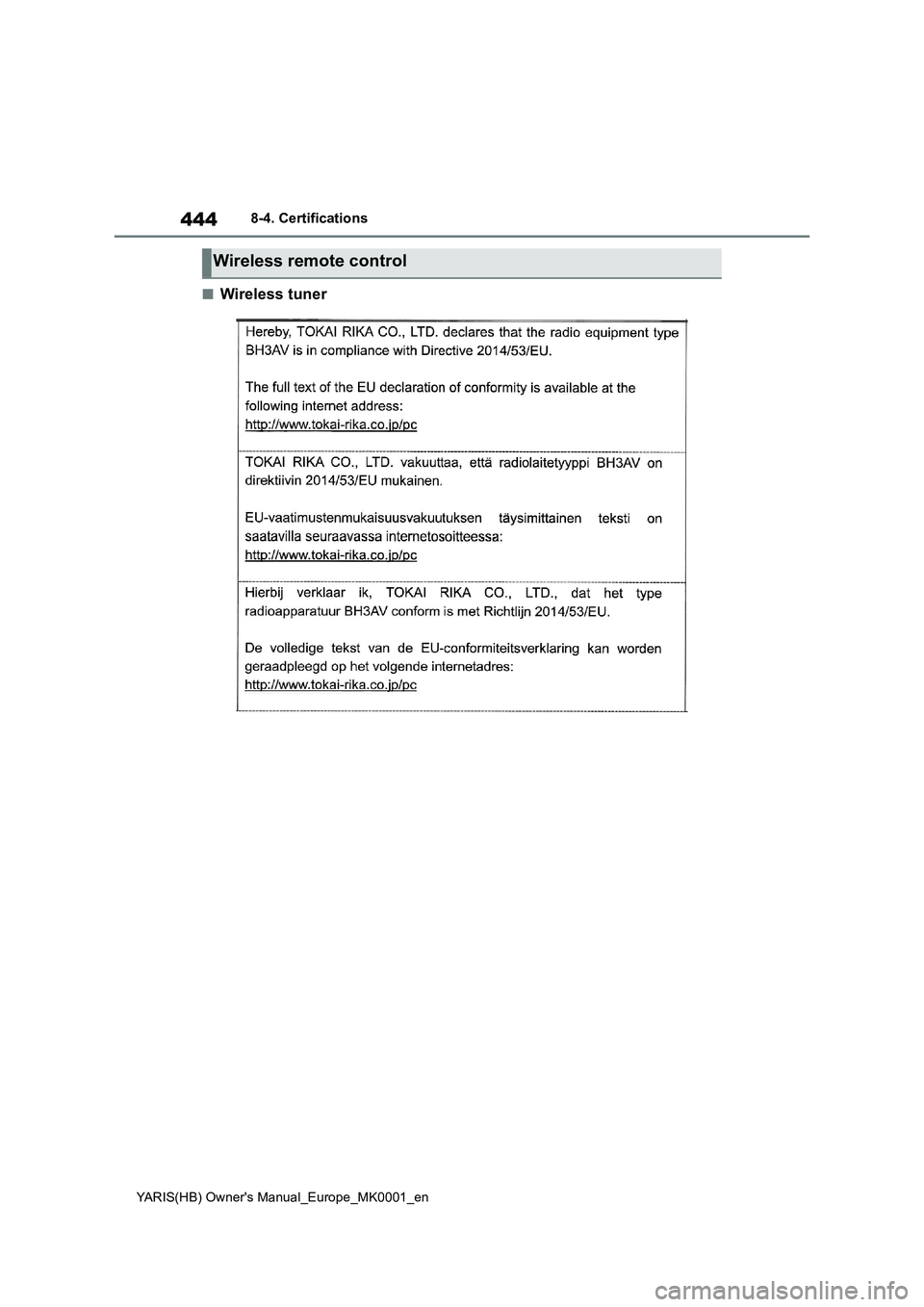
■Wireless tuner
Wireless remote control
Page 554 of 568
554
YARIS(HB) Owner's Manual_Europe_MK0001_en
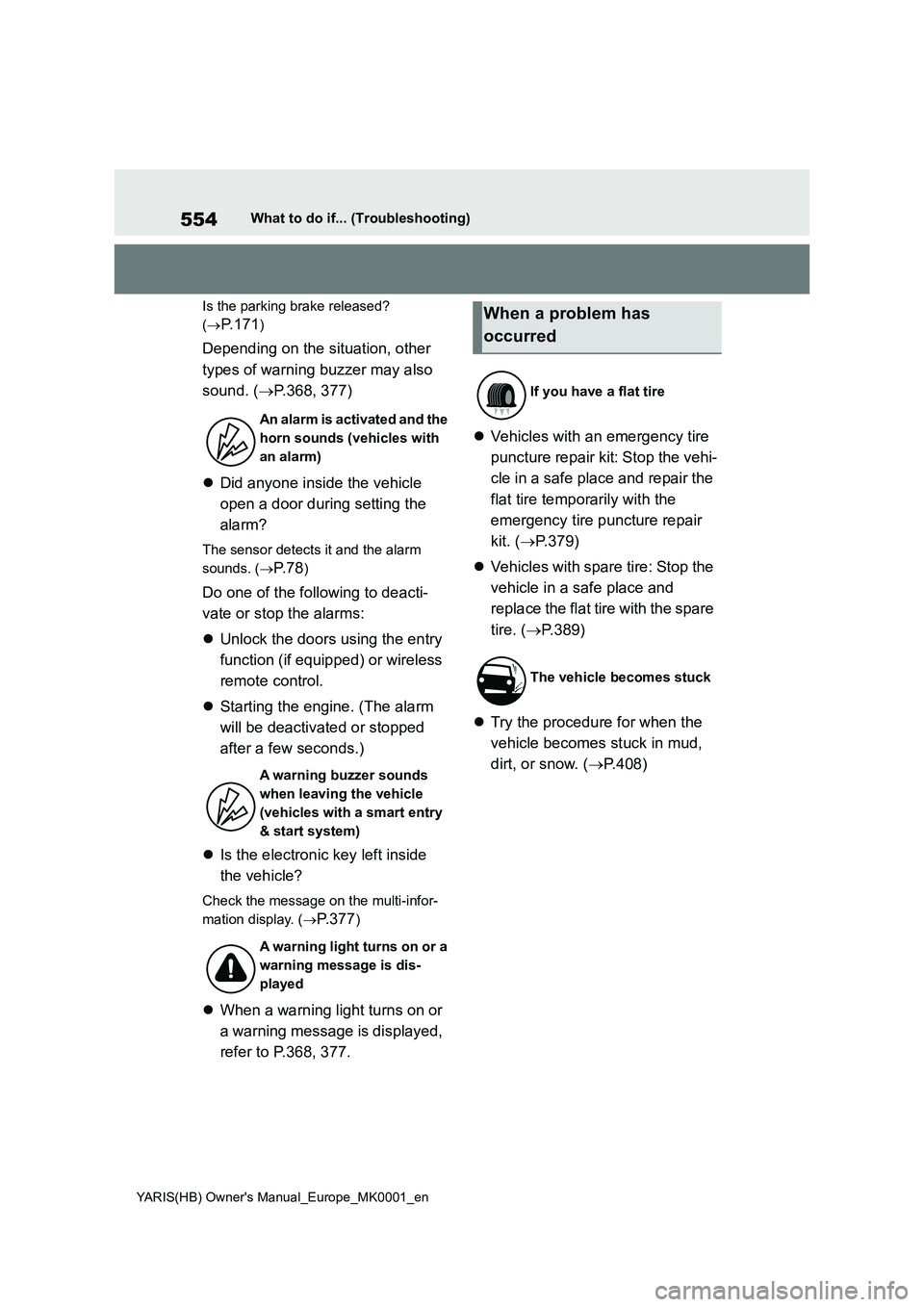
What to do if... (Troubleshooting)
Is the parking brake released?
(→
P. 1 7 1)
Depending on the situation, other
types of warning buzzer may also
sound. (→P.368, 377)
zDid anyone inside the vehicle
open a door during setting the
alarm?
The sensor detects it and the alarm
sounds. (→
P. 7 8)
Do one of the following to deacti-
vate or stop the alarms:
zUnlock the doors using the entry
function (if equipped) or wireless
remote control.
zStarting the engine. (The alarm
will be deactivated or stopped
after a few seconds.)
zIs the electronic key left inside
the vehicle?
Check the message on the multi-infor-
mation display. (→
P.377)
zWhen a warning light turns on or
a warning message is displayed,
refer to P.368, 377.zVehicles with an emergency tire
puncture repair kit: Stop the vehi-
cle in a safe place and repair the
flat tire temporarily with the
emergency tire puncture repair
kit. (→P.379)
zVehicles with spare tire: Stop the
vehicle in a safe place and
replace the flat tire with the spare
tire. (→P.389)
zTry the procedure for when the
vehicle becomes stuck in mud,
dirt, or snow. (→P.408)
An alarm is activated and the
horn sounds (vehicles with
an alarm)
A warning buzzer sounds
when leaving the vehicle
(vehicles with a smart entry
& start system)
A warning light turns on or a
warning message is dis-
played
When a problem has
occurred
If you have a flat tire
The vehicle becomes stuck