TOYOTA YARIS iA 2017 Accessories, Audio & Navigation (in English)
YARIS iA 2017
TOYOTA
TOYOTA
https://www.carmanualsonline.info/img/14/43166/w960_43166-0.png
TOYOTA YARIS iA 2017 Accessories, Audio & Navigation (in English)
Page 42 of 92
42Yaris iA_Navi_OM99N92z_(U)
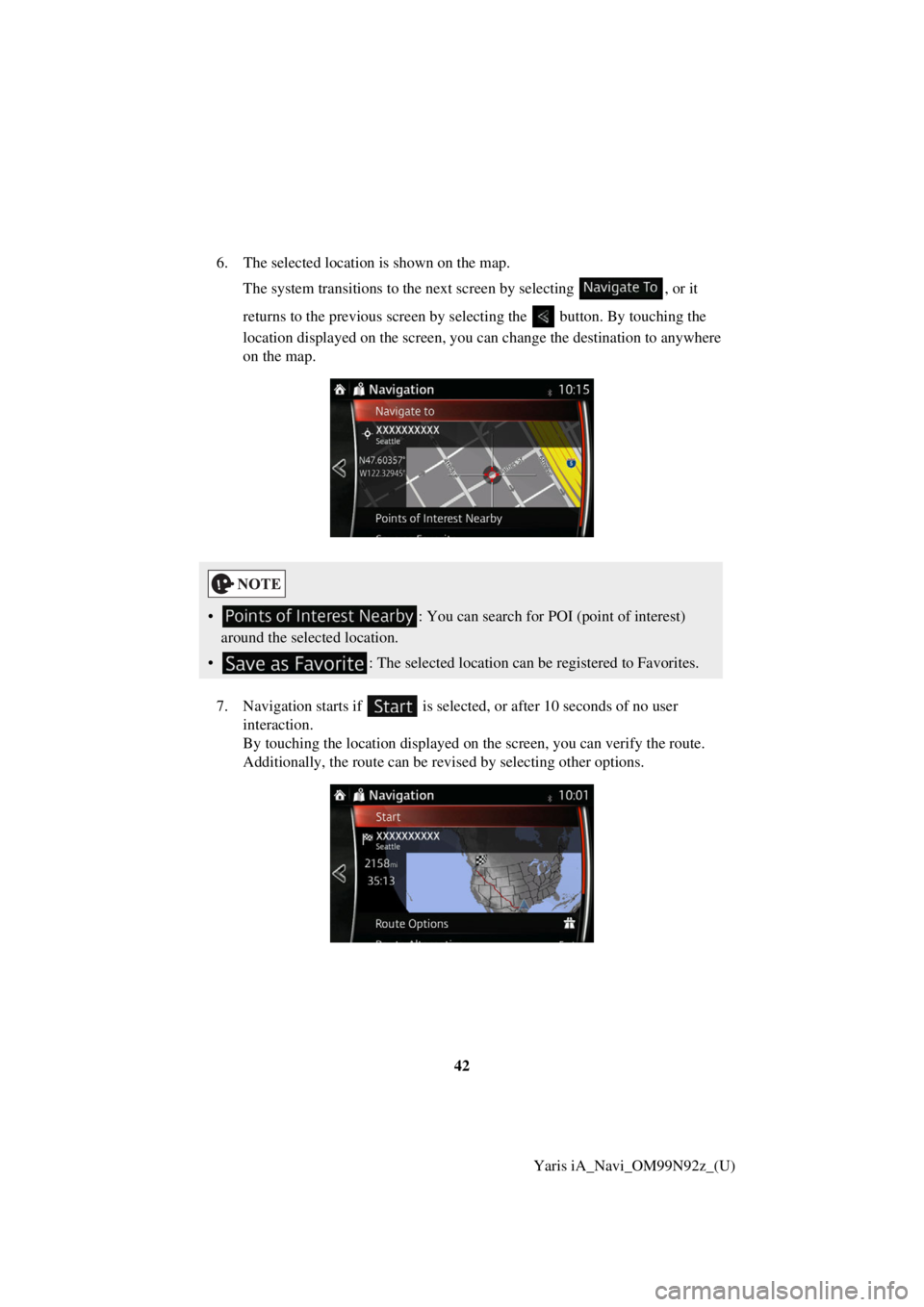
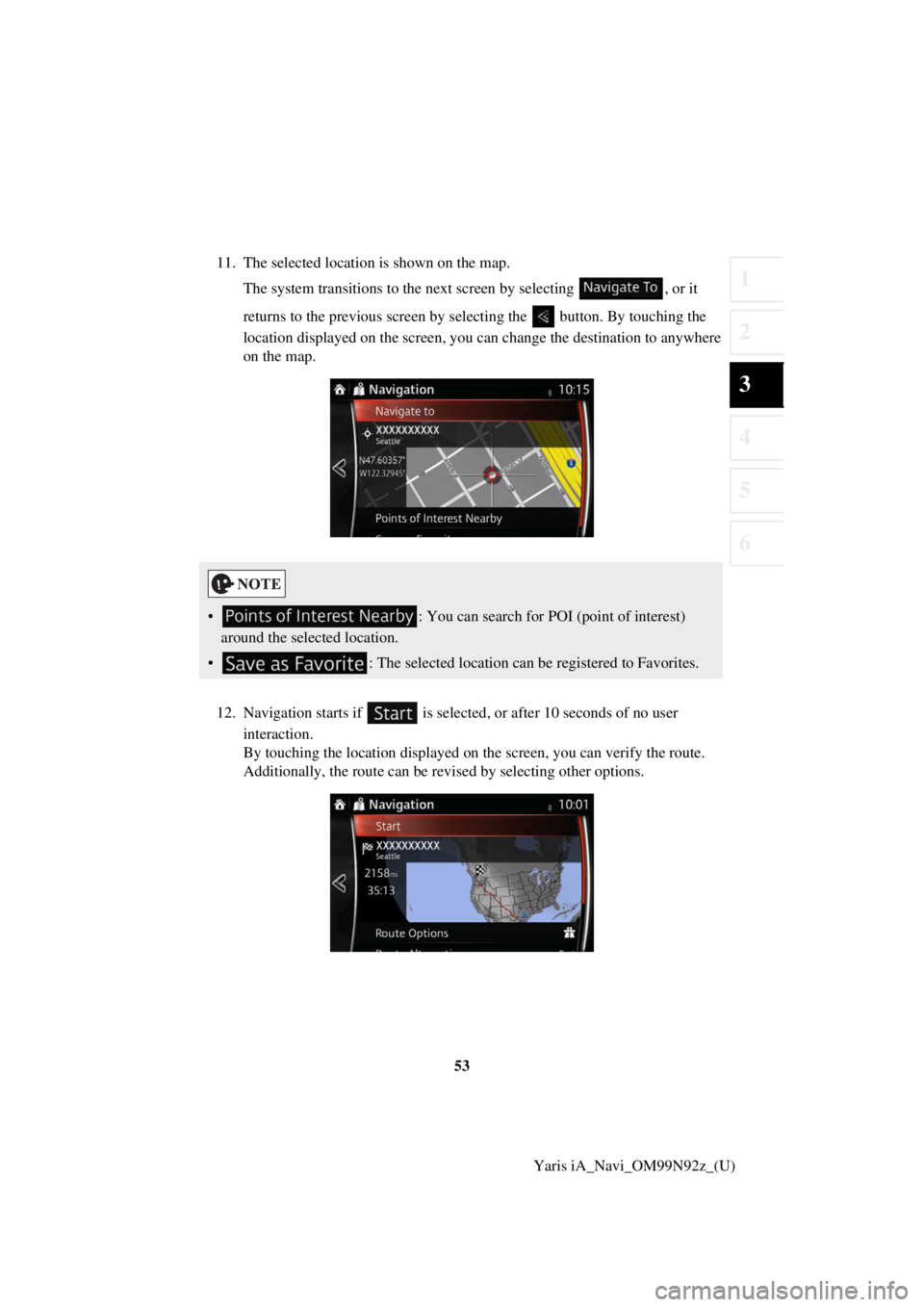
6. The selected location is shown on the map.
The system transitions to the next screen by selecting , or it
returns to the previous screen by selecting the button. By touching the
location displayed on the screen, you can change the destination to anywhere
on the map.
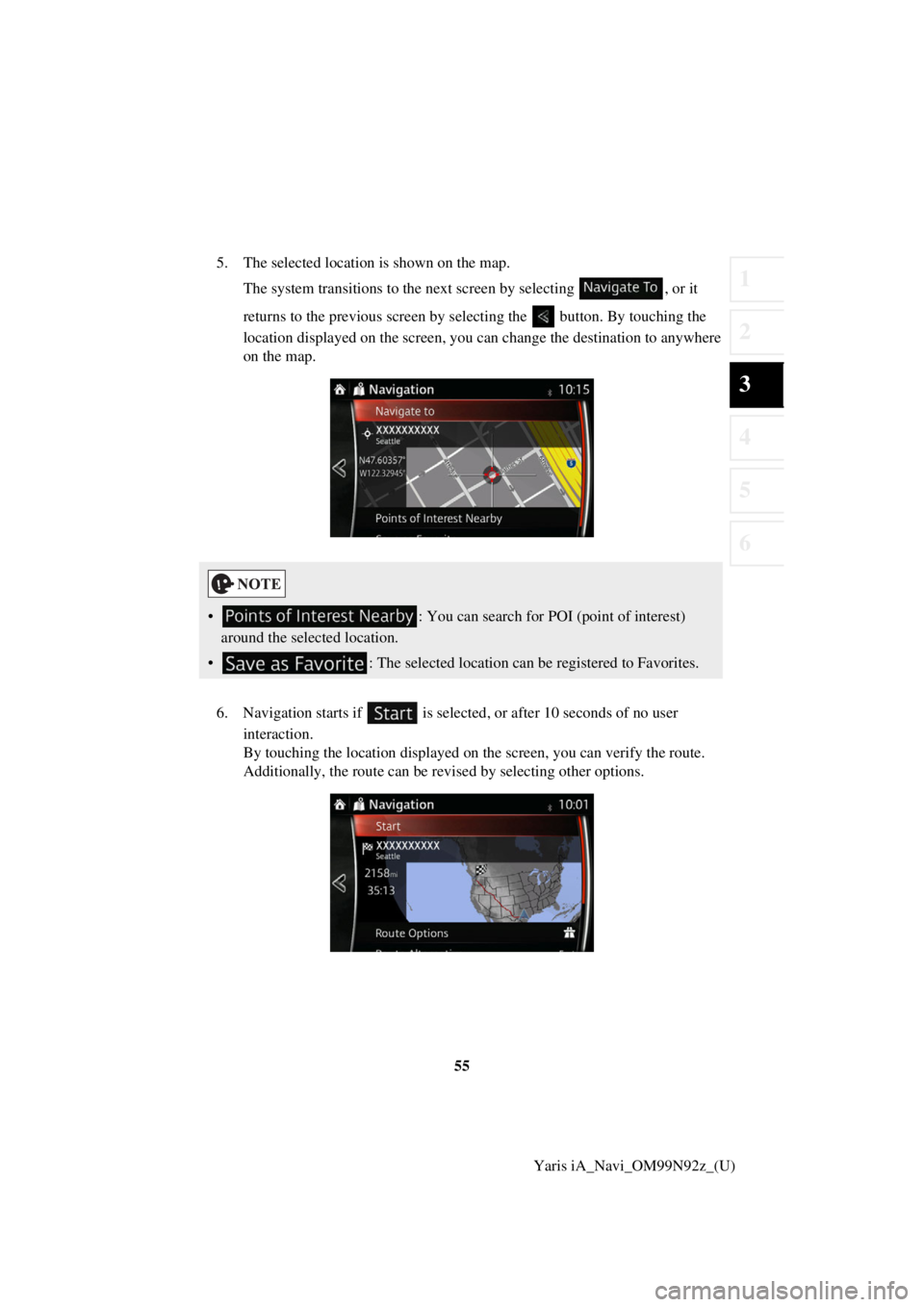
7. Navigation starts if is selected , or after 10 seconds of no user
interaction.
By touching the location displayed on the screen, you can verify the route.
Additionally, the route can be revised by selecting other options.
• : You can search for POI (point of interest)
around the selected location.
• : The selected location can be registered to Favorites.
Page 43 of 92
43
1
2
3
4
5
6
Yaris iA_Navi_OM99N92z_(U)
3.1.2.2 Searching for Help nearby
The Preset search feature lets
you quickly find the most frequently selected types of
Places.
1. Select after selectin g on the MAP screen.
Or, select after selecting as an alternative
method.
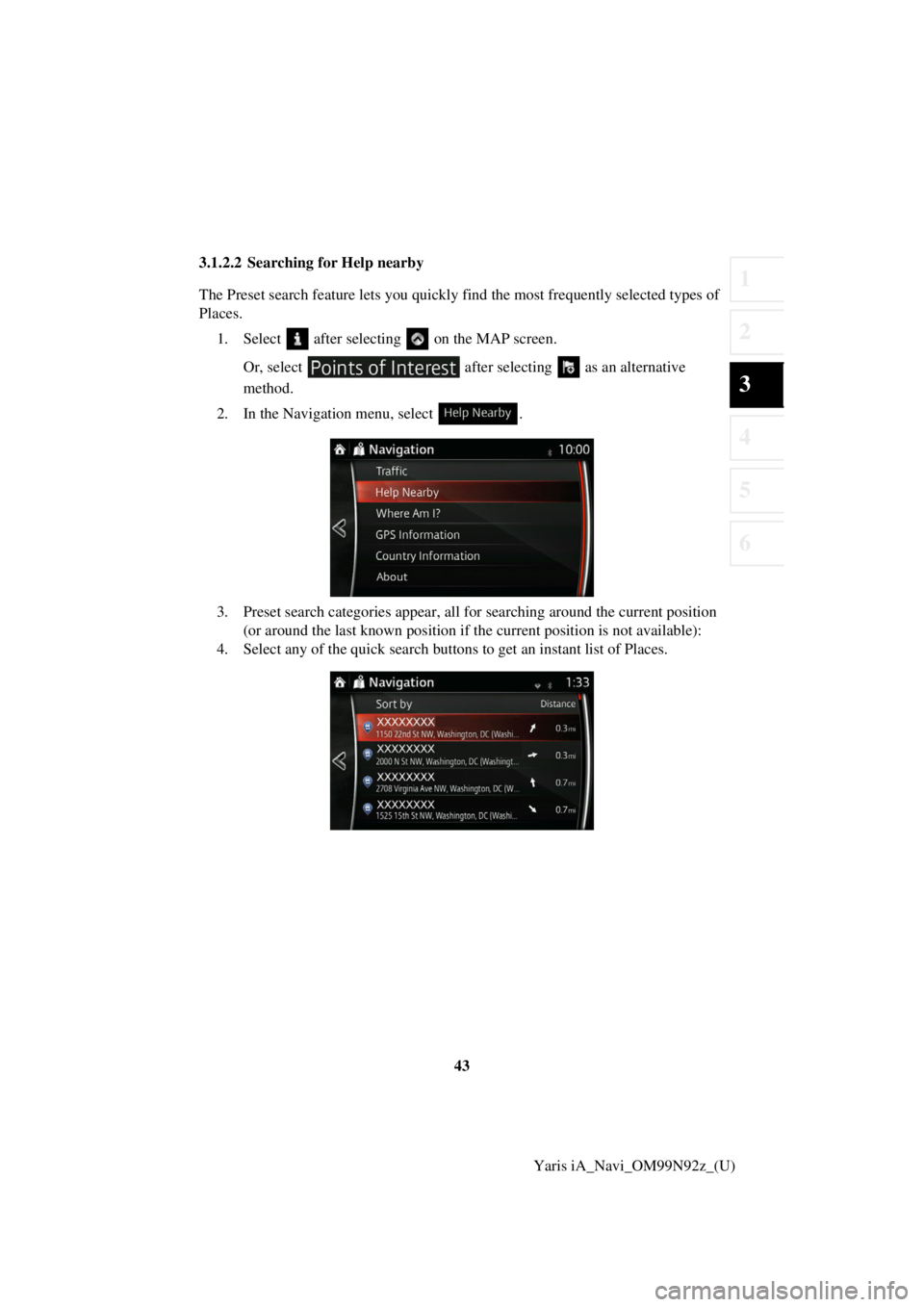
2. In the Navigation menu, select .
3. Preset search categories appear, all for searching around the current position
(or around the last known position if the current position is not available):
4. Select any of the quick search buttons to get an instant list of Places.
Page 45 of 92
45
1
2
3
4
5
6
Yaris iA_Navi_OM99N92z_(U)
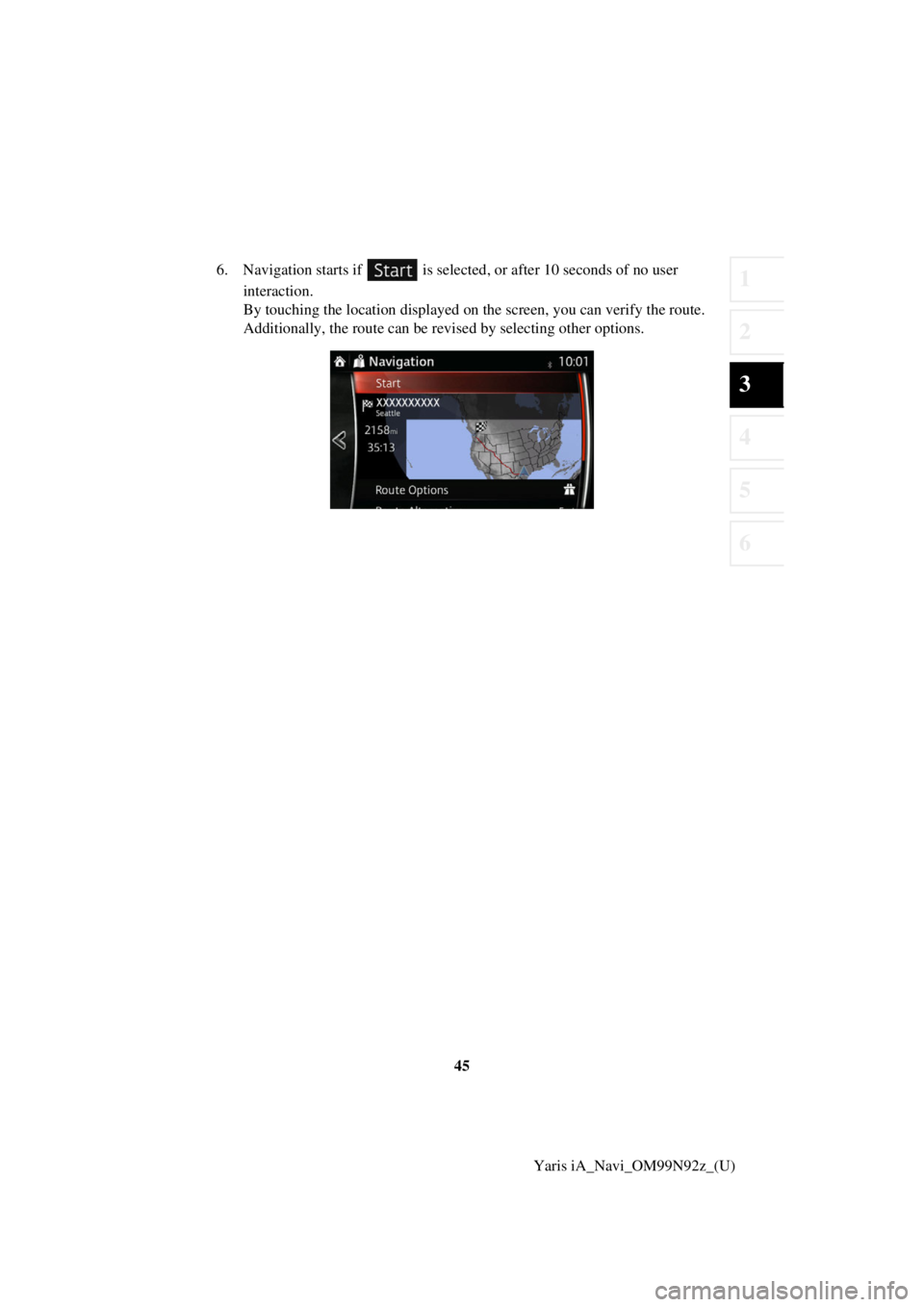
6. Navigation starts if is selected
, or after 10 seconds of no user
interaction.
By touching the location displayed on the screen, you can verify the route.
Additionally, the route can be revised by selecting other options.
Page 49 of 92
49
1
2
3
4
5
6
Yaris iA_Navi_OM99N92z_(U)
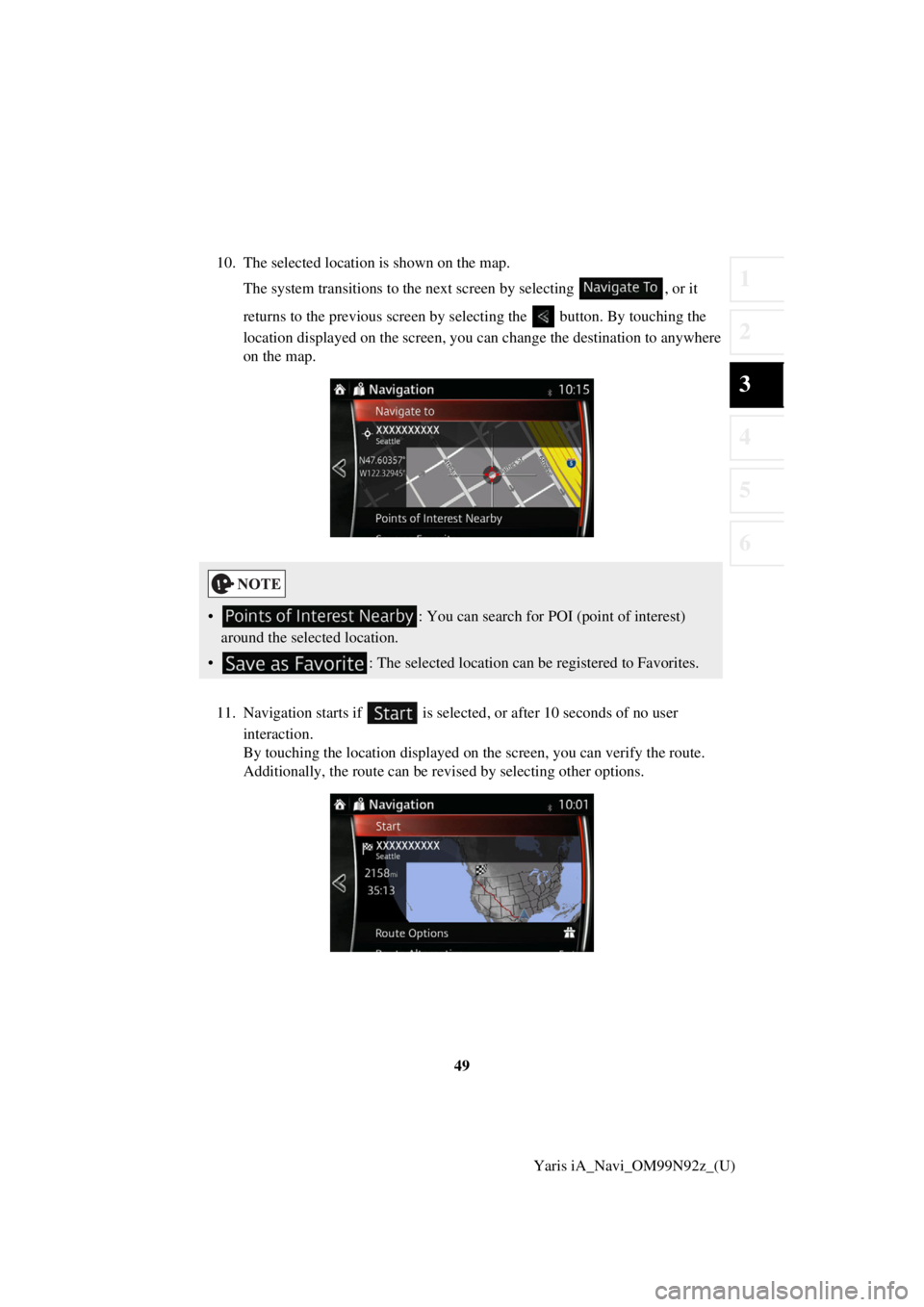
10. The selected location is shown on the map.
The system transitions to the next screen by selecting , or it
returns to the previous screen by selecting the button. By touching the
location displayed on the screen, you can change the destination to anywhere
on the map.
11. Navigation starts if is selected , or after 10 seconds of no user
interaction.
By touching the location displayed on the screen, you can verify the route.
Additionally, the route can be revised by selecting other options.
• : You can search for POI (point of interest)
around the selected location.
• : The selected location can be registered to Favorites.
Page 53 of 92
53
1
2
3
4
5
6
Yaris iA_Navi_OM99N92z_(U)
11. The selected location is shown on the map.
The system transitions to the next screen by selecting , or it
returns to the previous screen by selecting the button. By touching the
location displayed on the screen, you can change the destination to anywhere
on the map.
12. Navigation starts if is selected , or after 10 seconds of no user
interaction.
By touching the location displayed on the screen, you can verify the route.
Additionally, the route can be revised by selecting other options.
• : You can search for POI (point of interest)
around the selected location.
• : The selected location can be registered to Favorites.
Page 55 of 92
55
1
2
3
4
5
6
Yaris iA_Navi_OM99N92z_(U)
5. The selected location is shown on the map.
The system transitions to the next screen by selecting , or it
returns to the previous screen by selecting the button. By touching the
location displayed on the screen, you can change the destination to anywhere
on the map.
6. Navigation starts if is selected , or after 10 seconds of no user
interaction.
By touching the location displayed on the screen, you can verify the route.
Additionally, the route can be revised by selecting other options.
• : You can search for POI (point of interest)
around the selected location.
• : The selected location can be registered to Favorites.
Page 57 of 92
57
1
2
3
4
5
6
Yaris iA_Navi_OM99N92z_(U)
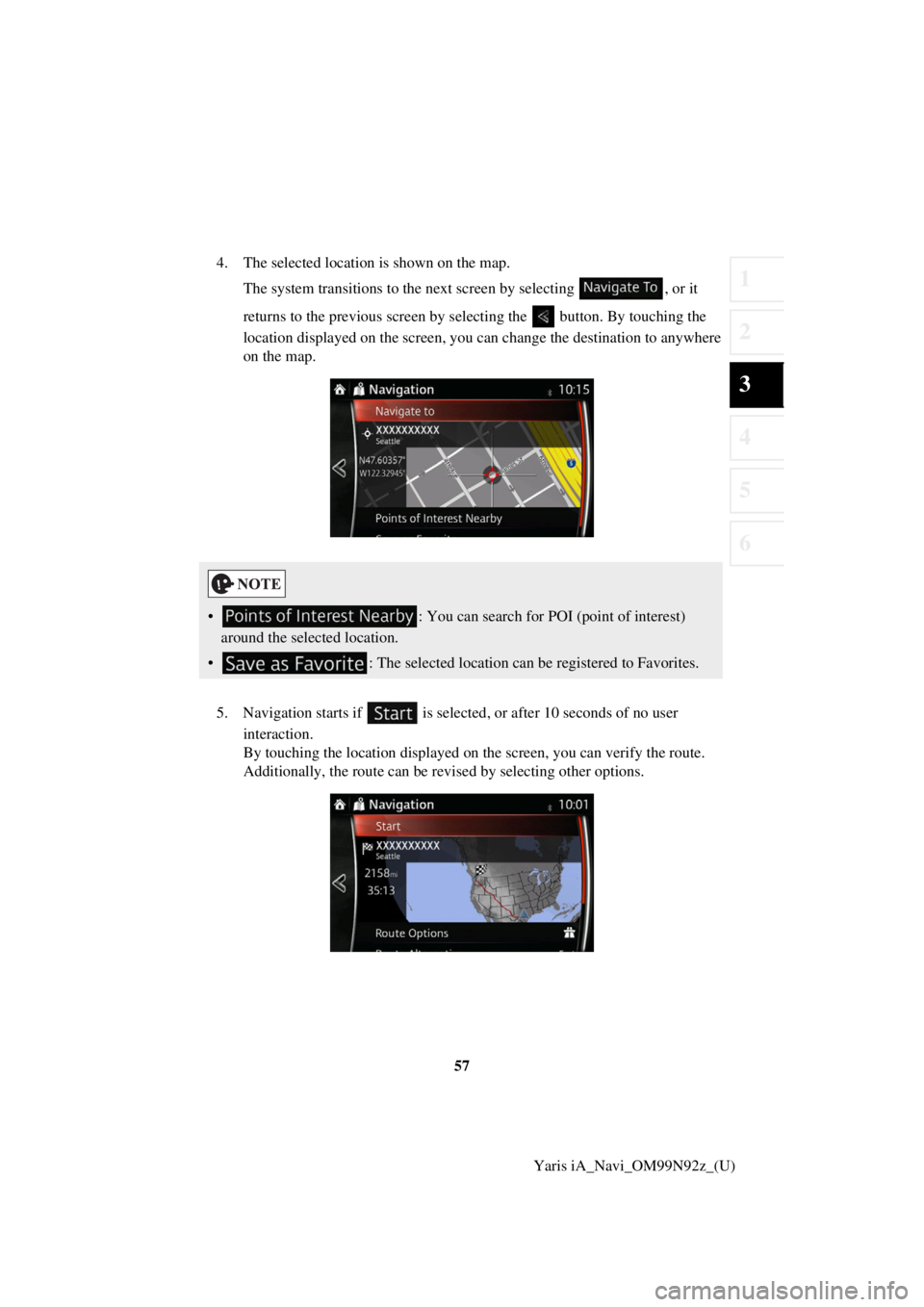
4. The selected location is shown on the map.
The system transitions to the next screen by selecting , or it
returns to the previous screen by selecting the button. By touching the
location displayed on the screen, you can change the destination to anywhere
on the map.
5. Navigation starts if is selected , or after 10 seconds of no user
interaction.
By touching the location displayed on the screen, you can verify the route.
Additionally, the route can be revised by selecting other options.
• : You can search for POI (point of interest)
around the selected location.
• : The selected location can be registered to Favorites.
Page 58 of 92
58Yaris iA_Navi_OM99N92z_(U)
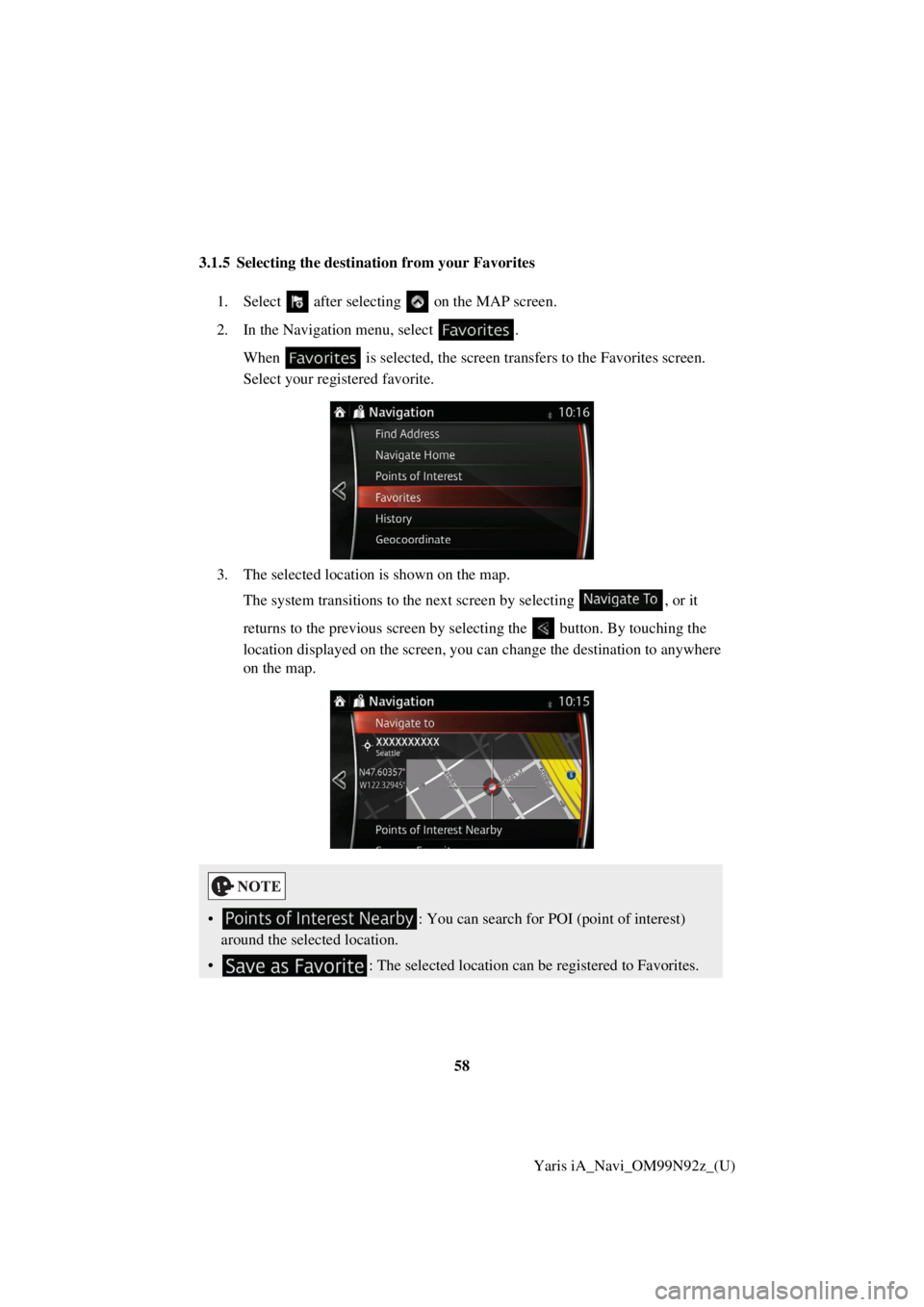
3.1.5 Selecting the destination from your Favorites
1. Select after selectin g on the MAP screen.
2. In the Navigation menu, select . When is selected, the screen tr ansfers to the Favorites screen.
Select your registered favorite.
3. The selected location is shown on the map. The system transitions to the next screen by selecting , or it
returns to the previous screen by selecting the button. By touching the
location displayed on the screen, you can change the destination to anywhere
on the map.
• : You can search for POI (point of interest)
around the selected location.
• : The selected location can be registered to Favorites.
Page 59 of 92
59
1
2
3
4
5
6
Yaris iA_Navi_OM99N92z_(U)
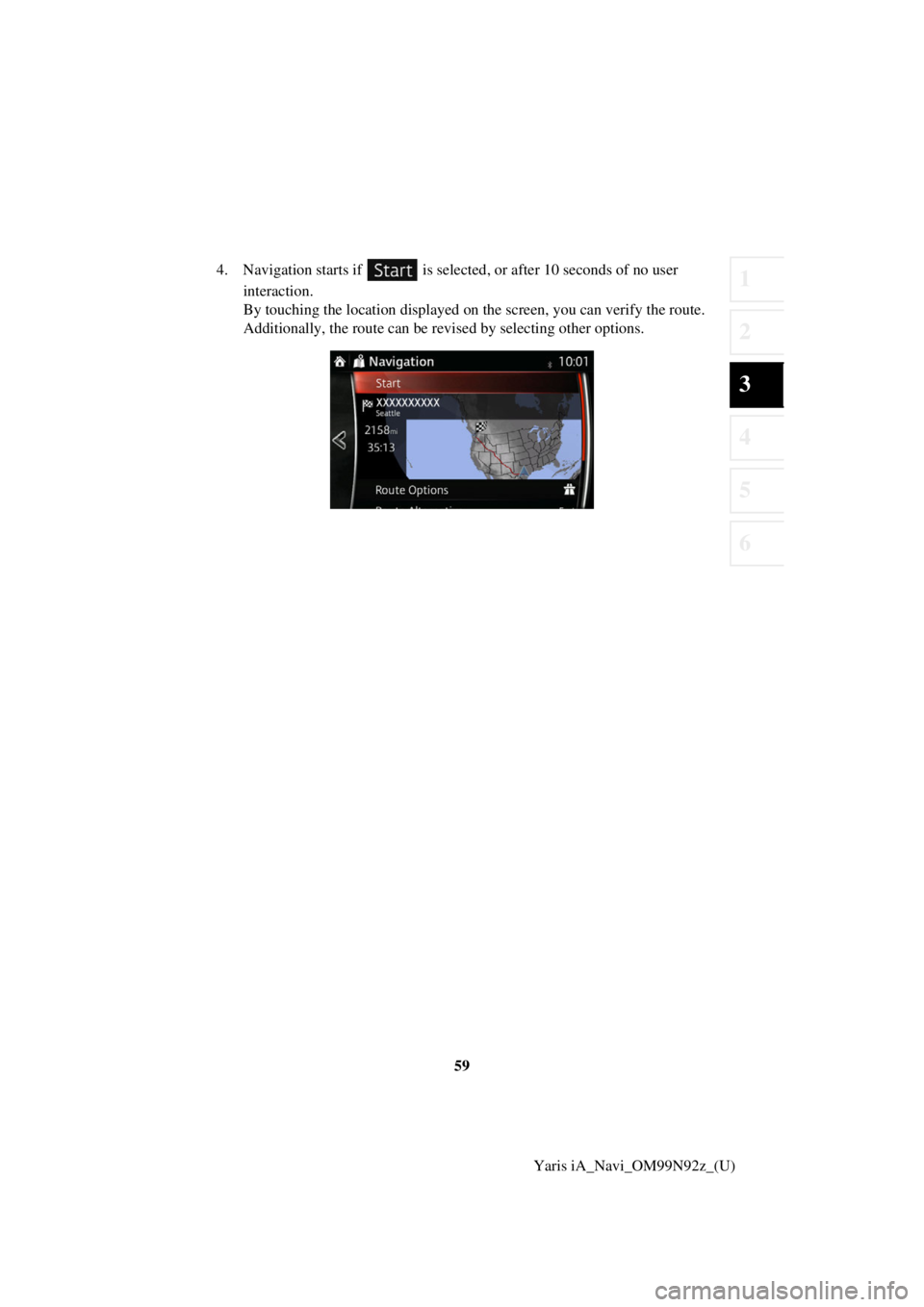
4. Navigation starts if is selected
, or after 10 seconds of no user
interaction.
By touching the location displayed on the screen, you can verify the route.
Additionally, the route can be revised by selecting other options.
Page 60 of 92
60Yaris iA_Navi_OM99N92z_(U)
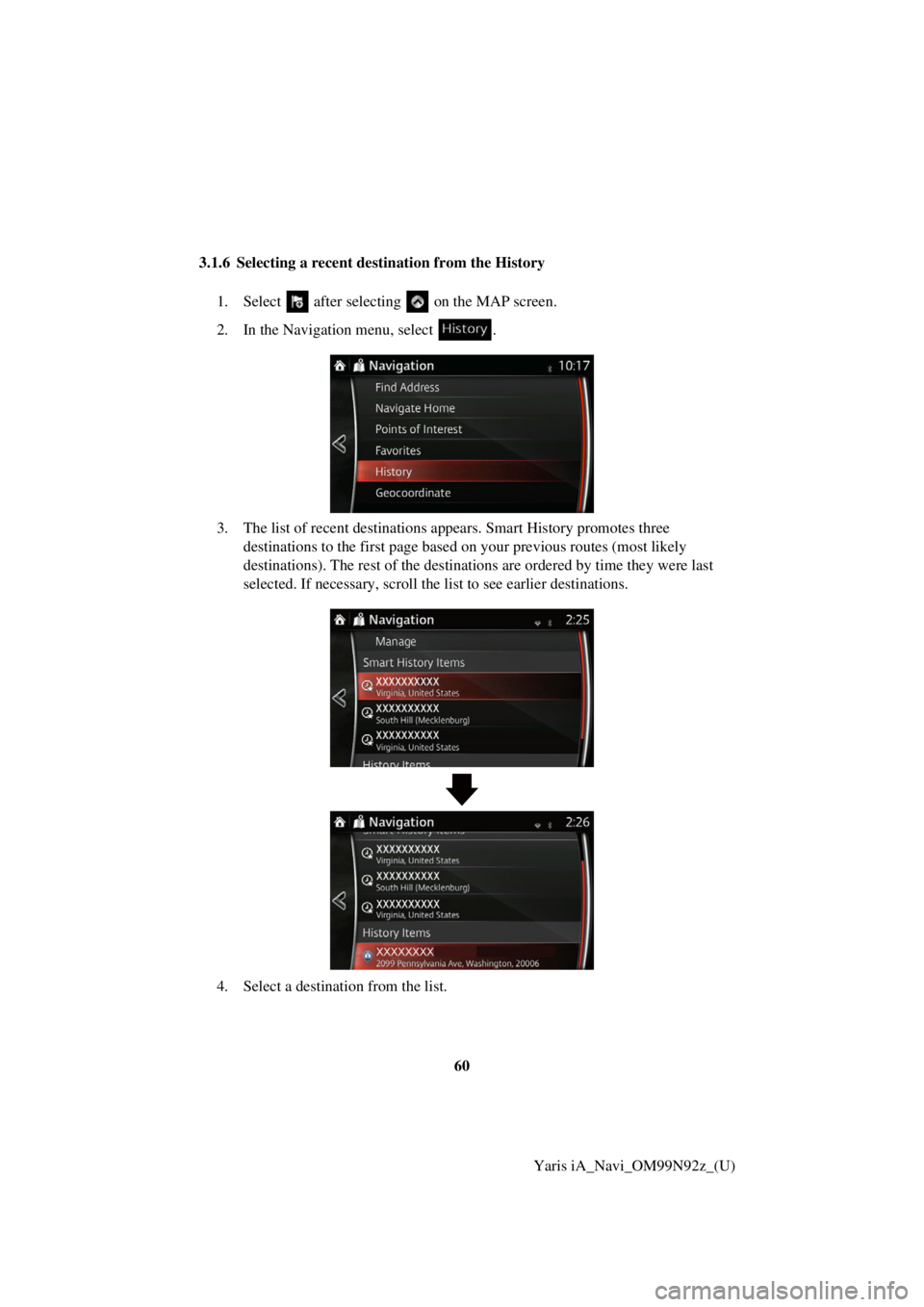
3.1.6 Selecting a recent destination from the History
1. Select after selectin g on the MAP screen.
2. In the Navigation menu, select .
3. The list of recent destinations ap pears. Smart History promotes three
destinations to the first page based on your previous routes (most likely
destinations). The rest of the destinatio ns are ordered by time they were last
selected. If necessary, scroll the list to see earlier destinations.
4. Select a destination from the list.