wheel VAUXHALL VIVA 2015.75 Owner's Guide
[x] Cancel search | Manufacturer: VAUXHALL, Model Year: 2015.75, Model line: VIVA, Model: VAUXHALL VIVA 2015.75Pages: 222, PDF Size: 4.12 MB
Page 79 of 222
Vauxhall Viva Owner Manual (GMK-Localizing-EU RHD-9231169) - 2016 -
CRC - 5/7/15
78 Instruments and Controls
actual distance according to driving
conditions, driving pattern or vehicle
speed.
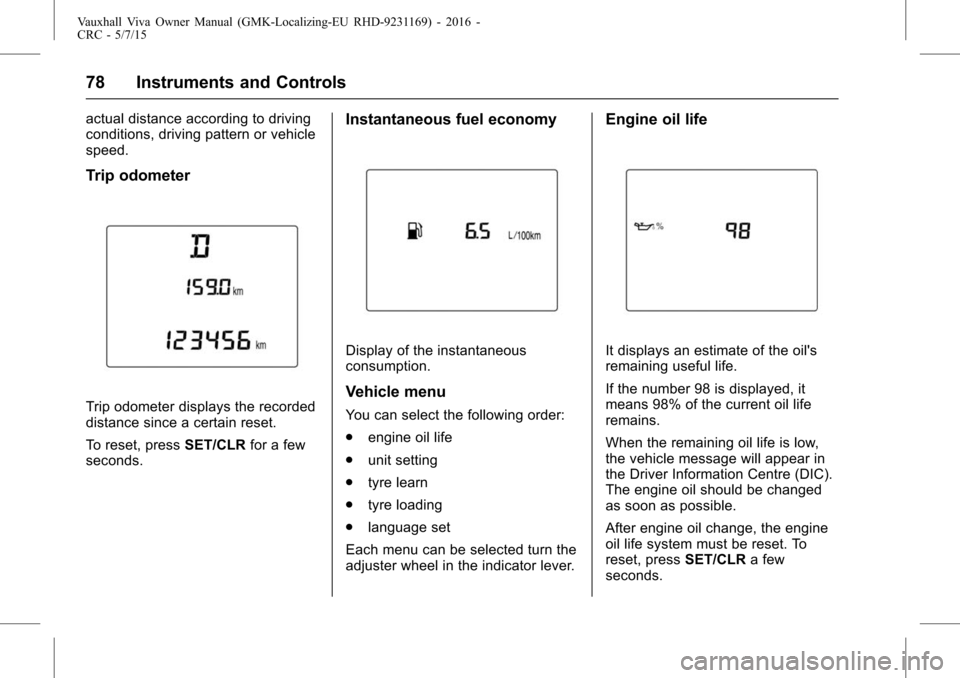
Trip odometer
Trip odometer displays the recorded
distance since a certain reset.
To reset, pressSET/CLRfor a few
seconds.
Instantaneous fuel economy
Display of the instantaneous
consumption.
Vehicle menu
You can select the following order:
. engine oil life
. unit setting
. tyre learn
. tyre loading
. language set
Each menu can be selected turn the
adjuster wheel in the indicator lever.
Engine oil life
It displays an estimate of the oil's
remaining useful life.
If the number 98 is displayed, it
means 98% of the current oil life
remains.
When the remaining oil life is low,
the vehicle message will appear in
the Driver Information Centre (DIC).
The engine oil should be changed
as soon as possible.
After engine oil change, the engine
oil life system must be reset. To
reset, press SET/CLRa few
seconds.
Page 80 of 222
Vauxhall Viva Owner Manual (GMK-Localizing-EU RHD-9231169) - 2016 -
CRC - 5/7/15
Instruments and Controls 79
Engine oil on0Engine Oil0162.
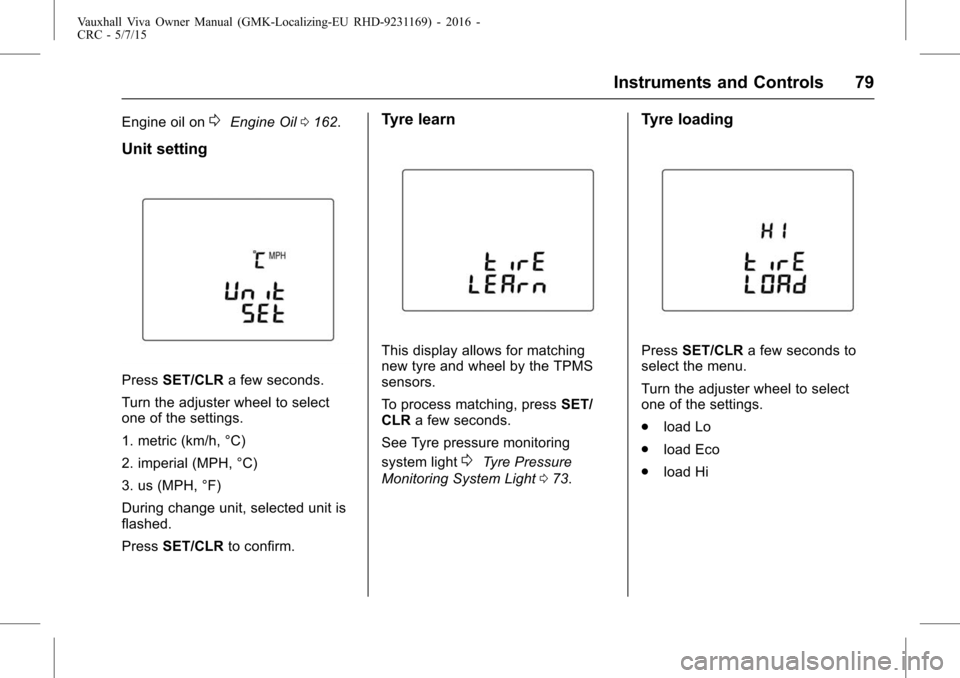
Unit setting
Press SET/CLR a few seconds.
Turn the adjuster wheel to select
one of the settings.
1. metric (km/h, °C)
2. imperial (MPH, °C)
3. us (MPH, °F)
During change unit, selected unit is
flashed.
Press SET/CLR to confirm.
Tyre learn
This display allows for matching
new tyre and wheel by the TPMS
sensors.
To process matching, press SET/
CLR a few seconds.
See Tyre pressure monitoring
system light
0Tyre Pressure
Monitoring System Light 073.
Tyre loading
Press SET/CLR a few seconds to
select the menu.
Turn the adjuster wheel to select
one of the settings.
. load Lo
. load Eco
. load Hi
Page 81 of 222
Vauxhall Viva Owner Manual (GMK-Localizing-EU RHD-9231169) - 2016 -
CRC - 5/7/15
80 Instruments and Controls
Vehicle Messages
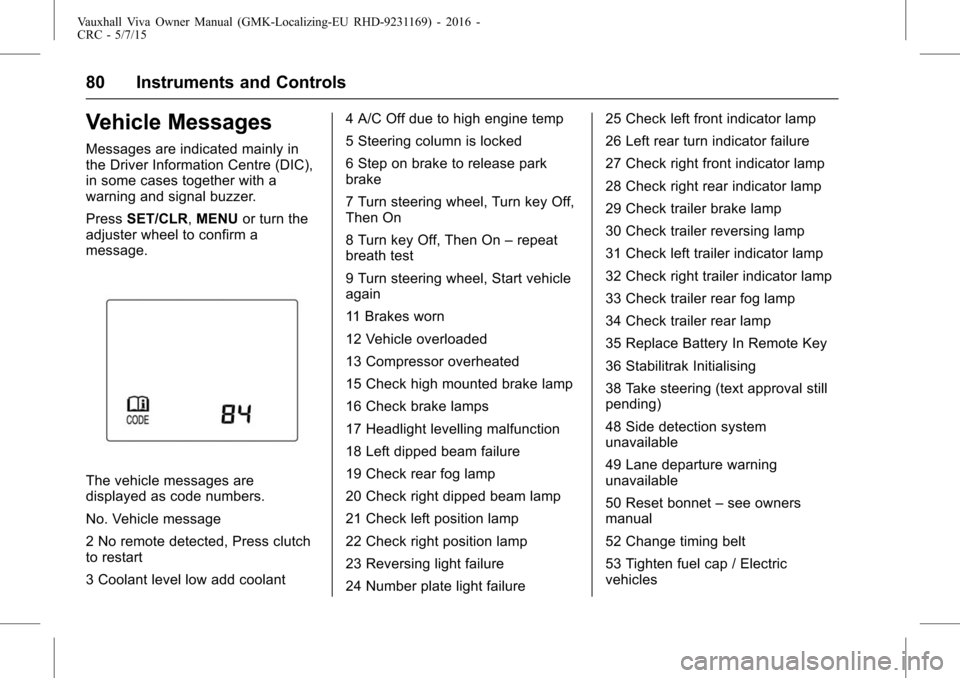
Messages are indicated mainly in
the Driver Information Centre (DIC),
in some cases together with a
warning and signal buzzer.
PressSET/CLR, MENUor turn the
adjuster wheel to confirm a
message.
The vehicle messages are
displayed as code numbers.
No. Vehicle message
2 No remote detected, Press clutch
to restart
3 Coolant level low add coolant 4 A/C Off due to high engine temp
5 Steering column is locked
6 Step on brake to release park
brake
7 Turn steering wheel, Turn key Off,
Then On
8 Turn key Off, Then On
–repeat
breath test
9 Turn steering wheel, Start vehicle
again
11 Brakes worn
12 Vehicle overloaded
13 Compressor overheated
15 Check high mounted brake lamp
16 Check brake lamps
17 Headlight levelling malfunction
18 Left dipped beam failure
19 Check rear fog lamp
20 Check right dipped beam lamp
21 Check left position lamp
22 Check right position lamp
23 Reversing light failure
24 Number plate light failure 25 Check left front indicator lamp
26 Left rear turn indicator failure
27 Check right front indicator lamp
28 Check right rear indicator lamp
29 Check trailer brake lamp
30 Check trailer reversing lamp
31 Check left trailer indicator lamp
32 Check right trailer indicator lamp
33 Check trailer rear fog lamp
34 Check trailer rear lamp
35 Replace Battery In Remote Key
36 Stabilitrak Initialising
38 Take steering (text approval still
pending)
48 Side detection system
unavailable
49 Lane departure warning
unavailable
50 Reset bonnet
–see owners
manual
52 Change timing belt
53 Tighten fuel cap / Electric
vehicles
Page 82 of 222
Vauxhall Viva Owner Manual (GMK-Localizing-EU RHD-9231169) - 2016 -
CRC - 5/7/15
Instruments and Controls 81
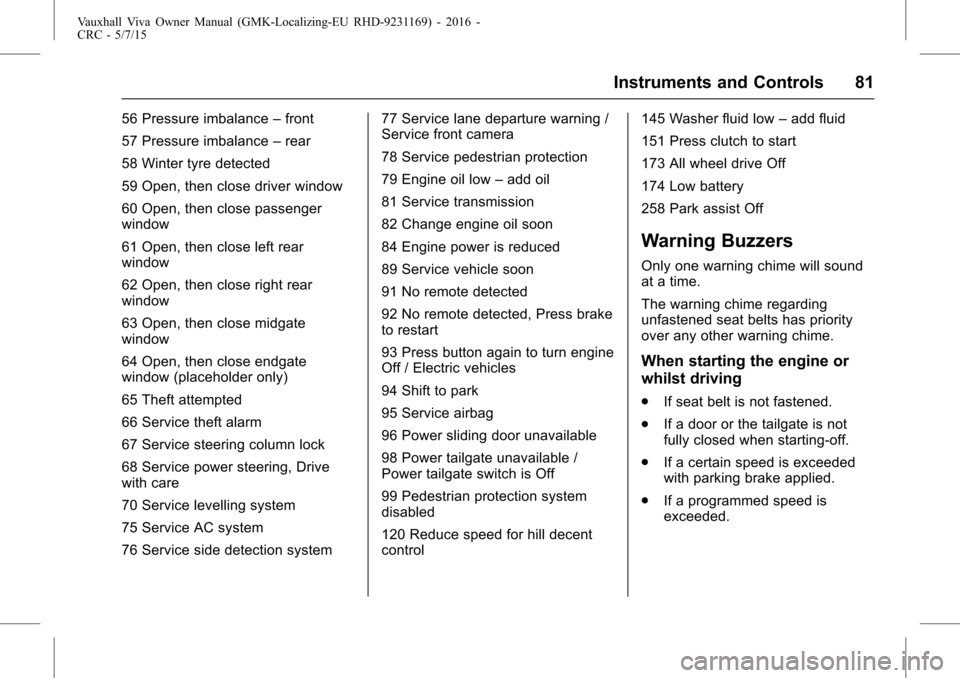
56 Pressure imbalance–front
57 Pressure imbalance –rear
58 Winter tyre detected
59 Open, then close driver window
60 Open, then close passenger
window
61 Open, then close left rear
window
62 Open, then close right rear
window
63 Open, then close midgate
window
64 Open, then close endgate
window (placeholder only)
65 Theft attempted
66 Service theft alarm
67 Service steering column lock
68 Service power steering, Drive
with care
70 Service levelling system
75 Service AC system
76 Service side detection system 77 Service lane departure warning /
Service front camera
78 Service pedestrian protection
79 Engine oil low
–add oil
81 Service transmission
82 Change engine oil soon
84 Engine power is reduced
89 Service vehicle soon
91 No remote detected
92 No remote detected, Press brake
to restart
93 Press button again to turn engine
Off / Electric vehicles
94 Shift to park
95 Service airbag
96 Power sliding door unavailable
98 Power tailgate unavailable /
Power tailgate switch is Off
99 Pedestrian protection system
disabled
120 Reduce speed for hill decent
control 145 Washer fluid low
–add fluid
151 Press clutch to start
173 All wheel drive Off
174 Low battery
258 Park assist Off
Warning Buzzers
Only one warning chime will sound
at a time.
The warning chime regarding
unfastened seat belts has priority
over any other warning chime.
When starting the engine or
whilst driving
. If seat belt is not fastened.
. If a door or the tailgate is not
fully closed when starting-off.
. If a certain speed is exceeded
with parking brake applied.
. If a programmed speed is
exceeded.
Page 87 of 222
Vauxhall Viva Owner Manual (GMK-Localizing-EU RHD-9231169) - 2016 -
CRC - 5/7/15
86 Lighting
Headlamp Range
Adjustment
Manual headlight range
adjustment
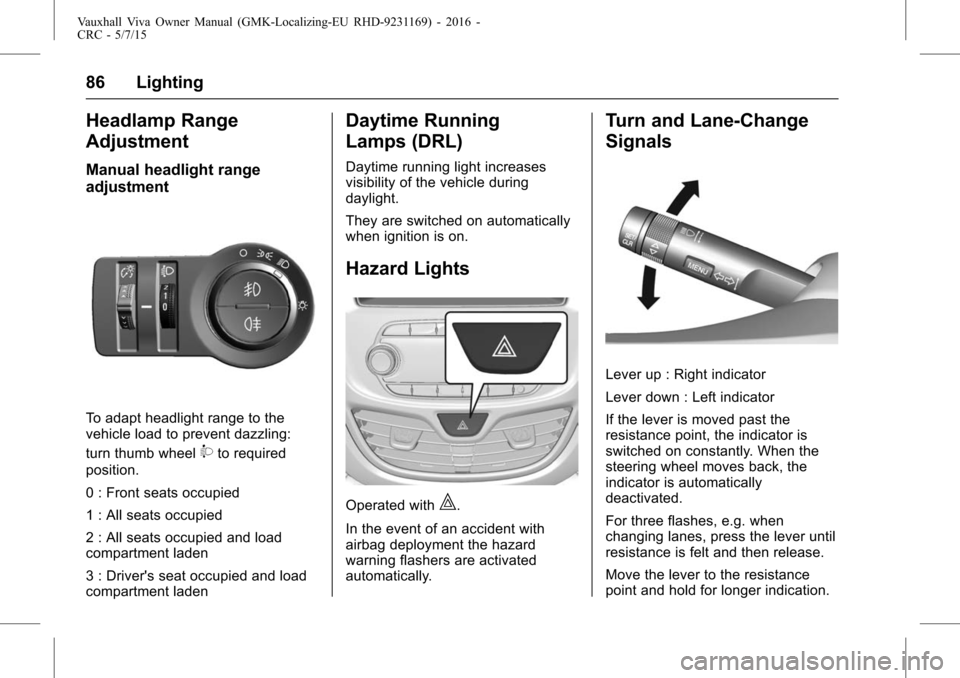
To adapt headlight range to the
vehicle load to prevent dazzling:
turn thumb wheel
9to required
position.
0 : Front seats occupied
1 : All seats occupied
2 : All seats occupied and load
compartment laden
3 : Driver's seat occupied and load
compartment laden
Daytime Running
Lamps (DRL)
Daytime running light increases
visibility of the vehicle during
daylight.
They are switched on automatically
when ignition is on.
Hazard Lights
Operated with|.
In the event of an accident with
airbag deployment the hazard
warning flashers are activated
automatically.
Turn and Lane-Change
Signals
Lever up : Right indicator
Lever down : Left indicator
If the lever is moved past the
resistance point, the indicator is
switched on constantly. When the
steering wheel moves back, the
indicator is automatically
deactivated.
For three flashes, e.g. when
changing lanes, press the lever until
resistance is felt and then release.
Move the lever to the resistance
point and hold for longer indication.
Page 89 of 222
Vauxhall Viva Owner Manual (GMK-Localizing-EU RHD-9231169) - 2016 -
CRC - 5/7/15
88 Lighting
Position Lamps
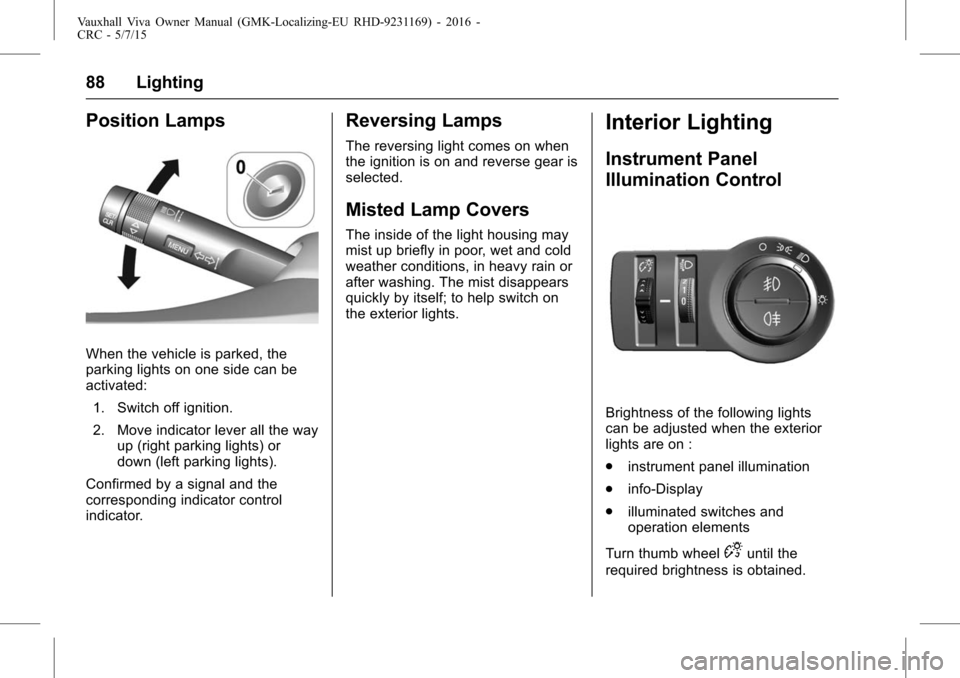
When the vehicle is parked, the
parking lights on one side can be
activated:1. Switch off ignition.
2. Move indicator lever all the way up (right parking lights) or
down (left parking lights).
Confirmed by a signal and the
corresponding indicator control
indicator.
Reversing Lamps
The reversing light comes on when
the ignition is on and reverse gear is
selected.
Misted Lamp Covers
The inside of the light housing may
mist up briefly in poor, wet and cold
weather conditions, in heavy rain or
after washing. The mist disappears
quickly by itself; to help switch on
the exterior lights.
Interior Lighting
Instrument Panel
Illumination Control
Brightness of the following lights
can be adjusted when the exterior
lights are on :
. instrument panel illumination
. info-Display
. illuminated switches and
operation elements
Turn thumb wheel
Duntil the
required brightness is obtained.
Page 99 of 222
Vauxhall Viva Owner Manual (GMK-Localizing-EU RHD-9231169) - 2016 -
CRC - 5/7/15
98 Infotainment System
Steering wheel audio remote
control: option
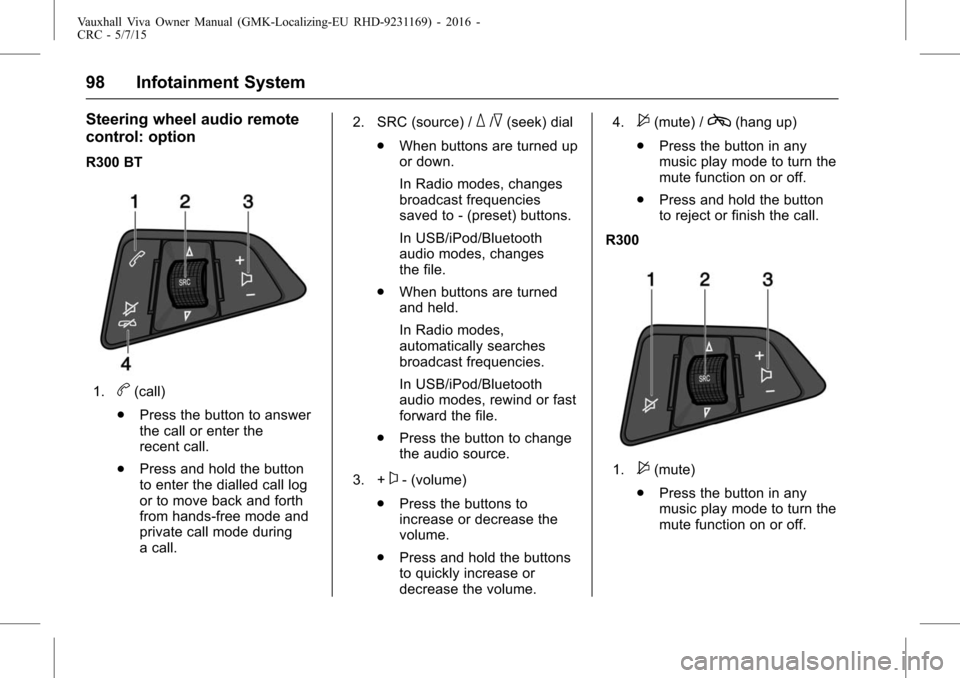
R300 BT
1.b(call)
. Press the button to answer
the call or enter the
recent call.
. Press and hold the button
to enter the dialled call log
or to move back and forth
from hands-free mode and
private call mode during
a call. 2. SRC (source) /
_/^(seek) dial
. When buttons are turned up
or down.
In Radio modes, changes
broadcast frequencies
saved to - (preset) buttons.
In USB/iPod/Bluetooth
audio modes, changes
the file.
. When buttons are turned
and held.
In Radio modes,
automatically searches
broadcast frequencies.
In USB/iPod/Bluetooth
audio modes, rewind or fast
forward the file.
. Press the button to change
the audio source.
3. +
x- (volume)
. Press the buttons to
increase or decrease the
volume.
. Press and hold the buttons
to quickly increase or
decrease the volume. 4.
$(mute) /c(hang up)
. Press the button in any
music play mode to turn the
mute function on or off.
. Press and hold the button
to reject or finish the call.
R300
1.$(mute)
. Press the button in any
music play mode to turn the
mute function on or off.
Page 100 of 222
Vauxhall Viva Owner Manual (GMK-Localizing-EU RHD-9231169) - 2016 -
CRC - 5/7/15
Infotainment System 99
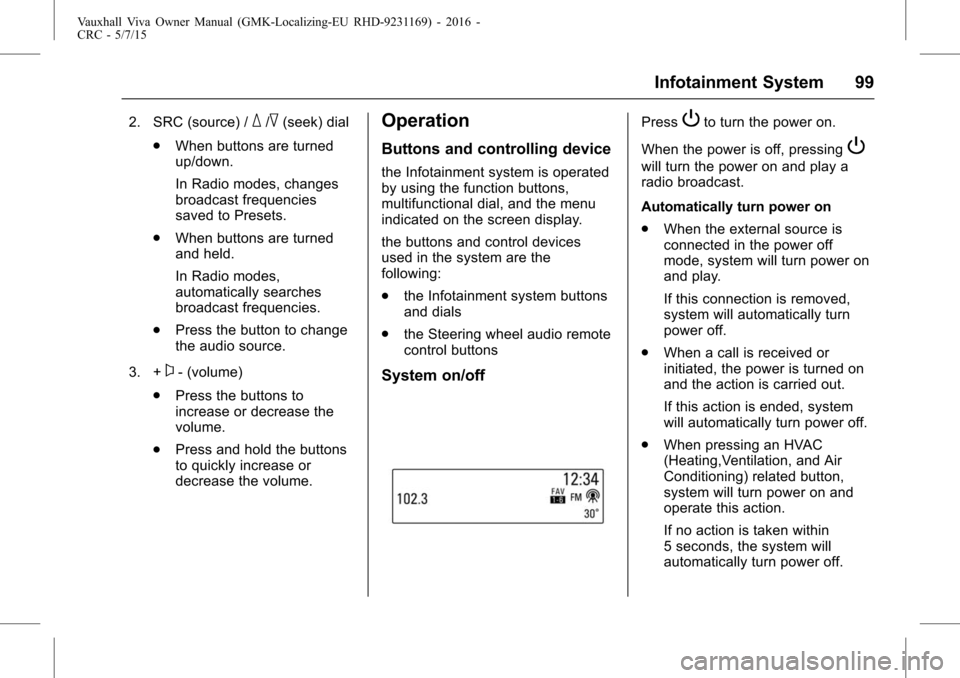
2. SRC (source) /_/^(seek) dial
. When buttons are turned
up/down.
In Radio modes, changes
broadcast frequencies
saved to Presets.
. When buttons are turned
and held.
In Radio modes,
automatically searches
broadcast frequencies.
. Press the button to change
the audio source.
3. +
x- (volume)
. Press the buttons to
increase or decrease the
volume.
. Press and hold the buttons
to quickly increase or
decrease the volume.
Operation
Buttons and controlling device
the Infotainment system is operated
by using the function buttons,
multifunctional dial, and the menu
indicated on the screen display.
the buttons and control devices
used in the system are the
following:
.the Infotainment system buttons
and dials
. the Steering wheel audio remote
control buttons
System on/off
PressPto turn the power on.
When the power is off, pressing
P
will turn the power on and play a
radio broadcast.
Automatically turn power on
. When the external source is
connected in the power off
mode, system will turn power on
and play.
If this connection is removed,
system will automatically turn
power off.
. When a call is received or
initiated, the power is turned on
and the action is carried out.
If this action is ended, system
will automatically turn power off.
. When pressing an HVAC
(Heating,Ventilation, and Air
Conditioning) related button,
system will turn power on and
operate this action.
If no action is taken within
5 seconds, the system will
automatically turn power off.
Page 101 of 222
Vauxhall Viva Owner Manual (GMK-Localizing-EU RHD-9231169) - 2016 -
CRC - 5/7/15
100 Infotainment System
Press and holdPto turn the
power off.
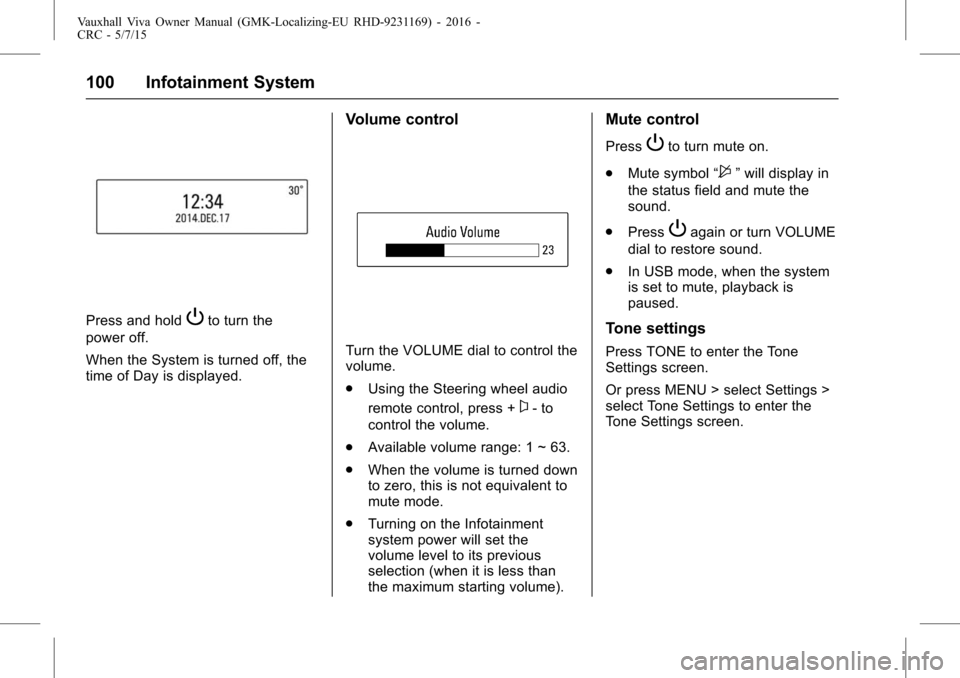
When the System is turned off, the
time of Day is displayed.
Volume control
Turn the VOLUME dial to control the
volume.
. Using the Steering wheel audio
remote control, press +
x- to
control the volume.
. Available volume range: 1 ~ 63.
. When the volume is turned down
to zero, this is not equivalent to
mute mode.
. Turning on the Infotainment
system power will set the
volume level to its previous
selection (when it is less than
the maximum starting volume).
Mute control
PressPto turn mute on.
. Mute symbol “
$”will display in
the status field and mute the
sound.
. Press
Pagain or turn VOLUME
dial to restore sound.
. In USB mode, when the system
is set to mute, playback is
paused.
Tone settings
Press TONE to enter the Tone
Settings screen.
Or press MENU > select Settings >
select Tone Settings to enter the
Tone Settings screen.
Page 112 of 222
Vauxhall Viva Owner Manual (GMK-Localizing-EU RHD-9231169) - 2016 -
CRC - 5/7/15
Infotainment System 111
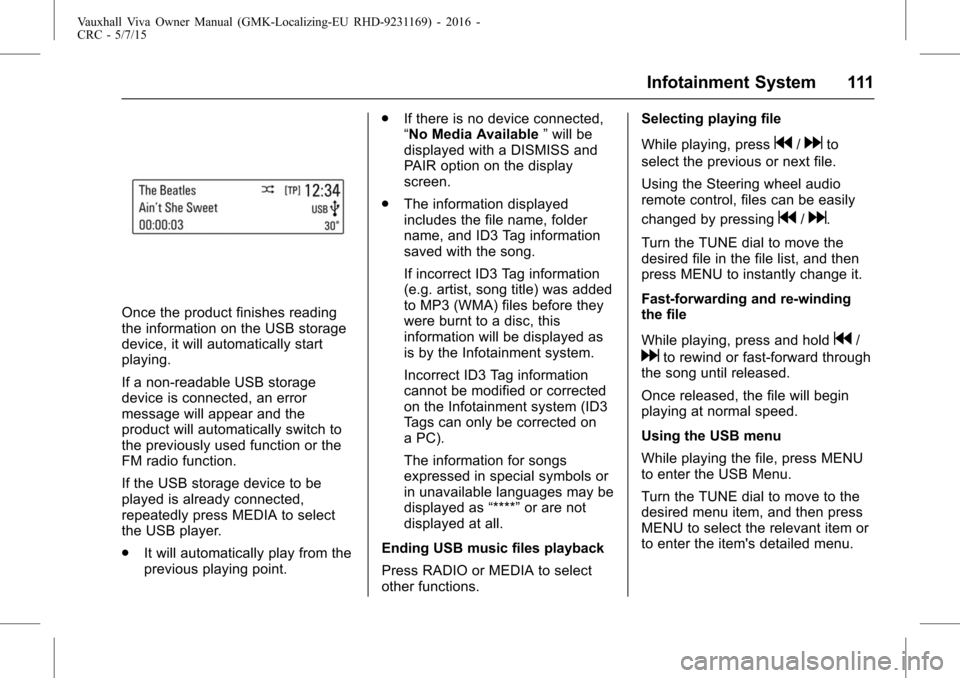
Once the product finishes reading
the information on the USB storage
device, it will automatically start
playing.
If a non-readable USB storage
device is connected, an error
message will appear and the
product will automatically switch to
the previously used function or the
FM radio function.
If the USB storage device to be
played is already connected,
repeatedly press MEDIA to select
the USB player.
.It will automatically play from the
previous playing point. .
If there is no device connected,
“No Media Available ”will be
displayed with a DISMISS and
PAIR option on the display
screen.
. The information displayed
includes the file name, folder
name, and ID3 Tag information
saved with the song.
If incorrect ID3 Tag information
(e.g. artist, song title) was added
to MP3 (WMA) files before they
were burnt to a disc, this
information will be displayed as
is by the Infotainment system.
Incorrect ID3 Tag information
cannot be modified or corrected
on the Infotainment system (ID3
Tags can only be corrected on
a PC).
The information for songs
expressed in special symbols or
in unavailable languages may be
displayed as “****”or are not
displayed at all.
Ending USB music files playback
Press RADIO or MEDIA to select
other functions. Selecting playing file
While playing, press
g/dto
select the previous or next file.
Using the Steering wheel audio
remote control, files can be easily
changed by pressing
g/d.
Turn the TUNE dial to move the
desired file in the file list, and then
press MENU to instantly change it.
Fast-forwarding and re-winding
the file
While playing, press and hold
g/
dto rewind or fast-forward through
the song until released.
Once released, the file will begin
playing at normal speed.
Using the USB menu
While playing the file, press MENU
to enter the USB Menu.
Turn the TUNE dial to move to the
desired menu item, and then press
MENU to select the relevant item or
to enter the item's detailed menu.