air VOLKSWAGEN GOLF MK6 2012 User Guide
[x] Cancel search | Manufacturer: VOLKSWAGEN, Model Year: 2012, Model line: GOLF MK6, Model: VOLKSWAGEN GOLF MK6 2012Pages: 516, PDF Size: 105.12 MB
Page 25 of 516
Changing the default volume
on page 3 and note the introductory informa
adjustments are indica te d on th e screen by a Meanwhile , d evice operatio n is blocked.
the device is mu ted (display:
Turn the volum e contro l Q counterclockwise is displayed.
ava ilab le on the devic e, br iefly press the !MUTE 1
on pag e 3 and note the
display s ca n be sho wn only after a co mplete
s yst em start of the radio naviga tio n syste m. T
he curr
ently played media source is stopped
wh ile the device is mu ted .
Please lower the volume befo re switching to another audio source if the base volume of an aud io source was increased considerably.
Country-dependent function button omission
Based on m arket specific conditions , it is poss ible
that not the fu nctions described in this manua l
a re exec utable , a nd the function buttons on the
scr een may be displayed differently than described
Depending on the vehicle, adju stments of air con
d itioning settings or displays regarding factory -in
z
1l no p h o ne pac kag e is
Introduction
Page 41 of 516
first read and heed the on page 3 and note the ductory information on page
through an ed via (for a phone)
can be through the speakers. via the radio-navigation system is
audio source must support the
A2DP or AVRCP
in equipped with a factory -installed phone age that supports this function . To
responding owner's Cell
Phone Package.
Pairing and connec ting is done via the radio
audio
the directions in the owner 's
Redu ce
To change to
Bl uetooth function
button 26.
Aud io mode is indicated on the screen
by Bl uetooth Audio 25 .
The
o f t he be adjusted to match the of the other audio sources
activating audio
some devices ,
After the audio
transmission , a pop-up window opens.
Request fo r confir mation of aud io
BT-Audio Audio mode must be
swi tched to
Audio transmission, as
audio source is
started or s topped automatically by switc hing to
addition , track dio navigation system 's arrow keys 1
25.
the connection is broken . the radio
navigation system switches to
media source.
th e that dio ed .
Radio mode, press the sETUP) button .
Press the
Press the
Tag the device connected and press
the connect) funct ion butt on.
Read and manufacturer of the
Because of the number of audio sources , it canno t be teed that
audio source, warning and service tones, suc h as touch
tones on a
Do not connect radio nav igation system at the same time for
music
interface , as this to on the
ing the use of can be obtained from the
Page 75 of 516
main menu ... .
315: Voice command menu Telephone ...... .
60
60
61
63
63
64
64
The telephone fu nctions described in the
Connect the mobile phone to the radio
Pair an d connect mobile phone via the ment clus ter
there is no naviga tio n system . then phone control is not
phone in th e
More information:
instructions 3
Device overview 6
Operat ion basi cs page 8
Talking on the
phone and/or operating the
'
the sirens of emergency rescue
areas with no mobile network coverage or poor mobile network coverage, as as
in tunnels, garages and subways, phone versations may be interrupted, and it may be impossible to make phone ev en
cured ph one can be thrown around the
inside of the vehicle during a sudden braking maneuver , a cra sh or other accident and cause injury to vehicle occupants.
Always mount mobile phones properly
ference with a pacemaker , if worn
8 inch es tween the antenna s of the mobile phone and pacemakers , as mobile phones can affec t the functionality of a pacemaker .
phone in the breast pocket over a pa cemaker.
phone immediat ely .
The
cent e r armrest ca n interfere with the
dents and seve re injuries.
Always keep the armrest closed
Telephon e control
Page 76 of 516
High sp eeds, poor weather and road conditions and poor network quality can affect a telephone
c all the ve hicl e.
The appea rance of the various telep hone menus varies from phone to phon e. Th ere
may be variatio ns.
Consult the mob ile phone and accessory slruc lions as garding headset usage .
Places with special regulations
tory information and heed the on page 59.
off lhe mobile phone and mobile phone
package at explosio n-prone locations ! The se
but not always , identified clearly in Introduction on page 59. These include , for
example :
Vic init y of pipes and ta nk s co ntaining cals .
Lowe r decks of ships and ferries .
Vicinity of vehicles powered by liquefied
Areas with ch emicals or partic les in the air,
s uch as flour , dust or metal powder .
olher locations where the vehicle engine
must be switched off .
Reception interference and interruptions may occur in dead spots.
Most electrica l d evices are sh iel ded agains t RF (high-frequency) signals. some rare
cases , however , e lecl ronic devices may not be
shie lded against the mobile phone package's RF signal s. Interference may occur .
areas with special regulations relating to or prohibiting the use of mobile phone s, the mo-bile phone and the mobile phone package or the mobile phone package must be switched off. Radiation from a switched-on bile phone ca n interfere with sensitive techni-ca l and medical devices, potentially causing malfunctions or damage to the devices.
Using a mobile phone without a connection to the outside antenna
Pl ease first re ad and note the
on page 59.
Mobile or
tees in an effort to keep the electromagnetic tion from cellular phones at levels that
en tifically based proof that wireless phones are solut ely safe.
RNS RNS 315
Th erefore , some experts recomme nd a ary approac h regard ing the use of cell ular phones
by taki ng measures that lower the persona l
a motor
be highe r than when ing th e cellular telephone while properly connected
to an integrated or other telephone antenna
Page 77 of 516
The factory-installed hands-free system is de
s igned for use with conven tional phones and
B luetooth®-co mpatible phones .
ment panel and i s w ithin reac h at times . the ph one in it s cradle pe rmits it to be cha rged, but
more import antly , con nects the phone to
the vehic le's out side antenna .
A
tel ephone that is prope rly co nnected to
the int egra ted ant enna or other outside vehicle ep hone antenna
ence a better qua lit y of serv ice.
a
phone not
be recharged either. you might experience
more dropped
ed on a base plate on the i nstrumen t
An unsecured cured
Always mount mobile phones properly
while driving, outside the operational area of the airbags. U
sing a
phone or radio inside the and sepa-
rate outside antenna can cause the magnetic radiation lev el in the ve hicle to ceed established limits. This a lso applies if the outside antenna is not properly.
Keep a distance of at least 8 inche s be -
tween the antennas of the mobile phone and
the pacemaker, a s mobile phones can affect the functionality of a pace maker.
Nev er carry a switched-on phone in the breast pocket directly over a pacemaker.
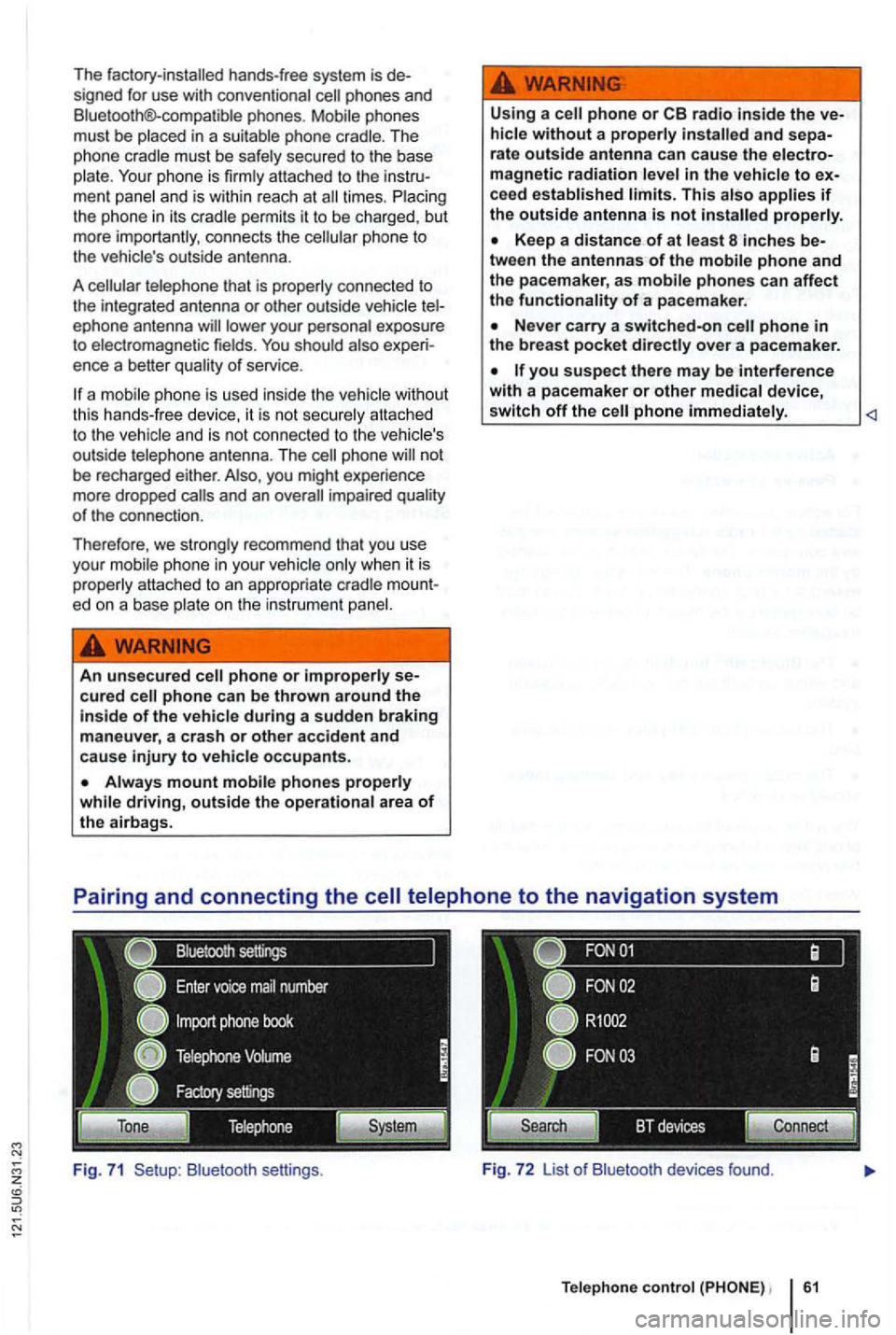
B lu etoot h se ttin gs . Fig. 7 2 List o f Bluetoo th devices found.
Te lephone control 61
Page 78 of 516
Please first read and note the introductory information and hee d the WARN on page 59.
A
one-time pairi ng of both devices is necessary to
connect a
some countries , pairing driving is not possi
For 315, the radio navigation system can be
used to complete pairing.
63.
When connecting via the
315 radio navigation
system , the mobile ph one can be connected in one
of two ways :
Active connection
The Bluetooth® function must be activated
and v isible on both the
The should be disa
The phone's key and warning tones should be disabled .
You
phone be automatically transferred . T he
length of the transfer depends on the volume of data saved on the phone . After the transfer is com
p lete , the data is
active telephone pairing
An active mobile phone connection ends an exist
ing connection to anot her mobile phone.
Press the button.
Press the (SETUP ) button.
Press the [Biuetooth settings)l l func tion button .
Press the [search for devices) function button.
T he scan ning process can
15 to seconds .
When the process has bee n comple ted, the names
o f t he Bluetoot h devices f ound
72.
Access the telephone to be paired from the 72.
T he radio navigation system and the mobile phone
code displaye d on th e screen of th e rad io nav
i gation system.
When the pairing is successfully completed, the
63 .
passive telephone pairing
Press the button.
Press button.
Press th e [Biuetooth settings)1l funct ion button.
Press the (Make BT fu nc tion butto n .
15 to phone
of Bluetooth audio accesso ries and
start a connec tion.
T he radio naviga tio n system and the
some cases, additional entries are required on the phone to complete the connection of both devices.
Where the code displayed on the
radio navigation system's screen must be entered
and confirmed with
is entered inco rrectly. For safety reasons ,
t h e duration of the radio navigatio n system's toot h visibil ity is li m ited to precisely 5 min utes.
When the pairing is successfully completed, the
63 .
tho connection function butto ns are not the d evice has to be connected via the instrument p age 63.
Page 79 of 516
z
Pairing and connecting
There can be up to four one can be connected to the rad io -navigation system at any one time.
When the radio navigation system
is switched on,
it
connect
ed.
attempt to connect to
t h e next phone on the of paired devices.
T
he maximum reception distance for a connection is con
nection be interru pted if this distance is ex- ceeded
. The connection
as soon as a paired device is within range again.
four one is to be connected , one
Press button .
Press the (Biuetooth settings)1l function button.
Press the (Paired device lis t) function bu tto n.
of paired devices, tag the phon e to be
Connecting the
Please first read and note the introductory information and heed the WARNon page 59.
is connected , via the radio naviga
tion system.
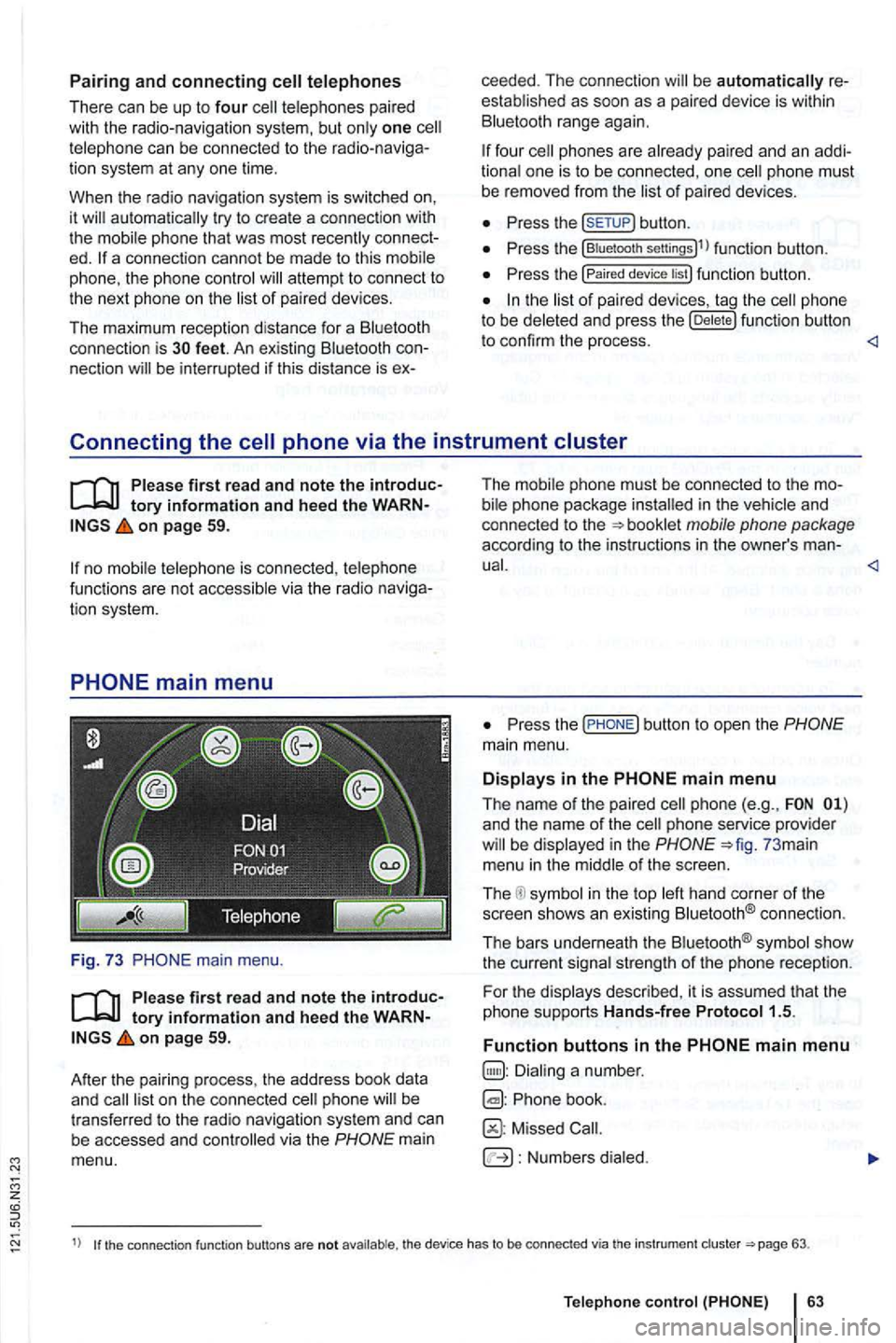
main menu.
first read and note the introductory information and heed the WARNon page 59.
After
the pair ing process , the address book data
and
mai n
menu. T
he i
n the and
co nnected to the
P ress the
and the name of the phone service provider in the 73 mai n
menu in the
in the top connect io n .
The bars underneath the
strength of the phone reception.
F or th e
Phone book.
Missed
Numbers
1) the connection function buttons are not the device has to be connected via th e instrument 63.
Telep hone
Page 95 of 516
using navigation data short-term . . 38
vCards . . . . . . . . . . . 45
Operation additional displays . . . . . . . . . . . . . . . . . . . . 9 browsing lists . . . . . . . . . . . . . . . . . . . . . . . . 11 changing the default volume . . . . . . . . . . . . 9 checkboxes . . . . . . . . . . . . . . . . . . . . . . . . 1
on or off .............. .
touch screen ...................... .
tuning knob ........................ .
11 8
settings 6 ...............
.. 73
PDC
volume . . . . . . . . . . . . . . . . . . . . . . . . . . 72
...... ........................ 59 accepting a call . . . . . . . . . . . . . . . . . . . . . 69
active cell telephone pairing . . . . . . . . . . . . 62
additional phone calls . . . . . . . . . . . . . . . .
. . 63
passive cell telephone pairing . . . . . . . . . . 62
P laces with dang er
of exp losions . . . . . . . .
. . . 64
. . . . . . . . . . . . . . . . . . . . . . . . . . . . 64
. . . 66
Telephone call . . . . . . . . . . . . . . . . . . . . . .
voice command . . . . . . . . . . . . . . . . . . . . . 64
Places with danger of explosions telephone . . . . . . . . . . . . . . . . . . . . . . . . . . Places with special regulations . . . . . . . . . .
Playback volume (AUX, . . . . . . . . . . . . 28 Pop-up windows ....... ............... Position display ing and saving . . . . . . . . . . . . 49
R
changing frequency . . . . . . . . . . . . . . . . . 13
changing stations . . . . . . . . . . . . . . . . . . . . 13 Deleting memory . . . . . . . . . . . . . . . . . . . . 19 FM station list . . . . . . . . . . . . . . . . . . . . . . 13
Main menu . . . . . . . . . . . . . . . . . . . . . . . . . 12 scan . . . . . . . . . . . . . . . . . . . . . . . . . . . . . . 14 scan stations . . . . . . . . . . . . . . . . . . . . . . 14 settings . . . . . . . . . . . . . . . . . . . . . . . . . . . . 19
frequency selection . . . . . . . . . . . . 14 station names . . . . . . . . . . . . . . . . . . . . . . . 12 preset buttons . . . . . . . . . . . . . . . . 15 stations . . . . . . . . . . . . . . . . . . 16
R adio coding . . . . . . . . . . . . . . . . . . . . . . . . 8
Radio mode see: . . . . . . . . . . . . . . . . . . . . . . . 12
R andom playback (Shuffle) . . . . . . . . . . . . . 28
.............................. ... 75 recent destinations selecting . . . . . . . . . . . . . . . . . . . . . . . . . . . 43
Repeat . . . . . . . . . . . . . . . . . . . . . . . . 28
R
equirements for
adapter . . . . . . . . . . . . . . . . . . . . . . ..........................•. .. external data media
Resuming route guidance . . . . . . . . . . . . . . . . . . . . . . 54
Rewind . .......................... ... 26
R
otary and push buttons . . . . . . . . . . . . . . . Route guidance . . . . . . . . . . . . . . . . . . . . . . 51 blocking routes . . . . . . . . . . . . . . . . . . . . . 56
Demo mode . . . . . . . . . . . . . . . . . . . . . . . . 57 map 53 navigation messages . . . . . . . . . . . . . . . . 52
r oute list . . . . . . . . . . . . . . . . . . . . . . . . . . . 55
Route Guidance
blocking routes . . . . . . . . . . . . . . . . . .
Page 102 of 516
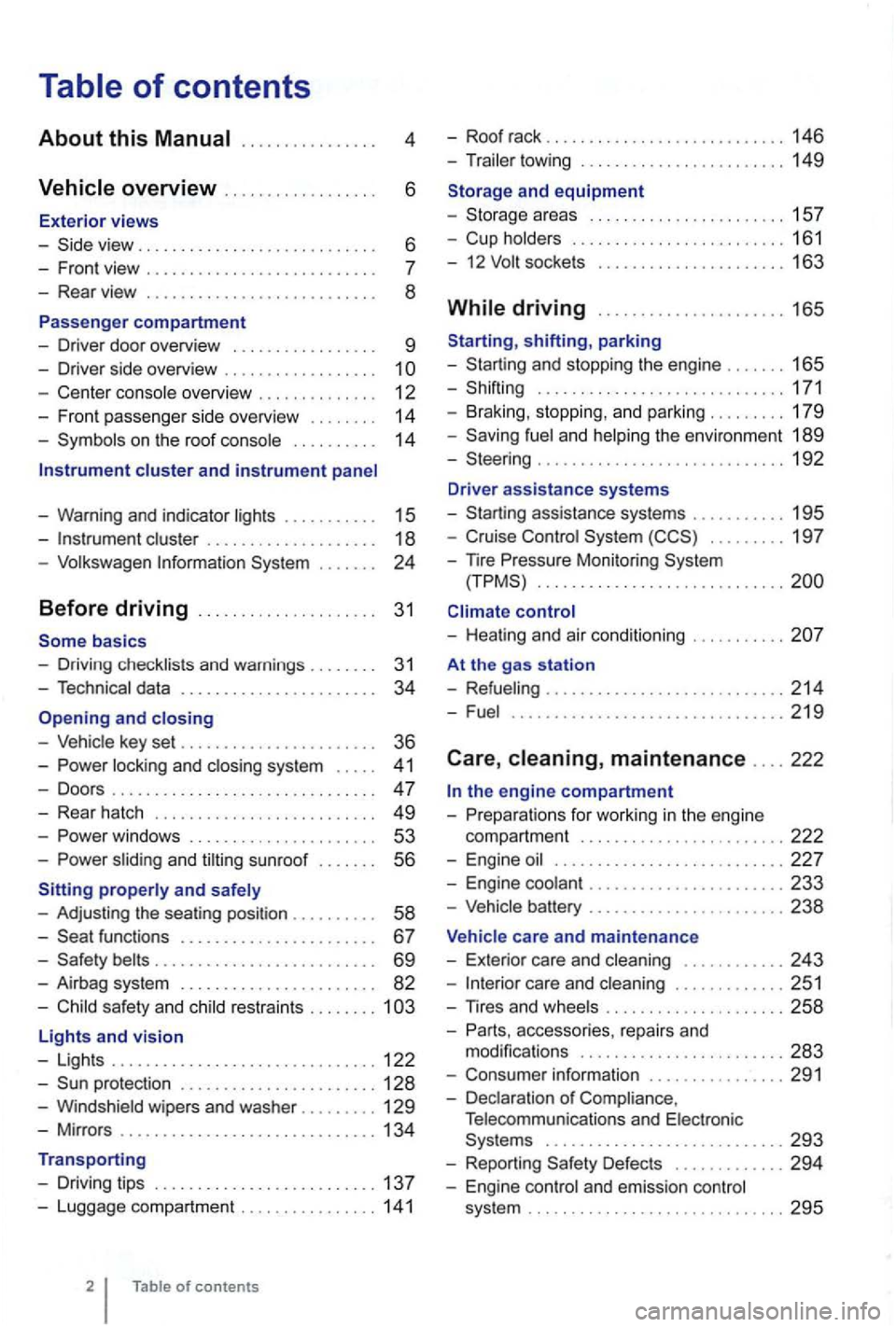
4
. . . . . . 6
- Front view . . . . . . . . . . . . . . . . . . . .
- Center console overview . . . . . . . . . . . . . . 12
- Fron t pa sse nger side overvi ew . . . . . . . .
14
- Symbo ls o n the roo f console . . . . . . . . . . 14
Instrument cluster and instrument panel
- Warning and indica tor
lights . . . . . . . . . . 15
-cluster . . . . . . . . . . . . . . . . . . . 18
-Volk swage n Information System . . .
basics
- Driv ing check lists and warnings .
....... 31
- Techn ical data . . . . . . . . . . . . . . . . . . . . . . . 34
and closing
- Vehic le key set . . . . . . . . . . . . . . . . . . . . . . . 36
-locking and closing system . . . . . 4 1
- Doo rs . . . . . . . . . . . . . . . . . . . . . . . . . . . . . . . 47
- Rear hatch . . . . . . . . . . . . . . . . . . . . . . . . . 49
-. . . 53
-s lidin g and sunroof . . . . . . . 56
properly and safely
- Adjusting the sea ting position . . . . . . .
. . 58
-functions . . . . . . . . . . . . . . . . . . . . . . 67
- Safety . . . . . . . . . . . . . . . . . . . . . . . . . . 69
- Airbag system . . . . . . . . . . . . . . . . . . . . . . . 82
-Child sa fety and child restraints ........ 1
Lights and vision
- Lights ............................... 122
-protectio n ....................... 128
-Windshield wipers and washer ......... 129
-Mir ro rs .............................. 134
Transporting
- Driving tips
.......................... 137
-Luggage compa rtment ................ 141
of contents
- Roof rack . . . . . . . . . . . . . . . . . . . . . . . . . 146
- Trailer towing ...... ............•. .... 149
1 5 7
- Cup holders
......................... 161
- 12
sockets . . . . . . . . . . . . . . . . . . . . . 163
shifting, park ing
- Sta rting and stoppin g
the engin e ....... 165
- Shifting ................... .......... 171
- Brak ing , stop ping , and park ing
......... 179
- Sav ing
fuel a nd helping the environm ent 189
-Steering ............................. 192
Driver assistance systems
- Starting assistance systems
........... 195
-Cruise Control System ......... 19 7
-
nre Mo nitori ng System .............................
control
- Healing and air cond itioning
At the gas station
- Refueling
........................ .... 214
-Fuel ...........................•.... 2 19
Care , maintenance .... 222
fo r work ing in the engin e
compartment
................... ..... 222
- Engine oil ........................... 227
- Engine coolant ....................... 233
-Vehicle battery ....................... 238
Vehicle care and maintenance
- Exteri or
care and cleaning ............ 243
-care and cleaning ............. 251
-
accesso ries, repa irs and
modi fications ........................ 283
- Consumer information ................ 291
- Declaration
of Complia nce,
T elecomm unicat ions and Electro nic
Systems
............................ 293
- Report ing Safe ty Defects ............. 294
- Engin e con trol and emission control
system .............................. 295
Page 110 of 516
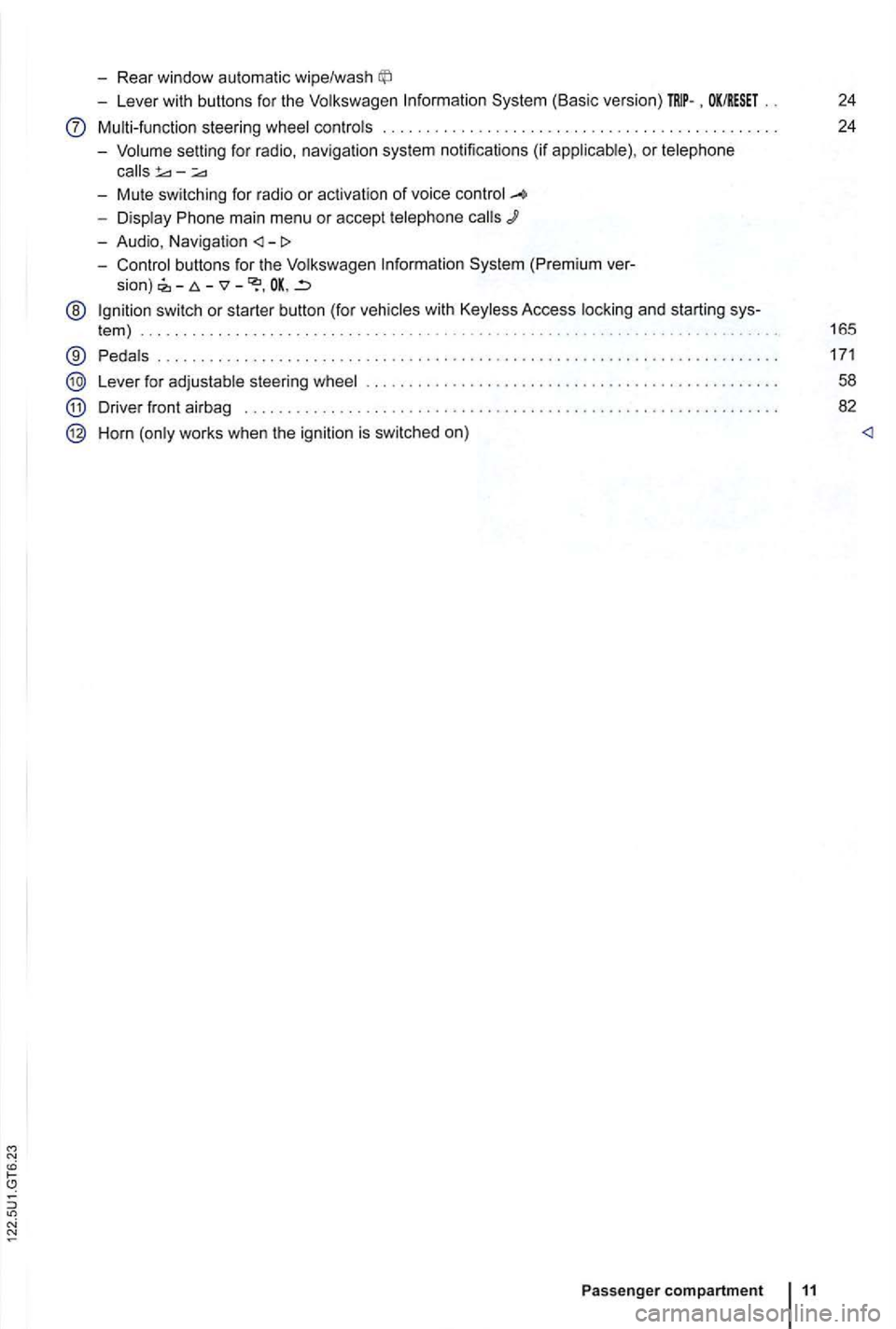
-Rear window automatic wipe/wash
-Lever with buttons for the Volkswagen Information System (Basic version) . OK/RESET 24
Multi-function steering wheel controls . . . . . . . . . . . . . . . . . . . . . . . . . 24
- Volume setting for radio , naviga
tion system notifications (if applicab le) , or telephone
- Display Phone main menu or accept telephone
- Audio, Navigation
sion) -
@ Ign ition switch or starter button (for vehicles with Keyless Access locking and starting sys-
tem ) . . . . . . . . . . . . . . . . . . . . . . . . . . . . . . . . . . . . . . . . . . . . . 165
® Pedals ............ .................................... ....................... .
Lever for adjustable steering wheel
Driver front airbag . . . . . . . . . .
.............................................. .
Horn (only works when the ignition is switched on)
Passenger compartment 11
171
58
82