change wheel VOLKSWAGEN T-ROC 2021 Owner´s Manual
[x] Cancel search | Manufacturer: VOLKSWAGEN, Model Year: 2021, Model line: T-ROC, Model: VOLKSWAGEN T-ROC 2021Pages: 502, PDF Size: 9.42 MB
Page 130 of 502
WARNING
Incorrect use of turn signals, a failure to use turn signals, or forgetting to switch off a turn signal can
confuse other road users. This could lead to accidents and serious injuries.
Always activate the turn signal in good time when changing lanes and performing overtaking or
turning manoeuvres.
Always switch off the turn signal once the lane change or overtaking or turning manoeuvre has been
completed.
The hazard warning lights also work when the ignition is switched off ⇒ In an emergency .
Some settings can be stored in the user accounts of the personalisation function and therefore
change when the user account changes ⇒ Personalisation .
Vehicle lighting
Switching lights on and off
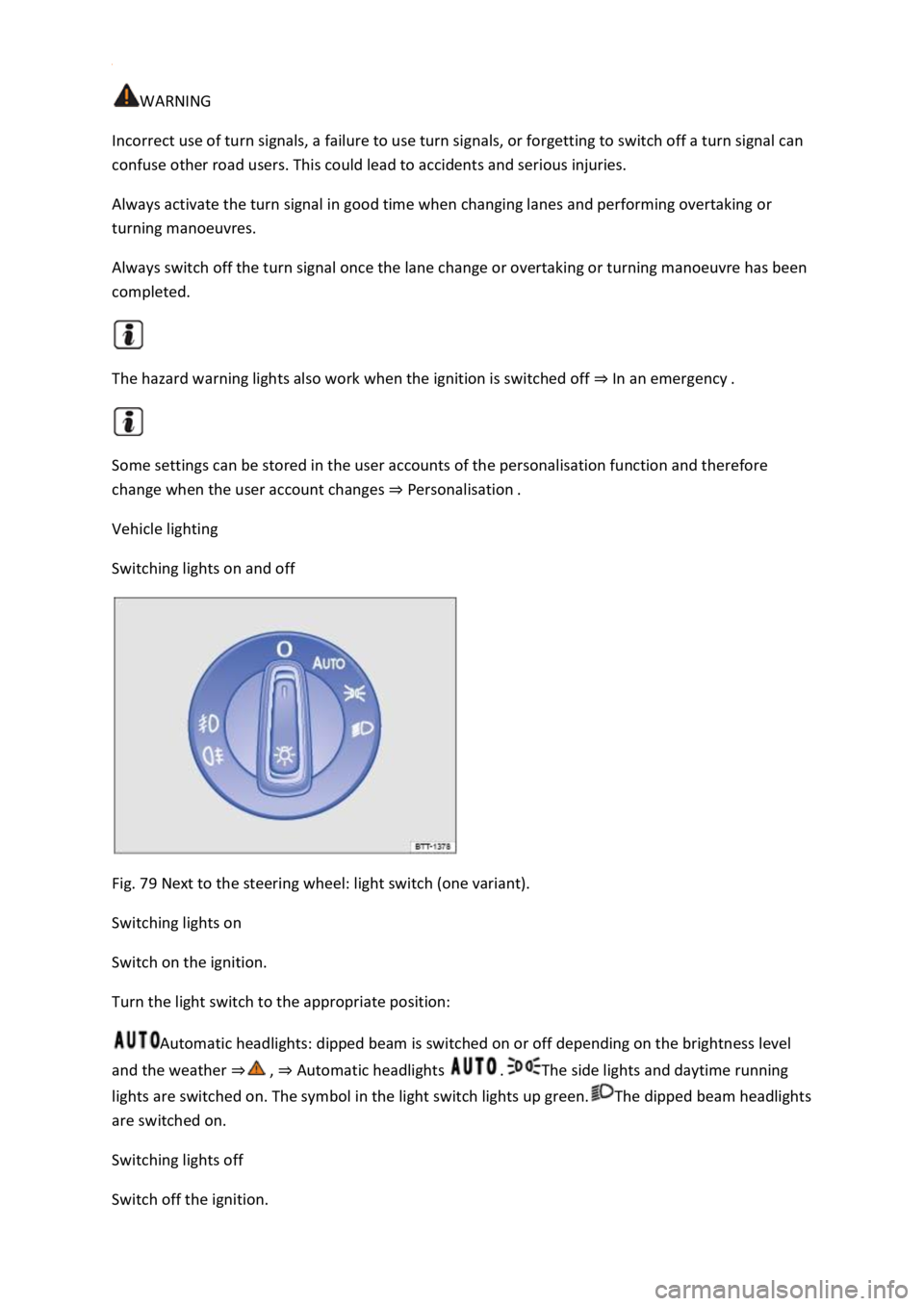
Fig. 79 Next to the steering wheel: light switch (one variant).
Switching lights on
Switch on the ignition.
Turn the light switch to the appropriate position:
Automatic headlights: dipped beam is switched on or off depending on the brightness level
and the weather ⇒ , ⇒ Automatic headlights .The side lights and daytime running
lights are switched on. The symbol in the light switch lights up green.The dipped beam headlights
are switched on.
Switching lights off
Switch off the ignition.
Page 198 of 502

– Reverse gear
Reverse gear is selected. May be selected only when the vehicle is stationary.
– Neutral
The gearbox is in the neutral position. No force is transmitted to the wheels and the braking effect of
the engine is not available.
– Standard forward driving position
Position : Normal programme.
All forward gears are shifted up and down automatically. The timing of the gear shift is determined
by the engine load, your individual driving style and the speed of the vehicle.
Position : Sport programme.
The forward gears are automatically changed up later and down earlier than in selector lever
position D. This exploits the engine’s full power reserves. The timing of the gear shift is determined
by the engine load, your individual driving style and the speed of the vehicle.
To change between positions D and S, move the selector lever to the rear ⇒ Fig. 105 .
The selector lever will always return to selector lever position D/S. That also works in the Tiptronic
gate ⇒ Changing gear using Tiptronic .
Selector lever lock
P
N
To release the selector lever lock, switch on the ignition and depress the brake pedal. Then press the
lock button in the selector lever handle in the direction of the arrow ⇒ Fig. 105 .
The selector lever lock is not engaged if the selector lever is moved quickly through position N, e.g.
when shifting from reverse to D/S. This makes it possible, for instance, to rock the vehicle backwards
and forwards if it is stuck in snow or mud. The selector lever lock engages automatically if the lever is
in position N for more than approximately one second without the brake being pressed and when
the vehicle is travelling no faster than approximately 5 km/h (3 mph).
WARNING
Selecting the wrong position can cause you to lose control of the vehicle, which can lead to accidents
and serious injuries.
Never depress the accelerator when selecting a position.
When the engine is running and a position is engaged, the vehicle will start moving as soon as the
brake pedal is released.
Never shift to reverse or selector lever position P while the vehicle is moving.
Page 200 of 502
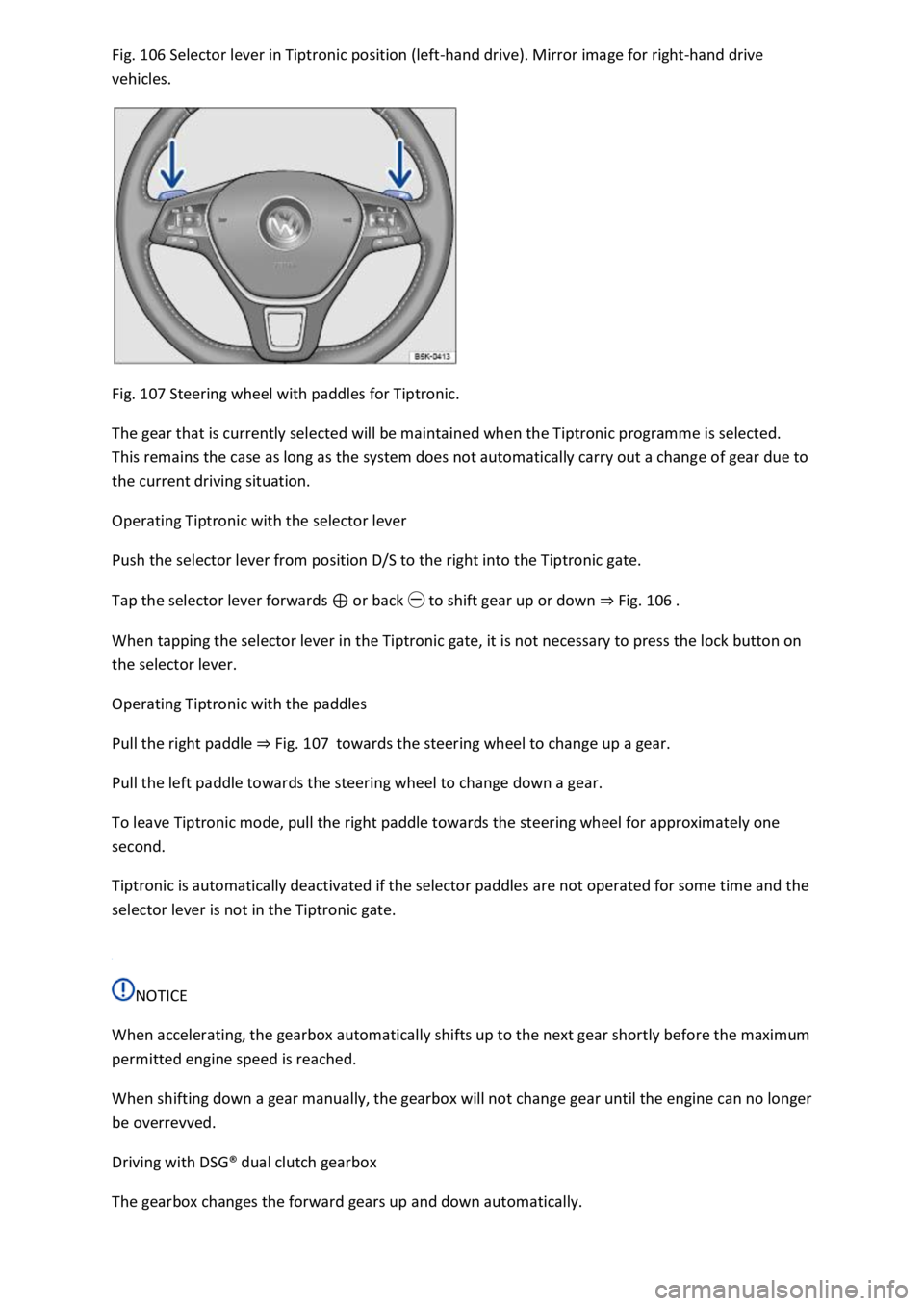
Fig. 106 Selector lever in Tiptronic position (left-hand drive). Mirror image for right-hand drive
vehicles.
Fig. 107 Steering wheel with paddles for Tiptronic.
The gear that is currently selected will be maintained when the Tiptronic programme is selected.
This remains the case as long as the system does not automatically carry out a change of gear due to
the current driving situation.
Operating Tiptronic with the selector lever
Push the selector lever from position D/S to the right into the Tiptronic gate.
Tap the selector lever forwards ⊕ or back ㊀ to shift gear up or down ⇒ Fig. 106 .
When tapping the selector lever in the Tiptronic gate, it is not necessary to press the lock button on
the selector lever.
Operating Tiptronic with the paddles
Pull the right paddle ⇒ Fig. 107 towards the steering wheel to change up a gear.
Pull the left paddle towards the steering wheel to change down a gear.
To leave Tiptronic mode, pull the right paddle towards the steering wheel for approximately one
second.
Tiptronic is automatically deactivated if the selector paddles are not operated for some time and the
selector lever is not in the Tiptronic gate.
NOTICE
When accelerating, the gearbox automatically shifts up to the next gear shortly before the maximum
permitted engine speed is reached.
When shifting down a gear manually, the gearbox will not change gear until the engine can no longer
be overrevved.
Driving with DSG® dual clutch gearbox
The gearbox changes the forward gears up and down automatically.
Page 201 of 502

Driving down hills
The steeper the gradient, the lower the gear you will need. Lower gears increase the braking effect
of the engine. Never allow the vehicle to roll down mountains or hills in the neutral position N.
Reduce your speed.
Push the selector lever from position D/S to the right into the Tiptronic gate ⇒ Changing gear using
Tiptronic .
Tap the selector lever to the rear to change down gear.
OR: shift down a gear using the paddles on the steering wheel ⇒ Changing gear using Tiptronic .
Stopping and pulling away on an uphill gradient
The steeper the uphill gradient, the lower the gear you will need.
If you wish to stop the vehicle or pull away when driving uphill, you should use the Auto Hold
function ⇒ Electronic parking brake .
When you stop the vehicle on an uphill gradient with a selected position, the vehicle must always be
prevented from rolling by depressing the brake pedal or by applying the electronic parking brake. Do
not release the brake pedal or switch off the electronic parking brake until you are about to pull
away.
Coasting with DSG® dual clutch gearbox
In coasting mode, the momentum of the vehicle can be used to save fuel in conjunction with an
anticipatory driving style. The engine no longer brakes the vehicle – the vehicle can roll for a longer
distance. The function is available only in the selector lever position D and at speeds of
approximately 40 – 130 km/h (25 mph – 80 mph).
Initiating coasting
Select the Eco driving profile in the driving profile selection menu ⇒ Driving profile selection and
4MOTION Active Control .
Take your foot off the accelerator. The engine will be disengaged and run at idling speed. The vehicle
rolls without the braking effect of the engine.
If the speed falls below 130 km/h (80 mph).
Depress the accelerator briefly.
Cancelling coasting mode
Depress the brake pedal forcefully.
OR: depress the accelerator or brake pedal briefly.
OR: pull a paddle towards the steering wheel.
OR: press the selector lever to the Tiptronic position.
OR: change the driving profile from Eco.
Page 210 of 502
Introduction
This chapter contains information on the followingsubjects:
⇒ Setting a driving profile
⇒ Individually adapting a driving profile
⇒ Troubleshooting
By selecting different driving profiles, the driver can adapt the characteristics of the vehicle systems
to the current driving situation, the desired ride comfort and an economical driving style. The
adaptable vehicle systems include the running gear, engine management system or the air
conditioning system.
Different driving profiles can be selected depending on the vehicle equipment level. The effect on
the vehicle setup in the individual driving profiles varies according to the vehicle equipment.
The Comfort driving profile is available only for vehicles with adaptive chassis control (DCC).
The setting options available depend on the type of drive. Vehicles with front-wheel drive have
onroad driving profiles, while vehicles with all-wheel drive have additional offroad driving profiles
⇒ Setting a driving profile .
The driving profile can be changed when the vehicle is stationary or while driving ⇒ . After
selecting a driving profile, the vehicle settings (excluding engine settings) are switched to the new
driving profile immediately. When traffic conditions allow, briefly take your foot off the accelerator
to activate the newly selected driving profile for the engine also.
WARNING
Selecting a driving profile while the vehicle is in motion can distract you from the road and cause
accidents.
Some settings can be stored in the user accounts of the personalisation function and therefore
change automatically when the user account changes ⇒ Personalisation .
Setting a driving profile
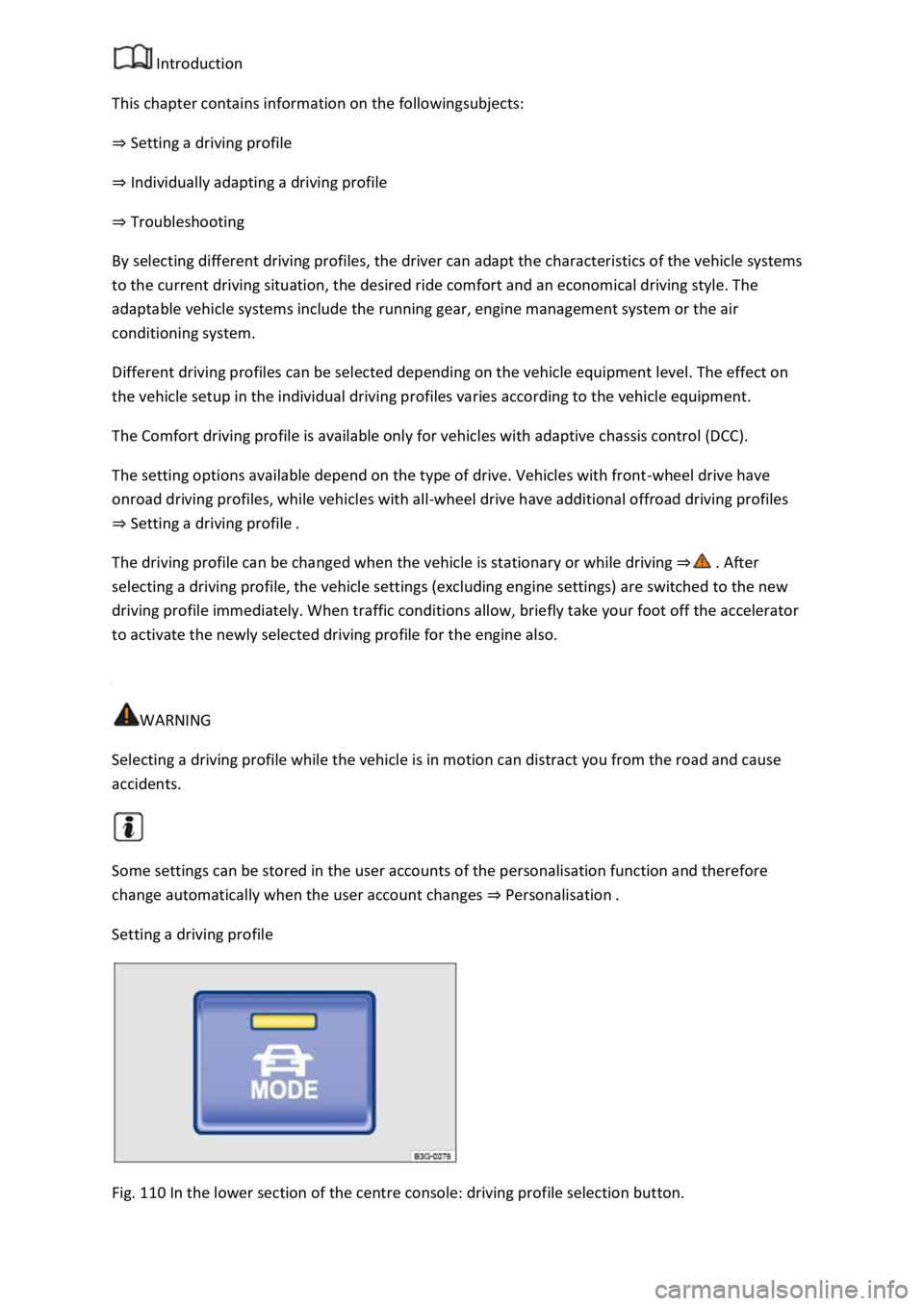
Fig. 110 In the lower section of the centre console: driving profile selection button.
Page 211 of 502
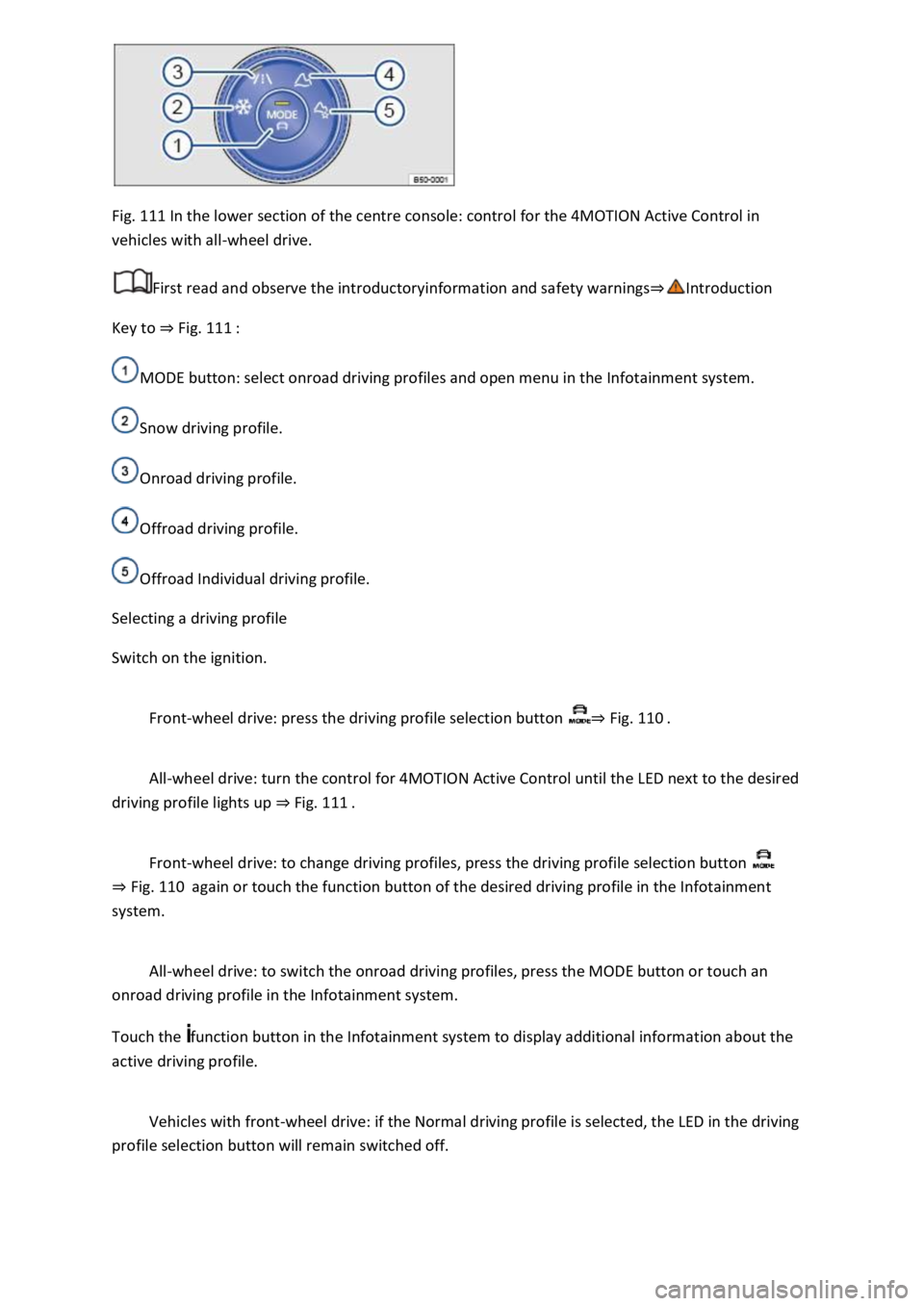
Fig. 111 In the lower section of the centre console: control for the 4MOTION Active Control in
vehicles with all-wheel drive.
First read and observe the introductoryinformation and safety warnings⇒Introduction
Key to ⇒ Fig. 111 :
MODE button: select onroad driving profiles and open menu in the Infotainment system.
Snow driving profile.
Onroad driving profile.
Offroad driving profile.
Offroad Individual driving profile.
Selecting a driving profile
Switch on the ignition.
Front-wheel drive: press the driving profile selection button ⇒ Fig. 110 .
All-wheel drive: turn the control for 4MOTION Active Control until the LED next to the desired
driving profile lights up ⇒ Fig. 111 .
Front-wheel drive: to change driving profiles, press the driving profile selection button
⇒ Fig. 110 again or touch the function button of the desired driving profile in the Infotainment
system.
All-wheel drive: to switch the onroad driving profiles, press the MODE button or touch an
onroad driving profile in the Infotainment system.
Touch the function button in the Infotainment system to display additional information about the
active driving profile.
Vehicles with front-wheel drive: if the Normal driving profile is selected, the LED in the driving
profile selection button will remain switched off.
Page 225 of 502
Always adjust your speed and driving to match vehicle load levels and visibility, terrain and weather
conditions.
Driving on sand and mud
First read and observe the introductoryinformation and safety warnings⇒Introduction
Always drive at a steady speed through sand or mud and, do not carry out any manual gear changes
or stop the vehicle.
Check whether ESC is active. The indicator lamp or in the instrument cluster display must not
light up ⇒ Brake support systems .
Keep the vehicle moving constantly.
Use the Offroad driving profile ⇒ Setting a driving profile .
Select a suitable gear and remain in this gear until you have reached more solid ground ⇒ Changing
gear correctly .
If the tyres have lost their grip, turn the steering wheel to and fro quickly. This can briefly give the
tyres on the front wheels better grip for these ground conditions.
Driving through sand
Do not under any circumstances reduce the tyre pressure to drive through sand ⇒ . If the tyre
pressure has been reduced for driving through sand, the correct tyre pressure must always be
restored before driving on. Driving with reduced tyre pressure can lead to a loss of control over the
vehicle and increase the risk of serious and fatal injuries.
Driving through mud
Do not change speed or direction. The tyres can lose their traction when driving through mud. If the
vehicle slides, steer in the direction needed to get the vehicle under control.
WARNING
Driving through mud and sand can be dangerous. The vehicle can slide uncontrollably. This increases
the risk of injury. Always drive carefully through sand and mud.
Never choose an unsafe route or take a risk which could endanger you or your passengers. If you are
in any doubt about the safety of the route, turn round and choose another way.
WARNING
Incorrect tyre pressure can cause severe or even fatal accidents.
Incorrect tyre pressures will increase the levels of wear on the tyres and will negatively affect the
vehicle's handling.
Page 226 of 502

An incorrect tyre pressure can cause overheating, sudden tyre damage including tyre bursts and
ripping of the tread surface and thus to a loss of control over the vehicle.
Driving on steep terrain
First read and observe the introductoryinformation and safety warnings⇒Introduction
Driving uphill or downhill
Get out of the vehicle and assess the situation before you attempt to drive up or down a hill:
Walk along the section and check the firmness of the ground. Look out for obstacles and other
hidden dangers ⇒ .
Check the section beyond the hill.
You should not follow the route if it is too steep, uneven or if the ground surface is too loose. Select
another route.
Drive slowly and at constant speed straight up or down a slope.
Accelerate only to the speed you need to climb the slope. Too much acceleration can cause the
wheels to spin and lead to a loss of control of the vehicle. Insufficient throttle increases the
probability of stalling the engine.
Never attempt to stop or turn on a slope.
Avoid allowing the engine to stall.
Do not change gear or engage the clutch when climbing a slope.
Use the offroad display ⇒ Offroad display .
If you cannot continue to drive up a hill
Never turn the vehicle around on an uphill gradient.
If the engine has stalled, depress the footbrake and start the engine again.
Select reverse gear and reverse back slowly in a straight line.
Use the foot brake to keep a constant speed until you have reached a safe place.
Driving downhill
Never exceed the tilt angle of the vehicle! If, in an emergency, you have to traverse the slope when
driving down it and the vehicle threatens to tip over, steer into the fall line immediately.
There is an increased risk of rolling over when driving downhill. Concentrate on steering the vehicle
when driving downhill in particular.
Use the offroad display on steep downhill stretches ⇒ Offroad display .
Drive down steep inclines in first gear.
Use the foot brake sparingly in order not to lose control of the vehicle.
Page 232 of 502

⇒ Operating the speed limiter with the multifunction steering wheel
⇒ Troubleshooting
The speed limiter helps you to stop exceeding a stored speed.
Speed range
The speed limiter is available when driving forwards at speeds from approx. 30 km/h (20 mph).
Driving with the speed limiter
You can interrupt the speed limiter at any time by depressing the accelerator all the way down past
the point of resistance. As soon as the stored speed is exceeded, the green indicator lamp will
flash and an acoustic warning may sound. The speed remains stored in the memory.
The speed limiter function switches back on automatically as soon as the speed drops back below
the stored speed.
Displays
When the speed limiter is switched on, the instrument cluster display shows the stored speed and
the status of the speed limiter:
Shown small or grey: speed limiter not active.Shown large or white: speed limiter active.
Driving downhill
Driving downhill may cause the set speed to be exceeded.
Apply the foot brake to slow the vehicle down, and change down a gear as required.
WARNING
Always switch off the speed limiter after use to avoid unintentional speed control.
The speed limiter does not relieve the driver of their responsibility for the speed of the vehicle. Do
not drive at full throttle if this is not required.
Use of the speed limiter in adverse weather conditions is dangerous and can cause serious injury,
e.g. through aquaplaning, snow, ice, or leaves. Use the speed limiter only when the road and
weather conditions allow it to be used safely.
The speed limiter cannot limit the vehicle speed when travelling downhill. The vehicle speed can
increase under its own weight. Select a lower gear or use the foot brake to slow the vehicle down.
Operating the speed limiter with the multifunction steering wheel
Page 240 of 502
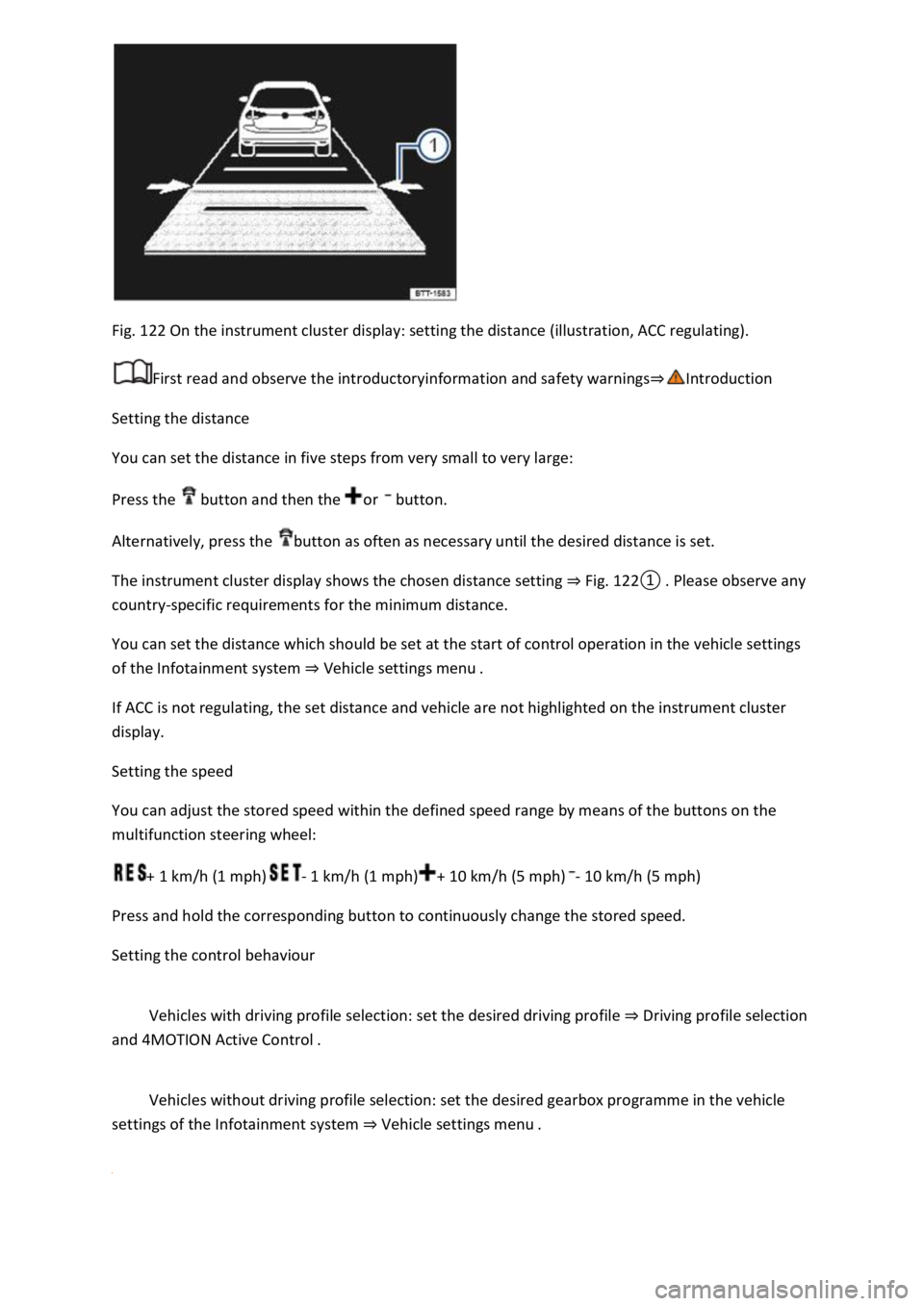
Fig. 122 On the instrument cluster display: setting the distance (illustration, ACC regulating).
First read and observe the introductoryinformation and safety warnings⇒Introduction
Setting the distance
You can set the distance in five steps from very small to very large:
Press the button and then the or button.
Alternatively, press the button as often as necessary until the desired distance is set.
The instrument cluster display shows the chosen distance setting ⇒ Fig. 122① . Please observe any
country-specific requirements for the minimum distance.
You can set the distance which should be set at the start of control operation in the vehicle settings
of the Infotainment system ⇒ Vehicle settings menu .
If ACC is not regulating, the set distance and vehicle are not highlighted on the instrument cluster
display.
Setting the speed
You can adjust the stored speed within the defined speed range by means of the buttons on the
multifunction steering wheel:
+ 1 km/h (1 mph)- 1 km/h (1 mph)+ 10 km/h (5 mph)- 10 km/h (5 mph)
Press and hold the corresponding button to continuously change the stored speed.
Setting the control behaviour
Vehicles with driving profile selection: set the desired driving profile ⇒ Driving profile selection
and 4MOTION Active Control .
Vehicles without driving profile selection: set the desired gearbox programme in the vehicle
settings of the Infotainment system ⇒ Vehicle settings menu .