Table VOLKSWAGEN T-ROC 2021 Owner´s Manual
[x] Cancel search | Manufacturer: VOLKSWAGEN, Model Year: 2021, Model line: T-ROC, Model: VOLKSWAGEN T-ROC 2021Pages: 502, PDF Size: 9.42 MB
Page 216 of 502

The examples given in this chapter are an aid for safe offroad driving. However, we cannot predict
whether these guidelines will be valid for all situations that could occur.
The many different types of terrain and the associated risks and dangers make it impossible to
describe all possible driving situations. The examples are only general guidelines which are intended
to help you to drive offroad safely. It is crucial that you know what to expect when you drive into
offroad terrain you are unfamiliar with. This will enable you to assess potential dangers in advance.
The driver can use 4MOTION Active Control to activate a variety of vehicle settings in an all-wheel
drive vehicle as required ⇒ Setting a driving profile .
Checklist
Before driving offroad for the first time, take the following steps so you can operate and drive the
vehicle safely offroad:
Observe the basic safety notes Safety instructions for offroad driving.
Familiarise yourself with the vehicle controls.
Check and adjust the seat position Sitting position and fasten the seat belts Seat belts.
Check distance to steering wheel and adjust Steering wheel.
Always wear suitable, well-fitting shoes that provide good grip for your feet when operating the
pedals.
Safety instructions for offroad driving
First read and observe the introductoryinformation and safety warnings⇒Introduction
WARNING
The intelligent vehicle technology cannot overcome the laws of physics, and functions only within
the limits of the system. Despite ABS, instability through locked wheels can occur on adverse terrain
– e.g. if you brake hard when driving on a loose gravel road. The Electronic Stability Control will be
able to stabilise the vehicle only to a limited extent in these circumstances.
WARNING
Driving offroad can be dangerous and could cause accidents, serious injury, damage to the vehicle
and also a vehicle breakdown far from any assistance.
Never select a dangerous route and never take risks that could endanger you and your passengers. If
you cannot drive on or if you are in any doubt about the safety of the route, turn round and choose
another route.
Even terrain that looks harmless can be difficult and dangerous, and could get you and your
passengers into difficulties. We recommend inspecting the terrain on foot beforehand.
Page 218 of 502

WARNING
Always avoid traversing a slope ⇒ Traversing a slope .
Vehicle occupants should never leave the vehicle via the doors facing down the hill when stopped
sideways on a steep hill. The combined centre of gravity of the vehicle and its payload (vehicle
occupants and payload) can shift and cause the vehicle to roll over and roll down the incline. Always
leave the vehicle slowly via the doors which open up the incline ⇒ Traversing a slope .
WARNING
The cruise control system has been designed for use on surfaced roads only. The cruise control
system is not suitable for use offroad and may even be hazardous. If you use the cruise control
system while driving offroad, you may lose control over the vehicle and sustain serious injuries.
Never use the cruise control system when driving offroad.
WARNING
The area monitoring system (Front Assist) was developed for use on surfaced roads only. The area
monitoring system is not suitable for use offroad and may even be hazardous. If you use the area
monitoring system while driving offroad, you may lose control over the vehicle and sustain serious
injuries.
Never use the area monitoring system when driving offroad.
WARNING
Driving the vehicle when the fuel level is too low could lead to your vehicle breaking down offroad,
accidents and serious injuries.
When the fuel level is too low, the fuel supply to the engine could be irregular, especially when
driving up or down hills and inclines.
The steering, all driver assist systems and brake support systems will not function if the engine
sputters or stops completely due to a lack of fuel or irregular fuel supply.
Always fill the tank when it is still 1/4 full. This reduces the risk of running out of fuel and breaking
down.
NOTICE
Page 220 of 502

Checklist
To ensure your own safety and the safety of your passengers, observe the following points before
driving offroad:
Obtain sufficient information before driving into offroad terrain with the vehicle.
Do not plan day stages that are too long. Take increased fuel consumption for offroad driving into
account.
Fill up the tank. Fuel consumption is considerably higher offroad.
Check that your tyres are suitable for the offroad journey you have planned. Recommendation for
difficult offroad terrain: always have offroad tyres fitted to your vehicle.
Check the tyre pressure on all tyres and correct if necessary. This includes the temporary spare
wheel, if present.
Check engine oil level and refill engine oil as necessary. The engine will be supplied with engine oil
when it is driven on or across a slope only if the engine oil level is sufficient.
Completely refill the washer fluid reservoir with water and washer fluid.
Fit the towing eye at the front or rear. It is not always possible to fit the towing eye when the vehicle
is stuck.
Check the vehicle toolkit and add tools according to individual requirements Useful accessories for
offroad driving.
Stow luggage in the vehicle as evenly and as low as possible. Secure all loose items.
Before driving offroad, Volkswagen recommends attending an offroad driving course, particularly if
you have no or very little experience.
Page 223 of 502

With the correct gear selected, the vehicle will normally not have to be braked so much using the
foot brake when driving downhill as the engine braking effect will normally be sufficient.
You should only depress the accelerator as much as is required. If you accelerate too hard, the
wheels could lose traction and you could lose control of the vehicle.
DSG® dual clutch gearbox
Select position D when driving in normal, flat offroad terrain.
Adjust your speed when driving on soft or slippery ground, and select the highest suitable position
for the Tiptronic.
If driving through mud, sand, water or hilly terrain, drive with Tiptronic in the positions 3 or
2⇒ DSG® dual clutch gearbox .
Use the offroad display ⇒ Offroad display .
Driving on rough terrain
First read and observe the introductoryinformation and safety warnings⇒Introduction
Use the offroad driving profile ⇒ Setting a driving profile .
You should drive through rocky terrain at no faster than walking pace.
If you are not able to drive around a rock, drive carefully onto the rock with one front wheel and
drive over it slowly ⇒ .
NOTICE
You should never drive straight over large obstacles, e.g. boulders or tree stumps, or drive over such
obstacles with one side of the vehicle. Obstacles which require more ground clearance than is
available could damage vehicle components when you drive over them and thus cause the vehicle to
break down.
Even obstacles that are smaller than the available ground clearance could come into contact with
the vehicle underbody and thus cause damage which could lead to a vehicle breakdown. This applies
in particular if there is a hollow or soft ground either in front of or behind the obstacle. This also
applies in cases when you drive too quickly over the obstacle causing the vehicle to bounce.
Escaping engine oil and brake fluid can pollute the environment. Spilt service fluids must be
collected and then disposed of properly and in an environmentally responsible way.
Driving through water
First read and observe the introductoryinformation and safety warnings⇒Introduction
Driving through flooded terrain could damage the vehicle ⇒ Checklist before driving offroad .
Page 225 of 502

Always adjust your speed and driving to match vehicle load levels and visibility, terrain and weather
conditions.
Driving on sand and mud
First read and observe the introductoryinformation and safety warnings⇒Introduction
Always drive at a steady speed through sand or mud and, do not carry out any manual gear changes
or stop the vehicle.
Check whether ESC is active. The indicator lamp or in the instrument cluster display must not
light up ⇒ Brake support systems .
Keep the vehicle moving constantly.
Use the Offroad driving profile ⇒ Setting a driving profile .
Select a suitable gear and remain in this gear until you have reached more solid ground ⇒ Changing
gear correctly .
If the tyres have lost their grip, turn the steering wheel to and fro quickly. This can briefly give the
tyres on the front wheels better grip for these ground conditions.
Driving through sand
Do not under any circumstances reduce the tyre pressure to drive through sand ⇒ . If the tyre
pressure has been reduced for driving through sand, the correct tyre pressure must always be
restored before driving on. Driving with reduced tyre pressure can lead to a loss of control over the
vehicle and increase the risk of serious and fatal injuries.
Driving through mud
Do not change speed or direction. The tyres can lose their traction when driving through mud. If the
vehicle slides, steer in the direction needed to get the vehicle under control.
WARNING
Driving through mud and sand can be dangerous. The vehicle can slide uncontrollably. This increases
the risk of injury. Always drive carefully through sand and mud.
Never choose an unsafe route or take a risk which could endanger you or your passengers. If you are
in any doubt about the safety of the route, turn round and choose another way.
WARNING
Incorrect tyre pressure can cause severe or even fatal accidents.
Incorrect tyre pressures will increase the levels of wear on the tyres and will negatively affect the
vehicle's handling.
Page 257 of 502

System fault
Clean the radar sensors or remove stickers or accessories from the radar sensors, mirrors and
bumper ⇒ Caring for and cleaning the vehicle exterior .
Check whether any damage is visible.
The system is not responding as expected
The radar sensors are dirty. The sensor visibility may be impaired by dirt and snow or also residue
from cleaning agents or coatings ⇒ Caring for and cleaning the vehicle exterior .
The prerequisites for system operation must be met ⇒ System limits .
The radar sensors are covered by water.
The vehicle is damaged in the area of the radar sensors, e.g. caused by parking collisions.
The detection ranges of the radar sensors are blocked by add-on parts, e.g. bicycle carriers.
Changes have been made to the paintwork in the area of the radar sensors or structural
modifications have been made, e.g. on the vehicle front end or the running gear.
Only Volkswagen-approved vehicle paints may be used on the rear bumper. Other vehicle paints can
restrict the function of the system or cause faults.
Tinting foils have been retrofitted on the side windows.
Parking and manoeuvring
Parking
Stopping and parking the vehicle
The actions should be carried out only in the given order:
Stop the vehicle on a suitable surface ⇒ .
Depress and hold the brake pedal until the engine has stopped.
Switch on the electronic parking brake ⇒ Electronic parking brake . The electronic parking brake is
switched on when the indicator lamp in the button ⇒ Fig. 125 lights up yellow and the indicator
lamp in the instrument cluster display lights up red.
On vehicles with a manual gearbox, either fully depress or disengage the clutch.
With an automatic gearbox, move the selector lever to position P.
Switch off the engine and take your foot off the brake pedal.
Turn the steering wheel slightly if necessary to engage the steering lock mechanism.
With a manual gearbox, select first gear for flat ground and uphill gradients, or reverse gear for
downhill gradients, and then release the clutch.
Please ensure that all occupants, in particular children, leave the vehicle.
Page 270 of 502

The detection range of the camera is blocked by add-on parts, e.g. bicycle carriers.
Changes have been made to the paintwork in the area of the camera or structural modifications
have been made, e.g. on the running gear.
No camera visibility, error message, system switches itself off
Clean the camera or remove stickers or accessories from the camera ⇒ Caring for and cleaning the
vehicle exterior .
Check whether any damage is visible.
Possible solution
Switch off the system temporarily.
Check whether any of the causes described apply.
You can switch the system back on again once you have rectified the cause of the problem.
If the system still fails to respond as expected, have the system checked by a qualified workshop.
Park Assist
Introduction
This chapter contains information on the followingsubjects:
⇒ Prerequisites
⇒ Looking for a parking space
⇒ Driving into a parking space
⇒ Driving out of a parking space
⇒ Troubleshooting
Park Assist shows parking spaces which are suitable for parking and assists the driver when driving
into and out of parking spaces.
Park Assist is an extension of Park Distance Control ⇒ Park Distance Control .
Park Assist automatically steers the vehicle. The driver must control the accelerator, gear changes
and brake ⇒ Safety notes on the parking systems .
WARNING
Fast steering wheel movements can cause serious injury.
During the manoeuvring operation, do not reach for the steering wheel until prompted to do so by
the system.
Exception: if a dangerous situation occurs, intervene and take over the steering.
Page 272 of 502
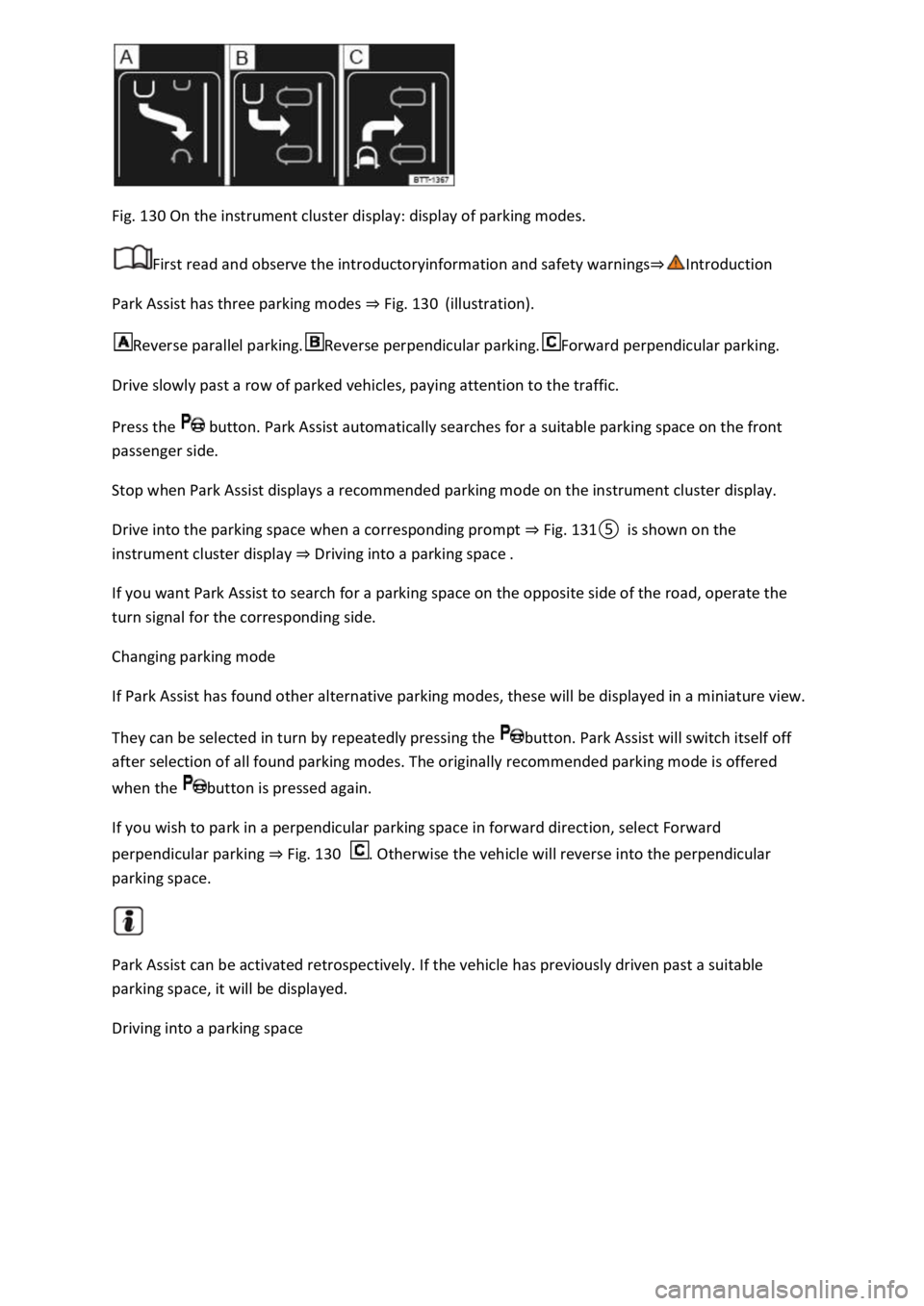
Fig. 130 On the instrument cluster display: display of parking modes.
First read and observe the introductoryinformation and safety warnings⇒Introduction
Park Assist has three parking modes ⇒ Fig. 130 (illustration).
Reverse parallel parking.Reverse perpendicular parking.Forward perpendicular parking.
Drive slowly past a row of parked vehicles, paying attention to the traffic.
Press the button. Park Assist automatically searches for a suitable parking space on the front
passenger side.
Stop when Park Assist displays a recommended parking mode on the instrument cluster display.
Drive into the parking space when a corresponding prompt ⇒ Fig. 131⑤ is shown on the
instrument cluster display ⇒ Driving into a parking space .
If you want Park Assist to search for a parking space on the opposite side of the road, operate the
turn signal for the corresponding side.
Changing parking mode
If Park Assist has found other alternative parking modes, these will be displayed in a miniature view.
They can be selected in turn by repeatedly pressing the button. Park Assist will switch itself off
after selection of all found parking modes. The originally recommended parking mode is offered
when the button is pressed again.
If you wish to park in a perpendicular parking space in forward direction, select Forward
perpendicular parking ⇒ Fig. 130 . Otherwise the vehicle will reverse into the perpendicular
parking space.
Park Assist can be activated retrospectively. If the vehicle has previously driven past a suitable
parking space, it will be displayed.
Driving into a parking space
Page 280 of 502

When accelerating on a slippery surface, for example on ice and snow, accelerate carefully. The
wheels can spin even when brake support systems are active, and this can lead to a loss of control of
the vehicle.
WARNING
The effectiveness of ESC can be reduced considerably if other components and systems which affect
driving dynamics are not serviced properly or are not functioning properly. This also applies, but not
exclusively, to the brakes, tyres and other named systems.
Please always bear in mind that modifications and changes to the vehicle can affect the way brake
support systems operate.
Alterations to the suspension or the use of non-approved wheel and tyre combinations can affect
the function of brake support systems and reduce their effectiveness.
Suitable tyres support the effectiveness of ESC.
WARNING
Driving without the brake servo can considerably increase the braking distance and thus cause
accidents and serious injuries.
Never switch the engine or ignition off while the vehicle is in motion.
If the brake servo does not function or the vehicle is being towed, the brake pedal will have to be
depressed more forcefully as the braking distance will be increased due to the lack of assistance for
the brake system.
Switching the TCS on and off
Switch off the traction control system (TCS) if the vehicle does not have sufficient traction:
When driving in deep snow or on loose surfaces.
When rocking the vehicle free if it is stuck.
Then switch on TCS again.
Switching TCS on and off
TCS can be switched off and on in the Infotainment system ⇒ Infotainment system controls and
displays .
When the TCS is switched off, the yellow indicator lamp lights up on the instrument cluster
display.
As soon as the TCS starts regulating, the indicator lamp flashes yellow.
Troubleshooting
Page 288 of 502
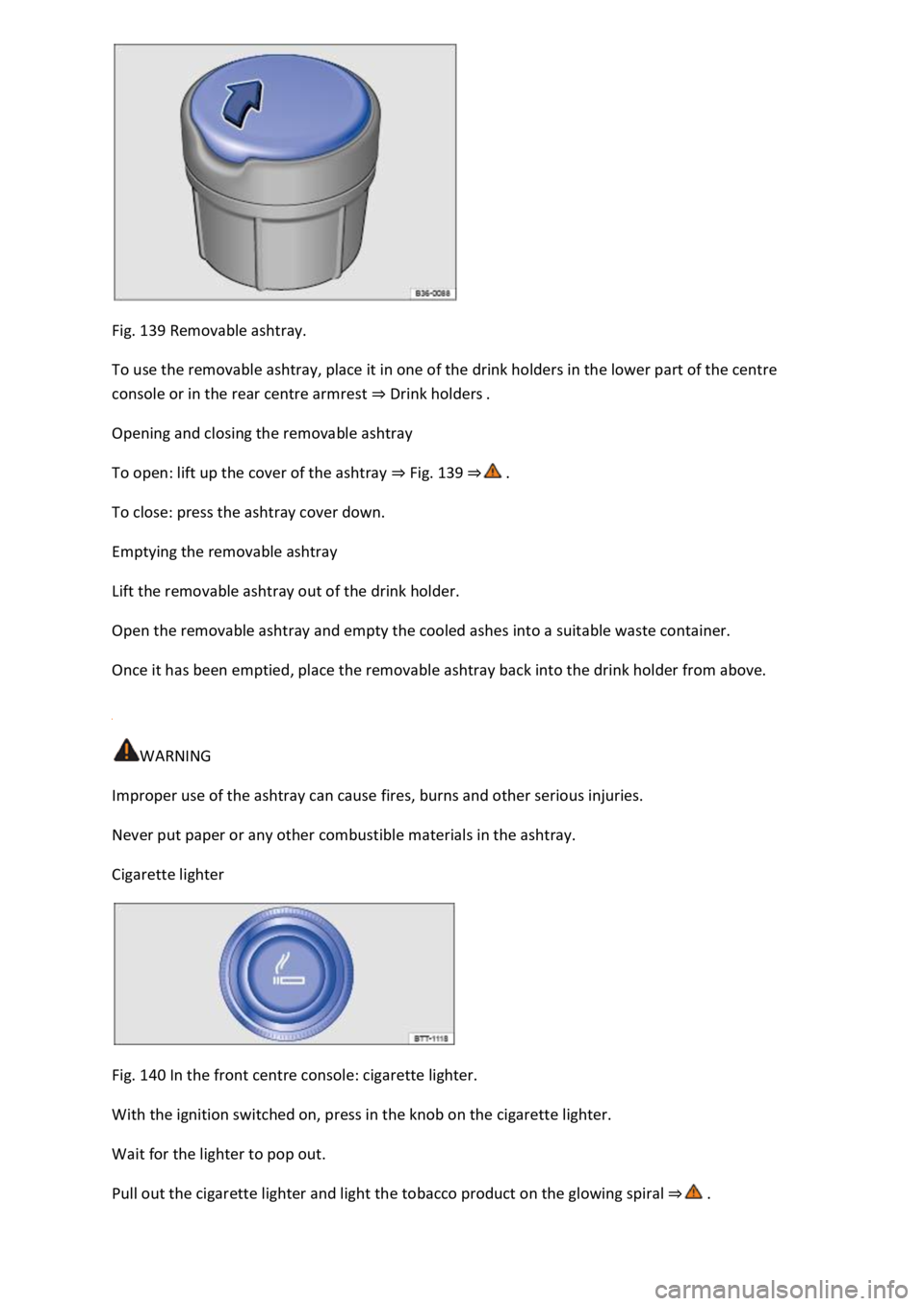
Fig. 139 Removable ashtray.
To use the removable ashtray, place it in one of the drink holders in the lower part of the centre
console or in the rear centre armrest ⇒ Drink holders .
Opening and closing the removable ashtray
To open: lift up the cover of the ashtray ⇒ Fig. 139 ⇒ .
To close: press the ashtray cover down.
Emptying the removable ashtray
Lift the removable ashtray out of the drink holder.
Open the removable ashtray and empty the cooled ashes into a suitable waste container.
Once it has been emptied, place the removable ashtray back into the drink holder from above.
WARNING
Improper use of the ashtray can cause fires, burns and other serious injuries.
Never put paper or any other combustible materials in the ashtray.
Cigarette lighter
Fig. 140 In the front centre console: cigarette lighter.
With the ignition switched on, press in the knob on the cigarette lighter.
Wait for the lighter to pop out.
Pull out the cigarette lighter and light the tobacco product on the glowing spiral ⇒ .