light VOLKSWAGEN TIGUAN 2017 Owner´s Manual
[x] Cancel search | Manufacturer: VOLKSWAGEN, Model Year: 2017, Model line: TIGUAN, Model: VOLKSWAGEN TIGUAN 2017Pages: 341, PDF Size: 9.14 MB
Page 193 of 341
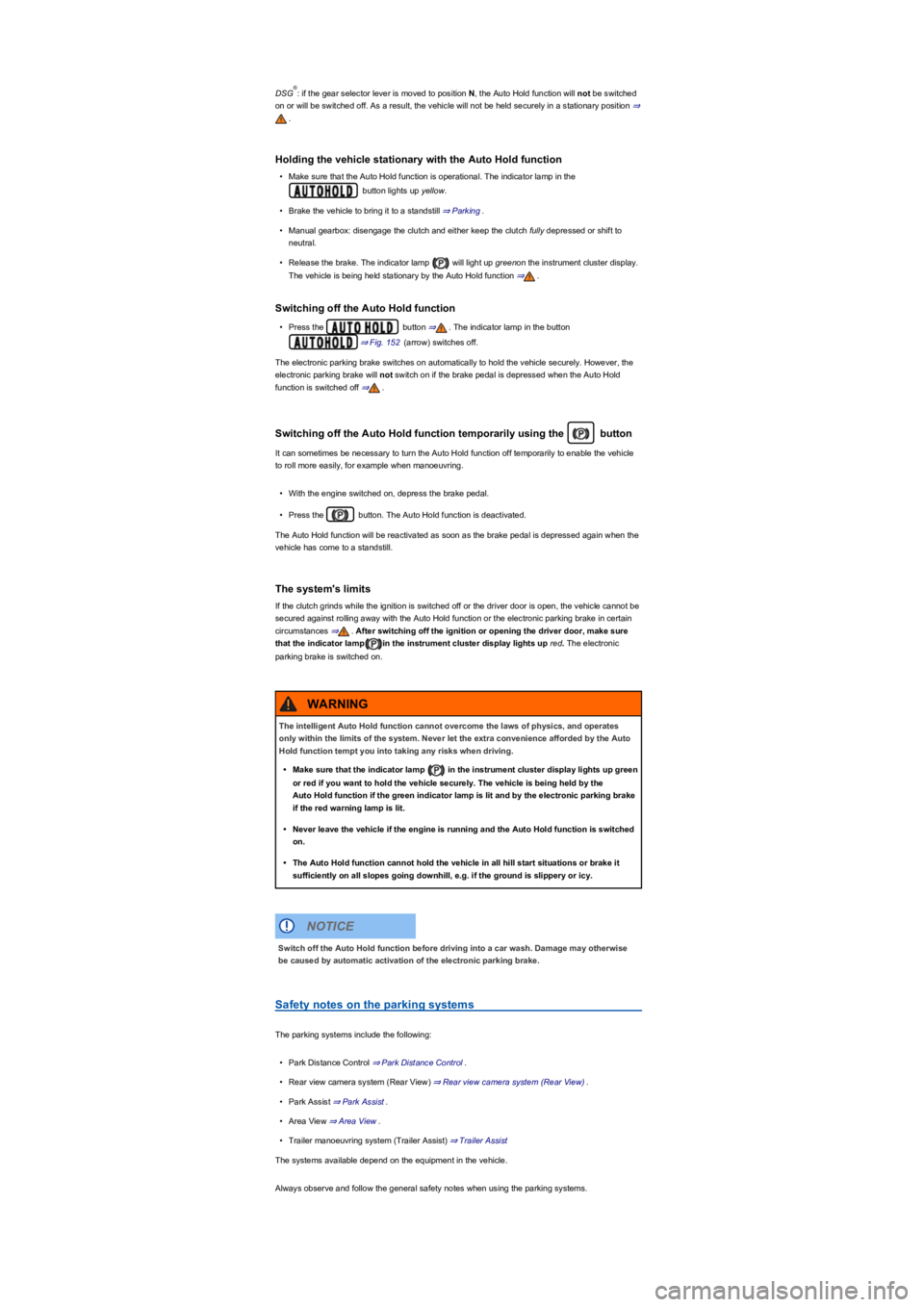
DSG: if the gear selector lever is moved to position N, the Auto Hold function will not be switched
on or will be switched off. As a result, the vehicle will not be held securely in a stationary position ⇒
.
Holding the vehicle stationary with the Auto Hold function
•Make sure that the Auto Hold function is operational. The indicator lamp in the
button lights up yellow.
•Brake the vehicle to bring it to a standstill ⇒ Parking.
•Manual gearbox: disengage the clutch and either keep the clutch fully depressed or shift to
neutral.
•Release the brake. The indicator lamp will light up greenon the instrument cluster display.
The vehicle is being held stationary by the Auto Hold function ⇒.
Switching off the Auto Hold function
•Press the button ⇒. The indicator lamp in the button
⇒ Fig. 152 (arrow) switches off.
The electronic parking brake switches on automatically to hold the vehicle securely. However, the
electronic parking brake will not switch on if the brake pedal is depressed when the Auto Hold
function is switched off ⇒.
Switching off the Auto Hold function temporarily using the button
It can sometimes be necessary to turn the Auto Hold function off temporarily to enable the vehicle
to roll more easily, for example when manoeuvring.
•With the engine switched on, depress the brake pedal.
•Press the button. The Auto Hold function is deactivated.
The Auto Hold function will be reactivated as soon as the brake pedal is depressed again when the
vehicle has come to a standstill.
The system's limits
If the clutch grinds while the ignition is switched off or the driver door is open, the vehicle cannot be
secured against rolling away with the Auto Hold function or the electronic parking brake in certain
circumstances ⇒. After switching off the ignition or opening the driver door, make sure
that the indicator lampin the instrument cluster display lights up red. The electronic
parking brake is switched on.
Safety notes on the parking systems
The parking systems include the following:
•Park Distance Control ⇒ Park Distance Control.
•Rear view camera system (Rear View) ⇒ Rear view camera system (Rear View).
•Park Assist ⇒ Park Assist.
•Area View ⇒ Area View.
•Trailer manoeuvring system (Trailer Assist) ⇒ Trailer Assist
The systems available depend on the equipment in the vehicle.
Always observe and follow the general safety notes when using the parking systems.
®
The intelligent Auto Hold function cannot overcome the laws of physics, and operates
only within the limits of the system. Never let the extra convenience afforded by the Auto
Hold function tempt you into taking any risks when driving.
•Make sure that the indicator lamp in the instrument cluster display lights up green
or red if you want to hold the vehicle securely. The vehicle is being held by the
Auto Hold function if the green indicator lamp is lit and by the electronic parking brake
if the red warning lamp is lit.
•Never leave the vehicle if the engine is running and the Auto Hold function is switched
on.
•The Auto Hold function cannot hold the vehicle in all hill start situations or brake it
sufficiently on all slopes going downhill, e.g. if the ground is slippery or icy.
WARNING
Switch off the Auto Hold function before driving into a car wash. Damage may otherwise
be caused by automatic activation of the electronic parking brake.
NOTICE
Page 194 of 341
Volkswagen recommends that drivers practise using the parking systems in a traffic-calmed
area or car park to allow them to familiarise themselves with the systems and their functions.
Park Distance Control
Introduction
This chapter contains information on the followingsubjects:
⇒ Switching on and off
⇒ Display representation
⇒ Settings
⇒ Troubleshooting
The Park Distance Control system
assists the driver when manoeuvring
and parking.
Park Distance Control detects the distance from an obstacle by means of sensors in the front and
rear bumpers ⇒ Vehicle overviews. If there is an obstacle in the detection range of the sensors, the
system indicates this on the Infotainment system and by means of signal tones.
System limits
The sensors may not always be able to detect objects such as trailer drawbars, thin rails, fences,
posts, trees, very low or high obstacles and open or opening boot lids.
In some cases, dirt and ice on the sensors could be registered as an obstacle.
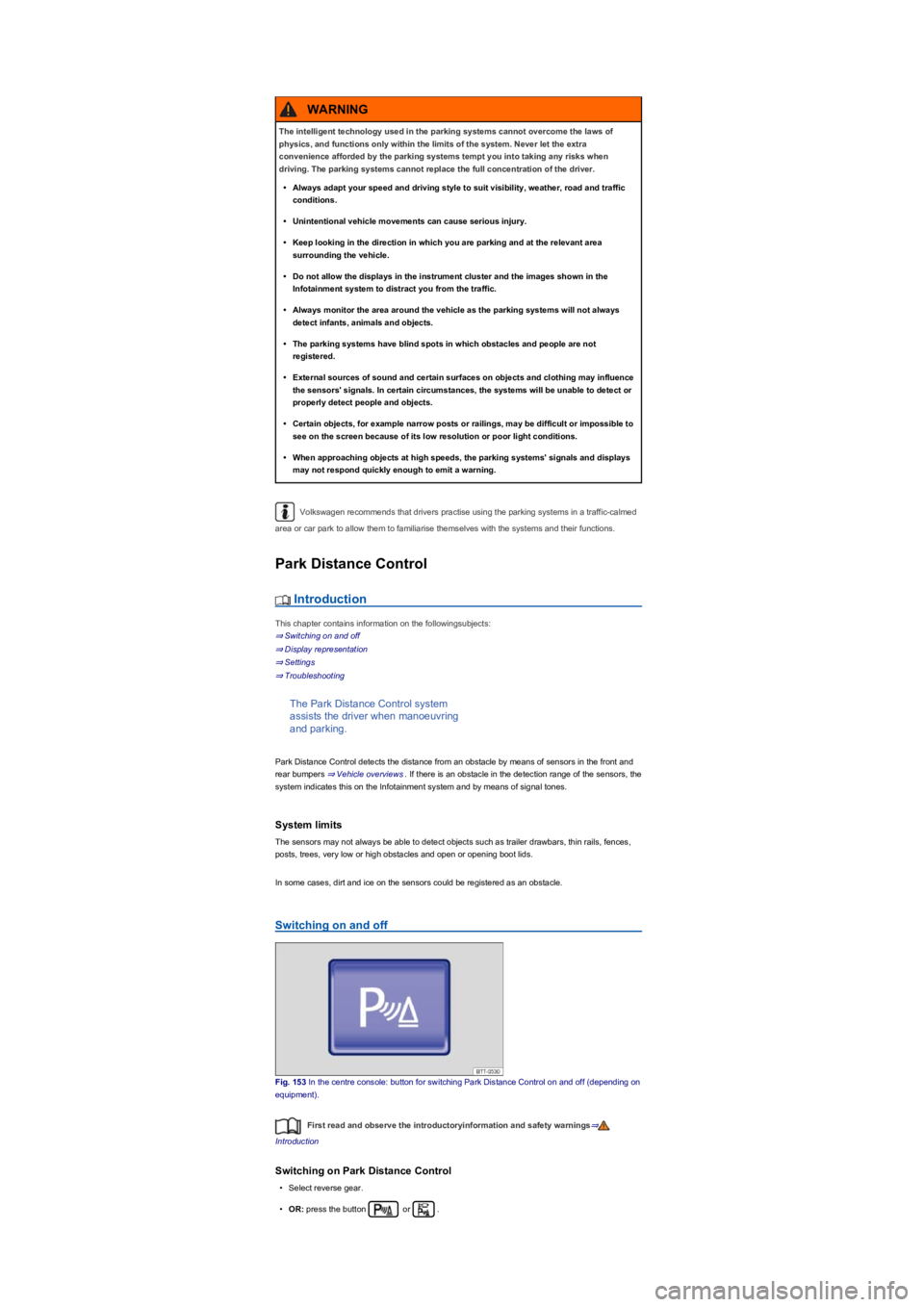
Switching on and off
Fig. 153 In the centre console: button for switching Park Distance Control on and off (depending on
equipment).
First read and observe the introductoryinformation and safety warnings⇒
Introduction
Switching on Park Distance Control
•Select reverse gear.
•OR: press the button or .
The intelligent technology used in the parking systems cannot overcome the laws of
physics, and functions only within the limits of the system. Never let the extra
convenience afforded by the parking systems tempt you into taking any risks when
driving. The parking systems cannot replace the full concentration of the driver.
•Always adapt your speed and driving style to suit visibility, weather, road and traffic
conditions.
•Unintentional vehicle movements can cause serious injury.
•Keep looking in the direction in which you are parking and at the relevant area
surrounding the vehicle.
•Do not allow the displays in the instrument cluster and the images shown in the
Infotainment system to distract you from the traffic.
•Always monitor the area around the vehicle as the parking systems will not always
detect infants, animals and objects.
•The parking systems have blind spots in which obstacles and people are not
registered.
•External sources of sound and certain surfaces on objects and clothing may influence
the sensors' signals. In certain circumstances, the systems will be unable to detect or
properly detect people and objects.
•Certain objects, for example narrow posts or railings, may be difficult or impossible to
see on the screen because of its low resolution or poor light conditions.
•When approaching objects at high speeds, the parking systems' signals and displays
may not respond quickly enough to emit a warning.
WARNING
Page 202 of 341
Park Assist can be activated retroactively. If a suitable parking space was driven past before,
it is displayed.
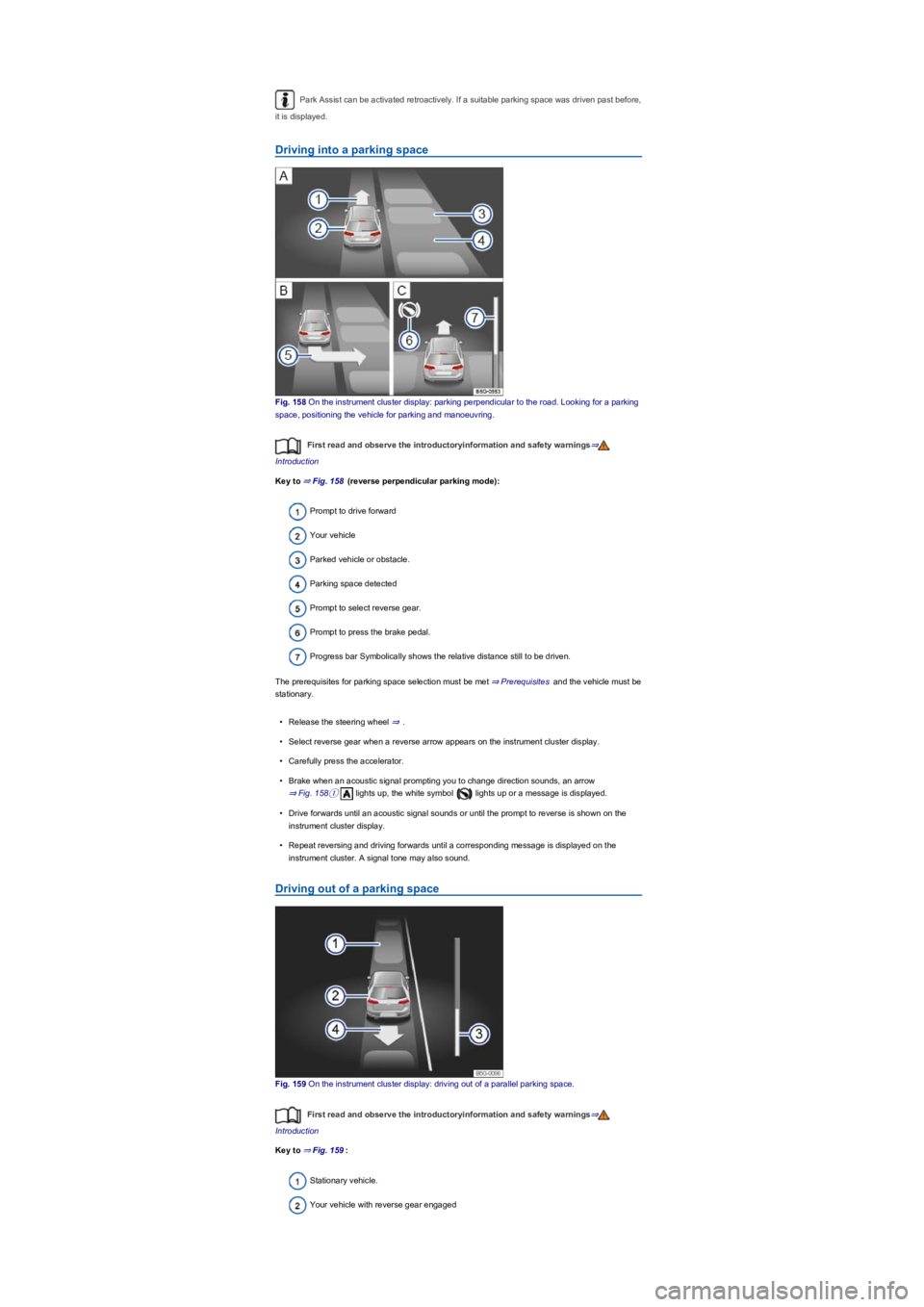
Driving into a parking space
Fig. 158 On the instrument cluster display: parking perpendicular to the road. Looking for a parking
space, positioning the vehicle for parking and manoeuvring.
First read and observe the introductoryinformation and safety warnings⇒
Introduction
Key to ⇒ Fig. 158 (reverse perpendicular parking mode):
Prompt to drive forward
Your vehicle
Parked vehicle or obstacle.
Parking space detected
Prompt to select reverse gear.
Prompt to press the brake pedal.
Progress bar Symbolically shows the relative distance still to be driven.
The prerequisites for parking space selection must be met ⇒ Prerequisites and the vehicle must be
stationary.
•Release the steering wheel ⇒.
•Select reverse gear when a reverse arrow appears on the instrument cluster display.
•Carefully press the accelerator.
•Brake when an acoustic signal prompting you to change direction sounds, an arrow
⇒ Fig. 158① lights up, the white symbol lights up or a message is displayed.
•Drive forwards until an acoustic signal sounds or until the prompt to reverse is shown on the
instrument cluster display.
•Repeat reversing and driving forwards until a corresponding message is displayed on the
instrument cluster. A signal tone may also sound.
Driving out of a parking space
Fig. 159 On the instrument cluster display: driving out of a parallel parking space.
First read and observe the introductoryinformation and safety warnings⇒
Introduction
Key to ⇒ Fig. 159:
Stationary vehicle.
Your vehicle with reverse gear engaged
Page 203 of 341
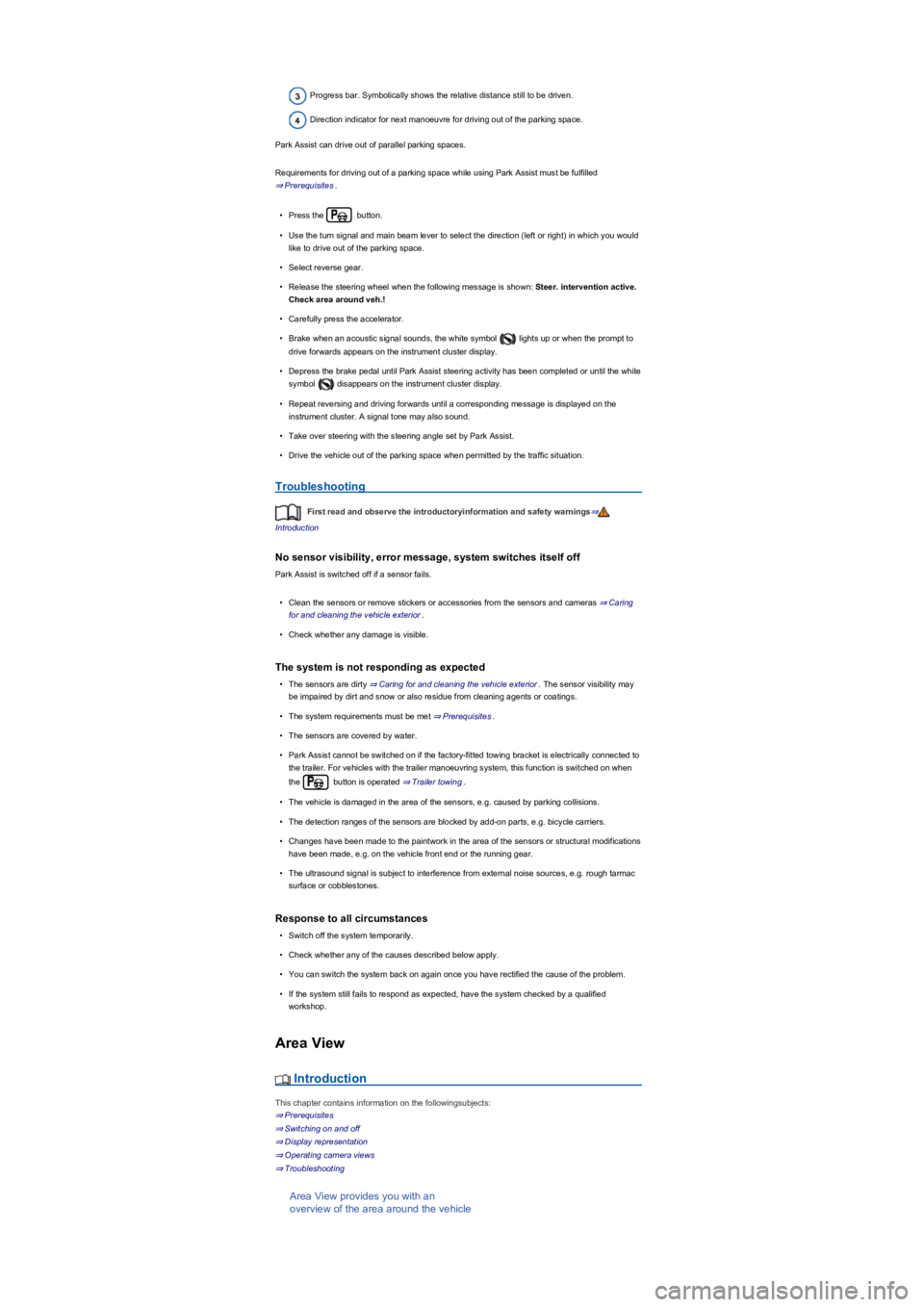
Progress bar. Symbolically shows the relative distance still to be driven.
Direction indicator for next manoeuvre for driving out of the parking space.
Park Assist can drive out of parallel parking spaces.
Requirements for driving out of a parking space while using Park Assist must be fulfilled
⇒ Prerequisites.
•Press the button.
•Use the turn signal and main beam lever to select the direction (left or right) in which you would
like to drive out of the parking space.
•Select reverse gear.
•Release the steering wheel when the following message is shown: Steer. intervention active.
Check area around veh.!
•Carefully press the accelerator.
•Brake when an acoustic signal sounds, the white symbol lights up or when the prompt to
drive forwards appears on the instrument cluster display.
•Depress the brake pedal until Park Assist steering activity has been completed or until the white
symbol disappears on the instrument cluster display.
•Repeat reversing and driving forwards until a corresponding message is displayed on the
instrument cluster. A signal tone may also sound.
•Take over steering with the steering angle set by Park Assist.
•Drive the vehicle out of the parking space when permitted by the traffic situation.
Troubleshooting
First read and observe the introductoryinformation and safety warnings⇒
Introduction
No sensor visibility, error message, system switches itself off
Park Assist is switched off if a sensor fails.
•Clean the sensors or remove stickers or accessories from the sensors and cameras ⇒ Caring
for and cleaning the vehicle exterior.
•Check whether any damage is visible.
The system is not responding as expected
•The sensors are dirty ⇒ Caring for and cleaning the vehicle exterior. The sensor visibility may
be impaired by dirt and snow or also residue from cleaning agents or coatings.
•The system requirements must be met ⇒ Prerequisites.
•The sensors are covered by water.
•Park Assist cannot be switched on if the factory-fitted towing bracket is electrically connected to
the trailer. For vehicles with the trailer manoeuvring system, this function is switched on when
the button is operated ⇒ Trailer towing.
•The vehicle is damaged in the area of the sensors, e.g. caused by parking collisions.
•The detection ranges of the sensors are blocked by add-on parts, e.g. bicycle carriers.
•Changes have been made to the paintwork in the area of the sensors or structural modifications
have been made, e.g. on the vehicle front end or the running gear.
•The ultrasound signal is subject to interference from external noise sources, e.g. rough tarmac
surface or cobblestones.
Response to all circumstances
•Switch off the system temporarily.
•Check whether any of the causes described below apply.
•You can switch the system back on again once you have rectified the cause of the problem.
•If the system still fails to respond as expected, have the system checked by a qualified
workshop.
Area View
Introduction
This chapter contains information on the followingsubjects:
⇒ Prerequisites
⇒ Switching on and off
⇒ Display representation
⇒ Operating camera views
⇒ Troubleshooting
Area View provides you with an
overview of the area around the vehicle
Page 206 of 341
•If the system still fails to respond as expected, have the system checked by a qualified
workshop.
Trailer Assist
Introduction
This chapter contains information on the followingsubjects:
⇒ Prerequisites
⇒ Operation
⇒ Troubleshooting
Trailer Assist helps the driver when
reversing or manoeuvring the vehicle
when towing a trailer.
The trailer manoeuvring system steers a trailer by adjustment of the rotary knob for the exterior
mirrors. The driver must control the accelerator, gear changes and brake!
System limits
The camera may not always be able to detect objects such as trailer drawbars, thin rails, fences,
posts, trees and open or opening boot lids. This can result in damage to your vehicle.
The camera must be kept clean and free of ice and snow, and must not be covered up by stickers
or other objects, as this will prevent the system from working properly. The drawbar must not be
covered.
Trailer Assist should only be used when the boot lid is fully closed.
The trailer manoeuvring system will be automatically ended around ten minutes after
activation. The function will also be ended if no driver interaction is detected within a period of
approximately three minutes.
Prerequisites
First read and observe the introductoryinformation and safety warnings⇒
Introduction
The following prerequisites must be met for the trailer manoeuvring system to function:
•Engine running.
•ESC is switched on.
•Driver door and boot lid are closed.
•Exterior mirrors are not folded in.
•A single- or- two-axle trailer without steered axles is hitched to the vehicle and electrically
connected.
•Vehicle and trailer are stationary.
•Do not exceed the maximum jack-knifing angle.
•The drawbar length has been determined.
Determining the drawbar length
Trailer Assist requires a few turning and cornering manoeuvres to enable it to determine the length
of the drawbar. The more accurately it can determine the length of the drawbar, the bigger the
angles available when manoeuvring. The trailer manoeuvring system divides the available
maximum limit positions on the angle display into four steps: approx. 30°, 45°, 60° and 75°.
For technical reasons, the trailer manoeuvring system cannot always detect trailers with LED
rear lights correctly.
The trailer manoeuvring system does not use the area around the vehicle for orientation.
No obstacle detection takes place. Drivers must judge for themselves whether the trailer
can be manoeuvred safely.
•Always pay close attention to the movements of the trailer and, if required, stop the
manoeuvre to avoid causing any damage. On rare occasions the trailer may behave
differently, even when Trailer Assist is operated correctly.
•Do not rely only on the displays in the instrument cluster.
NOTICE
Page 211 of 341
•Switch off TCS: press the button for around one second.
•Switch on ESC Sport: press the button for longer than three seconds.
•Switch on TCS: press the button again. ESC Sport is switched off.
Troubleshooting
Warning and indicator lamps in the event of faults
Do not drive on! Brake system fault. Seek expert assistance immediately ⇒.Lit
up: ABS failure or defect. Go to a qualified workshop. The vehicle can be braked without ABS.
Lit up: ESC switched off by the system. Switch the ignition on and off. Drive a short distance at a
speed of 15 – 20 km/h (9 – 12 mph) if necessary. If still lights up, seek expert assistance.
Notes on the brake support systems
If you suspect that there is a malfunction in the systems, read and observe the following notes:
•The ESC and TCS can function properly only if all four wheels are fitted with the same tyres.
Any differences in the rolling radius of the tyres can cause the system to reduce engine power
unexpectedly.
•If there is a fault in the anti-lock brake system, the ESC, TCS and EDL will also stop working.
•Operating noises may be heard during the self-regulation processes of the systems explained
above.
Practical equipment
Stowage areas
Introduction
This chapter contains information on the followingsubjects:
⇒ Stowage compartment on the driver side
⇒ Stowage compartment on the front passenger side
⇒ Stowage compartment in the dash panel
⇒ Stowage compartment in the front centre armrest
⇒ Stowage compartment in the roof console (glasses compartment)
⇒ Folding table
⇒ Drawers
⇒ Coat and bag hooks
Use stowage compartments only to stow light or relatively small objects.
A factory-fitted CD changer, Apple iPod adapter, USB connection or multimedia socket
(MEDIA-IN) may be located in the stowage compartment in the centre armrest.
•If the brake warning lamp lights up together with the ABS indicator lamp , the
control function of the anti-lock brake system may have failed. This can cause the rear
wheels to lock quickly when you brake. Locked rear wheels can lead to a loss of
control of the vehicle. If possible, reduce your speed and drive carefully at low speed
to the nearest qualified workshop in order to have the brake system tested. Avoid
sudden braking and driving manoeuvres on the way.
•The anti-lock brake system is not functioning correctly if the ABS indicator lamp
does not go out or comes on while the vehicle is in motion. The vehicle can be stopped
using the normal brakes only (without the anti-lock brake system). The protection
provided by the anti-lock brake system is no longer available. Go to a qualified
workshop as soon as possible.
WARNING
®
Page 212 of 341
Always ensure that the ventilation openings between the rear window and the stowage area
are uncovered to allow stale air to escape from the vehicle.
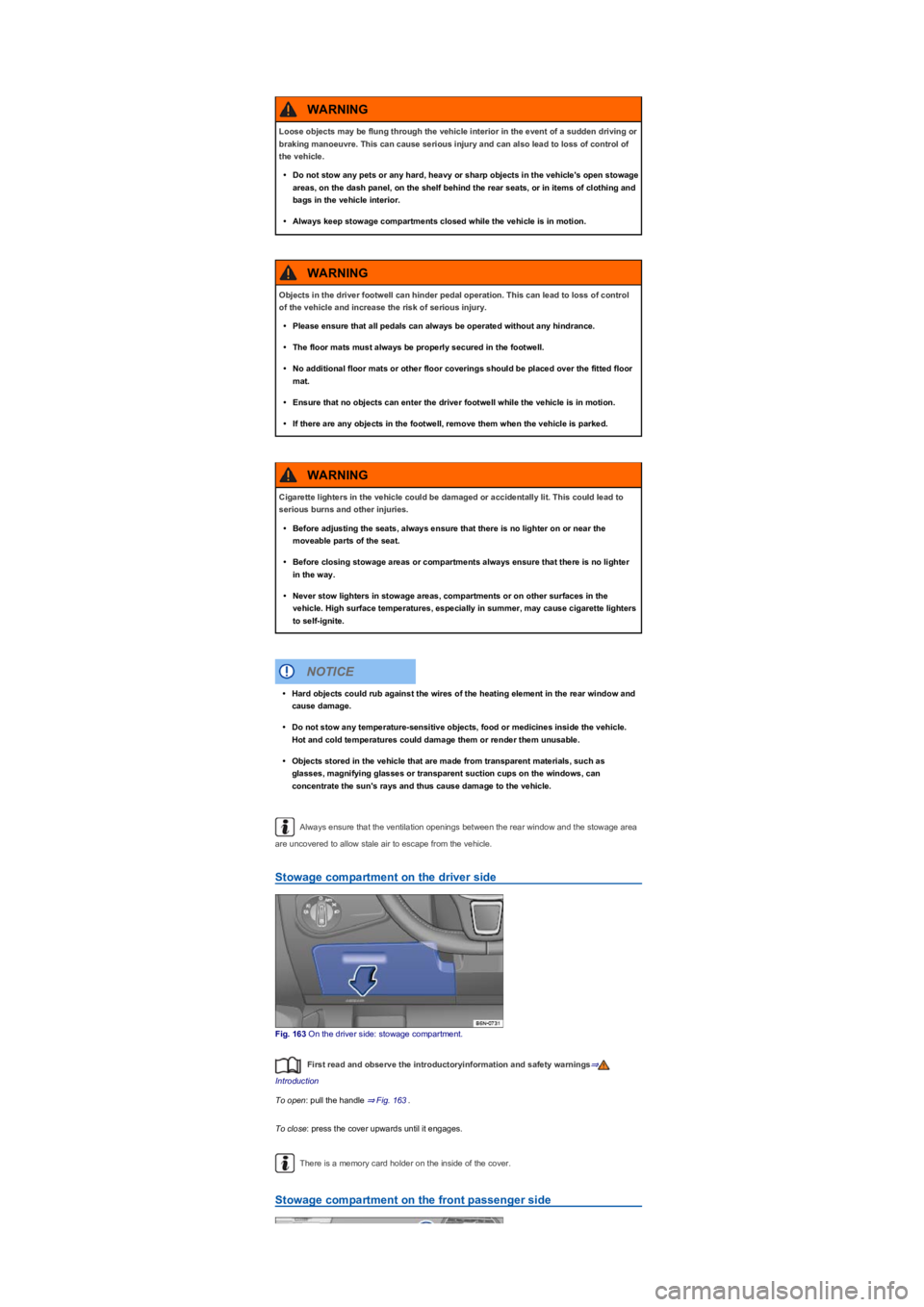
Stowage compartment on the driver side
Fig. 163 On the driver side: stowage compartment.
First read and observe the introductoryinformation and safety warnings⇒
Introduction
To open: pull the handle ⇒ Fig. 163.
To close: press the cover upwards until it engages.
There is a memory card holder on the inside of the cover.
Stowage compartment on the front passenger side
Loose objects may be flung through the vehicle interior in the event of a sudden driving or
braking manoeuvre. This can cause serious injury and can also lead to loss of control of
the vehicle.
•Do not stow any pets or any hard, heavy or sharp objects in the vehicle's open stowage
areas, on the dash panel, on the shelf behind the rear seats, or in items of clothing and
bags in the vehicle interior.
•Always keep stowage compartments closed while the vehicle is in motion.
WARNING
Objects in the driver footwell can hinder pedal operation. This can lead to loss of control
of the vehicle and increase the risk of serious injury.
•Please ensure that all pedals can always be operated without any hindrance.
•The floor mats must always be properly secured in the footwell.
•No additional floor mats or other floor coverings should be placed over the fitted floor
mat.
•Ensure that no objects can enter the driver footwell while the vehicle is in motion.
•If there are any objects in the footwell, remove them when the vehicle is parked.
WARNING
Cigarette lighters in the vehicle could be damaged or accidentally lit. This could lead to
serious burns and other injuries.
•Before adjusting the seats, always ensure that there is no lighter on or near the
moveable parts of the seat.
•Before closing stowage areas or compartments always ensure that there is no lighter
in the way.
•Never stow lighters in stowage areas, compartments or on other surfaces in the
vehicle. High surface temperatures, especially in summer, may cause cigarette lighters
to self-ignite.
WARNING
•Hard objects could rub against the wires of the heating element in the rear window and
cause damage.
•Do not stow any temperature-sensitive objects, food or medicines inside the vehicle.
Hot and cold temperatures could damage them or render them unusable.
•Objects stored in the vehicle that are made from transparent materials, such as
glasses, magnifying glasses or transparent suction cups on the windows, can
concentrate the sun's rays and thus cause damage to the vehicle.
NOTICE
Page 216 of 341
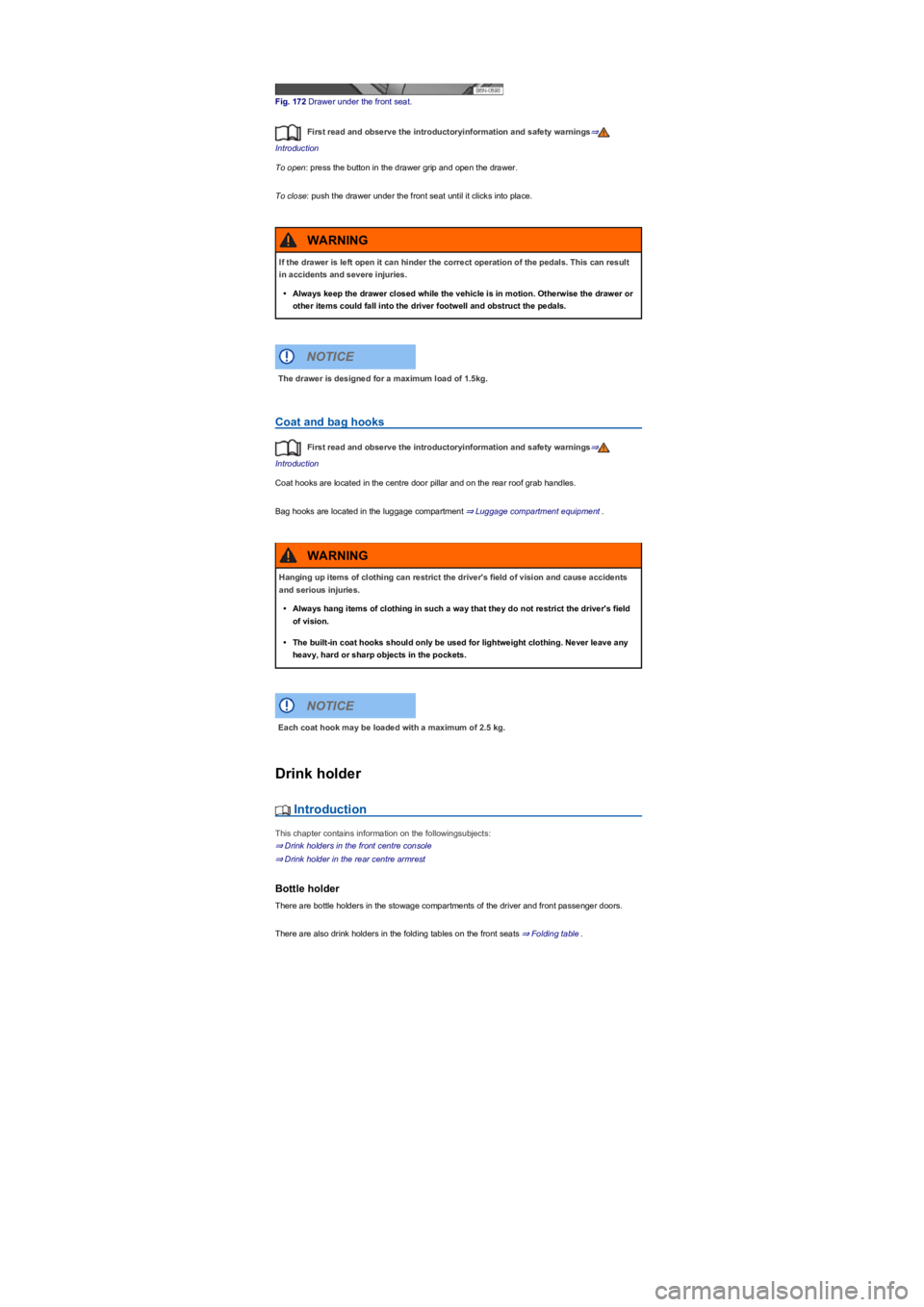
Fig. 172 Drawer under the front seat.
First read and observe the introductoryinformation and safety warnings⇒
Introduction
To open: press the button in the drawer grip and open the drawer.
To close: push the drawer under the front seat until it clicks into place.
Coat and bag hooks
First read and observe the introductoryinformation and safety warnings⇒
Introduction
Coat hooks are located in the centre door pillar and on the rear roof grab handles.
Bag hooks are located in the luggage compartment ⇒ Luggage compartment equipment.
Drink holder
Introduction
This chapter contains information on the followingsubjects:
⇒ Drink holders in the front centre console
⇒ Drink holder in the rear centre armrest
Bottle holder
There are bottle holders in the stowage compartments of the driver and front passenger doors.
There are also drink holders in the folding tables on the front seats ⇒ Folding table.
If the drawer is left open it can hinder the correct operation of the pedals. This can result
in accidents and severe injuries.
•Always keep the drawer closed while the vehicle is in motion. Otherwise the drawer or
other items could fall into the driver footwell and obstruct the pedals.
WARNING
The drawer is designed for a maximum load of 1.5kg.
NOTICE
Hanging up items of clothing can restrict the driver's field of vision and cause accidents
and serious injuries.
•Always hang items of clothing in such a way that they do not restrict the driver's field
of vision.
•The built-in coat hooks should only be used for lightweight clothing. Never leave any
heavy, hard or sharp objects in the pockets.
WARNING
Each coat hook may be loaded with a maximum of 2.5 kg.
NOTICE
Page 218 of 341
First read and observe the introductoryinformation and safety warnings⇒
Introduction
To use: fold the centre armrest down.
Fold the centre armrest back up again when the drink holder is no longer in use.
Ashtray and cigarette lighter
Introduction
This chapter contains information on the followingsubjects:
⇒ Removable ashtray in the drink holder
⇒ Cigarette lighter
Removable ashtray in the drink holder
Fig. 175 Removable ashtray.
First read and observe the introductoryinformation and safety warnings⇒
Introduction
To use, place the mobile ashtray in one of the drink holders in the front centre console or in the rear
centre armrest ⇒ Drink holder.
Opening and closing the removeable ashtray
To open: lift up the cover to the ashtray ⇒ Fig. 175.
To close: push the ashtray cover down.
Emptying the removable ashtray
•Lift the removable ashtray out of the drink holder.
•Open the removable ashtray and empty the cooled ashes into a suitable waste container.
•Once it has been emptied, place the removable ashtray back into the drink holder from above.
Cigarette lighter
Fig. 176 In the lower part of the centre console: cigarette lighter.
First read and observe the introductoryinformation and safety warnings⇒
Introduction
•With the ignition switched on, press in the knob on the cigarette lighter.
•Wait for the lighter to pop out.
•Pull out the cigarette lighter and light the tobacco product on the glowing spiral ⇒.
•Insert the cigarette lighter back into the socket.
Improper use of the ashtray and cigarette lighter could cause fires, burns and other
serious injuries.
•Never put paper or any other combustible materials in the ashtray.
WARNING
Page 219 of 341
The cigarette lighter socket can also be used as a 12-volt socket ⇒ Electrical sockets.
Electrical sockets
Introduction
This chapter contains information on the followingsubjects:
⇒ Sockets in the vehicle
Electrical equipment can be connected to the sockets in the vehicle.
The electrical devices must be in good condition. Do not use faulty devices.
The 12-volt socket will work only when the ignition is switched on.
Using electrical consumers with the engine switched off and the ignition switched on will
drain the 12-volt battery.
Unshielded devices can cause interference in the Infotainment system and vehicle
electronics.
Sockets in the vehicle
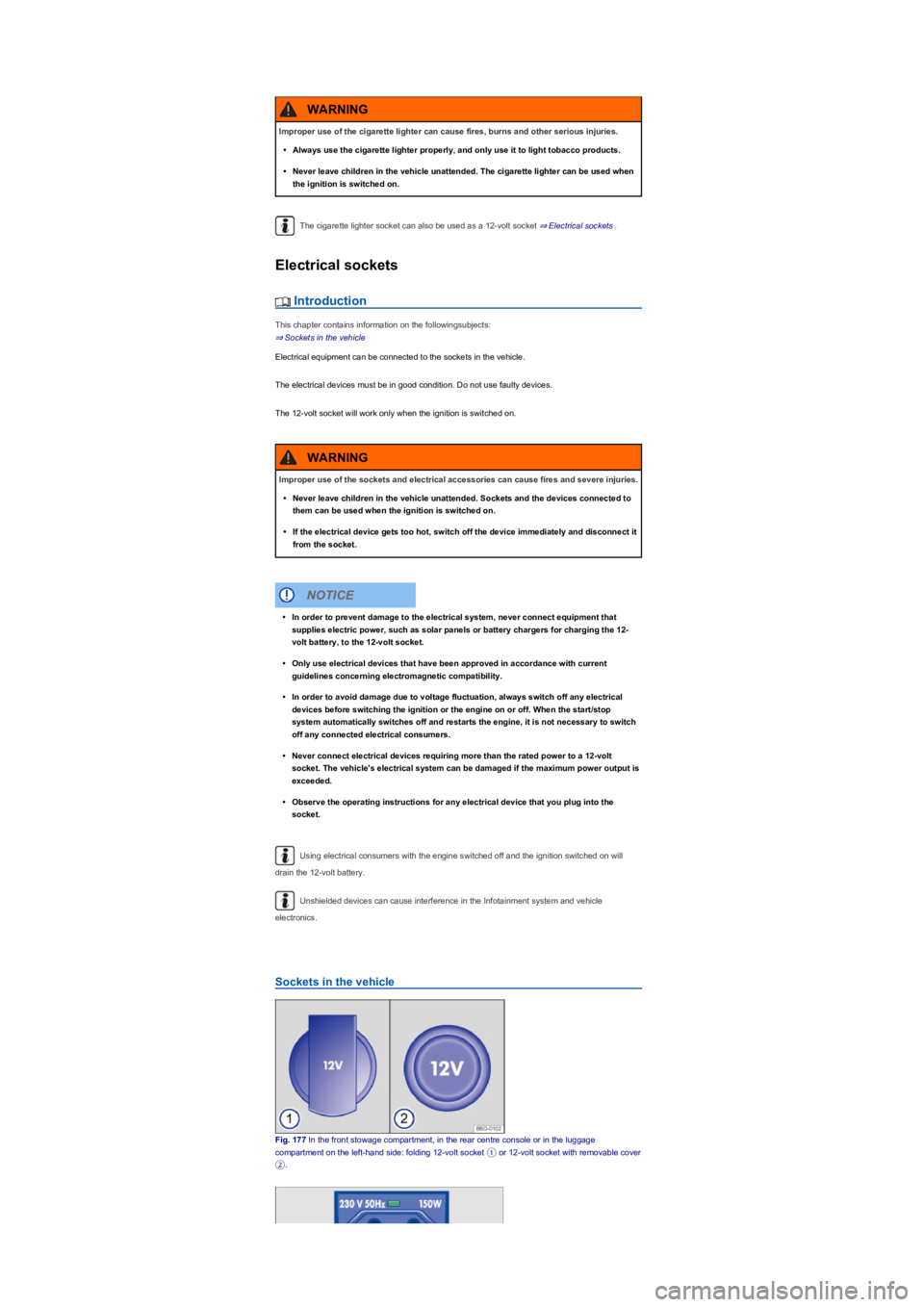
Fig. 177 In the front stowage compartment, in the rear centre console or in the luggage
compartment on the left-hand side: folding 12-volt socket ① or 12-volt socket with removable cover
②.
Improper use of the cigarette lighter can cause fires, burns and other serious injuries.
•Always use the cigarette lighter properly, and only use it to light tobacco products.
•Never leave children in the vehicle unattended. The cigarette lighter can be used when
the ignition is switched on.
WARNING
Improper use of the sockets and electrical accessories can cause fires and severe injuries.
•Never leave children in the vehicle unattended. Sockets and the devices connected to
them can be used when the ignition is switched on.
•If the electrical device gets too hot, switch off the device immediately and disconnect it
from the socket.
WARNING
•In order to prevent damage to the electrical system, never connect equipment that
supplies electric power, such as solar panels or battery chargers for charging the 12-
volt battery, to the 12-volt socket.
•Only use electrical devices that have been approved in accordance with current
guidelines concerning electromagnetic compatibility.
•In order to avoid damage due to voltage fluctuation, always switch off any electrical
devices before switching the ignition or the engine on or off. When the start/stop
system automatically switches off and restarts the engine, it is not necessary to switch
off any connected electrical consumers.
•Never connect electrical devices requiring more than the rated power to a 12-volt
socket. The vehicle's electrical system can be damaged if the maximum power output is
exceeded.
•Observe the operating instructions for any electrical device that you plug into the
socket.
NOTICE