centre VOLKSWAGEN TIGUAN 2017 Owner´s Manual
[x] Cancel search | Manufacturer: VOLKSWAGEN, Model Year: 2017, Model line: TIGUAN, Model: VOLKSWAGEN TIGUAN 2017Pages: 341, PDF Size: 9.14 MB
Page 155 of 341
drive come with additional OFFROAD driving profiles ⇒ Selecting a driving profile (4MOTION
Action Control).
The driving profile can be changed when the vehicle is stationary or while driving ⇒. After
selecting a driving profile, the vehicle settings (excluding engine settings) are switched to the new
profile mode immediately. When traffic conditions allow, briefly take your foot off the accelerator to
activate the newly selected driving profile for the engine.
Some settings can be stored in the user accounts of the personalisation function and
therefore change when the user account changes ⇒ Personalisation.
Selecting a driving profile (ONROAD)
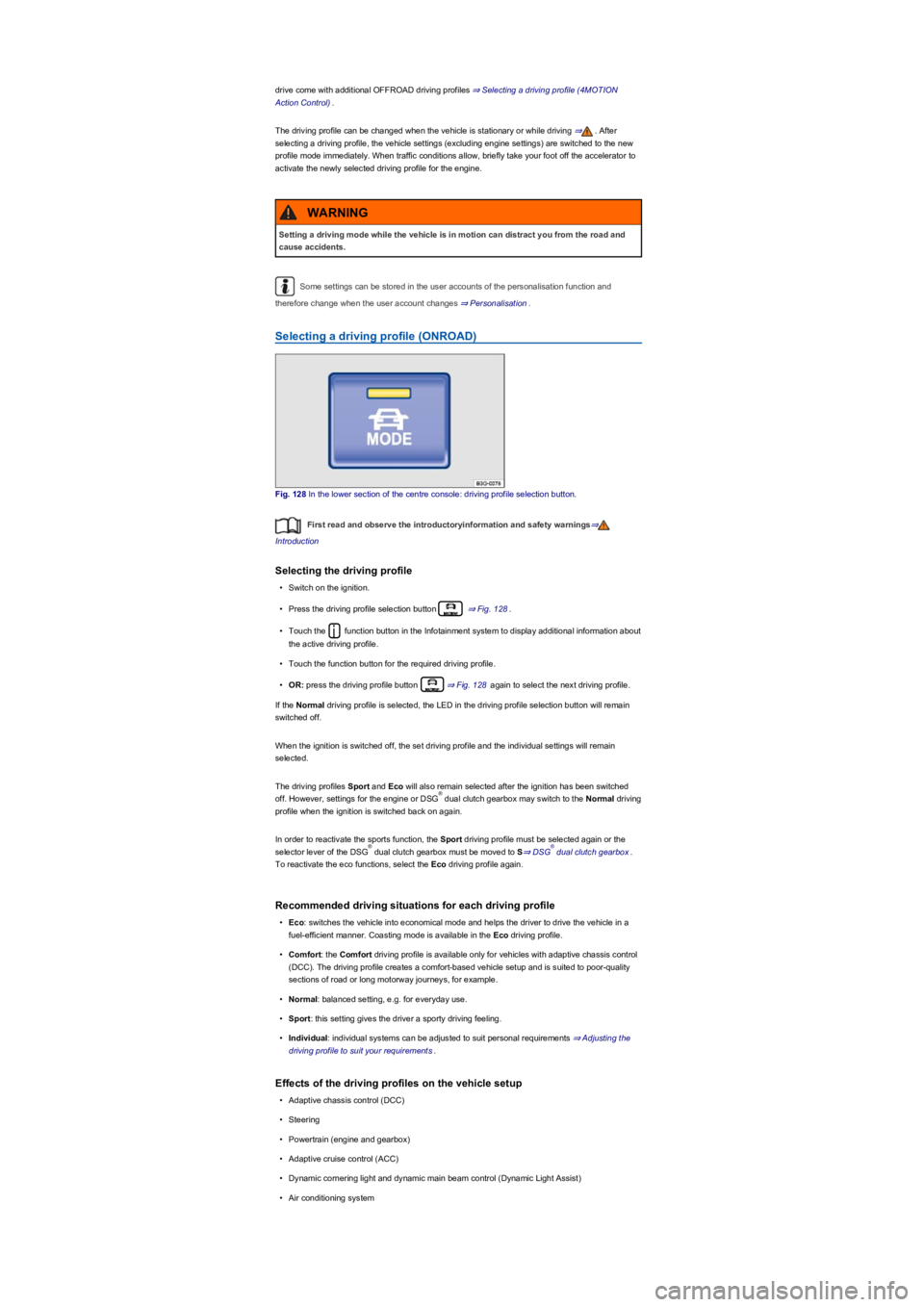
Fig. 128 In the lower section of the centre console: driving profile selection button.
First read and observe the introductoryinformation and safety warnings⇒
Introduction
Selecting the driving profile
•Switch on the ignition.
•Press the driving profile selection button ⇒ Fig. 128.
•Touch the function button in the Infotainment system to display additional information about
the active driving profile.
•Touch the function button for the required driving profile.
•OR: press the driving profile button ⇒ Fig. 128 again to select the next driving profile.
If the Normal driving profile is selected, the LED in the driving profile selection button will remain
switched off.
When the ignition is switched off, the set driving profile and the individual settings will remain
selected.
The driving profiles Sport and Eco will also remain selected after the ignition has been switched
off. However, settings for the engine or DSG dual clutch gearbox may switch to the Normal driving
profile when the ignition is switched back on again.
In order to reactivate the sports function, the Sport driving profile must be selected again or the
selector lever of the DSG dual clutch gearbox must be moved to S⇒ DSG dual clutch gearbox.
To reactivate the eco functions, select the Eco driving profile again.
Recommended driving situations for each driving profile
•Eco: switches the vehicle into economical mode and helps the driver to drive the vehicle in a
fuel-efficient manner. Coasting mode is available in the Eco driving profile.
•Comfort: the Comfort driving profile is available only for vehicles with adaptive chassis control
(DCC). The driving profile creates a comfort-based vehicle setup and is suited to poor-quality
sections of road or long motorway journeys, for example.
•Normal: balanced setting, e.g. for everyday use.
•Sport: this setting gives the driver a sporty driving feeling.
•Individual: individual systems can be adjusted to suit personal requirements ⇒ Adjusting the
driving profile to suit your requirements.
Effects of the driving profiles on the vehicle setup
•Adaptive chassis control (DCC)
•Steering
•Powertrain (engine and gearbox)
•Adaptive cruise control (ACC)
•Dynamic cornering light and dynamic main beam control (Dynamic Light Assist)
•Air conditioning system
Setting a driving mode while the vehicle is in motion can distract you from the road and
cause accidents.
WARNING
®
®®
Page 156 of 341
•Proactive occupant protection system
In vehicles with a DSG dual clutch gearbox, the system automatically changes to gear
position S when the Sport driving profile is selected. The system automatically switches to gear
position D when the Eco driving profile is selected. Since coasting is active in the Eco driving
profile, the gearbox programme E is additionally displayed on the instrument cluster display.
The driver can adjust certain vehicle functions irrespective of the selected driving profile. For
example, the driver can switch to gear position S when the Eco driving profile is selected.
Selecting a driving profile (4MOTION Action Control)
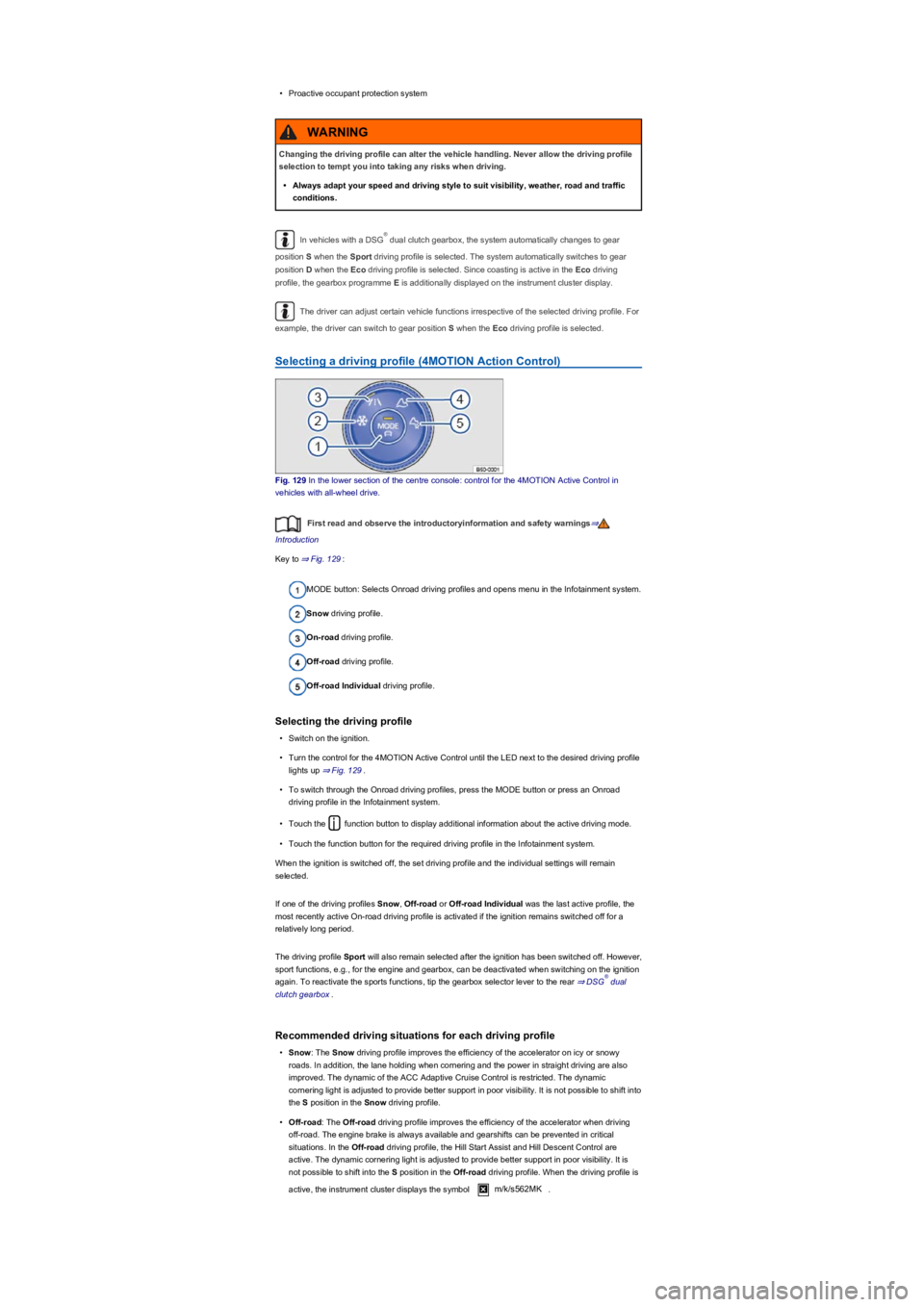
Fig. 129 In the lower section of the centre console: control for the 4MOTION Active Control in
vehicles with all-wheel drive.
First read and observe the introductoryinformation and safety warnings⇒
Introduction
Key to ⇒ Fig. 129:
MODE button: Selects Onroad driving profiles and opens menu in the Infotainment system.
Snow driving profile.
On-road driving profile.
Off-road driving profile.
Off-road Individual driving profile.
Selecting the driving profile
•Switch on the ignition.
•Turn the control for the 4MOTION Active Control until the LED next to the desired driving profile
lights up ⇒ Fig. 129.
•To switch through the Onroad driving profiles, press the MODE button or press an Onroad
driving profile in the Infotainment system.
•Touch the function button to display additional information about the active driving mode.
•Touch the function button for the required driving profile in the Infotainment system.
When the ignition is switched off, the set driving profile and the individual settings will remain
selected.
If one of the driving profiles Snow, Off-road or Off-road Individual was the last active profile, the
most recently active On-road driving profile is activated if the ignition remains switched off for a
relatively long period.
The driving profile Sport will also remain selected after the ignition has been switched off. However,
sport functions, e.g., for the engine and gearbox, can be deactivated when switching on the ignition
again. To reactivate the sports functions, tip the gearbox selector lever to the rear ⇒ DSG dual
clutch gearbox.
Recommended driving situations for each driving profile
•Snow: The Snow driving profile improves the efficiency of the accelerator on icy or snowy
roads. In addition, the lane holding when cornering and the power in straight driving are also
improved. The dynamic of the ACC Adaptive Cruise Control is restricted. The dynamic
cornering light is adjusted to provide better support in poor visibility. It is not possible to shift into
the S position in the Snow driving profile.
•Off-road: The Off-road driving profile improves the efficiency of the accelerator when driving
off-road. The engine brake is always available and gearshifts can be prevented in critical
situations. In the Off-road driving profile, the Hill Start Assist and Hill Descent Control are
active. The dynamic cornering light is adjusted to provide better support in poor visibility. It is
not possible to shift into the S position in the Off-road driving profile. When the driving profile is
active, the instrument cluster displays the symbol m/k/s562MK.
Changing the driving profile can alter the vehicle handling. Never allow the driving profile
selection to tempt you into taking any risks when driving.
•Always adapt your speed and driving style to suit visibility, weather, road and traffic
conditions.
WARNING
®
®
Page 159 of 341
The driver can use 4MOTION Active Control to activate a variety of vehicle settings in an all-wheel
drive vehicle as required ⇒ Selecting a driving profile (4MOTION Action Control).
Checklist
Before driving for the first time, take the following steps so you can operate and drive the
vehicle safely off-road:
Observe the basic safety notes Safety notes for driving off-road.
Familiarise yourself with the vehicle controls.
Check and adjust the seat position Sitting position and fasten the seat belts Seat belts.
Check distance to steering wheel and adjust Steering.
Always wear suitable, well-fitting shoes that provide good grip for your feet when using the
pedals.
Safety notes for driving off-road
First read and observe the introductoryinformation and safety warnings⇒
Introduction
The intelligent vehicle technology cannot overcome the laws of physics, and functions
only within the limits of the system. Despite input from the ABS, adverse terrain can cause
instability through locked wheels – e.g. if you brake hard when driving on a loose gravel
road. The ESC system will have difficulty stabilising the vehicle in these circumstances.
WARNING
Driving off-road can be dangerous and could cause accidents, serious injury, damage to
the vehicle and also a vehicle breakdown far from any assistance.
•Never select a dangerous route and never take risks that could endanger you and your
passengers. If you cannot drive on or if you are in any doubt about the safety of the
route, turn round and choose another route.
•Even terrain that looks harmless can be difficult and dangerous, and could get you and
your passengers into difficulties. It is preferable to walk over the terrain before driving
over it.
•You should drive particularly carefully and think ahead when driving off-road. If you
drive too fast or if a driving manoeuvre is unsuccessful this could result in serious
injuries and vehicle damage.
•Never drive faster than the current terrain, road conditions, traffic and weather allow.
•Never drive too fast along embankments, ramps or slopes. This could cause the
vehicle to lose contact with the ground. If this happens, you will be unable to steer and
will lose control of the vehicle.
•If the vehicle does lose contact with the ground, always point the front wheels straight
ahead. If the wheels are not pointing straight ahead when the vehicle lands, it could roll
over.
•Terrain might look harmless, but there could be hidden dangers. Potholes, hollows,
ditches, precipices, obstacles, shallows, soft and boggy surfaces are often not
recognisable as such and can be covered either fully or partly by water or grass or
branches lying on the ground. Inspect terrain on foot.
WARNING
Sporty SUVs are subject to a considerably higher risk of rolling over than normal road
passenger vehicles ⇒ Explanation of some technical terms.
•In the event of an accident, vehicle occupants not wearing seat belts are subjected to a
considerably higher risk of fatal injury than those wearing seat belts.
•The vehicle has a higher centre of gravity and is more prone to rolling over than a
normal on-road vehicle which is unsuited for off-road driving.
•Never drive too fast, especially when driving through bends, or carry out any extreme
driving manoeuvres.
•Always adjust your speed and driving style to the terrain.
•Luggage and other items transported on the roof of the vehicle raise the centre of
gravity and will make the vehicle more likely to roll over.
WARNING
Page 160 of 341
Explanation of some technical terms
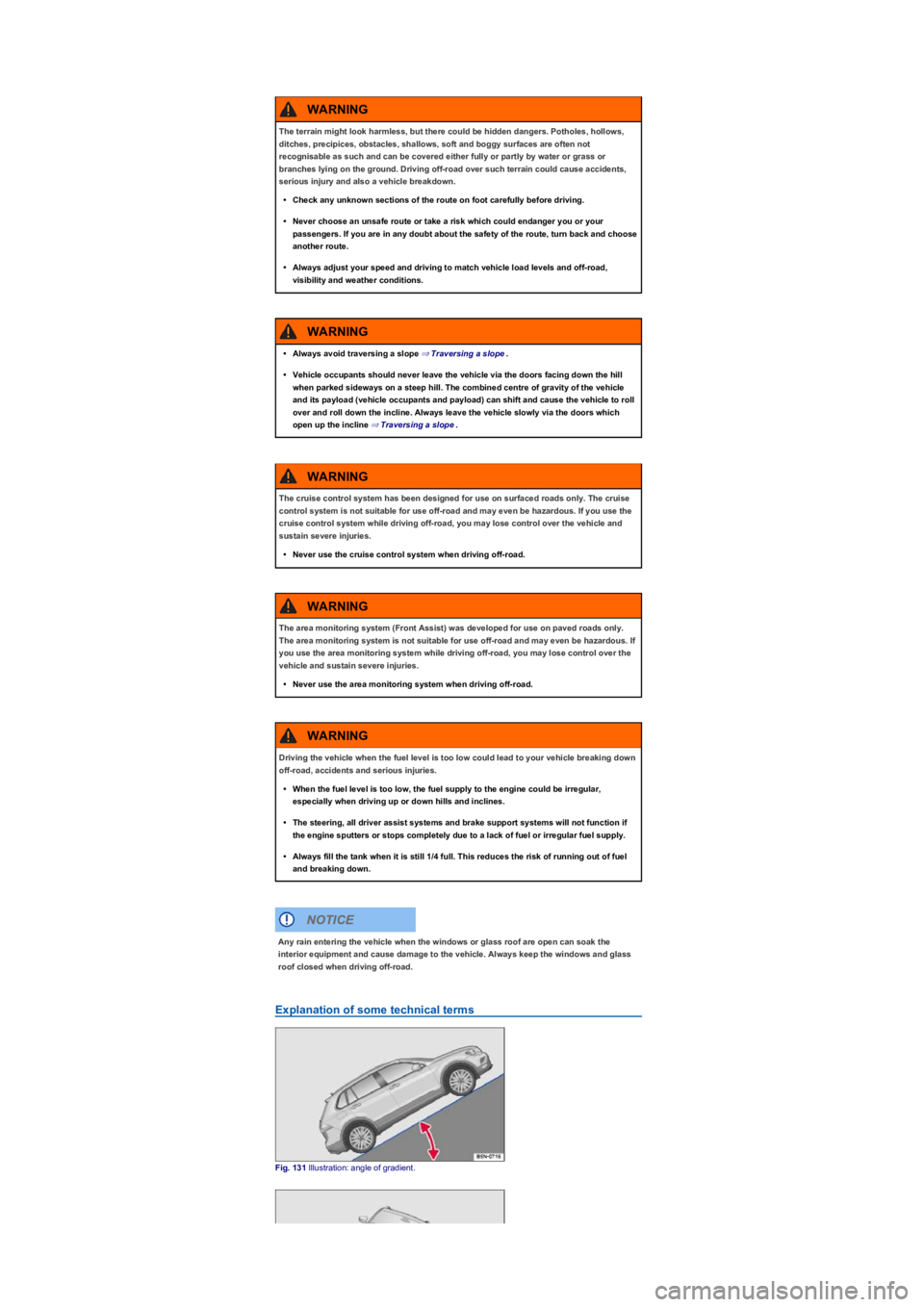
Fig. 131 Illustration: angle of gradient.
The terrain might look harmless, but there could be hidden dangers. Potholes, hollows,
ditches, precipices, obstacles, shallows, soft and boggy surfaces are often not
recognisable as such and can be covered either fully or partly by water or grass or
branches lying on the ground. Driving off-road over such terrain could cause accidents,
serious injury and also a vehicle breakdown.
•Check any unknown sections of the route on foot carefully before driving.
•Never choose an unsafe route or take a risk which could endanger you or your
passengers. If you are in any doubt about the safety of the route, turn back and choose
another route.
•Always adjust your speed and driving to match vehicle load levels and off-road,
visibility and weather conditions.
WARNING
•Always avoid traversing a slope ⇒ Traversing a slope.
•Vehicle occupants should never leave the vehicle via the doors facing down the hill
when parked sideways on a steep hill. The combined centre of gravity of the vehicle
and its payload (vehicle occupants and payload) can shift and cause the vehicle to roll
over and roll down the incline. Always leave the vehicle slowly via the doors which
open up the incline ⇒ Traversing a slope.
WARNING
The cruise control system has been designed for use on surfaced roads only. The cruise
control system is not suitable for use off-road and may even be hazardous. If you use the
cruise control system while driving off-road, you may lose control over the vehicle and
sustain severe injuries.
•Never use the cruise control system when driving off-road.
WARNING
The area monitoring system (Front Assist) was developed for use on paved roads only.
The area monitoring system is not suitable for use off-road and may even be hazardous. If
you use the area monitoring system while driving off-road, you may lose control over the
vehicle and sustain severe injuries.
•Never use the area monitoring system when driving off-road.
WARNING
Driving the vehicle when the fuel level is too low could lead to your vehicle breaking down
off-road, accidents and serious injuries.
•When the fuel level is too low, the fuel supply to the engine could be irregular,
especially when driving up or down hills and inclines.
•The steering, all driver assist systems and brake support systems will not function if
the engine sputters or stops completely due to a lack of fuel or irregular fuel supply.
•Always fill the tank when it is still 1/4 full. This reduces the risk of running out of fuel
and breaking down.
WARNING
Any rain entering the vehicle when the windows or glass roof are open can soak the
interior equipment and cause damage to the vehicle. Always keep the windows and glass
roof closed when driving off-road.
NOTICE
Page 161 of 341
Obtain sufficient information before driving into off-road terrain with the vehicle.
Do not plan day tours that are too long. Take increased fuel requirements for off-road
driving into account.
Refill tank completely. Fuel consumption is considerably higher off-road.
Check that your tyres are suitable for the off-road journey you have planned.
Recommendation for difficult off-road terrain: always have off-road tyres fitted to your
vehicle.
Check the tyre pressure on all tyres and correct them if necessary. This includes the
temporary spare wheel, if fitted.
Check engine oil level and refill engine oil as necessary. The engine will only be supplied
with engine oil when it is driven on or across a steep slope if the engine oil level is
sufficient.
Completely refill the washer fluid reservoir with water and washer fluid.
Fit the towing eye at the front and rear. It is not always possible to fit a towing eye when
the vehicle is stuck.
Check the vehicle tool kit and add tools according to individual requirements Useful
accessories for off-road driving.
Pack luggage in the vehicle as evenly and as low as possible. Secure all loose items.
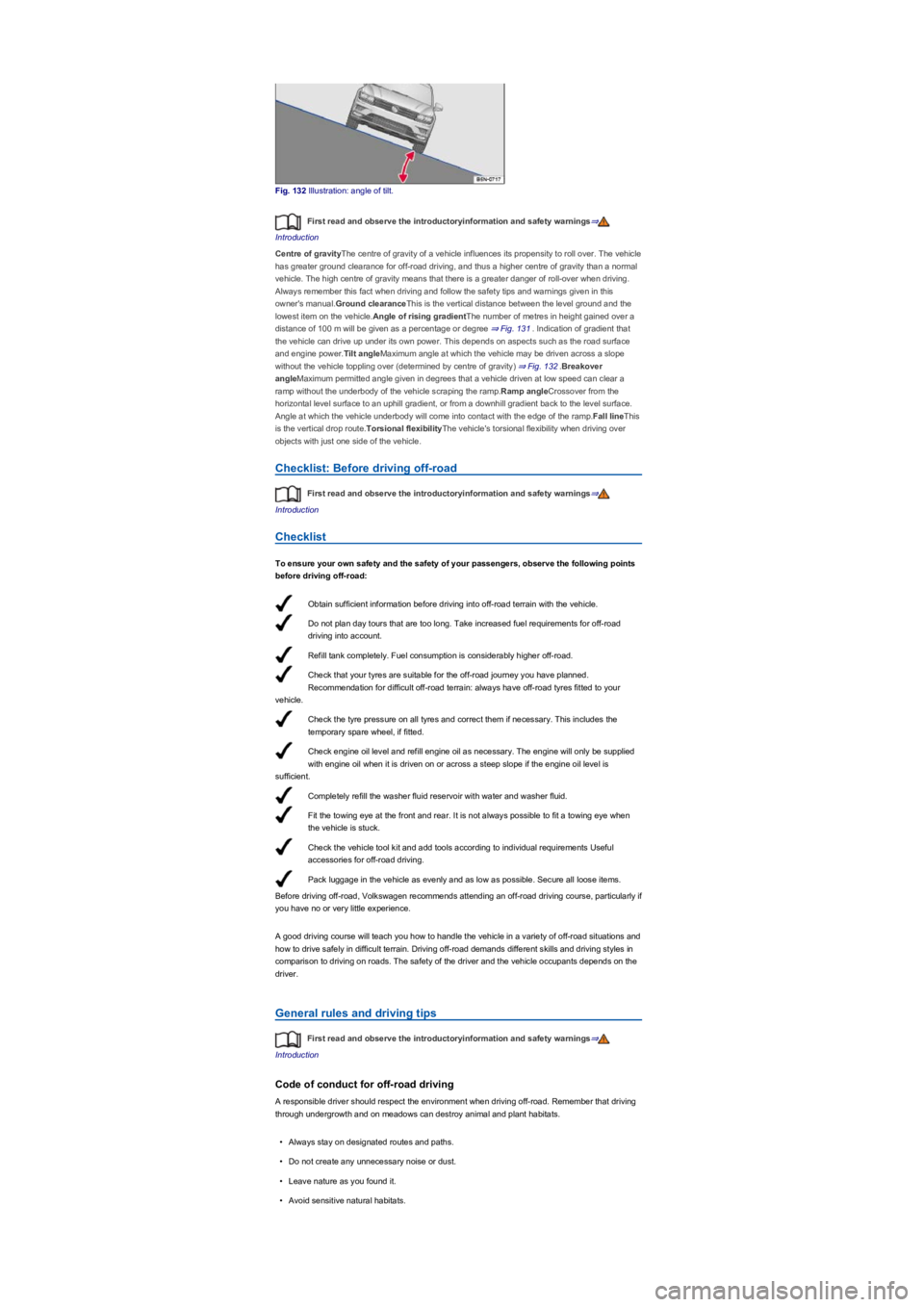
Fig. 132 Illustration: angle of tilt.
First read and observe the introductoryinformation and safety warnings⇒
Introduction
Centre of gravityThe centre of gravity of a vehicle influences its propensity to roll over. The vehicle
has greater ground clearance for off-road driving, and thus a higher centre of gravity than a normal
vehicle. The high centre of gravity means that there is a greater danger of roll-over when driving.
Always remember this fact when driving and follow the safety tips and warnings given in this
owner's manual.Ground clearanceThis is the vertical distance between the level ground and the
lowest item on the vehicle.Angle of rising gradientThe number of metres in height gained over a
distance of 100 m will be given as a percentage or degree ⇒ Fig. 131. Indication of gradient that
the vehicle can drive up under its own power. This depends on aspects such as the road surface
and engine power.Tilt angleMaximum angle at which the vehicle may be driven across a slope
without the vehicle toppling over (determined by centre of gravity) ⇒ Fig. 132.Breakover
angleMaximum permitted angle given in degrees that a vehicle driven at low speed can clear a
ramp without the underbody of the vehicle scraping the ramp.Ramp angleCrossover from the
horizontal level surface to an uphill gradient, or from a downhill gradient back to the level surface.
Angle at which the vehicle underbody will come into contact with the edge of the ramp.Fall lineThis
is the vertical drop route.Torsional flexibilityThe vehicle's torsional flexibility when driving over
objects with just one side of the vehicle.
Checklist: Before driving off-road
First read and observe the introductoryinformation and safety warnings⇒
Introduction
Checklist
To ensure your own safety and the safety of your passengers, observe the following points
before driving off-road:
Before driving off-road, Volkswagen recommends attending an off-road driving course, particularly if
you have no or very little experience.
A good driving course will teach you how to handle the vehicle in a variety of off-road situations and
how to drive safely in difficult terrain. Driving off-road demands different skills and driving styles in
comparison to driving on roads. The safety of the driver and the vehicle occupants depends on the
driver.
General rules and driving tips
First read and observe the introductoryinformation and safety warnings⇒
Introduction
Code of conduct for off-road driving
A responsible driver should respect the environment when driving off-road. Remember that driving
through undergrowth and on meadows can destroy animal and plant habitats.
•Always stay on designated routes and paths.
•Do not create any unnecessary noise or dust.
•Leave nature as you found it.
•Avoid sensitive natural habitats.
Page 166 of 341
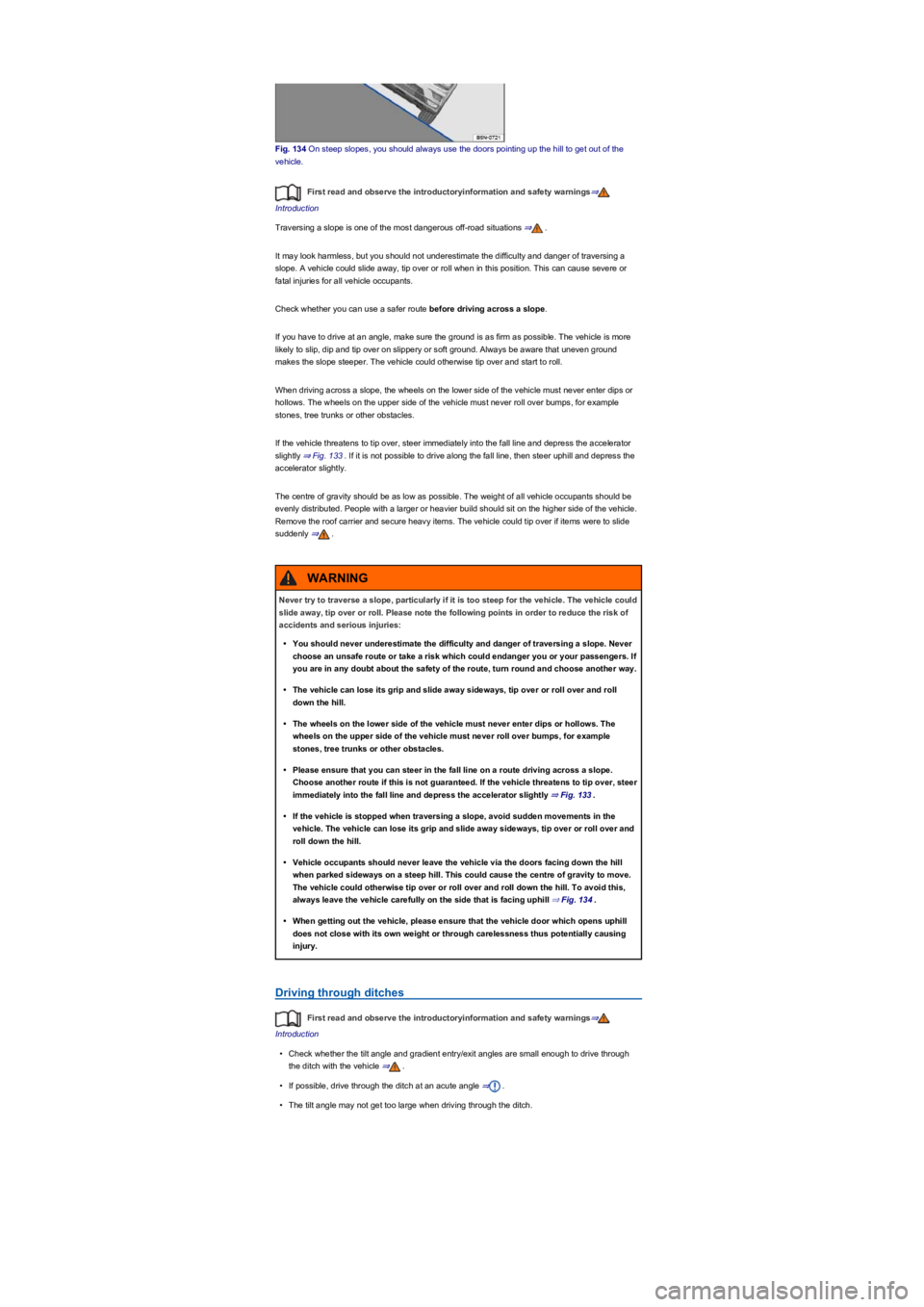
Fig. 134 On steep slopes, you should always use the doors pointing up the hill to get out of the
vehicle.
First read and observe the introductoryinformation and safety warnings⇒
Introduction
Traversing a slope is one of the most dangerous off-road situations ⇒.
It may look harmless, but you should not underestimate the difficulty and danger of traversing a
slope. A vehicle could slide away, tip over or roll when in this position. This can cause severe or
fatal injuries for all vehicle occupants.
Check whether you can use a safer route before driving across a slope.
If you have to drive at an angle, make sure the ground is as firm as possible. The vehicle is more
likely to slip, dip and tip over on slippery or soft ground. Always be aware that uneven ground
makes the slope steeper. The vehicle could otherwise tip over and start to roll.
When driving across a slope, the wheels on the lower side of the vehicle must never enter dips or
hollows. The wheels on the upper side of the vehicle must never roll over bumps, for example
stones, tree trunks or other obstacles.
If the vehicle threatens to tip over, steer immediately into the fall line and depress the accelerator
slightly ⇒ Fig. 133. If it is not possible to drive along the fall line, then steer uphill and depress the
accelerator slightly.
The centre of gravity should be as low as possible. The weight of all vehicle occupants should be
evenly distributed. People with a larger or heavier build should sit on the higher side of the vehicle.
Remove the roof carrier and secure heavy items. The vehicle could tip over if items were to slide
suddenly ⇒.
Driving through ditches
First read and observe the introductoryinformation and safety warnings⇒
Introduction
•Check whether the tilt angle and gradient entry/exit angles are small enough to drive through
the ditch with the vehicle ⇒.
•If possible, drive through the ditch at an acute angle ⇒.
•The tilt angle may not get too large when driving through the ditch.
Never try to traverse a slope, particularly if it is too steep for the vehicle. The vehicle could
slide away, tip over or roll. Please note the following points in order to reduce the risk of
accidents and serious injuries:
•You should never underestimate the difficulty and danger of traversing a slope. Never
choose an unsafe route or take a risk which could endanger you or your passengers. If
you are in any doubt about the safety of the route, turn round and choose another way.
•The vehicle can lose its grip and slide away sideways, tip over or roll over and roll
down the hill.
•The wheels on the lower side of the vehicle must never enter dips or hollows. The
wheels on the upper side of the vehicle must never roll over bumps, for example
stones, tree trunks or other obstacles.
•Please ensure that you can steer in the fall line on a route driving across a slope.
Choose another route if this is not guaranteed. If the vehicle threatens to tip over, steer
immediately into the fall line and depress the accelerator slightly ⇒ Fig. 133.
•If the vehicle is stopped when traversing a slope, avoid sudden movements in the
vehicle. The vehicle can lose its grip and slide away sideways, tip over or roll over and
roll down the hill.
•Vehicle occupants should never leave the vehicle via the doors facing down the hill
when parked sideways on a steep hill. This could cause the centre of gravity to move.
The vehicle could otherwise tip over or roll over and roll down the hill. To avoid this,
always leave the vehicle carefully on the side that is facing uphill ⇒ Fig. 134.
•When getting out the vehicle, please ensure that the vehicle door which opens uphill
does not close with its own weight or through carelessness thus potentially causing
injury.
WARNING
Page 191 of 341
Electronic parking brake
Operating the electronic parking brake
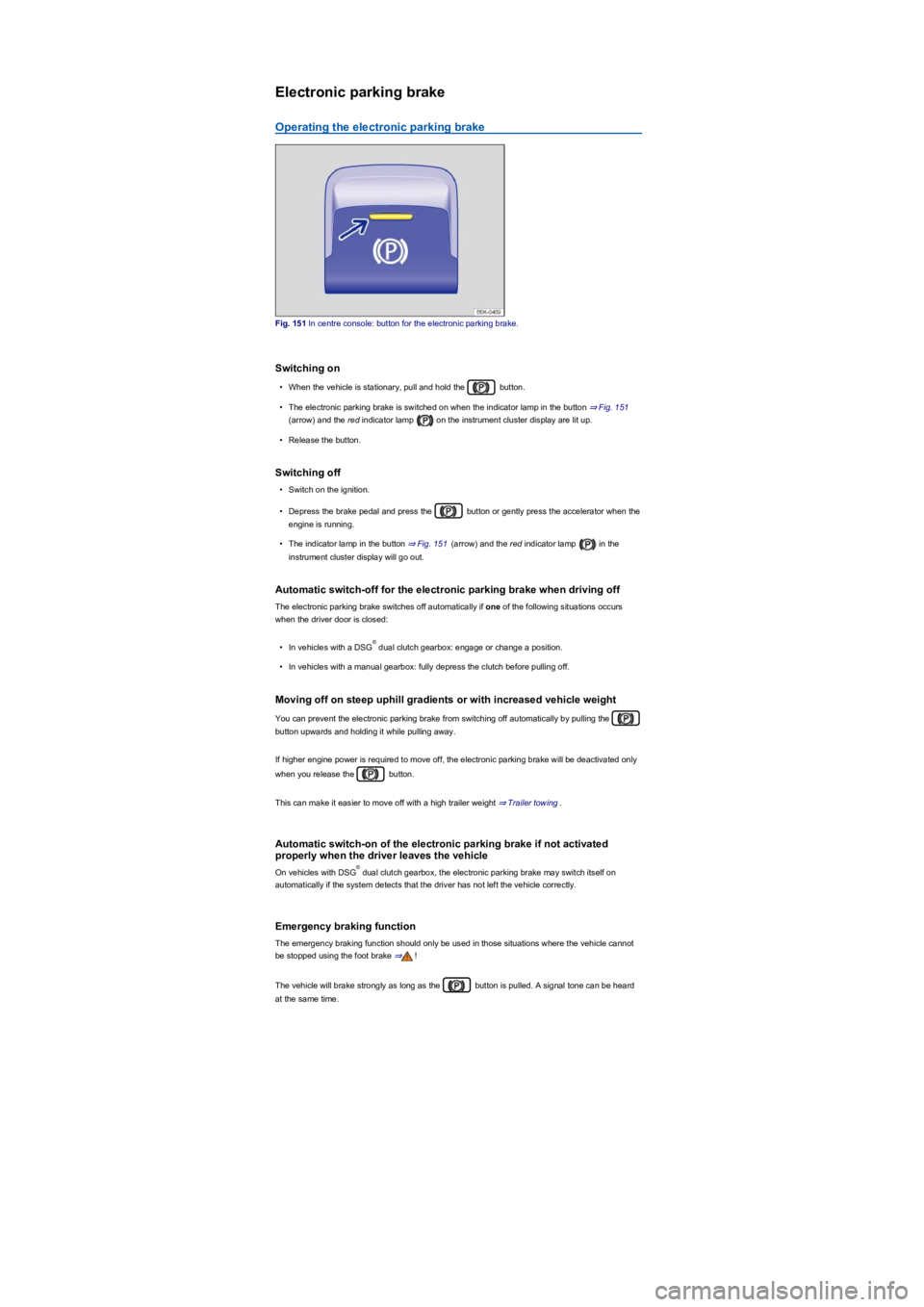
Fig. 151 In centre console: button for the electronic parking brake.
Switching on
•When the vehicle is stationary, pull and hold the button.
•The electronic parking brake is switched on when the indicator lamp in the button ⇒ Fig. 151
(arrow) and the red indicator lamp on the instrument cluster display are lit up.
•Release the button.
Switching off
•Switch on the ignition.
•Depress the brake pedal and press the button or gently press the accelerator when the
engine is running.
•The indicator lamp in the button ⇒ Fig. 151 (arrow) and the red indicator lamp in the
instrument cluster display will go out.
Automatic switch-off for the electronic parking brake when driving off
The electronic parking brake switches off automatically if one of the following situations occurs
when the driver door is closed:
•In vehicles with a DSG dual clutch gearbox: engage or change a position.
•In vehicles with a manual gearbox: fully depress the clutch before pulling off.
Moving off on steep uphill gradients or with increased vehicle weight
You can prevent the electronic parking brake from switching off automatically by pulling the
button upwards and holding it while pulling away.
If higher engine power is required to move off, the electronic parking brake will be deactivated only
when you release the button.
This can make it easier to move off with a high trailer weight ⇒ Trailer towing.
Automatic switch-on of the electronic parking brake if not activated
properly when the driver leaves the vehicle
On vehicles with DSG dual clutch gearbox, the electronic parking brake may switch itself on
automatically if the system detects that the driver has not left the vehicle correctly.
Emergency braking function
The emergency braking function should only be used in those situations where the vehicle cannot
be stopped using the foot brake ⇒!
The vehicle will brake strongly as long as the button is pulled. A signal tone can be heard
at the same time.
®
®
Page 192 of 341
Troubleshooting
Warning and indicator lamps on the instrument cluster display
Fault in electronic parking brake. Go to a qualified workshop.
Electronic parking brake does not switch off
The electronic parking brake will not switch itself off if the prerequisites for switching off are not met
or the 12-volt vehicle battery is discharged. Use jump leads ⇒ Jump starting.
Noises of the electronic parking brake
•Noises may be heard when the electronic parking brake is switched on or off.
•If the electronic parking brake has not been used for a long period, the system will carry out
occasional automatic and acoustic checks when the vehicle is parked.
Auto Hold function
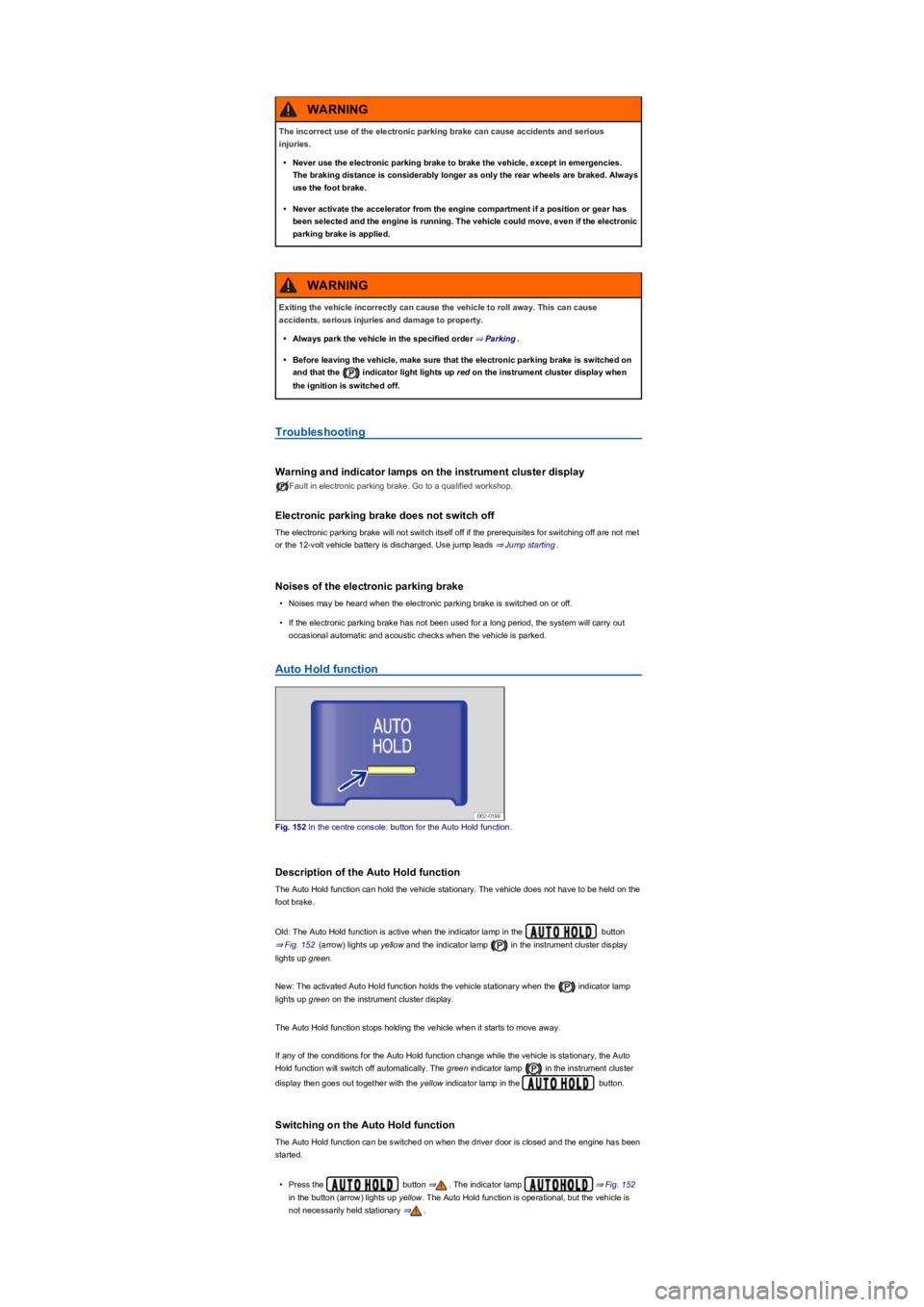
Fig. 152 In the centre console: button for the Auto Hold function.
Description of the Auto Hold function
The Auto Hold function can hold the vehicle stationary. The vehicle does not have to be held on the
foot brake.
Old: The Auto Hold function is active when the indicator lamp in the button
⇒ Fig. 152 (arrow) lights up yellow and the indicator lamp in the instrument cluster display
lights up green.
New: The activated Auto Hold function holds the vehicle stationary when the indicator lamp
lights up green on the instrument cluster display.
The Auto Hold function stops holding the vehicle when it starts to move away.
If any of the conditions for the Auto Hold function change while the vehicle is stationary, the Auto
Hold function will switch off automatically. The green indicator lamp in the instrument cluster
display then goes out together with the yellow indicator lamp in the button.
Switching on the Auto Hold function
The Auto Hold function can be switched on when the driver door is closed and the engine has been
started.
•Press the button ⇒. The indicator lamp ⇒ Fig. 152
in the button (arrow) lights up yellow. The Auto Hold function is operational, but the vehicle is
not necessarily held stationary ⇒.
The incorrect use of the electronic parking brake can cause accidents and serious
injuries.
•Never use the electronic parking brake to brake the vehicle, except in emergencies.
The braking distance is considerably longer as only the rear wheels are braked. Always
use the foot brake.
•Never activate the accelerator from the engine compartment if a position or gear has
been selected and the engine is running. The vehicle could move, even if the electronic
parking brake is applied.
WARNING
Exiting the vehicle incorrectly can cause the vehicle to roll away. This can cause
accidents, serious injuries and damage to property.
•Always park the vehicle in the specified order ⇒ Parking.
•Before leaving the vehicle, make sure that the electronic parking brake is switched on
and that the indicator light lights up red on the instrument cluster display when
the ignition is switched off.
WARNING
Page 194 of 341
Volkswagen recommends that drivers practise using the parking systems in a traffic-calmed
area or car park to allow them to familiarise themselves with the systems and their functions.
Park Distance Control
Introduction
This chapter contains information on the followingsubjects:
⇒ Switching on and off
⇒ Display representation
⇒ Settings
⇒ Troubleshooting
The Park Distance Control system
assists the driver when manoeuvring
and parking.
Park Distance Control detects the distance from an obstacle by means of sensors in the front and
rear bumpers ⇒ Vehicle overviews. If there is an obstacle in the detection range of the sensors, the
system indicates this on the Infotainment system and by means of signal tones.
System limits
The sensors may not always be able to detect objects such as trailer drawbars, thin rails, fences,
posts, trees, very low or high obstacles and open or opening boot lids.
In some cases, dirt and ice on the sensors could be registered as an obstacle.
Switching on and off
Fig. 153 In the centre console: button for switching Park Distance Control on and off (depending on
equipment).
First read and observe the introductoryinformation and safety warnings⇒
Introduction
Switching on Park Distance Control
•Select reverse gear.
•OR: press the button or .
The intelligent technology used in the parking systems cannot overcome the laws of
physics, and functions only within the limits of the system. Never let the extra
convenience afforded by the parking systems tempt you into taking any risks when
driving. The parking systems cannot replace the full concentration of the driver.
•Always adapt your speed and driving style to suit visibility, weather, road and traffic
conditions.
•Unintentional vehicle movements can cause serious injury.
•Keep looking in the direction in which you are parking and at the relevant area
surrounding the vehicle.
•Do not allow the displays in the instrument cluster and the images shown in the
Infotainment system to distract you from the traffic.
•Always monitor the area around the vehicle as the parking systems will not always
detect infants, animals and objects.
•The parking systems have blind spots in which obstacles and people are not
registered.
•External sources of sound and certain surfaces on objects and clothing may influence
the sensors' signals. In certain circumstances, the systems will be unable to detect or
properly detect people and objects.
•Certain objects, for example narrow posts or railings, may be difficult or impossible to
see on the screen because of its low resolution or poor light conditions.
•When approaching objects at high speeds, the parking systems' signals and displays
may not respond quickly enough to emit a warning.
WARNING
Page 204 of 341
in real time and allows you to detect
obstacles at an early stage.
The system uses several cameras to create an image which is displayed on the Infotainment
system display.
The functions and displays may differ in vehicles with or without Park Distance Control.
Things to note
The Area View system camera supplies two-dimensional images only. Due to the lack of depth of
field on the screen, potholes and dips in the ground, protruding parts on another vehicle or
protruding objects on the ground may be difficult or impossible to see on the image.
•When driving into or out of an uphill gradient.
•Protruding objects can disappear from the field of view of the cameras.
System limits
The camera may not always be able to detect objects such as trailer drawbars, thin rails, fences,
posts, trees and open or opening boot lids. This can result in damage to your vehicle.
In some cases, dirt and ice on the sensors could be registered as an obstacle.
Prerequisites
First read and observe the introductoryinformation and safety warnings⇒
Introduction
The following conditions must be met in order to display a correct image:
•The doors and boot lid must be closed.
•The area around the vehicle must be clear and fully visible.
•The surrounding area has a flat surface.
•Vehicle does not have a heavy load at the rear.
Switching on and off
Fig. 160 In the centre console: button for manually switching on Area View.
First read and observe the introductoryinformation and safety warnings⇒
Introduction
Switching on
•Select reverse gear.
•OR: press the button.
Switching off
•Drive forwards faster than approximately 15 km/h (9 mph).
•OR: press the button.
Display representation
First read and observe the introductoryinformation and safety warnings⇒
Introduction
The functions and displays depend on the vehicle equipment and may differ from each other.
Area View is shown in two screen areas in the Infotainment system:
Using images from the camera to estimate the distance from obstacles (people, vehicles
etc.) is inaccurate and could cause accidents and severe injuries.
•Camera lenses enlarge and distort the field of vision and make objects appear different
and inaccurate on the screen.
WARNING