change time VOLKSWAGEN TIGUAN 2017 Owner´s Manual
[x] Cancel search | Manufacturer: VOLKSWAGEN, Model Year: 2017, Model line: TIGUAN, Model: VOLKSWAGEN TIGUAN 2017Pages: 341, PDF Size: 9.14 MB
Page 158 of 341
•Press the button in the Infotainment system.
•Touch the Vehicle function button.
•Touch the Selection function button.
•Touch the Off-road function button.
Selecting instruments and setting units
The display shows various instruments ⇒ Fig. 130.
To change instruments, swipe vertically over the display.
The units can be adjusted for some instruments in the Infotainment system ⇒ Operation and
display in the Infotainment system.
Instruments in the off-road display (depends on the vehicle's equipment):
•Altitude: The altitude function shows the current height above sea level.
•Steering angle display: the steering angle of the vehicle is displayed in the range between -
49° and 49°. The value is positive for a left steering angle and negative for a right steering
angle.
•Compass: the compass shows the current driving direction.
•Coolant temperature display: the display corresponds to the temperature display on the
instrument cluster ⇒ Coolant temperature display. At high engine loads and with high outside
temperatures, the needle will move clockwise. This is no cause for concern unless the
indicator lamp in the instrument cluster is lit up or flashing.
•Oil temperature display: the needle is in the middle when the engine has reached operating
temperature. If the needle is in the bottom left area, this means that the engine has not yet
reached its operating temperature. At high engine loads and with high outside temperatures, the
needle will move clockwise. This is no cause for concern unless the indicator lamp in
the instrument cluster is lit up or flashing ⇒ Engine oil.
Adapting the display areas to the driving situation
The displayed instruments can be selected depending on the driving situation, the ambient
conditions and the off-road conditions:
•Sandy terrain: oil, steering angle and coolant temperature display
•Inclines: steering angle and coolant temperature display, altimeter
•Alpine terrain: steering angle display, altimeter, compass
Off-road driving situations
Introduction
This chapter contains information on the followingsubjects:
⇒ Safety notes for driving off-road
⇒ Explanation of some technical terms
⇒ Checklist: Before driving off-road
⇒ General rules and driving tips
⇒ Useful accessories for off-road driving
⇒ Changing gear
⇒ Up hill and down dale
⇒ Driving through water
⇒ Off-road driving in snow
⇒ Driving in sand and mud
⇒ Driving in steep terrain
⇒ Traversing a slope
⇒ Driving through ditches
⇒ If your vehicle gets stuck
⇒ After off-road driving
You can also drive four-wheel drive vehicles off-road in addition to normal roads. It is very important
to read the contents of this section before driving off-road.
The vehicle is not built for expeditions.
The examples given in this chapter are an aid for safe off-road driving. However, we cannot predict
whether these guidelines will be valid for all situations that could occur.
The large variety of landscapes and the associated risks and dangers make it impossible to
describe all possible driving situations. The examples are only general guidelines designed to help
you drive off-road safely. It is crucial that you know what to expect when you drive into off-road
terrain you are unfamiliar with. This will enable you to assess potential danger in advance.
Accidents and injuries can occur if the driver is distracted. Operating the Infotainment
system can distract you from the road.
•Always drive carefully and responsibly.
WARNING
Page 171 of 341
Troubleshooting
First read and observe the introductoryinformation and safety warnings⇒
Introduction
Regulation is automatically interrupted.
•You have depressed the brake pedal.
•The selector lever of the DSG dual clutch gearbox is not in the selector lever position D.
•The vehicle has exceeded the stored speed for an extended period.
•If regulation related to driving dynamics is taking place, e.g. by TCS and ESC.
•Malfunction. Switch off the cruise control system and have it checked by a qualified workshop.
Volkswagen recommends using a Volkswagen dealership for this purpose.
Speed limiter
Introduction
This chapter contains information on the followingsubjects:
⇒ Operating the speed limiter with the turn signal and main beam lever
⇒ Operating the speed limiter via the multifunction steering wheel
⇒ Troubleshooting
The speed limiter helps to prevent the
vehicle from exceeding a speed that
you have stored.
Speed range
The speed limiter is available when driving forwards at speeds from around 30 km/h (20 mph).
Driving with speed limiter
You can interrupt the speed limiter function at any time by fully depressing the accelerator beyond
the point of resistance. The green warning and indicator lamp flashes as soon as the stored
speed is exceeded. The speed remains stored in the memory.
The speed limiter function is activated again automatically as soon as the speed drops below the
stored speed.
Driving downhill
Driving downhill may cause the set speed to be exceeded. The green warning and indicator lamp
flashes in this case. An acoustic warning may also be given.
Apply the foot brake to slow the vehicle down, and change down a gear as required.
How do I operate the speed limiter?
Depending on the vehicle equipment, you can operate the speed limiter either by means of the turn
signal and main beam lever ⇒ Operating the speed limiter with the turn signal and main beam lever
or via the multifunction steering wheel ⇒ Operating the speed limiter via the multifunction steering
wheel.
The displays on the instrument cluster are identical in both cases ⇒ Fig. 140.
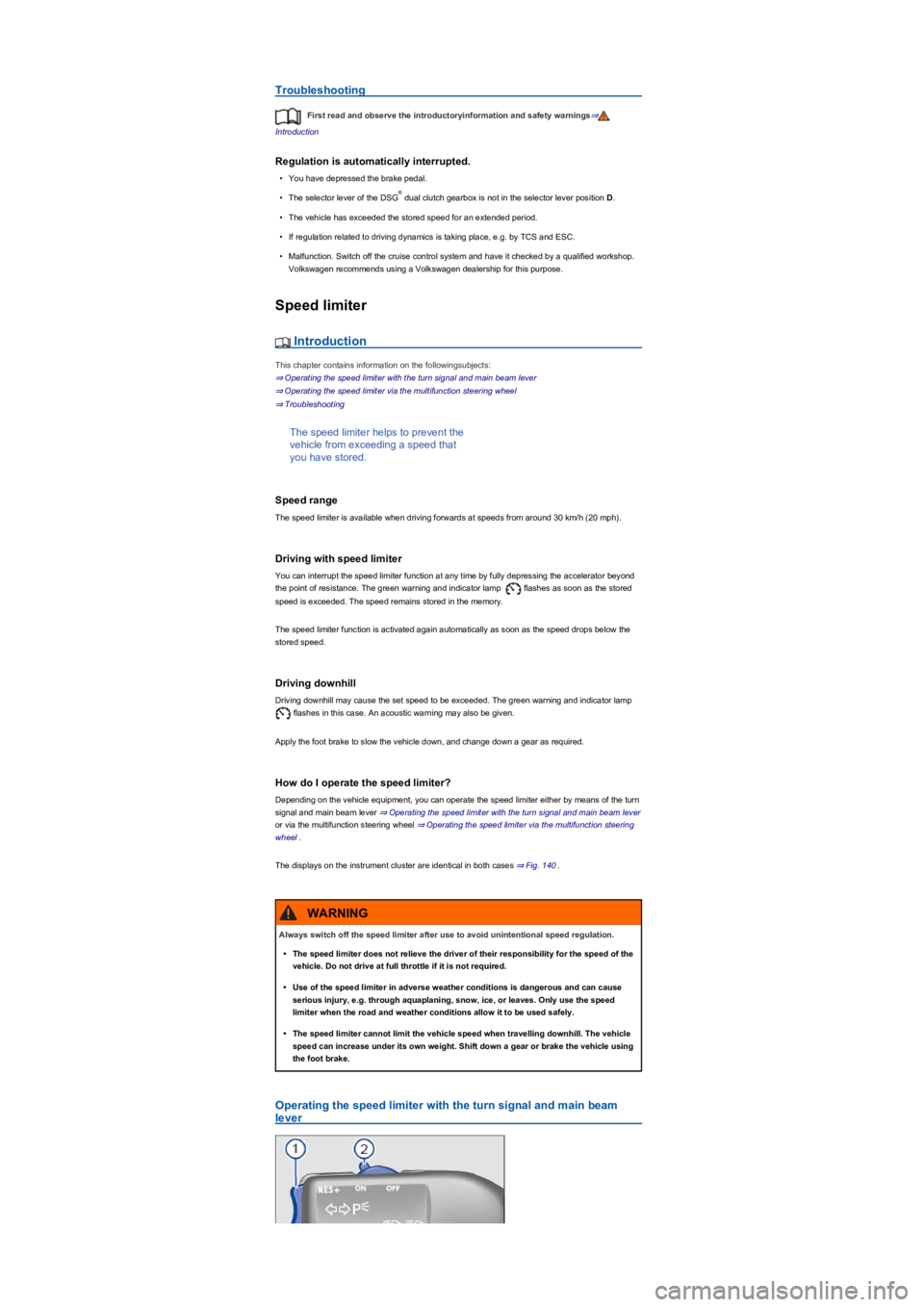
Operating the speed limiter with the turn signal and main beam
lever
®
Always switch off the speed limiter after use to avoid unintentional speed regulation.
•The speed limiter does not relieve the driver of their responsibility for the speed of the
vehicle. Do not drive at full throttle if it is not required.
•Use of the speed limiter in adverse weather conditions is dangerous and can cause
serious injury, e.g. through aquaplaning, snow, ice, or leaves. Only use the speed
limiter when the road and weather conditions allow it to be used safely.
•The speed limiter cannot limit the vehicle speed when travelling downhill. The vehicle
speed can increase under its own weight. Shift down a gear or brake the vehicle using
the foot brake.
WARNING
Page 173 of 341
The current speed is stored as the maximum speed. The green indicator lamp also lights up.
Setting the speed
You can adjust the stored speed:
+ 1 km/h (1 mph)- 1 km/h (1 mph)+ 10 km/h (5 mph)- 10 km/h (5 mph)
Press and hold the button or to continuously change the stored speed.
Interrupting control
•Press the or button.
The speed remains stored in the memory.
Resuming control
•Press the button.
The speed limiter is activated again as soon as the current speed is lower than the stored speed.
Switching off
•Press and hold the button.
The speed limiter is switched off and the speed remains stored (also after the ignition is switched
off).
Changing to cruise control system or Adaptive Cruise Control (ACC)
•Press the button.
The speed limiter is switched off.
Troubleshooting
First read and observe the introductoryinformation and safety warnings⇒
Introduction
Regulation is automatically interrupted.
•Malfunction. Switch off the speed limiter and have it checked by a qualified workshop.
Volkswagen recommends using a Volkswagen dealership for this purpose.
For safety reasons, the speed limiter switches itself off completely only when you release the
accelerator once or switch off the system manually.
Adaptive Cruise Control (ACC)
Introduction
This chapter contains information on the followingsubjects:
⇒ Special driving situations
⇒ System limits
⇒ Switching ACC on and off
⇒ Setting ACC
⇒ Troubleshooting
The Adaptive Cruise Control (ACC)
maintains a constant speed that you
have set. When your vehicle
approaches a vehicle that is driving in
front, ACC automatically adapts the
speed to maintain the distance that you
have set.
Driving with ACC
You can override control by ACC at any time. Control will be interrupted if you brake. If you
accelerate, control will be interrupted while you are accelerating and then resumed.
Control by ACC is less dynamic when towing a trailer ⇒. ACC will not perform control if the brake
lights of the trailer are defective.
Brake request
If automatic deceleration by ACC is not sufficient, ACC will request you to brake additionally by a
corresponding message on the instrument cluster. The red warning lamp lights up. An
acoustic warning is also given. Brake immediately.
Page 174 of 341
Speed range
ACC controls the vehicle in the speed range between 30 km/h (20 mph) and 160 km/h (100 mph)
or 210 km/h (130 mph). This speed range may differ in certain markets.
Radar sensor
ACC detects driving situations by means of the radar sensor at the front of the vehicle ⇒ Front
view. The range of the radar sensor is up to approximately 120 m.
Does the vehicle have ACC?
The vehicle is equipped with ACC if you can make settings for ACC in the vehicle settings of the
Infotainment system ⇒ Vehicle settings menu.
If the vehicle has ACC, the cruise control system is not available as an independent system.
Special driving situations
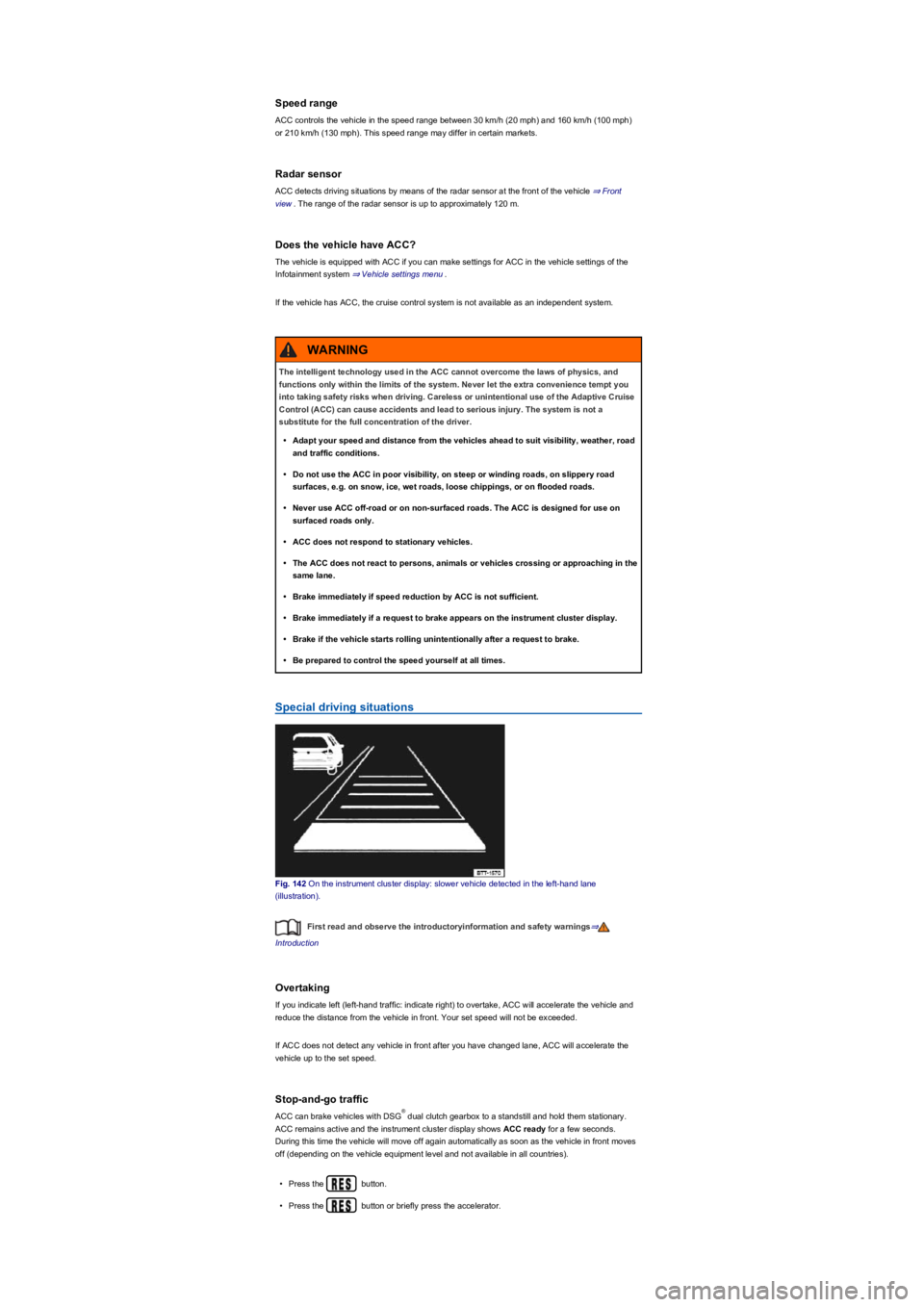
Fig. 142 On the instrument cluster display: slower vehicle detected in the left-hand lane
(illustration).
First read and observe the introductoryinformation and safety warnings⇒
Introduction
Overtaking
If you indicate left (left-hand traffic: indicate right) to overtake, ACC will accelerate the vehicle and
reduce the distance from the vehicle in front. Your set speed will not be exceeded.
If ACC does not detect any vehicle in front after you have changed lane, ACC will accelerate the
vehicle up to the set speed.
Stop-and-go traffic
ACC can brake vehicles with DSG dual clutch gearbox to a standstill and hold them stationary.
ACC remains active and the instrument cluster display shows ACC ready for a few seconds.
During this time the vehicle will move off again automatically as soon as the vehicle in front moves
off (depending on the vehicle equipment level and not available in all countries).
•Press the button.
•Press the button or briefly press the accelerator.
The intelligent technology used in the ACC cannot overcome the laws of physics, and
functions only within the limits of the system. Never let the extra convenience tempt you
into taking safety risks when driving. Careless or unintentional use of the Adaptive Cruise
Control (ACC) can cause accidents and lead to serious injury. The system is not a
substitute for the full concentration of the driver.
•Adapt your speed and distance from the vehicles ahead to suit visibility, weather, road
and traffic conditions.
•Do not use the ACC in poor visibility, on steep or winding roads, on slippery road
surfaces, e.g. on snow, ice, wet roads, loose chippings, or on flooded roads.
•Never use ACC off-road or on non-surfaced roads. The ACC is designed for use on
surfaced roads only.
•ACC does not respond to stationary vehicles.
•The ACC does not react to persons, animals or vehicles crossing or approaching in the
same lane.
•Brake immediately if speed reduction by ACC is not sufficient.
•Brake immediately if a request to brake appears on the instrument cluster display.
•Brake if the vehicle starts rolling unintentionally after a request to brake.
•Be prepared to control the speed yourself at all times.
WARNING
®
Page 179 of 341
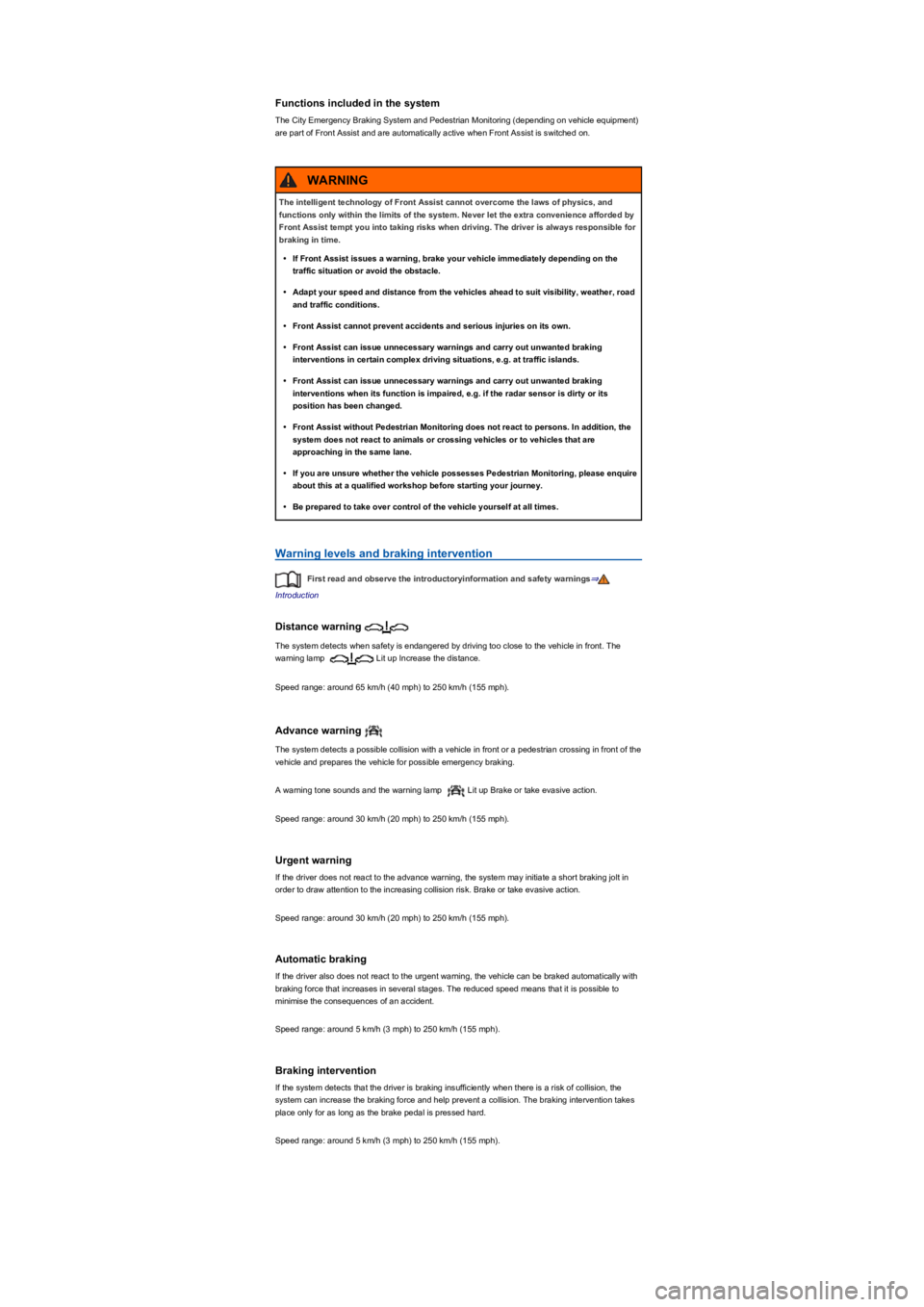
Functions included in the system
The City Emergency Braking System and Pedestrian Monitoring (depending on vehicle equipment)
are part of Front Assist and are automatically active when Front Assist is switched on.
Warning levels and braking intervention
First read and observe the introductoryinformation and safety warnings⇒
Introduction
Distance warning
The system detects when safety is endangered by driving too close to the vehicle in front. The
warning lamp Lit up Increase the distance.
Speed range: around 65 km/h (40 mph) to 250 km/h (155 mph).
Advance warning
The system detects a possible collision with a vehicle in front or a pedestrian crossing in front of the
vehicle and prepares the vehicle for possible emergency braking.
A warning tone sounds and the warning lamp Lit up Brake or take evasive action.
Speed range: around 30 km/h (20 mph) to 250 km/h (155 mph).
Urgent warning
If the driver does not react to the advance warning, the system may initiate a short braking jolt in
order to draw attention to the increasing collision risk. Brake or take evasive action.
Speed range: around 30 km/h (20 mph) to 250 km/h (155 mph).
Automatic braking
If the driver also does not react to the urgent warning, the vehicle can be braked automatically with
braking force that increases in several stages. The reduced speed means that it is possible to
minimise the consequences of an accident.
Speed range: around 5 km/h (3 mph) to 250 km/h (155 mph).
Braking intervention
If the system detects that the driver is braking insufficiently when there is a risk of collision, the
system can increase the braking force and help prevent a collision. The braking intervention takes
place only for as long as the brake pedal is pressed hard.
Speed range: around 5 km/h (3 mph) to 250 km/h (155 mph).
The intelligent technology of Front Assist cannot overcome the laws of physics, and
functions only within the limits of the system. Never let the extra convenience afforded by
Front Assist tempt you into taking risks when driving. The driver is always responsible for
braking in time.
•If Front Assist issues a warning, brake your vehicle immediately depending on the
traffic situation or avoid the obstacle.
•Adapt your speed and distance from the vehicles ahead to suit visibility, weather, road
and traffic conditions.
•Front Assist cannot prevent accidents and serious injuries on its own.
•Front Assist can issue unnecessary warnings and carry out unwanted braking
interventions in certain complex driving situations, e.g. at traffic islands.
•Front Assist can issue unnecessary warnings and carry out unwanted braking
interventions when its function is impaired, e.g. if the radar sensor is dirty or its
position has been changed.
•Front Assist without Pedestrian Monitoring does not react to persons. In addition, the
system does not react to animals or crossing vehicles or to vehicles that are
approaching in the same lane.
•If you are unsure whether the vehicle possesses Pedestrian Monitoring, please enquire
about this at a qualified workshop before starting your journey.
•Be prepared to take over control of the vehicle yourself at all times.
WARNING
Page 180 of 341
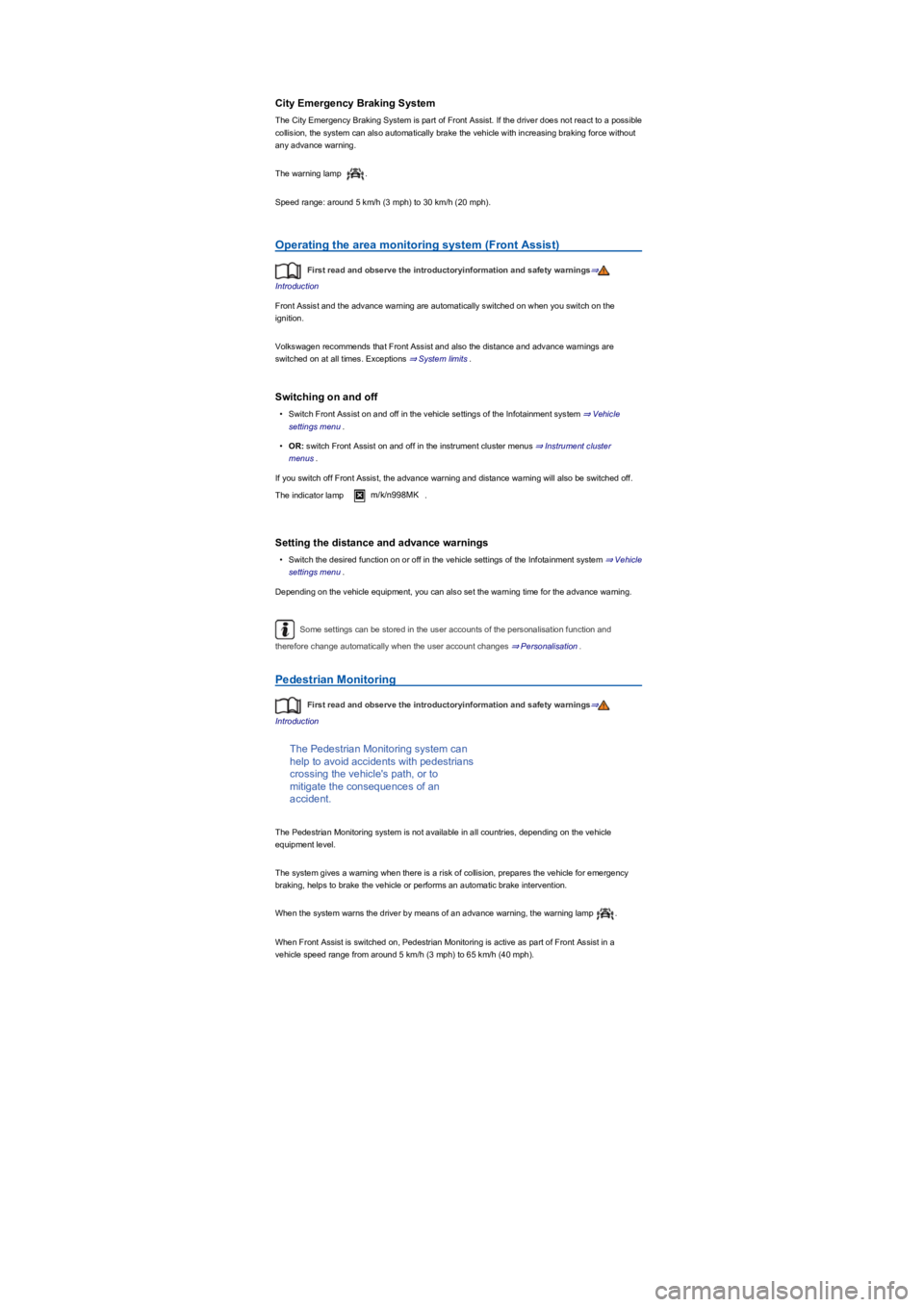
City Emergency Braking System
The City Emergency Braking System is part of Front Assist. If the driver does not react to a possible
collision, the system can also automatically brake the vehicle with increasing braking force without
any advance warning.
The warning lamp .
Speed range: around 5 km/h (3 mph) to 30 km/h (20 mph).
Operating the area monitoring system (Front Assist)
First read and observe the introductoryinformation and safety warnings⇒
Introduction
Front Assist and the advance warning are automatically switched on when you switch on the
ignition.
Volkswagen recommends that Front Assist and also the distance and advance warnings are
switched on at all times. Exceptions ⇒ System limits.
Switching on and off
•Switch Front Assist on and off in the vehicle settings of the Infotainment system ⇒ Vehicle
settings menu.
•OR: switch Front Assist on and off in the instrument cluster menus ⇒ Instrument cluster
menus.
If you switch off Front Assist, the advance warning and distance warning will also be switched off.
The indicator lamp m/k/n998MK.
Setting the distance and advance warnings
•Switch the desired function on or off in the vehicle settings of the Infotainment system ⇒ Vehicle
settings menu.
Depending on the vehicle equipment, you can also set the warning time for the advance warning.
Some settings can be stored in the user accounts of the personalisation function and
therefore change automatically when the user account changes ⇒ Personalisation.
Pedestrian Monitoring
First read and observe the introductoryinformation and safety warnings⇒
Introduction
The Pedestrian Monitoring system can
help to avoid accidents with pedestrians
crossing the vehicle's path, or to
mitigate the consequences of an
accident.
The Pedestrian Monitoring system is not available in all countries, depending on the vehicle
equipment level.
The system gives a warning when there is a risk of collision, prepares the vehicle for emergency
braking, helps to brake the vehicle or performs an automatic brake intervention.
When the system warns the driver by means of an advance warning, the warning lamp .
When Front Assist is switched on, Pedestrian Monitoring is active as part of Front Assist in a
vehicle speed range from around 5 km/h (3 mph) to 65 km/h (40 mph).
Page 181 of 341
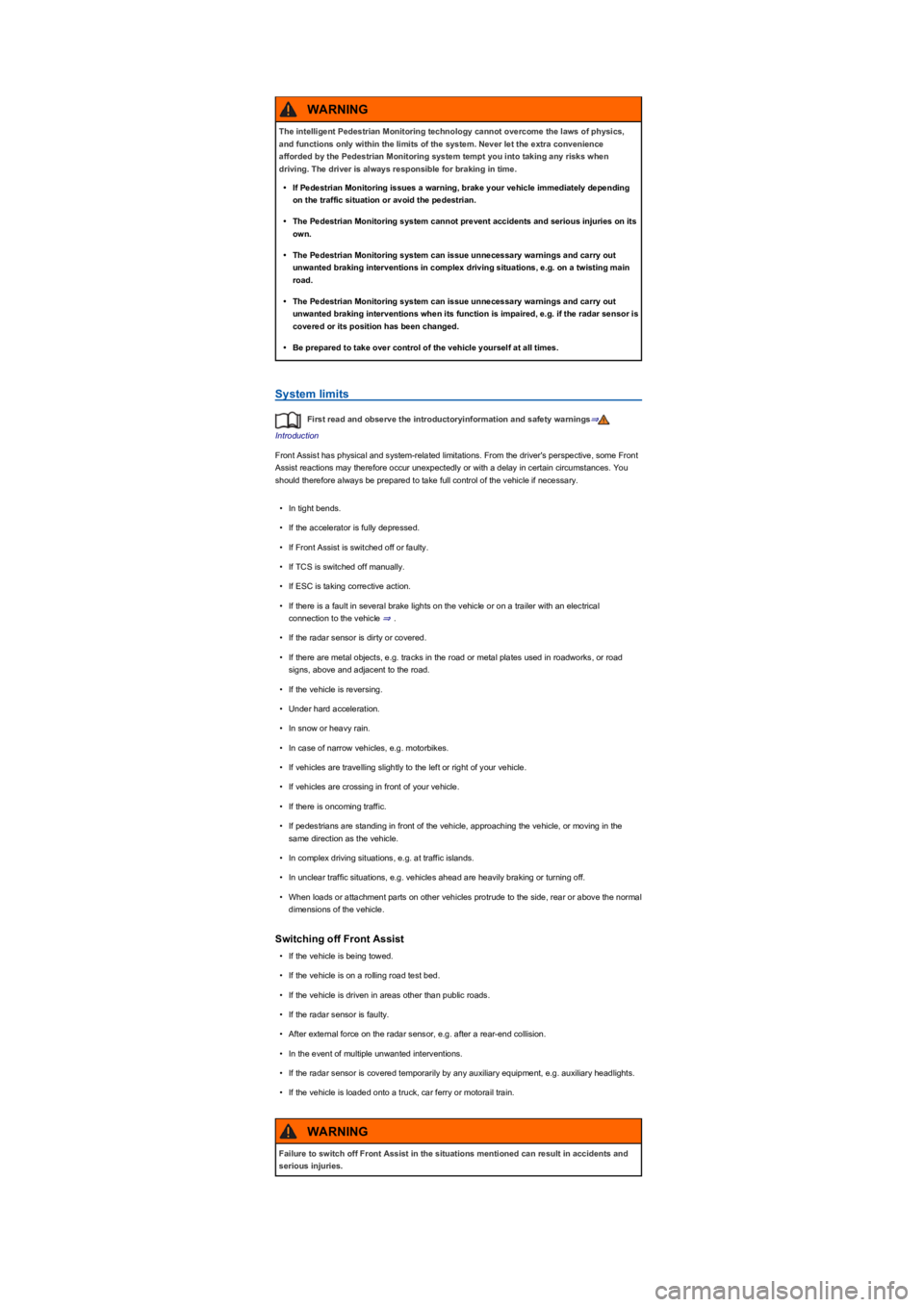
System limits
First read and observe the introductoryinformation and safety warnings⇒
Introduction
Front Assist has physical and system-related limitations. From the driver's perspective, some Front
Assist reactions may therefore occur unexpectedly or with a delay in certain circumstances. You
should therefore always be prepared to take full control of the vehicle if necessary.
•In tight bends.
•If the accelerator is fully depressed.
•If Front Assist is switched off or faulty.
•If TCS is switched off manually.
•If ESC is taking corrective action.
•If there is a fault in several brake lights on the vehicle or on a trailer with an electrical
connection to the vehicle ⇒.
•If the radar sensor is dirty or covered.
•If there are metal objects, e.g. tracks in the road or metal plates used in roadworks, or road
signs, above and adjacent to the road.
•If the vehicle is reversing.
•Under hard acceleration.
•In snow or heavy rain.
•In case of narrow vehicles, e.g. motorbikes.
•If vehicles are travelling slightly to the left or right of your vehicle.
•If vehicles are crossing in front of your vehicle.
•If there is oncoming traffic.
•If pedestrians are standing in front of the vehicle, approaching the vehicle, or moving in the
same direction as the vehicle.
•In complex driving situations, e.g. at traffic islands.
•In unclear traffic situations, e.g. vehicles ahead are heavily braking or turning off.
•When loads or attachment parts on other vehicles protrude to the side, rear or above the normal
dimensions of the vehicle.
Switching off Front Assist
•If the vehicle is being towed.
•If the vehicle is on a rolling road test bed.
•If the vehicle is driven in areas other than public roads.
•If the radar sensor is faulty.
•After external force on the radar sensor, e.g. after a rear-end collision.
•In the event of multiple unwanted interventions.
•If the radar sensor is covered temporarily by any auxiliary equipment, e.g. auxiliary headlights.
•If the vehicle is loaded onto a truck, car ferry or motorail train.
The intelligent Pedestrian Monitoring technology cannot overcome the laws of physics,
and functions only within the limits of the system. Never let the extra convenience
afforded by the Pedestrian Monitoring system tempt you into taking any risks when
driving. The driver is always responsible for braking in time.
•If Pedestrian Monitoring issues a warning, brake your vehicle immediately depending
on the traffic situation or avoid the pedestrian.
•The Pedestrian Monitoring system cannot prevent accidents and serious injuries on its
own.
•The Pedestrian Monitoring system can issue unnecessary warnings and carry out
unwanted braking interventions in complex driving situations, e.g. on a twisting main
road.
•The Pedestrian Monitoring system can issue unnecessary warnings and carry out
unwanted braking interventions when its function is impaired, e.g. if the radar sensor is
covered or its position has been changed.
•Be prepared to take over control of the vehicle yourself at all times.
WARNING
Failure to switch off Front Assist in the situations mentioned can result in accidents and
serious injuries.
WARNING
Page 184 of 341
If the driver does not respond, the system will give another warning by initiating a quick jolt of the
brake before switching to passive or activating Emergency Assist (depending on the equipment)
⇒ Emergency Assist.
Behaviour when changing lanes
There is no steering intervention when the turn signal is switched on in vehicles without lane
keeping system.
In vehicles with lane keeping system, a steering intervention takes place if the turn signal is
switched on in critical situations ⇒ Lane change system (Side Assist) incl. Rear Traffic Alert.
Steering wheel vibration
If the steering wheel vibrates, the driver must actively take over steering.
Troubleshooting
First read and observe the introductoryinformation and safety warnings⇒
Introduction
No camera visibility, error message, system switches itself off
•Clean the camera or remove stickers or accessories from the camera ⇒ Caring for and cleaning
the vehicle exterior.
•Check whether any damage is visible.
The system is not responding as expected
•The camera is dirty ⇒ Caring for and cleaning the vehicle exterior. The camera visibility may be
impaired by dirt and snow or also residue from cleaning agents or coatings.
•The camera is covered by water.
•The vehicle is damaged in the area of the camera.
•Changes have been made to the paintwork around the camera or the construction has been
modified, e.g. vehicle front end or the running gear.
Traffic Jam Assist
Traffic Jam Assist helps the driver to
keep in lane, and also provides
assistance when following other
vehicles in congestion or slow-moving
traffic.
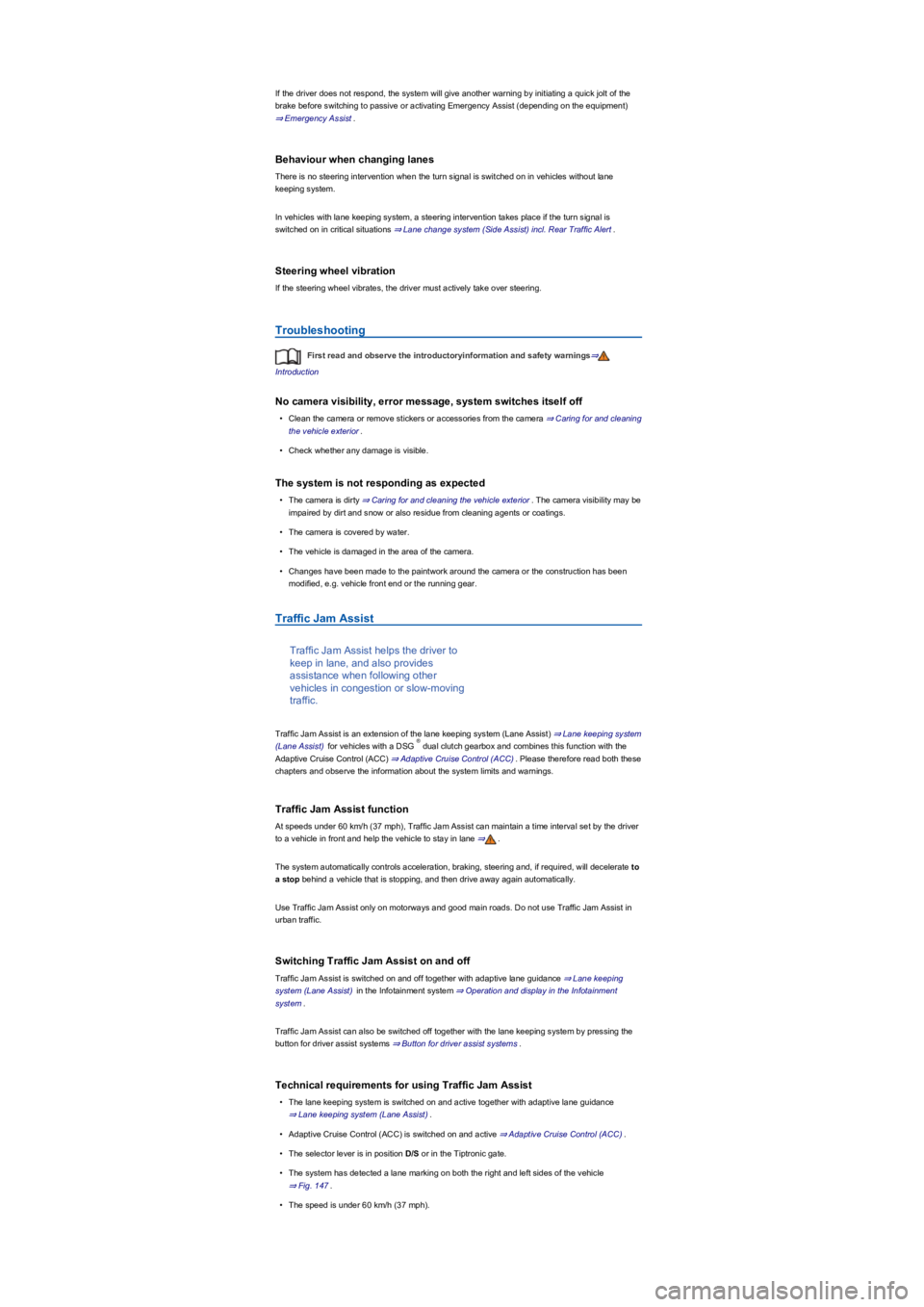
Traffic Jam Assist is an extension of the lane keeping system (Lane Assist) ⇒ Lane keeping system
(Lane Assist) for vehicles with a DSG dual clutch gearbox and combines this function with the
Adaptive Cruise Control (ACC) ⇒ Adaptive Cruise Control (ACC). Please therefore read both these
chapters and observe the information about the system limits and warnings.
Traffic Jam Assist function
At speeds under 60 km/h (37 mph), Traffic Jam Assist can maintain a time interval set by the driver
to a vehicle in front and help the vehicle to stay in lane ⇒.
The system automatically controls acceleration, braking, steering and, if required, will decelerate to
a stop behind a vehicle that is stopping, and then drive away again automatically.
Use Traffic Jam Assist only on motorways and good main roads. Do not use Traffic Jam Assist in
urban traffic.
Switching Traffic Jam Assist on and off
Traffic Jam Assist is switched on and off together with adaptive lane guidance ⇒ Lane keeping
system (Lane Assist) in the Infotainment system ⇒ Operation and display in the Infotainment
system.
Traffic Jam Assist can also be switched off together with the lane keeping system by pressing the
button for driver assist systems ⇒ Button for driver assist systems.
Technical requirements for using Traffic Jam Assist
•The lane keeping system is switched on and active together with adaptive lane guidance
⇒ Lane keeping system (Lane Assist).
•Adaptive Cruise Control (ACC) is switched on and active ⇒ Adaptive Cruise Control (ACC).
•The selector lever is in position D/S or in the Tiptronic gate.
•The system has detected a lane marking on both the right and left sides of the vehicle
⇒ Fig. 147.
•The speed is under 60 km/h (37 mph).
®
Page 186 of 341
system decelerates the vehicle to a complete stop and switches on the electronic parking brake
automatically ⇒ Electronic parking brake.
When Emergency Assist is actively controlling the vehicle, the hazard warning lights are switched
on and the vehicle performs slight snaking movements within its lane to warn other road users.
The hazard warning lights can be deactivated by pressing the accelerator or brake, by making a
steering intervention or, depending on the situation, by pressing the button for the hazard warning
lights.
When Emergency Assist has been triggered, the system is unavailable until after the ignition has
been switched off and then on again.
Prerequisites
•The lane keeping system and ACC are switched on.
•The selector lever is in position D/S or in the Tiptronic gate.
•The system has detected a lane marking on both the right and left sides of the vehicle
⇒ Fig. 147.
Switching Emergency Assist on and off
Emergency Assist is activated automatically when the lane keeping system ⇒ Lane keeping system
(Lane Assist) is switched on.
Conditions for deactivating Emergency Assist
The following conditions can prevent Emergency Assist from reacting, or can cause it to deactivate
automatically:
•If the driver activates the accelerator, brake or steering.
•If one of the prerequisites for operation of the lane keeping system ⇒ Lane keeping system
(Lane Assist) or ACC ⇒ Adaptive Cruise Control (ACC) is no longer fulfilled.
Lane change system (Side Assist) incl. Rear Traffic
Alert
Introduction
This chapter contains information on the followingsubjects:
⇒ Driving with the lane change system
⇒ Rear Traffic Alert
⇒ Troubleshooting
The lane change system with Rear
Traffic Alert provides assistance for the
driver when checking for traffic behind
the vehicle.
Radar sensors monitor the area behind the vehicle ⇒ Vehicle overviews. The system measures the
distance and speed difference in relation to other vehicles and informs the driver by means of visual
signals in the exterior mirrors.
The intelligent technology used in Emergency Assist cannot overcome the laws of
physics, and functions only within the limits of the system. The driver is always
responsible for controlling the vehicle.
•Adapt your speed and distance from the vehicles ahead to suit visibility, weather, road
and traffic conditions.
•Your hands should always be on the steering wheel so that you can steer at any time.
•Emergency Assist cannot prevent accidents and serious injuries on its own.
•If the camera's field of view is dirty, covered or damaged, the function of the lane
keeping system may be impaired.
•Emergency Assist does not react to persons, animals or vehicles crossing or
approaching in the same lane.
WARNING
If Emergency Assist is triggered unexpectedly, it can result in accidents and serious
injuries.
•If there is a malfunction in the Emergency Assist system, switch off the lane keeping
system (Lane Assist). This will also switch off Emergency Assist ⇒ Lane keeping
system (Lane Assist).
•Go to a qualified workshop and have the system checked. Volkswagen recommends
using a Volkswagen dealership for this purpose.
WARNING
Page 187 of 341
The integrated Rear Traffic Alert provides assistance when reversing out of a parking space and
manoeuvring.
System limits
Use the lane keeping system only on paved roads.
The lane change system may interpret the traffic situation incorrectly in the following driving
situations, for example:
•In tight bends.
•When driving in the middle of two lanes.
•When road lanes are of varying width.
•At the brow of a hill.
•In poor weather conditions.
•Where there are special roadside structures, e.g. high or offset crash barriers.
You can save some settings in the user accounts of the personalisation function
⇒ Personalisation.
Driving with the lane change system
Fig. 148 In the exterior mirror housing: visual displays for the lane change system.
First read and observe the introductoryinformation and safety warnings⇒
Introduction
Switching on and off
•By means of the Assist systems menu in the instrument cluster ⇒ Instrument cluster
operation.
•OR: depending on the vehicle equipment, by means of the button for the driver assist systems
⇒ Button for driver assist systems.
•OR: depending on the vehicle equipment, in the Driver assistance menu in the Infotainment
system ⇒ Operation and display in the Infotainment system.
When the lane change system is switched on, the yellow indicator lamp in the exterior mirror
housing lights up once briefly ⇒ Fig. 148.
This most recent system setting is retained even after the ignition has been switched off and on.
Function
When switched on, the lane change system is active from a speed of around 15 km/h (9 mph). The
lane change system is deactivated at a vehicle speed below 10 km/h (6 mph).
The intelligent technology of the lane change system including Rear Traffic Alert cannot
overcome the laws of physics, and functions only within the limits of the system. Never let
the extra convenience afforded by the lane change system including Rear Traffic Alert
tempt you into taking any risks when driving. Always take care when using the lane
change system and the Rear Traffic Alert as you could otherwise cause accidents or
injuries. The system is not a substitute for the full concentration of the driver.
•Adapt your speed and distance from the vehicles ahead to suit visibility, weather, road
and traffic conditions.
•Your hands should always be on the steering wheel so that you can steer at any time.
•Pay attention to the visual displays in the exterior mirror housing and in the instrument
cluster display, and respond to the commands.
•Always pay close attention to what is happening around the vehicle.
•Never use the lane change system including Rear Traffic Alert if the radar sensors are
dirty, covered or damaged. These circumstances can impair the proper functioning of
the system.
•It may be hard to see the display in the exterior mirror in direct sunlight.
WARNING