infotainment VOLKSWAGEN TIGUAN 2017 Owner´s Manual
[x] Cancel search | Manufacturer: VOLKSWAGEN, Model Year: 2017, Model line: TIGUAN, Model: VOLKSWAGEN TIGUAN 2017Pages: 341, PDF Size: 9.14 MB
Page 71 of 341
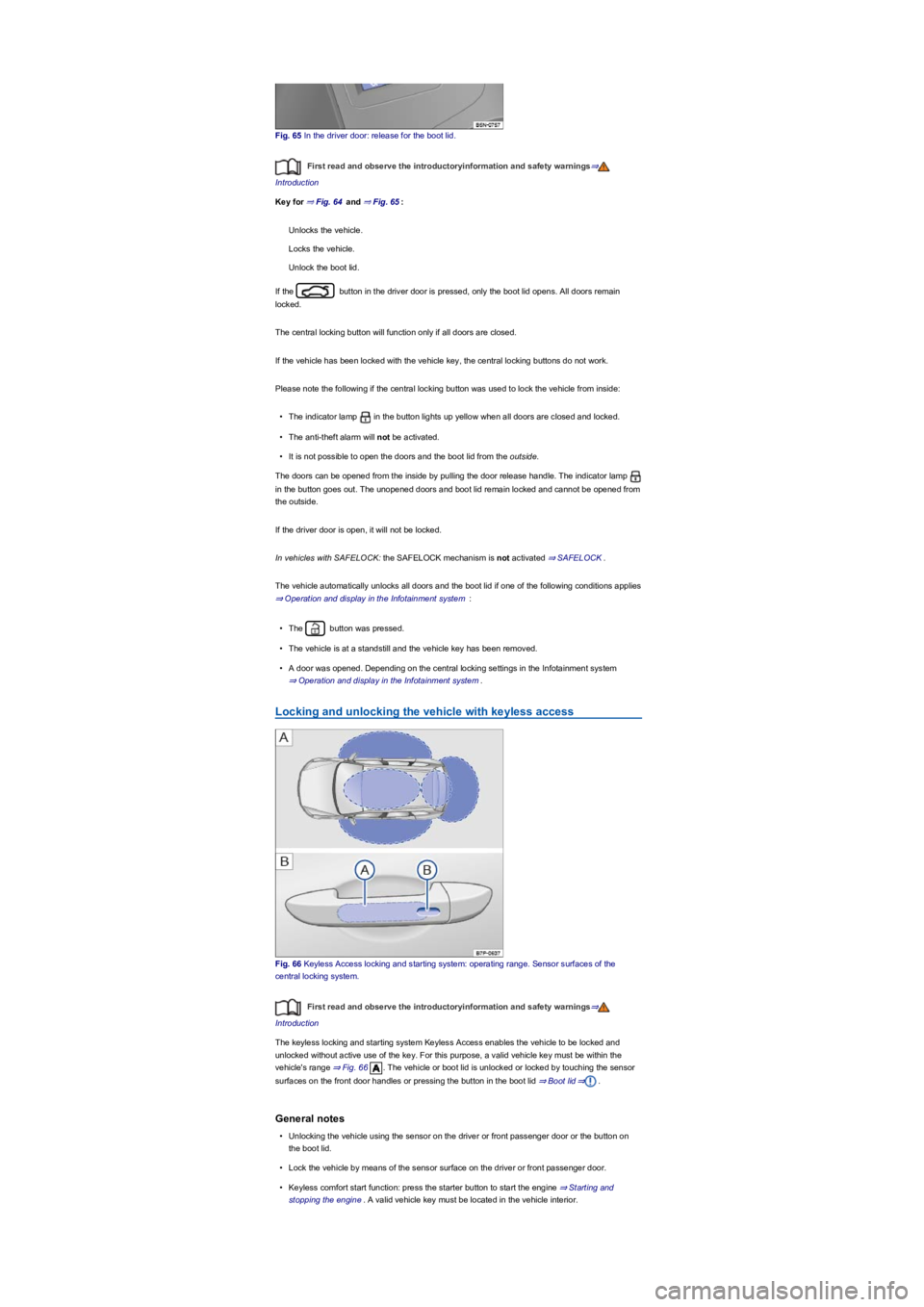
Fig. 65 In the driver door: release for the boot lid.
First read and observe the introductoryinformation and safety warnings⇒
Introduction
Key for ⇒ Fig. 64 and ⇒ Fig. 65:
Unlocks the vehicle.
Locks the vehicle.
Unlock the boot lid.
If the button in the driver door is pressed, only the boot lid opens. All doors remain
locked.
The central locking button will function only if all doors are closed.
If the vehicle has been locked with the vehicle key, the central locking buttons do not work.
Please note the following if the central locking button was used to lock the vehicle from inside:
•The indicator lamp in the button lights up yellow when all doors are closed and locked.
•The anti-theft alarm will not be activated.
•It is not possible to open the doors and the boot lid from the outside.
The doors can be opened from the inside by pulling the door release handle. The indicator lamp
in the button goes out. The unopened doors and boot lid remain locked and cannot be opened from
the outside.
If the driver door is open, it will not be locked.
In vehicles with SAFELOCK: the SAFELOCK mechanism is not activated ⇒ SAFELOCK.
The vehicle automatically unlocks all doors and the boot lid if one of the following conditions applies
⇒ Operation and display in the Infotainment system :
•The button was pressed.
•The vehicle is at a standstill and the vehicle key has been removed.
•A door was opened. Depending on the central locking settings in the Infotainment system
⇒ Operation and display in the Infotainment system.
Locking and unlocking the vehicle with keyless access
Fig. 66 Keyless Access locking and starting system: operating range. Sensor surfaces of the
central locking system.
First read and observe the introductoryinformation and safety warnings⇒
Introduction
The keyless locking and starting system Keyless Access enables the vehicle to be locked and
unlocked without active use of the key. For this purpose, a valid vehicle key must be within the
vehicle's range ⇒ Fig. 66. The vehicle or boot lid is unlocked or locked by touching the sensor
surfaces on the front door handles or pressing the button in the boot lid ⇒ Boot lid⇒.
General notes
•Unlocking the vehicle using the sensor on the driver or front passenger door or the button on
the boot lid.
•Lock the vehicle by means of the sensor surface on the driver or front passenger door.
•Keyless comfort start function: press the starter button to start the engine ⇒ Starting and
stopping the engine. A valid vehicle key must be located in the vehicle interior.
Page 72 of 341
•Easy Open: open the boot lid by moving a foot underneath the rear bumper ⇒ Boot lid.
•Easy Close: automatically closes the boot lid.
•Lock the vehicle via the sensor.
The vehicle unlocking procedure is confirmed by all the turn signals flashing twice and the locking
procedure by the turn signals flashing once.
If the vehicle is locked and then the doors and boot lid are closed, and the most recently used
vehicle key is located inside the vehicle, it will not immediately lock properly. All turn signals flash
four times.
Unlocking and opening the doors
•Touch the sensor surface ⇒ Fig. 66 on the inside of the driver or front passenger door
handle.
•Open the door.
Closing and locking the doors
•Switch off the ignition.
•Close the driver or front passenger door.
•Touch the sensor ⇒ Fig. 66 on the outside of the driver or front passenger door handle
once.
On vehicles with SAFELOCK: closing and locking doors
•Switch off the ignition.
•Close the driver and front passenger door.
•Locking with SAFELOCK: touch the sensor surface on the outside of the driver or front
passenger door handle once.
•Locking without SAFELOCK: touch the sensor surface on the outside of the driver or front
passenger door handle twice.
Locking and unlocking the boot lid
If the vehicle is locked and a valid vehicle key is located within the operating range ⇒ Fig. 66
of the boot lid, the boot lid automatically unlocks when you open it with the handle button.
The boot lid is locked automatically after it is closed. If the vehicle is completely unlocked, the boot
lid will not lock automatically when closed.
Temporarily deactivating Keyless Access
•Lock the vehicle with the button on the vehicle key.
•Also lock the vehicle using the door sensor within five seconds.
•The keyless locking and starting system Keyless Access is temporarily deactivated.
The vehicle can be unlocked only using the vehicle key.
Keyless Access is reactivated the next time the vehicle is unlocked.
Convenience functions
To use convenience closing for all of the electric windows and the glass roof, hold your finger on
the sensor on the outside of the driver or front passenger door handle for a few seconds until the
windows or the glass roof have closed.
The sensors' functions can be adjusted in the Vehicle settings menu in the Infotainment system
⇒ Operation and display in the Infotainment system.
It may not be possible to lock or unlock the vehicle using keyless access if the 12-volt vehicle
battery or button cell in the vehicle key is weak or discharged. The vehicle can be locked or
unlocked manually ⇒ Unlocking or locking the driver door manually.
The unlock function is deactivated for a few seconds so that you can check that the vehicle
has been locked properly.
If the message Keyless fault appears on the instrument cluster display, there may be a
malfunction in the Keyless Access system. Go to a qualified workshop.
Please note that the sensor surfaces in the door handles could be activated by a powerful
jet of water or steam if a valid vehicle key is in the operating range at the same time. If at
least one window is open and sensor surface in a door handle is continuously activated,
all windows will close. It is possible that all windows will open if the jet of water or steam is
moved away from a door handle sensor surface briefly and then moved back onto it
⇒ Central locking system.
NOTICE
Page 73 of 341
Depending on the mirror function set in the Infotainment system, the exterior mirrors fold out
when the vehicle is unlocked using the sensor on the door handle of the driver of passenger door
and surround lighting is switched on.
If there is no valid vehicle key in the vehicle or if it is not detected, a corresponding display
will be shown on the instrument cluster display. This may occur if the vehicle key is obstructed by
another radio signal or is covered by another item, e.g. a mobile telephone accessory or an
aluminium suitcase ⇒ Starting and stopping the engine.
The sensors may have limited functionality if they become very dirty.
If the vehicle has a DSG dual clutch gearbox, it can be locked only if the selector lever is in
position P.
The entire vehicle will be unlocked if the sensor is touched twice, even if a single door has
already been unlocked.
SAFELOCK
First read and observe the introductoryinformation and safety warnings⇒
Introduction
Depending on the vehicle equipment, the vehicle may have an anti-theft alarm and SAFELOCK
⇒ Anti-theft alarm.
The SAFELOCK deactivates the door release levers if the vehicle has been locked. This makes it
more difficult to break into the vehicle. The doors can no longer be opened from the inside ⇒.
•Press the button on the vehicle key once⇒ Central locking system.
•Press the button on the vehicle key twice in quick succession ⇒ Central locking system.
•Vehicles with the keyless locking and starting system Keyless Access: touch the sensor on the
outside of the door handle twice⇒ Locking and unlocking the vehicle with keyless access.
•Press the central locking button in the driver door once ⇒ Central locking system.
Depending on the vehicle equipment level, there may be an indication of the activated SAFELOCK
in the display of the instrument cluster (Check SAFELOCK! or SAFELOCK).
Deactivating SAFELOCK
The SAFELOCK can be deactivated in one of the following ways:
•Switch on the ignition.
•OR: deactivate interior monitoring and the anti-tow alarm.
Depending on the vehicle equipment, temporarily deactivate interior monitoring and the anti-tow
alarm using the Infotainment system ⇒ Operation and display in the Infotainment system before
locking the vehicle.
The following applies when SAFELOCK is deactivated:
•The vehicle can be unlocked and opened from the inside using the door release lever.
•The anti-theft alarm ⇒ Anti-theft alarm is active.
Depending on the equipment, the interior monitoring and anti-tow alarm will be activated or
deactivated via the Infotainment system ⇒ Operation and display in the Infotainment system.
Anti-theft alarm
First read and observe the introductoryinformation and safety warnings⇒
Introduction
Depending on the vehicle equipment level, the vehicle may have an anti-theft alarm and
SAFELOCK ⇒ SAFELOCK.
Always take care when using the SAFELOCK as you could cause serious injuries.
•Never leave anybody in the vehicle if the vehicle has been locked using the vehicle key.
The doors can no longer be opened from the inside once the SAFELOCK is activated.
•Locked doors make it more difficult for emergency service personnel to gain access to
the vehicle and provide assistance when needed. In an emergency, people locked
inside the vehicle would not be able to leave the vehicle by unlocking the doors.
WARNING
Page 75 of 341
Lock the vehicle. When the anti-theft alarm is switched on, interior monitoring and the anti-tow
alarm are also active.
Temporarily switching off the interior monitoring system and anti-tow
alarm
Depending on the vehicle equipment, the interior monitoring system and anti-tow alarm can be
switched off temporarily by means of the button or the Infotainment system ⇒ Operation
and display in the Infotainment system.
•Switch off the ignition and open the driver door.
•Press the button. A yellow indicator lamp in the button lights up.
•Close all doors and the boot lid.
•Lock the vehicle using the vehicle key.
Press the button again before locking the vehicle to reactivate interior monitoring and the
anti-tow alarm.
•Switch on the ignition.
•Deactivate interior monitoring and the anti-tow alarm in the Infotainment system ⇒ Operation
and display in the Infotainment system.
•Close all doors and the boot lid.
•Lock the vehicle using the vehicle key.
The interior monitoring system and anti-towing alarm are deactivated until the next time the vehicle
is locked.
We recommend deactivating interior monitoring and the anti-tow alarm in the following situations:
•If any people or animals are to remain inside the vehicle.
•If the vehicle is to be loaded onto another vehicle.
•If the vehicle is being transported.
•If the vehicle is going to be towed with one axle off the ground.
•If the vehicle is to be parked in a two-storey garage.
•If the vehicle is to be parked in a car wash.
Risk of false interior monitoring alarms
The interior monitoring system functions only when the vehicle is completely closed. Comply with
legal regulations. A false alarm can be triggered in the following situations:
•If one or more windows or the glass roof are fully or partially open.
•If lightweight items such as loose pieces of paper or items hung from the interior mirror are left
in the vehicle.
•If a mobile telephone that is left in the vehicle vibrates.
•If the vehicle is being transported.
•If the vehicle is being parked in a two-storey garage.
•If the vehicle is in a car wash.
Permanent deactivation of interior monitoring and the anti-tow alarm is not possible.
If doors or the boot lid are still open when the anti-theft alarm is activated, only the anti-theft
alarm is activated. Interior monitoring and the anti-tow alarm are not activated until all doors and the
boot lid are closed.
SAFELOCK is also deactivated when the interior monitoring system and anti-tow alarm are
switched off ⇒ SAFELOCK.
Locking the vehicle after the airbag has been triggered
First read and observe the introductoryinformation and safety warnings⇒
Introduction
The entire vehicle is unlocked if the airbags are activated during an accident. Depending on the
extent of the damage, the vehicle can be locked as follows after an accident:
•Switch the ignition off and then back on again.
Troubleshooting
First read and observe the introductoryinformation and safety warnings⇒
Introduction
Fault in locking system: red LED flashes at short intervals and then lights up continuously. Go to a
qualified workshop.
Page 82 of 341
•Stand behind the centre of the bumper.
•Move your foot and shin quickly towards the bumper. The shin must be placed in the upper area
of the sensor, and the foot in the lower area ⇒ Fig. 73.
•Then quickly move your foot and shin away from the sensor area again. The boot lid will then
open.
The boot lid will lock again automatically, provided that the vehicle was locked beforehand and as
long as there is no valid vehicle key inside the vehicle.
Activating or deactivating Easy Open
You can activate and deactivate Easy Open in the Vehicle settings menu in the Infotainment
system ⇒ Operation and display in the Infotainment system.
Automatically closing the boot lid (Easy Close)
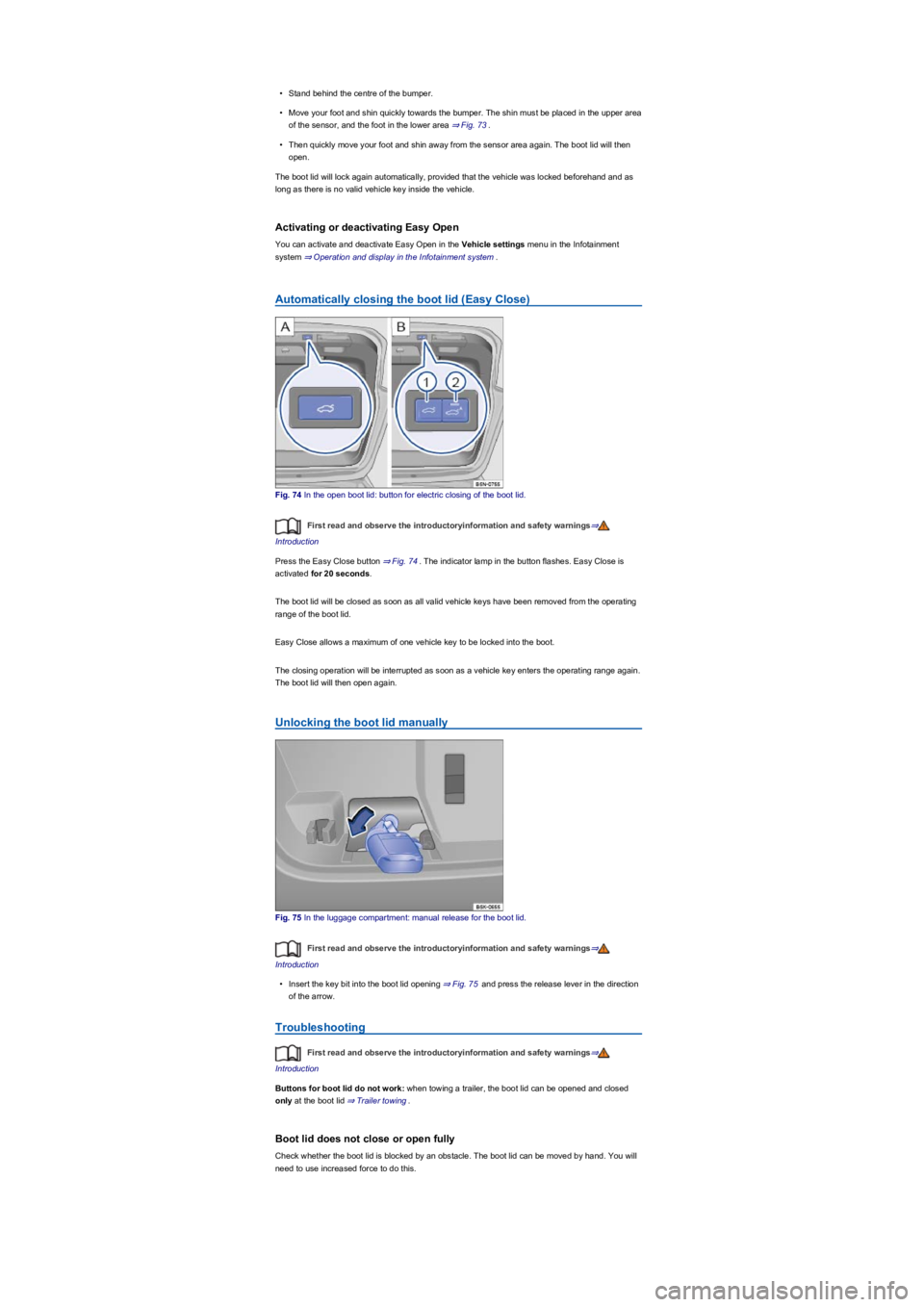
Fig. 74 In the open boot lid: button for electric closing of the boot lid.
First read and observe the introductoryinformation and safety warnings⇒
Introduction
Press the Easy Close button ⇒ Fig. 74. The indicator lamp in the button flashes. Easy Close is
activated for 20 seconds.
The boot lid will be closed as soon as all valid vehicle keys have been removed from the operating
range of the boot lid.
Easy Close allows a maximum of one vehicle key to be locked into the boot.
The closing operation will be interrupted as soon as a vehicle key enters the operating range again.
The boot lid will then open again.
Unlocking the boot lid manually
Fig. 75 In the luggage compartment: manual release for the boot lid.
First read and observe the introductoryinformation and safety warnings⇒
Introduction
•Insert the key bit into the boot lid opening ⇒ Fig. 75 and press the release lever in the direction
of the arrow.
Troubleshooting
First read and observe the introductoryinformation and safety warnings⇒
Introduction
Buttons for boot lid do not work: when towing a trailer, the boot lid can be opened and closed
only at the boot lid ⇒ Trailer towing.
Boot lid does not close or open fully
Check whether the boot lid is blocked by an obstacle. The boot lid can be moved by hand. You will
need to use increased force to do this.
Page 84 of 341
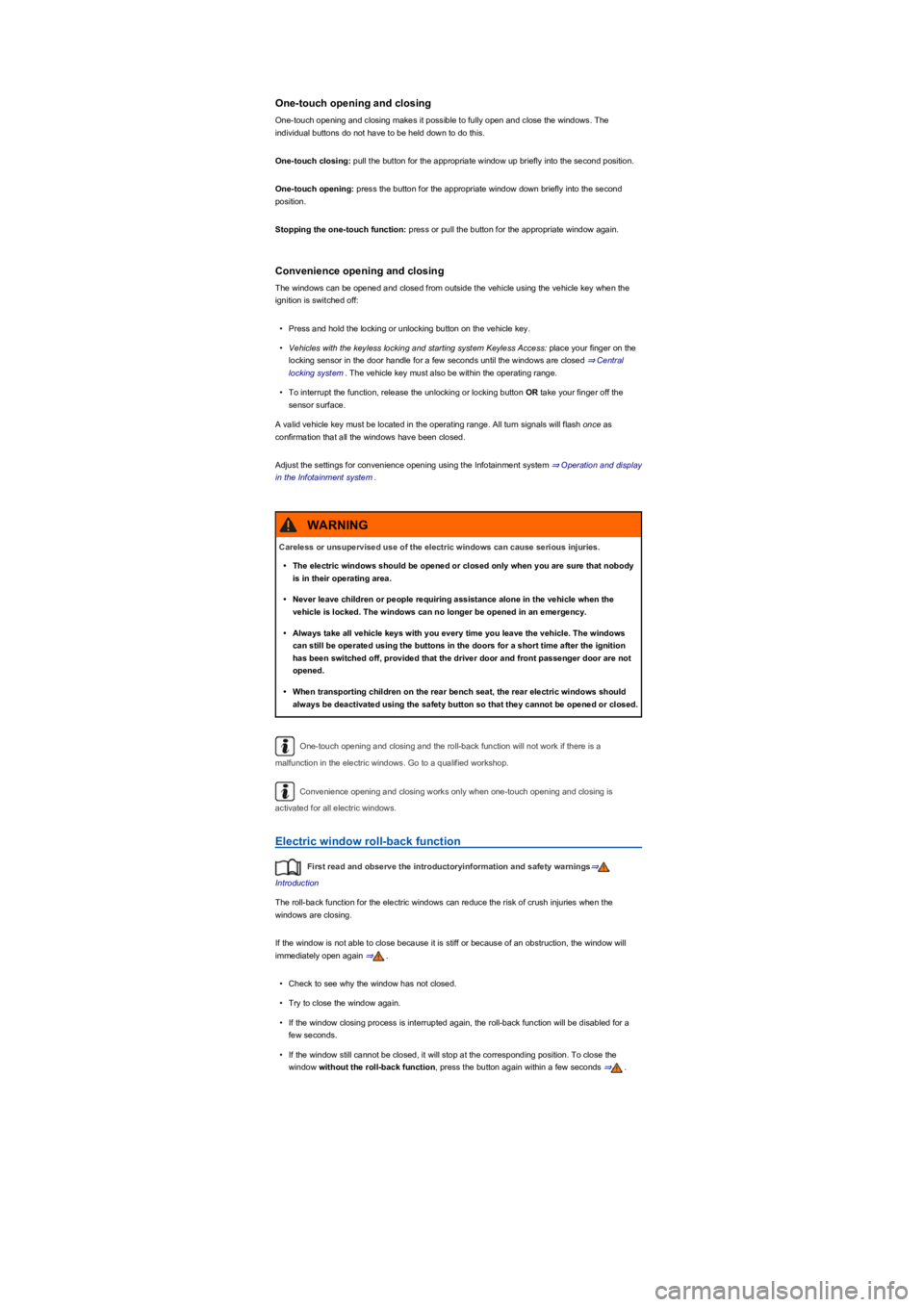
One-touch opening and closing
One-touch opening and closing makes it possible to fully open and close the windows. The
individual buttons do not have to be held down to do this.
One-touch closing: pull the button for the appropriate window up briefly into the second position.
One-touch opening: press the button for the appropriate window down briefly into the second
position.
Stopping the one-touch function: press or pull the button for the appropriate window again.
Convenience opening and closing
The windows can be opened and closed from outside the vehicle using the vehicle key when the
ignition is switched off:
•Press and hold the locking or unlocking button on the vehicle key.
•Vehicles with the keyless locking and starting system Keyless Access: place your finger on the
locking sensor in the door handle for a few seconds until the windows are closed ⇒ Central
locking system. The vehicle key must also be within the operating range.
•To interrupt the function, release the unlocking or locking button OR take your finger off the
sensor surface.
A valid vehicle key must be located in the operating range. All turn signals will flash once as
confirmation that all the windows have been closed.
Adjust the settings for convenience opening using the Infotainment system ⇒ Operation and display
in the Infotainment system.
One-touch opening and closing and the roll-back function will not work if there is a
malfunction in the electric windows. Go to a qualified workshop.
Convenience opening and closing works only when one-touch opening and closing is
activated for all electric windows.
Electric window roll-back function
First read and observe the introductoryinformation and safety warnings⇒
Introduction
The roll-back function for the electric windows can reduce the risk of crush injuries when the
windows are closing.
If the window is not able to close because it is stiff or because of an obstruction, the window will
immediately open again ⇒.
•Check to see why the window has not closed.
•Try to close the window again.
•If the window closing process is interrupted again, the roll-back function will be disabled for a
few seconds.
•If the window still cannot be closed, it will stop at the corresponding position. To close the
window without the roll-back function, press the button again within a few seconds ⇒.
Careless or unsupervised use of the electric windows can cause serious injuries.
•The electric windows should be opened or closed only when you are sure that nobody
is in their operating area.
•Never leave children or people requiring assistance alone in the vehicle when the
vehicle is locked. The windows can no longer be opened in an emergency.
•Always take all vehicle keys with you every time you leave the vehicle. The windows
can still be operated using the buttons in the doors for a short time after the ignition
has been switched off, provided that the driver door and front passenger door are not
opened.
•When transporting children on the rear bench seat, the rear electric windows should
always be deactivated using the safety button so that they cannot be opened or closed.
WARNING
Page 98 of 341
Memory function
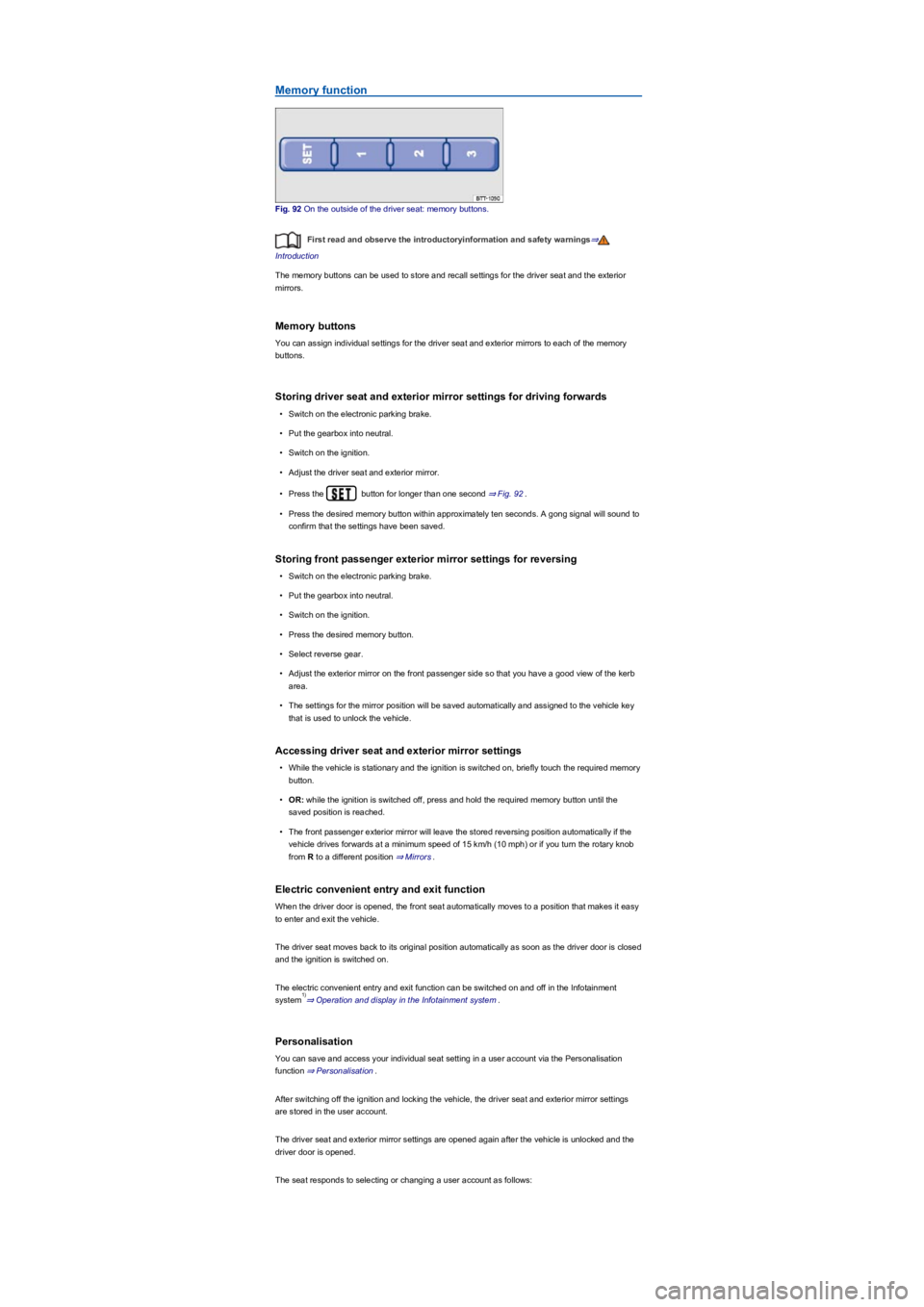
Fig. 92 On the outside of the driver seat: memory buttons.
First read and observe the introductoryinformation and safety warnings⇒
Introduction
The memory buttons can be used to store and recall settings for the driver seat and the exterior
mirrors.
Memory buttons
You can assign individual settings for the driver seat and exterior mirrors to each of the memory
buttons.
Storing driver seat and exterior mirror settings for driving forwards
•Switch on the electronic parking brake.
•Put the gearbox into neutral.
•Switch on the ignition.
•Adjust the driver seat and exterior mirror.
•Press the button for longer than one second ⇒ Fig. 92.
•Press the desired memory button within approximately ten seconds. A gong signal will sound to
confirm that the settings have been saved.
Storing front passenger exterior mirror settings for reversing
•Switch on the electronic parking brake.
•Put the gearbox into neutral.
•Switch on the ignition.
•Press the desired memory button.
•Select reverse gear.
•Adjust the exterior mirror on the front passenger side so that you have a good view of the kerb
area.
•The settings for the mirror position will be saved automatically and assigned to the vehicle key
that is used to unlock the vehicle.
Accessing driver seat and exterior mirror settings
•While the vehicle is stationary and the ignition is switched on, briefly touch the required memory
button.
•OR: while the ignition is switched off, press and hold the required memory button until the
saved position is reached.
•The front passenger exterior mirror will leave the stored reversing position automatically if the
vehicle drives forwards at a minimum speed of 15 km/h (10 mph) or if you turn the rotary knob
from R to a different position ⇒ Mirrors.
Electric convenient entry and exit function
When the driver door is opened, the front seat automatically moves to a position that makes it easy
to enter and exit the vehicle.
The driver seat moves back to its original position automatically as soon as the driver door is closed
and the ignition is switched on.
The electric convenient entry and exit function can be switched on and off in the Infotainment
system⇒ Operation and display in the Infotainment system.
Personalisation
You can save and access your individual seat setting in a user account via the Personalisation
function ⇒ Personalisation.
After switching off the ignition and locking the vehicle, the driver seat and exterior mirror settings
are stored in the user account.
The driver seat and exterior mirror settings are opened again after the vehicle is unlocked and the
driver door is opened.
The seat responds to selecting or changing a user account as follows:
1)
Page 99 of 341
•Vehicle stationary or moving no faster than 5 km/h: seat is moved. You can cancel the
movement at any time by touching the appropriate function button in the Infotainment system or
by pressing a button on the driver seat.
•Vehicle moving faster than 5 km/h: seat is not moved. All other setup configurations are
adopted.
If the driver door is opened later than approximately 10 minutes after unlocking the vehicle,
the driver seat and exterior mirrors are not automatically adjusted.
Some settings can be stored in the user accounts of the personalisation function and
therefore change automatically when the user account changes ⇒ Personalisation.
Only if the personalisation function is activated ⇒ Personalisation.
Centre armrest
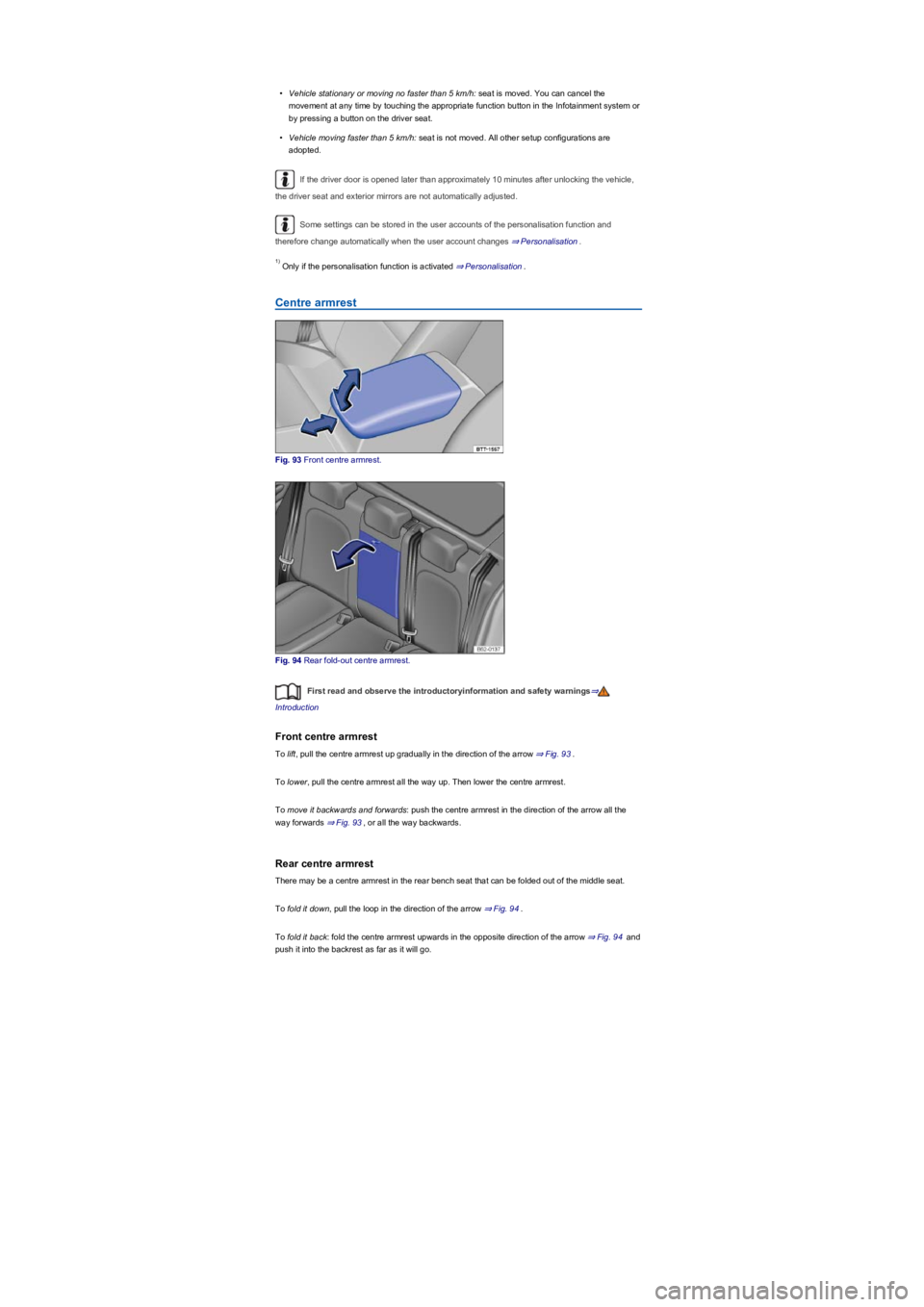
Fig. 93 Front centre armrest.
Fig. 94 Rear fold-out centre armrest.
First read and observe the introductoryinformation and safety warnings⇒
Introduction
Front centre armrest
To lift, pull the centre armrest up gradually in the direction of the arrow ⇒ Fig. 93.
To lower, pull the centre armrest all the way up. Then lower the centre armrest.
To move it backwards and forwards: push the centre armrest in the direction of the arrow all the
way forwards ⇒ Fig. 93, or all the way backwards.
Rear centre armrest
There may be a centre armrest in the rear bench seat that can be folded out of the middle seat.
To fold it down, pull the loop in the direction of the arrow ⇒ Fig. 94.
To fold it back: fold the centre armrest upwards in the opposite direction of the arrow ⇒ Fig. 94 and
push it into the backrest as far as it will go.
1)
Page 101 of 341
Convenience turn signal
To operate the convenience turn signal, push the turn signal and main beam lever up or down to
the point where you meet resistance and then release the lever. The turn signal flashes 3 times.
To cancel the convenience turn signal, immediately move the lever in the opposite direction up to
the pressure point and then release it.
The convenience turn signal can be activated and deactivated in the Infotainment system in
the Vehicle settings menu ⇒ Operation and display in the Infotainment system:
The hazard warning lights also work when the ignition is switched off ⇒ In an emergency.
Some settings can be stored in the user accounts of the personalisation function and
therefore change automatically when the user account changes ⇒ Personalisation.
Vehicle lighting
Switching lights on and off
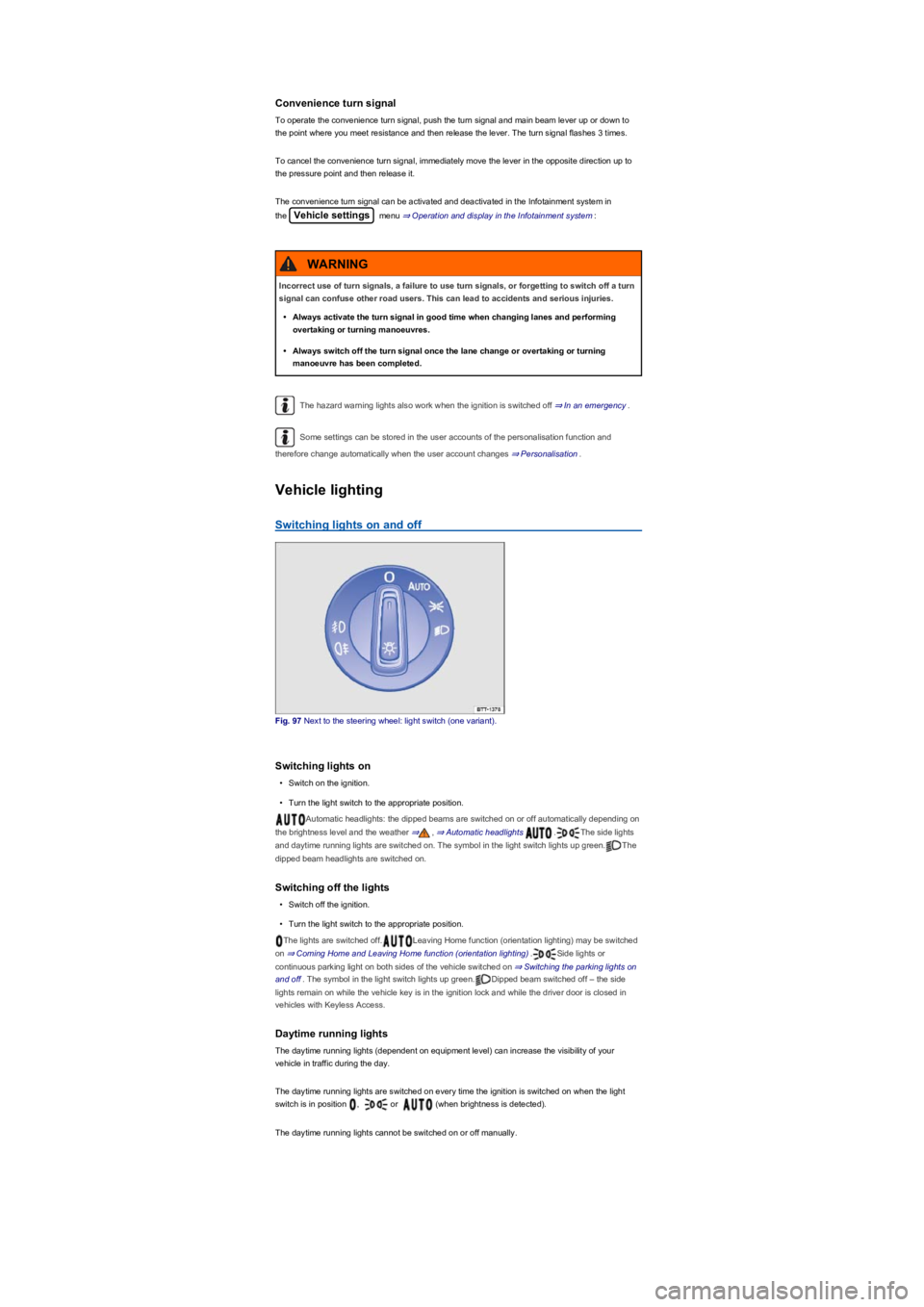
Fig. 97 Next to the steering wheel: light switch (one variant).
Switching lights on
•Switch on the ignition.
•Turn the light switch to the appropriate position.
Automatic headlights: the dipped beams are switched on or off automatically depending on
the brightness level and the weather ⇒, ⇒ Automatic headlights .The side lights
and daytime running lights are switched on. The symbol in the light switch lights up green.The
dipped beam headlights are switched on.
Switching off the lights
•Switch off the ignition.
•Turn the light switch to the appropriate position.
The lights are switched off.Leaving Home function (orientation lighting) may be switched
on ⇒ Coming Home and Leaving Home function (orientation lighting).Side lights or
continuous parking light on both sides of the vehicle switched on ⇒ Switching the parking lights on
and off. The symbol in the light switch lights up green.Dipped beam switched off – the side
lights remain on while the vehicle key is in the ignition lock and while the driver door is closed in
vehicles with Keyless Access.
Daytime running lights
The daytime running lights (dependent on equipment level) can increase the visibility of your
vehicle in traffic during the day.
The daytime running lights are switched on every time the ignition is switched on when the light
switch is in position , or (when brightness is detected).
The daytime running lights cannot be switched on or off manually.
Incorrect use of turn signals, a failure to use turn signals, or forgetting to switch off a turn
signal can confuse other road users. This can lead to accidents and serious injuries.
•Always activate the turn signal in good time when changing lanes and performing
overtaking or turning manoeuvres.
•Always switch off the turn signal once the lane change or overtaking or turning
manoeuvre has been completed.
WARNING
Page 102 of 341
When reverse gear is engaged, the cornering light on both sides of the vehicle switches on
to provide better illumination of the area when manoeuvring.
Switching the fog lights on and off
•Switching on the front fog lights : Pull the light switch ⇒ Fig. 97 out to the first stopper.
The indicator lamp in the light switch lights up green.
•Switching on the rear fog lights : pull the light switch all the way out. The indicator lamp
in the instrument cluster lights up yellow.
•To switch the fog lights off, press in the light switch or move it to position .
If the automatic headlights are switched on and the front or rear fog lights are
switched on, the dipped beam headlights will also be switched on irrespective of the current light
conditions outside.
In vehicles with a factory-fitted towing bracket: the vehicle's rear fog lights are switched off
automatically if a trailer with rear fog lights is electrically connected to the vehicle ⇒ Trailer towing.
Light functions
Side lights
If the light switch is in position both headlights light up with side lights together with parts of
the tail light clusters, number plate lighting and the buttons in the centre console and the dash
panel. The daytime running lights also switch on when the ignition is switched on.
If the vehicle is not locked from outside (when the ignition is switched off) the continuous parking
light on both sides of the vehicle switches on automatically after ten minutes to reduce 12-volt
vehicle battery discharge ⇒ Switching the parking lights on and off.
Automatic headlights
When the light switch is in position , the vehicle lighting and the instrument and switch
lighting will switch on and off automatically depending on the light conditions. When the lights are
switched on, the indicator lamp in the light switch lights up yellow.
The automatic headlight control function is merely an aid and will not always be able to detect all
driving situations.
In vehicles with a corresponding equipment level, the switch-on time for automatic headlight control
can be adjusted in the Infotainment system in the Vehicle settings menu ⇒ Operation and
display in the Infotainment system.
Cornering light
When cornering slowly or travelling around very tight bends, a static cornering light is switched on
automatically.
Accidents and serious injuries can occur if roads are not sufficiently illuminated and other
road users have difficulty seeing the vehicle, or cannot see it at all.
•The light assist functions are designed to provide assistance only. The driver is
responsible for making sure that the vehicle lights are switched on correctly.
•Always switch the dipped beam headlights on if it is dark, raining or visibility is poor.
WARNING
The side lights or daytime running lights are not bright enough to illuminate the road
ahead and to ensure that other road users are able to see you.
•Always switch the dipped beam headlights on if it is dark, raining or visibility is poor.
•The rear lights will not be switched on with the daytime running lights. If the rear lights
are not switched on, the vehicle may not be visible to other road users if it is dark,
raining, or if visibility is poor.
WARNING
The automatic headlights function ( ) switches the dipped beam headlights on and
off only when there is a change to the level of brightness.
•Switch on the dipped beam headlights manually if this is necessary due to particular
weather conditions, e.g. fog.
WARNING