My Car VOLVO S60 2018 Owner´s Manual
[x] Cancel search | Manufacturer: VOLVO, Model Year: 2018, Model line: S60, Model: VOLVO S60 2018Pages: 396, PDF Size: 9.4 MB
Page 4 of 396
2
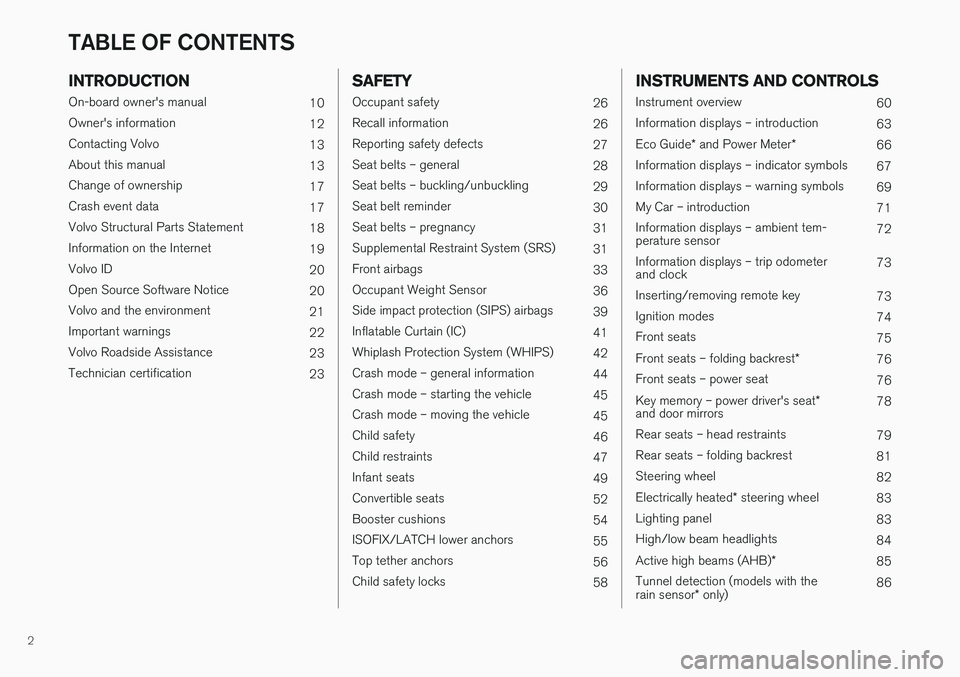
INTRODUCTION
On-board owner's manual10
Owner's information 12
Contacting Volvo 13
About this manual 13
Change of ownership 17
Crash event data 17
Volvo Structural Parts Statement 18
Information on the Internet 19
Volvo ID 20
Open Source Software Notice 20
Volvo and the environment 21
Important warnings 22
Volvo Roadside Assistance 23
Technician certification 23
SAFETY
Occupant safety26
Recall information 26
Reporting safety defects 27
Seat belts – general 28
Seat belts – buckling/unbuckling 29
Seat belt reminder 30
Seat belts – pregnancy 31
Supplemental Restraint System (SRS) 31
Front airbags 33
Occupant Weight Sensor 36
Side impact protection (SIPS) airbags 39
Inflatable Curtain (IC) 41
Whiplash Protection System (WHIPS) 42
Crash mode – general information 44
Crash mode – starting the vehicle 45
Crash mode – moving the vehicle 45
Child safety 46
Child restraints 47
Infant seats 49
Convertible seats 52
Booster cushions 54
ISOFIX/LATCH lower anchors 55
Top tether anchors 56
Child safety locks 58
INSTRUMENTS AND CONTROLS
Instrument overview 60
Information displays – introduction 63
Eco Guide * and Power Meter *
66
Information displays – indicator symbols 67
Information displays – warning symbols 69
My Car – introduction 71
Information displays – ambient tem- perature sensor 72
Information displays – trip odometerand clock 73
Inserting/removing remote key 73
Ignition modes 74
Front seats 75
Front seats – folding backrest *
76
Front seats – power seat 76
Key memory – power driver's seat *
and door mirrors 78
Rear seats – head restraints 79
Rear seats – folding backrest 81
Steering wheel 82
Electrically heated * steering wheel
83
Lighting panel 83
High/low beam headlights 84
Active high beams (AHB) *
85
Tunnel detection (models with the rain sensor * only) 86
TABLE OF CONTENTS
Page 6 of 396
4
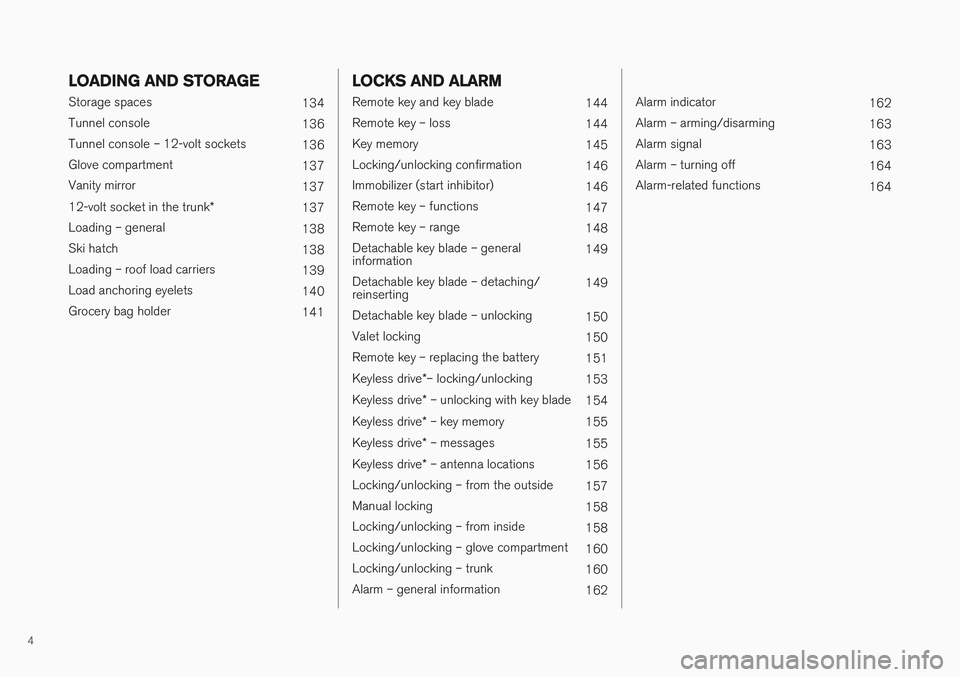
LOADING AND STORAGE
Storage spaces134
Tunnel console 136
Tunnel console – 12-volt sockets 136
Glove compartment 137
Vanity mirror 137
12-volt socket in the trunk *
137
Loading – general 138
Ski hatch 138
Loading – roof load carriers 139
Load anchoring eyelets 140
Grocery bag holder 141
LOCKS AND ALARM
Remote key and key blade144
Remote key – loss 144
Key memory 145
Locking/unlocking confirmation 146
Immobilizer (start inhibitor) 146
Remote key – functions 147
Remote key – range 148
Detachable key blade – general information 149
Detachable key blade – detaching/reinserting 149
Detachable key blade – unlocking 150
Valet locking 150
Remote key – replacing the battery 151
Keyless drive *– locking/unlocking
153
Keyless drive * – unlocking with key blade
154
Keyless drive * – key memory
155
Keyless drive * – messages
155
Keyless drive * – antenna locations
156
Locking/unlocking – from the outside 157
Manual locking 158
Locking/unlocking – from inside 158
Locking/unlocking – glove compartment 160
Locking/unlocking – trunk 160
Alarm – general information 162
Alarm indicator162
Alarm – arming/disarming 163
Alarm signal 163
Alarm – turning off 164
Alarm-related functions 164
Page 10 of 396
8
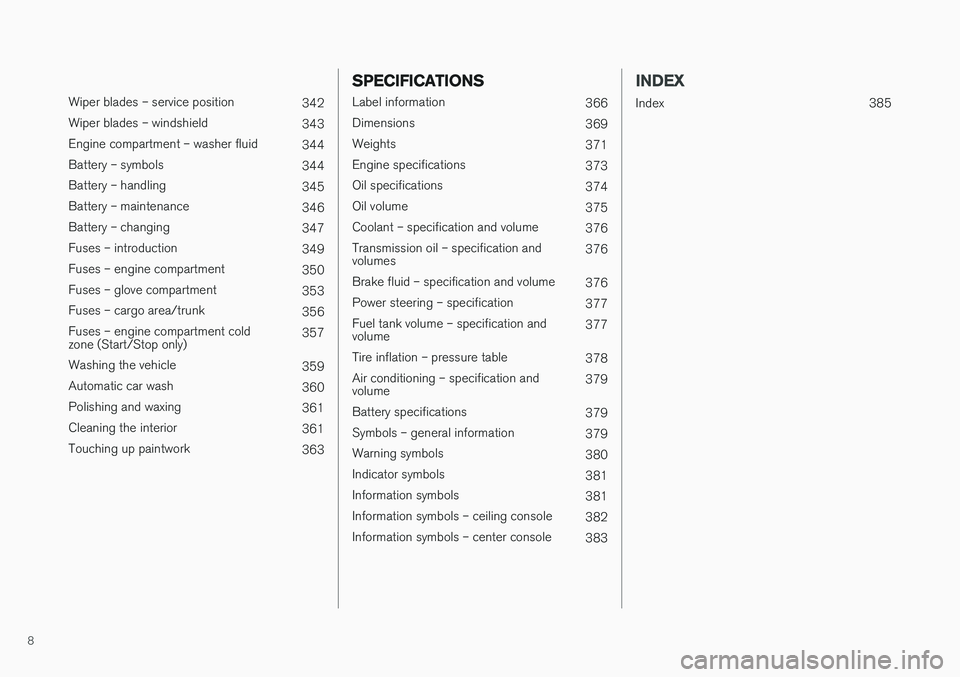
Wiper blades – service position342
Wiper blades – windshield 343
Engine compartment – washer fluid 344
Battery – symbols 344
Battery – handling 345
Battery – maintenance 346
Battery – changing 347
Fuses – introduction 349
Fuses – engine compartment 350
Fuses – glove compartment 353
Fuses – cargo area/trunk 356
Fuses – engine compartment cold zone (Start/Stop only) 357
Washing the vehicle 359
Automatic car wash 360
Polishing and waxing 361
Cleaning the interior 361
Touching up paintwork 363
SPECIFICATIONS
Label information366
Dimensions 369
Weights 371
Engine specifications 373
Oil specifications 374
Oil volume 375
Coolant – specification and volume 376
Transmission oil – specification and volumes 376
Brake fluid – specification and volume 376
Power steering – specification 377
Fuel tank volume – specification andvolume 377
Tire inflation – pressure table 378
Air conditioning – specification andvolume 379
Battery specifications 379
Symbols – general information 379
Warning symbols 380
Indicator symbols 381
Information symbols 381
Information symbols – ceiling console 382
Information symbols – center console 383
INDEX
Index 385
Page 12 of 396
INTRODUCTION
10
On-board owner's manual The owner's manual can be displayed on the center console screen and you can carry outsearches for the information that you require.
To open the owner's manual, press the MY CAR
button on the center console, press OK/MENU
and select
Owner's manual.
For basic information, see "Infotainment - operat- ing the system." The following sections also pro-vide more detailed information.
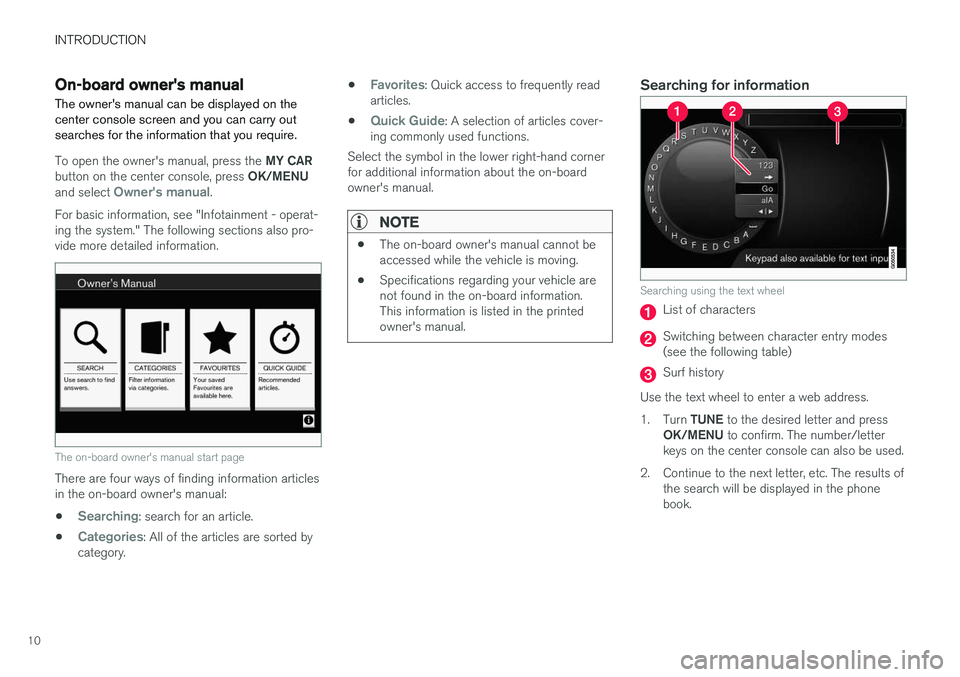
The on-board owner's manual start page
There are four ways of finding information articles in the on-board owner's manual:
•
Searching: search for an article.
•
Categories: All of the articles are sorted by
category. •
Favorites: Quick access to frequently read
articles.
•
Quick Guide: A selection of articles cover-
ing commonly used functions.
Select the symbol in the lower right-hand corner for additional information about the on-boardowner's manual.
NOTE
• The on-board owner's manual cannot be accessed while the vehicle is moving.
• Specifications regarding your vehicle arenot found in the on-board information.This information is listed in the printedowner's manual.
Searching for information
Searching using the text wheel
List of characters
Switching between character entry modes (see the following table)
Surf history
Use the text wheel to enter a web address. 1. Turn TUNE to the desired letter and press
OK/MENU to confirm. The number/letter
keys on the center console can also be used.
2. Continue to the next letter, etc. The results of the search will be displayed in the phone book.
Page 15 of 396
INTRODUCTION
}}
13
WARNING
The driver is always responsible for operating the vehicle in a safe manner and for comply-ing with current statutes and regulations. It is also essential to maintain and service the vehicle according to Volvo's recommendationsas stated in the owner's information and theservice and warranty booklet. If the on-board information differs from the printed owner's manual, the printed informa-tion always takes precedence.
Contacting Volvo
In the USA:Volvo Car USA, LLC
Customer Care Center 1 Volvo Drive,P.O. Box 914 Rockleigh, New Jersey 076471-800-458-1552www.volvocars.com/us In Canada: Volvo Car Canada Ltd. Customer Care Centre9130 Leslie Street, Suite 101Richmond Hill, Ontario L4B 0B91-800-663-8255www.volvocars.com/ca
Related information
• About this manual (p. 13)
• Important warnings (p. 22)
• Crash event data (p. 17)
• Volvo Structural Parts Statement (p. 18)
About this manual
Reading your owner's manual is a good way to familiarize yourself with the features and systemsin your vehicle.
• Before you operate your vehicle for the first time, we recommend that you look throughthe information found in the chapters "YourDriving Environment" and "During Your Trip."
• Information contained in the balance of themanual is extremely useful and should beread after operating the vehicle for the firsttime.
• The manual is structured so that it can beused for reference. For this reason, it shouldbe kept in the vehicle for ready access.
On-board owner's manualWhen the printed manual refers to the on-boardowner's manual, this pertains to the informationdisplayed on the center console screen. The language used on the center console screen and instrument panel can be changed in the
MY
CAR system settings menu.
NOTE
Please be aware that changing languages to one that you do not understand may make itdifficult to change back to the original lan-guage.
Page 16 of 396
||
INTRODUCTION
14There are four ways of finding information articles in the on-board owner's manual:
•
Searching: search for an article.
•
Categories: All of the articles are sorted by
category.
•
Favorites: Quick access to frequently read
articles.
•
Quick Guide: A selection of articles cover-
ing commonly used functions.
Select the symbol in the lower right-hand corner for additional information about the on-boardowner's manual.
NOTE
• The on-board owner's manual cannot be accessed while the vehicle is moving.
• Specifications regarding your vehicle arenot found in the on-board information.This information is listed in the printedowner's manual.
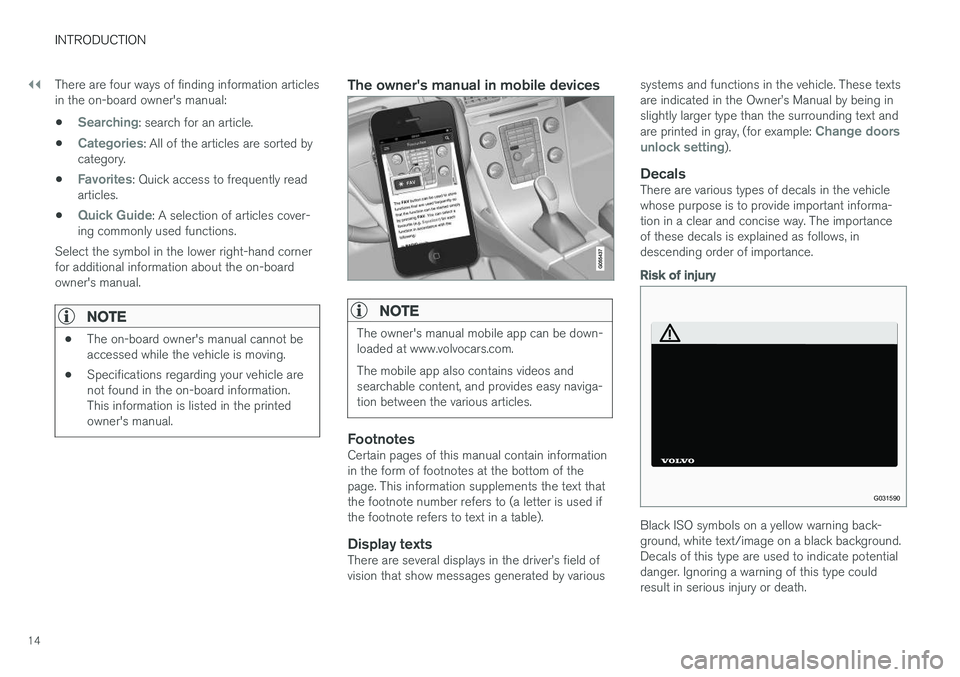
The owner's manual in mobile devices
NOTE
The owner's manual mobile app can be down- loaded at www.volvocars.com. The mobile app also contains videos and searchable content, and provides easy naviga-tion between the various articles.
FootnotesCertain pages of this manual contain information in the form of footnotes at the bottom of thepage. This information supplements the text thatthe footnote number refers to (a letter is used ifthe footnote refers to text in a table).
Display textsThere are several displays in the driver
Page 19 of 396
INTRODUCTION
}}
17
operation in the U.S., Canada and other countries.
• All information, illustrations and specifica-tions contained in this manual are based onthe latest product information available at thetime of publication. Please note that somevehicles may be equipped differently,depending on special legal requirements.Optional equipment described in this manualmay not be available in all markets.
• Some of the illustrations shown are genericand may not depict the exact model forwhich this manual is intended.
• Volvo reserves the right to make modelchanges at any time, or to change specifica-tions or design without notice and withoutincurring obligation.
Related information
•
Information on the Internet (p. 19)
• Volvo and the environment (p. 21)
• Important warnings (p. 22)
Change of ownership
When the vehicle changes owners, all personal settings should be reset to the factory defaults.
To reset, press the MY CAR button in the center
console followed by OK/MENU and select
SettingsReset to factory settings.
User data e.g., for apps, the web browser and for personal settings in menus such as the climatesystem and vehicle settings should be reset tofactory defaults. For vehicles equipped with the optional Volvo On Call, personal settings stored in the vehicleshould be deleted, see Changing ownership of avehicle with Volvo On Call.
Related information
• Volvo ID (p. 20)
Crash event data
This vehicle is equipped with an event data recorder (EDR). The main purpose of an EDR isto record, in certain crash or near crash-like sit-uations, such as an air bag deployment or hittinga road obstacle, data that will assist in under-standing how a vehicle's systems performed.The EDR is designed to record data related tovehicle dynamics and safety systems for a shortperiod of time, typically 30 seconds or less. TheEDR in this vehicle is designed to record suchdata as:
• How various systems in your vehicle were operating;
• Whether or not the driver and passengersafety belts were buckled/fastened;
• How far (if at all) the driver was depressingthe accelerator and/or brake pedal; and,
• How fast the vehicle was traveling.
These data can help provide a better understand-ing of the circumstances in which crashes andinjuries occur. EDR data are recorded by your vehicle only if a non-trivial crash situation occurs; no data arerecorded by the EDR under normal driving condi-tions and the EDR never registers who is drivingthe vehicle or the location of a crash or a nearcrash-like situation. However, other parties, suchas law enforcement, could combine the EDR datawith the type of personally identifying data rou-
Page 21 of 396
INTRODUCTION
* Option/accessory.19
quality of these used parts may also have been affected due to environmental exposure.
Related information
•
Important warnings (p. 22)
• Information on the Internet (p. 19)
• Contacting Volvo (p. 13)
Information on the Internet
Additional information regarding your vehicle can
be found at www.volvocars.com.
Support on the InternetGo to support.volvocars.com or use the QR code below to visit the site, which is available in mostmarkets.
QR code to the support site
The information on the support site is searchable and is grouped into different categories. Itincludes support for e.g., Internet-based servicesand functions, Volvo On Call (VOC), the naviga- tion system * and apps. Video and step-by-step
instructions explain various procedures such as how to connect the vehicle to the Internet via acell phone.
Downloadable information
Maps
Sensus Navigation system * maps can be down-
loaded from the support site.
Mobile apps
For certain model year 2014 and 2015 Volvos, the owner's manual is available in the form of an app. The VOC * app can also be found here.
Owner's manuals for earlier model Volvos
Owner's manuals for earlier model Volvos are available in PDF format. Quick Guides and sup-plements can also be found on the support site.Select a model and a model year and downloadthe desired information.
ContactContact information for customer support and thenearest Volvo retailer are available on the site.
Related information
• About this manual (p. 13)
• Contacting Volvo (p. 13)
Page 22 of 396
INTRODUCTION
* Option/accessory.
20
Volvo ID
This is your personal ID that can be used to access a number of services 1
Creating a Volvo IDTo create a Volvo ID, provide your personal email address and then follow the instructions providedin the email that you will receive from Volvo. Thiscan be done from: •
An Internet-connected vehicle: Enter your email address in the app that requires aVolvo ID and follow the instructions provides or press the Internet connect (
) button on
the center console and select Apps,Settings and follow the instructions provi-
ded.
• Volvo On Call (VOC
*): download the latest
version of the VOC app and create a Volvo ID on the start page.
Open Source Software Notice
The systems in your Volvo contain certain free/ open source and other software.
This product uses certain free / open source and other software originating from third parties, thatis subject to the GNU General Public Licenseversion 2 and 3 (GPLv2/GPLv3), GNU LesserGeneral Public License version 3 (LGPLv3), TheFreeType Project License (“FreeType License”)and other different and/or additional copyrightlicenses, disclaimers and notices. The links howto access the exact terms of GPLv2, GPLv3,LGPLv3, and the other open source softwarelicenses, disclaimers, acknowledgements andnotices are provided to you below. Please refer tothe exact terms of the relevant License, regardingyour rights under said licenses. Volvo CarCorporation (VCC) offers to provide the sourcecode of said free/open source software to youfor a charge covering the cost of performing suchdistribution, such as the cost of media, shippingand handling, upon written request. Pleasecontact your nearest Volvo retailer. This offer is valid for a period of at least three (3) years from the date of the distribution of thisproduct by VCC / or for as long as VCC offersspare parts or customer support. Portions of this product uses software copyrighted
© v2.4.3/2010 The FreeTypeProject
(www.freetype.org). All rights reserved. This product includes software under following licenses: GPL v2 : http://www.gnu.org/licenses/old- licenses/gpl-2.0.html
• Linux kernel (merge between MontaVista2.6.31 kernel and kernel fromL2.6.31_MX51_ER_1007 BSP)
• uBoot (based on v2009.08)
• busybox (based on version 1.13.2.)
GCC runtime library exception: http://www.gnu.org/licenses/gcc-exception.html
• libgcc_s.so.1
LGPL v3: http://www.gnu.org/licenses/lgpl.html • Libc.so.6, libpthread.so.0, Librt.so.1
The FreeType Project License: http:// www.freetype.org/FTL.TXT
• libfreetype.so.6 (version 2.4.3)
Related information
•
About this manual (p. 13)
1
These services vary and may be subject to change. Consult your Volvo retailer.
Page 23 of 396
INTRODUCTION
21
Volvo and the environment Volvo is committed to the well being of its cus- tomers. As a natural part of this commitment, wecare about the environment in which we all live.Concern for the environment means an everydayinvolvement in reducing our environmentalimpact.
Volvo's environmental activities are based on a holistic view, which means we consider the over-all environmental impact of a product throughoutits complete life cycle. In this context, design, pro-duction, product use, and recycling are all impor-tant considerations. In production, Volvo haspartly or completely phased out several chemicalsincluding CFCs, lead chromates, asbestos, andcadmium; and reduced the number of chemicalsused in our plants 50% since 1991. Volvo was the first in the world to introduce into production a three-way catalytic converter with aLambda sond, now called the heated oxygen sen-sor, in 1976. The current version of this highlyefficient system reduces emissions of harmfulsubstances (CO, HC, NOx) from the exhaust pipeby approximately 95 – 99% and the search toeliminate the remaining emissions continues.Volvo is the only automobile manufacturer tooffer CFC-free retrofit kits for the air conditioningsystem of all models as far back as the 1975model 240. Advanced electronic engine controlsand cleaner fuels are bringing us closer to ourgoal. In addition to continuous environmentalrefinement of conventional gasoline-poweredinternal combustion engines, Volvo is activelylooking at advanced technology alternative-fuelvehicles. When you drive a Volvo, you become our partner in the work to lessen the car's impact on theenvironment. To reduce your vehicle's environ-mental impact, you can:
• Maintain proper air pressure in your tires.Tests have shown decreased fuel economywith improperly inflated tires.
• Follow the recommended maintenanceschedule in your Warranty and ServiceRecords Information booklet.
• Drive at a constant speed whenever possible.
• See a trained and qualified Volvo servicetechnician as soon as possible for inspectionif the check engine (malfunction indicator)light illuminates, or stays on after the vehiclehas started.
• Properly dispose of any vehicle-related wastesuch as used motor oil, used batteries, brakepads, etc.
• When cleaning your vehicle, please use gen-uine Volvo car care products. All Volvo carcare products are formulated to be environ-mentally friendly.
FSC ®
The FSC
®
(Forest Stewardship Council ®
) symbol
indicates that the wood pulp used in this publica- tion comes from FSC ®
certified forests and other
responsible sources.
Related information
• Economical driving (p. 282)
• Tires – tire economy (p. 292)