brake VOLVO S60 TWIN ENGINE 2019 Manual PDF
[x] Cancel search | Manufacturer: VOLVO, Model Year: 2019, Model line: S60 TWIN ENGINE, Model: VOLVO S60 TWIN ENGINE 2019Pages: 645, PDF Size: 13.96 MB
Page 394 of 645

STARTING AND DRIVING
* Option/accessory.392
Starting the vehicle
The vehicle can be started using the start knobin the tunnel console when the remote key is inthe passenger compartment.
Start knob in the tunnel console.
WARNING
Before starting:
Buckle your seat belt.
Adjust the seat, steering wheel and mir-rors.
Make sure you can fully depress thebrake pedal.
The remote key is not physically used to start theignition because the vehicle is equipped with thekeyless Passive Start system.
To start the vehicle:
1.The remote key must be inside the vehicle.For vehicles with Passive Start, the key mustbe in the front section of the passengercompartment. With the optional keyless lock-ing/unlocking function*, the key can be any-where in the vehicle.
2. Press and hold down the brake pedal1 as faras possible.
3. Turn the start knob clockwise and release.The control will automatically return to theoriginal position.
WARNING
Never use more than one inlay mat at atime on the driver's floor. If any other typeof floor mat is used, remove the originalmat from the driver's seat floor beforedriving. All types of mats must be securelyanchored in the attachment points in thefloor. Make sure the floor mat does notimpede the movement of the brake pedalor accelerator pedal in any way, as thiscould be a serious safety hazard.
Volvo's floor mats are specially manufac-tured for your vehicle. They must be prop-erly secured in the attachment points inthe floor to help ensure they cannot slideand become trapped under the pedals.
The starter motor will crank until the enginestarts or until overheating protection is triggered.
During normal start conditions, the vehicle's elec-tric motor will be prioritized and the gasolineengine will remain off. This means that once thestart knob is turned clockwise, the electric motorhas been "started" and the vehicle is ready to bedriven. The warning and information symbols inthe instrument panel will go out and the selectedtheme will be displayed to indicate that the elec-tric motor is activated.
1If the vehicle is moving, it is only necessary to turn the start knob clockwise to start the engine.
Page 395 of 645
STARTING AND DRIVING
}}
393
In some situations, such as in cold weather or ifthe hybrid battery's charge level is too low, thegasoline engine will start instead.
The vehicle should not be started with the charg-ing cable connected. However, if the cable can-not be pulled out or if the vehicle incorrectlydetects a cable that is not connected, the vehiclecan be started using an override procedure:
1.Press the brake pedal and turn the startknob clockwise.
2.Charge cable Remove before start willappear in the instrument panel.
3.Turn the start knob clockwise again.
4.Removed? Turn and hold start knob 7swill appear. Turn the knob clockwise and holdit for 7 seconds to start the vehicle.
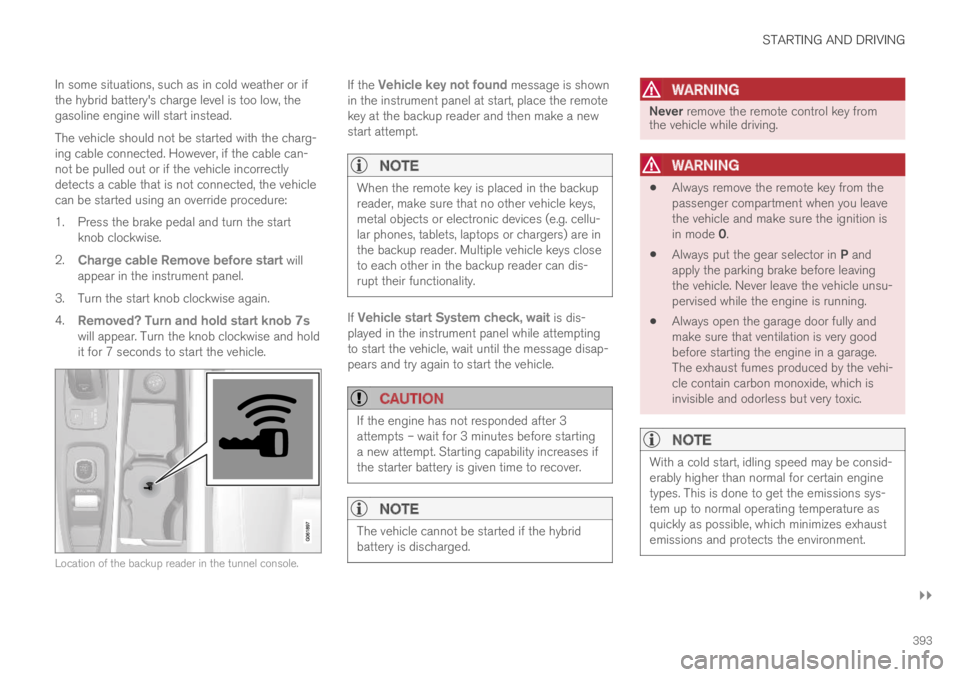
Location of the backup reader in the tunnel console.
If the Vehicle key not found message is shownin the instrument panel at start, place the remotekey at the backup reader and then make a newstart attempt.
NOTE
When the remote key is placed in the backupreader, make sure that no other vehicle keys,metal objects or electronic devices (e.g. cellu-lar phones, tablets, laptops or chargers) are inthe backup reader. Multiple vehicle keys closeto each other in the backup reader can dis-rupt their functionality.
If Vehicle start System check, wait is dis-played in the instrument panel while attemptingto start the vehicle, wait until the message disap-pears and try again to start the vehicle.
CAUTION
If the engine has not responded after 3attempts – wait for 3 minutes before startinga new attempt. Starting capability increases ifthe starter battery is given time to recover.
NOTE
The vehicle cannot be started if the hybridbattery is discharged.
WARNING
Never remove the remote control key fromthe vehicle while driving.
WARNING
Always remove the remote key from thepassenger compartment when you leavethe vehicle and make sure the ignition isin mode 0.
Always put the gear selector in P andapply the parking brake before leavingthe vehicle. Never leave the vehicle unsu-pervised while the engine is running.
Always open the garage door fully andmake sure that ventilation is very goodbefore starting the engine in a garage.The exhaust fumes produced by the vehi-cle contain carbon monoxide, which isinvisible and odorless but very toxic.
NOTE
With a cold start, idling speed may be consid-erably higher than normal for certain enginetypes. This is done to get the emissions sys-tem up to normal operating temperature asquickly as possible, which minimizes exhaustemissions and protects the environment.
Page 398 of 645

STARTING AND DRIVING
396
Selecting ignition mode
The vehicle's ignition can be put in variousmodes (levels) to make different functions availa-ble.
Selecting an ignition mode
Start knob in the tunnel console.
Ignition mode 0 – Unlock the vehicle andkeep the remote key in the passenger com-partment.
NOTE
To set level I or II without engine start – donot depress the brake pedal (or clutch pedalfor vehicles with manual transmission) whenselecting this ignition mode.
Ignition mode I – Turn the start knob clock-wise and release it. The control will automati-cally return to the original position.
Ignition mode II – Turn the start knobclockwise and hold it there forapprox. 5 seconds. Release the knob, whichwill automatically return to its original posi-tion.
Back to ignition mode 0 – To return toignition mode 0 from modes I and II, turn thestart knob clockwise and release it. The con-trol will automatically return to the originalposition.
Related information
Starting the vehicle (p. 392)
Switching off the vehicle (p. 394)
Ignition modes (p. 395)
Adjusting the steering wheel (p. 193)
Jump starting using another battery (p. 432)
Brake functions
The vehicle's brakes are used to reduce speedor prevent the vehicle from rolling.
In addition to the wheel brakes and parkingbrakes, the vehicle is also equipped with a num-ber of automatic brake assist functions. Thesesystems help the driver by e.g. keeping the vehi-cle stationary when the brake pedal is notdepressed (e.g. at a traffic light or intersection) orwhen starting up a hill.
Depending on how the vehicle is equipped, thefollowing brake assist functions may be included:
Auto-hold brake function at a standstill (AutoHold)
Hill Start Assist (Hill Start Assist)
Braking assist after a collision
City Safety
Related information
Brakes (p. 397)
Parking brake (p. 400)
Auto-hold brakes (p. 403)
Braking assist after a collision (p. 405)
Hill Start Assist (p. 405)
City Safety™ (p. 305)
Page 399 of 645

STARTING AND DRIVING
}}
397
Brakes
The brake pedal is used to apply the vehicle'sregular brakes, which are part of the brake sys-tem.
The vehicle is equipped with two brake circuits. Ifone brake circuit is damaged, the brake pedal willgo down further when depressed. More pressurewill then be required from the driver for normalbraking effect.
WARNING
The power brakes only work when the electricmotor or combustion engine is running.
If the brake pedal is used when the engine isswitched off, greater pressure must be applied tobrake the vehicle.
In very hilly areas or when driving with a heavyload, gear position B can be used to augment thebrakes with engine braking.
Anti-lock brakes
The vehicle is equipped with an Anti-lock Braking
System (ABS2), which helps prevent the wheelsfrom locking and helps maintain steering controlwhen braking. Vibrations may be felt from thebrake pedal when ABS is operating, which is nor-mal.
After the vehicle is started, a brief test of theABS system is automatically performed when thedriver releases the brake pedal. An additionalautomatic test of the system may be performedwhen the vehicle is traveling at a low speed. Dur-ing the test, the brake pedal may feel as though itis pulsating.
Light braking charges the hybrid battery
When the brakes are applied lightly, the electricmotor braking function is used. This converts thevehicle's kinetic energy into electrical energy,which is used to charge the hybrid battery. Whenthe battery is being charged with the electricmotor braking function, this will be indicated inthe instrument panel.
When the battery is being charged with the electricmotor braking function, this will be indicated in theinstrument panel.
This function is active at speeds in the range of150-5 km/h (93-3 mph). When braking atspeeds outside of this range, or during harderbraking, the hydraulic braking system is used toaugment braking. This is indicated in the instru-ment panel with the pointer down in the red area.
Symbols in the instrument panel
SymbolMeaning
A
B
Check the brake fluid level. If thelevel is low, fill brake fluid andcheck to determine the reason forthe loss of brake fluid.
A
B
Fault in pedal sensor.
2Anti-lock Braking System
Page 400 of 645

||
STARTING AND DRIVING
398
SymbolMeaning
A
B
Steady glow for 2 seconds afterthe engine is started: Automaticfunction check.
Steady glow for more than 2 sec-onds: Fault in the ABS system. Thevehicle's regular brake system isstill working, but without the ABSfunction.
If the message Brake pedal Cha-racteristics changed Servicerequired is displayed, the "Brake-by-wire" system is not functioningproperly. Greater pressure will berequired to brake the vehicle.
AIn Canada.BIn the US.
WARNING
If the warning symbols for both brake faultand ABS fault are lit simultaneously, theremay be a fault in the brake system.
If the brake fluid reservoir level is normalwhen this occurs, drive carefully to thenearest workshop to have the brake sys-tem checked - an authorized Volvo work-shop is recommended.
If the brake fluid has fallen below the MINlevel in the brake fluid reservoir, the vehi-cle should not be driven until the brakefluid has been filled. The reason for thebrake fluid loss must be checked.
Related information
Brake Assist System (p. 398)
Auto-hold brakes (p. 403)
Hill Start Assist (p. 405)
Braking on wet roads (p. 399)
Braking on salted roads (p. 399)
Maintenance of the brake system (p. 399)
Brake lights (p. 159)
Brake Assist System
The brake enhancing system, (BAS3), helpsincrease braking force and can thereby reducebraking distance.
The system monitors the driver's braking habitsand increases braking force when necessary.Braking force can be increased up to the point atwhich the ABS intervenes. The function is deacti-vated when pressure on the brake pedal isdecreased.
Related information
Brakes (p. 397)
3Brake Assist System
Page 401 of 645

STARTING AND DRIVING
399
Braking on wet roads
Prolonged driving in heavy rain without brakingmay cause braking effect to be slightly delayedthe first time the brakes are applied.
This may also occur after washing the vehicle. Itwill then be necessary to apply greater pressureto the brake pedal. You should therefore maintaina greater distance to the vehicle ahead.
Firmly apply the brakes after washing the vehicleor driving on wet roads. This helps warm up thebrake discs, enabling them to dry more quicklyand protecting them against corrosion. Considerthe current traffic situation when braking.
Related information
Brakes (p. 397)
Braking on salted roads (p. 399)
Braking on salted roads
When driving on salted roads, a layer of salt mayform on the brake discs and brake pads.
This could increase stopping distance. Maintainan extra large safety distance to the vehicleahead. Make sure to also:
Apply the brakes from time to time to helpremove salt. Make sure braking does notpose a risk to any other road users.
Gently apply the brakes when you have fin-ished driving and before driving again.
Related information
Brakes (p. 397)
Braking on wet roads (p. 399)
Maintenance of the brake system
Regularly check the brake system componentsfor wear.
To keep the vehicle as safe and reliable as possi-ble, follow the Volvo service schedule specified inthe Warranty and Maintenance Records Informa-tion booklet. New and replaced brake pads andbrake discs do not provide optimal braking effectuntil they are "broken in" by driving a few hun-dred kilometers (miles). Compensate for thereduced braking effect by applying greater pres-sure to the brake pedal. Volvo recommends onlyusing brake pads approved for your Volvo.
CAUTION
The brake system's components should beregularly checked for wear.
Contact a workshop for advice on how to dothis or let a workshop perform the inspection- an authorized Volvo workshop is recom-mended.
Related information
Brakes (p. 397)
Page 402 of 645
STARTING AND DRIVING
400
Parking brake
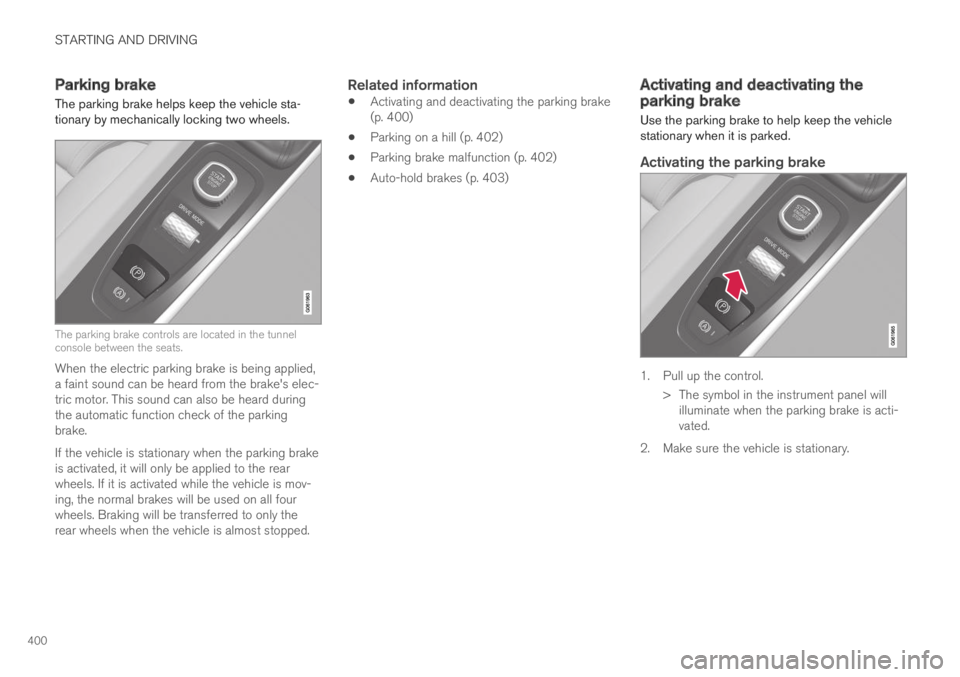
The parking brake helps keep the vehicle sta-tionary by mechanically locking two wheels.
The parking brake controls are located in the tunnelconsole between the seats.
When the electric parking brake is being applied,a faint sound can be heard from the brake's elec-tric motor. This sound can also be heard duringthe automatic function check of the parkingbrake.
If the vehicle is stationary when the parking brakeis activated, it will only be applied to the rearwheels. If it is activated while the vehicle is mov-ing, the normal brakes will be used on all fourwheels. Braking will be transferred to only therear wheels when the vehicle is almost stopped.
Related information
Activating and deactivating the parking brake(p. 400)
Parking on a hill (p. 402)
Parking brake malfunction (p. 402)
Auto-hold brakes (p. 403)
Activating and deactivating theparking brake
Use the parking brake to help keep the vehiclestationary when it is parked.
Activating the parking brake
1. Pull up the control.
>The symbol in the instrument panel willilluminate when the parking brake is acti-vated.
2. Make sure the vehicle is stationary.
Page 403 of 645
STARTING AND DRIVING
401
Symbol in the instrument panel
SymbolMeaning
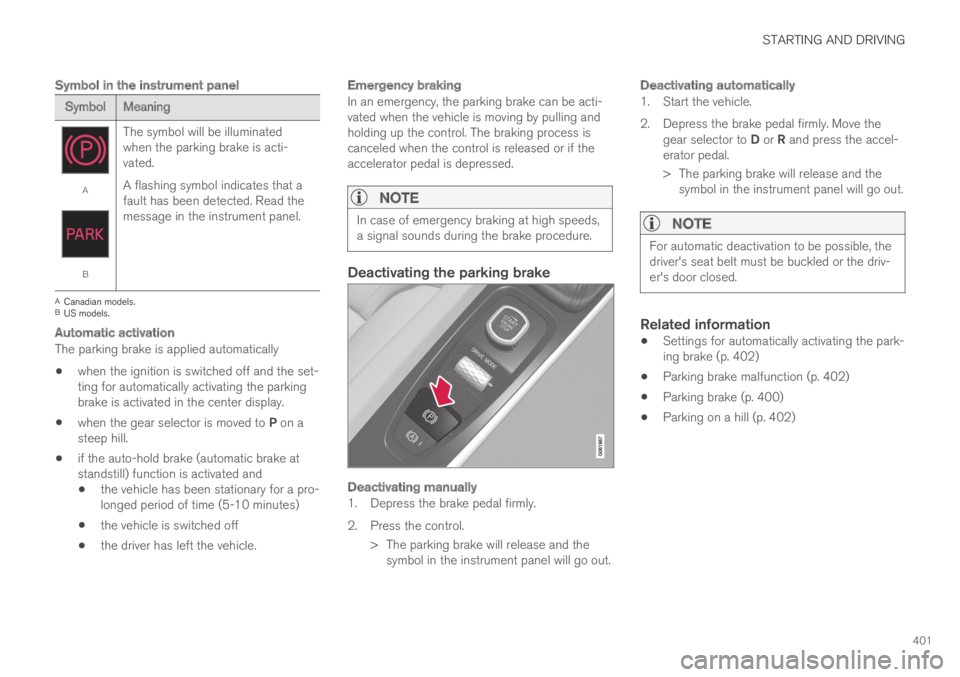
A
B
The symbol will be illuminatedwhen the parking brake is acti-vated.
A flashing symbol indicates that afault has been detected. Read themessage in the instrument panel.
ACanadian models.BUS models.
Automatic activation
The parking brake is applied automatically
when the ignition is switched off and the set-ting for automatically activating the parkingbrake is activated in the center display.
when the gear selector is moved to P on asteep hill.
if the auto-hold brake (automatic brake atstandstill) function is activated and
the vehicle has been stationary for a pro-longed period of time (5-10 minutes)
the vehicle is switched off
the driver has left the vehicle.
Emergency braking
In an emergency, the parking brake can be acti-vated when the vehicle is moving by pulling andholding up the control. The braking process iscanceled when the control is released or if theaccelerator pedal is depressed.
NOTE
In case of emergency braking at high speeds,a signal sounds during the brake procedure.
Deactivating the parking brake
Deactivating manually
1. Depress the brake pedal firmly.
2. Press the control.
> The parking brake will release and thesymbol in the instrument panel will go out.
Deactivating automatically
1. Start the vehicle.
2. Depress the brake pedal firmly. Move thegear selector to D or R and press the accel-erator pedal.
> The parking brake will release and thesymbol in the instrument panel will go out.
NOTE
For automatic deactivation to be possible, thedriver's seat belt must be buckled or the driv-er's door closed.
Related information
Settings for automatically activating the park-ing brake (p. 402)
Parking brake malfunction (p. 402)
Parking brake (p. 400)
Parking on a hill (p. 402)
Page 404 of 645

STARTING AND DRIVING
402
Settings for automatically activatingthe parking brake
Choose whether the parking brake should beactivated automatically when the vehicle isswitched off.
To change this setting:
1.Tap Settings in the center display's Topview.
2.Tap My CarParking Brake andSuspension and select or deselect theAuto Activate Parking Brake function.
Related information
Activating and deactivating the parking brake(p. 400)
Parking brake (p. 400)
Parking on a hill
Always use the parking brake when parking on ahill.
WARNING
Always apply the parking brake when parkingon an incline. Selecting a gear or putting theautomatic transmission in P may not be suffi-cient to keep the vehicle stationary in all sit-uations.
If the vehicle is pointing uphill:
Turn the front wheels so they are pointingaway from the curb.
If the vehicle is pointing downhill:
Turn the front wheels so they are pointingtoward the curb.
Heavy load uphill
Heavy loads, such as a trailer, could cause thevehicle to roll backward when the parking brakeis released automatically on steep uphill gradi-ents. To help avoid this, pull the control upwardwhile you are driving away. Release the controlwhen the vehicle gains traction.
Related information
Activating and deactivating the parking brake(p. 400)
Parking brake malfunction
If you are unable to deactivate or activate theparking brake after several attempts, contact anauthorized Volvo workshop.
A audible warning signal will sound if the parkingbrake is activated while the vehicle is beingdriven.
If the vehicle must be parked before the problemis rectified, turn the wheels as when parking onan incline and put the gear selector in P.
Low battery charge level
If the battery charge level is too low, it will not bepossible to activate or deactivate the parkingbrake. Connect an auxiliary battery to the vehicleif the battery is discharged.
Replacing brake pads
Due to the design of the electric parking brake,the rear brake pads must be replaced by a work-shop. An authorized Volvo workshop is recom-mended.
Page 405 of 645
STARTING AND DRIVING
}}
403
Symbols in the instrument panel
SymbolMeaning
A
B
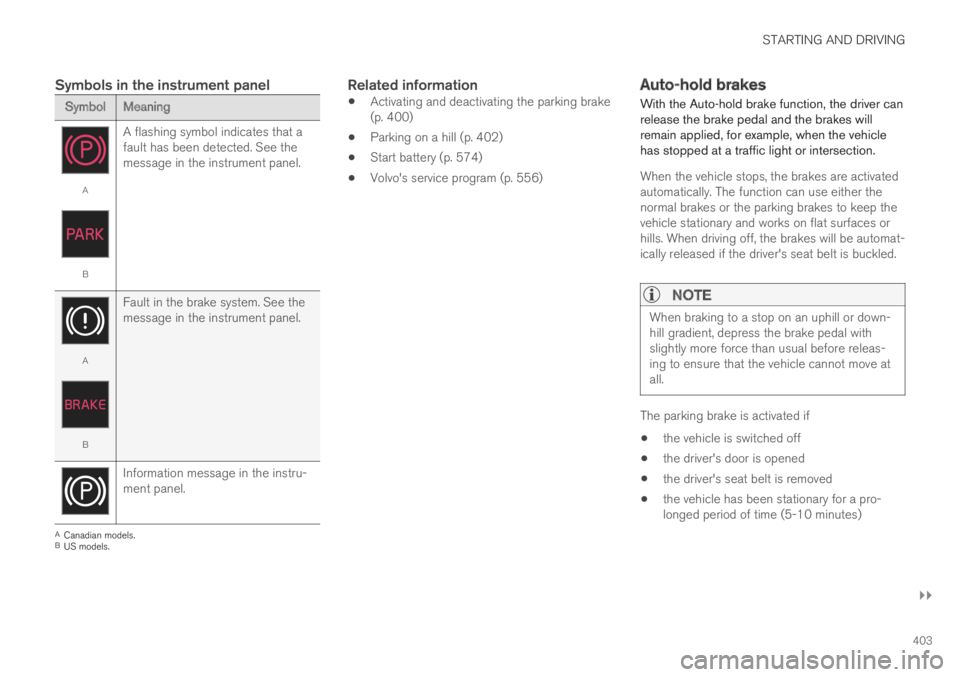
A flashing symbol indicates that afault has been detected. See themessage in the instrument panel.
A
B
Fault in the brake system. See themessage in the instrument panel.
Information message in the instru-ment panel.
ACanadian models.BUS models.
Related information
Activating and deactivating the parking brake(p. 400)
Parking on a hill (p. 402)
Start battery (p. 574)
Volvo's service program (p. 556)
Auto-hold brakes
With the Auto-hold brake function, the driver canrelease the brake pedal and the brakes willremain applied, for example, when the vehiclehas stopped at a traffic light or intersection.
When the vehicle stops, the brakes are activatedautomatically. The function can use either thenormal brakes or the parking brakes to keep thevehicle stationary and works on flat surfaces orhills. When driving off, the brakes will be automat-ically released if the driver's seat belt is buckled.
NOTE
When braking to a stop on an uphill or down-hill gradient, depress the brake pedal withslightly more force than usual before releas-ing to ensure that the vehicle cannot move atall.
The parking brake is activated if
the vehicle is switched off
the driver's door is opened
the driver's seat belt is removed
the vehicle has been stationary for a pro-longed period of time (5-10 minutes)