phone VOLVO S60 TWIN ENGINE 2020 Manual PDF
[x] Cancel search | Manufacturer: VOLVO, Model Year: 2020, Model line: S60 TWIN ENGINE, Model: VOLVO S60 TWIN ENGINE 2020Pages: 657, PDF Size: 13.6 MB
Page 510 of 657

||
AUDIO, MEDIA AND INTERNET
508This product contains software licensed under GNU General Public License (GPL) or GNULesser General Public License (LGPL), etc. You have the right of acquisition, modification, and distribution of the source code of theGPL/LGPL software. You may download Source Code from the following website at no charge: http://www.embedded-carmultimedia.jp/linux/oss/download/TVM_8351_013 The website provides the Source Code "As Is" and without warranty of any kind. By downloading Source Code, you expressly assume all risk and liability associated withdownloading and using the Source Code andcomplying with the user agreements thataccompany each Source Code. Please note that we cannot respond to any inquiries regarding the source code.
camellia:1.2.0Copyright (c) 2006, 2007 NTT (Nippon Telegraph and Telephone Corporation). All rights reserved. Redistribution and use in source and binary forms, with or without modification, are permitted provided that the following conditions are met:
1. Redistributions of source code must retain
the above copyright notice, this list of conditions and the following disclaimer as the first lines of this file unmodified.
2. Redistributions in binary form must reproduce the above copyright notice, thislist of conditions and the followingdisclaimer in the documentation and/orother materials provided with thedistribution.
THIS SOFTWARE IS PROVIDED BY NTT ``ASIS'' AND ANY EXPRESS OR IMPLIEDWARRANTIES, INCLUDING, BUT NOTLIMITED TO, THE IMPLIED WARRANTIESOF MERCHANTABILITY AND FITNESS FORA PARTICULAR PURPOSE AREDISCLAIMED. IN NO EVENT SHALL NTT BELIABLE FOR ANY DIRECT, INDIRECT,INCIDENTAL, SPECIAL, EXEMPLARY, ORCONSEQUENTIAL DAMAGES (INCLUDING,BUT NOT LIMITED TO, PROCUREMENT OFSUBSTITUTE GOODS OR SERVICES; LOSSOF USE, DATA, OR PROFITS; OR BUSINESSINTERRUPTION) HOWEVER CAUSED ANDON ANY THEORY OF LIABILITY, WHETHERIN CONTRACT, STRICT LIABILITY, OR TORT(INCLUDING NEGLIGENCE OROTHERWISE) ARISING IN ANY WAY OUTOF THE USE OF THIS SOFTWARE, EVEN IFADVISED OF THE POSSIBILITY OF SUCHDAMAGE.
Unicode: 5.1.0COPYRIGHT AND PERMISSION NOTICE Copyright c 1991-2013 Unicode, Inc. All rightsreserved. Distributed under the Terms of Usein http://www.unicode.org/copyright.html. Permission is hereby granted, free of charge, to any person obtaining a copy of the Unicodedata files and any associated documentation(the "Data Files") or Unicode software and anyassociated documentation (the "Software") todeal in the Data Files or Software withoutrestriction, including without limitation therights to use, copy, modify, merge, publish,distribute, and/or sell copies of the Data Filesor Software, and to permit persons to whomthe Data Files or Software are furnished to doso, provided that (a) the above copyrightnotice(s) and this permission notice appearwith all copies of the Data Files or Software,(b) both the above copyright notice(s) and thispermission notice appear in associateddocumentation, and (c) there is clear notice ineach modified Data File or in the Software aswell as in the documentation associated withthe Data File(s) or Software that the data orsoftware has been modified. THE DATA FILES AND SOFTWARE ARE PROVIDED "AS IS", WITHOUT WARRANTYOF ANY KIND, EXPRESS OR IMPLIED,INCLUDING BUT NOT LIMITED TO THEWARRANTIES OF MERCHANTABILITY,FITNESS FOR A PARTICULAR PURPOSEAND NONINFRINGEMENT OF THIRD PARTYRIGHTS. IN NO EVENT SHALL THE
Page 552 of 657

LOADING, STORAGE AND PASSENGER COMPARTMENT
* Option/accessory.
550
Passenger compartment interior
Overview of the passenger compartment interior and storage spaces.
Front seats
Storage compartment in door panel, glove compart- ment and sun visors.
Storage compartments with cup holders, electrical outlets and USB ports in the tunnel console.
Rear seat
Storage compartment in the door panel, cup holders *
in the center seat's backrest, storage pocket * in the
front seat's backrest and electrical outlets in the tun- nel console.
WARNING
Store loose objects, such as cell phone, camera, remote control for extra equip-ment, etc., in the glove compartment oranother compartment. Otherwise, thesecould injure people in the vehicle in theevent of hard braking or a collision.
CAUTION
Keep in mind that glossy surfaces can be easily scratched by e.g. metal objects. Donot place keys, phones or similar items onsensitive surfaces.
Related information
Electrical outlets (p. 552)
Using the glove compartment (p. 555)
Sun visors (p. 557)
Tunnel console (p. 551)
Connecting a device via the USB port (p. 478)
Page 553 of 657

LOADING, STORAGE AND PASSENGER COMPARTMENT
* Option/accessory.551
Tunnel console
The tunnel console is located between the front seats.
Storage compartment with cup holder.
Storage compartment with 12 V outlet and USB port under the armrest.
Climate control panel for the rear seats * or
storage compartment.
WARNING
Store loose objects, such as cell phone, camera, remote control for extra equip-ment, etc., in the glove compartment oranother compartment. Otherwise, thesecould injure people in the vehicle in theevent of hard braking or a collision.
CAUTION
Keep in mind that glossy surfaces can be easily scratched by e.g. metal objects. Donot place keys, phones or similar items onsensitive surfaces.
NOTE
One of the sensors for the alarm * is located
under the cup holder in the center console. Avoid placing coins, keys and other metalobjects in the cup holder as this could trig-ger the alarm.
Related information
Passenger compartment interior (p. 550)
Electrical outlets (p. 552)
Climate system controls (p. 209)
Page 554 of 657

LOADING, STORAGE AND PASSENGER COMPARTMENT
* Option/accessory.
552
Electrical outlets
There are two 12 V electrical outlets and one 120 V electrical outlet * in the tunnel console,
and one 12 V electrical outlet * in the trunk/
cargo compartment. If a problem occurs with an electrical socket, contact a workshop - an authorized Volvoworkshop is recommended.
12 V outlets
12 V outlet in the tunnel console, front seat.
The 12 V outlets can be used for devices intended for this such as MP3 players, coolersand cellular phones.
12 V outlet in the tunnel console, rear seat.
12 V outlet in trunk/cargo compartment *.
Electrical outlets in the tunnel console - rear seat *
Electrical outlets in the tunnel console, rear seat.
The high-voltage outlet * can be used for devi-
ces intended for this, such as chargers, lap- tops, etc.
High-voltage outlet status indicator
light
An LED 1
light on the outlet indicates its status:
1 LED (Light Emitting Diode)
Page 556 of 657

LOADING, STORAGE AND PASSENGER COMPARTMENT
* Option/accessory.
554
Using the electrical outlets
The 12 V outlet can be used for devices intended for this such as MP3 players, cool-ers and cellular phones. The high-voltage outlet * can be used for devi-
ces intended for this, such as chargers, lap- tops, etc.
The ignition must be in at least mode I for the
outlets to supply current. The outlets will then be active as long as there is sufficient chargein the start battery. If the engine is turned off and the vehicle is locked, the outlets will be deactivated. If theengine is turned off and the vehicle remainsunlocked, the sockets will remain active for upto 7 minutes.
NOTE
Bear in mind that using the electrical out- lets when the engine is off could cause thestarter battery to have too low of a chargelevel, which could limit other functionality. Accessories connected to the electrical outlets can be activated even when thevehicle electrical system is off or if precon-ditioning is used. For this reason, discon-nect plugs when they are not in use to pre-vent the starter battery from becoming dis-charged.
WARNING
Do not use accessories with large or heavy plugs – they could damage theoutlet or come loose while you are driv-ing.
Do not use accessories that couldcause disruptions to e.g. the vehicle'sradio receiver or electrical system.
Position the accessory so that there isno risk of it injuring the driver or pas-sengers in the event of heavy brakingor a collision.
Pay attention to connected accessoriesas they can generate heat that couldburn passengers or the interior.
Using 12 V outlets1. Remove the stopper (tunnel console) or
fold down the cover (trunk/cargo com-partment) over the socket and plug in thedevice.
2. Unplug the device and put the stopper back in (tunnel console) or fold up thecover (trunk/cargo compartment) whenthe socket is not in use or left unattended.
CAUTION
The maximum power is 120 W (10 A) per outlet.
Using high-voltage outletsThe ignition must be in at least mode I for the
outlets to supply current. The outlets will then be active as long as there is sufficient chargein the start battery. 1. Slide down the cover over the outlet and plug in the device. >
The LED 2
light on the outlet will indi-
cate its status.
2. The outlet is supplying electrical current when the light is glowing steadily green.
2LED (Light Emitting Diode)
Page 640 of 657

INDEX
638Automatic locking 254
Automatic relocking 234, 247
Automatic transmission 406, 407
kickdown 411
oil 633
Trailer 436
Auxiliary heater 227
B
Backrest front seat, adjusting 182, 183, 186, 187 , 188, 189
rear seat, folding 192
Battery Hybrid 583
jump-start 434
Maintenance 579
recycling 584
start 579
symbols on the battery 584
BLIS 321 activating/deactivating 322
limitations 323
Symbols and messages 324
Blower
adjusting 216
air distribution 204
air vents 204
Bluetooth connect 477
connecting vehicle to Internet 497
phone 487
settings 495
Book service and repair 567
Booster cushions 72 Brake assist after collision 406
Brake energy 397, 412Brake fluid grade 633
Brake functions 397
Brake position 407
Brakes 397 anti-lock brakes, ABS 397
automatic when stationary 404
Brake Assist System, BAS 399
brake lights 159
brake system 397
emergency brake lights 159
Maintenance 400
on salted roads 400on wet roads 399
parking brake 400
brake system fluid 633
C
Camera sensor
see Camera 300
Camera unit 300 limitations 301
maintenance and cleaning 305
Capacity weight 546, 629
Cargo compartment 557 attachment points 560
Car wash 610, 611, 613, 614, 615, 616
Catalytic converter 432 recovery 440
CD player 475
Cell phone, see Phone 488
Center console 551 Center display change appearance 128
cleaning 605
climate controls 209
Function view 119
keyboard 123
Page 642 of 657

INDEX
640Compass 446, 447
calibration 447
Condensation in headlights 611, 613, 614, 615
Connecting vehicle to Internet No connection or poor connection 501
via a mobile device (WiFi) 497
via cellular phone (Bluetooth) 497
via vehicle's modem 498
Connect phone 488
Contact information 26
Convertible seats 69
coolant 633 filling 576
Cooling system overheating 433
Cornering assistance 294 activating/deactivating 295
limitations 295
Cornering illumination 158
Corner Traction Control 261
Corrosion protection 616
Crash, see Collision 42
Crash event data 33
Cross Traffic Alert 325 activating/deactivating 326
limitations 326
messages 328
Cruise control 267 activating 268
manage speed 290
standby mode 269
turn off 269
Curb weight 629
Customer Privacy Policy 35
CZIP (Clean Zone Interior Package) 201
D
Data recording 33 transferring between vehicle and
workshop 565
Data sharing 502, 503
Daytime running lights 153 Decals location 624
Defrosting 214 Detecting obstacles City Safety 310
Dimensions 627
Dipstick, electronic 575
Direction of rotation 520 Display driver information 80
Display lighting 162
Distance Alert 265 activating/deactivating 266
limitations 266
Set time interval 291
DivX ®
476
Door mirrors 170 compass 446, 447
dimming 170
outer 170
power folding 171
resetting 171
store position 184, 185
Download Center 565 use 566
Driveline transmission 406
Drive mode 413 changing 417
driver support 293
Driver Alert Control 334 activating/deactivating 335
limitations 336
rest stop guidance 335
Page 647 of 657

INDEX
645
Max. axle weight 629
Max. roof load 629
Media player 471, 472, 473
compatible file formats 479
voice control 146
Messages and symbols Adaptive Cruise Control 277
Assistance at risk of collision 348
BLIS 324
City Safety 319
Cross Traffic Alert 328
Lane Keeping Aid 340
Park Assist Camera 362
Park Assist Pilot 371
Parking Assist 353
Pilot Assist 287
stability and traction control system 264
Messages in display 103, 137 handling 104, 138
saved 105, 138
Mileage 85 electric motor 423
Misting condensation in headlights 610, 613
Mood lighting 162 adjusting 162
O
Occupant safety 43
Occupant weight sensor 56
Octane rating 430
Oil, see also Engine oil 632
On-board diagnostics 562
On-board Diagnostic socket 37
Option/accessory 21
Outside temperature gauge 90
Overheating 433, 436
Owner's information 16
OWNER'S MANUAL 21environmental labeling 23
in cellular phone 20
in the center display 17, 18
P
Paddle at steering wheel 194 Paint
color code 618
paint damage and touch-up 617, 618
Panoramic roof 172 opening and closing 174
pinch protection 166
sun shade 176
ventilation position 175
Parallel parking 363
Park Assist Camera 354 activating 360
limitations 301
sensor field 359
Symbols and messages 362
trajectory lines 357
views 355
Park Assist Pilot 363 limitations 368
parallel parking 364
perpendicular parking 364
pulling out of a parking space 368
Symbols and messages 371
use 365
parking on hills 403
Parking Assist 349 activating/deactivating 351
front, rear and sides 350
limitations 351
Symbols and messages 353
Parking brake 400 activating/deactivating 401
automatic activation 402
Low battery charge level 403
Page 648 of 657
INDEX
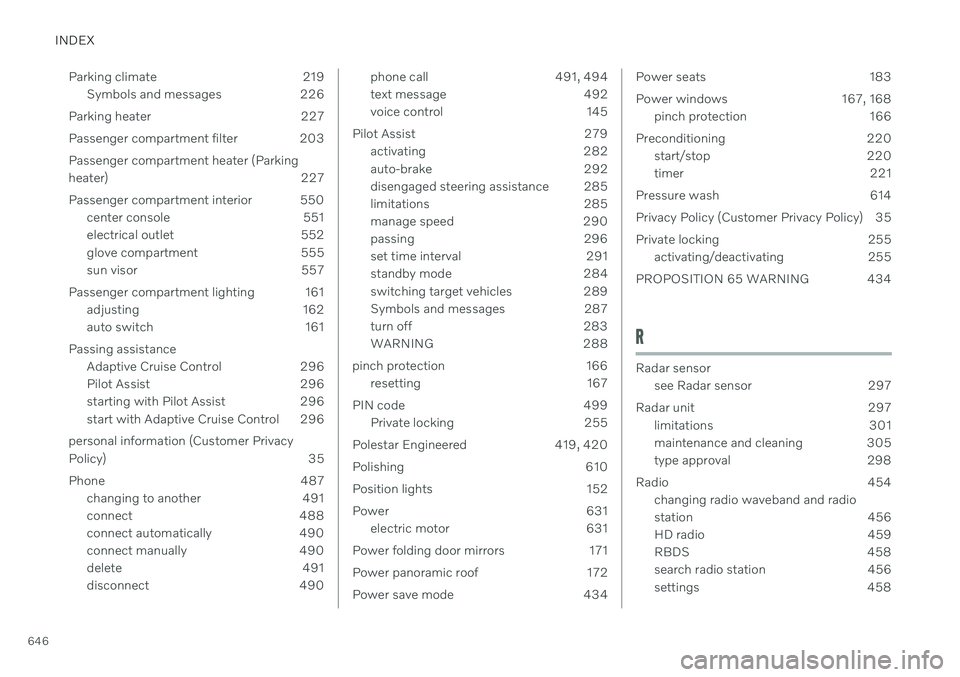
646Parking climate 219
Symbols and messages 226
Parking heater 227
Passenger compartment filter 203Passenger compartment heater (Parking
heater) 227
Passenger compartment interior 550 center console 551
electrical outlet 552
glove compartment 555
sun visor 557
Passenger compartment lighting 161 adjusting 162
auto switch 161
Passing assistance Adaptive Cruise Control 296
Pilot Assist 296
starting with Pilot Assist 296
start with Adaptive Cruise Control 296
personal information (Customer Privacy
Policy) 35
Phone 487 changing to another 491
connect 488
connect automatically 490
connect manually 490
delete 491
disconnect 490
phone call 491, 494
text message 492
voice control 145
Pilot Assist 279 activating 282
auto-brake 292
disengaged steering assistance 285
limitations 285
manage speed 290
passing 296
set time interval 291
standby mode 284
switching target vehicles 289
Symbols and messages 287
turn off 283
WARNING 288
pinch protection 166 resetting 167
PIN code 499 Private locking 255
Polestar Engineered 419, 420
Polishing 610
Position lights 152
Power 631 electric motor 631
Power folding door mirrors 171
Power panoramic roof 172
Power save mode 434Power seats 183
Power windows 167, 168 pinch protection 166
Preconditioning 220 start/stop 220
timer 221
Pressure wash 614
Privacy Policy (Customer Privacy Policy) 35
Private locking 255 activating/deactivating 255
PROPOSITION 65 WARNING 434
R
Radar sensor see Radar sensor 297
Radar unit 297 limitations 301
maintenance and cleaning 305
type approval 298
Radio 454 changing radio waveband and radio
station 456
HD radio 459
RBDS 458
search radio station 456
settings 458
Page 650 of 657

INDEX
648seat belt tensioner 50
securing child restraint systems 67,69
, 72
Seat belt tensioner 50 resetting 51
Seats heating 210, 211
manual front seat 182
power front seats 183
store position 184, 185
ventilation 211
whiplash protection 46
Security code 255 Sensors air quality 202
Camera unit 300
climate 198
Radar unit 297
Sensus connection and entertainment 30
Sensus Navigation Road Sign Information 331
Service position 620
Service program 562
Set time interval for Distance Alert 291
settings Categories 132
contextual 130
resetting 131
Shiftlock 410
Side airbag 60
Side Impact Protection System 60
SIM card 499
SIPS (Side Impact Protection System) 60Sirius Satellite radio Travel link 466
SiriusXM ® Satellite radio
traffic information 462, 463, 464
Ski hatch 560
Slippery conditions 425, 426
Slippery road conditions 426
Snow chains 540
Software updates 33
Sound experience 451
Sound settings 450, 493 phone 494
playing media 472, 473
text message 493
Spare tire 537 handling 538
Speed camera information 331Speed Limiter change speed 290
Speed symbols, tires 522
Spin control 261
Stability and traction control system 261 sport mode 262, 263
Symbols and messages 264
Stains 605, 607, 608, 609 Start and lock system type designations 245
Start battery 434, 579 overload 434
Start engine 392 Starting the engine after a collision 62
Start the vehicle 392
Steering assistance at risk of collision 343Steering power level, see Steering wheel
resistance 260
Steering wheel 194, 195 heating 212
keypad 194
paddle 194
steering wheel adjustment 195
Steering wheel keypad 194
Steering wheel paddles 409