change time VOLVO S80 2009 Owner´s Manual
[x] Cancel search | Manufacturer: VOLVO, Model Year: 2009, Model line: S80, Model: VOLVO S80 2009Pages: 288, PDF Size: 6.3 MB
Page 140 of 288
04 Comfort and driving pleasureAudio system
04140
If a new song is selected when the memory is
full, you will be prompted to press ENTER to
delete the last song on the list.
NOTE
The remaining songs in the list will move
down one position, and the newly added
song will be placed at the top of the list.Song seekWhen a satellite radio channel plays one of the
songs stored in the song memory, the listener
will be alerted by a text message and an audi-
ble signal.
PressENTER to listen to the song or EXIT to
cancel.
To activate/deactivate the song seek function:
1.
PressMENU
2.
Scroll to
Song seek
3.
PressENTER to activate or deactivate the
function.
NOTE
When the song has ended, the radio will
remain tuned to the channel on which the
song was played.
Radio textThe text that is displayed about the song that
is currently playing can be changed. Use the
AUTO button or the menu to display the Artist,
Title, Composer, or switch radio text off.Advanced settingsThis menu function enables you to make set-
tings on certain Sirius satellite radio functions.
To access this menu:
1.
PressMENU.
2. Scroll to the Sirius menu.
3.
Select
Advanced Sirius settings
.
WARNING
Settings should be made when the vehicle
is at a standstill.The following settings can be made in the Sir-
ius menu:•
The list of saved songs can be displayed
•
Channel skip settings can be made
•
Channel lock settings can be made
•
The channel access code can be displayed
or changed
•
Your Sirius ID can be displayed
Skip optionsThis function is used to remove a channel from
the list of available channels.Skipping a channel1.
Select
CHANNEL SKIP LIST
and press
ENTER.
2. Select a category in the list and press
ENTER.
3. Skip channels in the list presented by
pressingENTER or right arrow key.
Unskip all channelsThis permanently removes all channels from
the skip list and makes them available for
selection.Temp. unskip all ch.This function will temporarily unskip all chan-
nels and make them available for selection. The
channels remain on the skip list and will again
be skipped the next time the ignition is
switched on.Channel lockAccess to specific channels can be restricted
(locked). A locked channel will not provide
audio, song titles, or artist information.
NOTE
All channels are initially unlocked.
Page 141 of 288
04 Comfort and driving pleasure
Audio system
04
141
Locking a channel:1.
Select
Sirius ID
in the menu and select
LOCK OPTIONS
and press ENTER.
2.
Select
CHANNEL LOCK LIST
and press
ENTER
3.
Enter the channel access code6 and press
ENTER.
4. Select a category in the list and press
ENTER.
5. Lock channels in the list presented by
pressingENTER or right arrow.
The channel is now locked and a checked box
will be displayed to indicate this. It will be nec-
essary to enter the channel access code
6 in
order to listen to a locked channel.
Unlocking a channelA channel's access code
6 is required to unlock
a channel.
Unlock all channelsThis permanently removes all channels from
the locked list and makes them available for
selection.Temp. unlock all ch.This function will temporarily unlock all chan-
nels and make them available for selection. The
channels remain on the locked list and willagain be locked the next time the ignition is
switched on.
CHANGE CODEThis function makes it possible to change the
channel access code. The default code is
0000.
To change the code:
1.
Select
CHANGE CODE
and press
ENTER.
2.
Enter the current code and press ENTER.
3.
Enter the new code and press ENTER.
4.
Confirm the new code and press ENTER.
If an incorrect code is entered, the text
WRONG CODE!
is displayed.
If you have forgotten the access code:1.
Select
SIRIUS ID
in the Sirius settings
menu and press ENTER.
2.
Press and hold the ENTER button for
2 seconds.
3. The current code will be displayed.
Your Volvo retailer can also provide you with
assistance.
SIRIUS IDThis function displays the 12-digit Sirius acti-
vation ID.
6The default code is 0000. If you have changed the code and forgotten it, see the section "If you have forgotten the access code."
Page 145 of 288
04 Comfort and driving pleasure
Bluetooth hands-free connection
04``145
Ringing volumeGo to Phone settings
Sounds and volume
Ring volume and adjust the volume with
the
/
keys on the center console.
Ringing tonesThe hands-free system’s integrated ringing
tones can be selected in Phone settingsSounds and volume
Ring signal
Ring
signal 1,2,3....
NOTE
The connected cell phone’s ring tone is not
switched off when one of the hands-free
system's ringing tones is used.If you prefer to use the connected cell phone’s
ring tone
1, go to Phone settings
Sounds
and volume
Ring signal
Use mobile
phone signal
More information about registering
and connecting cell phonesA maximum of 5 cell phones can be registered
in the hands-free system. Registration only
needs to be done once for each phone. After
registration, the cell phone no longer needs to
be in sight or searchable. Only one cell phone
can be connected to hands-free at a time.
Phones can be unregistered in BluetoothRemove telephoneAutomatic connectionWhen the hands-free system is active and the
most recently connected cell phone is within
range, it is detected automatically. When the
audio system searches for the most recently
connected phone, this phone’s name appears
in the display. To manually connect a different
cell phone, press EXIT.Manual connectionTo connect a phone other than the one that
was most recently connected or to switch
between cell phones that are already regis-
tered in the hands-free system:
1. Put the audio system in telephone mode.
2.
PressPHONE in the center console and
select one of the phones on the list.A connection can also be established in the
menu system under Bluetooth
Connect
phone or Change phone.
Phone bookIn order to use the hands-free system’s phone
book (list of contacts),
TELEPHONE
must be
displayed at the top of the center console dis-
play and the
symbol must be visible.
The audio system stores a copy of the phone
book of each registered cell phone. The phone
book is automatically copied each time a
phone is connected. This function can be acti-
vated in Phone settings
Synchronise
phone book. Searches for contacts are only
made in the phone book of the currently con-
nected cell phone.
NOTE
If a particular cell phone does not support
copying of the phone book,
List is empty
will be displayed when copying has been
completed.If the phone book contains information about
someone who is trying to call you, this infor-
mation will be shown in the display.
1Not supported by all cell phones
Page 146 of 288
04 Comfort and driving pleasureBluetoothŸ hands-free connection
04146
Searching for contactsThe easiest way to search for a contact in the
phone book is to press and hold any of the
buttons2–9 (see the illustration on page 142).
This starts a search based on the first letter on
the button that has been pressed.
The phone book can also be accessed by
pressing the navigation buttons
/
on the
center console or by pressing
/
on the
steering wheel keypad. A search can also be
made in the phone book’s search menu in
Phone book
Search:
1. Enter the first letter of the contact’s name
and press ENTER or simply press ENTER.
2. Select the desired contact and press
ENTER to make a call to that person.
Voice controlIf the cell phone that is currently connected
allows calls to be made via voice commands,
this function can be used by pressing and hold-
ingENTER.Voice mail numberThe phone number to your voice mail can be
changed in the menu Phone settings
Call
options
Voice mail number. If no number
has been stored, this menu can be accessed
by a prolonged press on button 1. Once aphone number has been stored, press and hold
1 to dial this number.
Call listsLists of calls in a particular cell phone are cop-
ied to the hands-free system each time that
phone is connected. These lists are then upda-
ted while the phone is connected. Press
ENTER to show the most recently dialed num-
bers. Other call lists can be found under
Call
register
.NOTE
Certain cell phones display the list of the
most recently dialed numbers in reverse
order.Entering textText is entered by using the number buttons in
the center console. Press a button once to
enter the first letter on the button, twice to enter
the second letter, etc. Continue to press the
button to display other characters.
PressEXIT briefly to erase a character. Press
and hold EXIT to erase all of the characters that
have been entered. Use the
/
buttons on
the center console to navigate among the char-
acters.
Button
FunctionSpace
.1-? ! , : " ' ( )
A B C 2 Ä Å À Æ ÇD E F 3 È ÉG H I 4 ÌJ K L 5M N O 6 Ñ Ö Ò ØP Q R S 7 ßT U V 8 Ü ÙW X Y Z 9Press briefly if two characters are
to be entered in succession from
the same button.+ 0 @ * # & $ £ / %Shift between uppercase and
lowercase letters
Page 148 of 288
04 Comfort and driving pleasureRear Seat Entertainment - Dual Screen (RSE)–option
04148
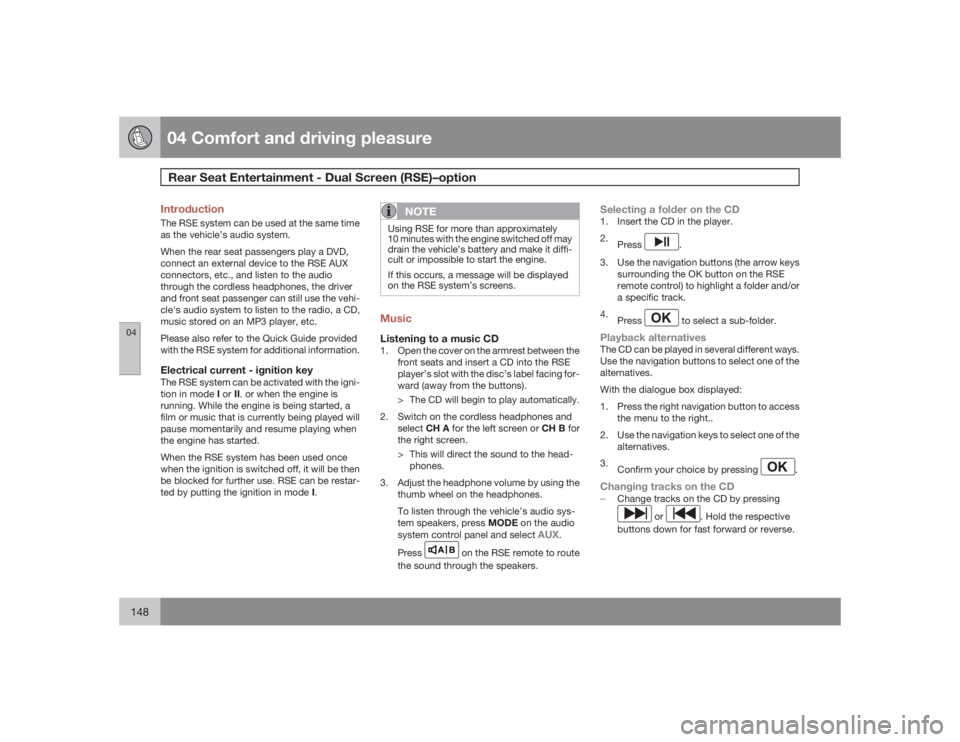
IntroductionThe RSE system can be used at the same time
as the vehicle’s audio system.
When the rear seat passengers play a DVD,
connect an external device to the RSE AUX
connectors, etc., and listen to the audio
through the cordless headphones, the driver
and front seat passenger can still use the vehi-
cle's audio system to listen to the radio, a CD,
music stored on an MP3 player, etc.
Please also refer to the Quick Guide provided
with the RSE system for additional information.Electrical current - ignition keyThe RSE system can be activated with the igni-
tion in mode I or II. or when the engine is
running. While the engine is being started, a
film or music that is currently being played will
pause momentarily and resume playing when
the engine has started.
When the RSE system has been used once
when the ignition is switched off, it will be then
be blocked for further use. RSE can be restar-
ted by putting the ignition in mode I.
NOTE
Using RSE for more than approximately
10 minutes with the engine switched off may
drain the vehicle’s battery and make it diffi-
cult or impossible to start the engine.
If this occurs, a message will be displayed
on the RSE system’s screens.MusicListening to a music CD1. Open the cover on the armrest between the
front seats and insert a CD into the RSE
player’s slot with the disc’s label facing for-
ward (away from the buttons).
> The CD will begin to play automatically.
2. Switch on the cordless headphones and
selectCH A for the left screen or CH B for
the right screen.
> This will direct the sound to the head-
phones.
3. Adjust the headphone volume by using the
thumb wheel on the headphones.
To listen through the vehicle’s audio sys-
tem speakers, press MODE on the audio
system control panel and select
AUX
.
Press
A B
on the RSE remote to route
the sound through the speakers.
Selecting a folder on the CD1. Insert the CD in the player.
2.
Press
.
3. Use the navigation buttons (the arrow keys
surrounding the OK button on the RSE
remote control) to highlight a folder and/or
a specific track.
4.
Press to select a sub-folder.
Playback alternativesThe CD can be played in several different ways.
Use the navigation buttons to select one of the
alternatives.
With the dialogue box displayed:
1. Press the right navigation button to access
the menu to the right..
2. Use the navigation keys to select one of the
alternatives.
3.
Confirm your choice by pressing
.
Changing tracks on the CD±
Change tracks on the CD by pressing
or
. Hold the respective
buttons down for fast forward or reverse.
Page 156 of 288
04 Comfort and driving pleasureActive chassis system–Four C
04156
Active chassis (Four C)–optionActive chassis, Four-C (Continuously Con-
trolled Chassis Concept), regulates the cha-
racteristics of the shock absorbers so that the
car's driving characteristics can be adjusted.
There are three settings: Comfort, Sport and
Advanced.ComfortComfort mode offers a somewhat softer ride
and the transmission shifts gears at lower rpm.
This mode is particularly suitable for long-dis-
tance highway driving. The indicator light in the
button will be on when this mode is selected.SportIn this mode, the vehicle's body sway is
reduced during cornering and steering
response is more immediate. The transmission
shifts up at higher rpm for sportier driving. The
indicator light in the button will be on to indi-
cate that Sport mode has been selected.AdvancedIn this mode, body sway in curves is minimal
and steering response is very direct. Gear shift-
ing is done at high rpm in each gear for
dynamic and active driving.
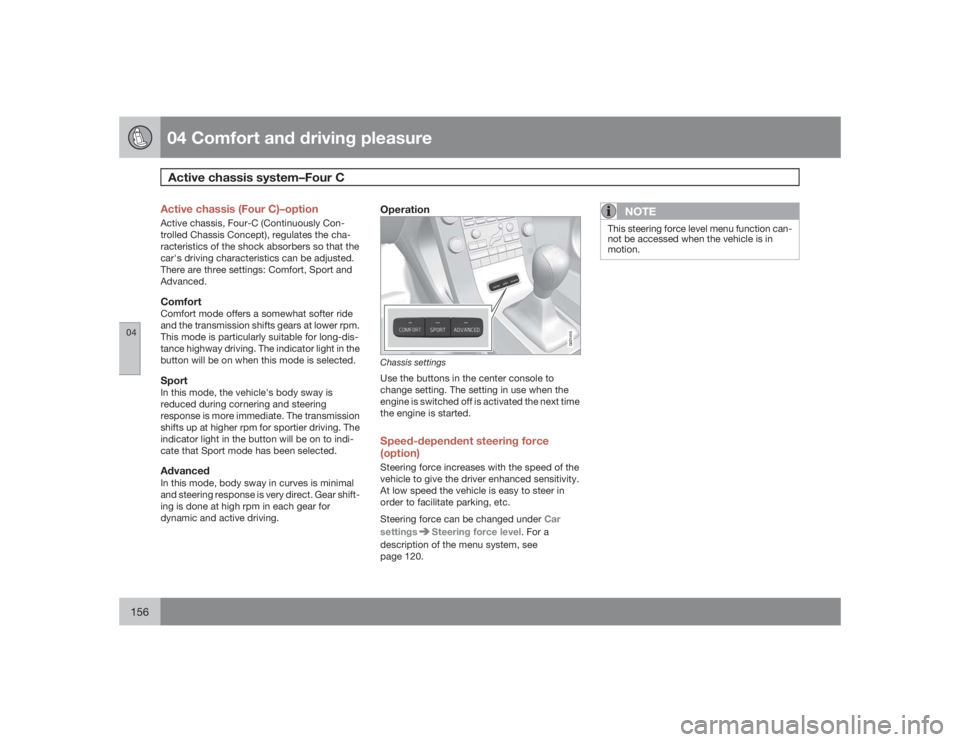
Operation
G021410
Chassis settingsUse the buttons in the center console to
change setting. The setting in use when the
engine is switched off is activated the next time
the engine is started.Speed-dependent steering force
(option)Steering force increases with the speed of the
vehicle to give the driver enhanced sensitivity.
At low speed the vehicle is easy to steer in
order to facilitate parking, etc.
Steering force can be changed under Car
settings
Steering force level. For a
description of the menu system, see
page 120.
NOTE
This steering force level menu function can-
not be accessed when the vehicle is in
motion.
Page 183 of 288
04 Comfort and driving pleasure
Blind Spot Information System (option)
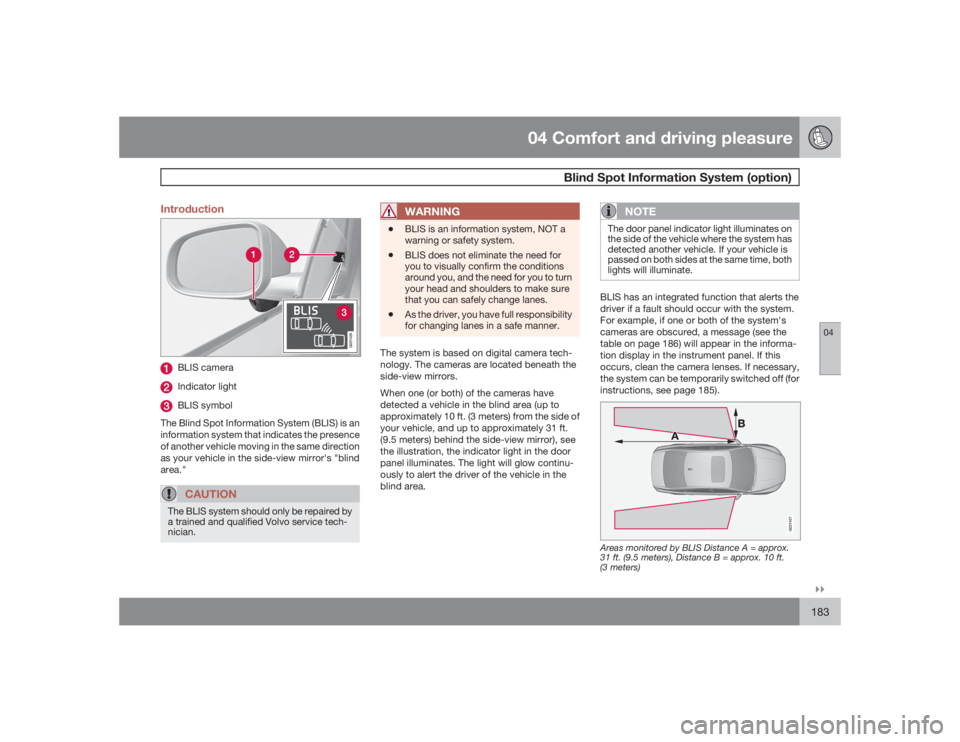
04``183 Introduction
G021426
BLIS cameraIndicator lightBLIS symbol
The Blind Spot Information System (BLIS) is an
information system that indicates the presence
of another vehicle moving in the same direction
as your vehicle in the side-view mirror's "blind
area."CAUTION
The BLIS system should only be repaired by
a trained and qualified Volvo service tech-
nician.
WARNING
•
BLIS is an information system, NOT a
warning or safety system.
•
BLIS does not eliminate the need for
you to visually confirm the conditions
around you, and the need for you to turn
your head and shoulders to make sure
that you can safely change lanes.
•
As the driver, you have full responsibility
for changing lanes in a safe manner.
The system is based on digital camera tech-
nology. The cameras are located beneath the
side-view mirrors.
When one (or both) of the cameras have
detected a vehicle in the blind area (up to
approximately 10 ft. (3 meters) from the side of
your vehicle, and up to approximately 31 ft.
(9.5 meters) behind the side-view mirror), see
the illustration, the indicator light in the door
panel illuminates. The light will glow continu-
ously to alert the driver of the vehicle in the
blind area.
NOTE
The door panel indicator light illuminates on
the side of the vehicle where the system has
detected another vehicle. If your vehicle is
passed on both sides at the same time, both
lights will illuminate.BLIS has an integrated function that alerts the
driver if a fault should occur with the system.
For example, if one or both of the system's
cameras are obscured, a message (see the
table on page 186) will appear in the informa-
tion display in the instrument panel. If this
occurs, clean the camera lenses. If necessary,
the system can be temporarily switched off (for
instructions, see page 185).
G021427
Areas monitored by BLIS Distance A = approx.
31 ft. (9.5 meters), Distance B = approx. 10 ft.
(3 meters)
Page 216 of 288
06 Maintenance and specificationsEngine oil
06216
Checking the engine oilThe oil level should be checked every time the
vehicle is refueled. This is especially important
during the period up to the first scheduled
maintenance service.•
See page 274 for oil specifications.
•
Refer to the Warranty and Service Records
Information booklet for information on the
oil change intervals.
Volvo recommends Castrol oil products.CAUTION
•
Not checking the oil level regularly can
result in serious engine damage if the oil
level becomes too low.
•
Oil that is lower than the specified qual-
ity can damage the engine.
•
Volvo does not recommend the use of
oil additives.
•
Always add oil of the same type and
viscosity as already used.
•
Never fill oil above the MAX mark. This
could cause an increase in oil consump-
tion.
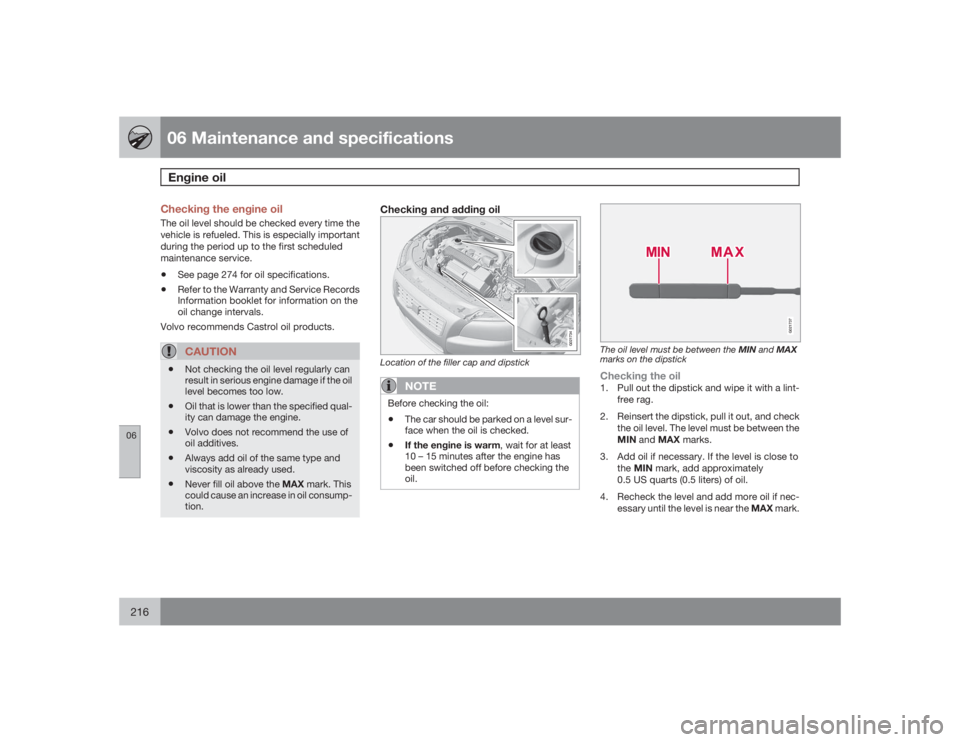
Checking and adding oil
G021734
Location of the filler cap and dipstick
NOTE
Before checking the oil:•
The car should be parked on a level sur-
face when the oil is checked.
•
If the engine is warm, wait for at least
10 – 15 minutes after the engine has
been switched off before checking the
oil.
G021737
The oil level must be between the MIN and MAX
marks on the dipstickChecking the oil1. Pull out the dipstick and wipe it with a lint-
free rag.
2. Reinsert the dipstick, pull it out, and check
the oil level. The level must be between the
MIN and MAX marks.
3. Add oil if necessary. If the level is close to
theMIN mark, add approximately
0.5 US quarts (0.5 liters) of oil.
4. Recheck the level and add more oil if nec-
essary until the level is near the MAX mark.
Page 235 of 288
06 Maintenance and specifications
Fuses
06``235
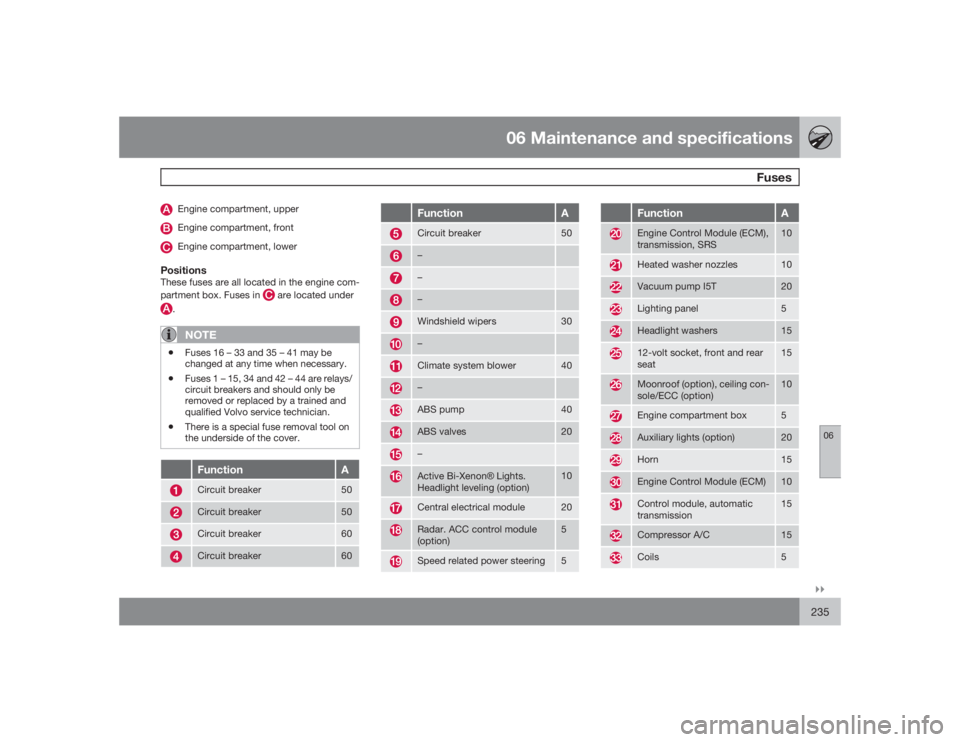
Engine compartment, upperEngine compartment, frontEngine compartment, lower
PositionsThese fuses are all located in the engine com-
partment box. Fuses in
are located under
.
NOTE
•
Fuses 16 – 33 and 35 – 41 may be
changed at any time when necessary.
•
Fuses 1 – 15, 34 and 42 – 44 are relays/
circuit breakers and should only be
removed or replaced by a trained and
qualified Volvo service technician.
•
There is a special fuse removal tool on
the underside of the cover.
Function
A
Circuit breaker
50
Circuit breaker
50
Circuit breaker
60
Circuit breaker
60
Function
A
Circuit breaker
50
–––Windshield wipers
30
–Climate system blower
40
–ABS pump
40
ABS valves
20
–Active Bi-XenonŸ Lights.
Headlight leveling (option)
10
Central electrical module
20
Radar. ACC control module
(option)
5
Speed related power steering
5
Function
A
Engine Control Module (ECM),
transmission, SRS
10
Heated washer nozzles
10
Vacuum pump I5T
20
Lighting panel
5
Headlight washers
15
12-volt socket, front and rear
seat
15
Moonroof (option), ceiling con-
sole/ECC (option)
10
Engine compartment box
5
Auxiliary lights (option)
20
Horn
15
Engine Control Module (ECM)
10
Control module, automatic
transmission
15
Compressor A/C
15
Coils
5
Page 263 of 288
06 Maintenance and specifications
Wheels and tires
06
263
WARNING
Incorrect inflation pressure could lead to tire
failure, resulting in a loss of control of the
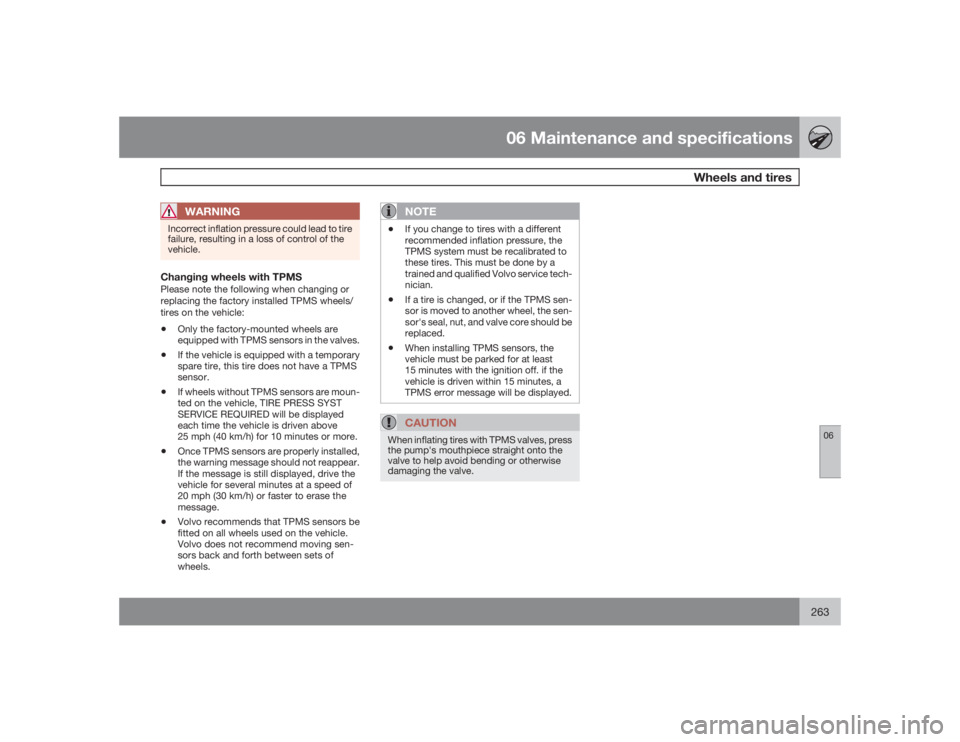
vehicle.Changing wheels with TPMSPlease note the following when changing or
replacing the factory installed TPMS wheels/
tires on the vehicle:•
Only the factory-mounted wheels are
equipped with TPMS sensors in the valves.
•
If the vehicle is equipped with a temporary
spare tire, this tire does not have a TPMS
sensor.
•
If wheels without TPMS sensors are moun-
ted on the vehicle, TIRE PRESS SYST
SERVICE REQUIRED will be displayed
each time the vehicle is driven above
25 mph (40 km/h) for 10 minutes or more.
•
Once TPMS sensors are properly installed,
the warning message should not reappear.
If the message is still displayed, drive the
vehicle for several minutes at a speed of
20 mph (30 km/h) or faster to erase the
message.
•
Volvo recommends that TPMS sensors be
fitted on all wheels used on the vehicle.
Volvo does not recommend moving sen-
sors back and forth between sets of
wheels.
NOTE
•
If you change to tires with a different
recommended inflation pressure, the
TPMS system must be recalibrated to
these tires. This must be done by a
trained and qualified Volvo service tech-
nician.
•
If a tire is changed, or if the TPMS sen-
sor is moved to another wheel, the sen-
sor's seal, nut, and valve core should be
replaced.
•
When installing TPMS sensors, the
vehicle must be parked for at least
15 minutes with the ignition off. if the
vehicle is driven within 15 minutes, a
TPMS error message will be displayed.CAUTION
When inflating tires with TPMS valves, press
the pump's mouthpiece straight onto the
valve to help avoid bending or otherwise
damaging the valve.