Air VOLVO S90 2017 Owner´s Manual
[x] Cancel search | Manufacturer: VOLVO, Model Year: 2017, Model line: S90, Model: VOLVO S90 2017Pages: 548, PDF Size: 11.42 MB
Page 305 of 548
DRIVER SUPPORT
}}
* Option/accessory.303
The following table shows some of the situations that can cause the message to be displayed andsuggested actions.
Cause
Action
The area of the wind- shield in front of thecamera/radar sensor isdirty or covered by ice orsnow. Clean the wind-shield or removethe ice/ snow.
Thick fog or heavy rain/snow blocks reduces thecamera/radar sensor'srange of visibility. No action. Thedriver should beextra alert in condi-tions of this type.
There is dirt betweenthe inside of the wind-shield and the camera/radar sensor. Have the area ofthe windshieldcleaned by atrained and quali-fied Volvo servicetechnician.
CAUTION
•
Service and maintenance on City Safety may only be carried out by a trained andqualified Volvo service technician.
• If a crack, scratch or stone chip shouldoccur in the section of the windshield infront the camera/radar sensor, contact atrained and qualified Volvo service techni-cian to repair or replace the windshield.Failing to do so may result in reducedCity Safety functionality.
• This can also result in certain functionsbeing reduced or disabled, or they mayrespond incorrectly.
To help avoid the risk of incorrect, reduced ordisabled functionality for driver support sys-tems using the camera or radar sensors:
• Volvo recommends that cracks, scratchesor stone chips on the windshield in front of the camera/radar sensor should
not
be repaired; in such cases, the entire windshield should be replaced.
• Before the windshield is replaced, con-tact a Volvo retailer to ensure that thecorrect windshield is ordered and instal-led. If the wrong type of windshield isused, this may cause City Safety to func-tion improperly or not at all.
• Volvo recommends the use of only Genu-ine Volvo Replacement Windshields.
• When replacing windshield wipers, use the same type or ones approved by Volvo.
After the windshield has been replaced, thecamera/radar sensor will have to be recalibra-ted by a trained and qualified Volvo servicetechnician to help ensure proper function ofall of the vehicle's camera-/radar-based sys-tems.
MaintenanceIn order for City Safety to function properly, the area of the windshield must be kept free of dirt,ice, snow, etc.
Other vehicle functionsIf a message is displayed in the instrument panel,this means that the other systems using the cam-era/radar sensor (see the list below) will not havefull functionality or may not function at all. The camera and radar sensor is used by the fol- lowing functions: • Distance Alert
*
• Driver Alert Control
*
• Adaptive Cruise Control
*
• Pilot Assist
*
• Run-off Mitigation
• Road Sign Information
*
• Active High Beams
*
• Lane Keeping Aid
*
Page 313 of 548

DRIVER SUPPORT
}}
* Option/accessory.311
Blind Spot Information (BLIS) *
limitations
Blind Spot Information functionality may be reduced in certain situations.
• Dirt, ice and snow on the sensors may reduce functionality and prevent the systemfrom providing warnings.
• Do not attach any objects, tape, decals, etc.,on the surface of the sensors.
• BLIS is deactivated if a trailer is attached tothe vehicle's electrical system.
Maintenance
The BLIS/CTA 5
sensors are located on the
inside of the rear fenders/bumper.
Keep the highlighted area clean (on both sides of the vehicle) - generic illustration
For the system to function optimally, the area over and around the sensors must be kept clean.
CAUTION
Repairs to the BLIS/CTA systems and/or repainting the rear bumper should only bedone by a trained and qualified Volvo servicetechnician.
Related information
• Blind Spot Information (BLIS)
* On/Off
(p. 310)
• Blind Spot Information (BLIS)
* (p. 309)
• Cross Traffic Alert (CTA)
* (p. 311)
Cross Traffic Alert (CTA) *
Cross Traffic Alert (CTA) is a supplementary part of Blind Spot Information and is intended todetect vehicles crossing behind your vehiclewhile you are backing up.
When does Cross Traffic Alert function
Principle for CTA
CTA supplements BLIS by warning the driver of crossing traffic behind your vehicle, for example,when backing out of a parking space. It is primarily designed to detect another vehicle but in certain cases may also detect pedestriansor smaller objects such as bicycles. CTA is only activated when the vehicle is rolling rearward or when the gear selector is put inreverse.
5 Cross Traffic Alert *
Page 316 of 548
||
DRIVER SUPPORT
* Option/accessory.
314
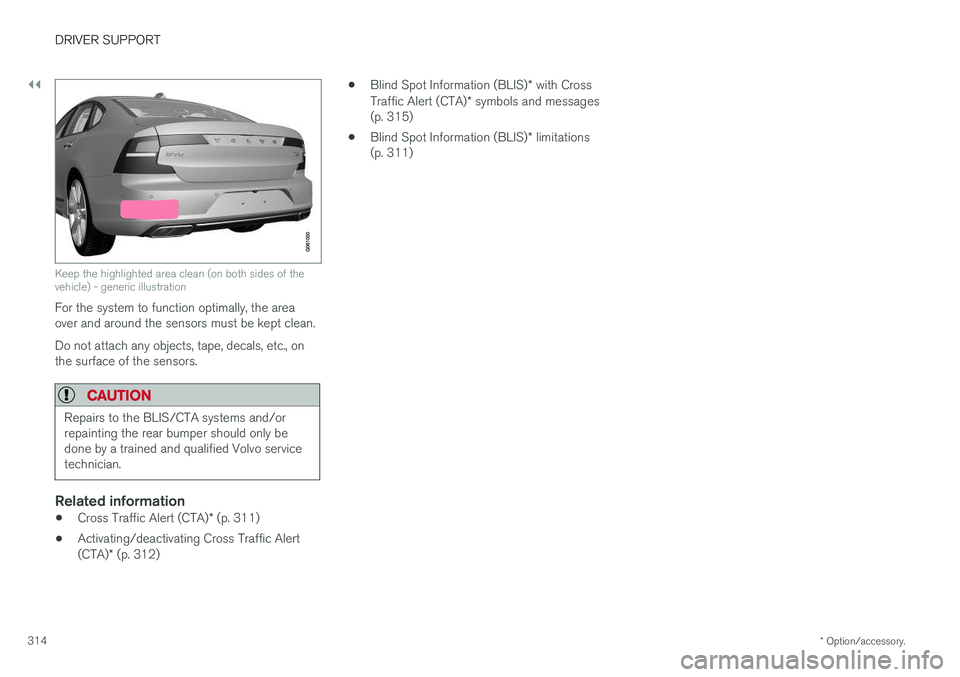
Keep the highlighted area clean (on both sides of the vehicle) - generic illustration
For the system to function optimally, the area over and around the sensors must be kept clean. Do not attach any objects, tape, decals, etc., on the surface of the sensors.
CAUTION
Repairs to the BLIS/CTA systems and/or repainting the rear bumper should only bedone by a trained and qualified Volvo servicetechnician.
Related information
• Cross Traffic Alert (CTA)
* (p. 311)
• Activating/deactivating Cross Traffic Alert (CTA)
* (p. 312) •
Blind Spot Information (BLIS)
* with Cross
Traffic Alert (CTA) * symbols and messages
(p. 315)
• Blind Spot Information (BLIS)
* limitations
(p. 311)
Page 339 of 548
DRIVER SUPPORT
}}
* Option/accessory.337
2.
Tap
My CarPark Assist.
3. Select
Rear View Instead of 360° to set
the rear view as default.
Related information
• Park Assist Camera (PAC)
* trajectory lines
and fields (p. 334)
• Park Assist Camera
* (PAC) limitations
(p. 337)
• Ignition modes (p. 370)
Park Assist Camera
* (PAC)
limitations
The Park Assist Camera system has certain limi- tations that the driver should be aware of.
NOTE
Bicycle carriers or other accessories mounted on the trunk lid may obstruct the camera'sfield of vision.
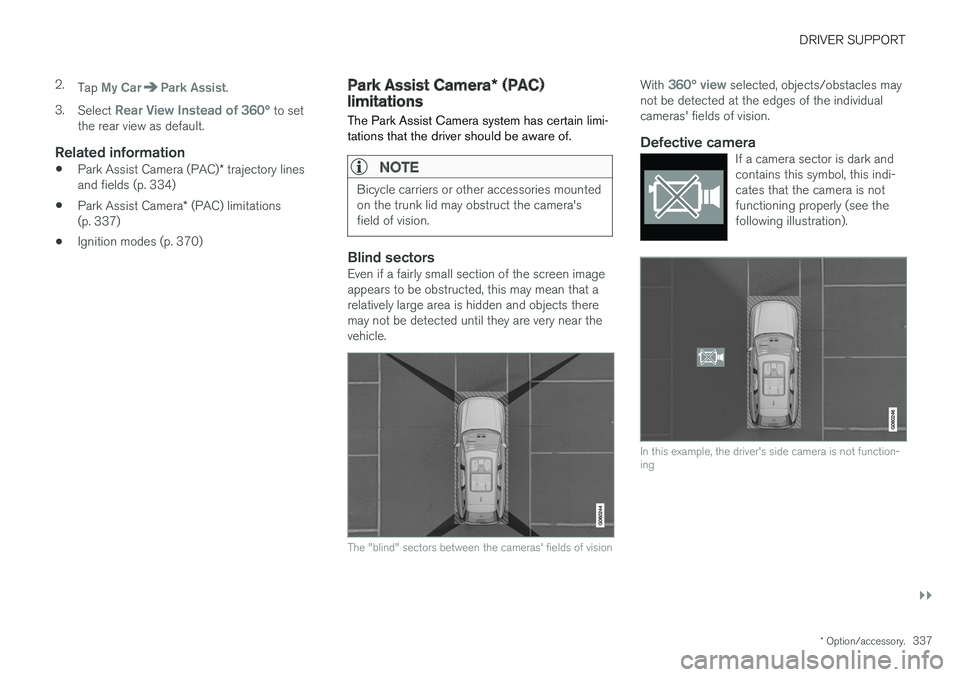
Blind sectorsEven if a fairly small section of the screen image appears to be obstructed, this may mean that arelatively large area is hidden and objects theremay not be detected until they are very near thevehicle.
The "blind" sectors between the cameras' fields of vision
With 360° view selected, objects/obstacles may
not be detected at the edges of the individual cameras' fields of vision.
Defective cameraIf a camera sector is dark andcontains this symbol, this indi-cates that the camera is notfunctioning properly (see thefollowing illustration).
In this example, the driver's side camera is not function- ing
Page 351 of 548
STARTING AND DRIVING
349
Turn Auto-hold on or off by pressing the control in the tunnel console. The indicator light illumi-nates when the function is on. When Auto-hold is off, Hill Start Assist (HSA) will be activated to help prevent the vehicle from roll-ing backwards when starting up a hill.
Instrument panel symbol
Symbol
Explanation
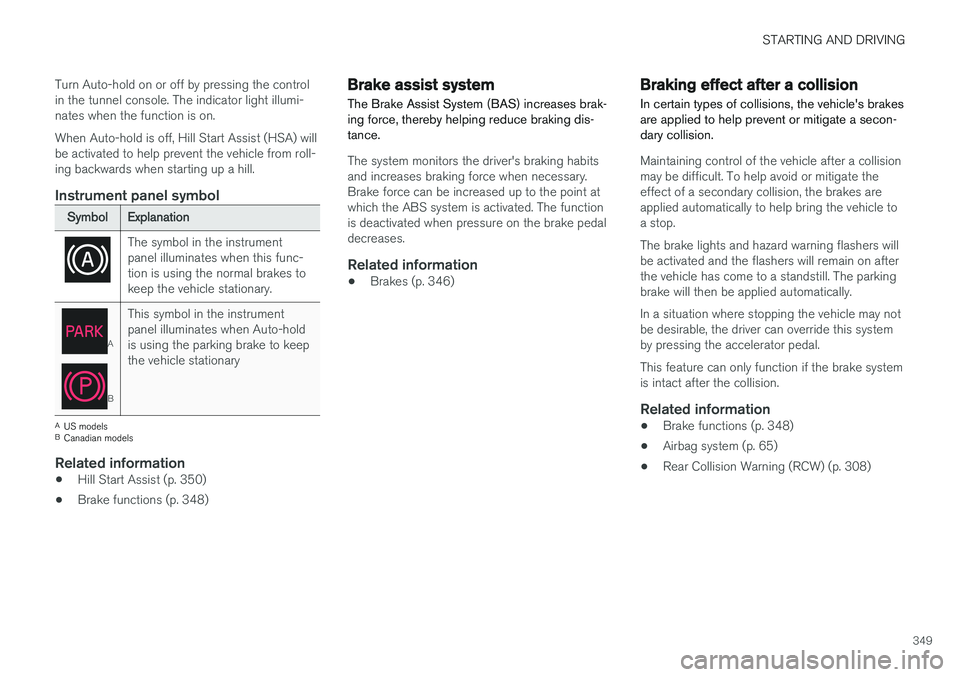
The symbol in the instrument panel illuminates when this func-tion is using the normal brakes tokeep the vehicle stationary.
A
BThis symbol in the instrument panel illuminates when Auto-holdis using the parking brake to keepthe vehicle stationary
A
US models
B Canadian models
Related information
• Hill Start Assist (p. 350)
• Brake functions (p. 348)
Brake assist system The Brake Assist System (BAS) increases brak- ing force, thereby helping reduce braking dis-tance.
The system monitors the driver's braking habits and increases braking force when necessary.Brake force can be increased up to the point atwhich the ABS system is activated. The functionis deactivated when pressure on the brake pedaldecreases.
Related information
•Brakes (p. 346)
Braking effect after a collision
In certain types of collisions, the vehicle's brakes are applied to help prevent or mitigate a secon-dary collision.
Maintaining control of the vehicle after a collision may be difficult. To help avoid or mitigate theeffect of a secondary collision, the brakes areapplied automatically to help bring the vehicle toa stop. The brake lights and hazard warning flashers will be activated and the flashers will remain on afterthe vehicle has come to a standstill. The parkingbrake will then be applied automatically. In a situation where stopping the vehicle may not be desirable, the driver can override this systemby pressing the accelerator pedal. This feature can only function if the brake system is intact after the collision.
Related information
• Brake functions (p. 348)
• Airbag system (p. 65)
• Rear Collision Warning (RCW) (p. 308)
Page 356 of 548
STARTING AND DRIVING
354in countries where it may be difficult to obtain the correct fuel.
• Consider your destination. If you will be driv-ing through an area where snow or ice arelikely to occur, consider using snow tires.
Driving economically
Better driving economy can be obtained by thinking ahead, avoiding rapid starts and stopsand adjusting the speed of your vehicle to imme-diate traffic conditions.
Economical driving conserves natural resources
Observe the following rules: • Bring the engine to normal operating tem- perature as soon as possible by driving witha light foot on the accelerator pedal for thefirst few minutes of operation. A cold engineuses more fuel and is subject to increasedwear.
• Whenever possible, avoid using the vehiclefor driving short distances. This does notallow the engine to reach normal operatingtemperature.
• Drive carefully and avoid rapid accelerationand hard braking.
• Use the transmission's Drive (
D) position as
often as possible and avoid using kick-down.
• Using the engine's Eco function can helpimprove fuel economy.
• Do not exceed posted speed limits.
• Avoid carrying unnecessary items (extra load)in the vehicle.
• Maintain correct tire pressure. Check tirepressure regularly (when the tires are cold). •
Use tires recommended by Volvo for yourvehicle.
• Remove snow tires when threat of snow orice has ended.
• Note that roof racks, ski racks, etc, increaseair resistance and also fuel consumption.
• At highway driving speeds, fuel consumptionwill be lower with the air conditioning on andthe windows closed than with the air condi-tioning off and the windows open.
• Using the onboard trip computer's fuel con-sumption modes can help you learn how todrive more economically.
Other factors that decrease gas mileage are:
• Dirty air cleaner
• Dirty engine oil and clogged oil filter
• Dragging brakes
• Incorrect front end alignment
Some of the above mentioned items and othersare checked at the standard maintenance inter-vals.
Handling and roadholding
• Vehicle load, tire design and inflation pres-sure all affect vehicle handling. Therefore,check that the tires are inflated to the rec-ommended pressure according to the vehicleload. Loads should be distributed so that
Page 357 of 548
STARTING AND DRIVING
}}
355
capacity weight or maximum permissible axle loads are not exceeded.
• At the specified curb weight your vehicle hasa tendency to understeer, which means thatthe steering wheel has to be turned morethan might seem appropriate for the curva-ture of a bend. This ensures good stabilityand reduces the risk of rear wheel skid.Remember that these properties can alterwith the vehicle load. The heavier the load inthe cargo compartment, the less the ten-dency to understeer.
Related information
•ECO drive mode (p. 377)
• Tire inflation pressure table (p. 532)
• Volvo and the environment (p. 15)
Driving through standing water
The vehicle should be driven with extreme cau- tion if it is necessary to drive through standingwater.
The vehicle can be driven through water up to a depth of approximately 9 in. (25 cm) at walkingspeed. Be particularly careful when drivingthrough flowing water. • Take particular care when driving through flowing water.
• After driving through water, apply the brakesand check that they are functioning correctly.
• Clean the electrical connections for trailerwiring after driving in mud or water.
• When driving through water, maintain lowspeed and do not stop in the water.
• Avoid driving through salt water if at all pos-sible to help avoid the risk of corrosion.
CAUTION
• Engine damage will occur if water is drawn into the air cleaner.
• Damage to any components, the engine,transmission, turbo-charger, differential orits internal components caused by flood-ing, vapor lock or insufficient oil is notcovered under warranty.
• Do not allow the vehicle to stand in waterup to the door sills longer than absolutelynecessary. This could result in electricalmalfunctions.
• If the engine has been stopped while thevehicle is in water, do not attempt torestart it. Have the vehicle towed out ofthe water.
WARNING
•
Avoid driving through standing or rushing water. Doing so can be dangerous and itmay also be difficult to determine theactual depth of the water.
• If water cannot be avoided, after drivingthrough the water, press lightly on thebrake pedal to ensure that the brakes arefunctioning normally. Water or mud canmake the brake linings slippery, resultingin delayed braking effect.
Page 358 of 548
||
STARTING AND DRIVING
356
Related information
•Towing recommendations (p. 359)
Overheating the engine and transmission
In demanding driving conditions, such as when transporting heavy loads, driving in mountainousareas or in very hot weather there is a risk ofoverheating the engine or transmission.
• The engine's output may be slightly limited if there is a risk of overheating.
• Remove e.g., auxiliary lights mounted in frontof the grille in hot weather.
• If the temperature of the engine coolantbecomes too high, the warning symbol will illuminate and the message
Engine
temperature/Stop safely will be displayed.
Stop the vehicle as soon as possible in a safe place and let the engine idle for severalminutes.
• If the message
Engine temperature/High
temperature Turn off engine or Engine
coolant/Stop safely is displayed, stop
safely and turn off the engine.
• If the transmission begins to overheat, an alternative gear shifting program will beselected. An integrated protective functionwill also by activated, the warning symbol will illuminate and the message
Transmission
warmHigh temperature Reduce speed
or Transmission warmStop safely, wait
for cooling will be displayed in the instru-
ment panel. •
The air conditioning may be switched off temporarily.
• After a prolonged period of driving, do notturn off the engine immediately after stop-ping.
• The engine cooling fan commonly continuesto run for several minutes after the enginehas been turned off.
WARNING
The cooling fan (located at the front of the engine compartment, behind the radiator) maystart or continue to operate (for up to6 minutes) after the engine has beenswitched off.
Related information
•
Driving with a trailer (p. 366)
• Before a long distance trip (p. 353)
Page 361 of 548
STARTING AND DRIVING
}}
359
Towing recommendations
Always check with state and local authorities before attempting to tow another vehiclebecause this type of towing is subject to regula-tions regarding maximum towing speed, lengthand type of towing device, lighting, etc.
Towing your vehicle behind another vehicle
1. After securely attaching the towing line to both vehicles, put the gear selector in posi- tion N and release the parking brake.
2. Put the ignition in mode II by turning the
start knob to START (without depressing
the brake pedal) and hold it in this position
for approx. 4 seconds. Release the knob.
3. Put the gear selector in position N and
release the parking brake.
4. The towing vehicle can now begin driving.
5. Keep the tow rope taut when the towing vehicle slows down by applying light pressure on the brake pedal. This will help prevent jar-ring movements of the vehicle being towed.
6. Be prepared to apply the brakes to stop the vehicle being towed.
CAUTION
General towing precautions:
• If the vehicle's battery is dead, an auxiliary battery will be necessary to provide cur-rent for releasing the electric parkingbrake and to move the gear selector from the
P position to N. If this is not possible,
use the shiftlock override procedure tomanually release the gear selector from P
and move it to N.
• Maximum speed: 50 mph (80 km/h). Do not exceed the maximum allowable tow-ing speed.
• Maximum distance with front wheels onground: 50 miles (80 km).
• The vehicle should only be towed in theforward direction.
WARNING
• When the vehicle is being towed, the igni- tion should be in mode
II (in mode I, all of
the vehicle's airbags are deactivated).
• The remote key must remain inside the vehicle.
• The power brakes and power steering willnot function when the engine is not run-ning. Approximately 5 times more pres-sure will be required on the brake pedaland the steering wheel will be considera-bly harder to turn.
• The towing eyelets must not be used forpulling the vehicle out of a ditch or forany similar purpose involving severestrain.
Page 363 of 548
STARTING AND DRIVING
361
Fuel Volvo recommends the use of detergent gaso- line to control engine deposits.
Deposit control gasoline (detergentadditives)
Detergent gasoline is effective in keeping injec- tors and intake valves clean. Consistent use ofdeposit control gasolines will help ensure gooddrivability and fuel economy. If you are not surewhether the gasoline contains deposit controladditives, check with the service station operator.
NOTE
Volvo does not recommend the use of exter- nal fuel injector cleaning systems.
Unleaded fuelEach Volvo has a three-way catalytic converter and must use only unleaded gasoline. U.S. andCanadian regulations require that pumps deliver-ing unleaded gasoline be labeled "UNLEADED".Only these pumps have nozzles which fit yourvehicle's filler inlet. It is unlawful to dispense lea-ded fuel into a vehicle labeled "unleaded gaso-line only". Leaded gasoline damages the three-way catalytic converter and the heated oxygensensor system. Repeated use of leaded gasolinewill lessen the effectiveness of the emission con-trol system and could result in loss of emissionwarranty coverage. State and local vehicle inspection programs will make detection of mis-fueling easier, possibly resulting in emission testfailure for misfueled vehicles.
NOTE
Some U.S. and Canadian gasolines contain an octane enhancing additive called methyl-cyclopentadienyl manganese tricarbonyl(MMT). If such fuels are used, your EmissionControl System performance may be affected,and the Check Engine Light (malfunctionindicator light) located on your instrumentpanel may light. If this occurs, please returnyour vehicle to a trained and qualified Volvoservice technician for service.
Gasoline containing alcohol and ethers, "Oxygenated fuels"
Some fuel suppliers sell gasoline containing "oxygenates" which are usually alcohols orethers. In some areas, state or local laws requirethat the service pump be marked indicating useof alcohols or ethers. However, there are areas inwhich the pumps are unmarked. If you are notsure whether there is alcohol or ethers in thegasoline you buy, check with the service stationoperator. To meet seasonal air quality standards,some areas require the use of "oxygenated" fuel. Volvo allows the use of the following "oxygen- ated" fuels; however, the octane ratings listedmust still be met.
Alcohol – Ethanol
Fuels containing up to 10% ethanol by volume may be used. Ethanol may also be referred to asEthyl alcohol, or "Gasohol". Ethers – MTBE: Fuels containing up to 15% MTBE may be used.
MethanolDo not use gasolines containing methanol(methyl alcohol, wood alcohol). This practice canresult in vehicle performance deterioration andcan damage critical parts in the fuel system. Suchdamage may not be covered under the NewVehicle Limited Warranty.
Related information
•
Octane rating (p. 362)
• Opening/closing the fuel filler door (p. 363)