ECO mode VOLVO V60 2014 User Guide
[x] Cancel search | Manufacturer: VOLVO, Model Year: 2014, Model line: V60, Model: VOLVO V60 2014Pages: 442, PDF Size: 13.85 MB
Page 104 of 442
||
03 Instruments and controls
03
102* Option/accessory, for more information, see Introduction.
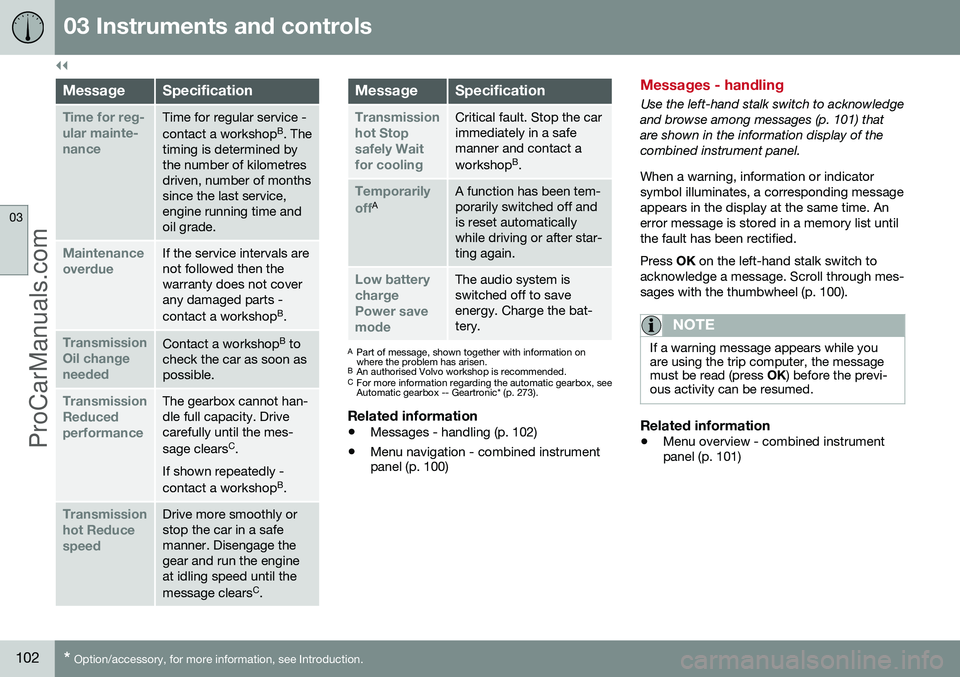
MessageSpecification
Time for reg- ular mainte-nanceTime for regular service - contact a workshop B
. The
timing is determined by the number of kilometresdriven, number of monthssince the last service,engine running time andoil grade.
Maintenance overdueIf the service intervals are not followed then thewarranty does not coverany damaged parts - contact a workshop B
.
Transmission Oil changeneededContact a workshop B
to
check the car as soon as possible.
Transmission ReducedperformanceThe gearbox cannot han- dle full capacity. Drivecarefully until the mes- sage clears C
.
If shown repeatedly -contact a workshop B
.
Transmission hot ReducespeedDrive more smoothly or stop the car in a safemanner. Disengage thegear and run the engineat idling speed until the message clears C
.
MessageSpecification
Transmission hot Stopsafely Waitfor coolingCritical fault. Stop the car immediately in a safemanner and contact a workshop B
.
Temporarily offAA function has been tem- porarily switched off andis reset automaticallywhile driving or after star-ting again.
Low battery chargePower savemodeThe audio system is switched off to saveenergy. Charge the bat-tery.
A Part of message, shown together with information on where the problem has arisen.
B An authorised Volvo workshop is recommended.
C For more information regarding the automatic gearbox, seeAutomatic gearbox -- Geartronic* (p. 273).
Related information
• Messages - handling (p. 102)
• Menu navigation - combined instrument panel (p. 100)
Messages - handling
Use the left-hand stalk switch to acknowledge and browse among messages (p. 101) thatare shown in the information display of thecombined instrument panel. When a warning, information or indicator symbol illuminates, a corresponding messageappears in the display at the same time. Anerror message is stored in a memory list untilthe fault has been rectified. Press
OK on the left-hand stalk switch to
acknowledge a message. Scroll through mes- sages with the thumbwheel (p. 100).
NOTE
If a warning message appears while you are using the trip computer, the messagemust be read (press OK) before the previ-
ous activity can be resumed.
Related information
• Menu overview - combined instrument panel (p. 101)
ProCarManuals.co’
Page 115 of 442
03 Instruments and controls
03
* Option/accessory, for more information, see Introduction.113
Change unitYou can change unit (km/miles) for distance and speed in the menu system My Car, seeMY CAR (p. 103).
NOTE
In addition to in the trip computer, these units are also changed in Volvo's naviga-tion system*.
Related information
• Trip computer - trip statistics* (p. 113)
Trip computer - trip statistics*
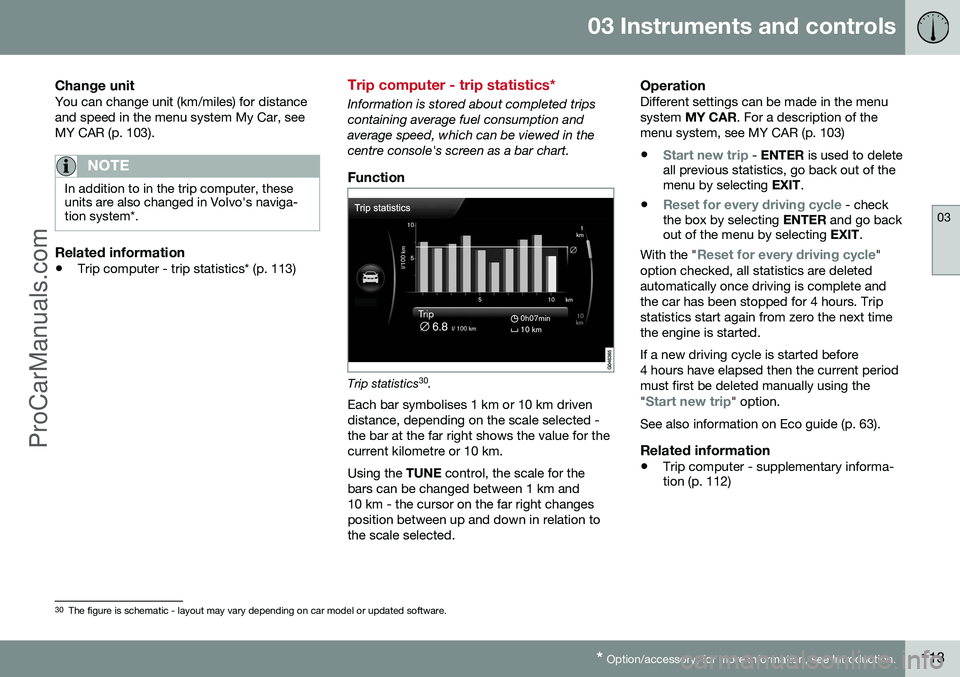
Information is stored about completed trips containing average fuel consumption andaverage speed, which can be viewed in thecentre console's screen as a bar chart.
Function
Trip statistics 30
.
Each bar symbolises 1 km or 10 km driven distance, depending on the scale selected -the bar at the far right shows the value for thecurrent kilometre or 10 km. Using the TUNE control, the scale for the
bars can be changed between 1 km and 10 km - the cursor on the far right changesposition between up and down in relation tothe scale selected.
OperationDifferent settings can be made in the menusystem MY CAR . For a description of the
menu system, see MY CAR (p. 103)
•
Start new trip - ENTER is used to delete
all previous statistics, go back out of the menu by selecting EXIT.
•
Reset for every driving cycle - check
the box by selecting ENTER and go back
out of the menu by selecting EXIT.
With the "
Reset for every driving cycle"
option checked, all statistics are deleted automatically once driving is complete andthe car has been stopped for 4 hours. Tripstatistics start again from zero the next timethe engine is started. If a new driving cycle is started before 4 hours have elapsed then the current periodmust first be deleted manually using the "
Start new trip" option.
See also information on Eco guide (p. 63).
Related information
• Trip computer - supplementary informa- tion (p. 112)
30
The figure is schematic - layout may vary depending on car model or updated software.
ProCarManuals.co’
Page 125 of 442
04 Climate control
04
* Option/accessory, for more information, see Introduction.123
WARNING
Heated seats must not be used by people who find it difficult to perceive an increasein temperature due to a lack of sensationor who otherwise have problems operatingthe controls for the heated seats. Other-wise they may suffer burn injuries.
Related information
• General information on climate control (p. 115)
• Heated front seats* (p. 122)
Fan
The fan should always be activated in order to avoid misting on the windows.
NOTE
If the fan is fully switched off then the air conditioning is not engaged - which cancause a risk of misting on the windows.
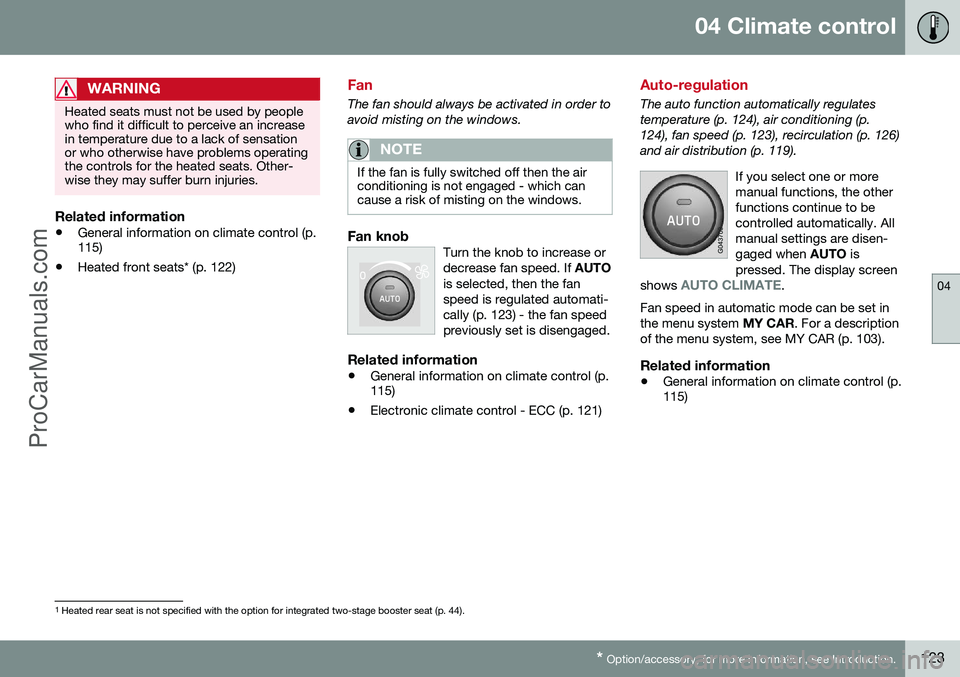
Fan knobTurn the knob to increase or decrease fan speed. If
AUTO
is selected, then the fanspeed is regulated automati-cally (p. 123) - the fan speedpreviously set is disengaged.
Related information
• General information on climate control (p. 115)
• Electronic climate control - ECC (p. 121)
Auto-regulation
The auto function automatically regulates temperature (p. 124), air conditioning (p.124), fan speed (p. 123), recirculation (p. 126)and air distribution (p. 119).
If you select one or moremanual functions, the otherfunctions continue to becontrolled automatically. Allmanual settings are disen-gaged when AUTO is
pressed. The display screen
shows
AUTO CLIMATE.
Fan speed in automatic mode can be set in the menu system MY CAR. For a description
of the menu system, see MY CAR (p. 103).
Related information
• General information on climate control (p. 115)
1
Heated rear seat is not specified with the option for integrated two-stage booster seat (p. 44).
ProCarManuals.co’
Page 136 of 442
04 Climate control
04
134* Option/accessory, for more information, see Introduction.
Additional heater*
In cold climate zones 5
an additional heater
may be required to obtain the correct operat- ing temperature in the engine and to obtainsufficient heating in the passenger compart-ment. A fuel-driven additional heater (p. 134) is fit- ted in cars with diesel engines. In a semi-cold 5
climate zone diesel-driven
cars have an electric additional heater (p. 135) instead of a fuel-driven version. Cars with certain petrol engines 6
have an
electric additional heater integrated into the car's climate control system.
Related information
• Engine and passenger compartment heater* (p. 129)
Fuel-driven additional heater*
The car is equipped with either an electric (p. 135) or a fuel-driven additional heater (p. 134). The heater starts automatically when extra heat is required when the engine is running. The heater is switched off automatically when the correct temperature is reached or whenthe engine is switched off.
NOTE
When the additional heater is active there may be smoke from the right-hand wheelhousing, which is perfectly normal.
Auto mode or shutdownThe additional heater's automatic start sequence can be switched off if required.
NOTE
Volvo recommends that the fuel-driven additional heater should be switched offfor short distances.
1. Before starting the engine: Select key
position I (p. 70).
2. Press OK to access the menu. 3.
Scroll with the thumbwheel to
Additional
heater7 or Settings8 and select with OK.
4. Select one of the options
ON or OFFusing the thumbwheel and confirm with OK.
5. Exit the menu with RESET.
NOTE
The menu options are only visible in key position I - any adjustments must therefore
be made before starting the engine.
Passenger compartment heater*If the additional heater is supplemented with a timer function then it can be used as a pas-senger compartment heater (p. 129).
5 An authorised Volvo dealer has information regarding the geographical areas concerned.
6 An authorised Volvo dealer has information regarding the engines concerned.
7 Analogue combined instrument panel.
8 Digital combined instrument panel.
ProCarManuals.co’
Page 177 of 442
07 Driver support
07
* Option/accessory, for more information, see Introduction.175
Active chassis - Four C*
Active chassis "Four-C" (Continously Controlled Chassis Concept), regulates thecharacteristics of the shock absorbers so thatthe car's driving characteristics can beadjusted. There are three settings: Comfort,
Sport and Advanced .
ComfortThis setting means that the car is perceivedas being more comfortable on rough anduneven road surfaces. Shock absorption issoft and the movement of the body is smoothand gentle.
SportThis setting means that the car is perceivedas being more sporty and is recommendedfor more active driving. Steering response isfaster than in the Comfort mode. Shockabsorption is harder and the body follows theroad in order to reduce rolling during corner-ing.
AdvancedThis setting is only recommended on veryeven and smooth road surfaces. The shock absorbers are optimised for maxi- mum roadholding and rolling in bends is fur-ther minimised.
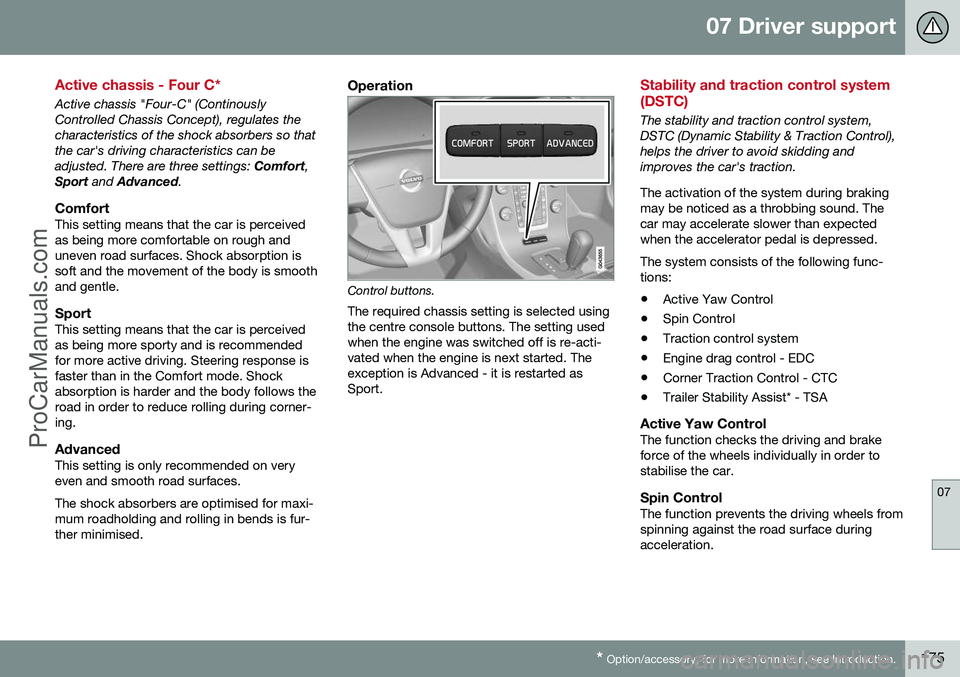
Operation
Control buttons.
The required chassis setting is selected using the centre console buttons. The setting usedwhen the engine was switched off is re-acti-vated when the engine is next started. Theexception is Advanced - it is restarted asSport.
Stability and traction control system (DSTC)
The stability and traction control system, DSTC (Dynamic Stability & Traction Control),helps the driver to avoid skidding andimproves the car's traction. The activation of the system during braking may be noticed as a throbbing sound. Thecar may accelerate slower than expectedwhen the accelerator pedal is depressed. The system consists of the following func- tions: • Active Yaw Control
• Spin Control
• Traction control system
• Engine drag control - EDC
• Corner Traction Control - CTC
• Trailer Stability Assist* - TSA
Active Yaw ControlThe function checks the driving and brake force of the wheels individually in order tostabilise the car.
Spin ControlThe function prevents the driving wheels fromspinning against the road surface duringacceleration.
ProCarManuals.co’
Page 178 of 442
||
07 Driver support
07
176* Option/accessory, for more information, see Introduction.
Traction control systemThe function is active at low speed and trans- fers power from the driving wheel that is spin-ning to the one that is not.
Engine drag control (EDC)EDC (Engine Drag Control) prevents involun-tary wheel locking, e.g. after shifting down orengine braking when driving in low gears onslippery road surfaces. Involuntary wheel locking while driving can, amongst other things, impair the driver's abil-ity to steer the car.
Corner Traction Control (CTC)*CTC compensates for understeer and allowshigher than normal acceleration in a bendwithout wheelspin on the inner wheel, e.g. onan arcing motorway entrance road to quicklyreach the prevailing traffic speed.
Trailer Stability Assist 1Trailer stability assist (p. 312) function is tostabilise the car and trailer combination if itbegins to snake. For more information, seeDriving with a trailer (p. 306).
NOTE
The function is deactivated if the driver selects
Sport mode.
Related information
•Stability and traction control system (DSTC) - operation (p. 176)
• Stability and traction control system(DSTC) - symbols and messages (p. 178)
Stability and traction control system (DSTC) - operation
The stability and traction control system (p. 175) (DSTC - Dynamic Stability & TractionControl), helps the driver to avoid skiddingand improves the car's traction.
Selection of level - Sport modeThe stability and traction control system isalways activated - it cannot be switched off. However, the driver can select the
Sport
mode, which allows for a more active driving experience. In Sport mode the system
detects whether the accelerator pedal, steer-ing wheel movements and cornering are moreactive than in normal driving and then allowscontrolled skidding with the rear section up toa certain level before it intervenes and stabil-ises the car. If the driver interrupts a controlled skid by releasing the accelerator pedal then the sta-bility and traction control system intervenesand stabilises the car. With Sport mode, maximum traction is
obtained if the car has become stuck, or when driving on a loose surface - e.g. sand ordeep snow. Sport mode is selected in the menu system
MY CAR. For a description of the menu sys- tem, see MY CAR (p. 103).
1 Included in the installation of Volvo genuine towbar.
ProCarManuals.co’
Page 180 of 442
07 Driver support
07
178
Stability and traction control system (DSTC) - symbols and messages
The stability and traction control system (p. 175) (DSTC - Dynamic Stability & TractionControl) helps the driver to avoid skidding andimproves the car's traction.
Table
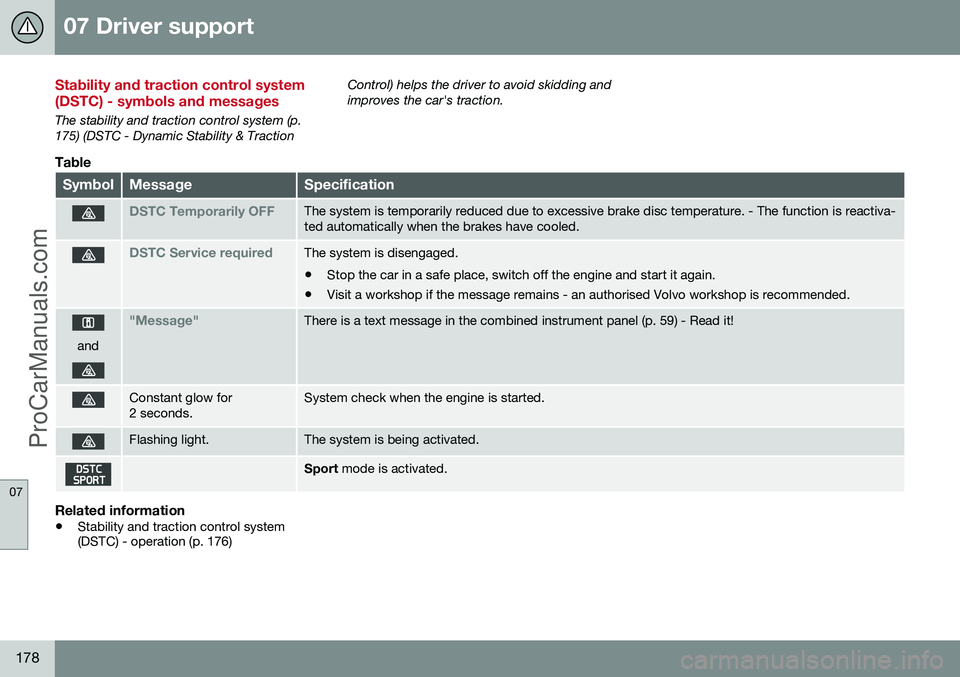
SymbolMessageSpecification
DSTC Temporarily OFFThe system is temporarily reduced due to excessive brake disc temperature. - The function is reactiva- ted automatically when the brakes have cooled.
DSTC Service requiredThe system is disengaged.
• Stop the car in a safe place, switch off the engine and start it again.
• Visit a workshop if the message remains - an authorised Volvo workshop is recommended.
and
"Message"There is a text message in the combined instrument panel (p. 59) - Read it!
Constant glow for 2 seconds.System check when the engine is started.
Flashing light.The system is being activated.
Sport
mode is activated.
Related information
•Stability and traction control system (DSTC) - operation (p. 176)
ProCarManuals.co’
Page 186 of 442
||
07 Driver support
07
184* Option/accessory, for more information, see Introduction.
–Depress the accelerator pedal fully.
> The combined instrument panel shows
the stored maximum speed with a col- oured mark (5) and the driver can tem-porarily exceed the set maximumspeed - the mark (5) changes colourduring this time from GREEN toWHITE. The speed limiter is automatically reac- tivated after the release of the acceler-ator pedal and the car's speed isslowed down to below the selected/stored maximum speed - the display'smark (5) changes colour from WHITEto GREEN and the car's maximumspeed is again limited.
Related information
• Speed limiter* (p. 182)
• Speed limiter* - getting started (p. 182)
• Speed limiter* - changing speed (p. 183)
• Speed limiter* - deactivation (p. 184)
• Speed limiter* - alarm for speed excee- ded (p. 184)
Speed limiter* - alarm for speed exceeded
A (Speed Limiter) can be regarded as a reverse cruise control - the driver regulatesthe speed using the accelerator pedal but isprevented from accidentally exceeding apre-selected/set speed by the speed limiter. On a steep downhill gradient the speed limit- er's engine braking effect may be inadequateand the selected maximum speed is excee-ded. The driver is alerted about this with anacoustic signal. The signal is active until the driver has slowed to below the selected maximum speed.
NOTE
The alarm is only activated after 5 seconds if the speed has been exceeded by at least3 km/h provided that none of the buttons
or has been depressed during the
last half minute.
Related information
• Speed limiter* (p. 182)
• Speed limiter* - changing speed (p. 183)
• Speed limiter* - getting started (p. 182)
• Speed limiter* - temporary deactivation and standby mode (p. 183)
• Speed limiter* - deactivation (p. 184)
Speed limiter* - deactivation
A (Speed Limiter) can be regarded as a reverse cruise control - the driver regulatesthe speed using the accelerator pedal but isprevented from accidentally exceeding a pre-selected/set speed by the speed limiter. To deactivate the speed limiter:
–Press the steering wheel button .
> The combined instrument panel's sym- bol for the speed limiter (6) and the mark for the set speed (5) are extin-guished. The selected and storedspeed are thus deleted from the mem-ory and cannot be resumed with the
button.
The driver can then use the accelerator pedal to choose a speed without limi-tation.
Related information
• Speed limiter* (p. 182)
• Speed limiter* - getting started (p. 182)
• Speed limiter* - temporary deactivation and standby mode (p. 183)
• Speed limiter* - alarm for speed excee-ded (p. 184)
ProCarManuals.co’
Page 189 of 442
07 Driver support
07
* Option/accessory, for more information, see Introduction.187
•
the clutch pedal is held depressed for a short time - however, a few seconds does not activate standby mode 5
• the gear selector is moved to neutral position (automatic gearbox)
• the driver maintains a speed higher thanthe set speed for longer than 1 minute.
The driver must then regulate the speed.
Related information
• Cruise control* (p. 185)
• Cruise control* - managing speed (p. 186)
• Cruise control* - resume set speed (p.187)
• Cruise control* - deactivate (p. 187)
Cruise control* - resume set speed
The cruise control (CC – Cruise Control) helps the driver to maintain an even speed. Aftertemporary deactivation and standby mode (p.186) it is possible to resume the set speed. To reactivate the cruise control from standby mode: •
Press the steering wheel button
.
> The combined instrument panel's mark- ing (5) and symbol (6) change colour from GREY to WHITE and the speed is thenset to the last speed stored.
NOTE
A marked speed increase may occur once the speed has been resumed by selecting
.
Related information
• Cruise control* (p. 185)
• Cruise control* - managing speed (p. 186)
• Cruise control* temporary deactivation and standby mode (p. 186)
• Cruise control* - deactivate (p. 187)
Cruise control* - deactivate
The cruise control (CC – Cruise Control) helps the driver to maintain an even speed. How itis deactivated is described here. The cruise control is deactivated with a steer- ing wheel button (1) or by switching off theengine - the set speed is deleted from the memory and cannot be resumed with the
button.
Related information
•
Cruise control* (p. 185)
• Cruise control* - managing speed (p. 186)
• Cruise control* temporary deactivation and standby mode (p. 186)
• Cruise control* - resume set speed (p.187)
5
Cars with 4-cyl 2.0L engine also allow gear changing.
ProCarManuals.co’
Page 190 of 442
07 Driver support
07
188* Option/accessory, for more information, see Introduction.
Adaptive cruise control - ACC*
The adaptive cruise control (ACC – Adaptive Cruise Control) helps the driver to maintain aneven speed and a safe distance from the vehi-cle ahead. The adaptive cruise control provides a more relaxing driving experience on long journeyson motorways and long straight main roads insmooth traffic flows. The driver sets the desired speed (p. 191) and time interval (p. 192) to the car in front.When the radar detector detects a slowervehicle in front of the car, the speed is auto-matically adapted to that. When the road isclear again the car returns to the selectedspeed. If the adaptive cruise control is switched off or set to standby mode (p. 193) and the carcomes too close to a vehicle in front, then thedriver is warned instead by the DistanceWarning (p. 202) function about the shortdistance.WARNING
The driver must always be observant with regard to the traffic conditions and inter-vene when the adaptive cruise control isnot maintaining a suitable speed or suita-ble distance. The adaptive cruise control cannot handle all traffic, weather and road conditions. Read all the sections about the adaptive cruise control in the owner's manual inorder to learn about its limitations, ofwhich the driver should be aware before itis used. The driver always bears responsibility for maintaining the correct distance andspeed, even when the adaptive cruise con-trol is being used.
IMPORTANT
Maintenance of adaptive cruise control components must only be performed at aworkshop - an authorised Volvo workshopis recommended.
Automatic gearboxCars with automatic gearbox have enhanced functionality with the adaptive cruise control'sQueue Assist (p. 195).
Related information
• Adaptive cruise control* - overview (p. 190)
• Adaptive cruise control* - function (p.189)
• Adaptive cruise control* - fault tracingand action (p. 199)
• Adaptive cruise control* - symbols andmessages (p. 200)
ProCarManuals.co’