steering VOLVO V60 2021 Owners Manual
[x] Cancel search | Manufacturer: VOLVO, Model Year: 2021, Model line: V60, Model: VOLVO V60 2021Pages: 661, PDF Size: 12.68 MB
Page 339 of 661
DRIVER SUPPORT
* Option/accessory.337
Steering assistance at risk of collision
The
Collision avoidance function can help
the driver reduce the risk of the vehicle leav- ing its lane unintentionally and/or collidingwith another vehicle or obstacle by activelysteering the vehicle back into its lane and/orswerving.
The function consists of these subfunctions:
Run-Off Mitigation with steering assis- tance
Steering assistance during collision risksfrom oncoming traffic
Steering assistance during collision risks from behind
*
After the system has automatically intervened, this text message will appear in the instru-ment panel:
Collision avoidance – Automatic
intervention
WARNING
The function is supplementary driver support intended to facilitate drivingand help make it safer – it cannot han-dle all situations in all traffic, weatherand road conditions.
The driver is advised to read all sec-tions in the Owner's Manual about thisfunction to learn of its limitations,which the driver must be aware ofbefore using the function.
Driver support functions are not a sub-stitute for the driver's attention andjudgment. The driver is always respon-sible for ensuring the vehicle is drivenin a safe manner, at the appropriatespeed, with an appropriate distance toother vehicles, and in accordance withcurrent traffic rules and regulations.
NOTE
It is always the driver who must decide how much the vehicle should be in control– the vehicle can never take command.
Related information
Driver support systems (p. 270)
Activating or deactivating steering assis- tance during collision risks (p. 338)
Run-Off Mitigation with steering assis-tance (p. 338)
Steering assistance during collision risksfrom oncoming traffic (p. 339)
Steering assistance during collision risks from behind
* (p. 340)
Steering assistance during collision risks limitations (p. 341)
Symbols and messages for steering assis-tance during collision risks (p. 342)
Page 340 of 661
DRIVER SUPPORT
* Option/accessory.
338
Activating or deactivating steering assistance during collision risks
The steering assistance function is optional – the driver can choose to have it activated ordeactivated.
Activate or deactivate the function using this button inthe center display's Functionview.
GREEN button indicator light – the func- tion is activated.
GRAY button indicator light – the functionis deactivated.
The function is automatically activated each time the engine is started 83
.
NOTE
When the Collision avoidance function is
deactivated, all subfunctions of the follow- ing are deactivated:
Steering assistance at risk of run-off
Steering assistance at risk of head-oncollision
Steering assistance during collision risks from behind
*
Although it is possible to deactivate the function, the driver is advised to keep itactivated since it can help improve drivingsafety in most cases.
Related information
Steering assistance at risk of collision (p. 337)
Steering assistance during collision riskslimitations (p. 341)
Run-Off Mitigation with steering assistance
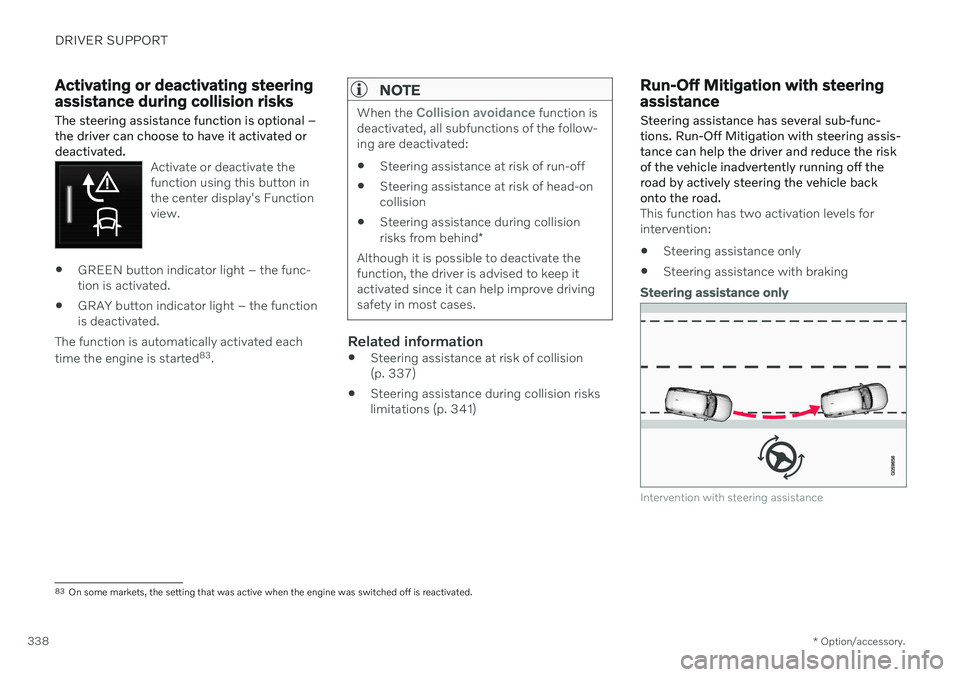
Steering assistance has several sub-func- tions. Run-Off Mitigation with steering assis-tance can help the driver and reduce the riskof the vehicle inadvertently running off theroad by actively steering the vehicle backonto the road.
This function has two activation levels for intervention: Steering assistance only
Steering assistance with braking
Steering assistance only
Intervention with steering assistance
83
On some markets, the setting that was active when the engine was switched off is reactivated.
Page 341 of 661
DRIVER SUPPORT
}}
339
Steering assistance with braking
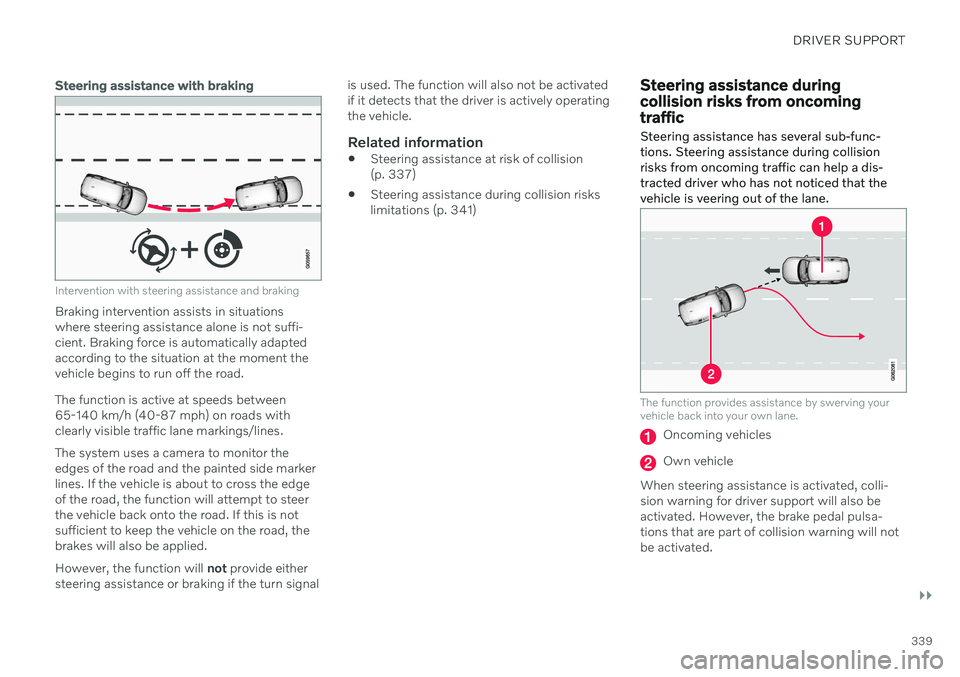
Intervention with steering assistance and braking
Braking intervention assists in situations where steering assistance alone is not suffi-cient. Braking force is automatically adaptedaccording to the situation at the moment thevehicle begins to run off the road. The function is active at speeds between 65-140 km/h (40-87 mph) on roads withclearly visible traffic lane markings/lines. The system uses a camera to monitor the edges of the road and the painted side markerlines. If the vehicle is about to cross the edgeof the road, the function will attempt to steerthe vehicle back onto the road. If this is notsufficient to keep the vehicle on the road, thebrakes will also be applied. However, the function will not provide either
steering assistance or braking if the turn signal is used. The function will also not be activated if it detects that the driver is actively operatingthe vehicle.
Related information
Steering assistance at risk of collision(p. 337)
Steering assistance during collision riskslimitations (p. 341)
Steering assistance during collision risks from oncomingtraffic Steering assistance has several sub-func- tions. Steering assistance during collisionrisks from oncoming traffic can help a dis-tracted driver who has not noticed that thevehicle is veering out of the lane.
The function provides assistance by swerving your vehicle back into your own lane.
Oncoming vehicles
Own vehicle
When steering assistance is activated, colli- sion warning for driver support will also beactivated. However, the brake pedal pulsa-tions that are part of collision warning will notbe activated.
Page 342 of 661
||
DRIVER SUPPORT
* Option/accessory.
340 The function is active at speeds between
60-140 km/h (37-87 mph) on roads with clearly visible traffic lane markings/lines. If your vehicle is starting to veer from your own lane and a vehicle is approaching fromthe opposite direction, this function can helpthe driver steer the vehicle back into its ownlane. However, the function will not provide steer-
ing assistance if the turn signal is used. The function will also not be activated if it detectsthat the driver is actively operating the vehicle.
Related information
Steering assistance at risk of collision(p. 337)
Collision risk warning from driver support(p. 311)
Steering assistance during collision riskslimitations (p. 341)
Steering assistance during collision risks from behind
*
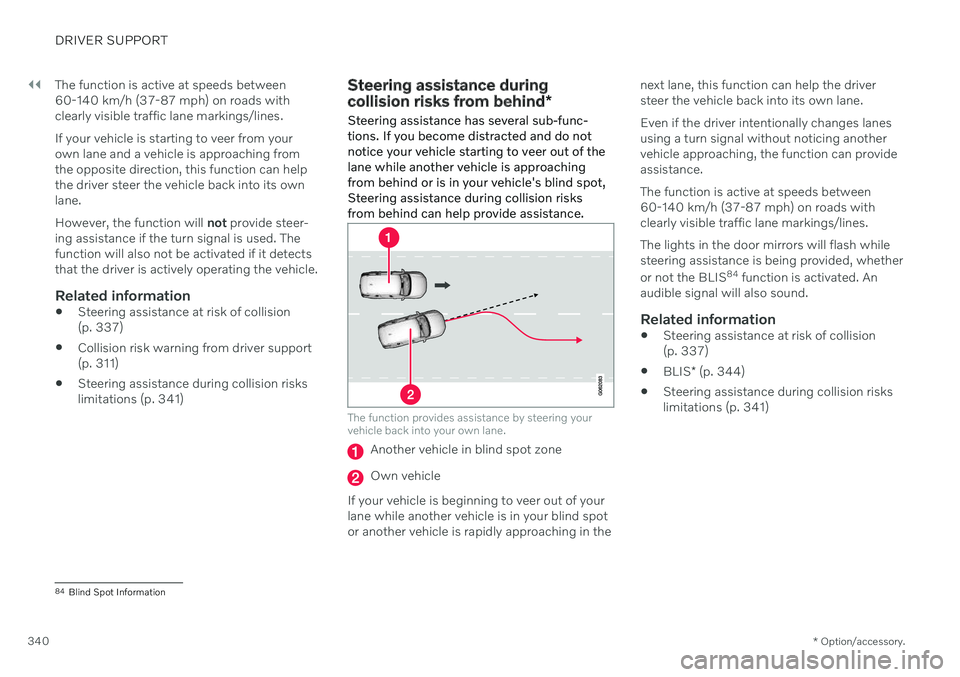
Steering assistance has several sub-func- tions. If you become distracted and do notnotice your vehicle starting to veer out of thelane while another vehicle is approachingfrom behind or is in your vehicle's blind spot,Steering assistance during collision risksfrom behind can help provide assistance.
The function provides assistance by steering your vehicle back into your own lane.
Another vehicle in blind spot zone
Own vehicle
If your vehicle is beginning to veer out of your lane while another vehicle is in your blind spotor another vehicle is rapidly approaching in the next lane, this function can help the driversteer the vehicle back into its own lane. Even if the driver intentionally changes lanes using a turn signal without noticing anothervehicle approaching, the function can provideassistance. The function is active at speeds between 60-140 km/h (37-87 mph) on roads withclearly visible traffic lane markings/lines. The lights in the door mirrors will flash while steering assistance is being provided, whether or not the BLIS
84
function is activated. An
audible signal will also sound.
Related information
Steering assistance at risk of collision (p. 337)
BLIS
* (p. 344)
Steering assistance during collision riskslimitations (p. 341)
84
Blind Spot Information
Page 343 of 661
DRIVER SUPPORT
* Option/accessory.341
Steering assistance during collision risks limitations
The function may have limited functionality in certain situations and not intervene, e.g.:
for smaller vehicles such as motorcycles
if more than half of your vehicle has moved into the adjacent lane
on roads/lanes with indistinct or no sidelane markings
outside the speed range 60-140 km/h(37-87 mph)
when speed-dependent power steeringwheel resistance is working at reducedpower – e.g. during cooling due to over-heating.
Functionality may also be reduced in other sit-uations, such as: road work
winter driving conditions
narrow roads
poor road surfaces
a very sporty driving style
bad weather with reduced visibility.
In these demanding driving conditions, the function may not be able to properly assist thedriver. In these situations, it is recommendedthat it is turned off.
NOTE
The function uses the vehicle's camera and radar sensor, which has certain generallimitations.
Related information
Steering assistance at risk of collision (p. 337)
Run-Off Mitigation with steering assis-tance (p. 338)
Steering assistance during collision risksfrom oncoming traffic (p. 339)
Steering assistance during collision risks from behind
* (p. 340)
Page 344 of 661
DRIVER SUPPORT
342
Symbols and messages for steering assistance during collisionrisks
A number of symbols and messages related to steering assistance may be displayed in the instrument panel. Several examples areprovided below.
Symbol Message
Meaning
Collision avoidance Automatic interventionWhen the function is activated, a message will appear to alert the driver.
Windscreen sensor Sensor blocked, see Owner's manualThe camera's ability to detect the lane in front of the vehicle is reduced.
A text message can be erased by briefly press- ing the
button in the center of the right-
side steering wheel keypad. If the message persists: Contact a workshop ‒
an authorized Volvo workshop is recom- mended.
Related information
Steering assistance at risk of collision(p. 337)
Steering assistance during collision riskslimitations (p. 341)
Page 349 of 661
DRIVER SUPPORT
* Option/accessory.347
BLIS messages
A number of messages related to BLIS 92
may
be displayed in the instrument panel. Several examples are provided below.
Message Meaning
Blind spot sensor Service requiredThe system is not functioning as intended. Contact a workshop A
.
Blind spot system off Trailer attachedBLIS and CTA B
have been deactivated because a trailer has been connected to the vehicle's electrical system.
A An authorized Volvo workshop is recommended.
B Cross Traffic Alert *
A text message can be erased by briefly press- ing the
button in the center of the right-
side steering wheel keypad. If a message cannot be erased, contact a workshop A
.
Related information
BLIS
* (p. 344)
Cross Traffic Alert
* (p. 352)
92
Blind Spot Information
Page 350 of 661
DRIVER SUPPORT
* Option/accessory.
348
Driver Alert Control
The Driver Alert Control (DAC) function is designed to help alert the driver to erraticbehavior, e.g. if the driver is distracted orshowing signs of fatigue.
The objective of the function is to detect slowly deteriorating driving behavior and isprimarily intended to be used on major roads.The function is not intended for use in city traf-fic. DAC is activated when the vehicle's speed exceeds 65 km/h (40 mph) and remainsactive as long as speeds are above 60 km/h(37 mph).
Driver Alert Control detects the vehicle's position in the traffic lane.
A camera monitors the traffic lane's marker lines and compares the direction of the road with the driver's movements of the steeringwheel.
The vehicle is moving erratically in the lane.
If driving behavior becomes considerably erratic, thedriver will be alerted by thissymbol in the instrumentpanel, an audible signal and the message
Time for a
break.
If the vehicle is equipped with Sensus Navigation * and the Rest Stop Guidancefunction is activated, suggestions will also be provided for suitable places to take a break. The warning will be repeated after a short time if driving behavior does not improve.
WARNING
Driver Alert Control must not be used to extend a period of driving. The drivershould plan in breaks at regular intervalsand make sure they are well rested.
WARNING
An alarm from Driver Alert Control should be taken very seriously since a sleepy driveris often not aware of their own condition. If the alarm sounds or you feel fatigued:
Stop the vehicle safely as soon as pos- sible and rest.
Studies have shown that it is just as dan- gerous to drive while tired as it is to driveunder the influence of alcohol or otherstimulants.
Page 357 of 661
DRIVER SUPPORT
* Option/accessory.355
Cross Traffic Alert *100
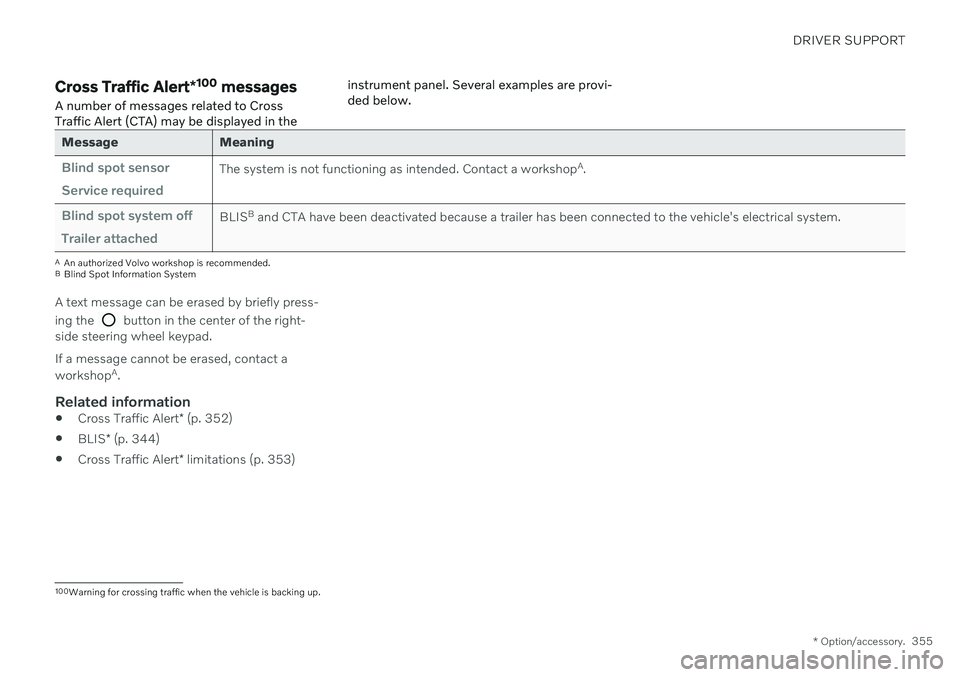
messages
A number of messages related to Cross Traffic Alert (CTA) may be displayed in the instrument panel. Several examples are provi-ded below.
Message Meaning
Blind spot sensor Service requiredThe system is not functioning as intended. Contact a workshop
A
.
Blind spot system off Trailer attachedBLIS B
and CTA have been deactivated because a trailer has been connected to the vehicle's electrical system.
A An authorized Volvo workshop is recommended.
B Blind Spot Information System
A text message can be erased by briefly press- ing the
button in the center of the right-
side steering wheel keypad. If a message cannot be erased, contact a workshop A
.
Related information
Cross Traffic Alert
* (p. 352)
BLIS
* (p. 344)
Cross Traffic Alert
* limitations (p. 353)
100
Warning for crossing traffic when the vehicle is backing up.
Page 360 of 661
||
DRIVER SUPPORT
* Option/accessory.
358 The rear sensors will be activated if the vehicle begins rolling backward or if reverse gear isengaged. The distance monitored extends approx. 1.5 meters (5 ft) behind the vehicle. The Park Assist system's rear sensors will be automatically deactivated if the vehicle isbacking up with a trailer connected to thevehicle's electrical system.
NOTE
When reversing with e.g. a trailer or bike carrier on the trailer hitch – without Volvooriginal trailer cables – the Parking Assistsystem may have to be turned off manuallyto prevent the sensors from reacting tothese.
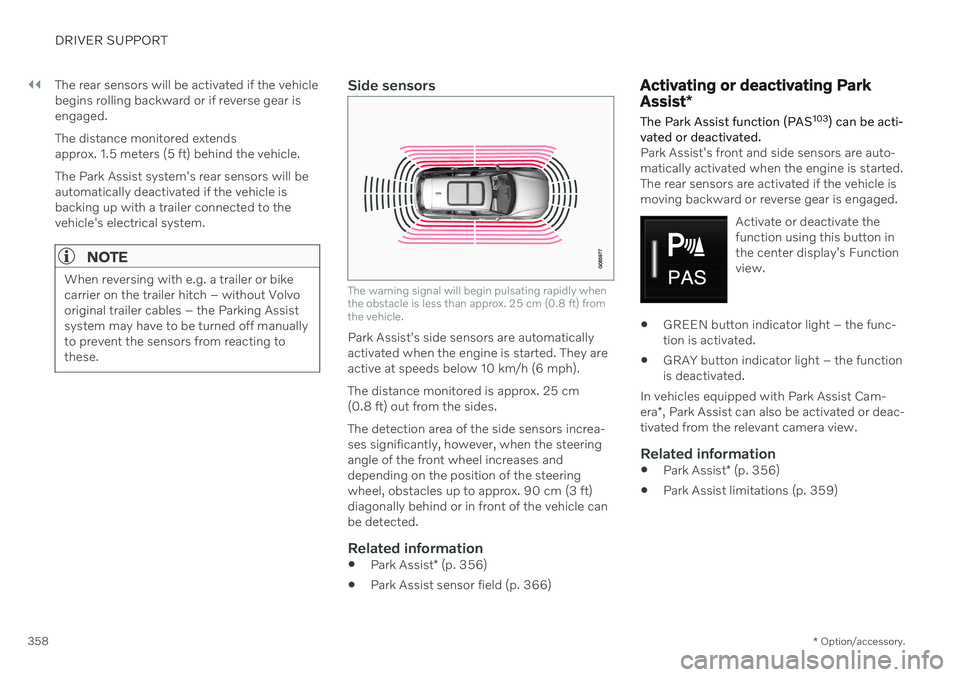
Side sensors
The warning signal will begin pulsating rapidly when the obstacle is less than approx. 25 cm (0.8 ft) fromthe vehicle.
Park Assist's side sensors are automatically activated when the engine is started. They areactive at speeds below 10 km/h (6 mph). The distance monitored is approx. 25 cm (0.8 ft) out from the sides. The detection area of the side sensors increa- ses significantly, however, when the steeringangle of the front wheel increases anddepending on the position of the steeringwheel, obstacles up to approx. 90 cm (3 ft)diagonally behind or in front of the vehicle canbe detected.
Related information
Park Assist
* (p. 356)
Park Assist sensor field (p. 366)
Activating or deactivating Park Assist
*
The Park Assist function (PAS 103
) can be acti-
vated or deactivated.
Park Assist's front and side sensors are auto- matically activated when the engine is started.The rear sensors are activated if the vehicle ismoving backward or reverse gear is engaged.
Activate or deactivate thefunction using this button inthe center display's Functionview.
GREEN button indicator light – the func- tion is activated.
GRAY button indicator light – the functionis deactivated.
In vehicles equipped with Park Assist Cam- era *, Park Assist can also be activated or deac-
tivated from the relevant camera view.
Related information
Park Assist
* (p. 356)
Park Assist limitations (p. 359)