steering VOLVO V60 2021 Owners Manual
[x] Cancel search | Manufacturer: VOLVO, Model Year: 2021, Model line: V60, Model: VOLVO V60 2021Pages: 661, PDF Size: 12.68 MB
Page 380 of 661
||
DRIVER SUPPORT
* Option/accessory.
378 could be damaged by the curb during the parking procedure.
Perpendicular parking spaces may not bedetected or may be suggested unneces-sarily if a parked vehicle is sticking outmore than other parked vehicles.
The function is intended to provide park-ing assistance on straight streets, not sec-tions of street with sharp curves or bends.Always make sure that your vehicle is par-allel to relevant parking spaces when thefunction is measuring the parking space.
Related information
Park Assist Pilot
* (p. 371)
Speed-dependent steering wheel resis-tance (p. 270)
Camera/radar sensor limitations (p. 383)
Page 381 of 661
DRIVER SUPPORT
* Option/accessory.379
Park Assist Pilot * messages
Messages for Park Assist Pilot (PAP 123
) may
be displayed in the instrument panel and/or the center display. Several examples are pro- vided below.
Message Meaning
Park Assist System Sensors blocked, cleaning neededOne or more of the sensors are blocked. Check and clean/remove the obstacle as soon as possible.
Park Assist System Unavailable Service requiredThe system is not functioning as intended. Contact a workshop
A
.
A An authorized Volvo workshop is recommended.
A text message can be erased by briefly press- ing the
button in the center of the right-
side steering wheel keypad. If a message cannot be erased, contact a workshop A
.
Related information
Park Assist Pilot
* (p. 371)
Park Assist Pilot
* limitations (p. 376)
123
Park Assist Pilot
Page 382 of 661
DRIVER SUPPORT
* Option/accessory.
380
Radar sensor
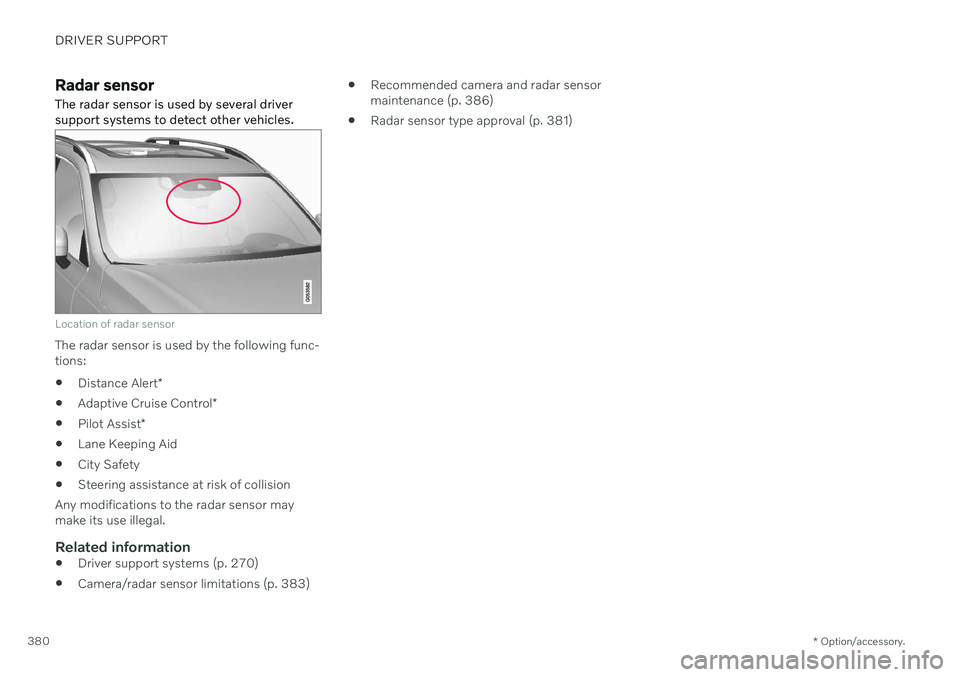
The radar sensor is used by several driver support systems to detect other vehicles.
Location of radar sensor
The radar sensor is used by the following func- tions:
Distance Alert
*
Adaptive Cruise Control
*
Pilot Assist
*
Lane Keeping Aid
City Safety
Steering assistance at risk of collision
Any modifications to the radar sensor maymake its use illegal.
Related information
Driver support systems (p. 270)
Camera/radar sensor limitations (p. 383)
Recommended camera and radar sensormaintenance (p. 386)
Radar sensor type approval (p. 381)
Page 385 of 661
DRIVER SUPPORT
}}
* Option/accessory.383
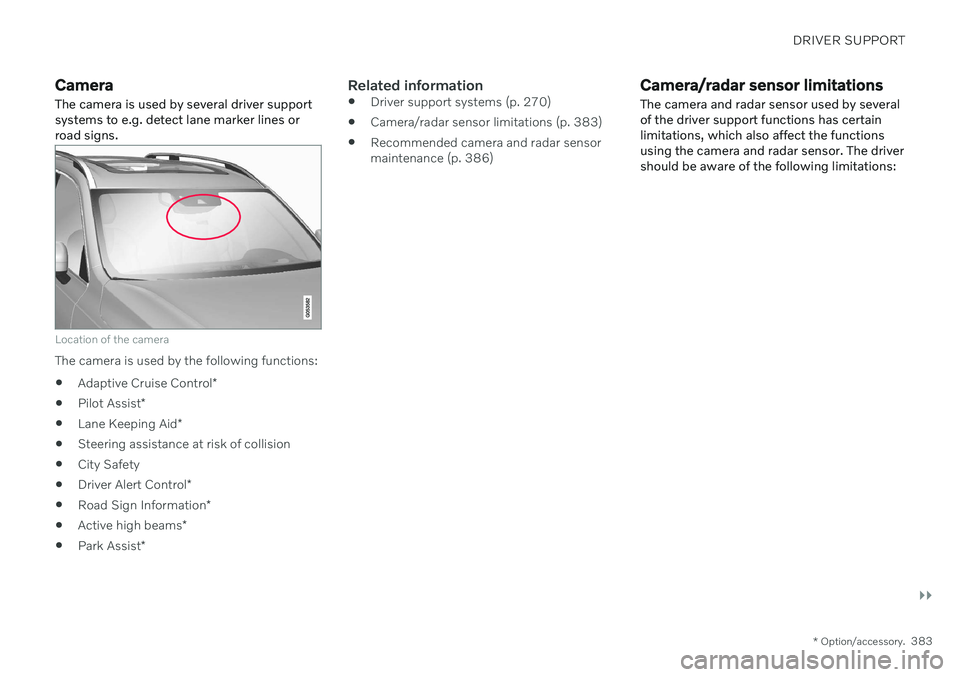
Camera The camera is used by several driver support systems to e.g. detect lane marker lines orroad signs.
Location of the camera
The camera is used by the following functions:
Adaptive Cruise Control
*
Pilot Assist
*
Lane Keeping Aid
*
Steering assistance at risk of collision
City Safety
Driver Alert Control
*
Road Sign Information
*
Active high beams
*
Park Assist
*
Related information
Driver support systems (p. 270)
Camera/radar sensor limitations (p. 383)
Recommended camera and radar sensor maintenance (p. 386)
Camera/radar sensor limitations The camera and radar sensor used by several of the driver support functions has certainlimitations, which also affect the functionsusing the camera and radar sensor. The drivershould be aware of the following limitations:
Page 394 of 661
STARTING AND DRIVING
* Option/accessory.
392
Starting the vehicle
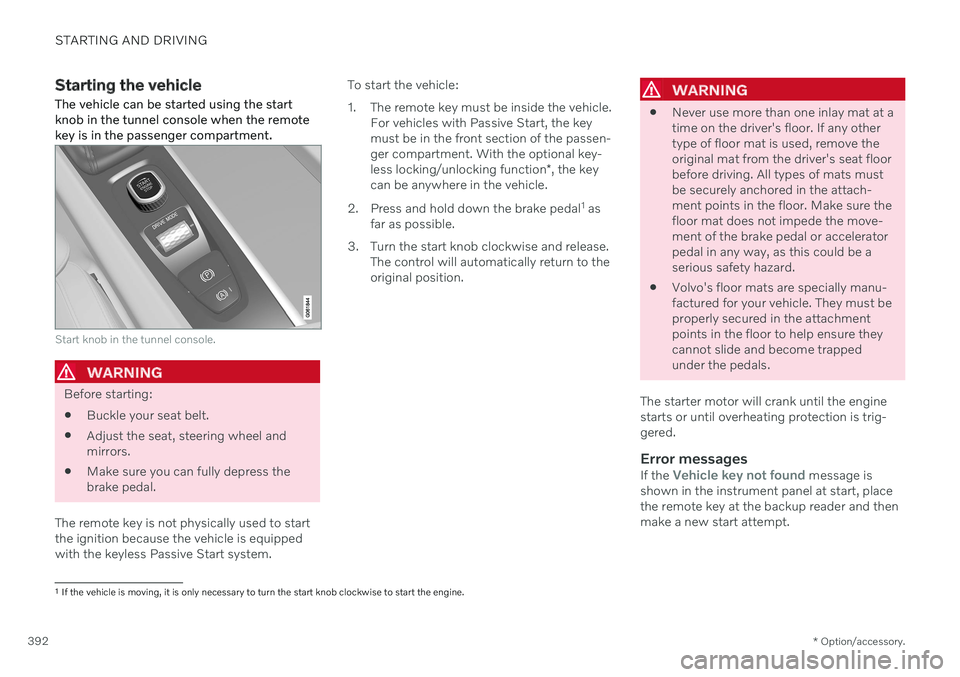
The vehicle can be started using the start knob in the tunnel console when the remotekey is in the passenger compartment.
Start knob in the tunnel console.
WARNING
Before starting:
Buckle your seat belt.
Adjust the seat, steering wheel and mirrors.
Make sure you can fully depress thebrake pedal.
The remote key is not physically used to startthe ignition because the vehicle is equippedwith the keyless Passive Start system. To start the vehicle:
1. The remote key must be inside the vehicle.
For vehicles with Passive Start, the key must be in the front section of the passen-ger compartment. With the optional key- less locking/unlocking function *, the key
can be anywhere in the vehicle.
2. Press and hold down the brake pedal 1
as
far as possible.
3. Turn the start knob clockwise and release. The control will automatically return to the original position.
WARNING
Never use more than one inlay mat at a time on the driver's floor. If any othertype of floor mat is used, remove theoriginal mat from the driver's seat floorbefore driving. All types of mats mustbe securely anchored in the attach-ment points in the floor. Make sure thefloor mat does not impede the move-ment of the brake pedal or acceleratorpedal in any way, as this could be aserious safety hazard.
Volvo's floor mats are specially manu-factured for your vehicle. They must beproperly secured in the attachmentpoints in the floor to help ensure theycannot slide and become trappedunder the pedals.
The starter motor will crank until the enginestarts or until overheating protection is trig-gered.
Error messagesIf the Vehicle key not found message is
shown in the instrument panel at start, place the remote key at the backup reader and thenmake a new start attempt.
1 If the vehicle is moving, it is only necessary to turn the start knob clockwise to start the engine.
Page 396 of 661
||
STARTING AND DRIVING
394
NOTE
With a cold start, idling speed may be con- siderably higher than normal for certainengine types. This is done to get the emis-sions system up to normal operating tem-perature as quickly as possible, which min-imizes exhaust emissions and protects theenvironment.
Related information
Switching off the vehicle (p. 394)
Ignition modes (p. 395)
Adjusting the steering wheel (p. 195)
Jump starting using another battery (p. 431)
Selecting ignition mode (p. 396)
Switching off the vehicle
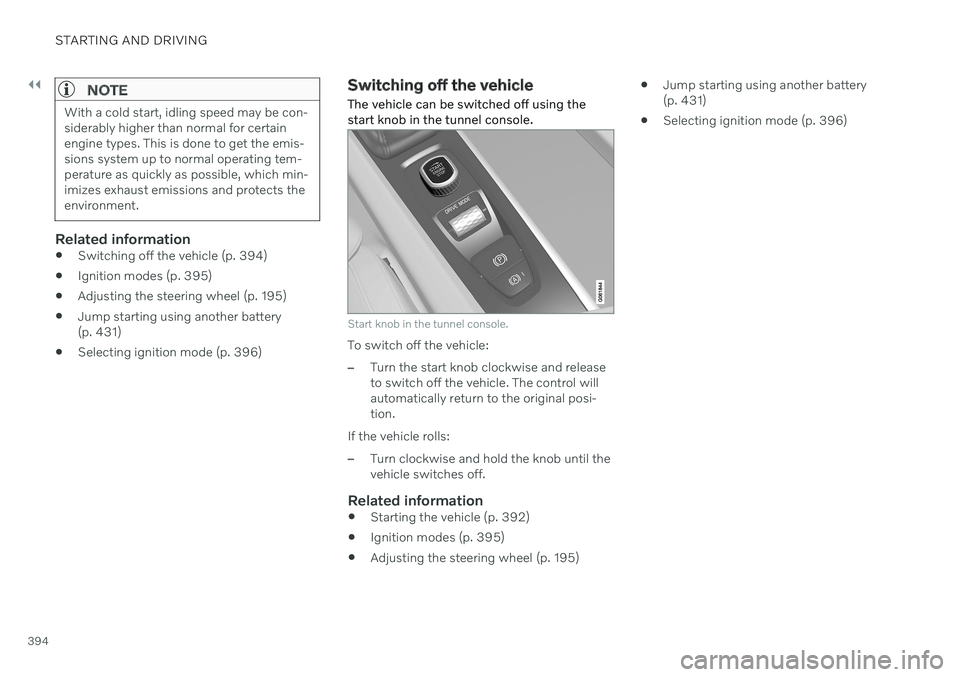
The vehicle can be switched off using the start knob in the tunnel console.
Start knob in the tunnel console.
To switch off the vehicle:
–Turn the start knob clockwise and release to switch off the vehicle. The control willautomatically return to the original posi-tion.
If the vehicle rolls:
–Turn clockwise and hold the knob until the vehicle switches off.
Related information
Starting the vehicle (p. 392)
Ignition modes (p. 395)
Adjusting the steering wheel (p. 195)
Jump starting using another battery(p. 431)
Selecting ignition mode (p. 396)
Page 398 of 661
||
STARTING AND DRIVING
396
Related information
Starting the vehicle (p. 392)
Adjusting the steering wheel (p. 195)
Jump starting using another battery (p. 431)
Selecting ignition mode (p. 396)
Selecting ignition mode
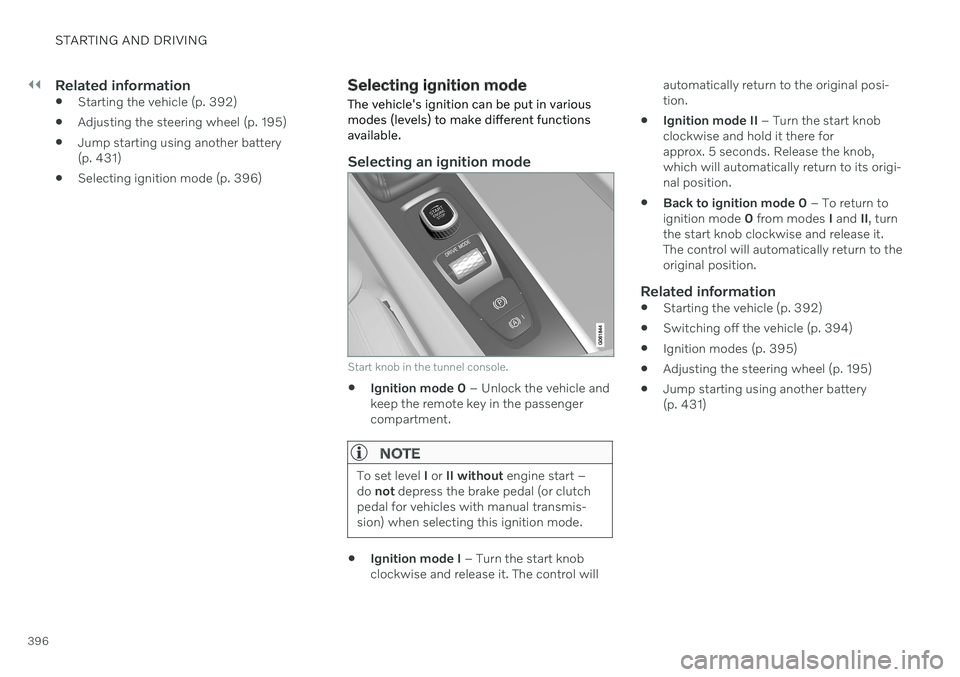
The vehicle's ignition can be put in various modes (levels) to make different functionsavailable.
Selecting an ignition mode
Start knob in the tunnel console.
Ignition mode 0
– Unlock the vehicle and
keep the remote key in the passenger compartment.
NOTE
To set level I or II without engine start –
do not depress the brake pedal (or clutch
pedal for vehicles with manual transmis- sion) when selecting this ignition mode.
Ignition mode I
– Turn the start knob
clockwise and release it. The control will automatically return to the original posi- tion.
Ignition mode II
– Turn the start knob
clockwise and hold it there forapprox. 5 seconds. Release the knob,which will automatically return to its origi-nal position.
Back to ignition mode 0
– To return to
ignition mode 0 from modes I and II, turn
the start knob clockwise and release it.The control will automatically return to theoriginal position.
Related information
Starting the vehicle (p. 392)
Switching off the vehicle (p. 394)
Ignition modes (p. 395)
Adjusting the steering wheel (p. 195)
Jump starting using another battery(p. 431)
Page 399 of 661
STARTING AND DRIVING
}}
397
Brake functions
The vehicle's brakes are used to reduce speed or prevent the vehicle from rolling.
In addition to the wheel brakes and parking brakes, the vehicle is also equipped with anumber of automatic brake assist functions.These systems provide assistance by e.g. thedriver not needing to depress the brake pedalat a traffic light or when starting up a hill. Depending on how the vehicle is equipped, the following brake assist functions may beincluded:
Auto-hold brake function at a standstill(Auto Hold)
Hill Start Assist (Hill Start Assist)
Braking assist after a collision
City Safety
Related information
Brakes (p. 397)
Parking brake (p. 400)
Auto-hold brakes (p. 403)
Braking assist after a collision (p. 405)
Hill Start Assist (p. 405)
City Safety
™ (p. 323)
Brakes
The brake pedal is used to apply the vehicle's regular brakes, which are part of the brakesystem.
The vehicle is equipped with two brake cir- cuits. If one brake circuit is damaged, thebrake pedal may go down further whendepressed. More pressure will then berequired from the driver for normal brakingeffect. The driver's pressure on the brake pedal is enhanced by a power braking function.
WARNING
Power braking only functions if the engine is running.
If the brake pedal is used when the engine is turned off, the pedal will feel stiffer than usualand greater pressure must be applied to brakethe vehicle. In very hilly areas or when driving with a heavy load, manual gear shifting can be used to aug-ment the brakes with engine braking. Enginebraking is most effective if the same gear isused both uphill and downhill.
Anti-lock brakesThe vehicle is equipped with an Anti-lock Braking System (ABS 2
), which helps prevent
the wheels from locking and helps maintain steering control when braking. Vibrations maybe felt from the brake pedal when ABS isoperating, which is normal. After the vehicle is started, a brief test of the ABS system is automatically performed whenthe driver releases the brake pedal. An addi-tional automatic test of the system may beperformed when the vehicle is traveling at alow speed. During the test, the brake pedalmay feel as though it is pulsating.
2 Anti-lock Braking System
Page 408 of 661
STARTING AND DRIVING
* Option/accessory.
406
Transmission
The transmission is part of the vehicle's drive- line (power transmission) between the engineand the drive wheels. The function of thetransmission is to change gears dependingon speed and power needs.
The vehicle has an 8-speed automatic trans- mission. The number of gears allows theengine's torque and power band to be effec-tively utilized. Two of the gears are overdrive gears that save fuel when driving at a constant engine speed.Both the gear selector and the steering wheelpaddles can be used to shift up or down man-ually. The selected gear selector position willbe displayed in the instrument panel.
Related information
Automatic transmission (p. 406)
Automatic transmission
Gear position is selected automatically to make driving as energy efficient as possible.The transmission also has a manual mode.
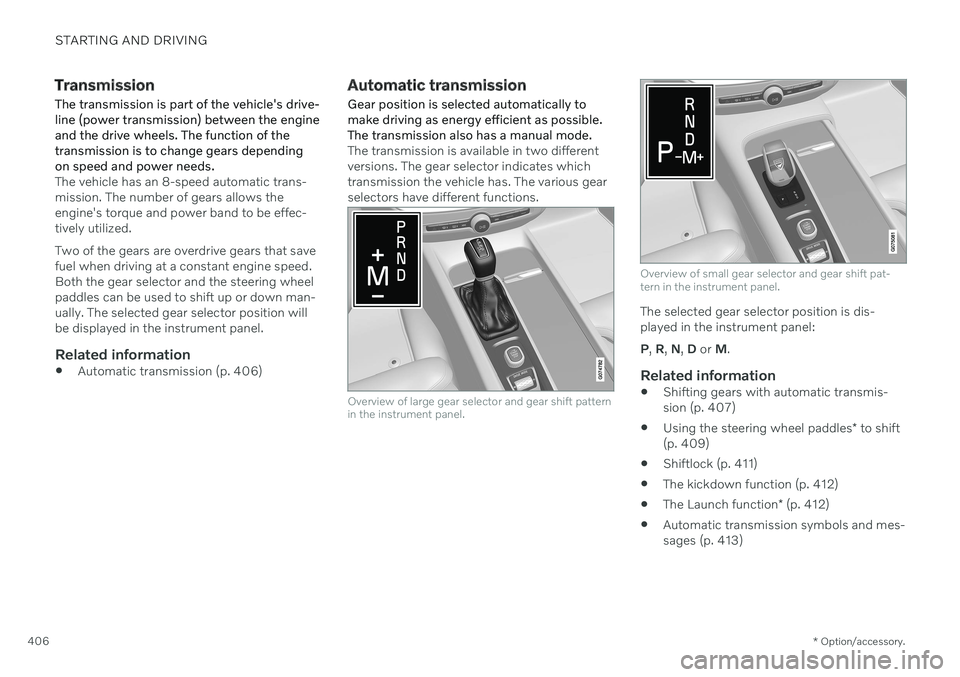
The transmission is available in two different versions. The gear selector indicates whichtransmission the vehicle has. The various gearselectors have different functions.
Overview of large gear selector and gear shift pattern in the instrument panel.
Overview of small gear selector and gear shift pat- tern in the instrument panel.
The selected gear selector position is dis- played in the instrument panel: P , R , N , D or M.
Related information
Shifting gears with automatic transmis- sion (p. 407)
Using the steering wheel paddles
* to shift
(p. 409)
Shiftlock (p. 411)
The kickdown function (p. 412)
The Launch function
* (p. 412)
Automatic transmission symbols and mes-sages (p. 413)
Page 411 of 661
STARTING AND DRIVING
}}
* Option/accessory.409
Push the gear selector to the right toward "
+ " (plus) and release to shift up one gear.
Push the gear selector to the left toward"
– " (minus) and release to shift down one
gear.
Push the gear selector rearward to returnto
D mode.
For smooth shifting and engine performance,the transmission will shift down automaticallyif the vehicle's speed becomes too low for theselected gear.
Related information
Automatic transmission (p. 406)
Shiftlock (p. 411)
Using the steering wheel paddles
* to shift
(p. 409)
The kickdown function (p. 412)
Using the steering wheel paddles
*
to shift
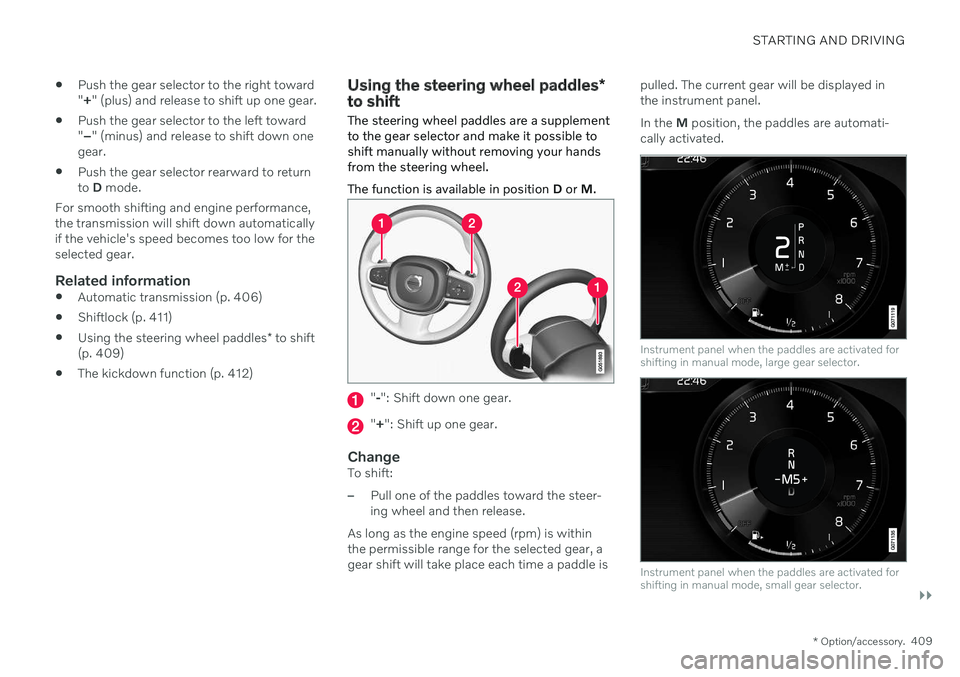
The steering wheel paddles are a supplement to the gear selector and make it possible toshift manually without removing your handsfrom the steering wheel. The function is available in position D or M.
"-": Shift down one gear.
" + ": Shift up one gear.
ChangeTo shift:
–Pull one of the paddles toward the steer- ing wheel and then release.
As long as the engine speed (rpm) is withinthe permissible range for the selected gear, agear shift will take place each time a paddle is pulled. The current gear will be displayed inthe instrument panel. In the
M position, the paddles are automati-
cally activated.
Instrument panel when the paddles are activated for shifting in manual mode, large gear selector.
Instrument panel when the paddles are activated for shifting in manual mode, small gear selector.