display VOLVO V60 2021 Owners Manual
[x] Cancel search | Manufacturer: VOLVO, Model Year: 2021, Model line: V60, Model: VOLVO V60 2021Pages: 661, PDF Size: 12.68 MB
Page 192 of 661
||
SEATS AND STEERING WHEEL
* Option/accessory.
190 Lumbar support is adjusted using the multi- function control in vehicles with four-way lum- bar support
*, or the round button in vehicles
with two-way lumbar support *. The control is
located on the side of the seat cushion. Depending on the selected equipment level,the lumbar support can be adjusted forward/rearward and up/down (four-way lumbar sup-port) or forward/backward (two-way lumbarsupport).
Adjusting lumbar support in vehicles
with four-way lumbar support
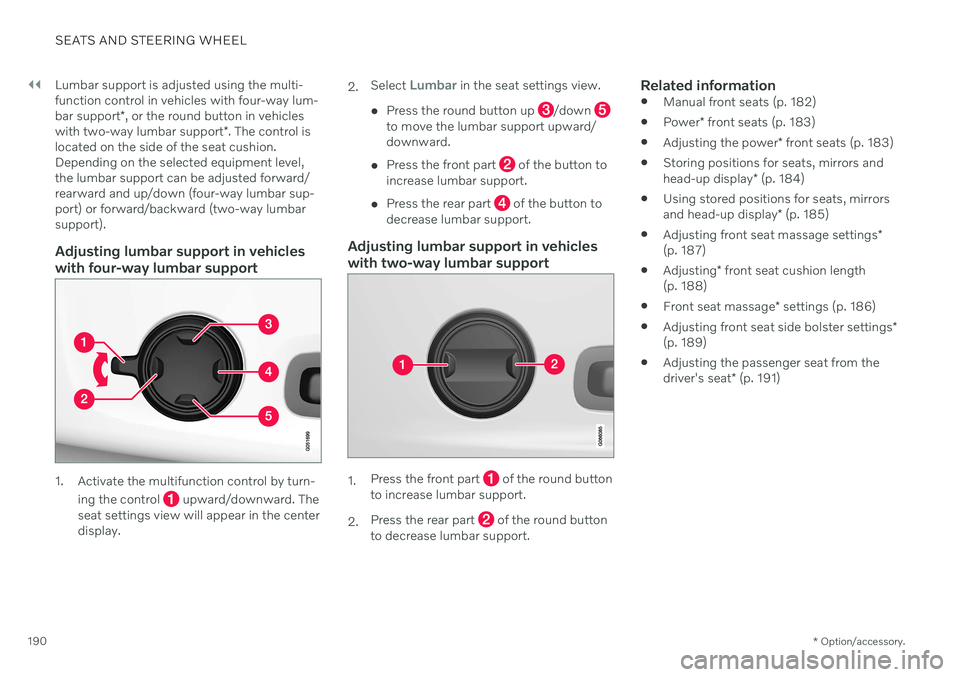
1. Activate the multifunction control by turn-
ing the control
upward/downward. The
seat settings view will appear in the center display. 2.
Select
Lumbar in the seat settings view.
Press the round button up
/down to move the lumbar support upward/ downward.
Press the front part
of the button to
increase lumbar support.
Press the rear part
of the button to
decrease lumbar support.
Adjusting lumbar support in vehicles with two-way lumbar support
1. Press the front part of the round button
to increase lumbar support.
2. Press the rear part
of the round button
to decrease lumbar support.
Related information
Manual front seats (p. 182)
Power
* front seats (p. 183)
Adjusting the power
* front seats (p. 183)
Storing positions for seats, mirrors and head-up display
* (p. 184)
Using stored positions for seats, mirrorsand head-up display
* (p. 185)
Adjusting front seat massage settings
*
(p. 187)
Adjusting
* front seat cushion length
(p. 188)
Front seat massage
* settings (p. 186)
Adjusting front seat side bolster settings
*
(p. 189)
Adjusting the passenger seat from thedriver's seat
* (p. 191)
Page 193 of 661
SEATS AND STEERING WHEEL
* Option/accessory.191
Adjusting the passenger seat from the driver's seat *
The front passenger seat can be adjusted from the driver's seat.
Activating the functionThe function is activated via the function view in the center display:
Tap the
Adjust Passenger
Seat button to activate.
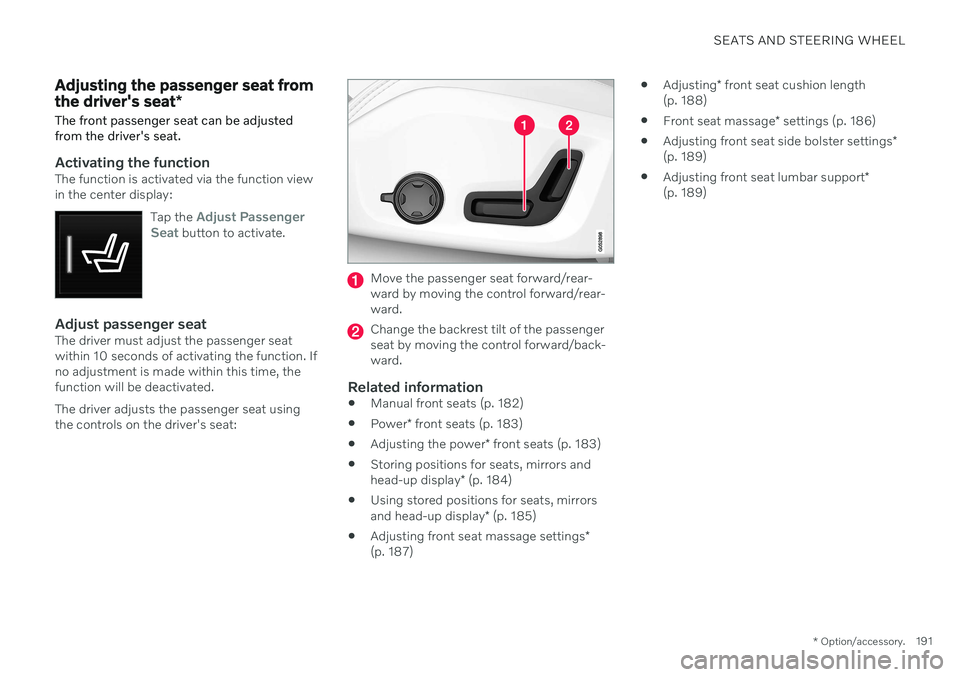
Adjust passenger seatThe driver must adjust the passenger seat within 10 seconds of activating the function. Ifno adjustment is made within this time, thefunction will be deactivated. The driver adjusts the passenger seat using the controls on the driver's seat:
Move the passenger seat forward/rear- ward by moving the control forward/rear-ward.
Change the backrest tilt of the passenger seat by moving the control forward/back-ward.
Related information
Manual front seats (p. 182)
Power
* front seats (p. 183)
Adjusting the power
* front seats (p. 183)
Storing positions for seats, mirrors and head-up display
* (p. 184)
Using stored positions for seats, mirrorsand head-up display
* (p. 185)
Adjusting front seat massage settings
*
(p. 187)
Adjusting
* front seat cushion length
(p. 188)
Front seat massage
* settings (p. 186)
Adjusting front seat side bolster settings
*
(p. 189)
Adjusting front seat lumbar support
*
(p. 189)
Page 196 of 661
||
SEATS AND STEERING WHEEL
* Option/accessory.
194
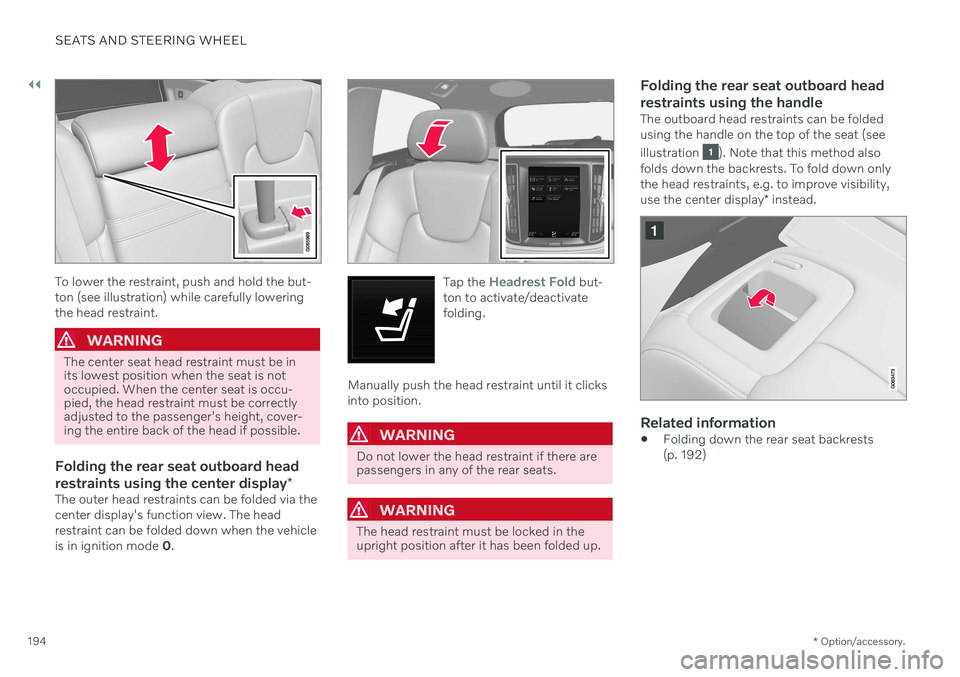
To lower the restraint, push and hold the but- ton (see illustration) while carefully loweringthe head restraint.
WARNING
The center seat head restraint must be in its lowest position when the seat is notoccupied. When the center seat is occu-pied, the head restraint must be correctlyadjusted to the passenger's height, cover-ing the entire back of the head if possible.
Folding the rear seat outboard head restraints using the center display *
The outer head restraints can be folded via the center display's function view. The headrestraint can be folded down when the vehicle is in ignition mode 0.
Tap the Headrest Fold but-
ton to activate/deactivate folding.
Manually push the head restraint until it clicks into position.
WARNING
Do not lower the head restraint if there are passengers in any of the rear seats.
WARNING
The head restraint must be locked in the upright position after it has been folded up.
Folding the rear seat outboard head restraints using the handle
The outboard head restraints can be folded using the handle on the top of the seat (see illustration
). Note that this method also
folds down the backrests. To fold down only the head restraints, e.g. to improve visibility, use the center display * instead.
Related information
Folding down the rear seat backrests (p. 192)
Page 200 of 661
CLIMATE CONTROL
* Option/accessory.
198
Climate The vehicle is equipped with electronic cli- mate control. The climate system cools, heatsand dehumidifies the air in the passengercompartment.
All of the climate system functions are con- trolled from the center display and the buttonson the center console. Certain rear seat functions can also be con- trolled from the climate controls * on the rear
of the tunnel console.
NOTE
The climate system can be used to cool down the media system in the center dis-play if needed. In these cases, the message
Climate system Cooling the
infotainment system will be shown in the
instrument panel.
Related information
Climate zones (p. 198)
Climate control sensors (p. 199)
Perceived temperature (p. 200)
Climate control system voice commands (p. 200)
Parking climate
* (p. 226)
Air quality (p. 201)
Air distribution (p. 204)
Climate system controls (p. 210)
Climate zones The vehicle is divided into climate zones to make it possible to set different temperaturesfor different parts of the passenger compart-ment.
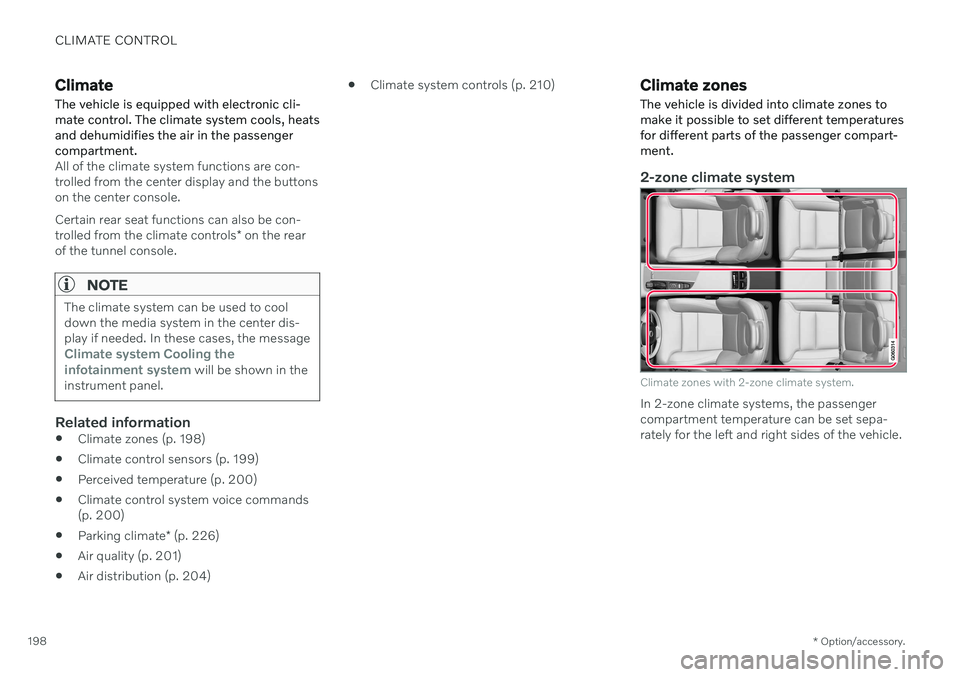
2-zone climate system
Climate zones with 2-zone climate system.
In 2-zone climate systems, the passenger compartment temperature can be set sepa-rately for the left and right sides of the vehicle.
Page 205 of 661
CLIMATE CONTROL
* Option/accessory.203
Interior Air Quality System *
Interior Air Quality System (IAQS) is a fully automatic air quality system that removesgases and particles to reduce odors and con-taminants in the passenger compartment.
IAQS is part of the Clean Zone Interior Package (CZIP) and removes air contaminantssuch as particles, hydrocarbons, nitric oxidesand ground-level ozone. If the system's air quality sensors detect con- taminants in the outside air, the air intakecloses and air recirculation is activated.
NOTE
To ensure optimal air quality in the passen- ger compartment, the air quality sensorshould always be engaged. Recirculation is limited in cold weather to prevent fogging. In the event of fogging, use the defroster functions for the windshield, side windowsand rear window.
Related information
Activating and deactivating the air quality sensor
* (p. 203)
Air quality (p. 201)
CleanZone
* (p. 202)
Clean Zone Interior Package
* (p. 202)
Passenger compartment air filter (p. 204)
Activating and deactivating the air quality sensor
*
The air quality sensor is part of the fully auto- mated Interior Air Quality System (IAQS).
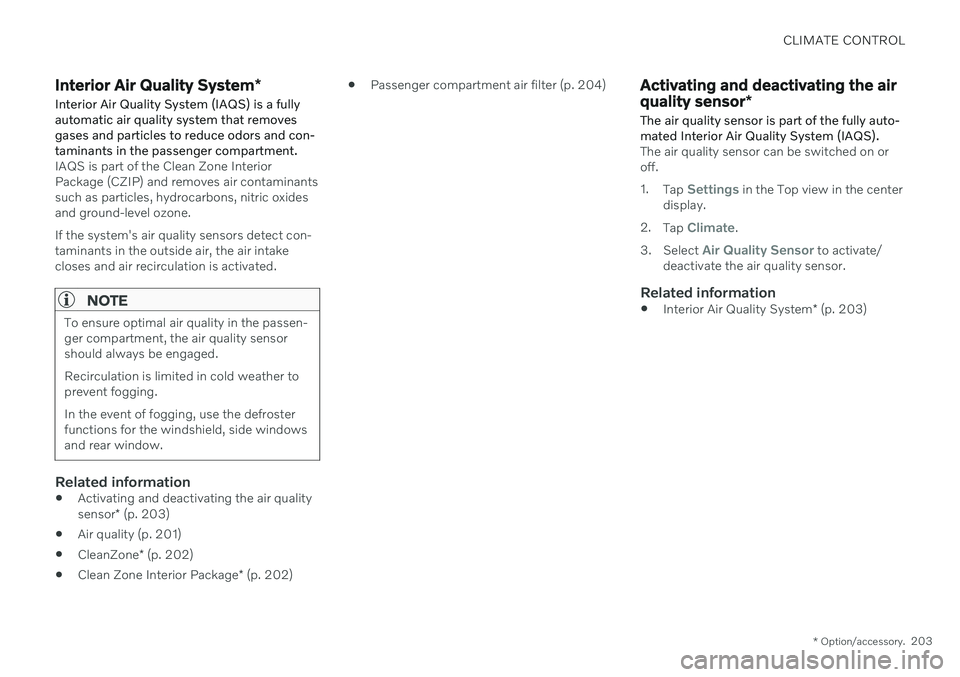
The air quality sensor can be switched on or off. 1. Tap
Settings in the Top view in the center
display.
2. Tap
Climate.
3. Select
Air Quality Sensor to activate/
deactivate the air quality sensor.
Related information
Interior Air Quality System
* (p. 203)
Page 212 of 661
CLIMATE CONTROL
* Option/accessory.
210
Climate system controls
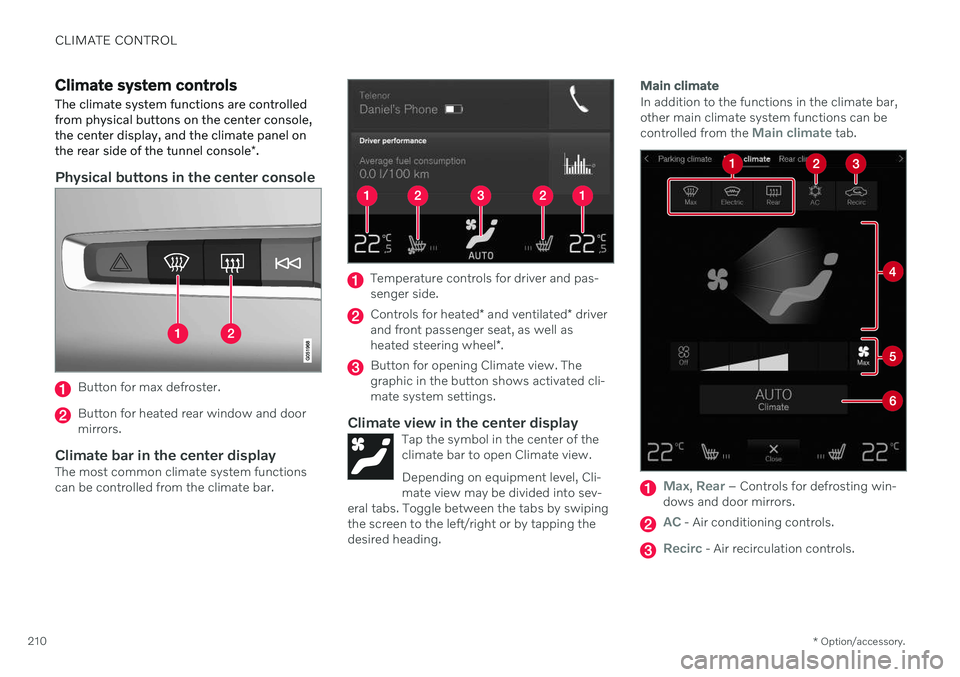
The climate system functions are controlled from physical buttons on the center console,the center display, and the climate panel on the rear side of the tunnel console *.
Physical buttons in the center console
Button for max defroster.
Button for heated rear window and door mirrors.
Climate bar in the center displayThe most common climate system functionscan be controlled from the climate bar.
Temperature controls for driver and pas- senger side.
Controls for heated * and ventilated * driver
and front passenger seat, as well as heated steering wheel *.
Button for opening Climate view. The graphic in the button shows activated cli-mate system settings.
Climate view in the center displayTap the symbol in the center of theclimate bar to open Climate view. Depending on equipment level, Cli- mate view may be divided into sev-
eral tabs. Toggle between the tabs by swipingthe screen to the left/right or by tapping thedesired heading.
Main climate
In addition to the functions in the climate bar, other main climate system functions can be controlled from the
Main climate tab.
Max, Rear – Controls for defrosting win-
dows and door mirrors.
AC - Air conditioning controls.
Recirc - Air recirculation controls.
Page 214 of 661
||
CLIMATE CONTROL
* Option/accessory.
212 only the controls for seat adjustment
* and the
unlock button will be displayed. After unlocking, blower speed and tempera- ture can also be changed from the climatepanel and all selected climate settings will bedisplayed. The screen locks automatically aftera period of inactivity.
Related information
Climate (p. 198)
Activating and deactivating power front seats
* (p. 212)
Activating and deactivating the heatedrear seats
* (p. 213)
Activating and deactivating front seat ven-tilation
* (p. 215)
Activating and deactivating the heatedsteering wheel
* (p. 215)
Activating auto climate control (p. 216)
Activating and deactivating recirculation (p. 217)
Activating and deactivating max defroster(p. 218)
Activating and deactivating the heatedrear window and door mirrors (p. 219)
Setting the blower speed for the frontseats (p. 220)
Setting the blower speed for the rear seats
* (p. 221)
Synchronize temperature (p. 224)
Activating and deactivating air condition- ing (p. 225)
Activating and deactivating power front seats
*
The seats can be heated for added comfort for the driver and passengers in cold weather.
1. Tap the left- or right-side steering wheel and seat button in the center display's cli- mate bar to open the controls for steeringwheel and seat heating. If the vehicle is not equipped with ventila- ted seats or heated steering wheel (for thedriver's side), the button for seat heating isdirectly accessible in the climate bar.
2. Tap the seat heating button repeatedly to
select one of the four levels: Off, High,Medium or Low.
> The level is changed and the set level is displayed in the button.
Page 215 of 661
CLIMATE CONTROL
}}
* Option/accessory.213
WARNING
Heated seats should not be used by people who have difficulty detecting temperatureincreases due to nerve damage or numb-ness or who for another reason may havedifficulty operating the controls for seatheating.
Related information
Climate system controls (p. 210)
Activating and deactivating the heated front seat
* (p. 213)
Activating and deactivating the heated front seat *
The seats can be heated for added comfort for the driver and passengers in cold weather.
Seat heating can be set to automatically acti- vate when the engine is started. When set toautomatically activate, heating will be turnedon at low ambient temperatures. 1. Tap
Settings in the Top view in the center
display.
2. Tap
Climate.
3. Select
Auto Driver Seat Heating Leveland Auto Passenger Seat Heating Levelto activate/deactivate automatic start of heated driver's and passenger seat.
> An "A" will be displayed next to the rel-
evant seat heating button in the climate bar when auto start has been activated.
4. Select
Low, Medium or High to select
level after the function has been activated.
Related information
Climate system controls (p. 210)
Activating and deactivating power front seats
* (p. 212)
Activating and deactivating the heated rear seats *
The seats can be heated for added comfort for the driver and passengers in cold weather.
Activating and deactivating the heated rear seats from the front seats *
1. Tap the symbol in the center of the climate
bar to open Climate view in the center dis- play.
2. Select the
Rear climate tab.
3. Tap the seat heating button repeatedly to
select one of the four levels: Off, High,Medium or Low.
> The level is changed and the set level is displayed in the button.
Page 216 of 661
||
CLIMATE CONTROL
* Option/accessory.
214
Activating and deactivating the heated rear seats from the rear seat
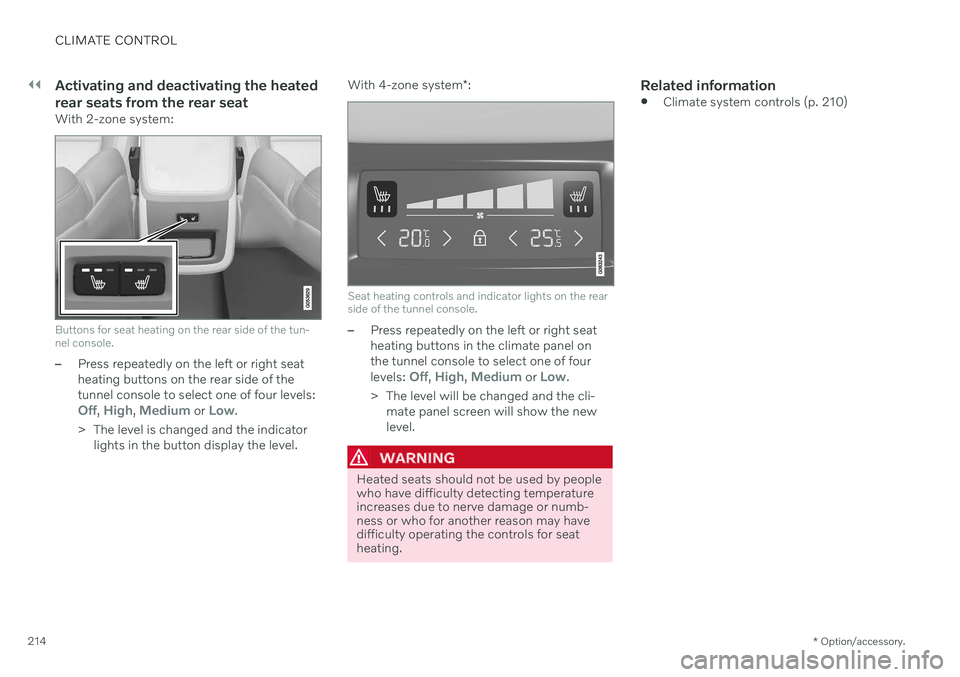
With 2-zone system:
Buttons for seat heating on the rear side of the tun- nel console.
–Press repeatedly on the left or right seat heating buttons on the rear side of thetunnel console to select one of four levels:
Off, High, Medium or Low.
> The level is changed and the indicator lights in the button display the level. With 4-zone system
*:
Seat heating controls and indicator lights on the rear side of the tunnel console.
–Press repeatedly on the left or right seat heating buttons in the climate panel onthe tunnel console to select one of four levels:
Off, High, Medium or Low.
> The level will be changed and the cli- mate panel screen will show the new level.
WARNING
Heated seats should not be used by people who have difficulty detecting temperatureincreases due to nerve damage or numb-ness or who for another reason may havedifficulty operating the controls for seatheating.
Related information
Climate system controls (p. 210)
Page 217 of 661
CLIMATE CONTROL
* Option/accessory.215
Activating and deactivating front seat ventilation *
The seats can be ventilated to provide increased comfort in warm weather.
The ventilation system consists of fans in the seats and backrest that draw air through theseat upholstery. The cooler the passengercompartment is, the greater the cooling effectof the ventilation. The system can be activatedwhen the engine is running.
1. Tap the left- or right-side steering wheel and seat button in the center display's cli- mate bar to open the controls for steeringwheel and seat heating. If the vehicle is not equipped with heated seats or heated steering wheel (for thedriver's side), the button for seat ventila-tion is directly accessible in the climatebar.
2. Tap the seat ventilation button repeatedly
to select one of the four levels: Off, High,Medium or Low.
> The level is changed and the set level is displayed in the button.
Related information
Climate system controls (p. 210)
Activating and deactivating the heated steering wheel
*
The steering wheel can be heated for added comfort in cold weather.
1. Tap the driver's side steering wheel and seat button in the climate bar in the center display to open the controls for steeringwheel and seat heating. If the vehicle is not equipped with heated or ventilated seats, the button for steeringwheel heating is directly accessible in theclimate bar.
2. Tap the steering wheel heating buttonrepeatedly to select one of the four levels:
Off, High, Medium or Low.
> The level is changed and the set level is displayed in the button.
Related information
Climate system controls (p. 210)
Activating and deactivating automatic steering wheel heating
* (p. 216)