display VOLVO V60 2021 Owners Manual
[x] Cancel search | Manufacturer: VOLVO, Model Year: 2021, Model line: V60, Model: VOLVO V60 2021Pages: 661, PDF Size: 12.68 MB
Page 281 of 661
DRIVER SUPPORT
}}
* Option/accessory.279
Related information
Driver support systems (p. 270)
Activating or deactivating Road Sign Infor- mation
* (p. 279)
Road Sign Information
* display (p. 279)
Road Sign Information and SensusNavigation
* (p. 280)
Speed limit and speed camera warningsfrom Road Sign Information
* (p. 280)
Road Sign Information
* limitations
(p. 282)
Activating or deactivating Road Sign Information *
The Road Sign Information (RSI 16
) function is
optional – the driver can choose to have the function activated or deactivated.
Activate or deactivate the function using this button inthe center display's Functionview.
Illuminated button indicator light – the function is activated.
Extinguished button indicator light – thefunction is deactivated.
Related information
Road Sign Information
* (p. 278)
Road Sign Information
* limitations
(p. 282)
Road Sign Information * display
Road Sign Information (RSI 17
) displays road
signs in different ways depending on the sign and situation.
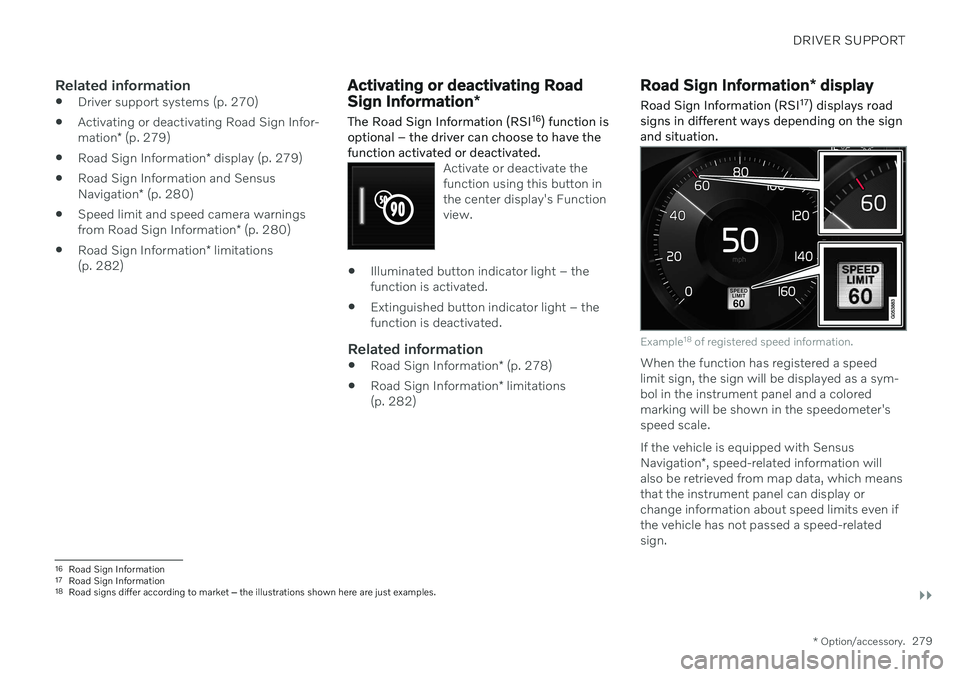
Example 18
of registered speed information.
When the function has registered a speed limit sign, the sign will be displayed as a sym-bol in the instrument panel and a coloredmarking will be shown in the speedometer'sspeed scale. If the vehicle is equipped with Sensus Navigation *, speed-related information will
also be retrieved from map data, which means that the instrument panel can display orchange information about speed limits even ifthe vehicle has not passed a speed-relatedsign.
16 Road Sign Information
17 Road Sign Information
18 Road signs differ according to market ‒ the illustrations shown here are just examples.
Page 282 of 661
||
DRIVER SUPPORT
* Option/accessory.
280
Signs for "School" and "Children playing"
If the warning sign "School" or "Children playing" isincluded in the satellite navi- gator's map data 19
, a symbol
of this type will be displayed in the instrument panel.
Related information
Road Sign Information
* (p. 278)
Road Sign Information
* limitations
(p. 282)
Road Sign Information and Sensus Navigation *
If the vehicle is equipped with Sensus Navigation*, speed-related information will be
provided in the following situations:
In cases where the speed limit is given indirectly, e.g. signs for highways or othermajor roads.
If a previously detected speed sign isdeemed to be no longer valid and no newsign has been passed.
NOTE
In certain markets, the Road Sign Informa- tion
* function is only available in combina-
tion with Sensus Navigation *.
NOTE
If a downloaded third-party app is used for navigation, there is no support for speed-related information.
Related information
Road Sign Information
* (p. 278)
Speed limit and speed camera warnings from Road Sign Information *
There are subfunctions for Road Sign Infor- mation (RSI 20
) that can alert the driver if the
speed limit has been exceeded or if there are speed cameras nearby.
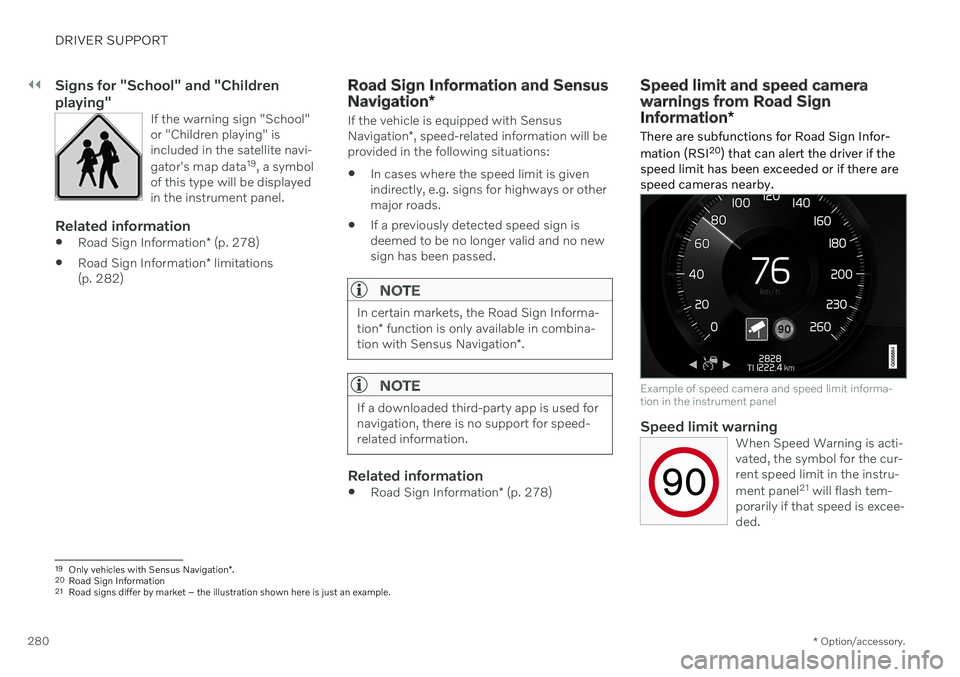
Example of speed camera and speed limit informa- tion in the instrument panel
Speed limit warningWhen Speed Warning is acti- vated, the symbol for the cur-rent speed limit in the instru- ment panel 21
will flash tem-
porarily if that speed is excee- ded.
19 Only vehicles with Sensus Navigation *.
20 Road Sign Information
21 Road signs differ by market – the illustration shown here is just an example.
Page 283 of 661
DRIVER SUPPORT
}}
* Option/accessory.281
The driver can be alerted if the vehicle is exceeding a detected speed limit and isapproaching a speed camera.
Speed Limit Warning warns the driver if the
vehicle's speed has exceeded the applicable speed limit or the stored maximum speed. Thewarning will be repeated once afterabout 30 seconds in that speed limit area ifthe driver does not slow down. An additional warning will not be provided unless the vehicle's speed is reduced by atleast 5 km/h (3 mph) and then exceeds thespeed limit again or the vehicle enters a new/different speed limit area.
NOTE
For an audible alert to be provided if the speed is exceeded, the Speed Limit
Warning function must be activated and
the Road Sign Audio Warning sub-func-
tion must be On. Audible alerts are provi-
ded if the vehicle's speed exceeds the speed displayed by Road Sign Informationin the instrument panel.
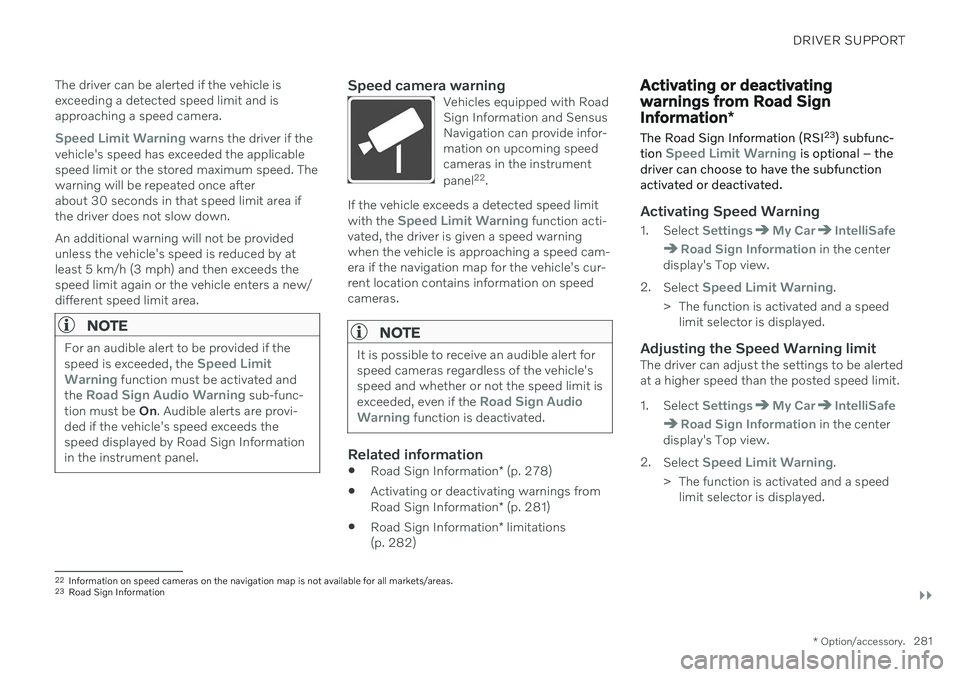
Speed camera warningVehicles equipped with Road Sign Information and SensusNavigation can provide infor-mation on upcoming speedcameras in the instrument panel 22
.
If the vehicle exceeds a detected speed limit with the Speed Limit Warning function acti-
vated, the driver is given a speed warning when the vehicle is approaching a speed cam-era if the navigation map for the vehicle's cur-rent location contains information on speedcameras.
NOTE
It is possible to receive an audible alert for speed cameras regardless of the vehicle'sspeed and whether or not the speed limit is exceeded, even if the
Road Sign Audio
Warning function is deactivated.
Related information
Road Sign Information
* (p. 278)
Activating or deactivating warnings from Road Sign Information
* (p. 281)
Road Sign Information
* limitations
(p. 282)
Activating or deactivating warnings from Road Sign Information *
The Road Sign Information (RSI 23
) subfunc-
tion
Speed Limit Warning is optional – the
driver can choose to have the subfunction activated or deactivated.
Activating Speed Warning
1. Select SettingsMy CarIntelliSafe
Road Sign Information in the center
display's Top view.
2. Select
Speed Limit Warning.
> The function is activated and a speed limit selector is displayed.
Adjusting the Speed Warning limitThe driver can adjust the settings to be alerted at a higher speed than the posted speed limit.
1. Select
SettingsMy CarIntelliSafe
Road Sign Information in the center
display's Top view.
2. Select
Speed Limit Warning.
> The function is activated and a speed limit selector is displayed.
22Information on speed cameras on the navigation map is not available for all markets/areas.
23 Road Sign Information
Page 284 of 661
||
DRIVER SUPPORT
* Option/accessory.
282 3. Tap the up/down arrows on the screen to
adjust the speed at which the Speed Warning will be given.
Please note that the setwarning limit will not be usedwhen a speed camera symbolis displayed in the instrumentpanel.
Activating audible alert for Speed Warning
1. Select SettingsMy CarIntelliSafe
Road Sign Information in the center
display's Top view.
2. Select/deselect
Road Sign Audio
Warning to activate/deactivate the audi-
ble alert.
When
Road Sign Audio Warning is acti-
vated, the driver will also be alerted if the vehi- cle is approaching a one-way/"no-entry" roador entrance.
Activating speed camera alertsIf the vehicle is equipped with Sensus Navigation * and map data contains informa-
tion on speed cameras, the driver can choose to receive an audible alert if the vehicle isapproaching a speed camera. 1. Select
SettingsMy CarIntelliSafe
Road Sign Information in the center
display's Top view.
2. Select/deselect
Speed Camera Audio
Warning to activate/deactivate the speed
camera audible alert.
Related information
Road Sign Information
* (p. 278)
Speed limit and speed camera warnings from Road Sign Information
* (p. 280)
Road Sign Information
* limitations
(p. 282)
Road Sign Information * limitations
Road Sign Information (RSI 24
) functionality
may be reduced in certain situations.
The function could have reduced functionality due to e.g.: faded road signs
signs located in a curve in the road
twisted or damaged signs
signs positioned high above the road
fully/partially obstructed or poorly posi- tioned signs
signs partially or fully covered by frost,snow and/or dirt
digital road maps 25
that are outdated,
incorrect or do not contain speed informa- tion 26
NOTE
In certain markets, the Road Sign Informa- tion
* function is only available in combina-
tion with Sensus Navigation *.
24
Road Sign Information
Page 289 of 661

DRIVER SUPPORT
* Option/accessory.287
cle. When there are no longer slower-moving vehicles ahead, the vehicle will return to theset speed. If the Curve Speed Assist (CSA)
* function is
activated, it may also affect the vehicle's speed. Adaptive Cruise Control is designed to: smoothly regulate speed. The driver must apply the brakes in situations requiringimmediate braking. For example, whenthere are great differences in speedbetween vehicles or if the vehicle aheadbrakes suddenly. Due to limitations in theradar sensor, braking may occur unexpect-edly or not at all.
follow a vehicle ahead in the same laneand maintain a time interval to that vehicleset by the driver. If the radar sensor doesnot detect a vehicle ahead, it will insteadmaintain the speed set by the driver. Thiswill also happen if the speed of the vehicleahead exceeds the set speed for your vehi-cle.
WARNING
The function is supplementary driver support intended to facilitate drivingand help make it safer – it cannot han-dle all situations in all traffic, weatherand road conditions.
The driver is advised to read all sec-tions in the Owner's Manual about thisfunction to learn of its limitations,which the driver must be aware ofbefore using the function.
Driver support functions are not a sub-stitute for the driver's attention andjudgment. The driver is always respon-sible for ensuring the vehicle is drivenin a safe manner, at the appropriatespeed, with an appropriate distance toother vehicles, and in accordance withcurrent traffic rules and regulations.
CAUTION
Only a workshop may perform mainte- nance on driver support components – anauthorized Volvo workshop is recom-mended.
Related information
Driver support systems (p. 270)
Adaptive Cruise Control
* controls (p. 288)
Adaptive Cruise Control
* displays (p. 288)
Selecting and activating Adaptive Cruise Control
* (p. 289)
Adaptive Cruise Control
* limitations
(p. 292)
Symbols and messages for AdaptiveCruise Control
* (p. 294)
Collision risk warning from driver support (p. 311)
Setting time interval to the vehicle ahead(p. 314)
Adjusting set speed for driver support(p. 313)
Auto-hold braking with driver support(p. 315)
Switching target vehicles with driver sup-port (p. 312)
Passing assistance
* (p. 310)
Contacting Volvo (p. 26)
Page 290 of 661

DRIVER SUPPORT
* Option/accessory.
288
Adaptive Cruise Control *34
controls
A summary of how Adaptive Cruise Control (ACC 35
) is controlled using the left-side steer-
ing wheel keypad and how the function is shown in the display.
: From standby mode - activates and
sets the current speed
: From active mode - deactivates/
puts in standby mode
: Activates the function from standby
mode and resumes the set speed
: Increases the set speed
: Reduces the set speed
Increases the time interval to the vehicle ahead
Reduces the time interval to the vehicle ahead
Target vehicle indicator: the function has detected and is following a target vehicleusing the set time interval
Symbol for time interval to the vehicle ahead
Related information
Adaptive Cruise Control
* (p. 286)
Adaptive Cruise Control
* limitations
(p. 292)
Adaptive Cruise Control *36
displays The following illustrations show how Adap- tive Cruise Control (ACC 37
) can appear in the
various displays in different situations.
Speed
Speed indicators
Set speed
Speed of the vehicle ahead
The current speed of your vehicle
34 Depending on market, this function can be either standard or optional.
35 Adaptive Cruise Control
36 Depending on market, this function can be either standard or optional.
Page 295 of 661
DRIVER SUPPORT
* Option/accessory.293
Switching between cruise control and Adaptive Cruise Control *48
in
the center display
When the regular cruise control (CC 49
) is
selected in the instrument panel, you can switch to Adaptive Cruise Control (ACC 50
) in
the center display's Function view.
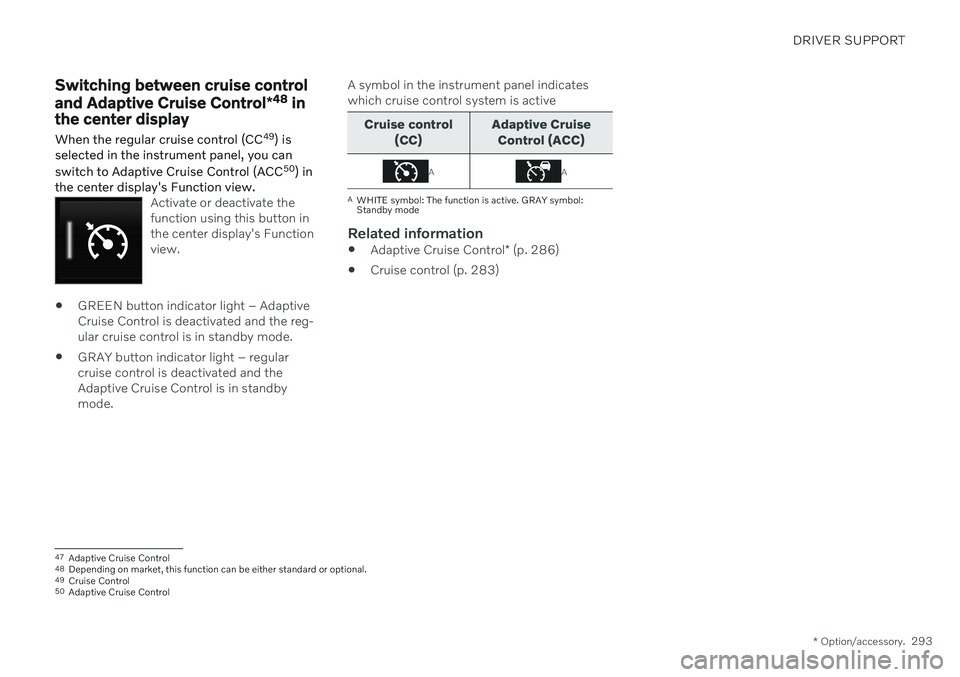
Activate or deactivate the function using this button inthe center display's Functionview.
GREEN button indicator light – Adaptive Cruise Control is deactivated and the reg-ular cruise control is in standby mode.
GRAY button indicator light – regularcruise control is deactivated and theAdaptive Cruise Control is in standbymode. A symbol in the instrument panel indicateswhich cruise control system is active
Cruise control
(CC) Adaptive Cruise
Control (ACC)
AA
A WHITE symbol: The function is active. GRAY symbol: Standby mode
Related information
Adaptive Cruise Control
* (p. 286)
Cruise control (p. 283)
47
Adaptive Cruise Control
48 Depending on market, this function can be either standard or optional.
49 Cruise Control
50 Adaptive Cruise Control
Page 296 of 661
DRIVER SUPPORT
* Option/accessory.
294
Symbols and messages for Adaptive Cruise Control *51
A number of symbols and messages relating to Adaptive Cruise Control (ACC 52
) may be displayed in the instrument panel and/or the head-up display
*.
51
Depending on market, this function can be either standard or optional.
52 Adaptive Cruise Control
Page 300 of 661
||
DRIVER SUPPORT
* Option/accessory.
298
CAUTION
Only a workshop may perform mainte- nance on driver support components – anauthorized Volvo workshop is recom-mended.
Related information
Driver support systems (p. 270)
Selecting and activating Pilot Assist
*
(p. 300)
Pilot Assist
* displays (p. 299)
Pilot Assist
* limitations (p. 304)
Pilot Assist
* symbols and messages
(p. 306)
Pilot Assist
* controls (p. 298)
Collision risk warning from driver support (p. 311)
Switching target vehicles with driver sup-port (p. 312)
Setting time interval to the vehicle ahead(p. 314)
Adjusting set speed for driver support(p. 313)
Auto-hold braking with driver support(p. 315)
Passing assistance
* (p. 310)
Contacting Volvo (p. 26)
Pilot Assist
*54
controls
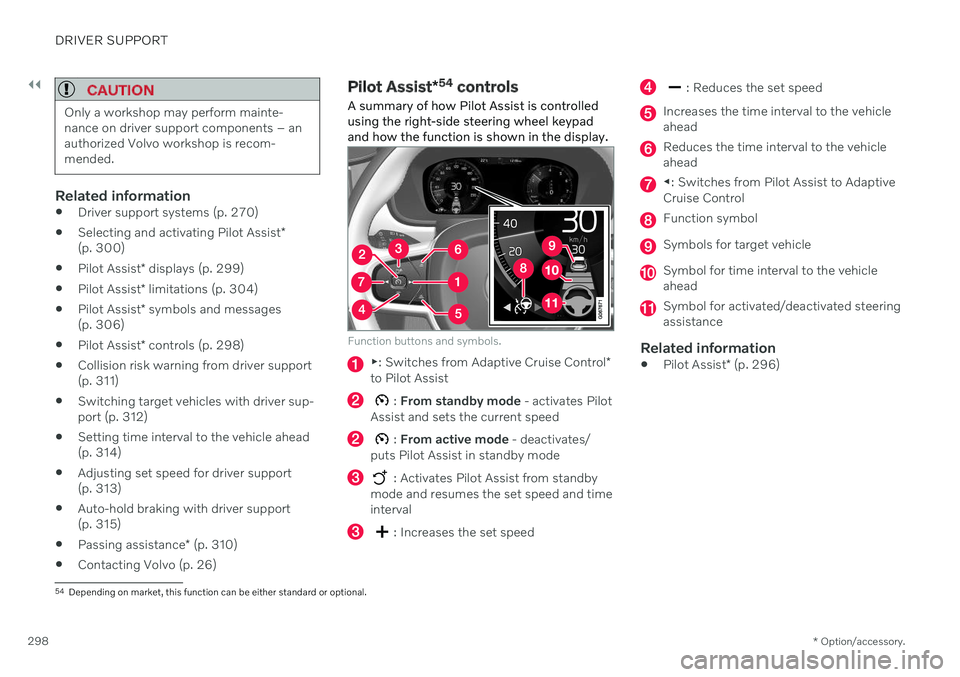
A summary of how Pilot Assist is controlled using the right-side steering wheel keypadand how the function is shown in the display.
Function buttons and symbols.
▶ : Switches from Adaptive Cruise Control *
to Pilot Assist
: From standby mode - activates Pilot
Assist and sets the current speed
: From active mode - deactivates/
puts Pilot Assist in standby mode
: Activates Pilot Assist from standby
mode and resumes the set speed and time interval
: Increases the set speed
: Reduces the set speed
Increases the time interval to the vehicle ahead
Reduces the time interval to the vehicle ahead
◀ : Switches from Pilot Assist to Adaptive
Cruise Control
Function symbol
Symbols for target vehicle
Symbol for time interval to the vehicle ahead
Symbol for activated/deactivated steering assistance
Related information
Pilot Assist
* (p. 296)
54
Depending on market, this function can be either standard or optional.
Page 301 of 661
DRIVER SUPPORT
}}
* Option/accessory.299
Pilot Assist*55
displays
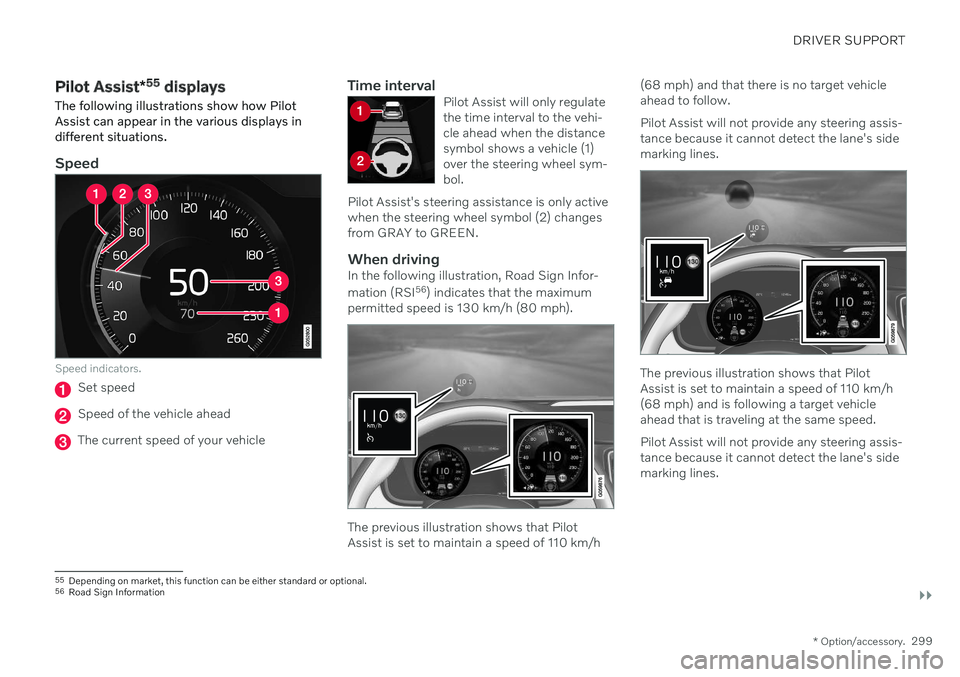
The following illustrations show how Pilot Assist can appear in the various displays indifferent situations.
Speed
Speed indicators.
Set speed
Speed of the vehicle ahead
The current speed of your vehicle
Time intervalPilot Assist will only regulate the time interval to the vehi-cle ahead when the distancesymbol shows a vehicle (1)over the steering wheel sym-bol.
Pilot Assist's steering assistance is only activewhen the steering wheel symbol (2) changesfrom GRAY to GREEN.
When drivingIn the following illustration, Road Sign Infor- mation (RSI 56
) indicates that the maximum
permitted speed is 130 km/h (80 mph).
The previous illustration shows that Pilot Assist is set to maintain a speed of 110 km/h (68 mph) and that there is no target vehicleahead to follow. Pilot Assist will not provide any steering assis- tance because it cannot detect the lane's sidemarking lines.
The previous illustration shows that Pilot Assist is set to maintain a speed of 110 km/h(68 mph) and is following a target vehicleahead that is traveling at the same speed. Pilot Assist will not provide any steering assis- tance because it cannot detect the lane's sidemarking lines.
55
Depending on market, this function can be either standard or optional.
56 Road Sign Information