display VOLVO V60 2021 Manual Online
[x] Cancel search | Manufacturer: VOLVO, Model Year: 2021, Model line: V60, Model: VOLVO V60 2021Pages: 661, PDF Size: 12.68 MB
Page 139 of 661
DISPLAYS AND VOICE CONTROL
137
The active profile can then be linked to the key. 1.
Tap
Settings in the Top view in the center
display.
2. Tap
SystemDriver Profiles.
3. Mark the desired profile. The display will return to Home view. The
Guest profile
cannot be linked to a remote key.
4. Pull down Top view again and tap
SettingsSystemDriver ProfilesEdit Profile. 5.
Select
Connect key to link the profile with
the key. A driver profile can only be linked to the key currently being used in the vehi-cle. If there are any other keys in the vehi- cle,
More than one key is found, put the
key you want to connect on backup reader
will be displayed.
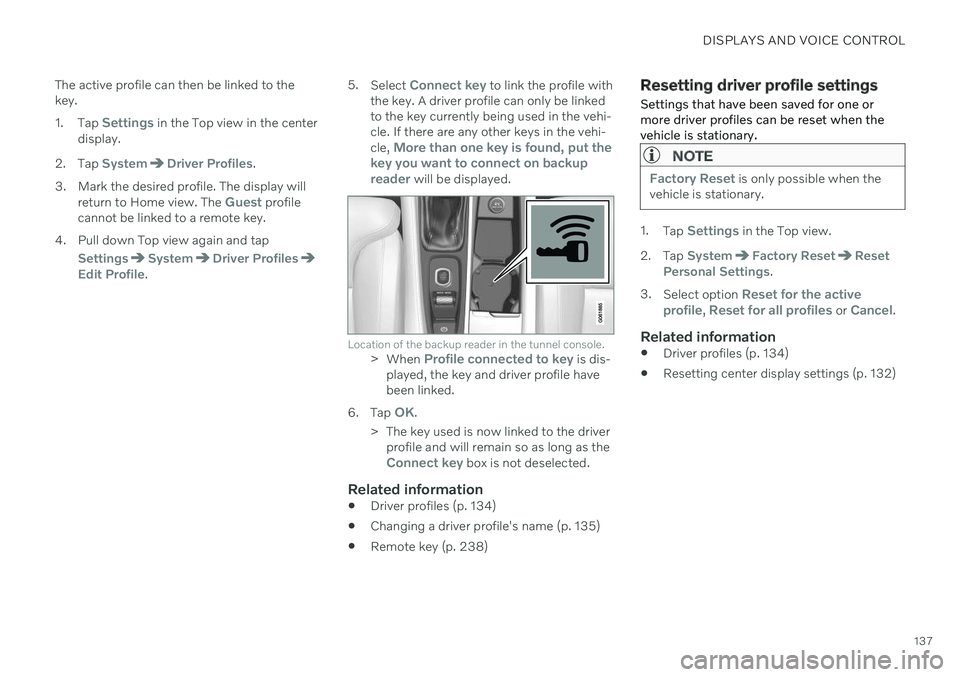
Location of the backup reader in the tunnel console.> When Profile connected to key is dis-
played, the key and driver profile have been linked.
6. Tap
OK.
> The key used is now linked to the driver profile and will remain so as long as the
Connect key box is not deselected.
Related information
Driver profiles (p. 134)
Changing a driver profile's name (p. 135)
Remote key (p. 238)
Resetting driver profile settings
Settings that have been saved for one or more driver profiles can be reset when thevehicle is stationary.
NOTE
Factory Reset is only possible when the
vehicle is stationary.
1. Tap Settings in the Top view.
2. Tap
SystemFactory ResetReset
Personal Settings.
3. Select option
Reset for the active
profile, Reset for all profiles or Cancel.
Related information
Driver profiles (p. 134)
Resetting center display settings (p. 132)
Page 140 of 661
DISPLAYS AND VOICE CONTROL
138
Messages in the center display
The center display shows messages in certain circumstances to inform or assist the driver.
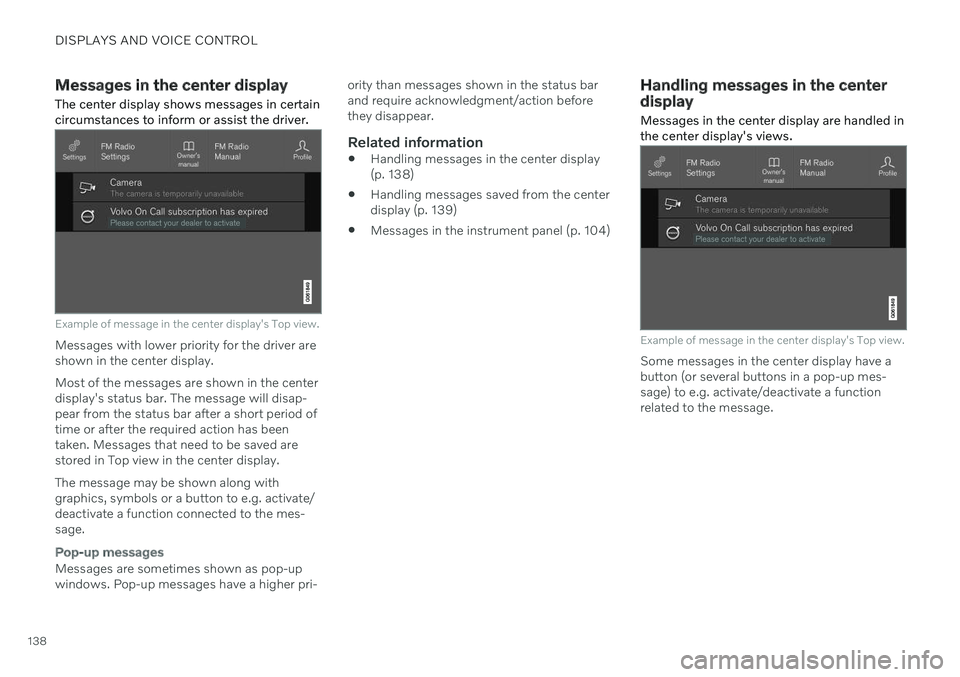
Example of message in the center display's Top view.
Messages with lower priority for the driver are shown in the center display. Most of the messages are shown in the center display's status bar. The message will disap- pear from the status bar after a short period of time or after the required action has beentaken. Messages that need to be saved are stored in Top view in the center display. The message may be shown along with graphics, symbols or a button to e.g. activate/deactivate a function connected to the mes-sage.
Pop-up messages
Messages are sometimes shown as pop-up windows. Pop-up messages have a higher pri- ority than messages shown in the status barand require acknowledgment/action beforethey disappear.
Related information
Handling messages in the center display(p. 138)
Handling messages saved from the centerdisplay (p. 139)
Messages in the instrument panel (p. 104)
Handling messages in the center display
Messages in the center display are handled in the center display's views.
Example of message in the center display's Top view.
Some messages in the center display have a button (or several buttons in a pop-up mes-sage) to e.g. activate/deactivate a functionrelated to the message.
Page 141 of 661
DISPLAYS AND VOICE CONTROL
139
Handling new messages
For messages with buttons:
–Tap the button to perform the action or let the message automatically time-out aftera short period.
> The message will disappear from thestatus bar.
For messages without buttons:
–Close the message by tapping it or let the message automatically time-out after ashort period.
> The message will disappear from the status bar.
Messages that need to be saved are stored in Top view in the center display.
Related information
Messages in the center display (p. 138)
Handling messages saved from the centerdisplay (p. 139)
Messages in the instrument panel (p. 104)
Handling messages saved from the center display Messages saved from the instrument panel and center displays are handled in the centerdisplay.
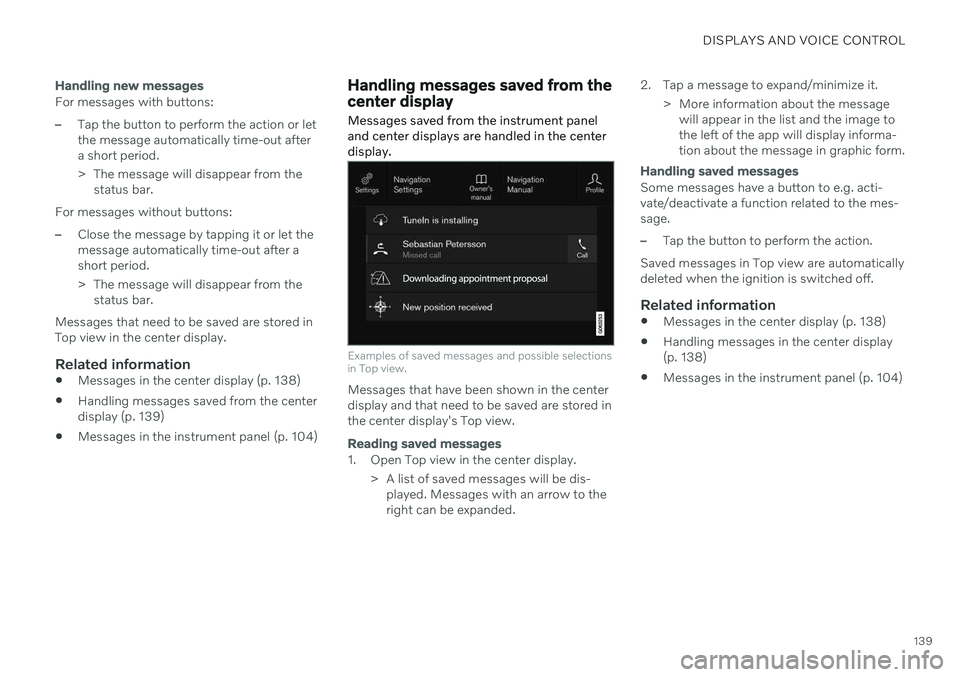
Examples of saved messages and possible selections in Top view.
Messages that have been shown in the center display and that need to be saved are stored inthe center display's Top view.
Reading saved messages
1. Open Top view in the center display.
> A list of saved messages will be dis-played. Messages with an arrow to the right can be expanded. 2. Tap a message to expand/minimize it.
> More information about the messagewill appear in the list and the image tothe left of the app will display informa-tion about the message in graphic form.
Handling saved messages
Some messages have a button to e.g. acti- vate/deactivate a function related to the mes-sage.
–Tap the button to perform the action.
Saved messages in Top view are automatically deleted when the ignition is switched off.
Related information
Messages in the center display (p. 138)
Handling messages in the center display(p. 138)
Messages in the instrument panel (p. 104)
Page 142 of 661
DISPLAYS AND VOICE CONTROL
* Option/accessory.
140
Head-up display *
The head-up display is a complement to the instrument panel and projects informationfrom the instrument panel onto the wind-shield. The projected images can only beseen from the driver's seat.
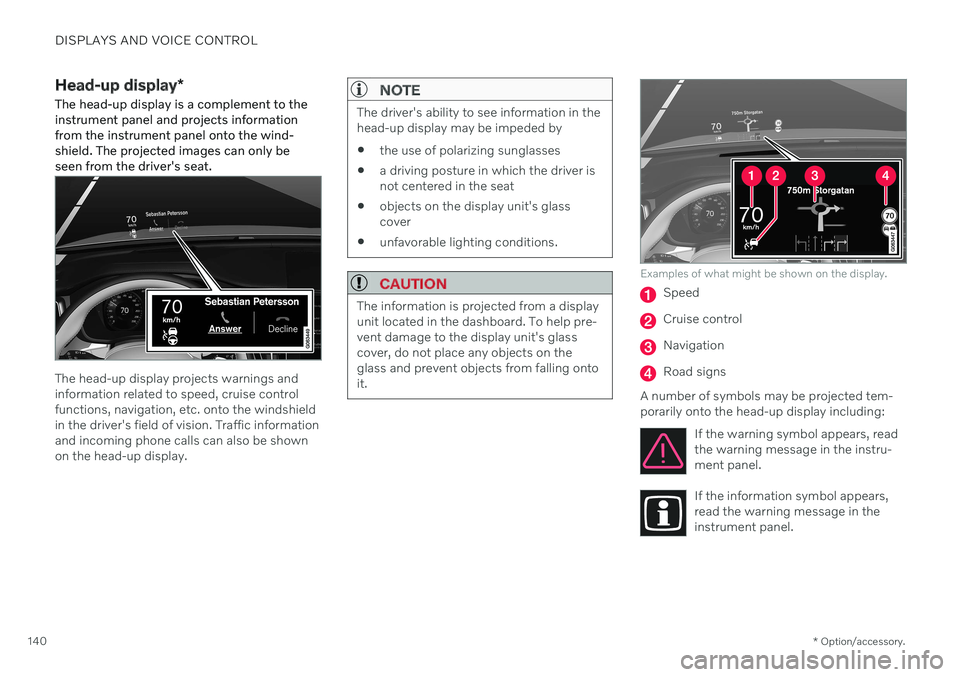
The head-up display projects warnings and information related to speed, cruise controlfunctions, navigation, etc. onto the windshieldin the driver's field of vision. Traffic informationand incoming phone calls can also be shownon the head-up display.
NOTE
The driver's ability to see information in the head-up display may be impeded by
the use of polarizing sunglasses
a driving posture in which the driver isnot centered in the seat
objects on the display unit's glasscover
unfavorable lighting conditions.
CAUTION
The information is projected from a display unit located in the dashboard. To help pre-vent damage to the display unit's glasscover, do not place any objects on theglass and prevent objects from falling ontoit.
Examples of what might be shown on the display.
Speed
Cruise control
Navigation
Road signs
A number of symbols may be projected tem- porarily onto the head-up display including: If the warning symbol appears, readthe warning message in the instru-ment panel.
If the information symbol appears, read the warning message in theinstrument panel.
Page 143 of 661
DISPLAYS AND VOICE CONTROL
* Option/accessory.141
The snowflake symbol will illuminate if there is a risk of slippery condi-tions.
NOTE
People with certain types of vision prob- lems may experience headaches or eyestrain when using the head-up display.
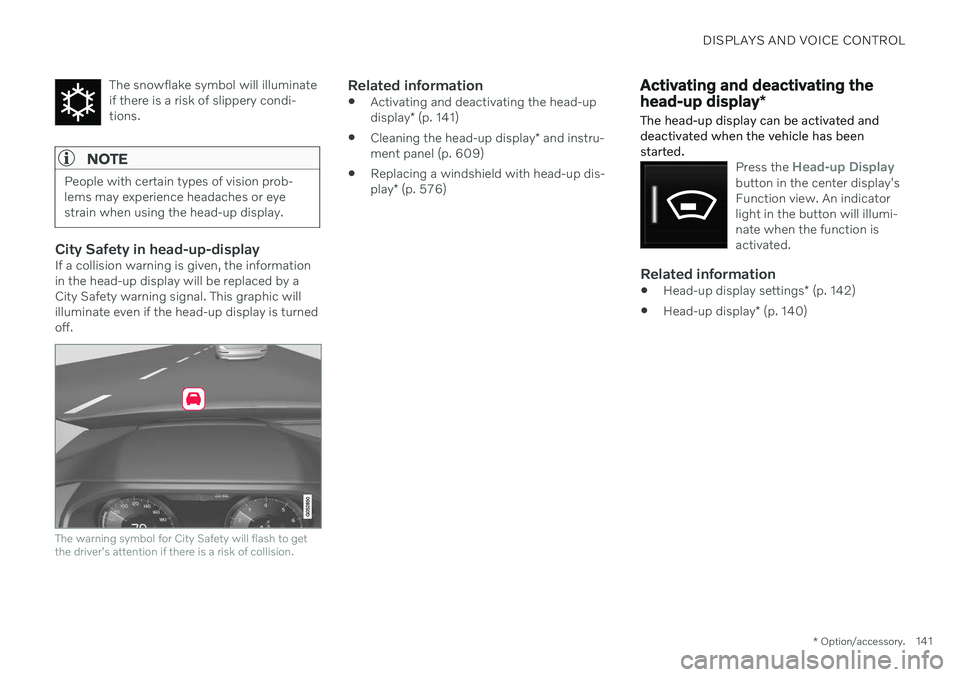
City Safety in head-up-displayIf a collision warning is given, the information in the head-up display will be replaced by aCity Safety warning signal. This graphic willilluminate even if the head-up display is turnedoff.
The warning symbol for City Safety will flash to get the driver's attention if there is a risk of collision.
Related information
Activating and deactivating the head-up display
* (p. 141)
Cleaning the head-up display
* and instru-
ment panel (p. 609)
Replacing a windshield with head-up dis-play
* (p. 576)
Activating and deactivating the head-up display *
The head-up display can be activated and deactivated when the vehicle has beenstarted.
Press the Head-up Displaybutton in the center display's Function view. An indicatorlight in the button will illumi-nate when the function isactivated.
Related information
Head-up display settings
* (p. 142)
Head-up display
* (p. 140)
Page 144 of 661
DISPLAYS AND VOICE CONTROL
* Option/accessory.
142
Head-up display settings *
Adjusting settings for the head-up display.
Settings can be adjusted when the vehicle is started and a projected image is displayed onthe windshield.
Selecting display optionsSelect the functions to be shown in the head-up display. 1. Tap
Settings in the center display's Top
view.
2. Tap
My CarDisplaysHead-Up
Display Options.
3. Select one or more functions:
Show Navigation
Show Road Sign Information
Show Driver Support
Show Phone
This setting is stored as a personal setting in the driver profile.
Adjusting brightness and height position
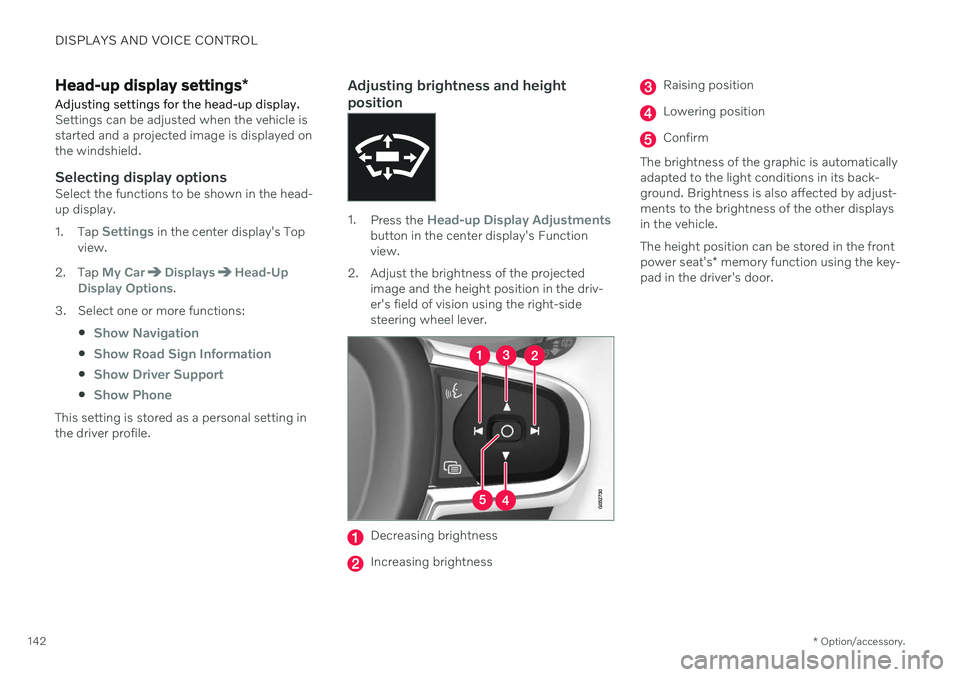
1.Press the Head-up Display Adjustmentsbutton in the center display's Function view.
2. Adjust the brightness of the projected image and the height position in the driv-er's field of vision using the right-sidesteering wheel lever.
Decreasing brightness
Increasing brightness
Raising position
Lowering position
Confirm
The brightness of the graphic is automatically adapted to the light conditions in its back-ground. Brightness is also affected by adjust-ments to the brightness of the other displaysin the vehicle. The height position can be stored in the front power seat's * memory function using the key-
pad in the driver's door.
Page 145 of 661
DISPLAYS AND VOICE CONTROL
}}
* Option/accessory.143
Calibrating the horizontal positionIf the windshield or display unit has been replaced, the head-up display's horizontalposition may need to be calibrated. Calibrationmeans that the projected image is rotatedclockwise or counterclockwise. 1.
Tap
Settings in the center display's Top
view.
2. Select
My CarDisplaysHead-Up
Display Options
Head-Up Display
Calibration.
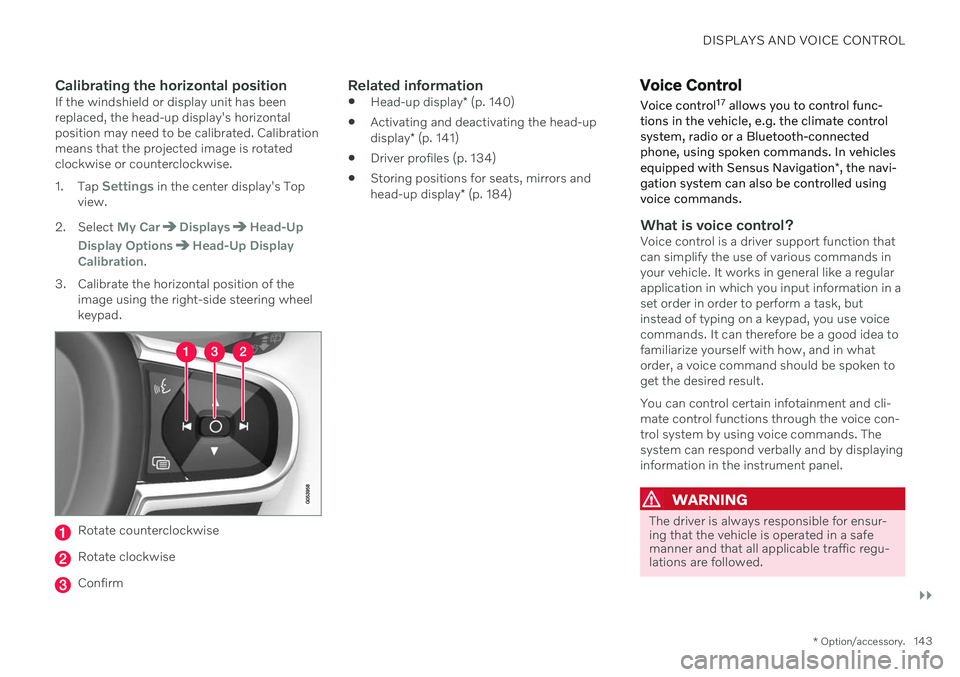
3. Calibrate the horizontal position of the image using the right-side steering wheel keypad.
Rotate counterclockwise
Rotate clockwise
Confirm
Related information
Head-up display
* (p. 140)
Activating and deactivating the head-up display
* (p. 141)
Driver profiles (p. 134)
Storing positions for seats, mirrors andhead-up display
* (p. 184)
Voice Control
Voice control 17
allows you to control func-
tions in the vehicle, e.g. the climate control system, radio or a Bluetooth-connectedphone, using spoken commands. In vehicles equipped with Sensus Navigation *, the navi-
gation system can also be controlled using voice commands.
What is voice control?Voice control is a driver support function that can simplify the use of various commands inyour vehicle. It works in general like a regularapplication in which you input information in aset order in order to perform a task, butinstead of typing on a keypad, you use voicecommands. It can therefore be a good idea tofamiliarize yourself with how, and in whatorder, a voice command should be spoken toget the desired result. You can control certain infotainment and cli- mate control functions through the voice con-trol system by using voice commands. Thesystem can respond verbally and by displayinginformation in the instrument panel.
WARNING
The driver is always responsible for ensur- ing that the vehicle is operated in a safemanner and that all applicable traffic regu-lations are followed.
Page 146 of 661
||
DISPLAYS AND VOICE CONTROL
144
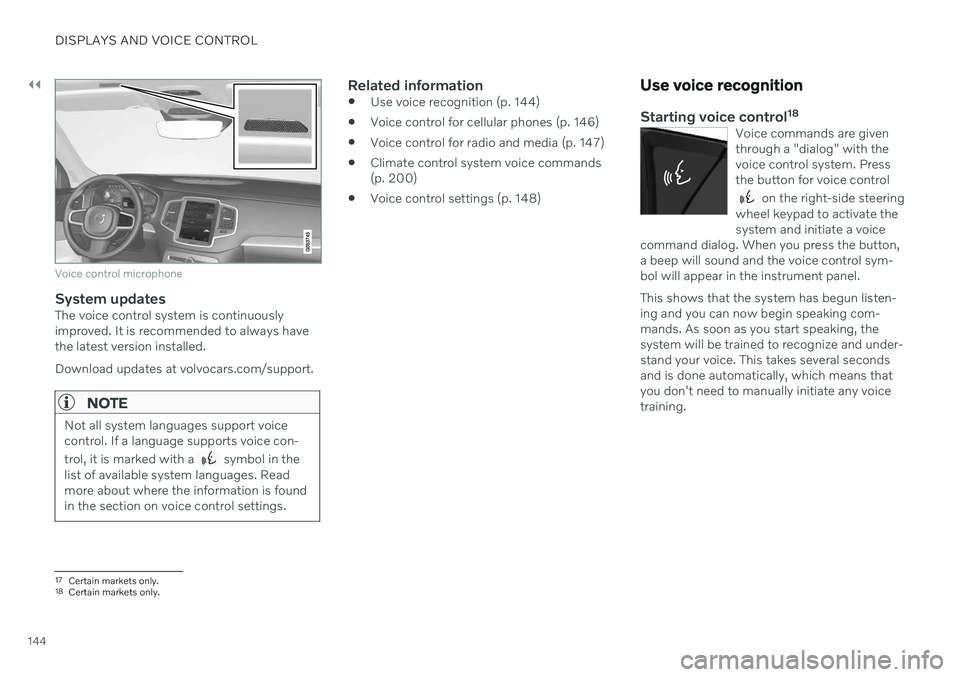
Voice control microphone
System updatesThe voice control system is continuously improved. It is recommended to always havethe latest version installed. Download updates at volvocars.com/support.
NOTE
Not all system languages support voice control. If a language supports voice con- trol, it is marked with a
symbol in the
list of available system languages. Read more about where the information is foundin the section on voice control settings.
Related information
Use voice recognition (p. 144)
Voice control for cellular phones (p. 146)
Voice control for radio and media (p. 147)
Climate control system voice commands (p. 200)
Voice control settings (p. 148)
Use voice recognition
Starting voice control 18Voice commands are given through a "dialog" with thevoice control system. Pressthe button for voice control
on the right-side steering
wheel keypad to activate the system and initiate a voice
command dialog. When you press the button,a beep will sound and the voice control sym-bol will appear in the instrument panel. This shows that the system has begun listen- ing and you can now begin speaking com-mands. As soon as you start speaking, thesystem will be trained to recognize and under-stand your voice. This takes several secondsand is done automatically, which means thatyou don't need to manually initiate any voicetraining.
17 Certain markets only.18Certain markets only.
Page 147 of 661
DISPLAYS AND VOICE CONTROL
}}
* Option/accessory.145
These may include:
Wait until after the tone, and then speak in your normal voice at a normal speed.
Do not speak while the system is respond-ing (the system is unable to process com-mands during this time).
Avoid background noises in the passengercompartment by keeping doors, windows and the panoramic roof
* closed.
NOTE
Not all system languages support voice control. If a language supports voice con- trol, it is marked with a
symbol in the
list of available system languages. Read more about where the information is foundin the section on voice control settings.
Generally, the system will listen for a basic command that is then followed by moredetailed commands specifying what you wantthe system to do. To change the audio volume of the system, turn the volume knob while the voice is speak-ing. It is possible to use other buttons whilevoice commands are being given. However,because other audio is silenced during dialogwith the system, it is not possible to perform any functions connected to audio using thebuttons.
Canceling voice controlTo cancel voice control, do one of the follow-ing:
Briefly press
and say "Cancel".
Press and hold the steering wheel key- pad's voice command button
until
two audible signals are given. This cancels voice control even when the system isspeaking.
Voice control will also be canceled if you donot respond during a dialog. The system willfirst ask three times for a response and if theresponse is still not given, voice control will beautomatically canceled. To speed up communication and skip prompts from the system, press the voice control but- ton
on the steering wheel keypad. This
will interrupt the system's response and you can say the next command.
Voice command examples
1. Tap . 2.
Say "
Call [First name] [Last name]
[number category]", e.g. "Call Robyn
Smith cellular".
> The system will call the selected con- tact from the phone book. If the contact has several phone numbers (e.g. home,cell, work), the right category must alsobe given.
Commands/phrasesThe following commands can usually be usedin any situation:
"
Repeat" - repeats the most recent voice
command in the current dialog.
"
Cancel" - cancels the dialog. 19
"
Help" - initiates a help dialog. The sys-
tem responds with commands that can be used in the current situation, an instruc-tion or an example.
Commands for specific functions, such as phone and audio, are described in the sections related to that function.
19 Note that this only cancels the dialog when the system is not speaking. To do this, press and hold until you hear two beeps.
Page 148 of 661
||
DISPLAYS AND VOICE CONTROL
146
Numbers
Number commands can be given in different ways depending on the function to be con-trolled:
Phone numbers and zip codes
should be
given by stating each number individually,e.g. "zero, three, one, two, two, four, four,three" (03122443).
Addresses
can be given by stating each
number individually or in a group, e.g."two, two" or "twenty-two" (22). For Eng-lish and Dutch language settings, groupsof numbers can also be said in sequence,e.g. "twenty-two, twenty-two" (22 22).For English, double or triple digits can alsobe used, e.g. "double zero" (00). Numbersin the range 0-2300 can be used.
Frequencies
can be given as "ninety-eight
point eight" (98.8), "one hundred fourpoint two" or "hundred and four pointtwo" (104.2).
Speech rate and repeat mode
The speed at which the system speaks can be adjusted. With repeat mode on, the system will repeat what you have said. To change the speech rate or activate/deacti- vate repeat mode: 1. Tap
Settings in the Top view. 2. Tap
SystemVoice Control and select
settings.
Repeat Voice Command
Speech Rate
Related information
Voice Control (p. 143)
Voice control for cellular phones (p. 146)
Voice control for radio and media (p. 147)
Climate control system voice commands (p. 200)
Voice control settings (p. 148)
Voice control for cellular phones 20
Call a contact in the phone book, have a text message read aloud or dictate short mes-sages using voice commands to a Bluetooth-connected phone.
To access a contact in the phone book, the voice command must contain the contactinformation entered in the phone book. If a contact, e.g.
Robyn Smith, has several phone
numbers listed in the phone book, a number category such as
home or cellular can also be
specified, i.e. "Call Robyn Smith cellular".
Tap
and say one of the following com-
mands: "
Call [contact]" - call the selected con-
tact from the phone book.
"
Call [phone number]" - call a phone
number.
"
Recent calls" - display the list of recent
calls.
"
Read message" - read a text message
aloud. If there are several messages, select the message to read aloud.
"
Message to [contact]" – the user is
prompted to dictate a short message. The message will then be read aloud and theuser can choose to send or re-dictate themessage. The vehicle must be connectedto the Internet to access this function.