display VOLVO V60 2021 Owners Manual
[x] Cancel search | Manufacturer: VOLVO, Model Year: 2021, Model line: V60, Model: VOLVO V60 2021Pages: 661, PDF Size: 12.68 MB
Page 258 of 661
||
KEY, LOCKS AND ALARM
* Option/accessory.
256
Related information
Keyless unlock settings
* (p. 256)
Keyless tailgate unlock
* (p. 256)
Keyless and touch-sensitive surfaces
*
(p. 254)
Keyless unlock settings *
Several different sequences are available for keyless unlocking.
To change this setting: 1. Tap
Settings in the center display's Top
view.
2. Tap
My CarLockingKeyless
Unlock.
3. Select alternative:
All Doors – unlocks all doors at the
same time.
Single Door – unlocks the selected
door.
Related information
Keyless locking and unlocking
* (p. 255)
Keyless and touch-sensitive surfaces
*
(p. 254)
Keyless tailgate unlock *
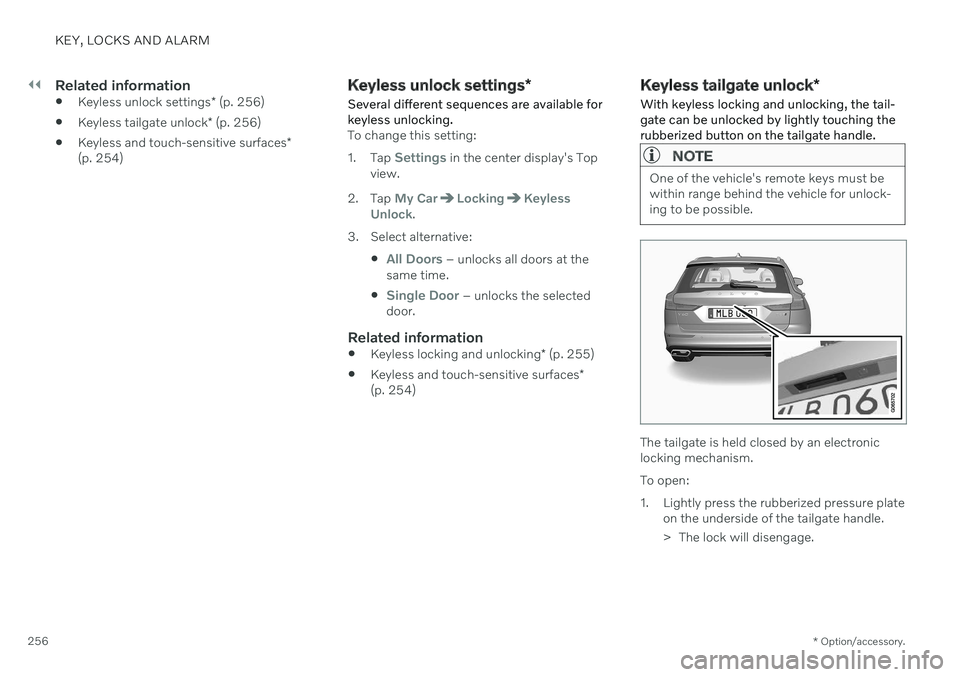
With keyless locking and unlocking, the tail- gate can be unlocked by lightly touching therubberized button on the tailgate handle.
NOTE
One of the vehicle's remote keys must be within range behind the vehicle for unlock-ing to be possible.
The tailgate is held closed by an electronic locking mechanism. To open:
1. Lightly press the rubberized pressure plate on the underside of the tailgate handle.
> The lock will disengage.
Page 260 of 661
KEY, LOCKS AND ALARM
* Option/accessory.
258
Locking and unlocking from inside the vehicle The doors and tailgate can be locked and unlocked from inside the vehicle using thecentral lock buttons in the front doors.
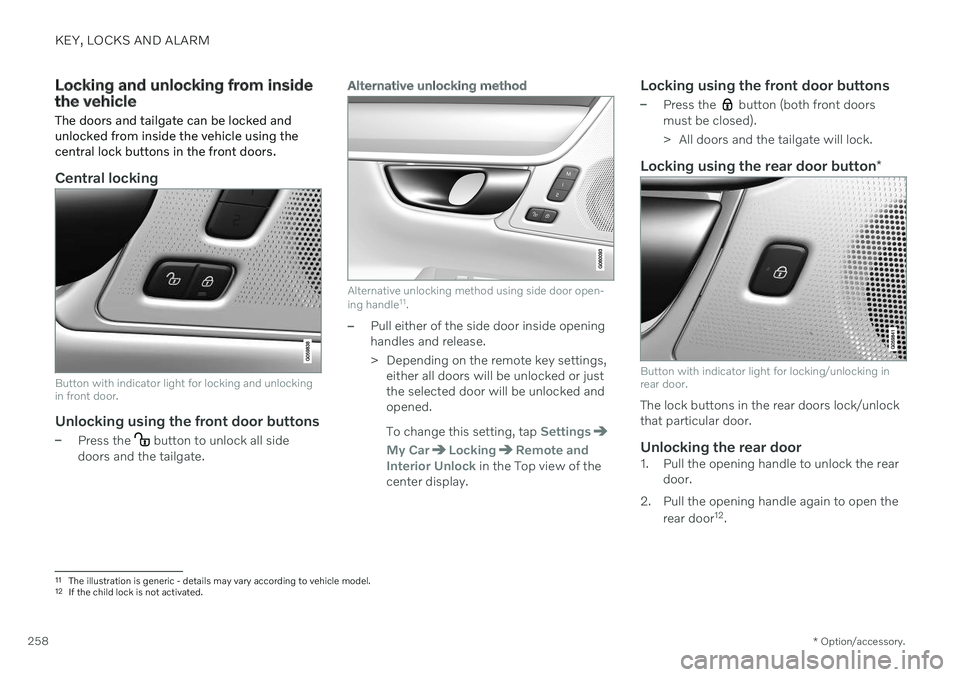
Central locking
Button with indicator light for locking and unlocking in front door.
Unlocking using the front door buttons
–Press the button to unlock all side
doors and the tailgate.
Alternative unlocking method
Alternative unlocking method using side door open- ing handle 11
.
–Pull either of the side door inside opening handles and release.
> Depending on the remote key settings,
either all doors will be unlocked or just the selected door will be unlocked andopened. To change this setting, tap
Settings
My CarLockingRemote and
Interior Unlock in the Top view of the
center display.
Locking using the front door buttons
–Press the button (both front doors
must be closed).
> All doors and the tailgate will lock.
Locking using the rear door button *
Button with indicator light for locking/unlocking in rear door.
The lock buttons in the rear doors lock/unlock that particular door.
Unlocking the rear door1. Pull the opening handle to unlock the rear
door.
2. Pull the opening handle again to open the rear door 12
.
11 The illustration is generic - details may vary according to vehicle model.
12 If the child lock is not activated.
Page 266 of 661
||
KEY, LOCKS AND ALARM
* Option/accessory.
264
Foot movement operation
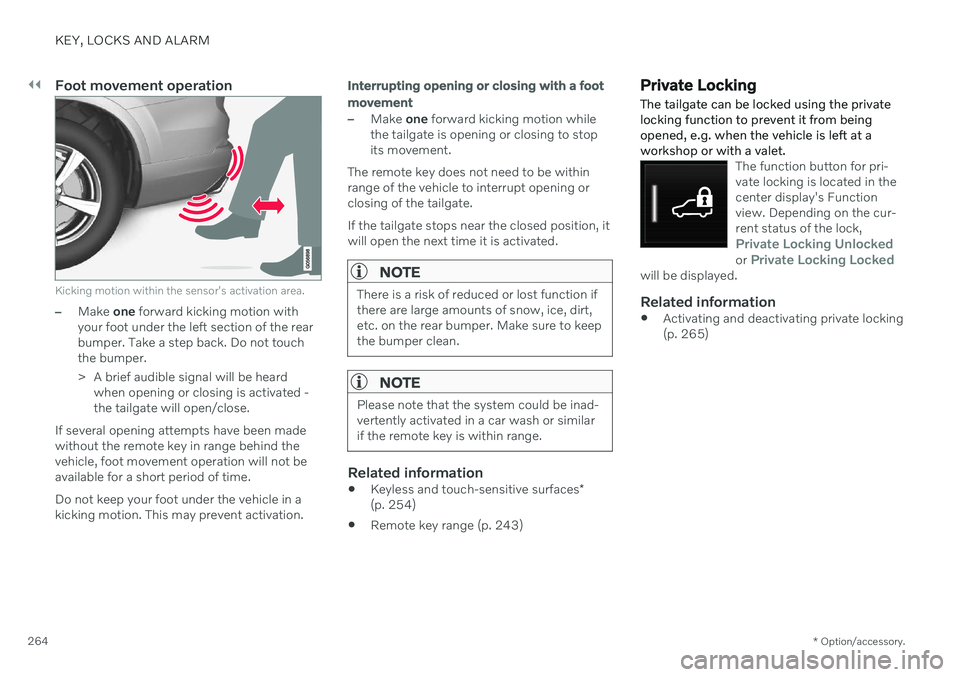
Kicking motion within the sensor's activation area.
–Make one forward kicking motion with
your foot under the left section of the rear bumper. Take a step back. Do not touchthe bumper.
> A brief audible signal will be heard when opening or closing is activated - the tailgate will open/close.
If several opening attempts have been madewithout the remote key in range behind thevehicle, foot movement operation will not beavailable for a short period of time. Do not keep your foot under the vehicle in a kicking motion. This may prevent activation.
Interrupting opening or closing with a foot movement
–Make one forward kicking motion while
the tailgate is opening or closing to stop its movement.
The remote key does not need to be withinrange of the vehicle to interrupt opening orclosing of the tailgate. If the tailgate stops near the closed position, it will open the next time it is activated.
NOTE
There is a risk of reduced or lost function if there are large amounts of snow, ice, dirt,etc. on the rear bumper. Make sure to keepthe bumper clean.
NOTE
Please note that the system could be inad- vertently activated in a car wash or similarif the remote key is within range.
Related information
Keyless and touch-sensitive surfaces
*
(p. 254)
Remote key range (p. 243)
Private Locking The tailgate can be locked using the private locking function to prevent it from beingopened, e.g. when the vehicle is left at aworkshop or with a valet.
The function button for pri- vate locking is located in thecenter display's Functionview. Depending on the cur-rent status of the lock,
Private Locking Unlockedor Private Locking Lockedwill be displayed.
Related information
Activating and deactivating private locking (p. 265)
Page 267 of 661
KEY, LOCKS AND ALARM
}}
265
Activating and deactivating private lockingPrivate locking is activated using the function button in the center display and a PIN code.
NOTE
For the valet lock function to be activated the car must be in at least ignition mode I.
Two codes are used for private locking:
A security code, which is created the first time the function is used.
A PIN code, which is changed each timethe function is activated.
Entering security code before initial
use
The first time the function is used, a securitycode must be selected. This code can then beused to deactivate private locking if theselected PIN code has been forgotten or lost.The security code functions as a PUK (secur-ity) code for all PIN codes used for privatelocking. Save the security code in a safe place. To create a security code:
1. Tap the button for private locking in Func-
tion view.
> A pop-up window will appear.
2. Enter the desired security code and press
Confirm.
> The security code is saved. The private locking function is now ready for activa- tion.
Activating private locking1. Tap the button for private locking in Func- tion view.
> A pop-up window will appear.
2. Enter the code you would like to use to unlock the tailgate and tap
Confirm.
> The tailgate will lock. A green indicator light will illuminate next to the button in Function view to confirm locked status.
Deactivating private locking1. Tap the button for private locking in Func- tion view.
> A pop-up window will appear.
2. Enter the code used for locking and tap
Confirm.
> The tailgate will unlock. The green indi- cator light next to the button in Func- tion view will go out to confirmunlocked status.
Forgotten PIN codeIf you have forgotten your PIN code or enteredit incorrectly more than three times, the secur-ity code can be used to deactivate privatelocking. If the vehicle is unlocked using Volvo On Call or the Volvo On Call app, private locking willbe automatically deactivated.
Forgotten security code
If you have forgotten your security code, con- tact an authorized Volvo retailer for assistancedeactivating private locking.
Page 273 of 661
DRIVER SUPPORT
}}
* Option/accessory.271
WARNING
If the temperature rises too high, the power steering may be forced to switch off com-pletely. In such a situation, the driver dis- play shows the message
Power steering
failure Stop safely along with a symbol.
Changing the level of steering wheel resistance *
In INDIVIDUAL drive mode, the level of steer- ing wheel resistance can be adjusted. 1.
Tap
Settings in the center display's Top
view.
2. Select
My CarDrive ModesSteering Force.
Steering wheel resistance settings can only be accessed if the vehicle is stationary or is mov-ing straight ahead at a low speed.
Related information
Driver support systems (p. 270)
Drive modes
* (p. 413)
Electronic Stability Control
The Electronic Stability Control (ESC 1
) func-
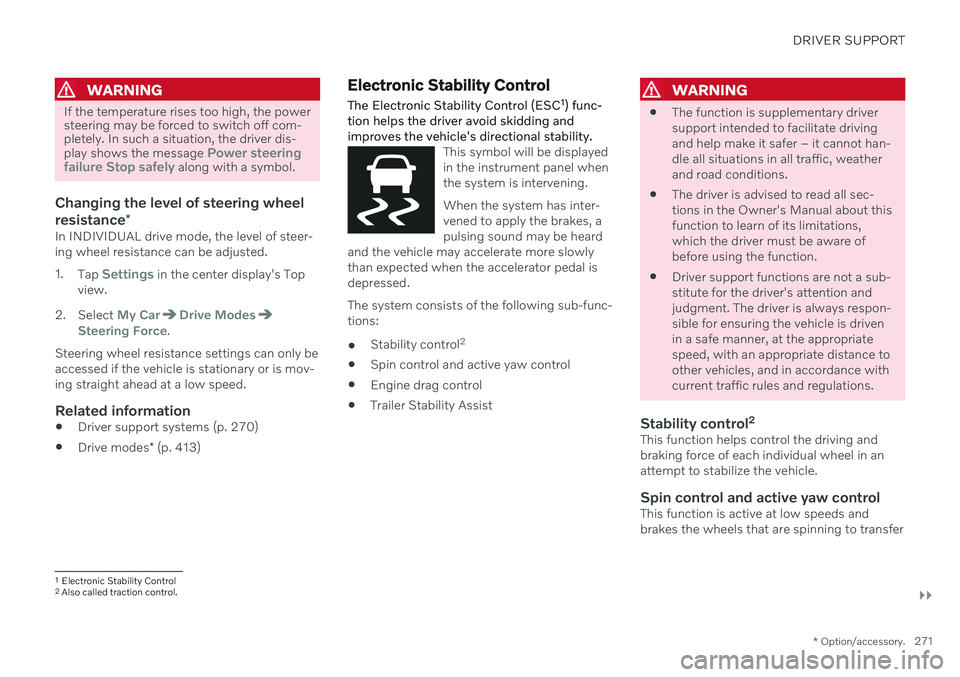
tion helps the driver avoid skidding and improves the vehicle's directional stability.
This symbol will be displayed in the instrument panel whenthe system is intervening. When the system has inter- vened to apply the brakes, apulsing sound may be heard
and the vehicle may accelerate more slowlythan expected when the accelerator pedal isdepressed.
The system consists of the following sub-func- tions:
Stability control 2
Spin control and active yaw control
Engine drag control
Trailer Stability Assist
WARNING
The function is supplementary driver support intended to facilitate drivingand help make it safer – it cannot han-dle all situations in all traffic, weatherand road conditions.
The driver is advised to read all sec-tions in the Owner's Manual about thisfunction to learn of its limitations,which the driver must be aware ofbefore using the function.
Driver support functions are not a sub-stitute for the driver's attention andjudgment. The driver is always respon-sible for ensuring the vehicle is drivenin a safe manner, at the appropriatespeed, with an appropriate distance toother vehicles, and in accordance withcurrent traffic rules and regulations.
Stability control 2This function helps control the driving andbraking force of each individual wheel in anattempt to stabilize the vehicle.
Spin control and active yaw controlThis function is active at low speeds andbrakes the wheels that are spinning to transfer
1
Electronic Stability Control
2 Also called traction control.
Page 275 of 661
DRIVER SUPPORT
* Option/accessory.273
Related information
Electronic Stability Control (p. 271)
Activating or deactivating Sport mode for Electronic Stability Control (p. 273)
Trailer Stability Assist
* (p. 436)
Activating or deactivating Sport mode for Electronic StabilityControl
The stability system (ESC 8
) is always acti-
vated and cannot be switched off. However, the driver can select Sport mode, whichoffers more active driving characteristics.
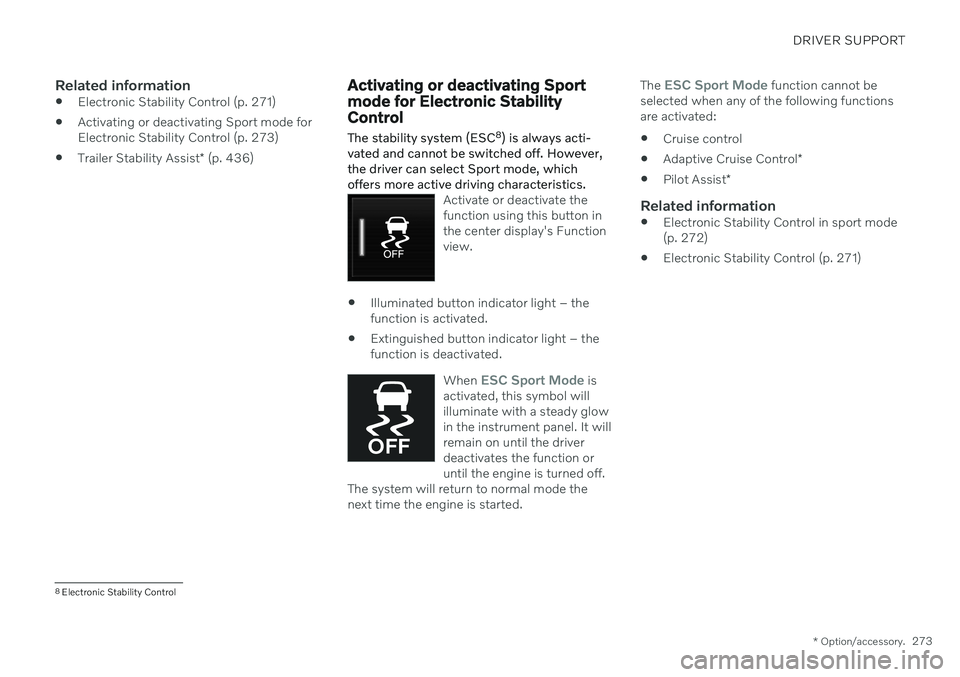
Activate or deactivate the function using this button inthe center display's Functionview.
Illuminated button indicator light – the function is activated.
Extinguished button indicator light – thefunction is deactivated.
When
ESC Sport Mode is
activated, this symbol will illuminate with a steady glowin the instrument panel. It willremain on until the driverdeactivates the function oruntil the engine is turned off.
The system will return to normal mode thenext time the engine is started.
The ESC Sport Mode function cannot be
selected when any of the following functions are activated:
Cruise control
Adaptive Cruise Control
*
Pilot Assist
*
Related information
Electronic Stability Control in sport mode(p. 272)
Electronic Stability Control (p. 271)
8
Electronic Stability Control
Page 276 of 661
DRIVER SUPPORT
274
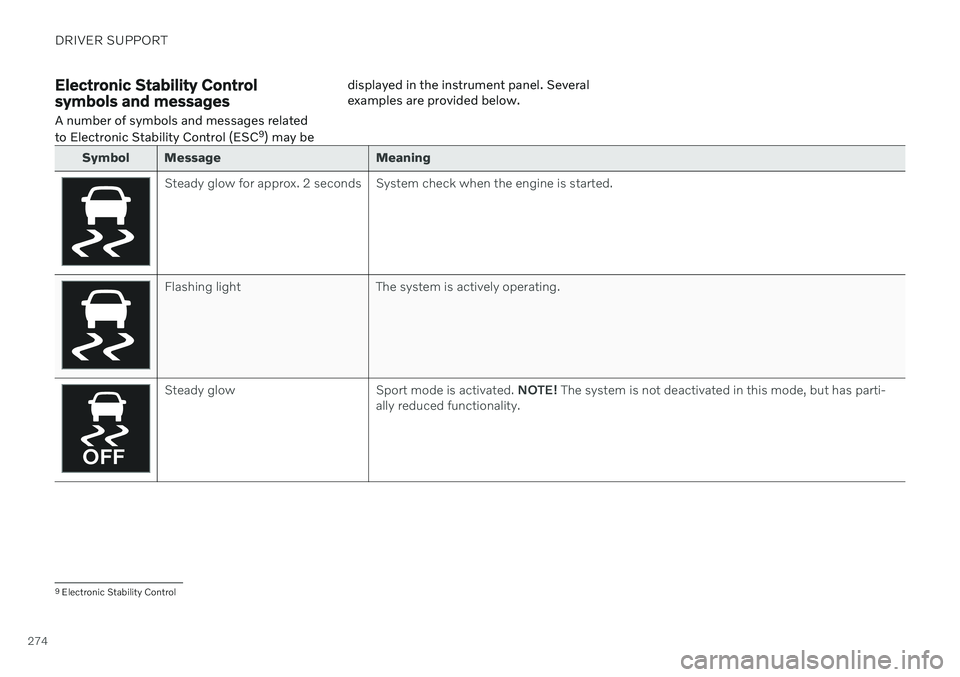
Electronic Stability Control symbols and messagesA number of symbols and messages related to Electronic Stability Control (ESC 9
) may be displayed in the instrument panel. Several examples are provided below.
Symbol Message Meaning
Steady glow for approx. 2 seconds System check when the engine is started.
Flashing light The system is actively operating.
Steady glow Sport mode is activated.
NOTE! The system is not deactivated in this mode, but has parti-
ally reduced functionality.
9 Electronic Stability Control
Page 278 of 661
DRIVER SUPPORT
* Option/accessory.
276
Connected Safety 10
Connected Safety communicates information between your vehicle and other vehicles via the Internet 11
. The function is designed to
notify the driver of any hazardous road condi- tions ahead.
The function can notify the driver if another vehicle further down the road has activated itshazard warning flashers or detected slipperyroad conditions. You will also be notified ifyour own vehicle detects slippery road condi-tions. Connected Safety can assist the driver with the following:
Hazard warning flashers alert
Slippery road alerts
Connected Safety communication betweenvehicles only works for vehicles that are equip-ped with the function and have it activated.
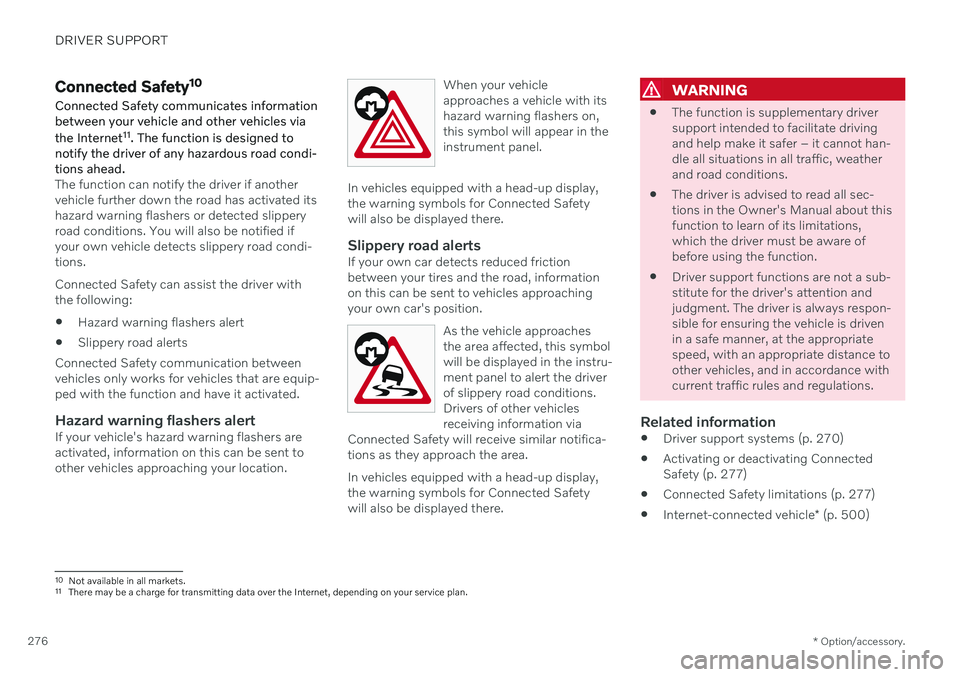
Hazard warning flashers alertIf your vehicle's hazard warning flashers areactivated, information on this can be sent toother vehicles approaching your location. When your vehicleapproaches a vehicle with itshazard warning flashers on,this symbol will appear in theinstrument panel.
In vehicles equipped with a head-up display, the warning symbols for Connected Safetywill also be displayed there.
Slippery road alertsIf your own car detects reduced frictionbetween your tires and the road, informationon this can be sent to vehicles approachingyour own car's position.
As the vehicle approachesthe area affected, this symbolwill be displayed in the instru-ment panel to alert the driverof slippery road conditions.Drivers of other vehiclesreceiving information via
Connected Safety will receive similar notifica-tions as they approach the area.
In vehicles equipped with a head-up display, the warning symbols for Connected Safetywill also be displayed there.
WARNING
The function is supplementary driver support intended to facilitate drivingand help make it safer – it cannot han-dle all situations in all traffic, weatherand road conditions.
The driver is advised to read all sec-tions in the Owner's Manual about thisfunction to learn of its limitations,which the driver must be aware ofbefore using the function.
Driver support functions are not a sub-stitute for the driver's attention andjudgment. The driver is always respon-sible for ensuring the vehicle is drivenin a safe manner, at the appropriatespeed, with an appropriate distance toother vehicles, and in accordance withcurrent traffic rules and regulations.
Related information
Driver support systems (p. 270)
Activating or deactivating ConnectedSafety (p. 277)
Connected Safety limitations (p. 277)
Internet-connected vehicle
* (p. 500)
10
Not available in all markets.
11 There may be a charge for transmitting data over the Internet, depending on your service plan.
Page 279 of 661
DRIVER SUPPORT
}}
* Option/accessory.277
Activating or deactivating Connected Safety
For Connected Safety to be able to share information about road conditions with otherdrivers, the function must be activated. If youdo not wish to share information, the functioncan be deactivated.
Activate or deactivate the function using this button inthe center display's Functionview.
Illuminated button indicator light – the function is activated.
Extinguished button indicator light – thefunction is deactivated.
At activation, the driver must accept the spe-cial terms and conditions shown in the display before an Internet connection 12
can be estab-
lished. The driver must, for example, accept that data is sent from the vehicle using thedriver's cellular phone. Even when your vehicle is not connected to the Internet, you will still be notified if the sys-tem in your own vehicle detects slippery roadconditions. For Connected Safety to functionat full capacity, your vehicle needs to be con-nected to the Internet.
Related information
Connected Safety (p. 276)
Internet-connected vehicle
* (p. 500)
Terms of use and data sharing (p. 506)
Connected Safety limitations (p. 277)
Connected Safety limitations
Information on vehicles with activated hazard warning flashers or which have detected slip-pery road conditions is not always communi-cated between all vehicles in the affectedarea.
This may be the case if: No or insufficient Internet connection.
The maneuvers (steering wheel move- ments, acceleration or braking) made bythe vehicles on slippery surfaces are tooweak for friction between the tires androad to be detected.
Vehicles that have detected slippery roadconditions or activated hazard warningflashers have not activated the function.
Vehicles that have detected slippery roadconditions or activated hazard warningflashers are not equipped with the func-tion.
Insufficient GPS/satellite navigation mayprevent warnings.
Slippery road conditions were detected orhazard warning flashers were activated ona road that is not registered in the VolvoCars database.
Connected Safety is not developed on allmarkets and does not cover all areas. Con-
12
There may be a charge for transmitting data over the Internet, depending on your service plan.
Page 280 of 661
||
DRIVER SUPPORT
* Option/accessory.
278 sult a Volvo retailer for more information on covered areas.
WARNING
In certain situations, the function may give false warnings of slippery roadconditions.
The function cannot always detectother vehicles with activated hazardwarning factors or detect all stretchesof road with slippery conditions.
Related information
Connected Safety (p. 276)
Internet-connected vehicle
* (p. 500)
Road Sign Information *
The Road Sign Information (RSI 13
) function
can help the driver observe speed-related road signs.
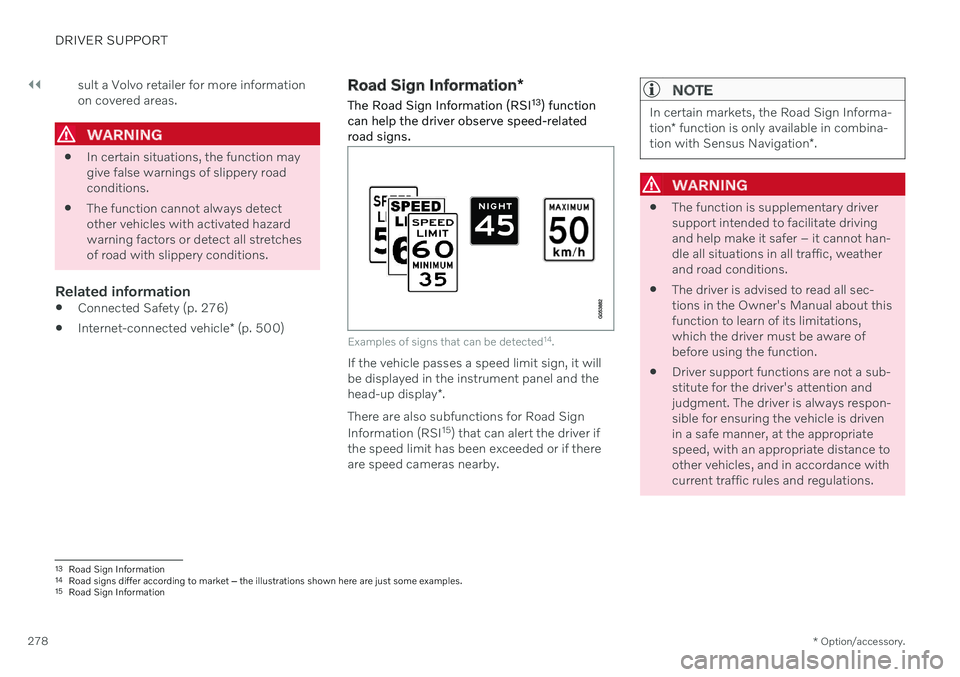
Examples of signs that can be detected 14
.
If the vehicle passes a speed limit sign, it will be displayed in the instrument panel and the head-up display *.
There are also subfunctions for Road Sign Information (RSI 15
) that can alert the driver if
the speed limit has been exceeded or if there are speed cameras nearby.
NOTE
In certain markets, the Road Sign Informa- tion * function is only available in combina-
tion with Sensus Navigation *.
WARNING
The function is supplementary driver support intended to facilitate drivingand help make it safer – it cannot han-dle all situations in all traffic, weatherand road conditions.
The driver is advised to read all sec-tions in the Owner's Manual about thisfunction to learn of its limitations,which the driver must be aware ofbefore using the function.
Driver support functions are not a sub-stitute for the driver's attention andjudgment. The driver is always respon-sible for ensuring the vehicle is drivenin a safe manner, at the appropriatespeed, with an appropriate distance toother vehicles, and in accordance withcurrent traffic rules and regulations.
13
Road Sign Information
14 Road signs differ according to market ‒ the illustrations shown here are just some examples.
15 Road Sign Information