change time VOLVO V60 2021 User Guide
[x] Cancel search | Manufacturer: VOLVO, Model Year: 2021, Model line: V60, Model: VOLVO V60 2021Pages: 661, PDF Size: 12.68 MB
Page 136 of 661
||
DISPLAYS AND VOICE CONTROL
* Option/accessory.
134
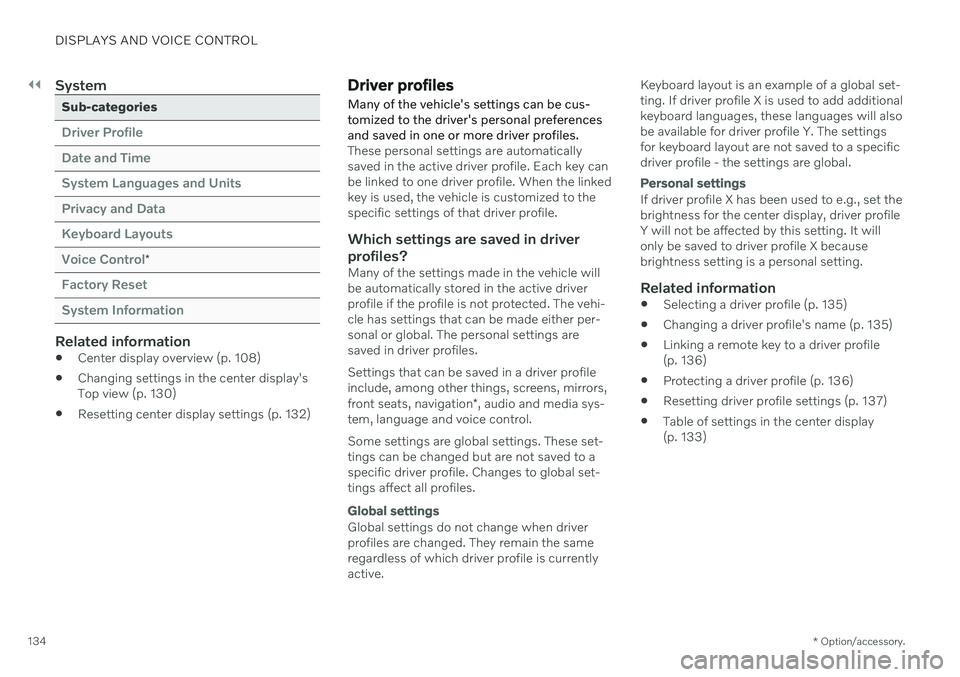
System
Sub-categories
Driver Profile Date and TimeSystem Languages and UnitsPrivacy and DataKeyboard LayoutsVoice Control
*
Factory Reset System Information
Related information
Center display overview (p. 108)
Changing settings in the center display's Top view (p. 130)
Resetting center display settings (p. 132)
Driver profiles
Many of the vehicle's settings can be cus- tomized to the driver's personal preferencesand saved in one or more driver profiles.
These personal settings are automatically saved in the active driver profile. Each key canbe linked to one driver profile. When the linkedkey is used, the vehicle is customized to thespecific settings of that driver profile.
Which settings are saved in driver
profiles?
Many of the settings made in the vehicle willbe automatically stored in the active driverprofile if the profile is not protected. The vehi-cle has settings that can be made either per-sonal or global. The personal settings aresaved in driver profiles. Settings that can be saved in a driver profile include, among other things, screens, mirrors, front seats, navigation *, audio and media sys-
tem, language and voice control. Some settings are global settings. These set- tings can be changed but are not saved to aspecific driver profile. Changes to global set-tings affect all profiles.
Global settings
Global settings do not change when driver profiles are changed. They remain the sameregardless of which driver profile is currentlyactive. Keyboard layout is an example of a global set-ting. If driver profile X is used to add additionalkeyboard languages, these languages will alsobe available for driver profile Y. The settingsfor keyboard layout are not saved to a specificdriver profile - the settings are global.
Personal settings
If driver profile X has been used to e.g., set the brightness for the center display, driver profileY will not be affected by this setting. It willonly be saved to driver profile X becausebrightness setting is a personal setting.
Related information
Selecting a driver profile (p. 135)
Changing a driver profile's name (p. 135)
Linking a remote key to a driver profile(p. 136)
Protecting a driver profile (p. 136)
Resetting driver profile settings (p. 137)
Table of settings in the center display(p. 133)
Page 137 of 661
DISPLAYS AND VOICE CONTROL
135
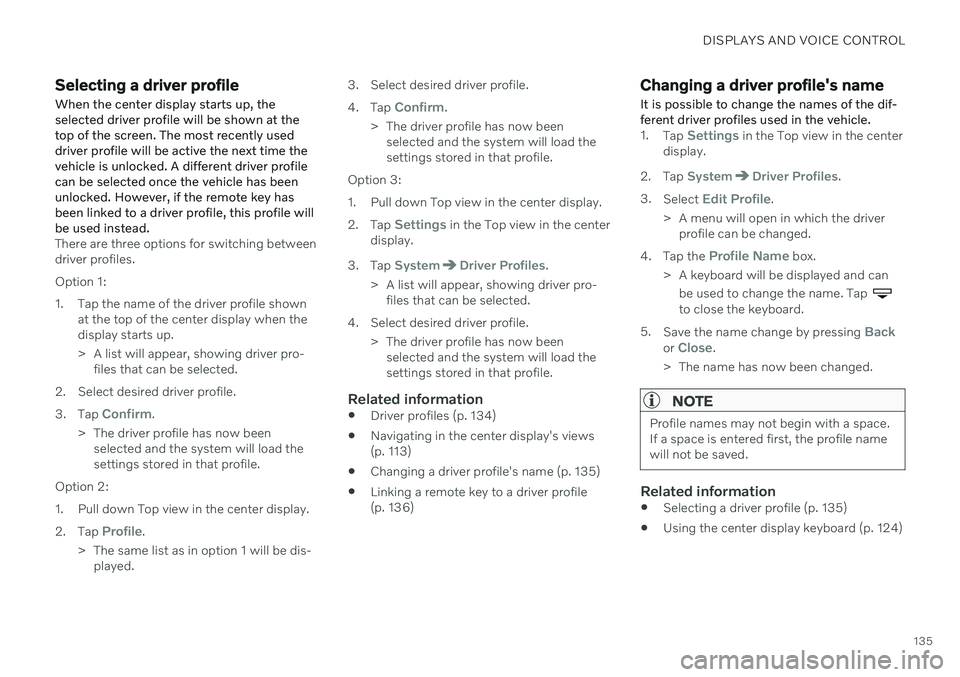
Selecting a driver profileWhen the center display starts up, the selected driver profile will be shown at thetop of the screen. The most recently useddriver profile will be active the next time thevehicle is unlocked. A different driver profilecan be selected once the vehicle has beenunlocked. However, if the remote key hasbeen linked to a driver profile, this profile willbe used instead.
There are three options for switching between driver profiles. Option 1:
1. Tap the name of the driver profile shown at the top of the center display when the display starts up.
> A list will appear, showing driver pro-files that can be selected.
2. Select desired driver profile. 3. Tap
Confirm.
> The driver profile has now been selected and the system will load the settings stored in that profile.
Option 2:
1. Pull down Top view in the center display.2. Tap
Profile.
> The same list as in option 1 will be dis- played. 3. Select desired driver profile. 4.
Tap
Confirm.
> The driver profile has now been selected and the system will load the settings stored in that profile.
Option 3:
1. Pull down Top view in the center display.2. Tap
Settings in the Top view in the center
display.
3. Tap
SystemDriver Profiles.
> A list will appear, showing driver pro- files that can be selected.
4. Select desired driver profile. > The driver profile has now beenselected and the system will load the settings stored in that profile.
Related information
Driver profiles (p. 134)
Navigating in the center display's views(p. 113)
Changing a driver profile's name (p. 135)
Linking a remote key to a driver profile(p. 136)
Changing a driver profile's name
It is possible to change the names of the dif- ferent driver profiles used in the vehicle.
1. Tap Settings in the Top view in the center
display.
2. Tap
SystemDriver Profiles.
3. Select
Edit Profile.
> A menu will open in which the driver profile can be changed.
4. Tap the
Profile Name box.
> A keyboard will be displayed and can be used to change the name. Tap
to close the keyboard.
5. Save the name change by pressing
Backor Close.
> The name has now been changed.
NOTE
Profile names may not begin with a space. If a space is entered first, the profile namewill not be saved.
Related information
Selecting a driver profile (p. 135)
Using the center display keyboard (p. 124)
Page 138 of 661
DISPLAYS AND VOICE CONTROL
136
Protecting a driver profile
It may not always be desirable to store set- tings made in the vehicle to the active driverprofile. In these instances, the driver profilecan be protected.
NOTE
Protecting a driver profile is only possible when the vehicle is stationary.
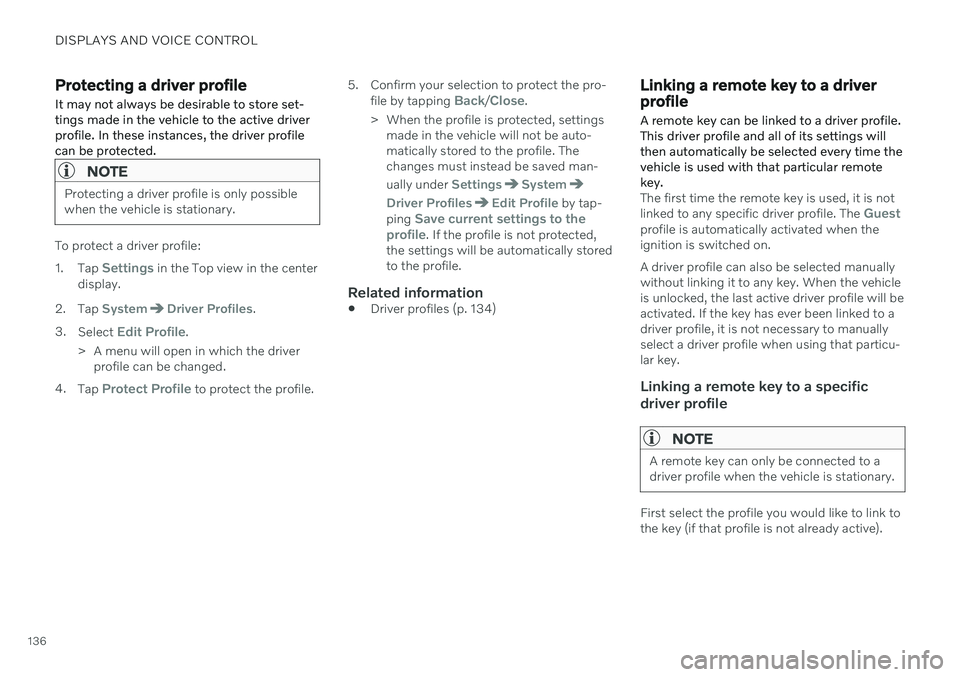
To protect a driver profile: 1. Tap
Settings in the Top view in the center
display.
2. Tap
SystemDriver Profiles.
3. Select
Edit Profile.
> A menu will open in which the driver profile can be changed.
4. Tap
Protect Profile to protect the profile. 5. Confirm your selection to protect the pro-
file by tapping
Back/Close.
> When the profile is protected, settings made in the vehicle will not be auto- matically stored to the profile. Thechanges must instead be saved man- ually under
SettingsSystem
Driver ProfilesEdit Profile by tap-
ping Save current settings to the
profile. If the profile is not protected,
the settings will be automatically stored to the profile.
Related information
Driver profiles (p. 134)
Linking a remote key to a driver profile
A remote key can be linked to a driver profile. This driver profile and all of its settings willthen automatically be selected every time thevehicle is used with that particular remotekey.
The first time the remote key is used, it is not linked to any specific driver profile. The Guestprofile is automatically activated when the ignition is switched on. A driver profile can also be selected manually without linking it to any key. When the vehicleis unlocked, the last active driver profile will beactivated. If the key has ever been linked to adriver profile, it is not necessary to manuallyselect a driver profile when using that particu-lar key.
Linking a remote key to a specific driver profile
NOTE
A remote key can only be connected to a driver profile when the vehicle is stationary.
First select the profile you would like to link to the key (if that profile is not already active).
Page 147 of 661
DISPLAYS AND VOICE CONTROL
}}
* Option/accessory.145
These may include:
Wait until after the tone, and then speak in your normal voice at a normal speed.
Do not speak while the system is respond-ing (the system is unable to process com-mands during this time).
Avoid background noises in the passengercompartment by keeping doors, windows and the panoramic roof
* closed.
NOTE
Not all system languages support voice control. If a language supports voice con- trol, it is marked with a
symbol in the
list of available system languages. Read more about where the information is foundin the section on voice control settings.
Generally, the system will listen for a basic command that is then followed by moredetailed commands specifying what you wantthe system to do. To change the audio volume of the system, turn the volume knob while the voice is speak-ing. It is possible to use other buttons whilevoice commands are being given. However,because other audio is silenced during dialogwith the system, it is not possible to perform any functions connected to audio using thebuttons.
Canceling voice controlTo cancel voice control, do one of the follow-ing:
Briefly press
and say "Cancel".
Press and hold the steering wheel key- pad's voice command button
until
two audible signals are given. This cancels voice control even when the system isspeaking.
Voice control will also be canceled if you donot respond during a dialog. The system willfirst ask three times for a response and if theresponse is still not given, voice control will beautomatically canceled. To speed up communication and skip prompts from the system, press the voice control but- ton
on the steering wheel keypad. This
will interrupt the system's response and you can say the next command.
Voice command examples
1. Tap . 2.
Say "
Call [First name] [Last name]
[number category]", e.g. "Call Robyn
Smith cellular".
> The system will call the selected con- tact from the phone book. If the contact has several phone numbers (e.g. home,cell, work), the right category must alsobe given.
Commands/phrasesThe following commands can usually be usedin any situation:
"
Repeat" - repeats the most recent voice
command in the current dialog.
"
Cancel" - cancels the dialog. 19
"
Help" - initiates a help dialog. The sys-
tem responds with commands that can be used in the current situation, an instruc-tion or an example.
Commands for specific functions, such as phone and audio, are described in the sections related to that function.
19 Note that this only cancels the dialog when the system is not speaking. To do this, press and hold until you hear two beeps.
Page 170 of 661
WINDOWS, GLASS AND MIRRORS
* Option/accessory.
168
Adjusting the rearview mirror dimming function
Bright light entering the vehicle from behind, e.g. from the headlights of following vehicles,could reflect in the rearview mirror and doormirrors and cause a glare. Use the dimmingfunction when light from behind is distract-ing.
Auto-dimIf bright light enters the vehicle from behind, the door mirrors will automatically dim when itis dark outside or when lighting conditions arelow, for example when driving in tunnels.Auto-dim is always active when the engine isrunning, except when reverse gear is engaged.
NOTE
Adjustments to the sensitivity level will not be noticeable immediately but will insteadtake effect after a short period of time.
The sensitivity level for dimming will affect both the rearview mirror and door mirrors. To change the dimming sensitivity level:1. Tap
Settings in the Top view in the center
display.
2. Tap
My CarMirrors and Convenience.
3. Under
Rearview Mirror Auto Dimming,
select Normal, Dark or Light. The rearview mirror has two sensors - one pointing forward and one pointing rearward -which work together to identify and eliminateglare. The forward-pointing sensor monitorsambient light, while the rearward-pointingsensor monitors light from the headlights offollowing vehicles. For the door mirrors to be equipped with auto- dim, the rearview mirror must also be equip-ped with auto-dim.
NOTE
If the sensors are obstructed by e.g. a parking permit, transponder, sunshade orobjects on the seats or in the cargo com-partment in a way that prevents light fromreaching the sensors, the auto-dim func-tion in the door and rearview mirrors willbe reduced.
Related information
Rearview/door mirrors (p. 167)
Adjusting the door mirrors (p. 168)
Adjusting the door mirrors
To improve visibility to the rear, the door mir- rors need to be adjusted to the driver's heightand seating position. There are several automatic settings that can also be connected to the memory function buttons for the power seat *.
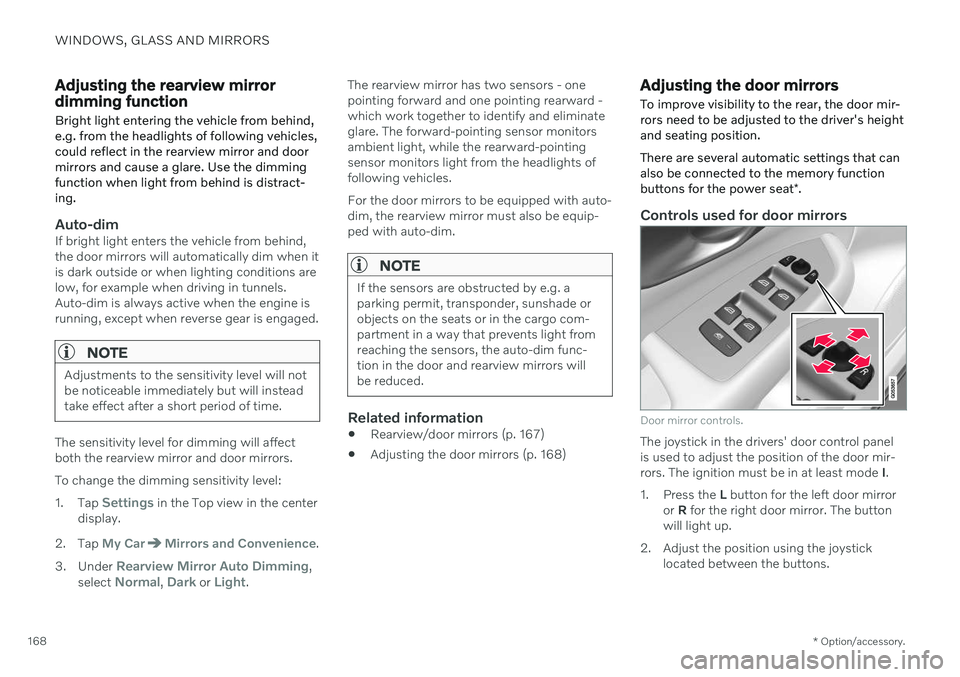
Controls used for door mirrors
Door mirror controls.
The joystick in the drivers' door control panel is used to adjust the position of the door mir-rors. The ignition must be in at least mode I.
1. Press the L button for the left door mirror
or R for the right door mirror. The button
will light up.
2. Adjust the position using the joystick located between the buttons.
Page 186 of 661
||
SEATS AND STEERING WHEEL
* Option/accessory.
184
Raise/lower the seat by moving the con- trol up/down.
Move the seat forward/rearward by mov- ing the control forward/rearward.
Change the backrest tilt by moving the control forward/backward.
Only one movement (forward/rearward/up/down) can be performed at a time. The front seat backrests cannot be folded down completely.
Related information
Manual front seats (p. 182)
Power
* front seats (p. 183)
Storing positions for seats, mirrors and head-up display
* (p. 184)
Using stored positions for seats, mirrorsand head-up display
* (p. 185)
Adjusting front seat massage settings
*
(p. 187)
Adjusting
* front seat cushion length
(p. 188)
Front seat massage
* settings (p. 186)
Adjusting front seat side bolster settings
*
(p. 189)
Adjusting front seat lumbar support
*
(p. 189)
Adjusting the passenger seat from thedriver's seat
* (p. 191)
Storing positions for seats, mirrors and head-up display *
Adjustment settings for the power * seat, door
mirrors and head-up display * can be stored in
the memory buttons.
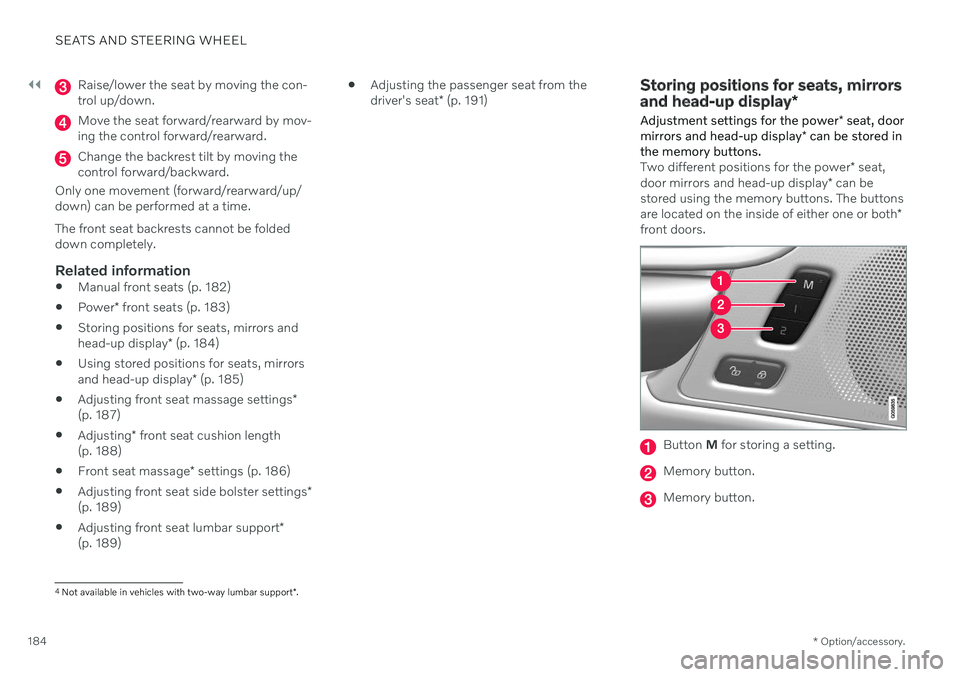
Two different positions for the power * seat,
door mirrors and head-up display * can be
stored using the memory buttons. The buttons are located on the inside of either one or both *
front doors.
Button M for storing a setting.
Memory button.
Memory button.
4
Not available in vehicles with two-way lumbar support *.
Page 193 of 661
SEATS AND STEERING WHEEL
* Option/accessory.191
Adjusting the passenger seat from the driver's seat *
The front passenger seat can be adjusted from the driver's seat.
Activating the functionThe function is activated via the function view in the center display:
Tap the
Adjust Passenger
Seat button to activate.
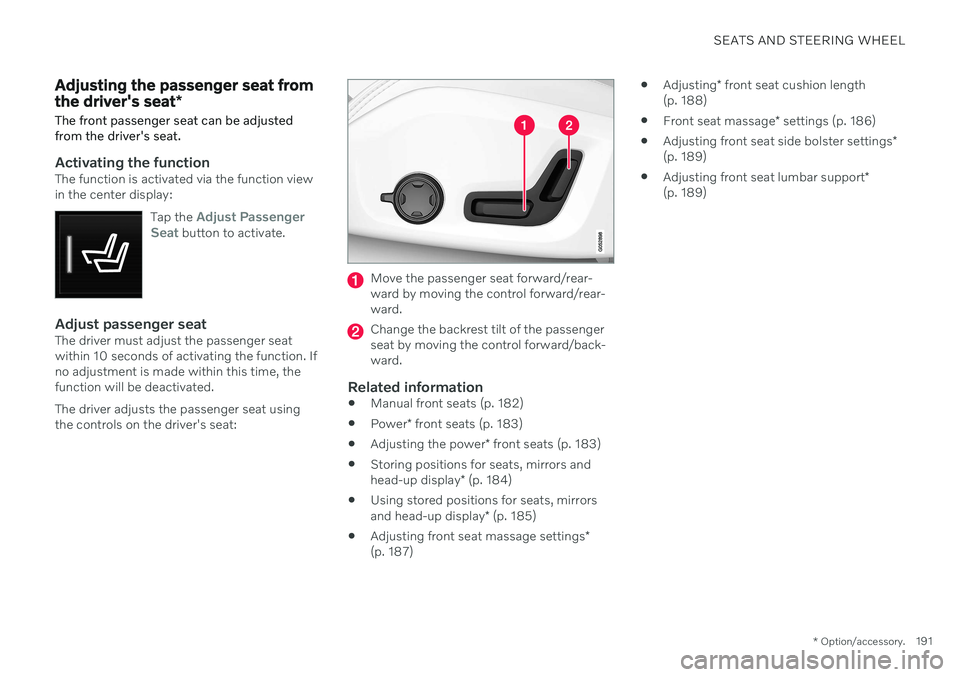
Adjust passenger seatThe driver must adjust the passenger seat within 10 seconds of activating the function. Ifno adjustment is made within this time, thefunction will be deactivated. The driver adjusts the passenger seat using the controls on the driver's seat:
Move the passenger seat forward/rear- ward by moving the control forward/rear-ward.
Change the backrest tilt of the passenger seat by moving the control forward/back-ward.
Related information
Manual front seats (p. 182)
Power
* front seats (p. 183)
Adjusting the power
* front seats (p. 183)
Storing positions for seats, mirrors and head-up display
* (p. 184)
Using stored positions for seats, mirrorsand head-up display
* (p. 185)
Adjusting front seat massage settings
*
(p. 187)
Adjusting
* front seat cushion length
(p. 188)
Front seat massage
* settings (p. 186)
Adjusting front seat side bolster settings
*
(p. 189)
Adjusting front seat lumbar support
*
(p. 189)
Page 204 of 661
CLIMATE CONTROL
* Option/accessory.
202
CleanZone *
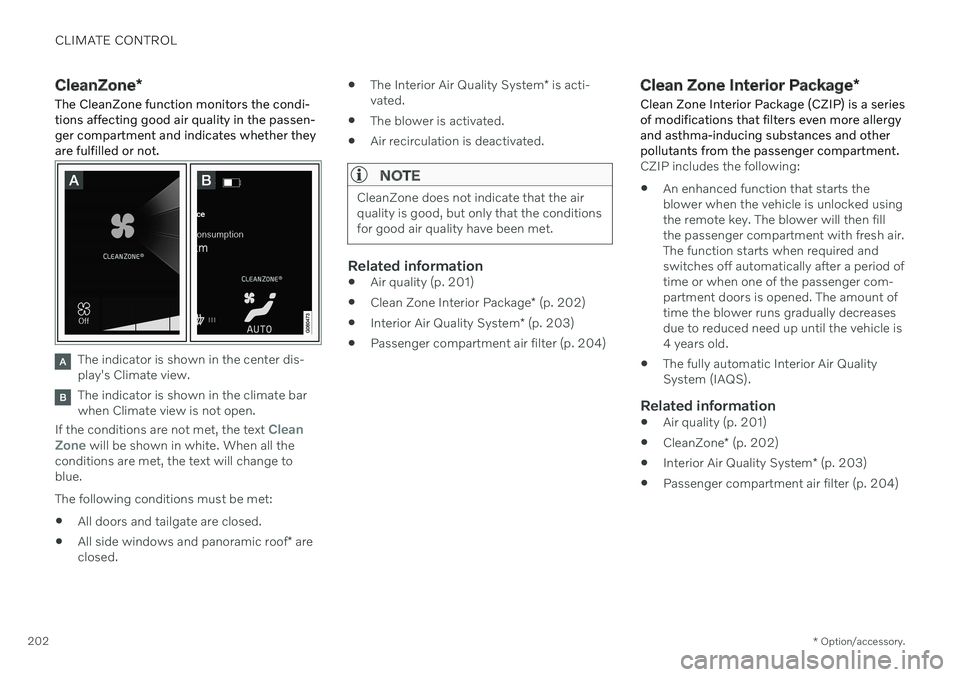
The CleanZone function monitors the condi- tions affecting good air quality in the passen-ger compartment and indicates whether theyare fulfilled or not.
The indicator is shown in the center dis- play's Climate view.
The indicator is shown in the climate bar when Climate view is not open.
If the conditions are not met, the text
Clean
Zone will be shown in white. When all the
conditions are met, the text will change to blue. The following conditions must be met:
All doors and tailgate are closed.
All side windows and panoramic roof
* are
closed.
The Interior Air Quality System
* is acti-
vated.
The blower is activated.
Air recirculation is deactivated.
NOTE
CleanZone does not indicate that the air quality is good, but only that the conditionsfor good air quality have been met.
Related information
Air quality (p. 201)
Clean Zone Interior Package
* (p. 202)
Interior Air Quality System
* (p. 203)
Passenger compartment air filter (p. 204)
Clean Zone Interior Package
*
Clean Zone Interior Package (CZIP) is a series of modifications that filters even more allergyand asthma-inducing substances and otherpollutants from the passenger compartment.
CZIP includes the following:
An enhanced function that starts the blower when the vehicle is unlocked usingthe remote key. The blower will then fillthe passenger compartment with fresh air.The function starts when required andswitches off automatically after a period oftime or when one of the passenger com-partment doors is opened. The amount oftime the blower runs gradually decreasesdue to reduced need up until the vehicle is4 years old.
The fully automatic Interior Air QualitySystem (IAQS).
Related information
Air quality (p. 201)
CleanZone
* (p. 202)
Interior Air Quality System
* (p. 203)
Passenger compartment air filter (p. 204)
Page 230 of 661
||
CLIMATE CONTROL
* Option/accessory.
228 3.
Tap
Add timer.
> A pop-up window will appear.
NOTE
It is not possible to add a time setting if there are already 8 settings for the timer.Delete a time setting to be able to add anew one.
4. Tap Date to set a time for a specific date.
Tap
Days to set a time for one or more
days of the week. With
Days: Activate/deactivate the repeat
function by selecting/deselecting the
Repeat weekly checkbox.
5. With
Date: Select a date for precondition-
ing by scrolling in the date list using the arrows. With
Days: Select days of the week for
preconditioning by tapping the buttons for the days.
6. Set the time at which preconditioning should be completed by scrolling usingthe arrows in the clock.
7. Tap
Confirm to add a timer setting.
> The timer setting will be added to the list and activated.
Editing the timer setting1. Open Climate view in the center display. 2. Select the
Parking climate tab.
3. Tap the timer setting you would like to change.
> A pop-up window will appear.
4. To edit a timer setting, follow the proce- dures described under the heading "Add- ing a timer setting" above.
Related information
Preconditioning
* (p. 226)
Preconditioning timer
* (p. 227)
Activating and deactivating precondition- ing timer
* (p. 228)
Deleting preconditioning timer settings
*
(p. 229)
Activating and deactivating preconditioning timer *
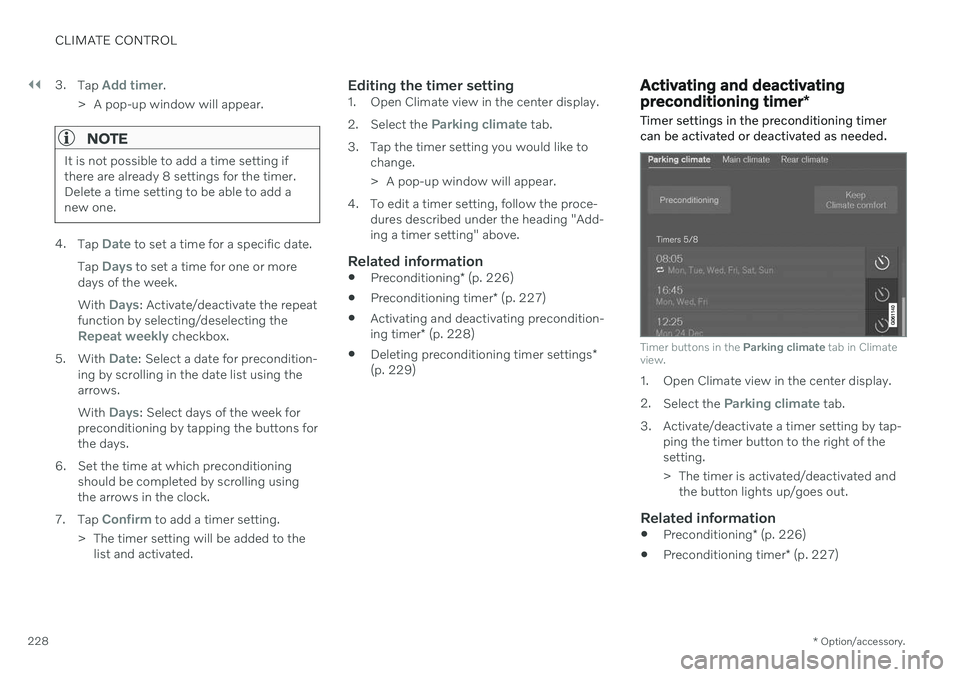
Timer settings in the preconditioning timer can be activated or deactivated as needed.
Timer buttons in the Parking climate tab in Climate
view.
1. Open Climate view in the center display. 2. Select the
Parking climate tab.
3. Activate/deactivate a timer setting by tap- ping the timer button to the right of the setting.
> The timer is activated/deactivated andthe button lights up/goes out.
Related information
Preconditioning
* (p. 226)
Preconditioning timer
* (p. 227)
Page 231 of 661
CLIMATE CONTROL
* Option/accessory.229
Adding and editing timer settings for pre- conditioning
* (p. 227)
Deleting preconditioning timer settings
*
(p. 229)
Deleting preconditioning timer settings *
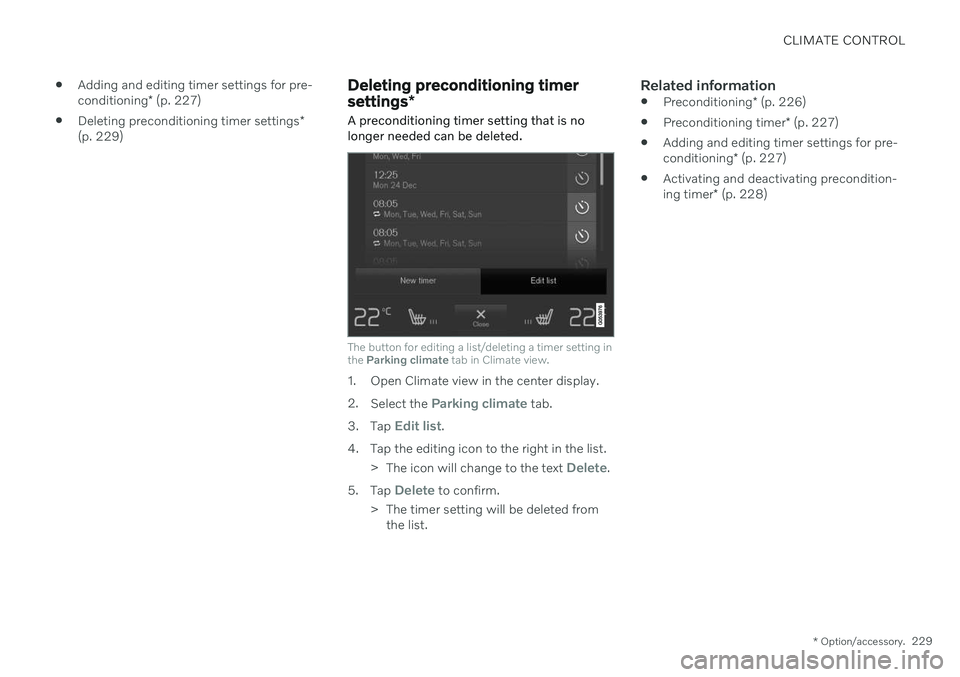
A preconditioning timer setting that is no longer needed can be deleted.
The button for editing a list/deleting a timer setting in the Parking climate tab in Climate view.
1. Open Climate view in the center display. 2.
Select the
Parking climate tab.
3. Tap
Edit list.
4. Tap the editing icon to the right in the list. >The icon will change to the text
Delete.
5. Tap
Delete to confirm.
> The timer setting will be deleted from the list.
Related information
Preconditioning
* (p. 226)
Preconditioning timer
* (p. 227)
Adding and editing timer settings for pre- conditioning
* (p. 227)
Activating and deactivating precondition-ing timer
* (p. 228)