display VOLVO V60 2021 Owners Manual
[x] Cancel search | Manufacturer: VOLVO, Model Year: 2021, Model line: V60, Model: VOLVO V60 2021Pages: 661, PDF Size: 12.68 MB
Page 4 of 661
2
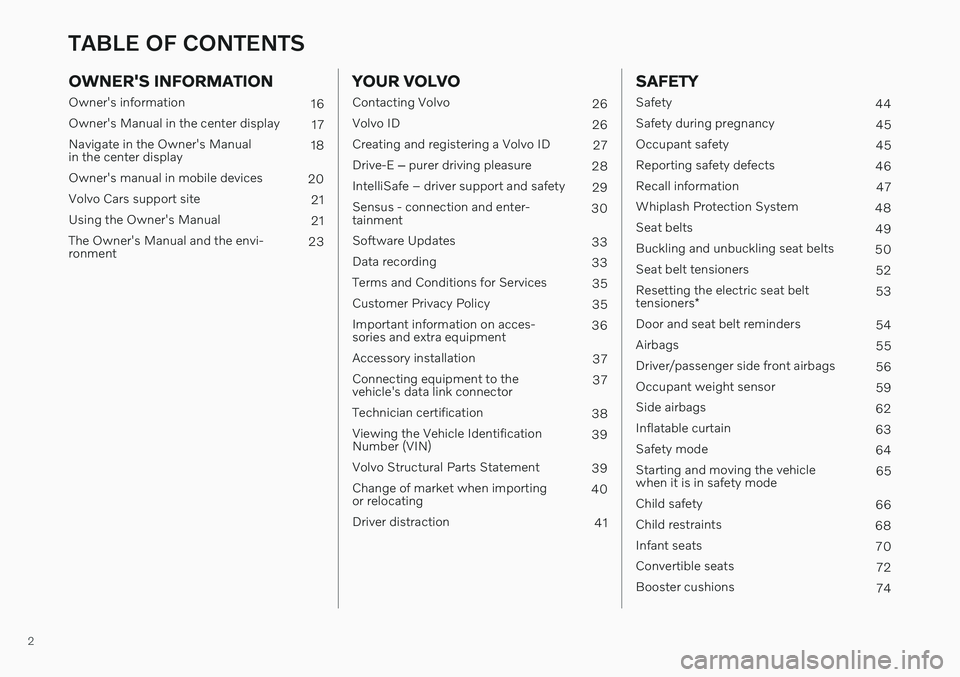
OWNER'S INFORMATION
Owner's information16
Owner's Manual in the center display 17
Navigate in the Owner's Manual in the center display 18
Owner's manual in mobile devices 20
Volvo Cars support site 21
Using the Owner's Manual 21
The Owner's Manual and the envi-ronment 23
YOUR VOLVO
Contacting Volvo
26
Volvo ID 26
Creating and registering a Volvo ID 27
Drive-E ‒ purer driving pleasure
28
IntelliSafe – driver support and safety 29
Sensus - connection and enter- tainment 30
Software Updates 33
Data recording 33
Terms and Conditions for Services 35
Customer Privacy Policy 35
Important information on acces-sories and extra equipment 36
Accessory installation 37
Connecting equipment to thevehicle's data link connector 37
Technician certification 38
Viewing the Vehicle IdentificationNumber (VIN) 39
Volvo Structural Parts Statement 39
Change of market when importingor relocating 40
Driver distraction 41
SAFETY
Safety44
Safety during pregnancy 45
Occupant safety 45
Reporting safety defects 46
Recall information 47
Whiplash Protection System 48
Seat belts 49
Buckling and unbuckling seat belts 50
Seat belt tensioners 52
Resetting the electric seat belt tensioners * 53
Door and seat belt reminders 54
Airbags 55
Driver/passenger side front airbags 56
Occupant weight sensor 59
Side airbags 62
Inflatable curtain 63
Safety mode 64
Starting and moving the vehicle when it is in safety mode 65
Child safety 66
Child restraints 68
Infant seats 70
Convertible seats 72
Booster cushions 74
TABLE OF CONTENTS
Page 5 of 661
3
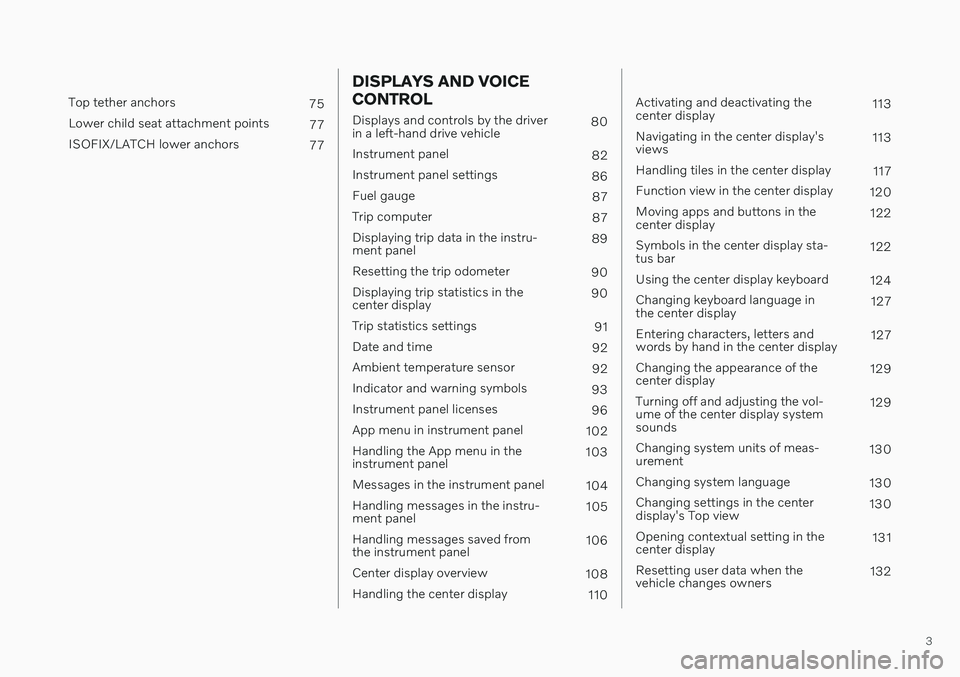
Top tether anchors75
Lower child seat attachment points 77
ISOFIX/LATCH lower anchors 77
DISPLAYS AND VOICE CONTROL
Displays and controls by the driver in a left-hand drive vehicle80
Instrument panel 82
Instrument panel settings 86
Fuel gauge 87
Trip computer 87
Displaying trip data in the instru-ment panel 89
Resetting the trip odometer 90
Displaying trip statistics in thecenter display 90
Trip statistics settings 91
Date and time 92
Ambient temperature sensor 92
Indicator and warning symbols 93
Instrument panel licenses 96
App menu in instrument panel 102
Handling the App menu in theinstrument panel 103
Messages in the instrument panel 104
Handling messages in the instru-ment panel 105
Handling messages saved fromthe instrument panel 106
Center display overview 108
Handling the center display 110
Activating and deactivating the center display 113
Navigating in the center display'sviews 113
Handling tiles in the center display 117
Function view in the center display 120
Moving apps and buttons in thecenter display 122
Symbols in the center display sta-tus bar 122
Using the center display keyboard 124
Changing keyboard language inthe center display 127
Entering characters, letters andwords by hand in the center display 127
Changing the appearance of thecenter display 129
Turning off and adjusting the vol-ume of the center display systemsounds 129
Changing system units of meas-urement 130
Changing system language 130
Changing settings in the centerdisplay's Top view 130
Opening contextual setting in thecenter display 131
Resetting user data when thevehicle changes owners 132
Page 6 of 661
4
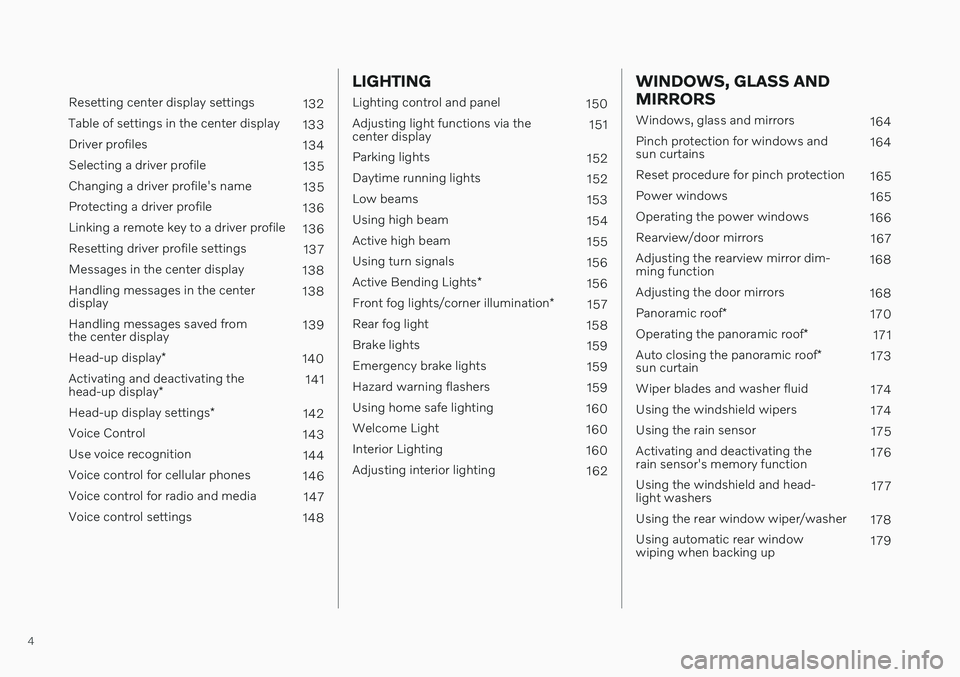
Resetting center display settings132
Table of settings in the center display 133
Driver profiles 134
Selecting a driver profile 135
Changing a driver profile's name 135
Protecting a driver profile 136
Linking a remote key to a driver profile 136
Resetting driver profile settings 137
Messages in the center display 138
Handling messages in the center display 138
Handling messages saved fromthe center display 139
Head-up display *
140
Activating and deactivating the head-up display * 141
Head-up display settings *
142
Voice Control 143
Use voice recognition 144
Voice control for cellular phones 146
Voice control for radio and media 147
Voice control settings 148
LIGHTING
Lighting control and panel150
Adjusting light functions via the center display 151
Parking lights 152
Daytime running lights 152
Low beams 153
Using high beam 154
Active high beam 155
Using turn signals 156
Active Bending Lights *
156
Front fog lights/corner illumination *
157
Rear fog light 158
Brake lights 159
Emergency brake lights 159
Hazard warning flashers 159
Using home safe lighting 160
Welcome Light 160
Interior Lighting 160
Adjusting interior lighting 162
WINDOWS, GLASS AND MIRRORS
Windows, glass and mirrors164
Pinch protection for windows and sun curtains 164
Reset procedure for pinch protection 165
Power windows 165
Operating the power windows 166
Rearview/door mirrors 167
Adjusting the rearview mirror dim-ming function 168
Adjusting the door mirrors 168
Panoramic roof *
170
Operating the panoramic roof *
171
Auto closing the panoramic roof *
sun curtain 173
Wiper blades and washer fluid 174
Using the windshield wipers 174
Using the rain sensor 175
Activating and deactivating therain sensor's memory function 176
Using the windshield and head-light washers 177
Using the rear window wiper/washer 178
Using automatic rear windowwiping when backing up 179
Page 7 of 661
5
SEATS AND STEERING WHEEL
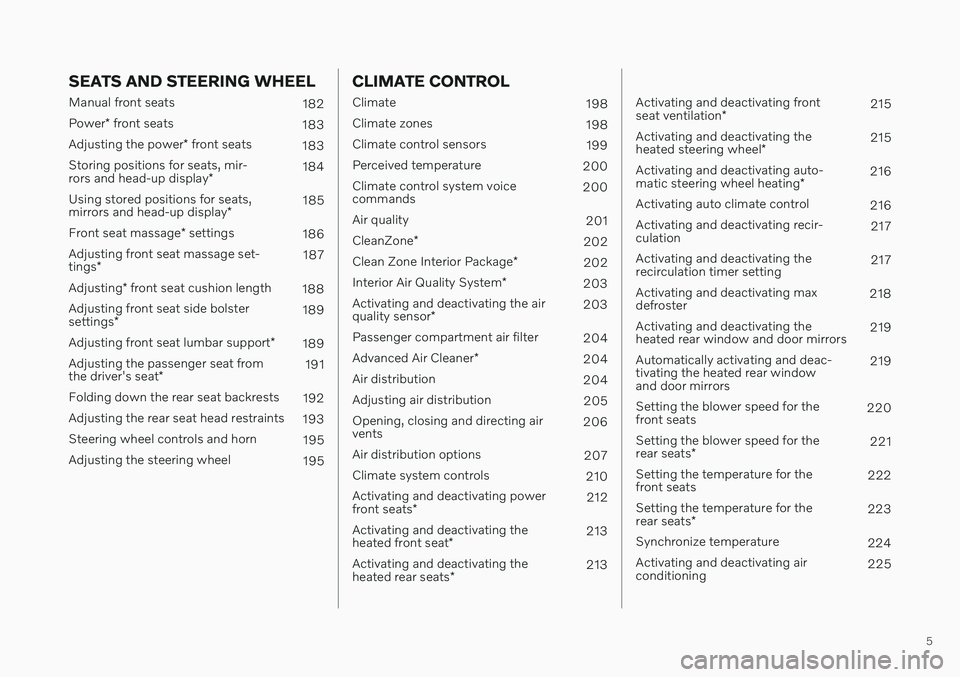
Manual front seats182
Power * front seats
183
Adjusting the power * front seats
183
Storing positions for seats, mir- rors and head-up display *184
Using stored positions for seats,mirrors and head-up display *185
Front seat massage * settings
186
Adjusting front seat massage set-tings * 187
Adjusting * front seat cushion length
188
Adjusting front seat side bolstersettings * 189
Adjusting front seat lumbar support *
189
Adjusting the passenger seat fromthe driver's seat * 191
Folding down the rear seat backrests 192
Adjusting the rear seat head restraints 193
Steering wheel controls and horn 195
Adjusting the steering wheel 195
CLIMATE CONTROL
Climate198
Climate zones 198
Climate control sensors 199
Perceived temperature 200
Climate control system voice commands 200
Air quality 201
CleanZone *
202
Clean Zone Interior Package *
202
Interior Air Quality System *
203
Activating and deactivating the air quality sensor * 203
Passenger compartment air filter 204
Advanced Air Cleaner *
204
Air distribution 204
Adjusting air distribution 205
Opening, closing and directing air vents 206
Air distribution options 207
Climate system controls 210
Activating and deactivating power front seats * 212
Activating and deactivating theheated front seat * 213
Activating and deactivating theheated rear seats * 213
Activating and deactivating front seat ventilation
* 215
Activating and deactivating theheated steering wheel *215
Activating and deactivating auto-matic steering wheel heating *216
Activating auto climate control 216
Activating and deactivating recir- culation 217
Activating and deactivating therecirculation timer setting 217
Activating and deactivating maxdefroster 218
Activating and deactivating theheated rear window and door mirrors 219
Automatically activating and deac-tivating the heated rear windowand door mirrors 219
Setting the blower speed for thefront seats 220
Setting the blower speed for the rear seats * 221
Setting the temperature for the front seats 222
Setting the temperature for the rear seats * 223
Synchronize temperature 224
Activating and deactivating air conditioning 225
Page 9 of 661
7
DRIVER SUPPORT
Driver support systems270
Speed-dependent steering wheel resistance 270
Electronic Stability Control 271
Electronic Stability Control insport mode 272
Activating or deactivating Sportmode for Electronic Stability Control 273
Electronic Stability Control sym-bols and messages 274
Connected Safety 276
Activating or deactivatingConnected Safety 277
Connected Safety limitations 277
Road Sign Information *
278
Activating or deactivating Road Sign Information * 279
Road Sign Information * display
279
Road Sign Information andSensus Navigation * 280
Speed limit and speed camerawarnings from Road Sign Information *280
Activating or deactivating warn-ings from Road Sign Information *281
Road Sign Information * limitations
282
Cruise control 283
Selecting and activating cruise control 284
Deactivating cruise control 285
Cruise control standby mode286
Adaptive Cruise Control *
286
Adaptive Cruise Control * controls
288
Adaptive Cruise Control * displays
288
Selecting and activating Adaptive Cruise Control * 289
Deactivating Adaptive Cruise Control *
290
Adaptive Cruise Control * standby
mode 291
Adaptive Cruise Control * limitations
292
Switching between cruise controland Adaptive Cruise Control * in
the center display 293
Symbols and messages for Adap-tive Cruise Control * 294
Pilot Assist *
296
Pilot Assist * controls
298
Pilot Assist * displays
299
Selecting and activating Pilot Assist *
300
Deactivating Pilot Assist *
301
Pilot Assist * standby mode
302
Temporarily deactivating steeringassistance with Pilot Assist *303
Pilot Assist * limitations
304
Pilot Assist * symbols and messages
306
Curve Speed Assist (CSA) *
308
Activating or deactivating Curve Speed Assist (CSA) * 309
Curve Speed Assist (CSA) * limitations
309
Passing assistance *
310
Using passing assistance 310
Collision risk warning from driver support 311
Switching target vehicles withdriver support 312
Adjusting set speed for driver support 313
Setting time interval to the vehicleahead 314
Drive modes when using timeinterval to vehicle 315
Auto-hold braking with driver support 315
Lane Keeping Aid 316
Activating or deactivating LaneKeeping Aid 318
Selecting type of assistance forLane Keeping Aid 319
Lane Keeping Aid limitations 319
Lane Keeping Aid symbols andmessages 320
Lane Keeping Aid display 322
City Safety ™
323
City Safety sub-functions 324
Setting a warning distance forCity Safety 326
Page 13 of 661
11
Connecting the vehicle to the Internet via a Bluetooth-connectedphone501
Connecting the vehicle to theInternet via a phone (Wi-Fi) 501
Connecting the vehicle to theInternet via vehicle modem (SIM card) 502
Vehicle modem settings 503
Sharing Internet from the vehiclevia Wi-Fi hotspot (tethering) 504
No or poor Internet connection 505
Deleting Wi-Fi networks 505
Wi-Fi technology and security 506
Terms of use and data sharing 506
Activating and deactivating datasharing 507
Data sharing for services 507
Hard disk storage space 508
License agreement for audio andmedia 509
WHEELS AND TIRES
Tires
520
Tire direction of rotation 522
Tread wear indicator 523
Tire terminology 523
Tire sidewall designations 524
Uniform Tire Quality Grading 526
Checking tire pressure 527
Adjusting tire pressure 528
Recommended tire pressure 529
Tire pressure monitoring system *
529
Saving new reference values for tire inflation pressure monitoring *531
Viewing tire pressure status in thecenter display * 532
Action when warned of low tire pressure 533
Tire inflation pressure monitoring system * messages 534
Changing a wheel 534
Tool kit 536
Jack *
537
Wheel bolts 537
Spare wheel 538
Handling the spare wheel 539
Snow tires 540
Snow chains 541
Tire sealing system542
Using the tire sealing system 543
Inflate tires with the compressor included in the tire sealing system 546
Determining the vehicle's permit-ted weight 547
Page 14 of 661
12
LOADING, STORAGE AND PASSENGER COMPARTMENT
Passenger compartment interior550
Tunnel console 551
Electrical outlets 552
Using the electrical outlets 553
Using the glove compartment 554
Sun visors 555
Cargo compartment 555
Loading recommendations 556
Roof loads and load carriers 557
Grocery bag holders 557
Load anchoring eyelets 558
Rear seat ski hatch 559
Installing and removing the cargo compartment cover * 559
Operating the cargo compartmentcover * 560
Installing and removing the steelcargo grid * 561
Installing and removing the cargo net *
563
MAINTENANCE AND SERVICE
Volvo's service program
566
Data transfer between vehicle and workshop over Wi-Fi 568
Download Center 569
Handling system updates viaDownload Center 569
Vehicle status 570
Scheduling service and repairs 571
Sending vehicle information to theworkshop 572
Hoisting the vehicle 573
Climate control system service 576
Replacing a windshield with head- up display * 576
Opening and closing the hood 576
Engine compartment overview 578
Engine oil 579
Checking and filling engine oil 580
Coolant 581
Refilling coolant 582
Starter battery 584
Support battery 586
Battery symbols 588
Battery recycling 588
Fuses and fuseboxes 589
Replacing fuses 589
Fuses in the engine compartment 591
Fuses under the glove compartment 596
Fuses in the cargo compartment 602
Replacing bulbs 607
Cleaning the interior 607
Cleaning the center display 608
Cleaning the head-up display * and
instrument panel 609
Cleaning fabric upholstery and ceiling liner 609
Cleaning the seat belt 610
Cleaning textile floor and inlay mats 611
Cleaning leather upholstery *
611
Cleaning the leather steering wheel 612
Cleaning interior plastic, metal andwood surfaces 613
Cleaning the exterior 613
Polishing and waxing 614
Hand washing 615
Automatic car washes 616
High-pressure washing 617
Cleaning the wiper blades 618
Cleaning exterior plastic, rubberand trim components 618
Cleaning rims 619
Corrosion protection 620
Page 18 of 661
OWNER'S INFORMATION
16
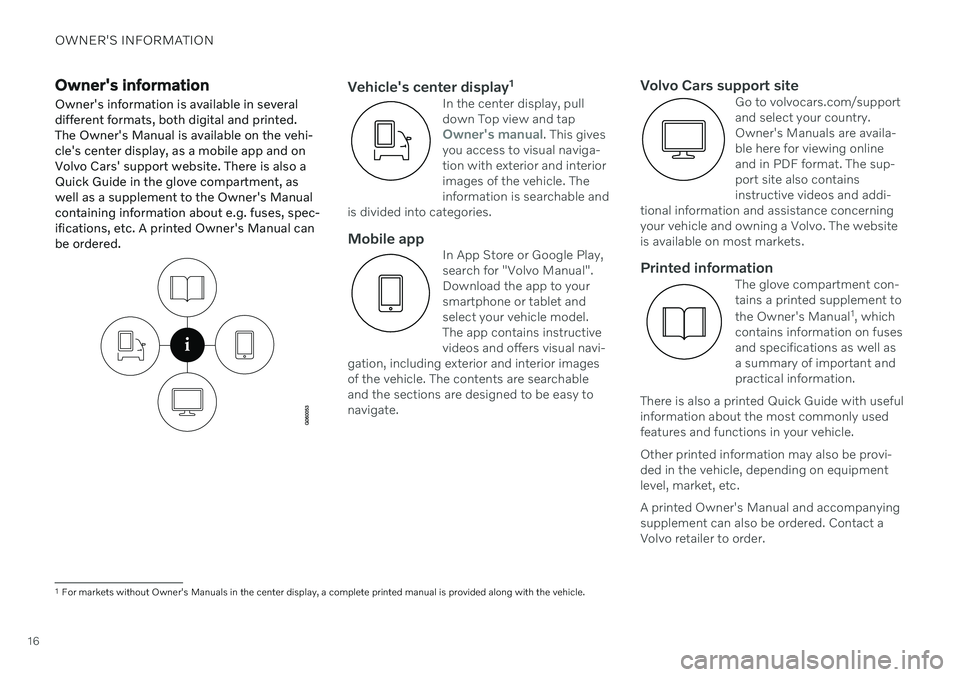
Owner's informationOwner's information is available in several different formats, both digital and printed.The Owner's Manual is available on the vehi-cle's center display, as a mobile app and onVolvo Cars' support website. There is also aQuick Guide in the glove compartment, aswell as a supplement to the Owner's Manualcontaining information about e.g. fuses, spec-ifications, etc. A printed Owner's Manual canbe ordered.Vehicle's center display 1In the center display, pull down Top view and tap
Owner's manual. This gives
you access to visual naviga- tion with exterior and interiorimages of the vehicle. Theinformation is searchable and
is divided into categories.
Mobile appIn App Store or Google Play, search for "Volvo Manual".Download the app to yoursmartphone or tablet andselect your vehicle model.The app contains instructivevideos and offers visual navi-
gation, including exterior and interior imagesof the vehicle. The contents are searchableand the sections are designed to be easy tonavigate.
Volvo Cars support siteGo to volvocars.com/support and select your country.Owner's Manuals are availa-ble here for viewing onlineand in PDF format. The sup-port site also containsinstructive videos and addi-
tional information and assistance concerningyour vehicle and owning a Volvo. The websiteis available on most markets.
Printed informationThe glove compartment con- tains a printed supplement to the Owner's Manual 1
, which
contains information on fuses
and specifications as well as a summary of important andpractical information.
There is also a printed Quick Guide with usefulinformation about the most commonly usedfeatures and functions in your vehicle. Other printed information may also be provi- ded in the vehicle, depending on equipmentlevel, market, etc. A printed Owner's Manual and accompanying supplement can also be ordered. Contact aVolvo retailer to order.
1 For markets without Owner's Manuals in the center display, a complete printed manual is provided along with the vehicle.
Page 19 of 661
OWNER'S INFORMATION
}}
17
CAUTION
The driver is always responsible for operat- ing the vehicle in a safe manner and adher-ing to all applicable laws and regulations. Itis also important that the vehicle is oper-ated, maintained and serviced according toVolvo's recommendations provided in theowner's information. If the information in the center display dif- fers from the printed information, the prin-ted information always takes precedence.
NOTE
Changing languages in the center display could mean that certain owner's informa-tion will not comply with national or locallaws and regulations. Do not change to alanguage you do not speak well, as it canbe difficult to find your way back throughthe menu.
Related information
Owner's Manual in the center display (p. 17)
Owner's manual in mobile devices(p. 20)
Volvo Cars support site (p. 21)
Using the Owner's Manual (p. 21)
Owner's Manual in the center display
A digital version of the Owner's Manual is available in the vehicle's center display 2
.
The digital Owner's Manual can be accessed from Top view and in certain cases, the con-textual Owner's Manual can also be accessedfrom Top view.
NOTE
The digital Owner's Manual is not available during driving.
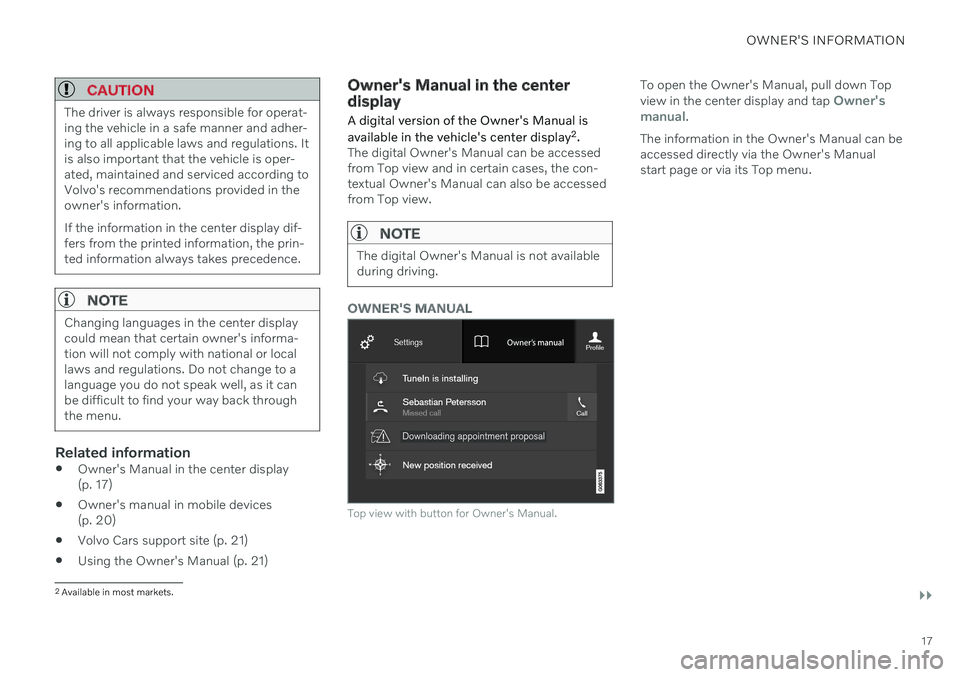
OWNER'S MANUAL
Top view with button for Owner's Manual.
To open the Owner's Manual, pull down Top view in the center display and tap Owner's
manual.
The information in the Owner's Manual can be accessed directly via the Owner's Manualstart page or via its Top menu.
2 Available in most markets.
Page 20 of 661
||
OWNER'S INFORMATION
18
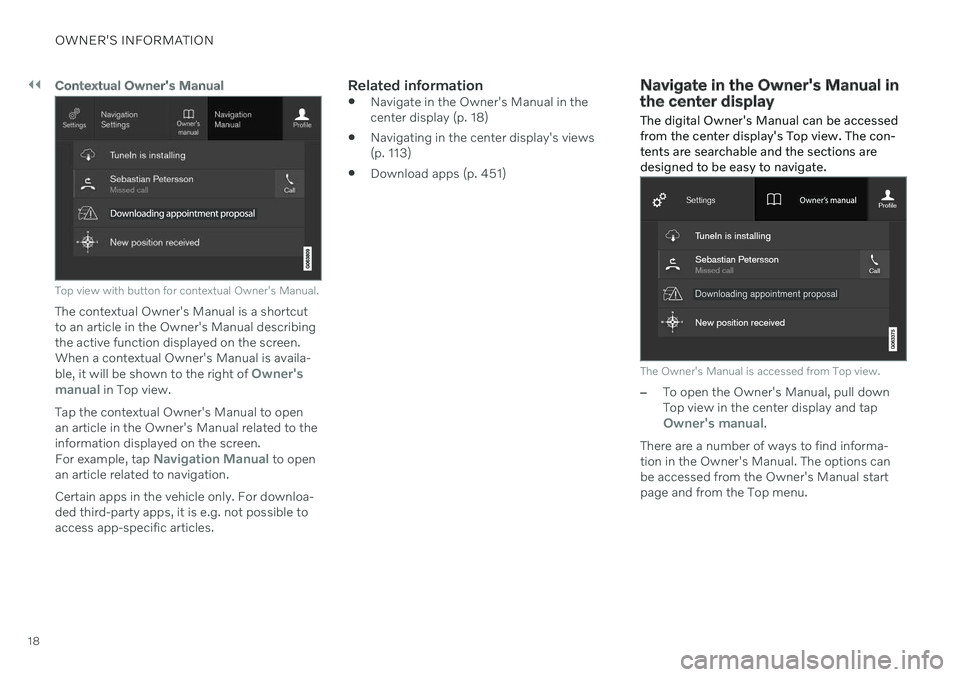
Contextual Owner's Manual
Top view with button for contextual Owner's Manual.
The contextual Owner's Manual is a shortcut to an article in the Owner's Manual describingthe active function displayed on the screen.When a contextual Owner's Manual is availa- ble, it will be shown to the right of
Owner's
manual in Top view.
Tap the contextual Owner's Manual to open an article in the Owner's Manual related to theinformation displayed on the screen. For example, tap
Navigation Manual to open
an article related to navigation. Certain apps in the vehicle only. For downloa- ded third-party apps, it is e.g. not possible toaccess app-specific articles.
Related information
Navigate in the Owner's Manual in thecenter display (p. 18)
Navigating in the center display's views(p. 113)
Download apps (p. 451)
Navigate in the Owner's Manual in the center display
The digital Owner's Manual can be accessed from the center display's Top view. The con-tents are searchable and the sections aredesigned to be easy to navigate.
The Owner's Manual is accessed from Top view.
–To open the Owner's Manual, pull down Top view in the center display and tap
Owner's manual.
There are a number of ways to find informa- tion in the Owner's Manual. The options can be accessed from the Owner's Manual start page and from the Top menu.