wheel VOLVO V90 2017 Owners Manual
[x] Cancel search | Manufacturer: VOLVO, Model Year: 2017, Model line: V90, Model: VOLVO V90 2017Pages: 594, PDF Size: 15.07 MB
Page 458 of 594
||
AUDIO AND MEDIA
456
Technical specification for USB connector
•Type A socket
• Version 2.0
• Voltage supply 5 V
• Current supply max. 2.1 A
Related information
• Media player (p. 442)
• Media playback (p. 443)
Phone
A mobile phone equipped with Bluetooth can be connected wirelessly to the car's built-in hands-free system.
The audio and media system acts as a handsfree,
with the facility to remotely control a selection of the mobile phone's functions. The mobile phonecan still be operated with its own keys if it is con-nected to the car. When a mobile phone has been connected with the car and connected, it can be used make calls,send/receive messages, stream media and pro-vide an Internet connection.
The phone is operated from thecentre display, but some opera-tions are also available via voicerecognition and the app menu,which are accessed from theright-hand steering wheel key-pad.
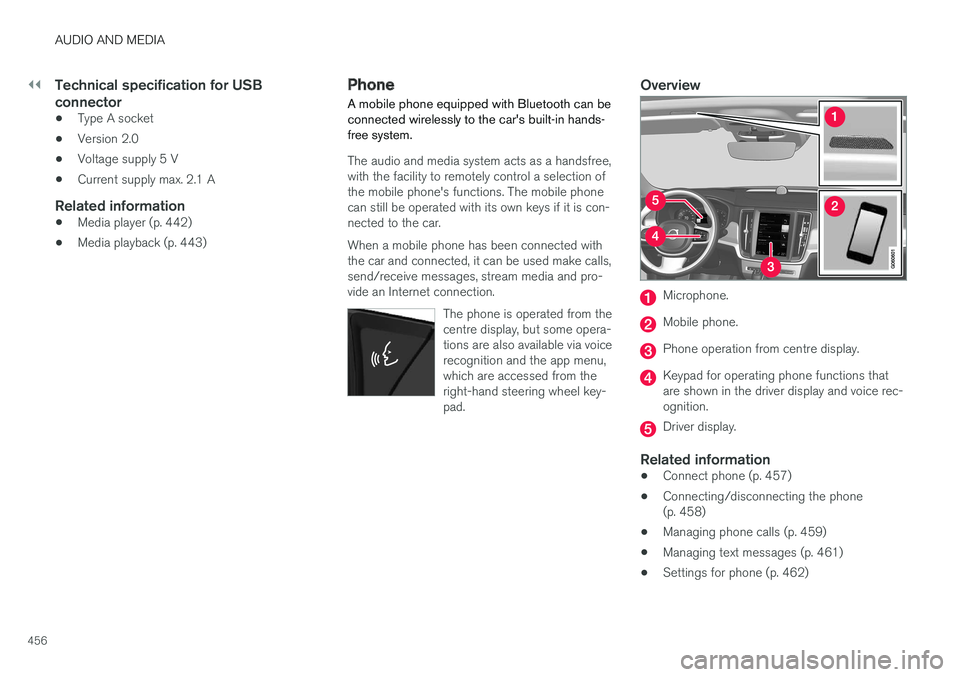
Overview
Microphone.
Mobile phone.
Phone operation from centre display.
Keypad for operating phone functions that are shown in the driver display and voice rec-ognition.
Driver display.
Related information
•Connect phone (p. 457)
• Connecting/disconnecting the phone (p. 458)
• Managing phone calls (p. 459)
• Managing text messages (p. 461)
• Settings for phone (p. 462)
Page 462 of 594
||
AUDIO AND MEDIA
4602. Select call from: call history, enter number
using the keypad or via the contact list. It is possible to search or browse in the contact list. Tap on
in the contact list in order to
add a contact under Favourites.
3. Tap on
Call or .
4. Tap on
End call to end the call.
You can also make calls from the call log via the app menu, which is accessed from the right-hand steering wheel keypad
.
Making multi-party calls
During a call: 1. Press
Add call.
2. Choose to make a call from the call log, favourites or the contact list.
3. Tap on an entry/row in the call log, or tap on
alongside the contact in the contact list.
4. Tap on
Swap call to switch between the
parties.
5. Tap on
End call to end the active call.
Conference calls
During an active multi-party call: 1. Tap on
Join calls to merge the active multi-
party call.
2. Tap on
End call to end the call.
Incoming phone callsIncoming phone calls are shown in the driver dis- play and the centre display. Manage the call onthe right-hand steering wheel keypad or in thecentre display. 1.Tap on
Answer/Reject.
2. Tap on
End call to end the call.
Incoming phone call during an active call
1.Tap on Answer/Reject.
2. Tap on
End call to end the call.
Private call
–During the current call, press Privacy and
select setting:
•
Switch to mobile phone - the hands-
free function is disconnected and the call continues on your mobile phone.
•
Driver focused - the microphone in the
roof on the passenger side is switched off and the call continues with the car'shandsfree function.
Related information
• Phone (p. 456)
• Voice recognition control of the phone(p. 118)
• Using the application menu in the driver dis-play (p. 105)
• Using the keyboard in the centre display(p. 49) •
Settings for phone (p. 462)
Page 463 of 594
AUDIO AND MEDIA
461
Managing text messages Message handling in the car for a Bluetooth- connected phone.
On certain phones the message function must be activated. Not all mobiles are fully compatible andcapable of displaying contacts and messages inthe car. For compatibility, seesupport.volvocars.com.
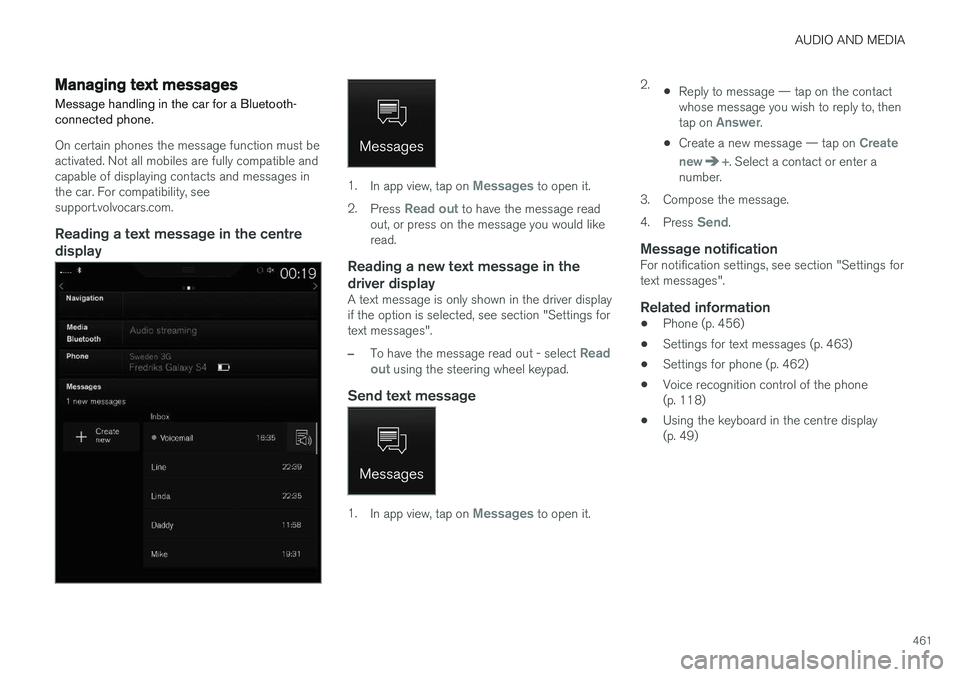
Reading a text message in the centredisplay
1. In app view, tap on Messages to open it.
2. Press
Read out to have the message read
out, or press on the message you would like read.
Reading a new text message in the driver display
A text message is only shown in the driver display if the option is selected, see section "Settings fortext messages".
–To have the message read out - select Read
out using the steering wheel keypad.
Send text message
1. In app view, tap on Messages to open it. 2.
•Reply to message — tap on the contact whose message you wish to reply to, then tap on
Answer.
• Create a new message — tap on
Create
new
+. Select a contact or enter a
number.
3. Compose the message. 4. Press
Send.
Message notificationFor notification settings, see section "Settings for text messages".
Related information
• Phone (p. 456)
• Settings for text messages (p. 463)
• Settings for phone (p. 462)
• Voice recognition control of the phone(p. 118)
• Using the keyboard in the centre display(p. 49)
Page 465 of 594
AUDIO AND MEDIA
}}
* Option/accessory.463
Settings for text messages
Settings for text messages on connected phone.
Message1. Press Settings in top view.
2. Press
CommunicationText Messagesand select settings:
•
Notification in centre display - shows
message notifications in the centre dis- play's status bar.
•
Notification in driver display - shows
notifications in the driver display. When notifications in the driver display areactive, it is possible to manage incomingmessages with the steering wheel's right-hand keypad.
•
Text message tone - select tone for
incoming text message.
Related information
• Phone (p. 456)
• Connect phone (p. 457)
• Managing text messages (p. 461)
• Settings for phone (p. 462)
Bluetooth settings
Settings for Bluetooth-connected phone.
Bluetooth1. Press Settings in top view.
2. Press
CommunicationBluetooth
Devices and select settings:
•
Previously paired devices - lists con-
nected devices.
Remove device - removes the connected
device.
Allowed services for this device - phone
usage options: calling, sending/receiving messages, streaming media and as Internetconnection.
•
Internet connection - option for connecting
the car to the Internet via the device's Bluetooth connection.
•
Add device - starts the pairing of a new
device.
Related information
• Online car
* (p. 463)
• Phone (p. 456)
• Connect phone (p. 457)
• Media player (p. 442)
Online car
*
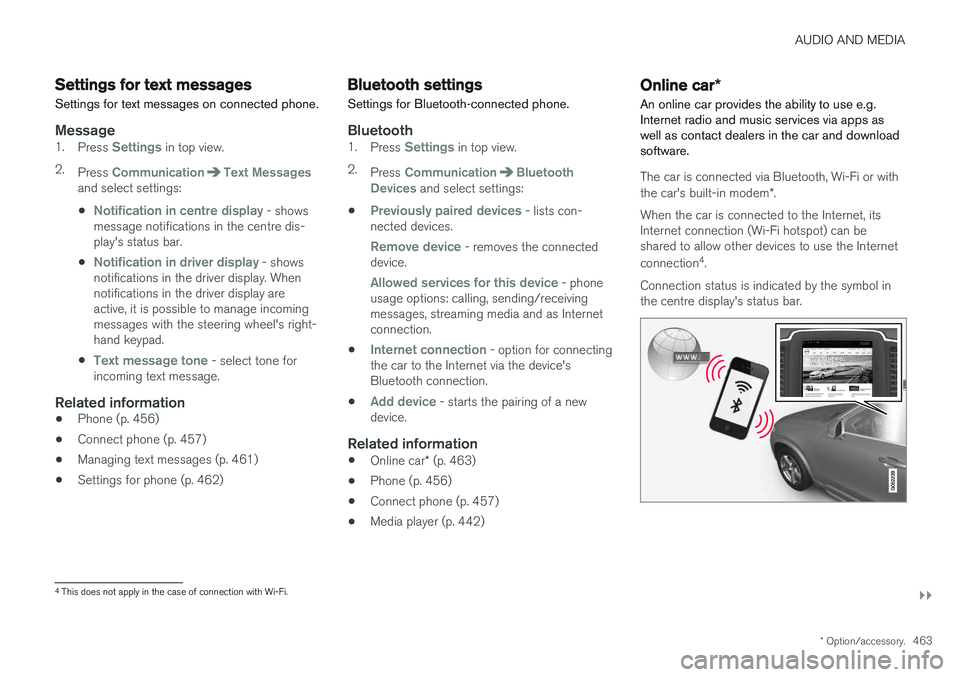
An online car provides the ability to use e.g. Internet radio and music services via apps aswell as contact dealers in the car and downloadsoftware.
The car is connected via Bluetooth, Wi-Fi or with the car's built-in modem *.
When the car is connected to the Internet, its Internet connection (Wi-Fi hotspot) can beshared to allow other devices to use the Internet connection 4
.
Connection status is indicated by the symbol in the centre display's status bar.
4 This does not apply in the case of connection with Wi-Fi.
Page 484 of 594
WHEELS AND TYRES
482
TyresAmongst other things, the function of the tyres is to carry load, provide grip on the road surface,dampen vibration and protect the wheel fromwear.
The tyres greatly affect the car's driving characte- ristics. The type of tyre, dimensions, tyre pressureand speed rating are important for how the carperforms.
Recommended tyresOn delivery, the car is equipped with Volvo origi- nal tyres that have the VOL 1
marking on the side
of the tyres. These tyres are carefully adapted to the car. In the event of changing tyres, it is there-fore important that the new tyres also have thismarking in order for the car's driving characteris-tics, comfort and fuel consumption to be main-tained.
New tyres
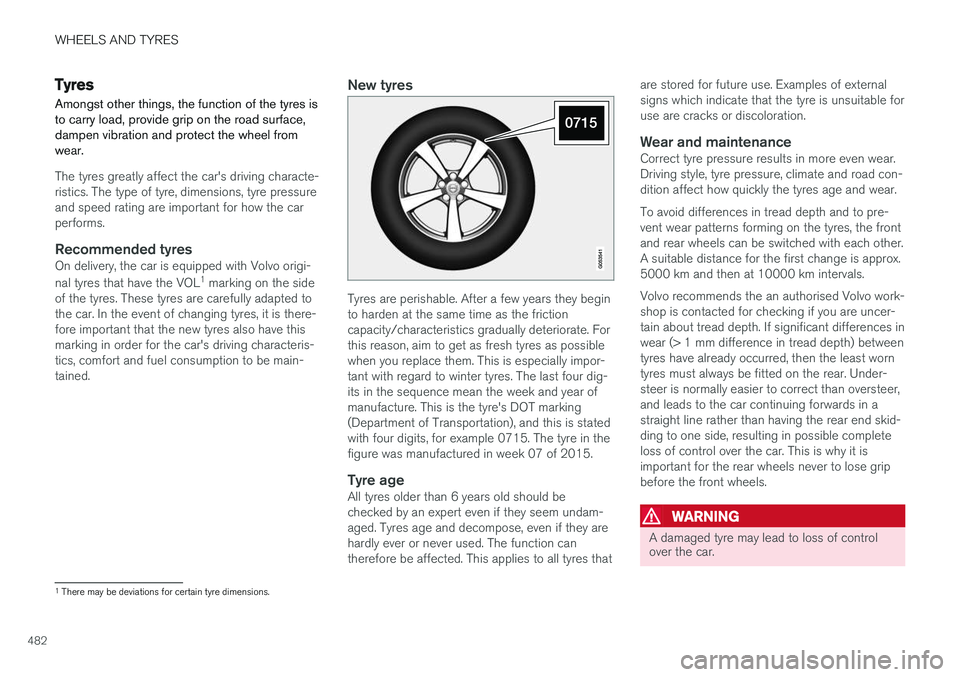
Tyres are perishable. After a few years they begin to harden at the same time as the frictioncapacity/characteristics gradually deteriorate. Forthis reason, aim to get as fresh tyres as possiblewhen you replace them. This is especially impor-tant with regard to winter tyres. The last four dig-its in the sequence mean the week and year ofmanufacture. This is the tyre's DOT marking(Department of Transportation), and this is statedwith four digits, for example 0715. The tyre in thefigure was manufactured in week 07 of 2015.
Tyre ageAll tyres older than 6 years old should bechecked by an expert even if they seem undam-aged. Tyres age and decompose, even if they arehardly ever or never used. The function cantherefore be affected. This applies to all tyres that are stored for future use. Examples of externalsigns which indicate that the tyre is unsuitable foruse are cracks or discoloration.
Wear and maintenanceCorrect tyre pressure results in more even wear.Driving style, tyre pressure, climate and road con-dition affect how quickly the tyres age and wear. To avoid differences in tread depth and to pre- vent wear patterns forming on the tyres, the frontand rear wheels can be switched with each other.A suitable distance for the first change is approx.5000 km and then at 10000 km intervals. Volvo recommends the an authorised Volvo work- shop is contacted for checking if you are uncer-tain about tread depth. If significant differences inwear (> 1 mm difference in tread depth) betweentyres have already occurred, then the least worntyres must always be fitted on the rear. Under-steer is normally easier to correct than oversteer,and leads to the car continuing forwards in astraight line rather than having the rear end skid-ding to one side, resulting in possible completeloss of control over the car. This is why it isimportant for the rear wheels never to lose gripbefore the front wheels.
WARNING
A damaged tyre may lead to loss of control over the car.
1
There may be deviations for certain tyre dimensions.
Page 485 of 594
WHEELS AND TYRES
* Option/accessory.483
StorageWheels with tyres fitted must be stored lying down or hanging up - never standing up.
Related information
•Checking the tyre pressures (p. 484)
• Tyres' rotation direction (p. 483)
• Tread wear indicators on the tyres (p. 484)
• Tyre monitoring
* (p. 485)
• Emergency puncture repair kit (p. 490)
• Dimension designation for tyre (p. 502)
Tyres' rotation direction
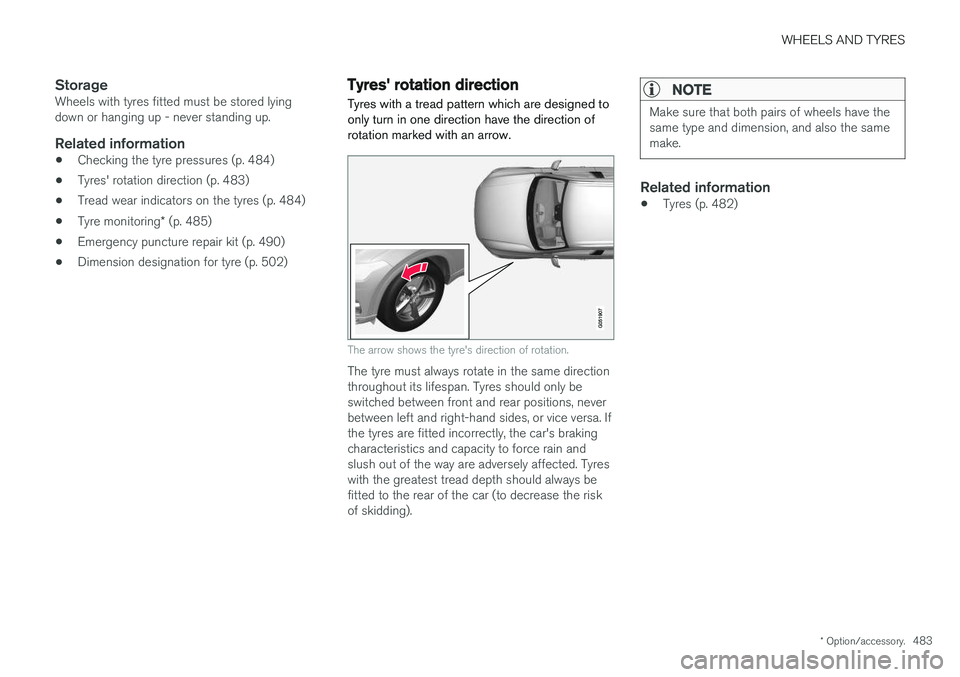
Tyres with a tread pattern which are designed to only turn in one direction have the direction ofrotation marked with an arrow.
The arrow shows the tyre's direction of rotation.
The tyre must always rotate in the same direction throughout its lifespan. Tyres should only beswitched between front and rear positions, neverbetween left and right-hand sides, or vice versa. Ifthe tyres are fitted incorrectly, the car's brakingcharacteristics and capacity to force rain andslush out of the way are adversely affected. Tyreswith the greatest tread depth should always befitted to the rear of the car (to decrease the riskof skidding).
NOTE
Make sure that both pairs of wheels have the same type and dimension, and also the samemake.
Related information
• Tyres (p. 482)
Page 486 of 594
WHEELS AND TYRES
484
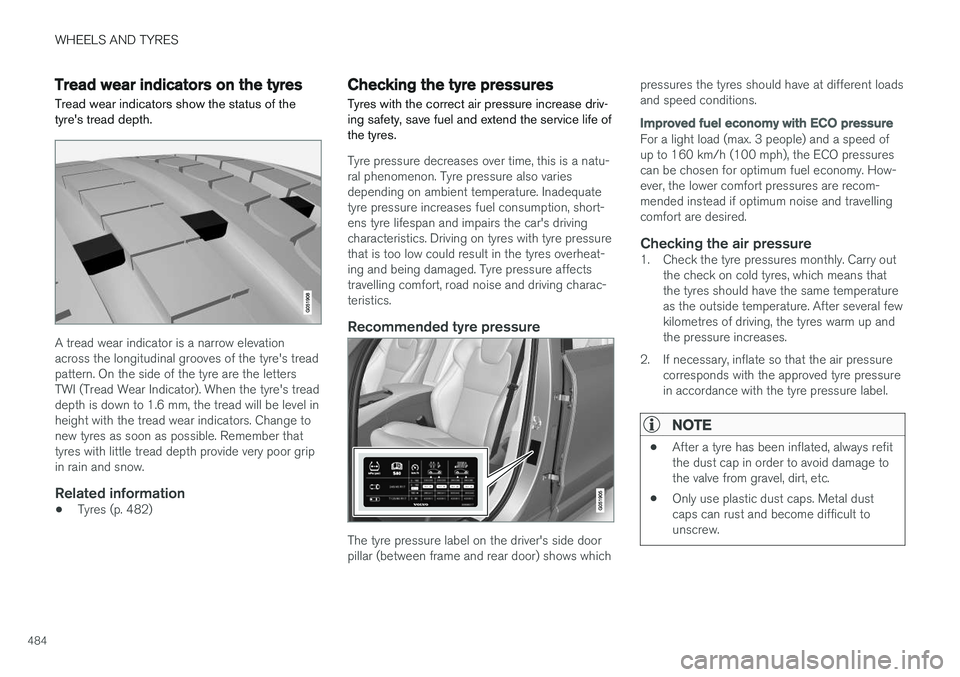
Tread wear indicators on the tyres Tread wear indicators show the status of the tyre's tread depth.
A tread wear indicator is a narrow elevation across the longitudinal grooves of the tyre's treadpattern. On the side of the tyre are the lettersTWI (Tread Wear Indicator). When the tyre's treaddepth is down to 1.6 mm, the tread will be level inheight with the tread wear indicators. Change tonew tyres as soon as possible. Remember thattyres with little tread depth provide very poor gripin rain and snow.
Related information
•Tyres (p. 482)
Checking the tyre pressures Tyres with the correct air pressure increase driv- ing safety, save fuel and extend the service life ofthe tyres.
Tyre pressure decreases over time, this is a natu- ral phenomenon. Tyre pressure also variesdepending on ambient temperature. Inadequatetyre pressure increases fuel consumption, short-ens tyre lifespan and impairs the car's drivingcharacteristics. Driving on tyres with tyre pressurethat is too low could result in the tyres overheat-ing and being damaged. Tyre pressure affectstravelling comfort, road noise and driving charac-teristics.
Recommended tyre pressure
The tyre pressure label on the driver's side door pillar (between frame and rear door) shows which pressures the tyres should have at different loadsand speed conditions.
Improved fuel economy with ECO pressure
For a light load (max. 3 people) and a speed of up to 160 km/h (100 mph), the ECO pressurescan be chosen for optimum fuel economy. How-ever, the lower comfort pressures are recom-mended instead if optimum noise and travellingcomfort are desired.
Checking the air pressure1. Check the tyre pressures monthly. Carry out
the check on cold tyres, which means thatthe tyres should have the same temperatureas the outside temperature. After several fewkilometres of driving, the tyres warm up andthe pressure increases.
2. If necessary, inflate so that the air pressure corresponds with the approved tyre pressurein accordance with the tyre pressure label.
NOTE
• After a tyre has been inflated, always refit the dust cap in order to avoid damage tothe valve from gravel, dirt, etc.
• Only use plastic dust caps. Metal dustcaps can rust and become difficult tounscrew.
Page 487 of 594
WHEELS AND TYRES
}}
* Option/accessory.485
Related information
•Tyres (p. 482)
• Checking tyre pressure with the tyre monitor- ing system
* (p. 487)
• Inflate tyres with the compressor from the emergency puncture repair kit (p. 494)
• Approved tyre pressures (p. 574)
Tyre monitoring
*
The tyre monitoring system, Indirect Tyre Pressure Monitoring System (ITPMS), gives awarning with an indicator symbol in the driverdisplay when the pressure in one or more of thecar's tyres is too low.
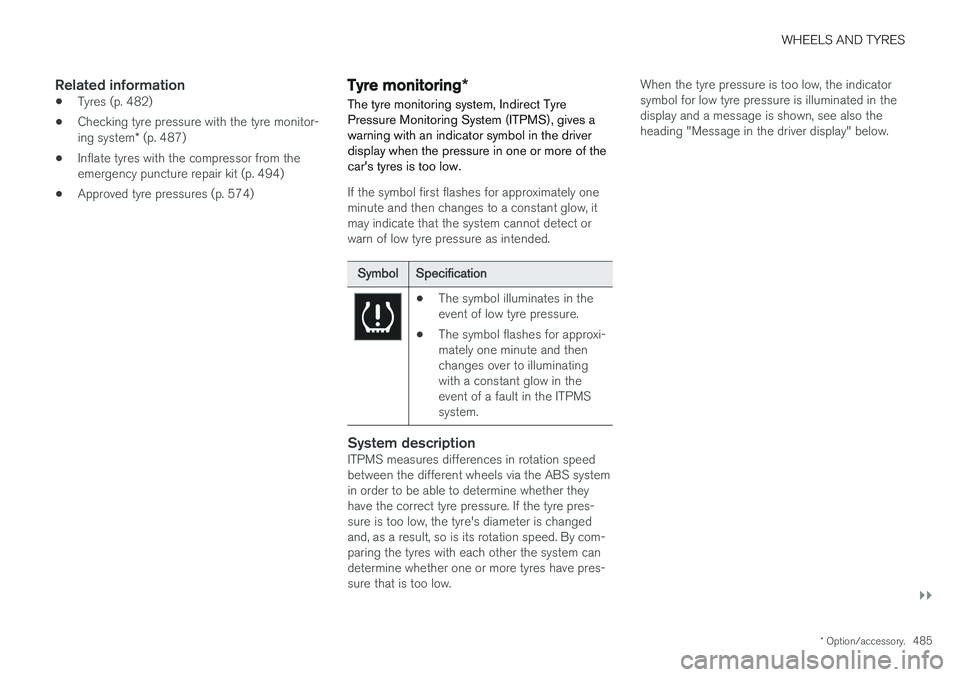
If the symbol first flashes for approximately one minute and then changes to a constant glow, itmay indicate that the system cannot detect orwarn of low tyre pressure as intended.
Symbol Specification
•The symbol illuminates in the event of low tyre pressure.
• The symbol flashes for approxi-mately one minute and thenchanges over to illuminatingwith a constant glow in theevent of a fault in the ITPMSsystem.
System descriptionITPMS measures differences in rotation speed between the different wheels via the ABS systemin order to be able to determine whether they have the correct tyre pressure. If the tyre pres-sure is too low, the tyre's diameter is changedand, as a result, so is its rotation speed. By com-paring the tyres with each other the system candetermine whether one or more tyres have pres-sure that is too low. When the tyre pressure is too low, the indicatorsymbol for low tyre pressure is illuminated in thedisplay and a message is shown, see also theheading "Message in the driver display" below.
Page 488 of 594
||
WHEELS AND TYRES
* Option/accessory.
486
General information on the tyre monitoring system
In the information below, the tyre monitoring sys- tem is referred to generically as TPMS. Each tyre, including the spare tyre *, should be
checked once a month. When checking, the tyre should be cold and have the air pressure recom-mended by the car manufacturer specified on thetyre pressure label or in the tyre pressure table. Ifthe car has tyres of a different size than that rec-ommended by the manufacturer, find out whatthe correct air pressure level is for these. As an extra safety feature, the car is equipped with a tyre pressure monitoring system (TPMS),which shows when the air pressure in one ormore tyres is too low. When the indicator symbolfor low air pressure is lit, stop and check the tyresas soon as possible and inflate to the correct airpressure. Driving with tyres that have tyre pressure that is too low may cause the tyre to overheat, whichcan cause a puncture. Low tyre pressure alsoreduces fuel efficiency as well as tyre service life,and can affect car handling and stopping ability.Note that TPMS does not replace regular tyremaintenance. It is the driver's responsibility tomaintain correct tyre pressure, even if the limit forlow tyre pressure has not been reached so thatthe indicator symbol illuminates. The car is also equipped with a TPMS system fault indicator, which indicates when the system is not functioning correctly. The TPMS systemfault indicator is combined with the indicator sym-bol for low tyre pressure. When the systemdetects a fault, the symbol in the driver displaywill flash for about one minute and then remainilluminated. This procedure will be repeated whenthe car is started until the fault has been rectified.When the symbol is illuminated, the system's abil-ity to detect or warn of low tyre pressure may beaffected. A TPMS system fault can occur for several rea- sons, such as after changing to a spare tyre, orchanging tyres or wheels that prevent TPMS fromfunctioning correctly. Always check the indicator symbol for TPMS after changing one or more tyres in order toensure the new tyre or wheel is working correctlywith TPMS.
Messages in the driver displayThe following messages may be shown when theindicator symbol is illuminated:
•
Tyre pressure low Check tyres, calibrate
after fill
•Tyre pressure system Temporarily
unavailable
•Tyre pressure system Service required.
If the system cannot determine which tyre has low pressure, all four tyres will be indicated in thecentre display.
To bear in mind
• Always calibrate the system after a wheelchange or tyre pressure adjustment. See thetyre pressure label on the driver's side doorpillar for Volvo's recommended tyre pres-sures.
• The system does not replace normal tyremaintenance.
• There is no option to deactivate ITPMS.
Related information
•Tyres (p. 482)
• Checking tyre pressure with the tyre monitor- ing system
* (p. 487)
• Calibrating tyre monitoring
* (p. 489)
• Rectifying low tyre pressure with tyre moni-toring
* (p. 488)
Page 489 of 594
WHEELS AND TYRES
* Option/accessory.487
Checking tyre pressure with the tyre monitoring system *
With the system for tyre monitoring, Indirect Tyre Pressure Monitoring System (ITPMS), tyre pres-sure status can be viewed in the centre display.
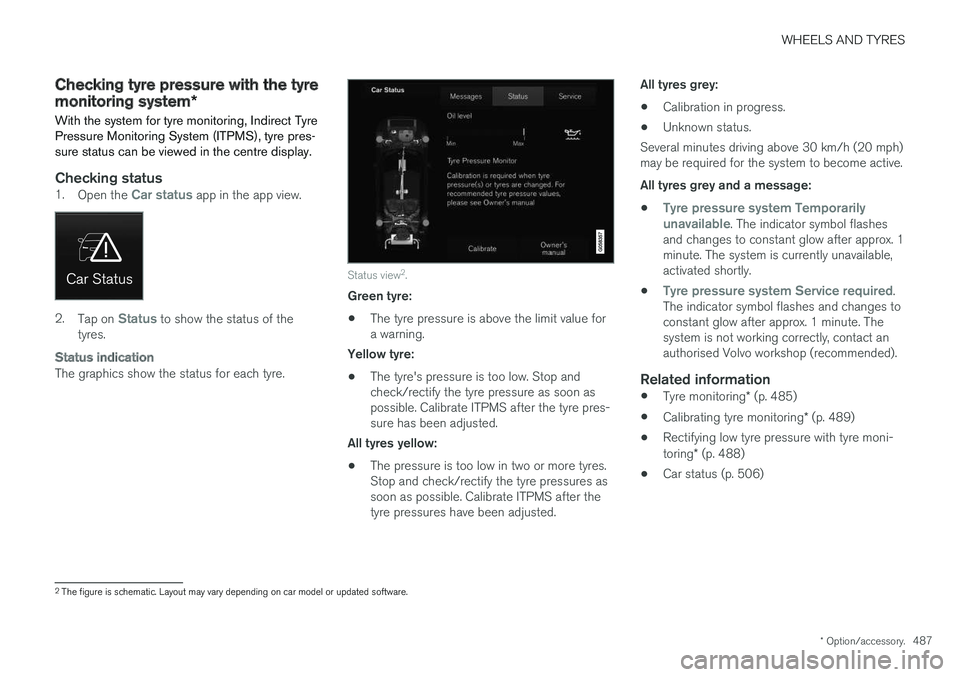
Checking status1. Open the Car status app in the app view.
2.Tap on Status to show the status of the
tyres.
Status indication
The graphics show the status for each tyre.
Status view 2
.
Green tyre:
• The tyre pressure is above the limit value for a warning.
Yellow tyre:
• The tyre's pressure is too low. Stop andcheck/rectify the tyre pressure as soon aspossible. Calibrate ITPMS after the tyre pres-sure has been adjusted.
All tyres yellow:
• The pressure is too low in two or more tyres.Stop and check/rectify the tyre pressures assoon as possible. Calibrate ITPMS after thetyre pressures have been adjusted. All tyres grey:
• Calibration in progress.
• Unknown status.
Several minutes driving above 30 km/h (20 mph)may be required for the system to become active. All tyres grey and a message:
•
Tyre pressure system Temporarily
unavailable. The indicator symbol flashes
and changes to constant glow after approx. 1 minute. The system is currently unavailable,activated shortly.
•
Tyre pressure system Service required.
The indicator symbol flashes and changes to constant glow after approx. 1 minute. Thesystem is not working correctly, contact anauthorised Volvo workshop (recommended).
Related information
• Tyre monitoring
* (p. 485)
• Calibrating tyre monitoring
* (p. 489)
• Rectifying low tyre pressure with tyre moni- toring
* (p. 488)
• Car status (p. 506)
2
The figure is schematic. Layout may vary depending on car model or updated software.