start stop button VOLVO V90 2017 User Guide
[x] Cancel search | Manufacturer: VOLVO, Model Year: 2017, Model line: V90, Model: VOLVO V90 2017Pages: 594, PDF Size: 15.07 MB
Page 314 of 594
||
DRIVER SUPPORT
* Option/accessory.
312
Automatic standby mode
Pilot Assist is dependent on other systems, e.g. stability control/anti-skid ESC. If any of theseother systems stops working, Pilot Assist isswitched off automatically. In the event of automatic deactivation a signal will sound and a message is shown in the driver dis-play. The driver must then intervene and adaptthe speed and distance to the vehicle ahead. Automatic deactivation may occur if:
• the speed is below 5 km/h (3 mph) and Pilot Assist is uncertain whether the vehicle aheadis a stationary vehicle or an object, such as aspeed bump.
• the speed is below 5 km/h (3 mph) and thevehicle ahead turns off so that Pilot Assist nolonger has a vehicle to follow.
• speed is reduced to below 30 km/h(20 mph) - only applies to cars with manualgearbox.
• the driver's hands are not on the steeringwheel
• the driver opens the door
• the driver takes off the seatbelt
• engine speed is too low/high
• wheels lose traction
• brake temperature is high
• the parking brake is applied •
the camera and radar unit is covered by e.g.snow or heavy rainfall (camera lens/radiowaves are blocked).
Reactivating Pilot Assist from the
standby mode
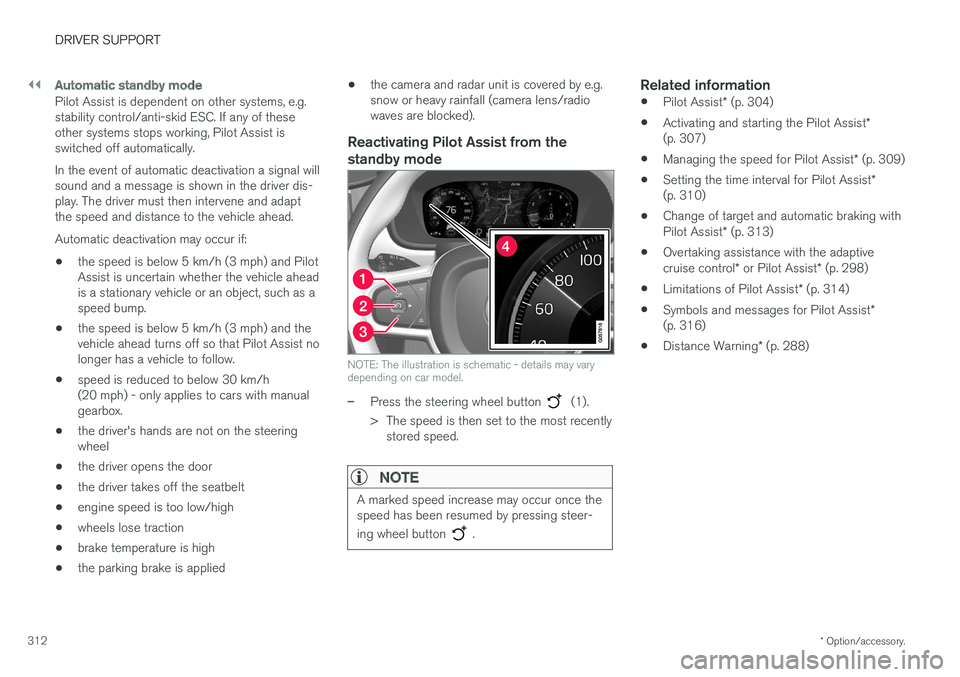
NOTE: The illustration is schematic - details may vary depending on car model.
–Press the steering wheel button (1).
> The speed is then set to the most recently stored speed.
NOTE
A marked speed increase may occur once the speed has been resumed by pressing steer- ing wheel button
.
Related information
• Pilot Assist
* (p. 304)
• Activating and starting the Pilot Assist
*
(p. 307)
• Managing the speed for Pilot Assist
* (p. 309)
• Setting the time interval for Pilot Assist
*
(p. 310)
• Change of target and automatic braking with Pilot Assist
* (p. 313)
• Overtaking assistance with the adaptivecruise control
* or Pilot Assist * (p. 298)
• Limitations of Pilot Assist
* (p. 314)
• Symbols and messages for Pilot Assist
*
(p. 316)
• Distance Warning
* (p. 288)
Page 315 of 594
DRIVER SUPPORT
}}
* Option/accessory.313
Change of target and automatic braking with Pilot Assist *
In combination with automatic gearbox, Pilot Assist has functionality for change of target and braking at certain speeds.
Change of target
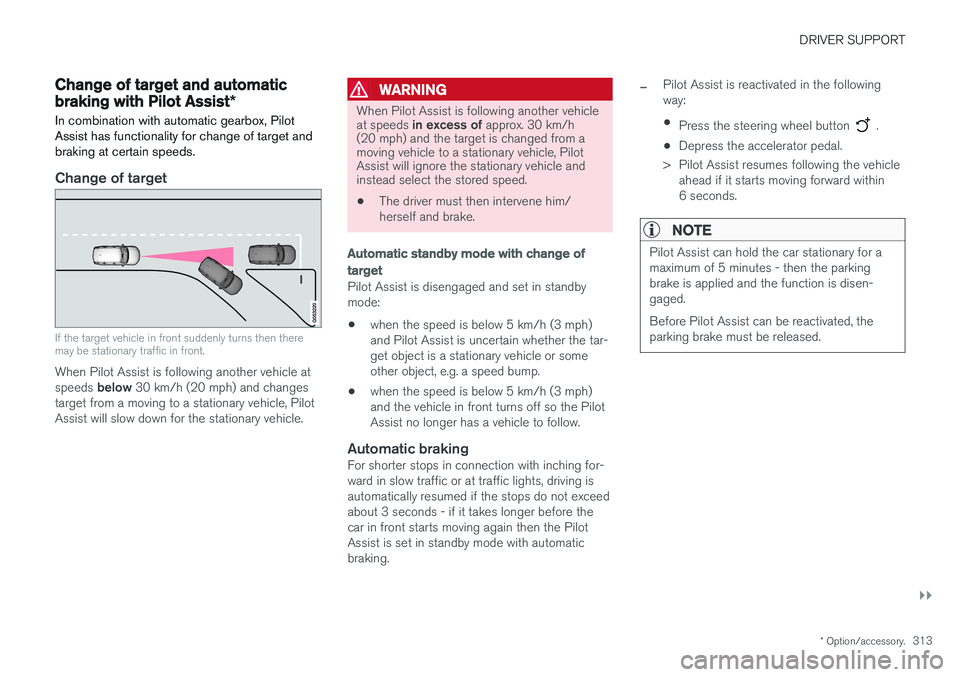
If the target vehicle in front suddenly turns then there may be stationary traffic in front.
When Pilot Assist is following another vehicle at speeds below 30 km/h (20 mph) and changes
target from a moving to a stationary vehicle, Pilot Assist will slow down for the stationary vehicle.
WARNING
When Pilot Assist is following another vehicle at speeds in excess of approx. 30 km/h
(20 mph) and the target is changed from a moving vehicle to a stationary vehicle, PilotAssist will ignore the stationary vehicle andinstead select the stored speed.
• The driver must then intervene him/ herself and brake.
Automatic standby mode with change of target
Pilot Assist is disengaged and set in standby mode: •when the speed is below 5 km/h (3 mph) and Pilot Assist is uncertain whether the tar-get object is a stationary vehicle or someother object, e.g. a speed bump.
• when the speed is below 5 km/h (3 mph)and the vehicle in front turns off so the PilotAssist no longer has a vehicle to follow.
Automatic brakingFor shorter stops in connection with inching for-ward in slow traffic or at traffic lights, driving isautomatically resumed if the stops do not exceedabout 3 seconds - if it takes longer before thecar in front starts moving again then the PilotAssist is set in standby mode with automaticbraking.
–Pilot Assist is reactivated in the following way:
• Press the steering wheel button
.
• Depress the accelerator pedal.
> Pilot Assist resumes following the vehicle ahead if it starts moving forward within 6 seconds.
NOTE
Pilot Assist can hold the car stationary for a maximum of 5 minutes - then the parkingbrake is applied and the function is disen-gaged. Before Pilot Assist can be reactivated, the parking brake must be released.
Page 367 of 594
DRIVER SUPPORT
}}
* Option/accessory.365
Activating/deactivating Parking assistance*
The Parking assistance function can be acti- vated/deactivated.
The front and side parking assistance sensors are activated automatically when the engine isstarted. The rear sensors activate if the car rollsbackwards or if reverse gear in engaged.
The function is activated/deac-tivated in function view in thecentre display. Parking assistance can also be activated/deactivated from thecamera views.
–Tap on the Park Assist button in function
view.
> Parking assistance is activated/deacti- vated, a green/grey indicator is displayed in the button.
Related information
• Park Assist
* (p. 363)
• Cross Traffic Alert
* (p. 343)
Limitations of Parking assistance *
The Parking assistance function may have limita- tions in certain situations.
NOTE
Since a towbar is configured with the car's electrical system, towbar protrusion isincluded when the function measures the dis-tance to an object behind the car.
IMPORTANT
Objects e.g. chains, thin glossy poles or low barriers may be in the "signal shadow" andare then temporarily not detected by the sen-sors - the pulsating tone may then unexpect-edly stop instead of changing over to theexpected constant tone. The sensors cannot detect high objects, such as projecting loading docks.
• In such situations, pay extra attention andmanoeuvre/reposition the car particularlyslowly or stop the current parkingmanoeuvre - there may be a high risk ofdamage to vehicles or other objects sinceinformation from the sensors is notalways reliable in such situations.
IMPORTANT
In certain conditions the parking assistance system may produce incorrect warning sig-nals that are caused by external soundsources that emit the same ultrasonic fre-quencies that the system works with. Examples of such sources include horns, wet tyres on asphalt, pneumatic brakes andexhaust noises from motorcycles, etc.
Maintenance
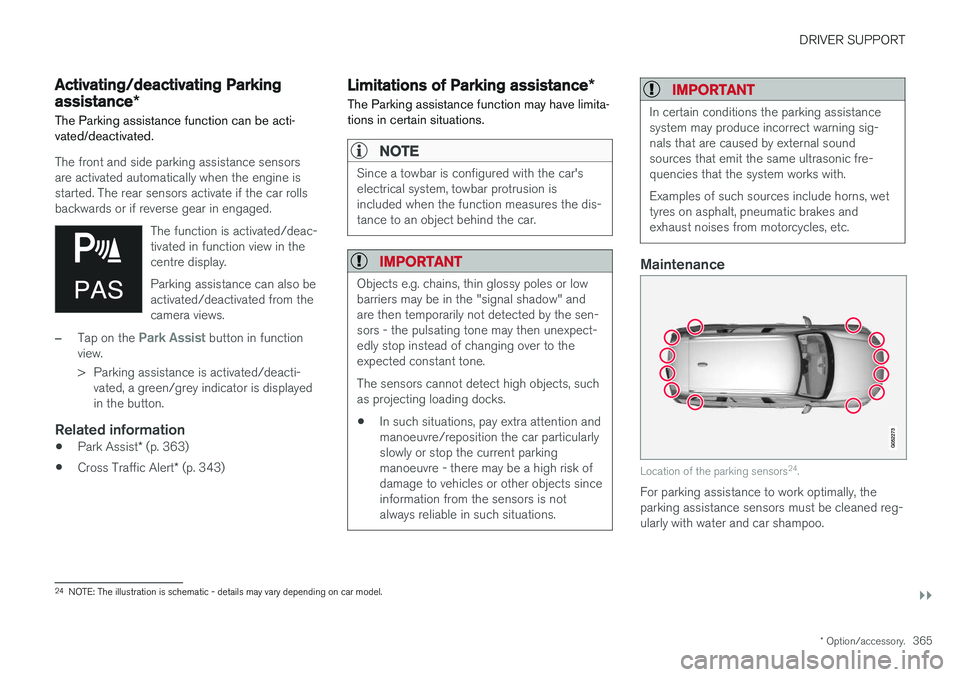
Location of the parking sensors 24
.
For parking assistance to work optimally, the parking assistance sensors must be cleaned reg-ularly with water and car shampoo.
24 NOTE: The illustration is schematic - details may vary depending on car model.
Page 378 of 594
DRIVER SUPPORT
* Option/accessory.
376
Parking with Active parking assistance *
The Active parking assistance (Park Assist Pilot - PAP) helps the driver park in three steps. Thefunction can also help the driver to leave a park-ing space.
NOTE
The PAP function measures the space and steers the car - the driver's task is to:
• keep a close watch around the car
• follow the instructions in the centre dis-play
• change gear (reverse/forward)
• control and maintain a safe speed
• brake and stop.
PAP can be activated if the following criteria are met once the engine has been started:
• No trailer is attached to the car.
• Speed must be lower than 30 km/h(20 mph).
NOTE
The distance between the car and parking spaces should be 0.5-1.5 metres while PAPis searching for a parking space.
ParkingThe PAP function parks the car using the follow- ing steps:
1. A parking space is identified and measured.
2. The car is reversed into the space.
3. The car is positioned into the space - the
system may then request that the driver changes gear.
Finding and measuring parking spaces
The function can be activated in the centre display's functionview. It can also be accessed from the camera views.
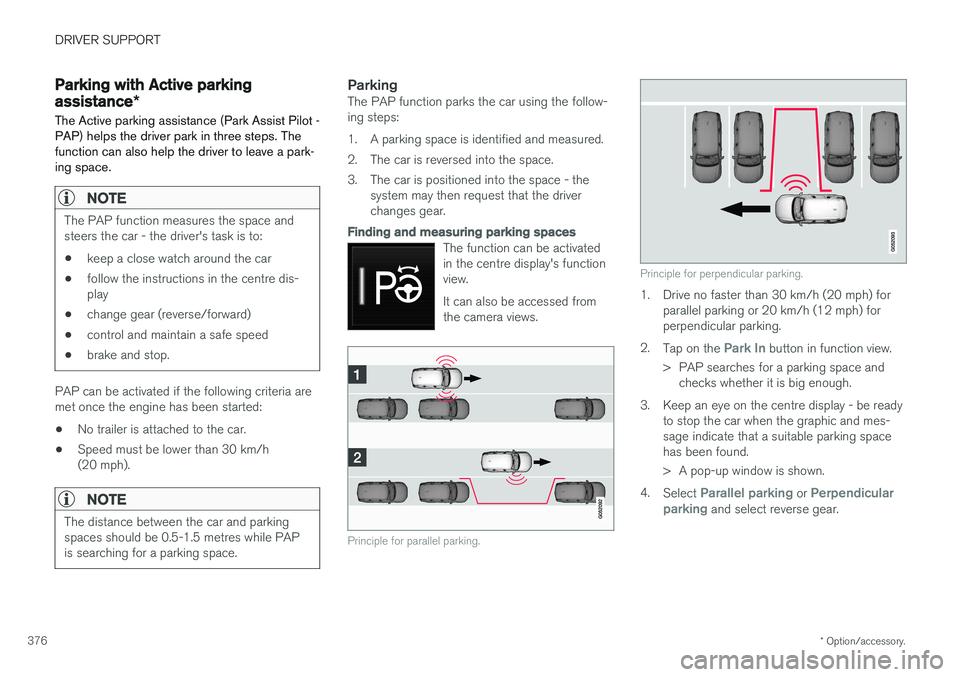
Principle for parallel parking.
Principle for perpendicular parking.
1. Drive no faster than 30 km/h (20 mph) forparallel parking or 20 km/h (12 mph) for perpendicular parking.
2. Tap on the
Park In button in function view.
> PAP searches for a parking space and checks whether it is big enough.
3. Keep an eye on the centre display - be ready to stop the car when the graphic and mes- sage indicate that a suitable parking spacehas been found.
> A pop-up window is shown.
4. Select
Parallel parking or Perpendicular
parking and select reverse gear.
Page 399 of 594
STARTING AND DRIVING
}}
397
With automatic gearbox
• Stop the car with the foot brake and then keep your foot on the brake pedal - theengine stops automatically.
With manual gearbox
• Declutch, set the gear lever in neutral posi-tion and release the clutch pedal - theengine stops automatically.
In drive mode
Eco or Comfort3 , the engine may
auto-stop before the car is completely stationary. With the
Adaptive cruise or Pilot Assist func-
tion activated, the engine will autostop after approximately three seconds. See the section "Conditions for Start/Stop func- tion".
AutostartThe following is required for the engine to auto-start: With automatic gearbox
• Release the brake pedal - the engine will autostart and you can continue driving. On anuphill gradient hill start assist (HSA) engages, which prevents the car from rollingbackwards.
• When the
Auto hold function is activated,
auto-start is delayed until the accelerator pedal is depressed.
• When the
Adaptive cruise or Pilot Assistfunction are activated, the engine will autos- tart when the accelerator pedal is depressed, or by pressing the
button on the left
keypad of the steering wheel.
• Maintain foot pressure on the brake pedal and depress the accelerator pedal - theengine auto-starts.
• On a downhill gradient: Release pressure onthe brake pedal slightly so that the carbegins to roll - the engine will auto-start aftera slight speed increase.
With manual gearbox
• With the gear lever in neutral position:Depress the clutch pedal or depress theaccelerator pedal - the engine starts.
• On a downhill gradient: Release pressure onthe brake pedal slightly so that the carbegins to roll - the engine will auto-start aftera slight speed increase.
Symbols in the driver display
With 12-inch driver display
•
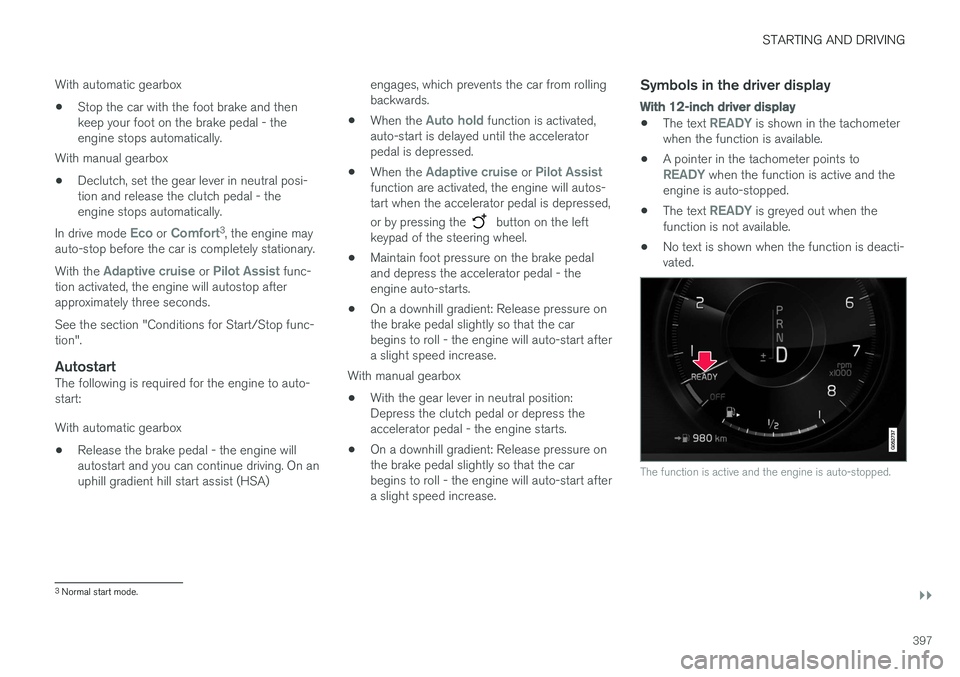
The text READY is shown in the tachometer
when the function is available.
• A pointer in the tachometer points to
READY when the function is active and the
engine is auto-stopped.
• The text
READY is greyed out when the
function is not available.
• No text is shown when the function is deacti- vated.
The function is active and the engine is auto-stopped.
3
Normal start mode.
Page 400 of 594
||
STARTING AND DRIVING
* Option/accessory.
398
With 8-inch driver display
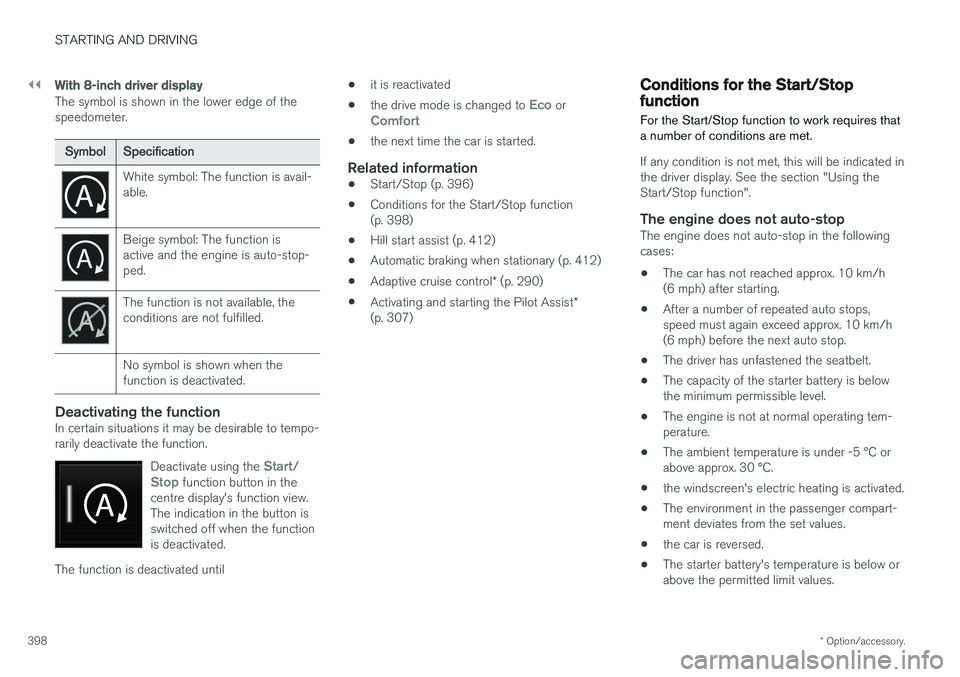
The symbol is shown in the lower edge of the speedometer.
Symbol Specification
White symbol: The function is avail- able.
Beige symbol: The function is active and the engine is auto-stop-ped.
The function is not available, the conditions are not fulfilled. No symbol is shown when the function is deactivated.
Deactivating the functionIn certain situations it may be desirable to tempo- rarily deactivate the function.
Deactivate using the
Start/
Stop function button in the
centre display's function view. The indication in the button isswitched off when the functionis deactivated.
The function is deactivated until •
it is reactivated
• the drive mode is changed to
Eco orComfort
• the next time the car is started.
Related information
•
Start/Stop (p. 396)
• Conditions for the Start/Stop function (p. 398)
• Hill start assist (p. 412)
• Automatic braking when stationary (p. 412)
• Adaptive cruise control
* (p. 290)
• Activating and starting the Pilot Assist
*
(p. 307)
Conditions for the Start/Stop function For the Start/Stop function to work requires that a number of conditions are met.
If any condition is not met, this will be indicated in the driver display. See the section "Using theStart/Stop function".
The engine does not auto-stopThe engine does not auto-stop in the followingcases: • The car has not reached approx. 10 km/h (6 mph) after starting.
• After a number of repeated auto stops,speed must again exceed approx. 10 km/h(6 mph) before the next auto stop.
• The driver has unfastened the seatbelt.
• The capacity of the starter battery is belowthe minimum permissible level.
• The engine is not at normal operating tem-perature.
• The ambient temperature is under -5 °C orabove approx. 30 °C.
• the windscreen's electric heating is activated.
• The environment in the passenger compart-ment deviates from the set values.
• the car is reversed.
• The starter battery's temperature is below orabove the permitted limit values.
Page 406 of 594
||
STARTING AND DRIVING
* Option/accessory.
404 •
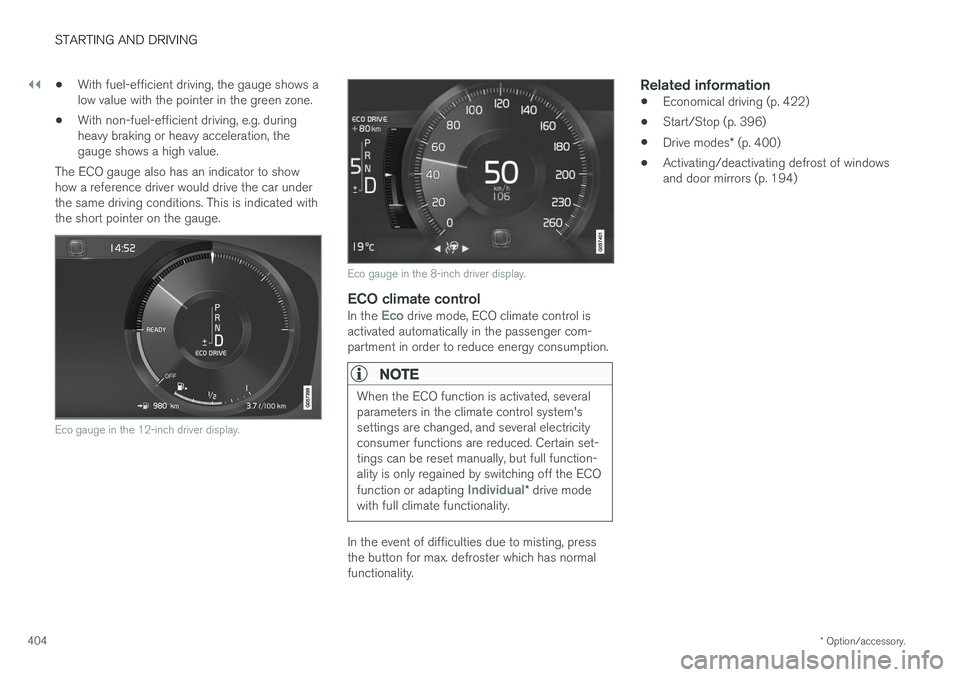
With fuel-efficient driving, the gauge shows a low value with the pointer in the green zone.
• With non-fuel-efficient driving, e.g. duringheavy braking or heavy acceleration, thegauge shows a high value.
The ECO gauge also has an indicator to showhow a reference driver would drive the car underthe same driving conditions. This is indicated withthe short pointer on the gauge.
Eco gauge in the 12-inch driver display.
Eco gauge in the 8-inch driver display.
ECO climate controlIn the Eco drive mode, ECO climate control is
activated automatically in the passenger com- partment in order to reduce energy consumption.
NOTE
When the ECO function is activated, several parameters in the climate control system'ssettings are changed, and several electricityconsumer functions are reduced. Certain set-tings can be reset manually, but full function-ality is only regained by switching off the ECO function or adapting
Individual* drive mode
with full climate functionality.
In the event of difficulties due to misting, press the button for max. defroster which has normalfunctionality.
Related information
• Economical driving (p. 422)
• Start/Stop (p. 396)
• Drive modes
* (p. 400)
• Activating/deactivating defrost of windowsand door mirrors (p. 194)
Page 415 of 594
STARTING AND DRIVING
}}
413
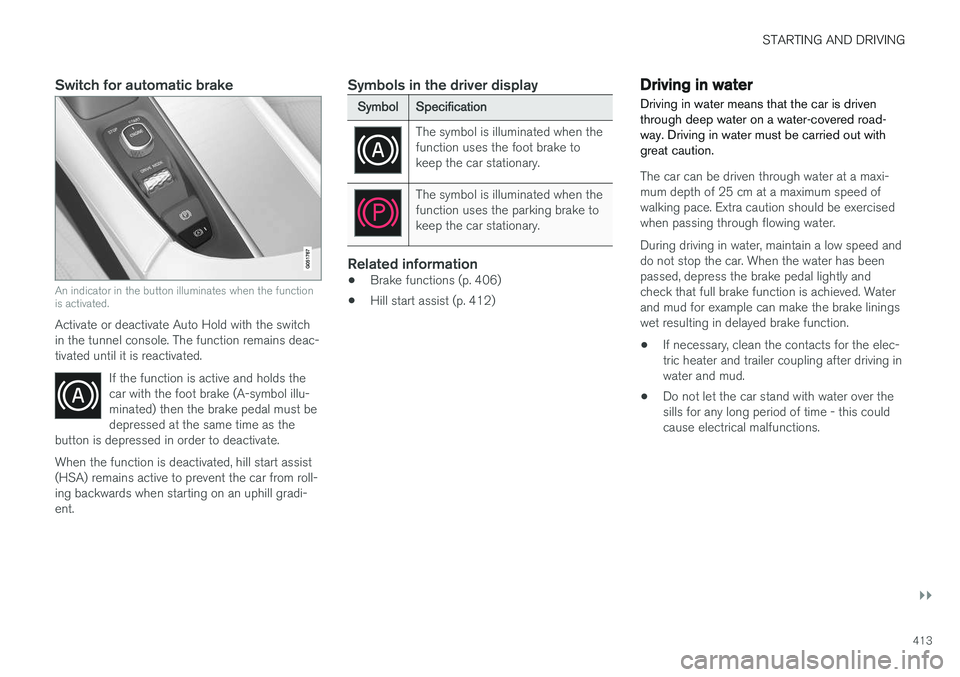
Switch for automatic brake
An indicator in the button illuminates when the function is activated.
Activate or deactivate Auto Hold with the switch in the tunnel console. The function remains deac-tivated until it is reactivated.If the function is active and holds thecar with the foot brake (A-symbol illu-minated) then the brake pedal must bedepressed at the same time as the
button is depressed in order to deactivate.
When the function is deactivated, hill start assist (HSA) remains active to prevent the car from roll-ing backwards when starting on an uphill gradi-ent.
Symbols in the driver display
Symbol Specification
The symbol is illuminated when the function uses the foot brake tokeep the car stationary.
The symbol is illuminated when the function uses the parking brake tokeep the car stationary.
Related information
•Brake functions (p. 406)
• Hill start assist (p. 412)
Driving in water Driving in water means that the car is driven through deep water on a water-covered road-way. Driving in water must be carried out withgreat caution.
The car can be driven through water at a maxi- mum depth of 25 cm at a maximum speed ofwalking pace. Extra caution should be exercisedwhen passing through flowing water. During driving in water, maintain a low speed and do not stop the car. When the water has beenpassed, depress the brake pedal lightly andcheck that full brake function is achieved. Waterand mud for example can make the brake liningswet resulting in delayed brake function.
• If necessary, clean the contacts for the elec-tric heater and trailer coupling after driving inwater and mud.
• Do not let the car stand with water over thesills for any long period of time - this couldcause electrical malfunctions.
Page 426 of 594
||
STARTING AND DRIVING
424
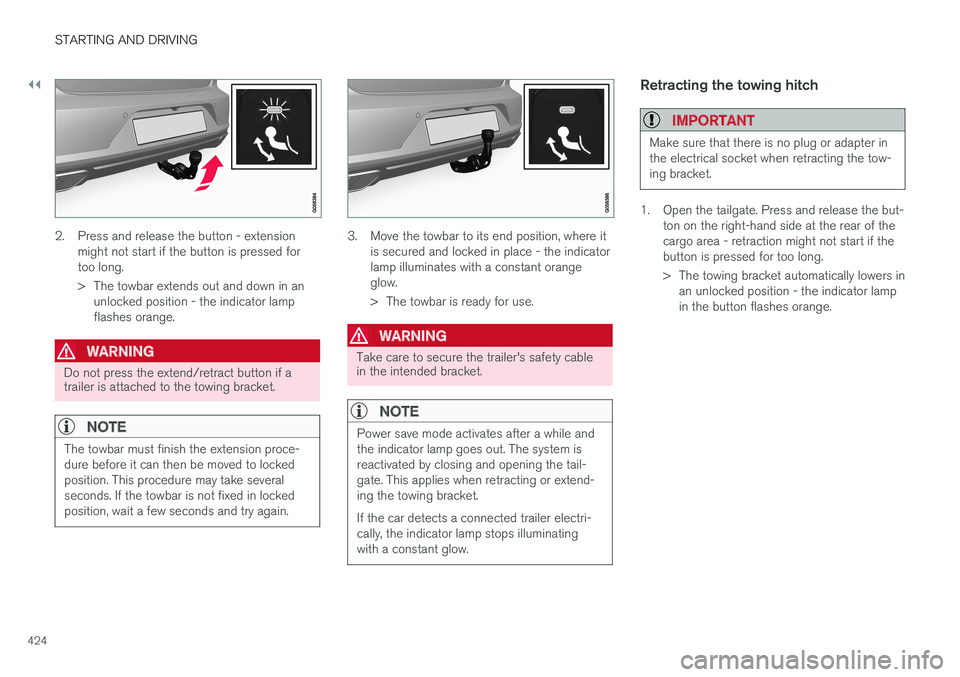
2. Press and release the button - extensionmight not start if the button is pressed for too long.
> The towbar extends out and down in anunlocked position - the indicator lamp flashes orange.
WARNING
Do not press the extend/retract button if a trailer is attached to the towing bracket.
NOTE
The towbar must finish the extension proce- dure before it can then be moved to lockedposition. This procedure may take severalseconds. If the towbar is not fixed in lockedposition, wait a few seconds and try again.
3. Move the towbar to its end position, where it is secured and locked in place - the indicator lamp illuminates with a constant orangeglow.
> The towbar is ready for use.
WARNING
Take care to secure the trailer's safety cable in the intended bracket.
NOTE
Power save mode activates after a while and the indicator lamp goes out. The system isreactivated by closing and opening the tail-gate. This applies when retracting or extend-ing the towing bracket. If the car detects a connected trailer electri- cally, the indicator lamp stops illuminatingwith a constant glow.
Retracting the towing hitch
IMPORTANT
Make sure that there is no plug or adapter in the electrical socket when retracting the tow-ing bracket.
1. Open the tailgate. Press and release the but- ton on the right-hand side at the rear of the cargo area - retraction might not start if thebutton is pressed for too long.
> The towing bracket automatically lowers inan unlocked position - the indicator lamp in the button flashes orange.