climate control VOLVO V90 2017 Owner's Manual
[x] Cancel search | Manufacturer: VOLVO, Model Year: 2017, Model line: V90, Model: VOLVO V90 2017Pages: 594, PDF Size: 15.07 MB
Page 188 of 594
||
CLIMATE CONTROL
* Option/accessory.
186 1.
Press
Settings in the top view in the centre
display.
2. Press
Climate.
3. Select
Air Quality Sensor to activate/deac-
tivate the air quality sensor.
Related information
• Air quality (p. 184)
• Passenger compartment filter (p. 185)
• Clean Zone Interior Package
* (p. 185)
• Activating/deactivating air recirculation (p. 196)
Climate controls
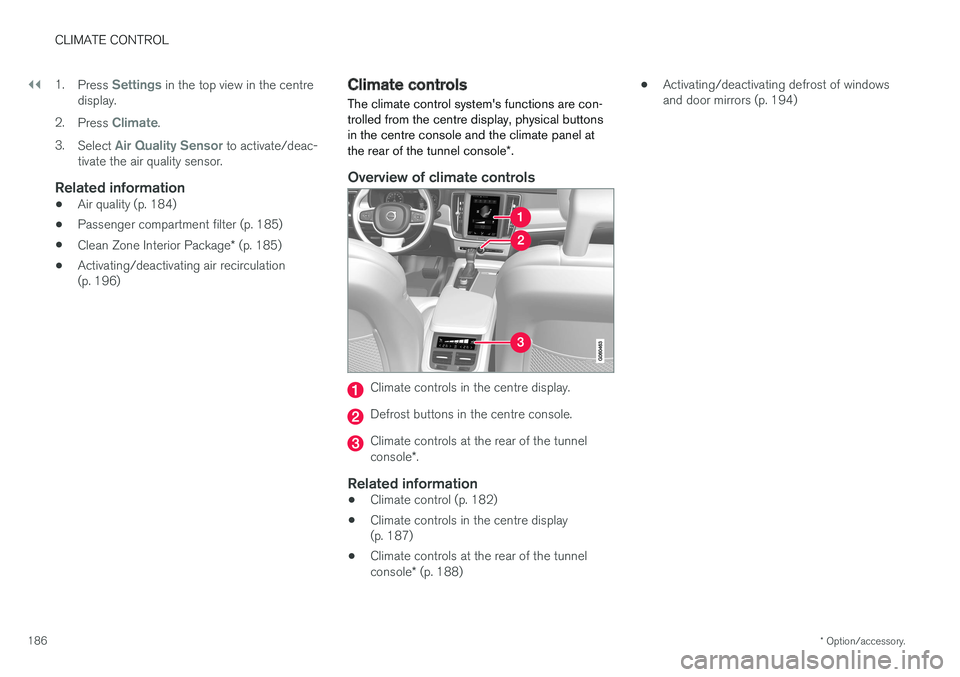
The climate control system's functions are con- trolled from the centre display, physical buttonsin the centre console and the climate panel at the rear of the tunnel console *.
Overview of climate controls
Climate controls in the centre display.
Defrost buttons in the centre console.
Climate controls at the rear of the tunnel console *.
Related information
• Climate control (p. 182)
• Climate controls in the centre display (p. 187)
• Climate controls at the rear of the tunnel console
* (p. 188) •
Activating/deactivating defrost of windows and door mirrors (p. 194)
Page 189 of 594
CLIMATE CONTROL
}}
* Option/accessory.187
Climate controls in the centre display All climate functions can be regulated from the climate row and the climate view in the centredisplay.
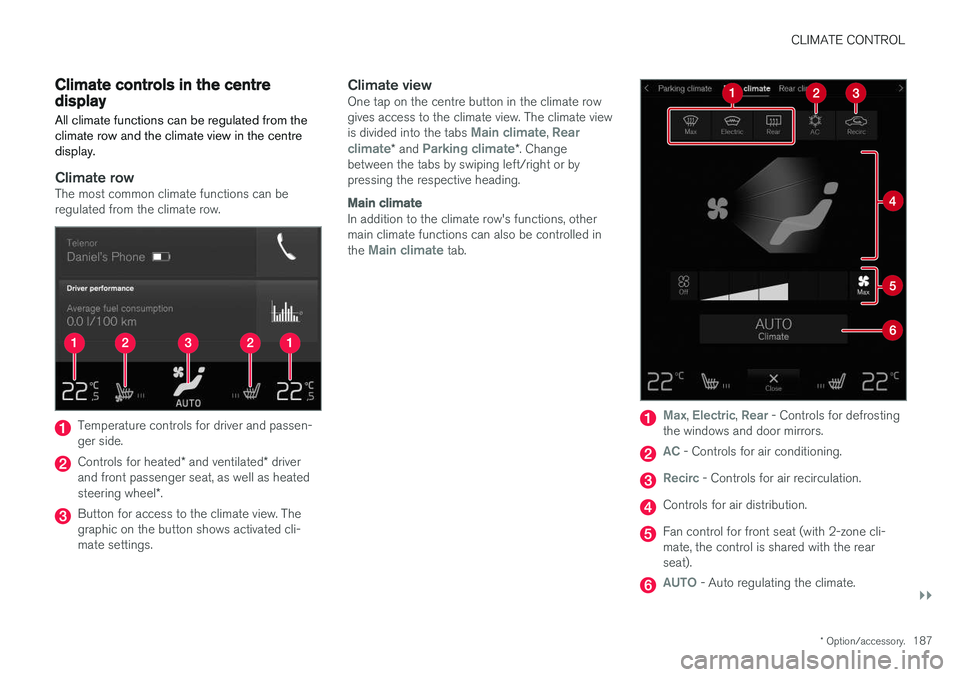
Climate rowThe most common climate functions can be regulated from the climate row.
Temperature controls for driver and passen- ger side.
Controls for heated * and ventilated * driver
and front passenger seat, as well as heated steering wheel *.
Button for access to the climate view. The graphic on the button shows activated cli-mate settings.
Climate viewOne tap on the centre button in the climate rowgives access to the climate view. The climate view is divided into the tabs
Main climate, Rear
climate* and Parking climate*. Change
between the tabs by swiping left/right or by pressing the respective heading.
Main climate
In addition to the climate row's functions, other main climate functions can also be controlled in the
Main climate tab.
Max, Electric, Rear - Controls for defrosting
the windows and door mirrors.
AC - Controls for air conditioning.
Recirc - Controls for air recirculation.
Controls for air distribution.
Fan control for front seat (with 2-zone cli- mate, the control is shared with the rearseat).
AUTO - Auto regulating the climate.
Page 190 of 594
||
CLIMATE CONTROL
* Option/accessory.
188
Rear climate control *
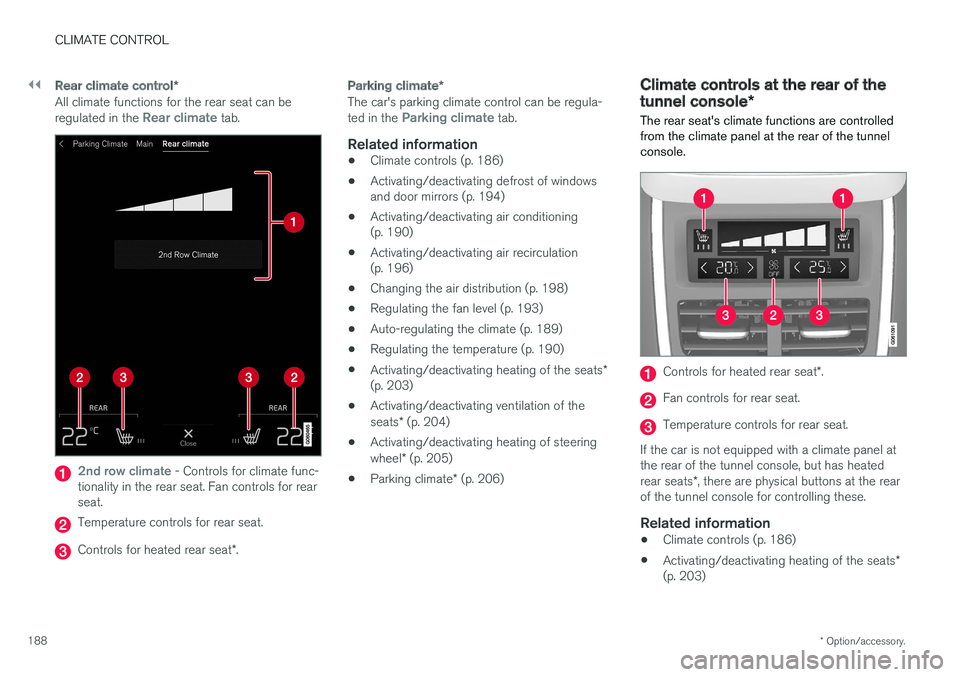
All climate functions for the rear seat can be regulated in the Rear climate tab.
2nd row climate - Controls for climate func-
tionality in the rear seat. Fan controls for rear seat.
Temperature controls for rear seat.
Controls for heated rear seat *.
Parking climate *
The car's parking climate control can be regula- ted in the Parking climate tab.
Related information
•Climate controls (p. 186)
• Activating/deactivating defrost of windows and door mirrors (p. 194)
• Activating/deactivating air conditioning(p. 190)
• Activating/deactivating air recirculation(p. 196)
• Changing the air distribution (p. 198)
• Regulating the fan level (p. 193)
• Auto-regulating the climate (p. 189)
• Regulating the temperature (p. 190)
• Activating/deactivating heating of the seats
*
(p. 203)
• Activating/deactivating ventilation of the seats
* (p. 204)
• Activating/deactivating heating of steeringwheel
* (p. 205)
• Parking climate
* (p. 206)
Climate controls at the rear of the tunnel console *
The rear seat's climate functions are controlled
from the climate panel at the rear of the tunnel console.
Controls for heated rear seat *.
Fan controls for rear seat.
Temperature controls for rear seat.
If the car is not equipped with a climate panel at the rear of the tunnel console, but has heated rear seats *, there are physical buttons at the rear
of the tunnel console for controlling these.
Related information
• Climate controls (p. 186)
• Activating/deactivating heating of the seats
*
(p. 203)
Page 191 of 594
CLIMATE CONTROL
* Option/accessory.189
•
Regulating the fan level (p. 193)
• Regulating the temperature (p. 190)
Auto-regulating the climate
With an auto-regulated climate, several climate functions are controlled automatically by the cli-mate control system.
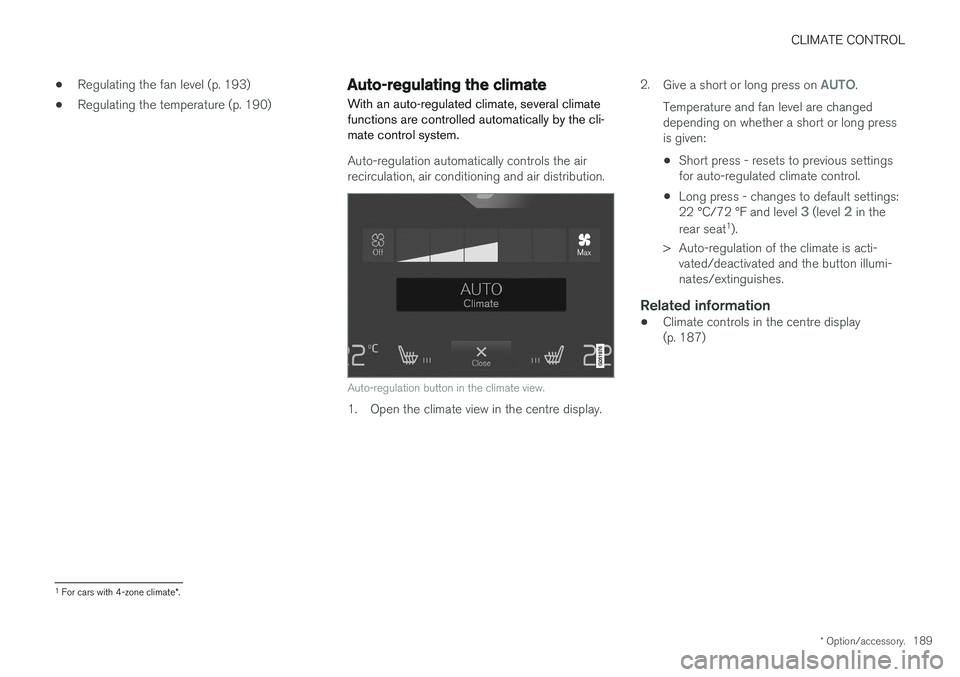
Auto-regulation automatically controls the air recirculation, air conditioning and air distribution.
Auto-regulation button in the climate view.
1. Open the climate view in the centre display. 2.
Give a short or long press on
AUTO.
Temperature and fan level are changed depending on whether a short or long pressis given:
• Short press - resets to previous settingsfor auto-regulated climate control.
• Long press - changes to default settings: 22 °C/72 °F and level
3 (level 2 in the
rear seat 1
).
> Auto-regulation of the climate is acti- vated/deactivated and the button illumi- nates/extinguishes.
Related information
• Climate controls in the centre display(p. 187)
1
For cars with 4-zone climate *.
Page 192 of 594
CLIMATE CONTROL
* Option/accessory.
190
Activating/deactivating air conditioning
The air conditioning cools and dehumidifies incoming air as required.
Activating/deactivating the main air conditioning
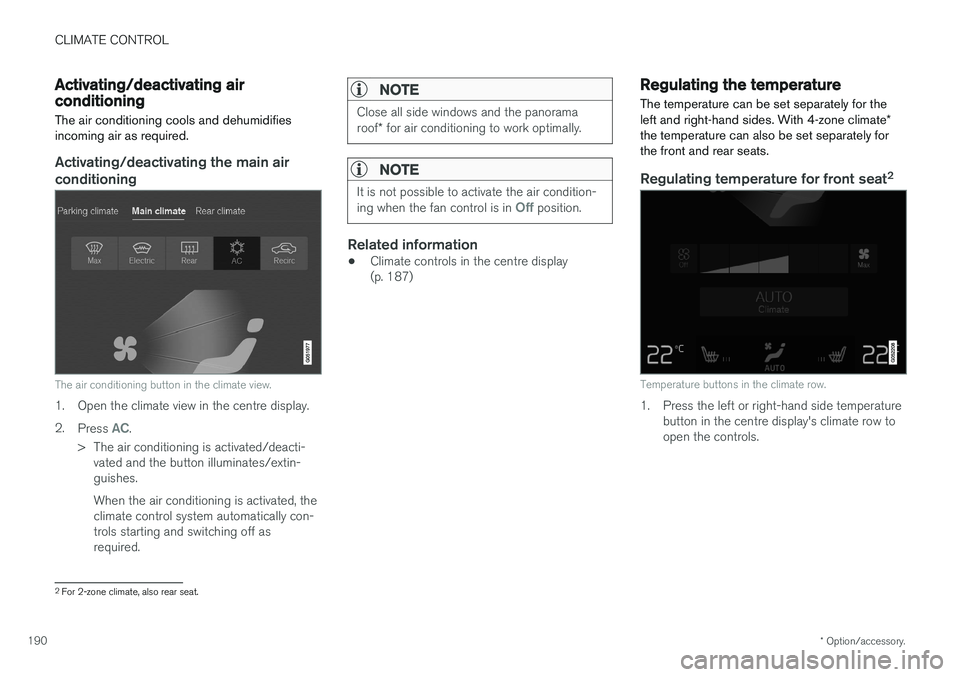
The air conditioning button in the climate view.
1. Open the climate view in the centre display. 2. Press
AC.
> The air conditioning is activated/deacti- vated and the button illuminates/extin- guishes. When the air conditioning is activated, the climate control system automatically con-trols starting and switching off asrequired.
NOTE
Close all side windows and the panorama roof * for air conditioning to work optimally.
NOTE
It is not possible to activate the air condition- ing when the fan control is in Off position.
Related information
• Climate controls in the centre display (p. 187)
Regulating the temperature
The temperature can be set separately for the left and right-hand sides. With 4-zone climate *
the temperature can also be set separately for the front and rear seats.
Regulating temperature for front seat 2
Temperature buttons in the climate row.
1. Press the left or right-hand side temperature
button in the centre display's climate row to open the controls.
2For 2-zone climate, also rear seat.
Page 193 of 594
CLIMATE CONTROL
}}
* Option/accessory.191
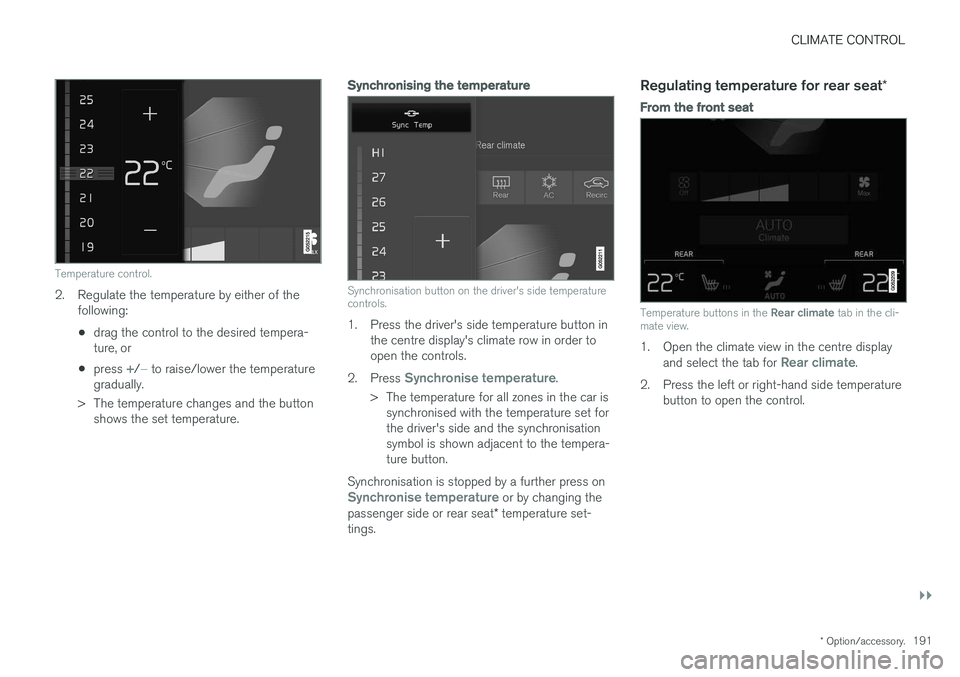
Temperature control.
2. Regulate the temperature by either of the
following:
• drag the control to the desired tempera- ture, or
• press
+/− to raise/lower the temperature
gradually.
> The temperature changes and the button shows the set temperature.
Synchronising the temperature
Synchronisation button on the driver's side temperature controls.
1. Press the driver's side temperature button in the centre display's climate row in order to open the controls.
2. Press
Synchronise temperature.
> The temperature for all zones in the car is synchronised with the temperature set for the driver's side and the synchronisationsymbol is shown adjacent to the tempera-ture button.
Synchronisation is stopped by a further press on
Synchronise temperature or by changing the
passenger side or rear seat * temperature set-
tings.
Regulating temperature for rear seat *
From the front seat
Temperature buttons in the Rear climate tab in the cli-
mate view.
1. Open the climate view in the centre display
and select the tab for Rear climate.
2. Press the left or right-hand side temperature button to open the control.
Page 194 of 594
||
CLIMATE CONTROL
* Option/accessory.
192
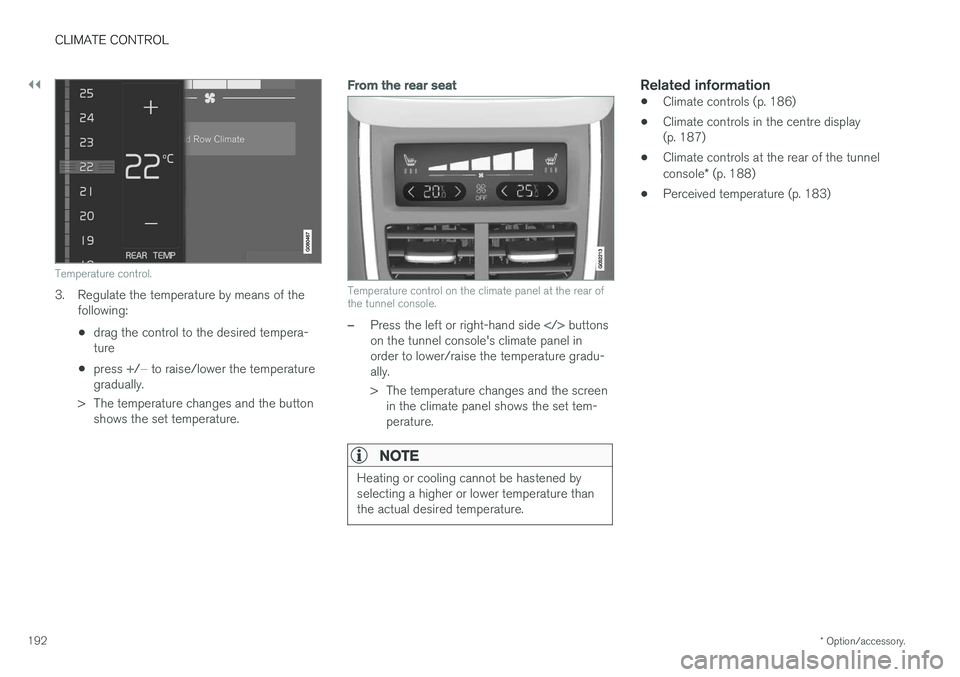
Temperature control.
3. Regulate the temperature by means of the
following:
• drag the control to the desired tempera- ture
• press
+/− to raise/lower the temperature
gradually.
> The temperature changes and the button shows the set temperature.
From the rear seat
Temperature control on the climate panel at the rear of the tunnel console.
–Press the left or right-hand side buttons
on the tunnel console's climate panel in order to lower/raise the temperature gradu-ally.
> The temperature changes and the screen in the climate panel shows the set tem- perature.
NOTE
Heating or cooling cannot be hastened by selecting a higher or lower temperature thanthe actual desired temperature.
Related information
• Climate controls (p. 186)
• Climate controls in the centre display (p. 187)
• Climate controls at the rear of the tunnel console
* (p. 188)
• Perceived temperature (p. 183)
Page 195 of 594
CLIMATE CONTROL
}}
* Option/accessory.193
Regulating the fan level
The fan can be set to five different automatic fan levels as well as
Off and Max. With 4-zone cli-
mate * the fan level can be set separately for the
front and rear seats.
Regulating fan level for front seat 3
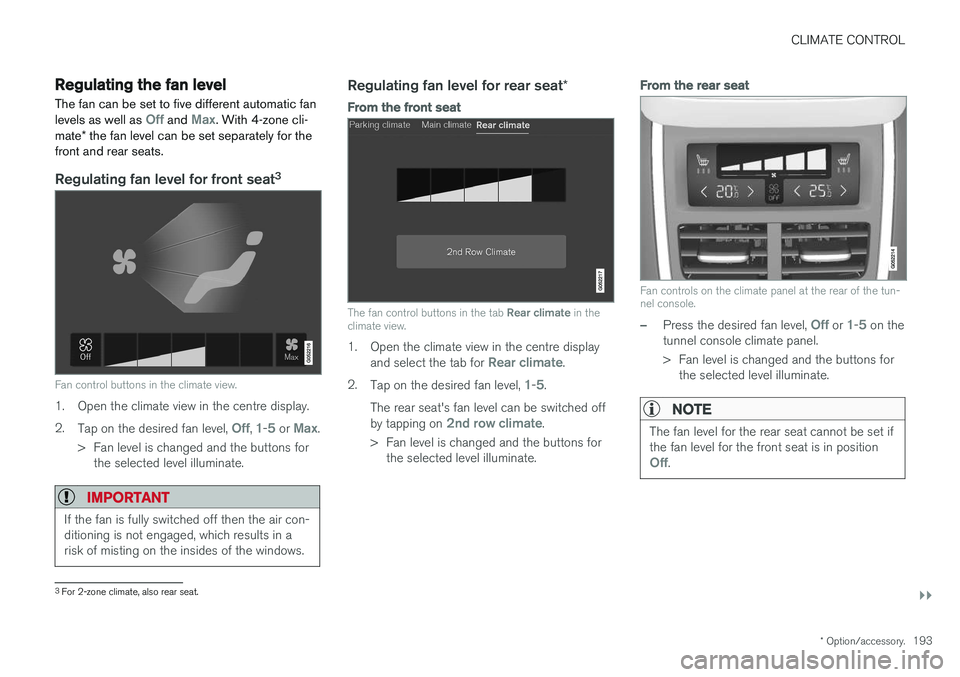
Fan control buttons in the climate view.
1. Open the climate view in the centre display. 2.
Tap on the desired fan level,
Off, 1-5 or Max.
> Fan level is changed and the buttons for the selected level illuminate.
IMPORTANT
If the fan is fully switched off then the air con- ditioning is not engaged, which results in arisk of misting on the insides of the windows.
Regulating fan level for rear seat *
From the front seat
The fan control buttons in the tab Rear climate in the
climate view.
1. Open the climate view in the centre display
and select the tab for Rear climate.
2. Tap on the desired fan level,
1-5.
The rear seat's fan level can be switched off by tapping on
2nd row climate.
> Fan level is changed and the buttons for the selected level illuminate.
From the rear seat
Fan controls on the climate panel at the rear of the tun- nel console.
–Press the desired fan level, Off or 1-5 on the
tunnel console climate panel.
> Fan level is changed and the buttons for the selected level illuminate.
NOTE
The fan level for the rear seat cannot be set if the fan level for the front seat is in position
Off.
3For 2-zone climate, also rear seat.
Page 196 of 594
||
CLIMATE CONTROL
* Option/accessory.
194
NOTE
The climate control system automatically adjusts the air flow within the selected fanlevel based on requirements. This means thatthe fan speed may change even though thefan level is the same.
Related information
• Climate controls in the centre display (p. 187)
• Climate controls at the rear of the tunnel console
* (p. 188)
Activating/deactivating defrost of windows and door mirrors The three functions max defroster, heated wind- screen *, and heated rear window and door mir-
rors are used to quickly remove misting and ice from the windows and door mirrors.
From physical buttons in the centre
console
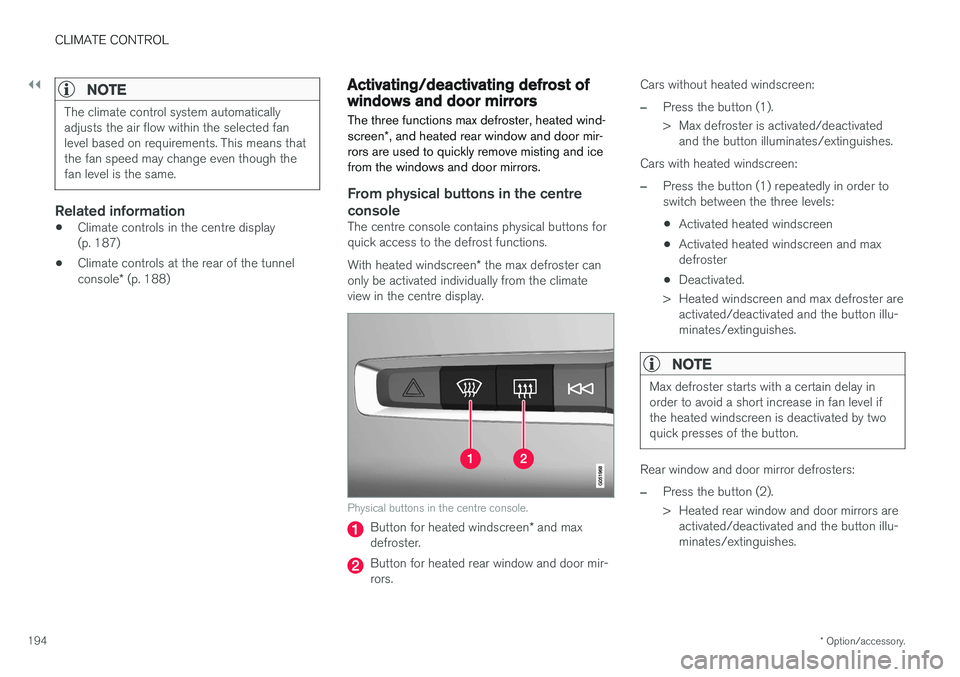
The centre console contains physical buttons for quick access to the defrost functions. With heated windscreen * the max defroster can
only be activated individually from the climate view in the centre display.
Physical buttons in the centre console.
Button for heated windscreen * and max
defroster.
Button for heated rear window and door mir- rors. Cars without heated windscreen:
–Press the button (1).
> Max defroster is activated/deactivated
and the button illuminates/extinguishes.
Cars with heated windscreen:
–Press the button (1) repeatedly in order to switch between the three levels:
• Activated heated windscreen
• Activated heated windscreen and maxdefroster
• Deactivated.
> Heated windscreen and max defroster are activated/deactivated and the button illu-minates/extinguishes.
NOTE
Max defroster starts with a certain delay in order to avoid a short increase in fan level ifthe heated windscreen is deactivated by twoquick presses of the button.
Rear window and door mirror defrosters:
–Press the button (2).
> Heated rear window and door mirrors areactivated/deactivated and the button illu- minates/extinguishes.
Page 197 of 594
CLIMATE CONTROL
}}
* Option/accessory.195
From the climate view in the centre display
Activating/deactivating max defroster
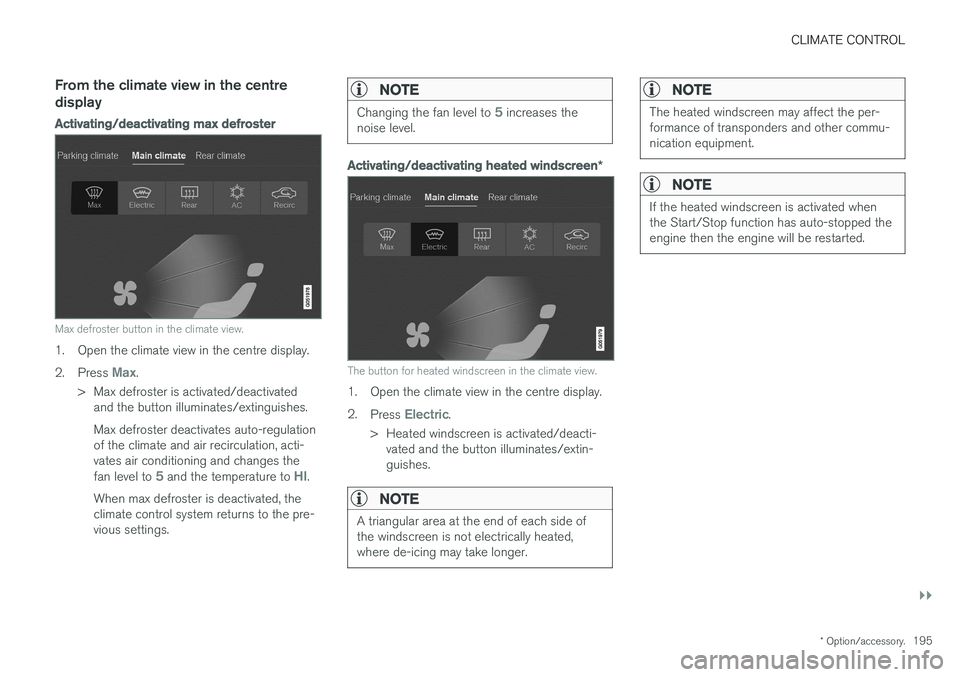
Max defroster button in the climate view.
1. Open the climate view in the centre display. 2.
Press
Max.
> Max defroster is activated/deactivated and the button illuminates/extinguishes. Max defroster deactivates auto-regulation of the climate and air recirculation, acti-vates air conditioning and changes the fan level to
5 and the temperature to HI.
When max defroster is deactivated, the climate control system returns to the pre-vious settings.
NOTE
Changing the fan level to 5 increases the
noise level.
Activating/deactivating heated windscreen *
The button for heated windscreen in the climate view.
1. Open the climate view in the centre display. 2.
Press
Electric.
> Heated windscreen is activated/deacti- vated and the button illuminates/extin- guishes.
NOTE
A triangular area at the end of each side of the windscreen is not electrically heated,where de-icing may take longer.
NOTE
The heated windscreen may affect the per- formance of transponders and other commu-nication equipment.
NOTE
If the heated windscreen is activated when the Start/Stop function has auto-stopped theengine then the engine will be restarted.