volvo app VOLVO V90 2017 Manual PDF
[x] Cancel search | Manufacturer: VOLVO, Model Year: 2017, Model line: V90, Model: VOLVO V90 2017Pages: 594, PDF Size: 15.07 MB
Page 463 of 594
AUDIO AND MEDIA
461
Managing text messages Message handling in the car for a Bluetooth- connected phone.
On certain phones the message function must be activated. Not all mobiles are fully compatible andcapable of displaying contacts and messages inthe car. For compatibility, seesupport.volvocars.com.
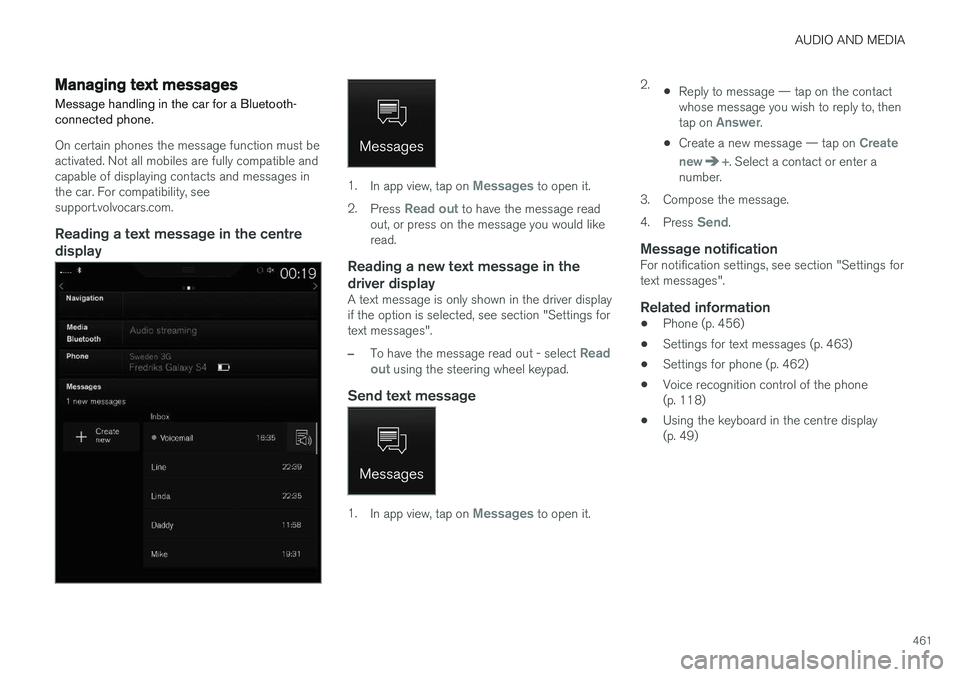
Reading a text message in the centredisplay
1. In app view, tap on Messages to open it.
2. Press
Read out to have the message read
out, or press on the message you would like read.
Reading a new text message in the driver display
A text message is only shown in the driver display if the option is selected, see section "Settings fortext messages".
–To have the message read out - select Read
out using the steering wheel keypad.
Send text message
1. In app view, tap on Messages to open it. 2.
•Reply to message — tap on the contact whose message you wish to reply to, then tap on
Answer.
• Create a new message — tap on
Create
new
+. Select a contact or enter a
number.
3. Compose the message. 4. Press
Send.
Message notificationFor notification settings, see section "Settings for text messages".
Related information
• Phone (p. 456)
• Settings for text messages (p. 463)
• Settings for phone (p. 462)
• Voice recognition control of the phone(p. 118)
• Using the keyboard in the centre display(p. 49)
Page 464 of 594
AUDIO AND MEDIA
* Option/accessory.
462
Managing the phone book
Contact handling in the car for a Bluetooth-con- nected phone.
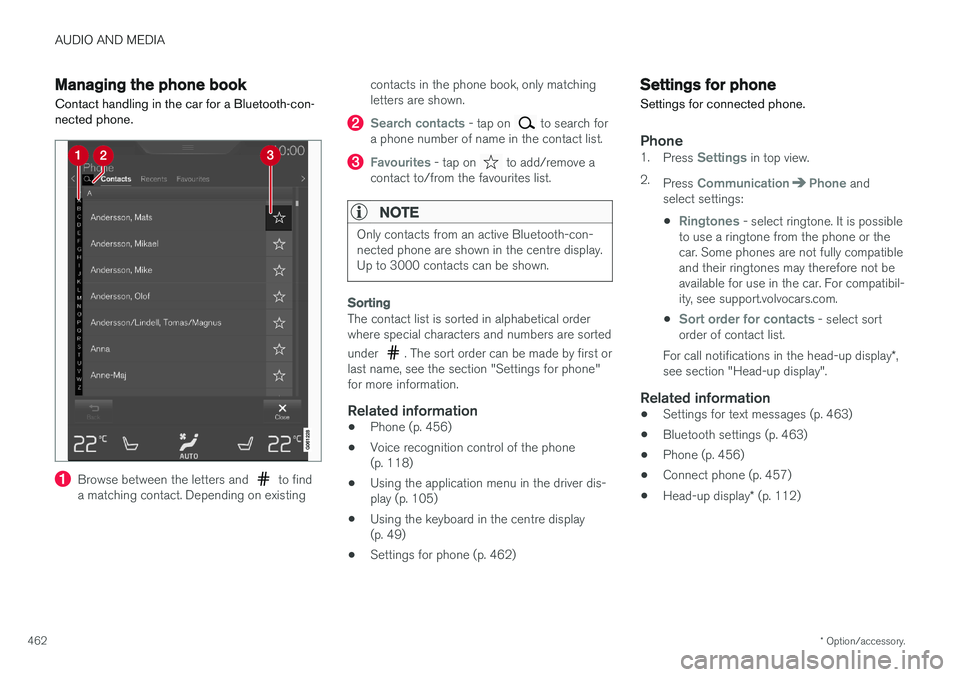
Browse between the letters and to find
a matching contact. Depending on existing contacts in the phone book, only matching letters are shown.
Search contacts - tap on to search for
a phone number of name in the contact list.
Favourites - tap on to add/remove a
contact to/from the favourites list.
NOTE
Only contacts from an active Bluetooth-con- nected phone are shown in the centre display.Up to 3000 contacts can be shown.
Sorting
The contact list is sorted in alphabetical order where special characters and numbers are sorted under
. The sort order can be made by first or
last name, see the section "Settings for phone" for more information.
Related information
• Phone (p. 456)
• Voice recognition control of the phone(p. 118)
• Using the application menu in the driver dis-play (p. 105)
• Using the keyboard in the centre display(p. 49)
• Settings for phone (p. 462)
Settings for phone
Settings for connected phone.
Phone1. Press Settings in top view.
2. Press
CommunicationPhone and
select settings:
•
Ringtones - select ringtone. It is possible
to use a ringtone from the phone or the car. Some phones are not fully compatibleand their ringtones may therefore not beavailable for use in the car. For compatibil-ity, see support.volvocars.com.
•
Sort order for contacts - select sort
order of contact list.
For call notifications in the head-up display *,
see section "Head-up display".
Related information
• Settings for text messages (p. 463)
• Bluetooth settings (p. 463)
• Phone (p. 456)
• Connect phone (p. 457)
• Head-up display
* (p. 112)
Page 466 of 594
||
AUDIO AND MEDIA
* Option/accessory.
464
Related information
• Connecting the car (p. 464)
• Apps (p. 434)
• Book service and repair (p. 506)
• System updates (p. 510)
• Volvo ID (p. 23)
• Symbols in the centre display's status bar (p. 45)
• Sharing Internet via Wi-Fi hotspot (p. 465)
Connecting the car Connect the car to the phone via Bluetooth, Wi-Fi or with the car's built-in modem
*.
The mobile phone and network operator must support tethering (sharing the Internet connec-tion) and the plan must include data.
NOTE
Data is transferred when using the internet (data traffic), which can have a cost. Activation of data roaming can result in fur- ther charges. Contact your network operator about the cost for data traffic.
NOTE
When using Apple CarPlay, it is only possible to connect the car to the Internet using Wi-Fi or car modem *.
NOTE
When using Android Auto, it is possible to connect the car to the Internet using Wi-Fi, Bluetooth or car modem *.
Read Terms and Conditions for Services and
Customer Privacy Policy at
support.volvocars.com before connecting.
Connecting with BluetoothSee Connecting a phone.
Connecting with Wi-Fi
1. Activate tethering (portable/personal hot- spot) on the mobile phone.
2. Press
Settings in top view.
3. Press
CommunicationWi-Fi.
4. Activate/deactivate by ticking/unticking the box for Wi-Fi.
5. Tap on the network name of the network to be connected.
6. Enter the network password.
7. If another connection source has been used in the past - confirm the option to change connection.
> The car connects to the network.
Note that certain phones switch off tethering after the contact with the car has been discon-nected, e.g. when leaving the car and until thenext time it is used. The tethering in the phonetherefore needs to be reactivated the next time itis used.
Page 467 of 594
AUDIO AND MEDIA
}}
* Option/accessory.465
When a phone is connected to the car, it is saved for future use. When the maximum number ofsaved phones (50) is reached, the first con-nected phones are deleted. To show the list ofsaved networks or manually delete saved net- works, press
SettingsWi-FiSaved
networks.
For network connection requirements, see the section “Technology and security for Wi-Fi”.
Connecting with car modem *5When the car is connected to the Internet via thecar modem, Volvo On Call services will use thisconnection. 1.
Fit a personal SIM card into the holder under the cargo area floor. 2.
Press
Settings in top view.
3. Press
CommunicationCar Modem
Internet.
4. Activate/deactivate by ticking/unticking the box for
Car modem Internet.
5. If another connection source has been used in the past - confirm the option to change connection.
6. Enter the SIM card's PIN code. > The car connects to the network.
Related information
• Online car
* (p. 463)
• Connect phone (p. 457)
• Symbols in the centre display's status bar(p. 45)
• Remove Wi-Fi network (p. 467)
• Wi-Fi technologies and security (p. 467)
• No or poor connection (p. 466)
• Settings for car modem
* (p. 468)
• Bluetooth settings (p. 463)
• Apple CarPlay
* (p. 450)
Sharing Internet via Wi-Fi hotspot
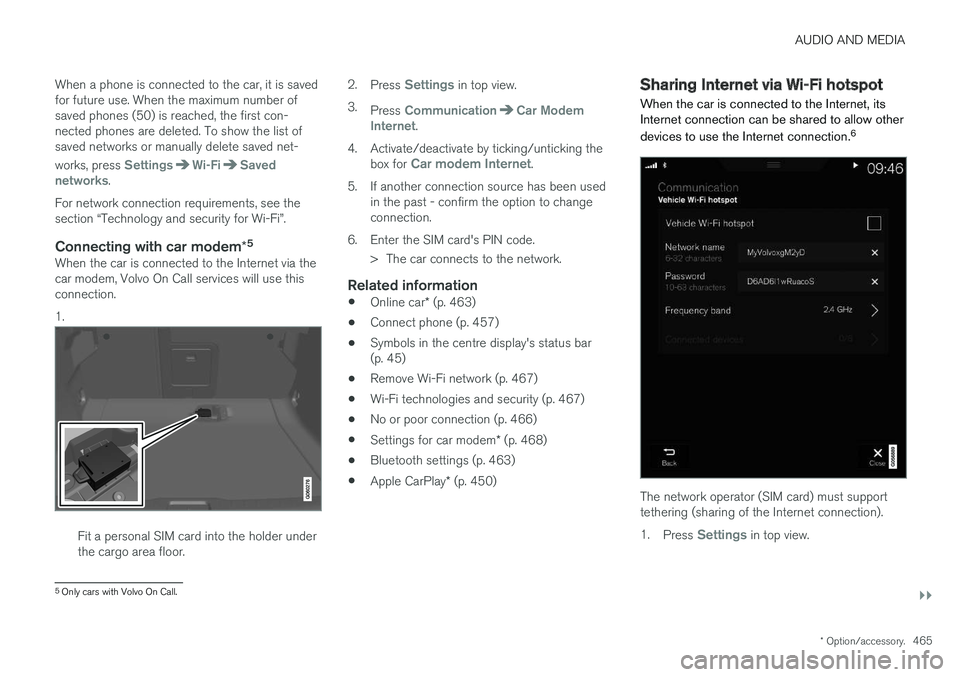
When the car is connected to the Internet, its Internet connection can be shared to allow other devices to use the Internet connection. 6
The network operator (SIM card) must support tethering (sharing of the Internet connection). 1.
Press
Settings in top view.
5
Only cars with Volvo On Call.
Page 470 of 594
AUDIO AND MEDIA
* Option/accessory.
468
Settings for car modem *8
The car is equipped with a modem that can be used to connect the car to the Internet. It is alsopossible to share the Internet connection viaWi-Fi.
1. Press Settings in top view.
2. Press
CommunicationCar Modem
Internet and select settings:
•
Car modem Internet - select whether to
use the car modem as Internet connection.
•
Data usage - tap on Reset resets the
counters for received and sent data volume.
•
Network Select network operator
- automatic or
manual selection of network operator.
Data roaming - if the box is ticked, the car
modem will attempt to connect to the Inter- net when the car is abroad and outside itshome network. Note that this may result inheavy costs. Check your roaming agreementfor data traffic abroad with your network pro-vider in your home country.
•
SIM card PIN Change PIN
- a maximum of 4 digits can be
entered.
Disable PIN - select whether the PIN code
shall be required for access to the SIM card. •
Send request code — used e.g. to top up
or check the balance on a prepaid card. Functionality depends on the provider.
Related information
• Online car
* (p. 463)
• Sharing Internet via Wi-Fi hotspot (p. 465)
Downloading, updating and uninstalling apps
When the car is online there is the option to download new apps, keep existing apps upda-ted or uninstall apps.
NOTE
Data download may affect other services that transmit data, e.g. Internet radio. If the effecton other services is experienced as disruptivethen the download can be interrupted. Alter-natively, it may be appropriate to switch off orinterrupt other services.
The apps are managed viaDownload Centre in applica-
tion view. To be able to download, update or uninstall apps, the car mustbe online.
Downloading an app
1. Open the app Download Centre.
2. Select
New apps in order to open a list of
apps that are available but not installed in the car.
8 Only cars with Volvo On Call.
Page 482 of 594
AUDIO AND MEDIA
480
Terms and conditions for services and Customer Privacy Policy
Read the terms and conditions for services and the Customer Privacy Policy atsupport.volvocars.com.
Terms & Conditions for ServicesVolvo is committed to offering you the absolute best services to ensure that it is as safe, comfort-able and pleasant as possible for you to driveyour Volvo. Volvo offers a wide range of services,from assistance in emergency situations to navi-gation in various infotainment services. Read these terms and conditions ("Service Terms and Conditions") carefully before using the serv-ices - support.volvocars.com.
Customer Privacy PolicyThis policy applies for the processing of customerdata and personal data. The purpose of the policyis to provide our existing, previous and prospec-tive customers with a general understanding of: • The circumstances in which we gather and process your personal data.
• The types of personal data we gather.
• The reasons we gather your personal data.
• How we handle your personal data.
This policy can be read in its entirety atsupport.volvocars.com.
Related information
• License agreement for audio and media(p. 470)
• License agreement for the driver display(p. 99)
• Type approval for radar units (p. 323)
Page 484 of 594
WHEELS AND TYRES
482
TyresAmongst other things, the function of the tyres is to carry load, provide grip on the road surface,dampen vibration and protect the wheel fromwear.
The tyres greatly affect the car's driving characte- ristics. The type of tyre, dimensions, tyre pressureand speed rating are important for how the carperforms.
Recommended tyresOn delivery, the car is equipped with Volvo origi- nal tyres that have the VOL 1
marking on the side
of the tyres. These tyres are carefully adapted to the car. In the event of changing tyres, it is there-fore important that the new tyres also have thismarking in order for the car's driving characteris-tics, comfort and fuel consumption to be main-tained.
New tyres
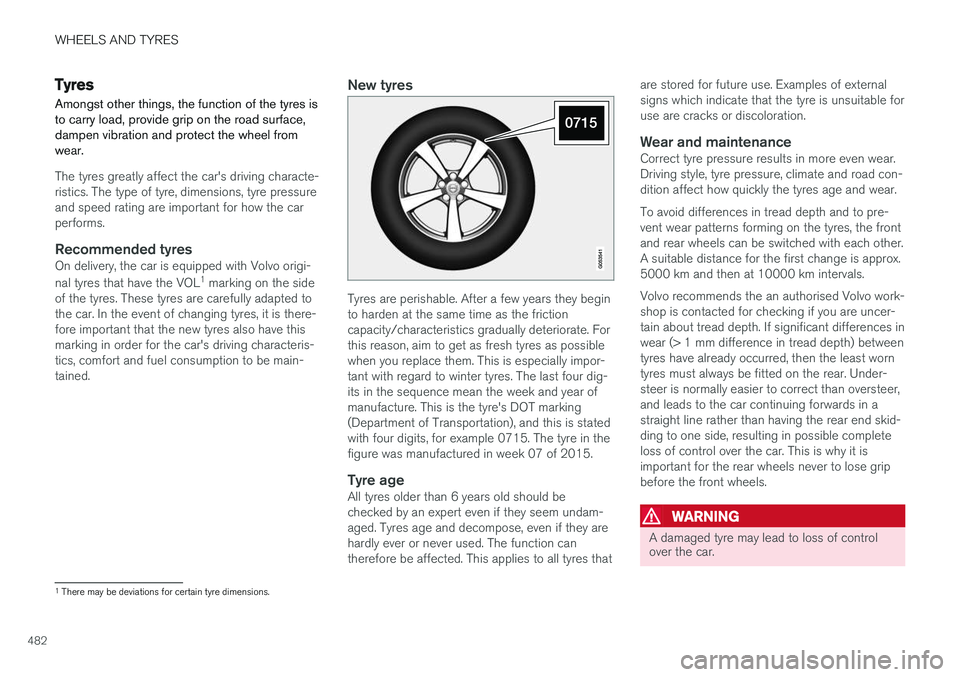
Tyres are perishable. After a few years they begin to harden at the same time as the frictioncapacity/characteristics gradually deteriorate. Forthis reason, aim to get as fresh tyres as possiblewhen you replace them. This is especially impor-tant with regard to winter tyres. The last four dig-its in the sequence mean the week and year ofmanufacture. This is the tyre's DOT marking(Department of Transportation), and this is statedwith four digits, for example 0715. The tyre in thefigure was manufactured in week 07 of 2015.
Tyre ageAll tyres older than 6 years old should bechecked by an expert even if they seem undam-aged. Tyres age and decompose, even if they arehardly ever or never used. The function cantherefore be affected. This applies to all tyres that are stored for future use. Examples of externalsigns which indicate that the tyre is unsuitable foruse are cracks or discoloration.
Wear and maintenanceCorrect tyre pressure results in more even wear.Driving style, tyre pressure, climate and road con-dition affect how quickly the tyres age and wear. To avoid differences in tread depth and to pre- vent wear patterns forming on the tyres, the frontand rear wheels can be switched with each other.A suitable distance for the first change is approx.5000 km and then at 10000 km intervals. Volvo recommends the an authorised Volvo work- shop is contacted for checking if you are uncer-tain about tread depth. If significant differences inwear (> 1 mm difference in tread depth) betweentyres have already occurred, then the least worntyres must always be fitted on the rear. Under-steer is normally easier to correct than oversteer,and leads to the car continuing forwards in astraight line rather than having the rear end skid-ding to one side, resulting in possible completeloss of control over the car. This is why it isimportant for the rear wheels never to lose gripbefore the front wheels.
WARNING
A damaged tyre may lead to loss of control over the car.
1
There may be deviations for certain tyre dimensions.
Page 489 of 594
WHEELS AND TYRES
* Option/accessory.487
Checking tyre pressure with the tyre monitoring system *
With the system for tyre monitoring, Indirect Tyre Pressure Monitoring System (ITPMS), tyre pres-sure status can be viewed in the centre display.
Checking status1. Open the Car status app in the app view.
2.Tap on Status to show the status of the
tyres.
Status indication
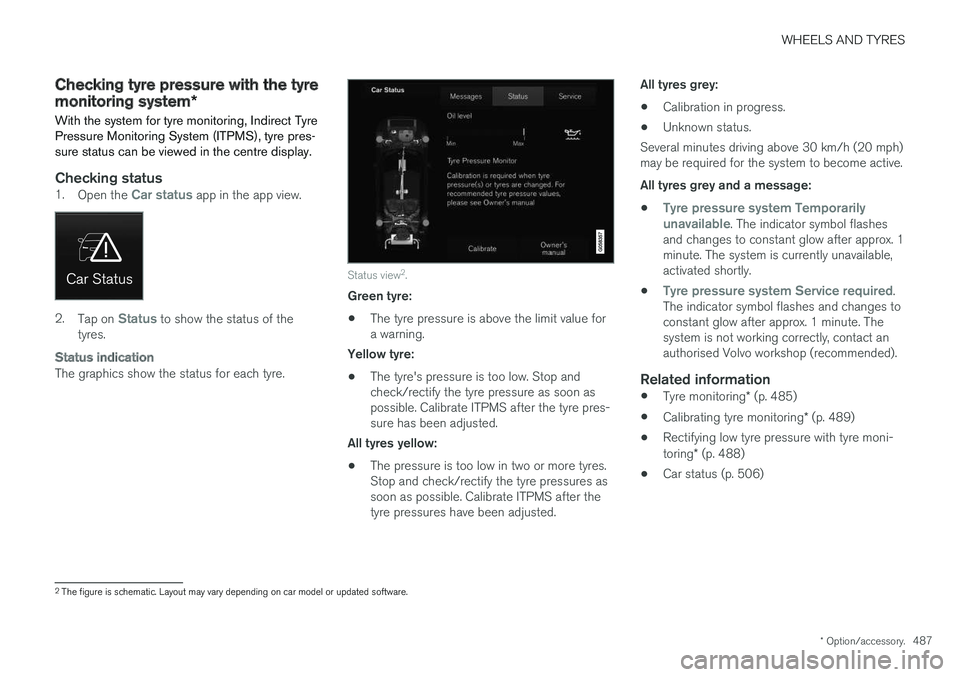
The graphics show the status for each tyre.
Status view 2
.
Green tyre:
• The tyre pressure is above the limit value for a warning.
Yellow tyre:
• The tyre's pressure is too low. Stop andcheck/rectify the tyre pressure as soon aspossible. Calibrate ITPMS after the tyre pres-sure has been adjusted.
All tyres yellow:
• The pressure is too low in two or more tyres.Stop and check/rectify the tyre pressures assoon as possible. Calibrate ITPMS after thetyre pressures have been adjusted. All tyres grey:
• Calibration in progress.
• Unknown status.
Several minutes driving above 30 km/h (20 mph)may be required for the system to become active. All tyres grey and a message:
•
Tyre pressure system Temporarily
unavailable. The indicator symbol flashes
and changes to constant glow after approx. 1 minute. The system is currently unavailable,activated shortly.
•
Tyre pressure system Service required.
The indicator symbol flashes and changes to constant glow after approx. 1 minute. Thesystem is not working correctly, contact anauthorised Volvo workshop (recommended).
Related information
• Tyre monitoring
* (p. 485)
• Calibrating tyre monitoring
* (p. 489)
• Rectifying low tyre pressure with tyre moni- toring
* (p. 488)
• Car status (p. 506)
2
The figure is schematic. Layout may vary depending on car model or updated software.
Page 491 of 594
WHEELS AND TYRES
* Option/accessory.489
Calibrating tyre monitoring *
In order for the Indirect Tyre Pressure Monitoring System (ITPMS) to work correctly, a referencevalue for the tyre pressure must be determined.This must be performed each time the tyres arechanged or the tyre pressure is changed.
For example, when driving with a heavy load or at high speed above 160 km/h (100 mph), the tyrepressure should be adjusted in accordance withVolvo's recommended tyre pressure values. Fol-lowing which, the system must be recalibrated.
1. Stop the engine.
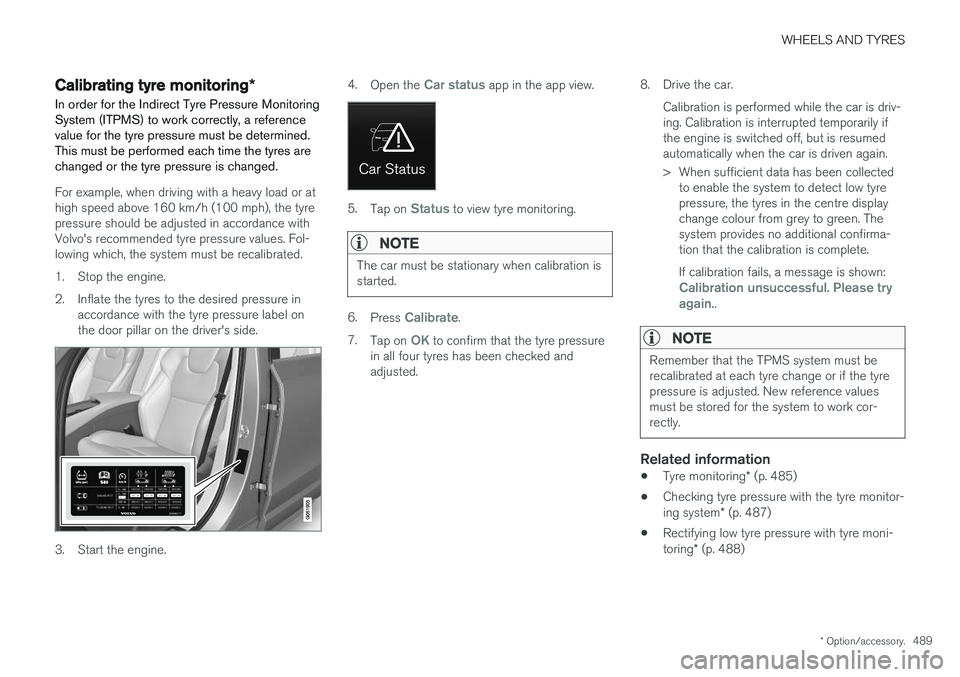
2. Inflate the tyres to the desired pressure in accordance with the tyre pressure label on the door pillar on the driver's side.
3. Start the engine. 4.
Open the
Car status app in the app view.
5.Tap on Status to view tyre monitoring.
NOTE
The car must be stationary when calibration is started.
6.Press Calibrate.
7. Tap on
OK to confirm that the tyre pressure
in all four tyres has been checked and adjusted. 8. Drive the car.
Calibration is performed while the car is driv-ing. Calibration is interrupted temporarily ifthe engine is switched off, but is resumedautomatically when the car is driven again.
> When sufficient data has been collectedto enable the system to detect low tyre pressure, the tyres in the centre displaychange colour from grey to green. Thesystem provides no additional confirma-tion that the calibration is complete. If calibration fails, a message is shown:
Calibration unsuccessful. Please try again..
NOTE
Remember that the TPMS system must be recalibrated at each tyre change or if the tyrepressure is adjusted. New reference valuesmust be stored for the system to work cor-rectly.
Related information
• Tyre monitoring
* (p. 485)
• Checking tyre pressure with the tyre monitor- ing system
* (p. 487)
• Rectifying low tyre pressure with tyre moni-toring
* (p. 488)
Page 492 of 594
WHEELS AND TYRES
490
Emergency puncture repair kitThe emergency puncture repair kit, Temporary Mobility Kit (TMK), is used to seal a puncture aswell as to check and adjust the air pressure.
The puncture repair kit consists of a compressor and a bottle with sealing fluid. The sealing worksas a temporary repair. The sealing fluid effectivelyseals tyres punctured in the tread. The puncture repair kit has limited capacity to seal tyres which have punctures in the wall. Donot use the puncture repair kit on tyres that havelarger slits, cracks or similar damage.
NOTE
The emergency puncture repair kit is only intended for sealing tyres with a puncture inthe tread.
NOTE
The compressor for temporary emergency puncture repair has been tested andapproved by Volvo.
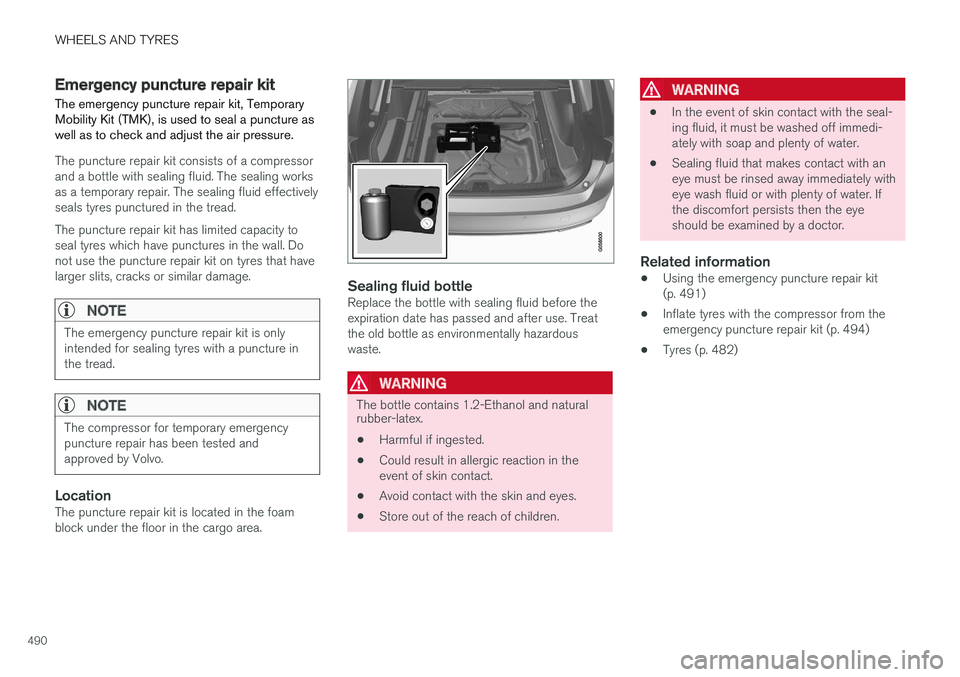
LocationThe puncture repair kit is located in the foam block under the floor in the cargo area.
Sealing fluid bottleReplace the bottle with sealing fluid before the expiration date has passed and after use. Treatthe old bottle as environmentally hazardouswaste.
WARNING
The bottle contains 1.2-Ethanol and natural rubber-latex.
• Harmful if ingested.
• Could result in allergic reaction in the event of skin contact.
• Avoid contact with the skin and eyes.
• Store out of the reach of children.
WARNING
• In the event of skin contact with the seal- ing fluid, it must be washed off immedi-ately with soap and plenty of water.
• Sealing fluid that makes contact with aneye must be rinsed away immediately witheye wash fluid or with plenty of water. Ifthe discomfort persists then the eyeshould be examined by a doctor.
Related information
• Using the emergency puncture repair kit(p. 491)
• Inflate tyres with the compressor from theemergency puncture repair kit (p. 494)
• Tyres (p. 482)