light VOLVO XC60 2009 Owner´s Manual
[x] Cancel search | Manufacturer: VOLVO, Model Year: 2009, Model line: XC60, Model: VOLVO XC60 2009Pages: 297, PDF Size: 21.16 MB
Page 78 of 297
03 Your driving environmentInstruments and controls 03
76 The information symbol may also illuminate
together with other symbols.
High beam indicator
This symbol illuminates when the high beam
headlights are on, or if the high beam flash
function is used.
Left turn signal indicator
Right turn signal indicator
NOTE
\b
Both turn signal indicators will flash
when the hazard warning flashers are
used.
\b If either of these indicators flash faster
than normal, the direction indicators are
not functioning properly.
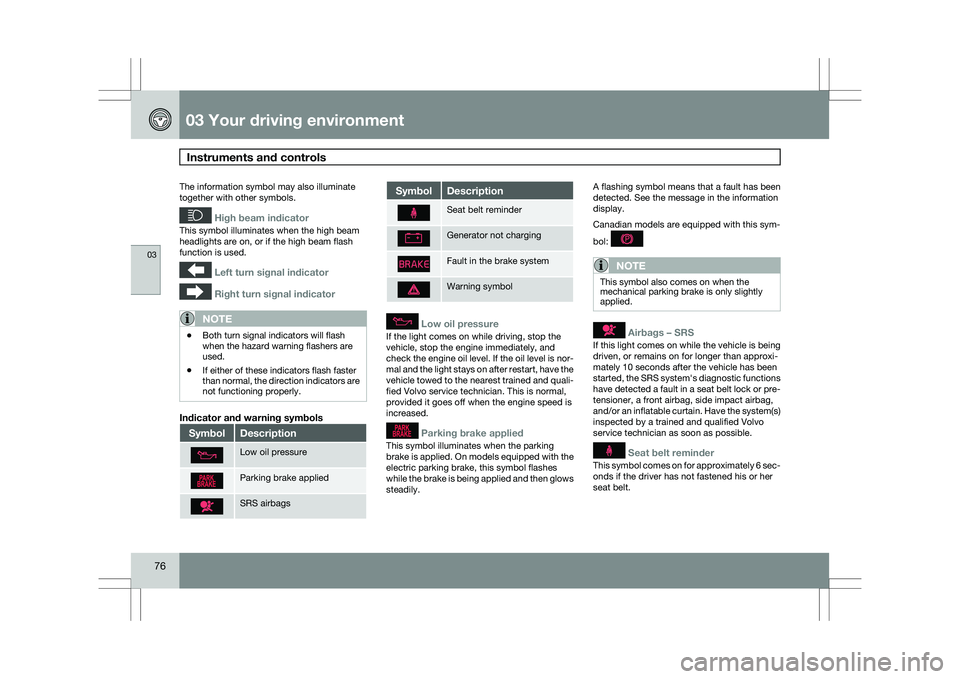
Indicator and warning symbols Symbol Description
Low oil pressure
Parking brake applied
SRS airbags Symbol Description
Seat belt reminder
Generator not charging
Fault in the brake system
Warning symbol
Low oil pressure
If the light comes on while driving, stop the
vehicle, stop the engine immediately, and
check the engine oil level. If the oil level is nor-
mal and the light stays on after restart, have the
vehicle towed to the nearest trained and quali-
fied Volvo service technician. This is normal,
provided it goes off when the engine speed is
increased.
Parking brake applied
This symbol illuminates when the parking
brake is applied. On models equipped with the
electric parking brake, this symbol flashes
while the brake is being applied and then glows
steadily.A flashing symbol means that a fault has been
detected. See the message in the information
display.
Canadian models are equipped with this sym-
bol:
NOTE
This symbol also comes on when the
mechanical parking brake is only slightly
applied.
Airbags – SRS
If this light comes on while the vehicle is being
driven, or remains on for longer than approxi-
mately 10 seconds after the vehicle has been
started, the SRS system\fs diagnostic functions
have detected a fault in a seat belt lock or pre-
tensioner, a front airbag, side impact airbag,
and/or an inflatable curtain. Have the system(s)
inspected by a trained and qualified Volvo
service technician as soon as possible.
Seat belt reminder
This symbol comes on for approximately 6 sec-
onds if the driver has not fastened his or her
seat belt.
Page 79 of 297
03 Your driving environment
Instruments and controls03
}}
77
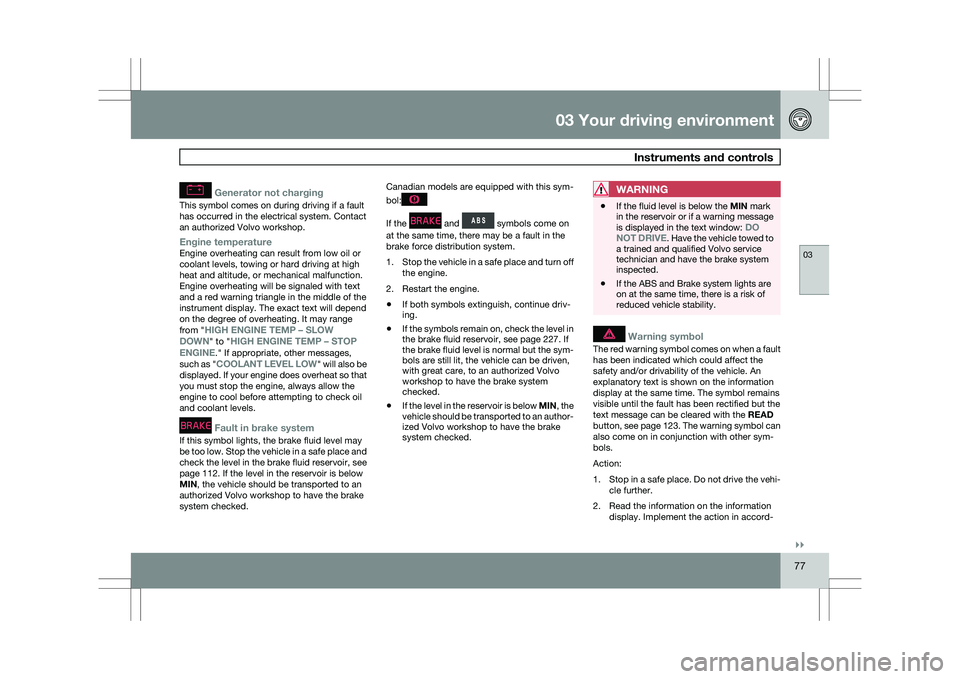
Generator not charging
This symbol comes on during driving if a fault
has occurred in the electrical system. Contact
an authorized Volvo workshop.
Engine temperatureEngine overheating can result from low oil or
coolant levels, towing or hard driving at high
heat and altitude, or mechanical malfunction.
Engine overheating will be signaled with text
and a red warning triangle in the middle of the
instrument display. The exact text will depend
on the degree of overheating. It may range
from "HIGH ENGINE TEMP – SLOW
DOWN" to "
HIGH ENGINE TEMP – STOP
ENGINE." If appropriate, other messages,
such as "COOLANT LEVEL LOW" will also be
displayed. If your engine does overheat so that
you must stop the engine, always allow the
engine to cool before attempting to check oil
and coolant levels.
Fault in brake system
If this symbol lights, the brake fluid level may
be too low. Stop the vehicle in a safe place and
check the level in the brake fluid reservoir, see
page 112. If the level in the reservoir is below
MIN, the vehicle should be transported to an
authorized Volvo workshop to have the brake
system checked. Canadian models are equipped with this sym-
bol: If the and symbols come on
at the same time, there may be a fault in the
brake force distribution system.
1. Stop the vehicle in a safe place and turn off
the engine.
2. Restart the engine.
\b If both symbols extinguish, continue driv-
ing.
\b If the symbols remain on, check the level in
the brake fluid reservoir, see page 227. If
the brake fluid level is normal but the sym-
bols are still lit, the vehicle can be driven,
with great care, to an authorized Volvo
workshop to have the brake system
checked.
\b If the level in the reservoir is below
MIN, the
vehicle should be transported to an author-
ized Volvo workshop to have the brake
system checked.
WARNING \b
If the fluid level is below the MIN mark
in the reservoir or if a warning message
is displayed in the text window:
DO
NOT DRIVE. Have the vehicle towed to
a trained and qualified Volvo service
technician and have the brake system
inspected.
\b If the ABS and Brake system lights are
on at the same time, there is a risk of
reduced vehicle stability.
Warning symbol
The red warning symbol comes on when a fault
has been indicated which could affect the
safety and/or drivability of the vehicle. An
explanatory text is shown on the information
display at the same time. The symbol remains
visible until the fault has been rectified but the
text message can be cleared with the READ
button, see page 123. The warning symbol can
also come on in conjunction with other sym-
bols.
Action:
1.
Stop in a safe place. Do not drive the vehi-
cle further.
2. Read the information on the information display. Implement the action in accord-
Page 81 of 297
03 Your driving environment
Ignition modes03
}}
79
Functions
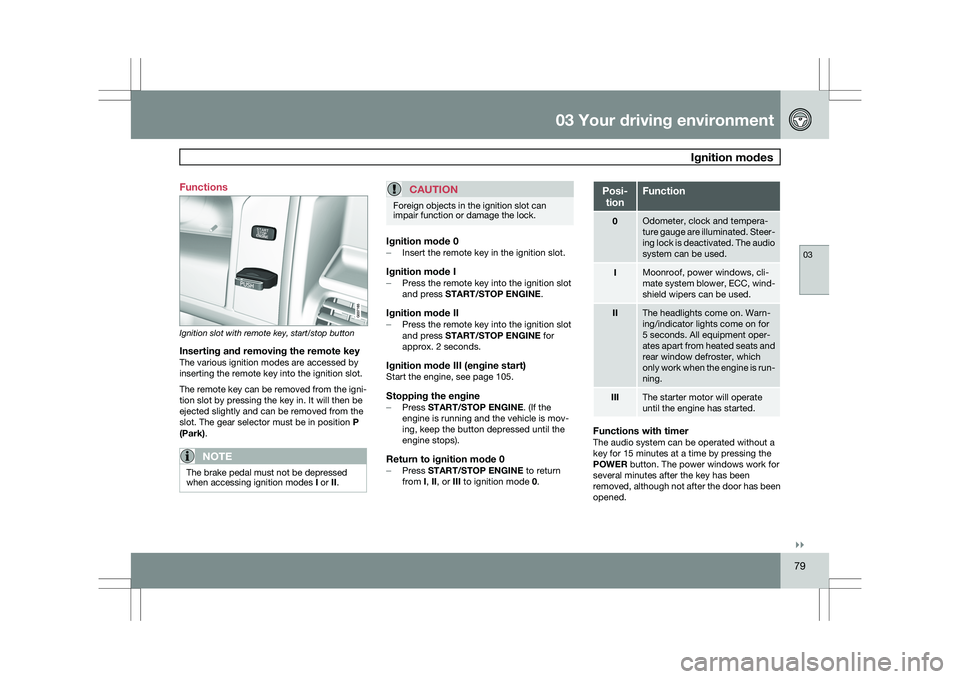
Ignition slot with remote key, start/stop button
Inserting and removing the remote keyThe various ignition modes are accessed by
inserting the remote key into the ignition slot.
The remote key can be removed from the igni-
tion slot by pressing the key in. It will then be
ejected slightly and can be removed from the
slot. The gear selector must be in position
P
(Park).
NOTE The brake pedal must not be depressed
when accessing ignition modes
I or II.
CAUTION Foreign objects in the ignition slot can
impair function or damage the lock.
Ignition mode 0–
Insert the remote key in the ignition slot.
Ignition mode I–Press the remote key into the ignition slot
and press START/STOP ENGINE.
Ignition mode II–Press the remote key into the ignition slot
and press START/STOP ENGINE for
approx. 2 seconds.
Ignition mode III (engine start)Start the engine, see page 105.
Stopping the engine–
Press START/STOP ENGINE. (If the
engine is running and the vehicle is mov-
ing, keep the button depressed until the
engine stops).
Return to ignition mode 0–Press START/STOP ENGINE to return
from I, II, or III to ignition mode 0. Posi-
tion Function
0 Odometer, clock and tempera-
ture gauge are illuminated. Steer-
ing lock is deactivated. The audio
system can be used.
I Moonroof, power windows, cli-
mate system blower, ECC, wind-
shield wipers can be used.
II The headlights come on. Warn-
ing/indicator lights come on for
5 seconds. All equipment oper-
ates apart from heated seats and
rear window defroster, which
only work when the engine is run-
ning.
III The starter motor will operate
until the engine has started.
Functions with timerThe audio system can be operated without a
key for 15 minutes at a time by pressing the
POWER button. The power windows work for
several minutes after the key has been
removed, although not after the door has been
opened.
Page 88 of 297
03 Your driving environmentSteering wheel 03
86
* Option/accessory, for more information, see Introduction.
Adjusting
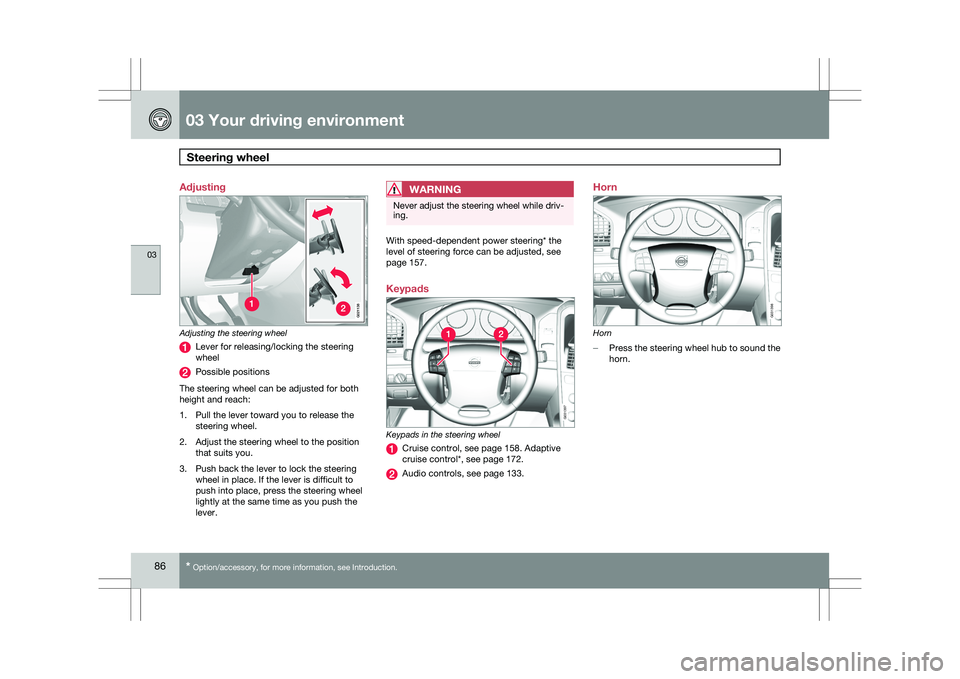
Adjusting the steering wheel
Lever for releasing/locking the steering
wheel
Possible positions
The steering wheel can be adjusted for both
height and reach:
1. Pull the lever toward you to release the steering wheel.
2. Adjust the steering wheel to the position that suits you.
3. Push back the lever to lock the steering wheel in place. If the lever is difficult to
push into place, press the steering wheel
lightly at the same time as you push the
lever.
WARNING Never adjust the steering wheel while driv-
ing.
With speed-dependent power steering* the
level of steering force can be adjusted, see
page 157.
Keypads
Keypads in the steering wheel
Cruise control, see page 158. Adaptive
cruise control*, see page 172.
Audio controls, see page 133.Horn
Horn
–
Press the steering wheel hub to sound the
horn. G02113
8 G031397 G031398
Page 89 of 297
03 Your driving environment
Lighting03
}}
87
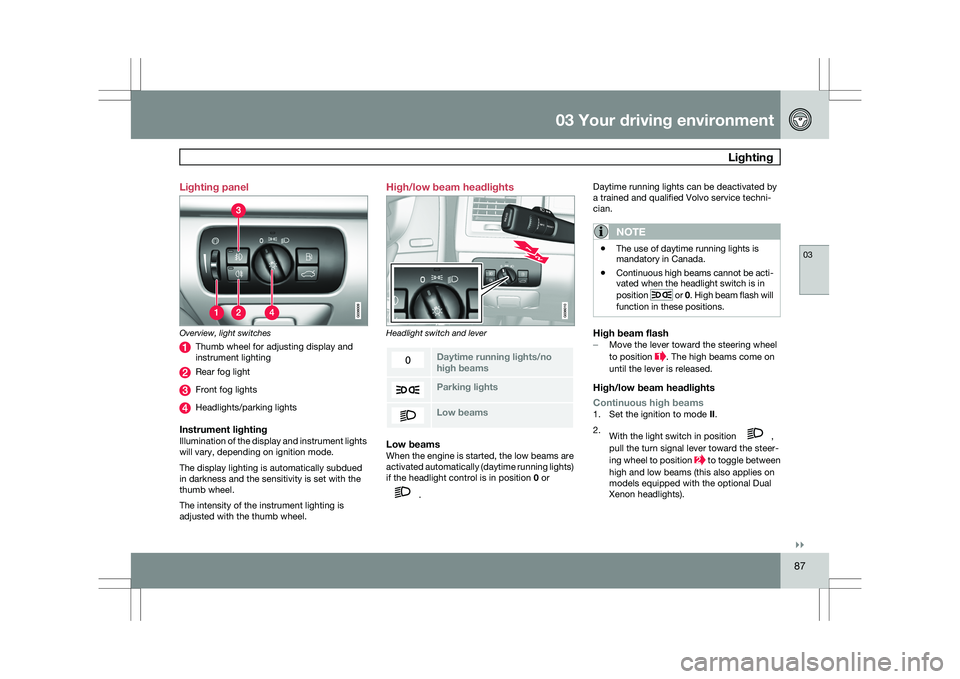
Lighting panel
Overview, light switches
Thumb wheel for adjusting display and
instrument lighting
Rear fog light
Front fog lights
Headlights/parking lights
Instrument lightingIllumination of the display and instrument lights
will vary, depending on ignition mode.
The display lighting is automatically subdued
in darkness and the sensitivity is set with the
thumb wheel.
The intensity of the instrument lighting is
adjusted with the thumb wheel. High/low beam headlights
Headlight switch and lever
Daytime running lights/no
high beams
Parking lights
Low beamsLow beamsWhen the engine is started, the low beams are
activated automatically (daytime running lights)
if the headlight control is in position
0 or .Daytime running lights can be deactivated by
a trained and qualified Volvo service techni-
cian.
NOTE \b
The use of daytime running lights is
mandatory in Canada.
\b Continuous high beams cannot be acti-
vated when the headlight switch is in
position or 0. High beam flash will
function in these positions.
High beam flash– Move the lever toward the steering wheel
to position . The high beams come on
until the lever is released.
High/low beam headlights
Continuous high beams
1. Set the ignition to mode II.
2. With the light switch in position ,
pull the turn signal lever toward the steer-
ing wheel to position to toggle between
high and low beams (this also applies on
models equipped with the optional Dual
Xenon headlights).
Page 90 of 297
03 Your driving environmentLighting 03
88
* Option/accessory, for more information, see Introduction.>
The symbol illuminates in the
instrument panel to indicate that the
high beams are on.
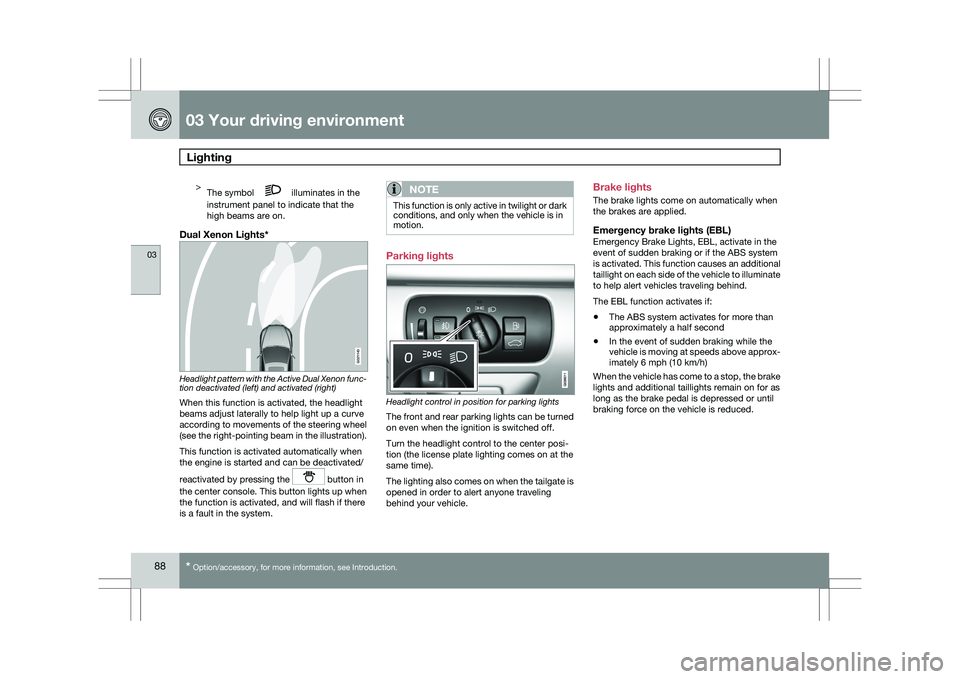
Dual Xenon Lights* Headlight pattern with the Active Dual Xenon func-
tion deactivated (left) and activated (right)
When this function is activated, the headlight
beams adjust laterally to help light up a curve
according to movements of the steering wheel
(see the right-pointing beam in the illustration).
This function is activated automatically when
the engine is started and can be deactivated/
reactivated by pressing the
button in
the center console. This button lights up when
the function is activated, and will flash if there
is a fault in the system.
NOTE This function is only active in twilight or dark
conditions, and only when the vehicle is in
motion.
Parking lights
Headlight control in position for parking lights
The front and rear parking lights can be turned
on even when the ignition is switched off.
Turn the headlight control to the center posi-
tion (the license plate lighting comes on at the
same time).
The lighting also comes on when the tailgate is
opened in order to alert anyone traveling
behind your vehicle.Brake lights
The brake lights come on automatically when
the brakes are applied.
Emergency brake lights (EBL)Emergency Brake Lights, EBL, activate in the
event of sudden braking or if the ABS system
is activated. This function causes an additional
taillight on each side of the vehicle to illuminate
to help alert vehicles traveling behind.
The EBL function activates if:
\b
The ABS system activates for more than
approximately a half second
\b In the event of sudden braking while the
vehicle is moving at speeds above approx-
imately 6 mph (10 km/h)
When the vehicle has come to a stop, the brake
lights and additional taillights remain on for as
long as the brake pedal is depressed or until
braking force on the vehicle is reduced. G021143
Page 91 of 297
03 Your driving environment
Lighting03
}}
89
Front fog lights
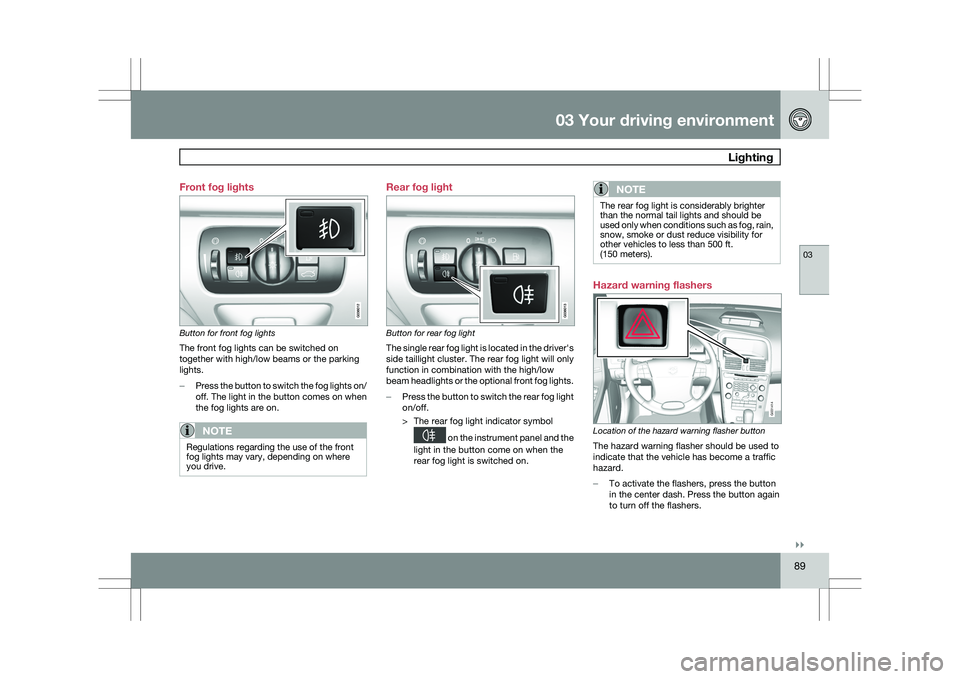
Button for front fog lights
The front fog lights can be switched on
together with high/low beams or the parking
lights.
–
Press the button to switch the fog lights on/
off. The light in the button comes on when
the fog lights are on.
NOTE Regulations regarding the use of the front
fog lights may vary, depending on where
you drive. Rear fog light
Button for rear fog light
The single rear fog light is located in the driver\fs
side taillight cluster. The rear fog light will only
function in combination with the high/low
beam headlights or the optional front fog lights.
–
Press the button to switch the rear fog light
on/off.
> The rear fog light indicator symbol on the instrument panel and the
light in the button come on when the
rear fog light is switched on.
NOTE The rear fog light is considerably brighter
than the normal tail lights and should be
used only when conditions such as fog, rain,
snow, smoke or dust reduce visibility for
other vehicles to less than 500 ft.
(150 meters).
Hazard warning flashers
Location of the hazard warning flasher button
The hazard warning flasher should be used to
indicate that the vehicle has become a traffic
hazard.
–
To activate the flashers, press the button
in the center dash. Press the button again
to turn off the flashers. G031414
Page 92 of 297
03 Your driving environmentLighting 03
90
NOTE \b
Regulations regarding the use of the
hazard warning flasher may vary,
depending on where you live.
\b The hazard warning flashers will be acti-
vated automatically if an airbag
deploys. Turn signals
Turn signals
When changing lanes
The driver can automatically flash the turn
signals 3 times by moving the turn signal lever
up or down to the first position and releasing it.
When turning Move the lever as far up or down as possi-
ble to start the turn signals. The turn signals will
be cancelled automatically by the movement of
the steering wheel, or the lever can be returned
to its initial position by hand.
NOTE \b
This automatic flashing sequence can
be interrupted by immediately moving
the lever in the opposite direction.
\b If the turn signal indicator flashes faster
than normal, check for a burned-out
turn signal bulb. Interior lighting, front
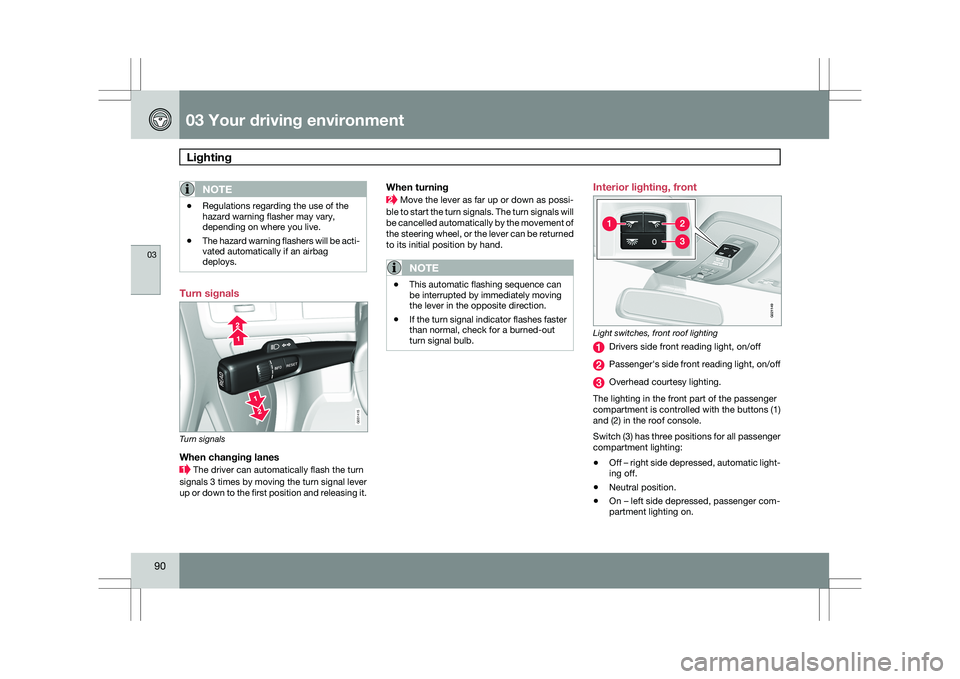
Light switches, front roof lighting
Drivers side front reading light, on/off
Passenger\fs side front reading light, on/off
Overhead courtesy lighting.
The lighting in the front part of the passenger
compartment is controlled with the buttons (1)
and (2) in the roof console.
Switch (3) has three positions for all passenger
compartment lighting:
\b Off – right side depressed, automatic light-
ing off.
\b Neutral position.
\b On – left side depressed, passenger com-
partment lighting on. G031415 G02114
9
Page 93 of 297
03 Your driving environment
Lighting03
}}
* Option/accessory, for more information, see Introduction. 91
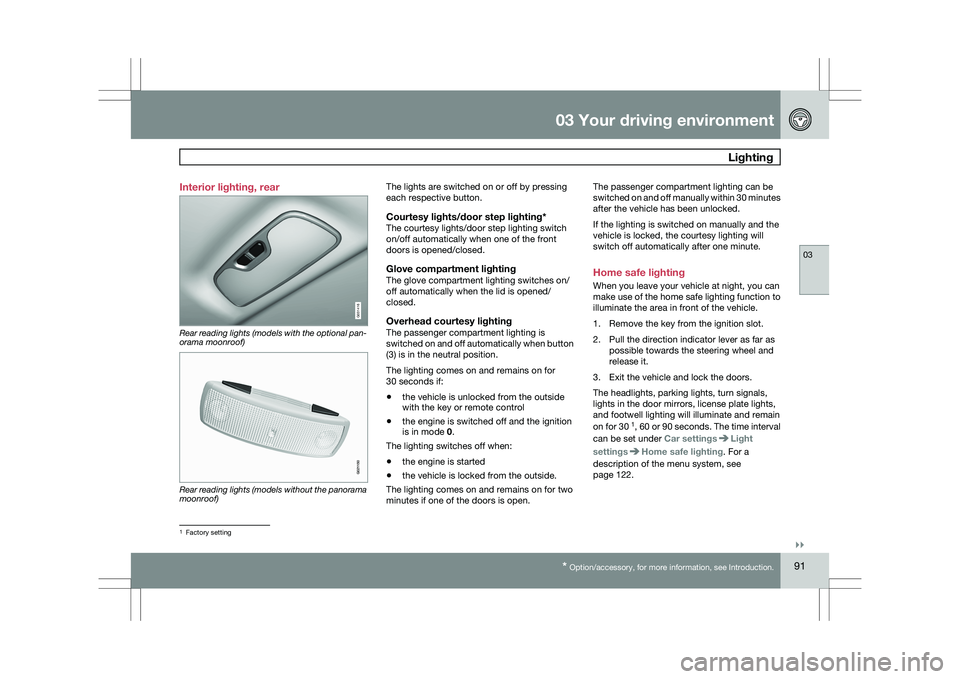
Interior lighting, rear
Rear reading lights (models with the optional pan-
orama moonroof)
Rear reading lights (models without the panorama
moonroof) The lights are switched on or off by pressing
each respective button.
Courtesy lights/door step lighting*The courtesy lights/door step lighting switch
on/off automatically when one of the front
doors is opened/closed.
Glove compartment lightingThe glove compartment lighting switches on/
off automatically when the lid is opened/
closed.
Overhead courtesy lightingThe passenger compartment lighting is
switched on and off automatically when button
(3) is in the neutral position.
The lighting comes on and remains on for
30 seconds if:
\b
the vehicle is unlocked from the outside
with the key or remote control
\b the engine is switched off and the ignition
is in mode 0.
The lighting switches off when:
\b the engine is started
\b the vehicle is locked from the outside.
The lighting comes on and remains on for two
minutes if one of the doors is open. The passenger compartment lighting can be
switched on and off manually within 30 minutes
after the vehicle has been unlocked.
If the lighting is switched on manually and the
vehicle is locked, the courtesy lighting will
switch off automatically after one minute.
Home safe lighting
When you leave your vehicle at night, you can
make use of the home safe lighting function to
illuminate the area in front of the vehicle.
1. Remove the key from the ignition slot.
2. Pull the direction indicator lever as far as
possible towards the steering wheel and
release it.
3. Exit the vehicle and lock the doors.
The headlights, parking lights, turn signals,
lights in the door mirrors, license plate lights,
and footwell lighting will illuminate and remain
on for 30 1
, 60 or 90 seconds. The time interval
can be set under Car settings Light
settings Home safe lighting. For a
description of the menu system, see
page 122. 1
Factory setting G031416 G021150
Page 94 of 297
03 Your driving environmentLighting 03
92 Approach lighting
Approach lighting is activated by pressing the
approach light button on the remote key (see
page 52).
When the function has been activated, the
parking lights, indicator lights, door mirror
lights, license plate lighting, dome lighting and
door step lighting come on.
The time interval for this lighting can be set
under Car settings
Light settings
Approach lighting. For a description of the
menu system, see page 122.