USB VOLVO XC60 2015 Owner´s Manual
[x] Cancel search | Manufacturer: VOLVO, Model Year: 2015, Model line: XC60, Model: VOLVO XC60 2015Pages: 406, PDF Size: 11.03 MB
Page 265 of 406
06 Infotainment
AUX/USB sockets
06
}}
263
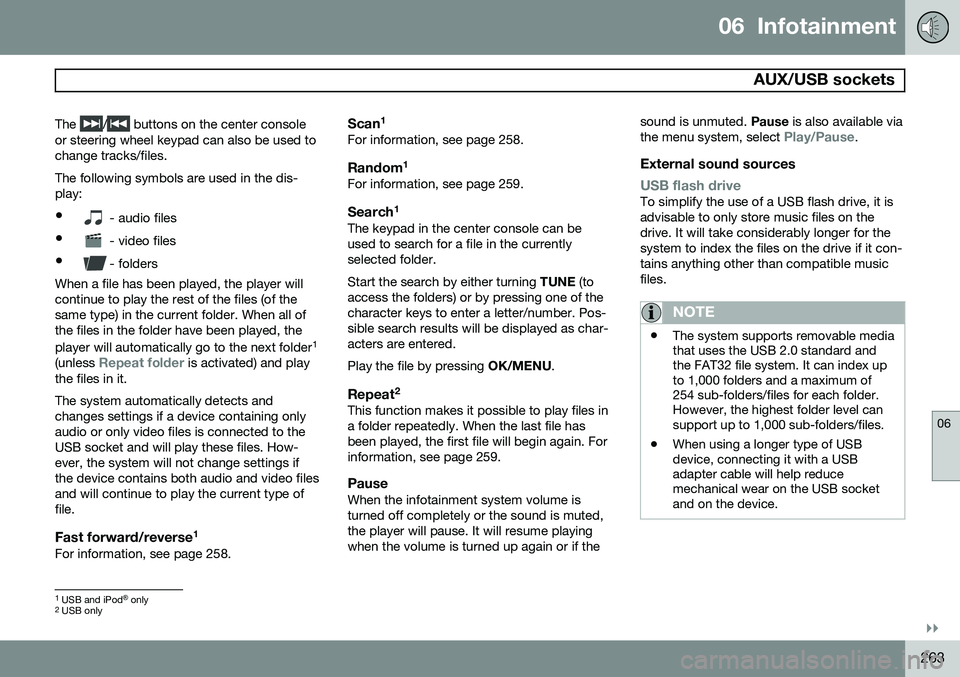
The
/ buttons on the center console
or steering wheel keypad can also be used to change tracks/files. The following symbols are used in the dis- play: •
- audio files
•
- video files
•
- folders
When a file has been played, the player will continue to play the rest of the files (of thesame type) in the current folder. When all ofthe files in the folder have been played, the player will automatically go to the next folder 1
(unless
Repeat folder is activated) and play
the files in it. The system automatically detects and changes settings if a device containing onlyaudio or only video files is connected to theUSB socket and will play these files. How-ever, the system will not change settings ifthe device contains both audio and video filesand will continue to play the current type offile.
Fast forward/reverse 1For information, see page 258.
Scan1For information, see page 258.
Random
1For information, see page 259.
Search1The keypad in the center console can beused to search for a file in the currentlyselected folder. Start the search by either turning
TUNE (to
access the folders) or by pressing one of the character keys to enter a letter/number. Pos-sible search results will be displayed as char-acters are entered. Play the file by pressing OK/MENU.
Repeat2This function makes it possible to play files in a folder repeatedly. When the last file hasbeen played, the first file will begin again. Forinformation, see page 259.
PauseWhen the infotainment system volume isturned off completely or the sound is muted,the player will pause. It will resume playingwhen the volume is turned up again or if the sound is unmuted.
Pause is also available via
the menu system, select
Play/Pause.
External sound sources
USB flash driveTo simplify the use of a USB flash drive, it is advisable to only store music files on thedrive. It will take considerably longer for thesystem to index the files on the drive if it con-tains anything other than compatible musicfiles.
NOTE
• The system supports removable media that uses the USB 2.0 standard andthe FAT32 file system. It can index upto 1,000 folders and a maximum of254 sub-folders/files for each folder.However, the highest folder level cansupport up to 1,000 sub-folders/files.
• When using a longer type of USBdevice, connecting it with a USBadapter cable will help reducemechanical wear on the USB socketand on the device.
1
USB and iPod ®
only2 USB only
Page 266 of 406
06 Infotainment
AUX/USB sockets
06
264
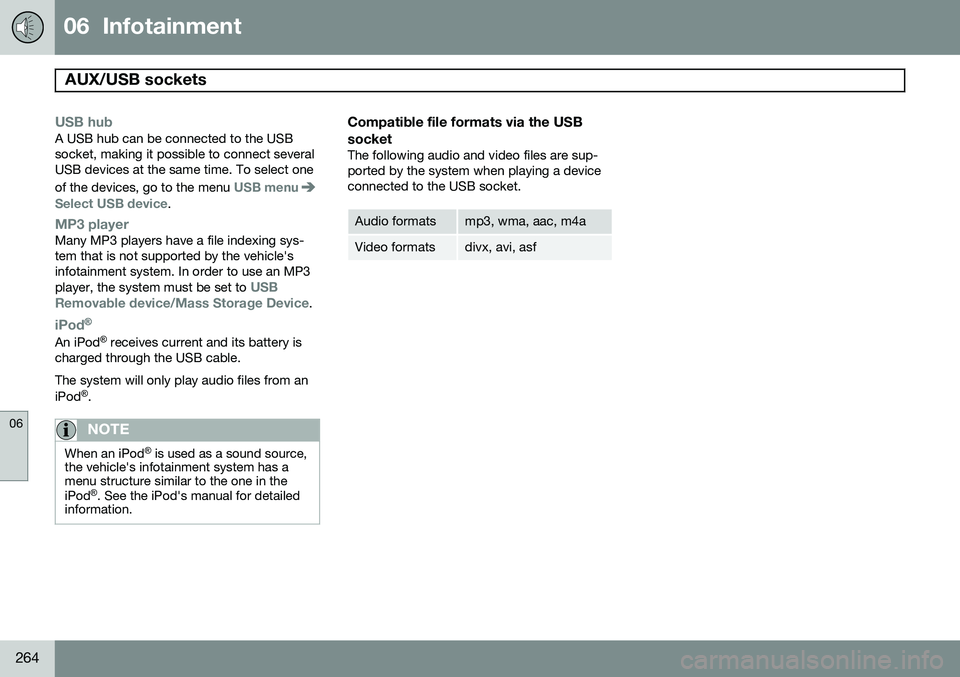
USB hubA USB hub can be connected to the USB socket, making it possible to connect severalUSB devices at the same time. To select one of the devices, go to the menu
USB menuSelect USB device.
MP3 playerMany MP3 players have a file indexing sys- tem that is not supported by the vehicle'sinfotainment system. In order to use an MP3 player, the system must be set to
USB
Removable device/Mass Storage Device.
iPod®
An iPod ®
receives current and its battery is
charged through the USB cable. The system will only play audio files from an iPod ®
.
NOTE
When an iPod ®
is used as a sound source,
the vehicle's infotainment system has a menu structure similar to the one in the iPod ®
. See the iPod's manual for detailed
information.
Compatible file formats via the USB socket
The following audio and video files are sup- ported by the system when playing a deviceconnected to the USB socket.
Audio formatsmp3, wma, aac, m4a
Video formatsdivx, avi, asf
Page 396 of 406
11 Index
11
394
1, 2, 3 ...
12-volt sockets........................................ 234
A
ABS (anti-lock brake system).................. 143
Accessory installation warning.................. 13
Active chassis system............................. 231
Active high beams................................... 100Active yaw control................................... 150
Adaptive brake lights............................... 142
Adaptive cruise control.................... 157, 159 queue assist........................................ 162
Airbags disconnecting the front passenger’s
side................................................. 26, 27
front...................................................... 22
inflatable curtain................................... 32
side impact........................................... 30
Air conditioning........................................ 220
Air distribution.......................................... 216
Air distribution table................................. 223
Air vents................................................... 217 All Wheel Drive......................................... 131
Ambient temperature sensor..................... 85
Anti-freeze....................................... 284, 346Anti-lock brake system
warning light......................................... 83
Anti-lock Brake System (ABS)................. 143
Approach lighting.............................. 61, 106Audio system AUX/USB sockets............................... 262 Bluetooth ®
devices............................. 265
Bluetooth ®
hands-free system........... 267
Bluetooth streaming audio................. 265
getting started.................................... 239
HD digital radio................................... 250
introduction......................................... 238
media player....................................... 257
overview.............................................. 238
radio functions.................................... 248SiriusXM ™ satellite radio.................... 252
sound settings.................................... 243
steering wheel keypad........................ 239
voice control....................................... 276
Auto-dim rearview mirror......................... 113
Automatic locking retractor....................... 39 Automatic transmission
Eco (driving function).......................... 135
Geartronic........................................... 129
general description..................... 128, 129
oil........................................................ 386
shiftlock override................................ 131
Axle weight.............................................. 316
B
Battery maintenance....................................... 359
remote key, replacing........................... 65
replacing..................................... 359, 360
specifications...................................... 387
warning symbols................................. 358
Blind Spot Information System (BLIS)..... 200
Bluetooth cell phone connection............. 267
Booster cushion, integrated...................... 52
Booster cushions....................................... 48
Brake lights.............................................. 142Brake system ABS..................................................... 143
Brake pad inspection.......................... 142
checking fluid level............................. 346
Page 399 of 406
11 Index
11
397
G
Garage door openerHomeLink ®
Wireless Control System. 120
Gasoline requirements............................. 287
Gas tank volume...................................... 386
Gauges...................................................... 79
Geartronic................................................ 129
Geartronic automatic transmission.......... 129
Generator warning light............................. 84
Glossary of tire terminology..................... 315
Grocery bag holder.................................. 293
Gross vehicle weight............................... 316
H
Hazard warning flashers.......................... 104
HD digital radio........................................ 250Headlights Active Bending Lights......................... 102
active high beams............................... 100
changing bulbs........................... 349, 350
daytime running lights.......................... 99
high/low beams.................................. 100 high beam flash.................................. 100
tunnel detection.................................. 102
Headlight washers................................... 108
Head restraints, rear seat.......................... 94
Heated oxygen sensors........................... 290
Heated rear seats.................................... 219
Heated steering wheel............................... 98
Heated windshield........................... 113, 221
High beams.............................................. 100 active.................................................. 100
Hill Start Assist (HSA).............................. 128
Hoisting the vehicle................................. 340 HomeLink ®
Wireless Control System...... 120
Home safe lighting................................... 105
Hood, opening/closing............................ 342
Horn........................................................... 97
I
Ignition modes........................................... 88
Immobilizer................................................ 60
Important information.................................. 6
Indicator lights............................... 79, 81, 83 Infant seats................................................ 43
Inflatable Curtain........................................ 32
Inflation pressure..................................... 309
Inflation pressure table............................ 312Information and warning symbols, table
of.............................................................. 389
Information lights........................... 79, 81, 83Infotainment
Menu navigation................................. 241
Infotainment system................................ 238 AUX/USB sockets............................... 262 Bluetooth ®
devices............................. 265
Bluetooth ®
hands-free system........... 267
getting started.................................... 239
media player....................................... 257
menus......................................... 239, 241
radio functions.................................... 248
sound settings.................................... 243
voice control....................................... 276
Inspection readiness................................ 340
Instrument lighting................................... 102 "theater" lighting................................. 102
Instrument overview............................ 78, 79
Instrument panel................................ 79, 207
Integrated two-stage booster cushion...... 52