rear view VOLVO XC60 T8 2018 Owner´s Manual
[x] Cancel search | Manufacturer: VOLVO, Model Year: 2018, Model line: XC60 T8, Model: VOLVO XC60 T8 2018Pages: 674, PDF Size: 11.93 MB
Page 193 of 674
SEATS AND STEERING WHEEL
}}
* Option/accessory.191
Adjusting the rear seat headrestraints
Adjust the center head restraint in the rear seat to the seat occupant's height. Fold down theoutboard head restraints to improve rear visibil-ity.
Adjusting the center head restraint
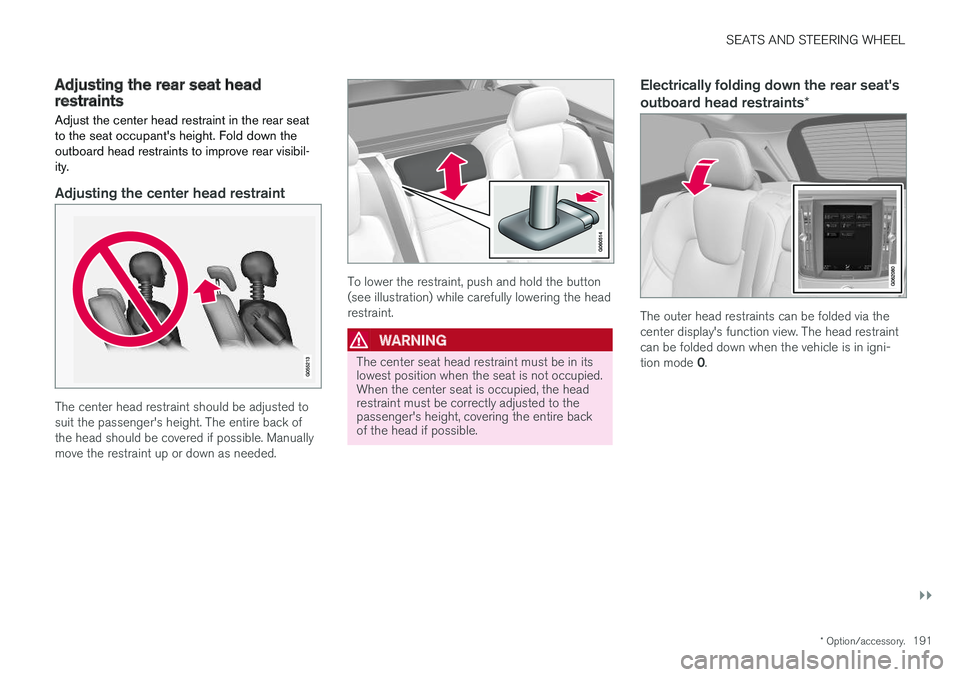
The center head restraint should be adjusted to suit the passenger's height. The entire back ofthe head should be covered if possible. Manuallymove the restraint up or down as needed.
To lower the restraint, push and hold the button (see illustration) while carefully lowering the headrestraint.
WARNING
The center seat head restraint must be in its lowest position when the seat is not occupied.When the center seat is occupied, the headrestraint must be correctly adjusted to thepassenger's height, covering the entire backof the head if possible.
Electrically folding down the rear seat's outboard head restraints *
The outer head restraints can be folded via the center display's function view. The head restraintcan be folded down when the vehicle is in igni- tion mode 0.
Page 198 of 674
CLIMATE CONTROL
* Option/accessory.
196
Climate
The vehicle is equipped with electronic climate control. The climate system cools, heats anddehumidifies the air in the passenger compart-ment.
All of the climate system functions are controlled from the center display and the buttons on thecenter console. Certain rear seat functions can also be controlled from the climate controls * on the rear of the tun-
nel console.
Related information
• Climate zones (p. 196)
• Climate control sensors (p. 196)
• Perceived temperature (p. 197)
• Climate control system voice commands (p. 197)
• Parking climate (p. 220)
• Air quality (p. 198)
• Air distribution (p. 201)
• Climate system controls (p. 208)
Climate zones
The vehicle is divided into climate zones to make it possible to set different temperatures for dif-ferent parts of the passenger compartment.
2-zone climate system
Climate zones with 2-zone climate system.
In 2-zone climate systems, the passenger com- partment temperature can be set separately forthe left and right sides of the vehicle.
Related information
• Climate (p. 196)
Climate control sensors
The climate system has a number of sensors to help regulate the climate settings in the vehicle.
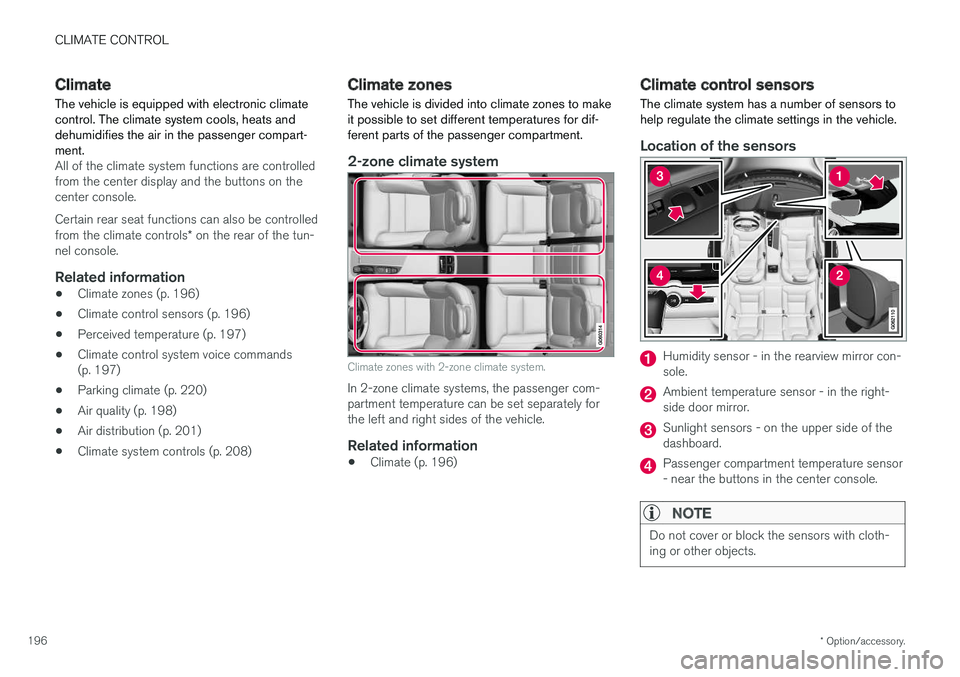
Location of the sensors
Humidity sensor - in the rearview mirror con- sole.
Ambient temperature sensor - in the right- side door mirror.
Sunlight sensors - on the upper side of the dashboard.
Passenger compartment temperature sensor - near the buttons in the center console.
NOTE
Do not cover or block the sensors with cloth- ing or other objects.
Page 203 of 674

CLIMATE CONTROL
}}
* Option/accessory.201
Activating and deactivating the air
quality sensor *
The air quality sensor is part of the fully automa- ted Interior Air Quality System (IAQS).
The air quality sensor can be switched on or off. 1. Tap
Settings in the Top view in the center
display.
2. Tap
Climate.
3. Select
Air Quality Sensor to activate/deac-
tivate the air quality sensor.
Related information
• Interior Air Quality System
* (p. 200)
Passenger compartment air filter
All air entering the passenger compartment through the climate control system intake is fil-tered.
Replacing the passenger compartment filter
To maintain the high performance of the climate control system, the filter must be replaced regu-larly. Follow Volvo's service schedule for recom-mended replacement intervals. When driving inareas with a lot of smog, dust, etc., the filter mayneed to be changed more frequently.
NOTE
There are two types of passenger compart- ment filters. Make sure that the correct filteris installed.
Related information
• Air quality (p. 198)
• Clean Zone
* (p. 199)
• Clean Zone Interior Package
* (p. 200)
• Interior Air Quality System
* (p. 200)
Air distribution
The climate system distributes incoming air through a number of vents in the passengercompartment.
Automatic and manual air distributionWhen the auto-climate feature is on, air distribu- tion is regulated automatically. Air distribution canalso be controlled manually.
Adjustable air ventsCertain air vents in the vehicle are adjustable,which means they can be opened/closed and thedirection of the air flow from the vent can beadjusted.
Location of adjustable air vents in the passenger com- partment.
Four vents on the dashboard and one on each of the pillars between the front and reardoors.
Page 210 of 674
CLIMATE CONTROL
* Option/accessory.
208
Climate system controls
The climate system functions are controlled from physical buttons on the center console, the cen-ter display, and the climate panel on the rear side of the tunnel console *.
Physical buttons in the center console
Button for heated windshield * and max
defroster.
Button for heated rear window and door mir- rors.
Climate bar in the center displayThe most common climate system functions canbe controlled from the climate bar.
Temperature control for the driver and pas- senger sides.
Control for heated * and ventilated * driver and
passenger seats, and heated steering wheel *.
Button for opening Climate view. The graphic in the button shows activated climate systemsettings.
Climate view in the center displayTap the center button on the climate bar to openClimate view. Climate view is divided into the fol-lowing tabs:
•
Main climate
•Parking climate
Toggle between the tabs by swiping the screen to the left/right or by tapping the desired head-ing.
Main climate
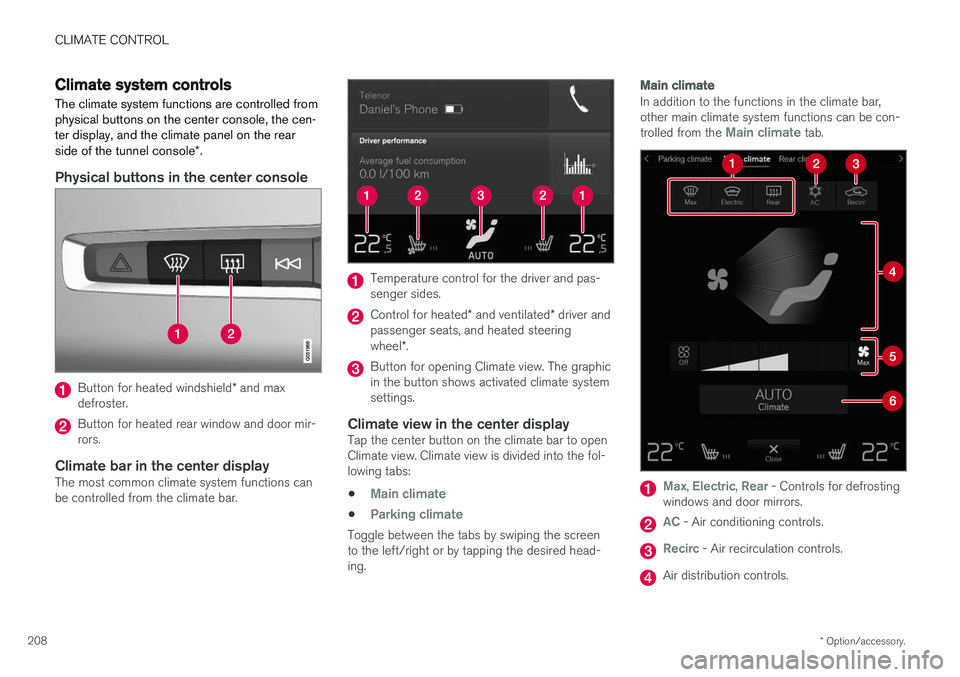
In addition to the functions in the climate bar, other main climate system functions can be con- trolled from the
Main climate tab.
Max, Electric, Rear - Controls for defrosting
windows and door mirrors.
AC - Air conditioning controls.
Recirc - Air recirculation controls.
Air distribution controls.
Page 212 of 674
||
CLIMATE CONTROL
* Option/accessory.
210
Related information
• Climate system controls (p. 208)
• Activating and deactivating the heated front seat
* (p. 210)
Activating and deactivating the
heated front seat *
The seats can be heated for added comfort for the driver and passengers in cold weather.
Seat heating can be set to automatically activate when the engine is started. When set to automat-ically activate, heating will be turned on at lowambient temperatures. 1. Tap
Settings in the Top view in the center
display.
2. Tap
Climate.
3. Select
Auto Driver Seat Heating Leveland Auto Passenger Seat Heating Levelto activate/deactivate automatic start of heated driver's and passenger seat.
4. Select
Low, Medium or High to select level
after the function has been activated.
Related information
• Climate system controls (p. 208)
• Activating and deactivating power front seats
* (p. 209)
Activating and deactivating the
heated rear seats *
The seats can be heated for added comfort for the driver and passengers in cold weather.
Activating and deactivating the heated rear seats from the rear seat
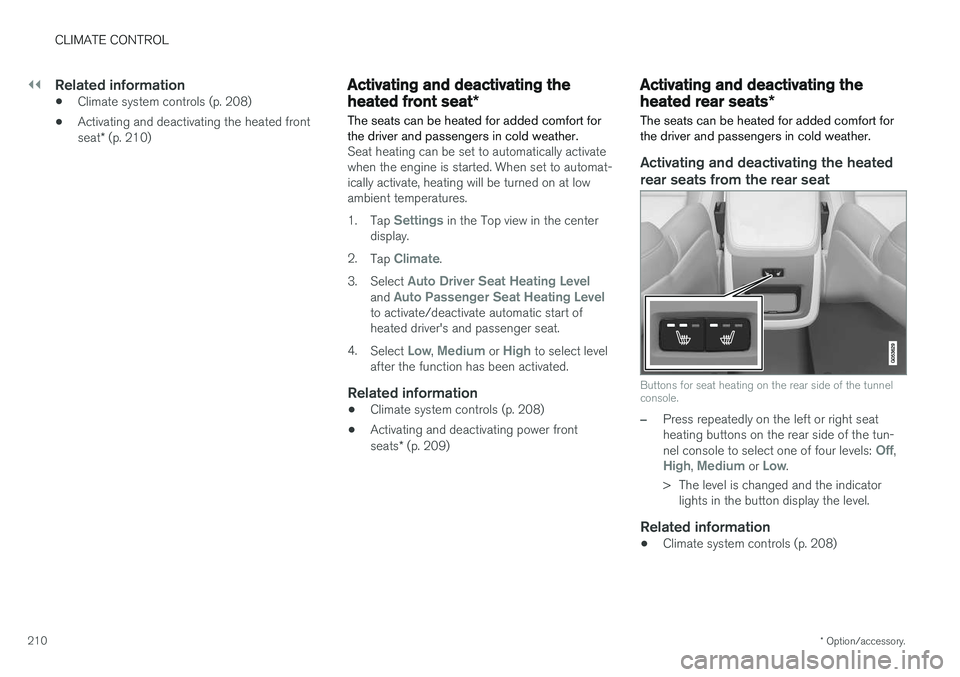
Buttons for seat heating on the rear side of the tunnel console.
–Press repeatedly on the left or right seat heating buttons on the rear side of the tun- nel console to select one of four levels:
Off,High, Medium or Low.
> The level is changed and the indicator lights in the button display the level.
Related information
• Climate system controls (p. 208)
Page 219 of 674
CLIMATE CONTROL
217
Activating and deactivating theheated rear window and doormirrors The heated rear window and door mirrors are used to quickly remove condensation and icefrom the glass.
Activating and deactivating the heated rear window and door mirrors from thecenter console
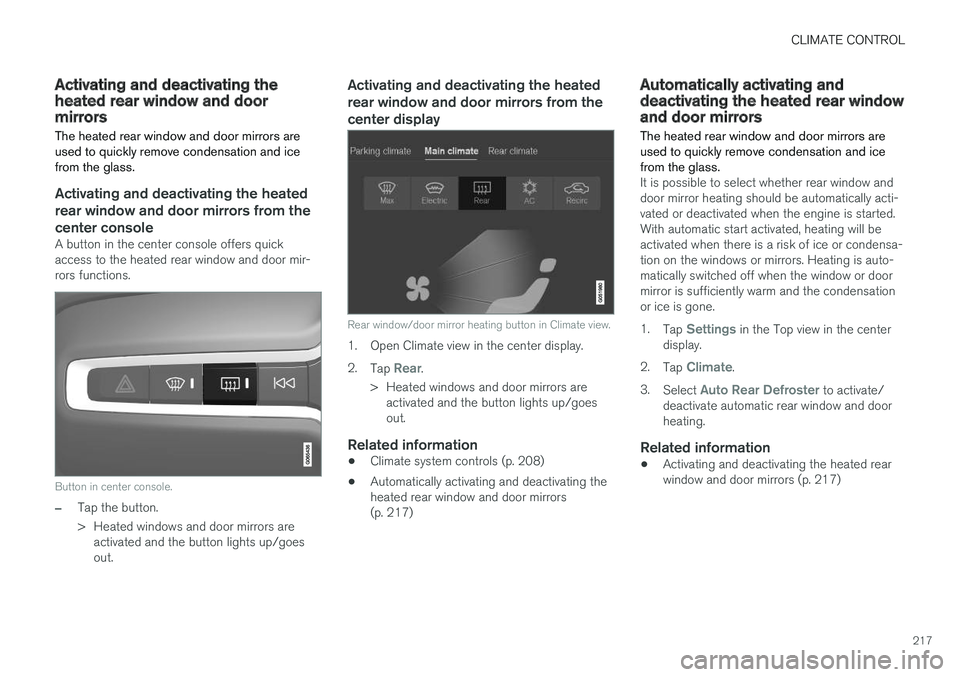
A button in the center console offers quick access to the heated rear window and door mir-rors functions.
Button in center console.
–Tap the button.
> Heated windows and door mirrors areactivated and the button lights up/goes out.
Activating and deactivating the heated rear window and door mirrors from thecenter display
Rear window/door mirror heating button in Climate view.
1. Open Climate view in the center display. 2. Tap
Rear.
> Heated windows and door mirrors are activated and the button lights up/goes out.
Related information
• Climate system controls (p. 208)
• Automatically activating and deactivating theheated rear window and door mirrors(p. 217)
Automatically activating anddeactivating the heated rear windowand door mirrors
The heated rear window and door mirrors are used to quickly remove condensation and icefrom the glass.
It is possible to select whether rear window and door mirror heating should be automatically acti-vated or deactivated when the engine is started.With automatic start activated, heating will beactivated when there is a risk of ice or condensa-tion on the windows or mirrors. Heating is auto-matically switched off when the window or doormirror is sufficiently warm and the condensationor ice is gone. 1. Tap
Settings in the Top view in the center
display.
2. Tap
Climate.
3. Select
Auto Rear Defroster to activate/
deactivate automatic rear window and door heating.
Related information
• Activating and deactivating the heated rearwindow and door mirrors (p. 217)
Page 220 of 674
CLIMATE CONTROL
218
Setting the blower speed for the
front seats3
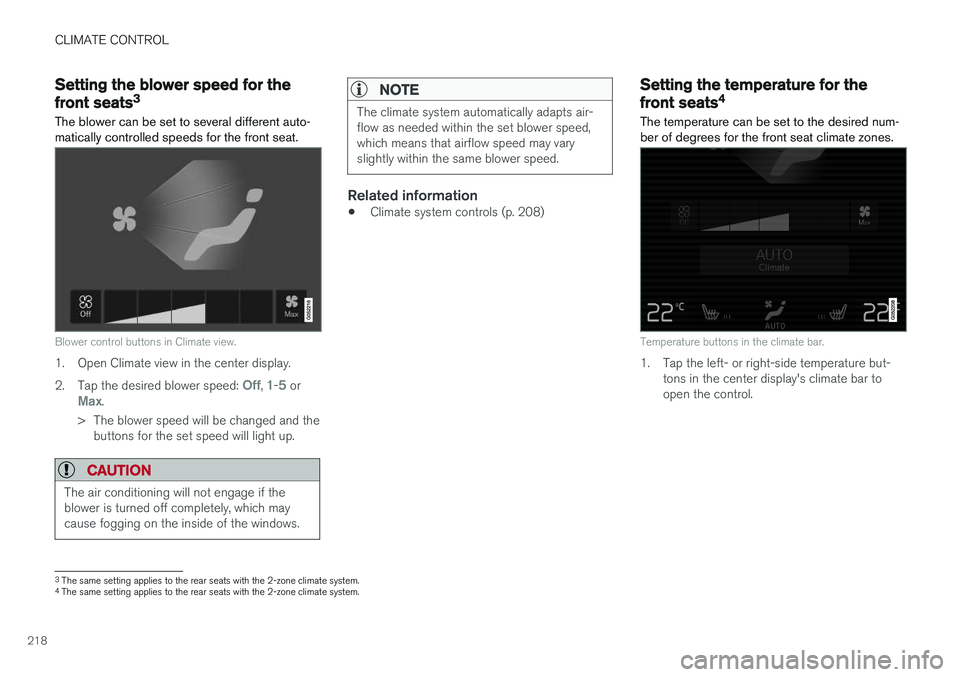
The blower can be set to several different auto- matically controlled speeds for the front seat.
Blower control buttons in Climate view.
1. Open Climate view in the center display. 2. Tap the desired blower speed:
Off, 1-5 orMax.
> The blower speed will be changed and the buttons for the set speed will light up.
CAUTION
The air conditioning will not engage if the blower is turned off completely, which maycause fogging on the inside of the windows.
NOTE
The climate system automatically adapts air- flow as needed within the set blower speed,which means that airflow speed may varyslightly within the same blower speed.
Related information
• Climate system controls (p. 208)
Setting the temperature for the
front seats4
The temperature can be set to the desired num- ber of degrees for the front seat climate zones.
Temperature buttons in the climate bar.
1. Tap the left- or right-side temperature but- tons in the center display's climate bar to open the control.
3The same setting applies to the rear seats with the 2-zone climate system.
4 The same setting applies to the rear seats with the 2-zone climate system.
Page 231 of 674
KEY, LOCKS AND ALARM
}}
* Option/accessory.229
In rear door*
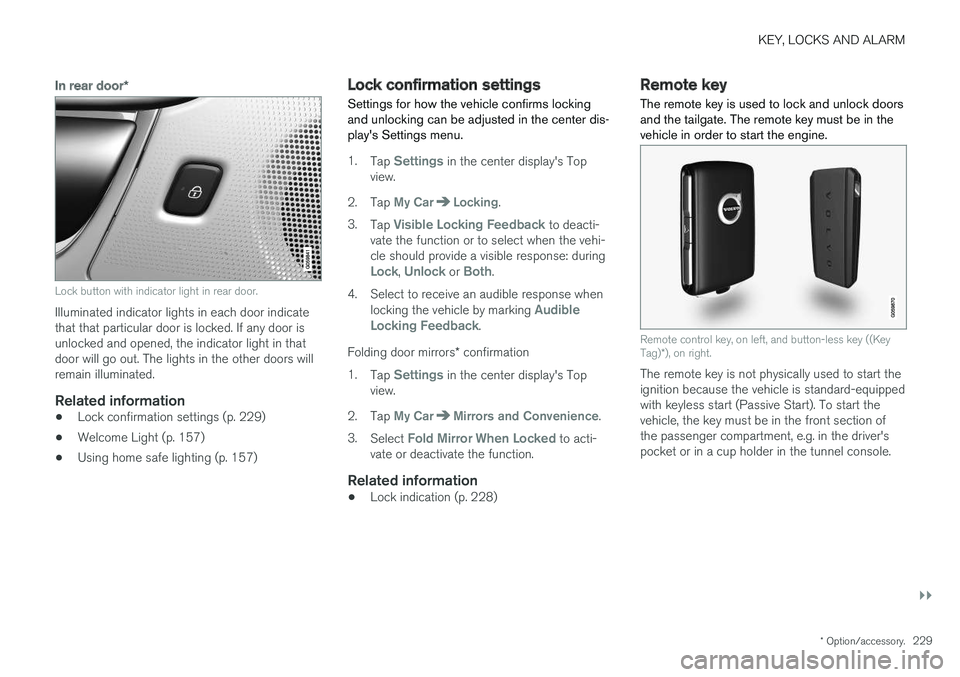
Lock button with indicator light in rear door.
Illuminated indicator lights in each door indicate that that particular door is locked. If any door isunlocked and opened, the indicator light in thatdoor will go out. The lights in the other doors willremain illuminated.
Related information
•Lock confirmation settings (p. 229)
• Welcome Light (p. 157)
• Using home safe lighting (p. 157)
Lock confirmation settings Settings for how the vehicle confirms locking and unlocking can be adjusted in the center dis-play's Settings menu.
1.
Tap Settings in the center display's Top
view.
2. Tap
My CarLocking.
3. Tap
Visible Locking Feedback to deacti-
vate the function or to select when the vehi- cle should provide a visible response: during
Lock, Unlock or Both.
4. Select to receive an audible response when locking the vehicle by marking
Audible
Locking Feedback.
Folding door mirrors * confirmation
1. Tap
Settings in the center display's Top
view.
2. Tap
My CarMirrors and Convenience.
3. Select
Fold Mirror When Locked to acti-
vate or deactivate the function.
Related information
• Lock indication (p. 228)
Remote key
The remote key is used to lock and unlock doors and the tailgate. The remote key must be in thevehicle in order to start the engine.
Remote control key, on left, and button-less key ((Key Tag) *), on right.
The remote key is not physically used to start the ignition because the vehicle is standard-equippedwith keyless start (Passive Start). To start thevehicle, the key must be in the front section ofthe passenger compartment, e.g. in the driver'spocket or in a cup holder in the tunnel console.
Page 248 of 674
KEY, LOCKS AND ALARM
* Option/accessory.
246
Keyless unlock settings *
Several different sequences are available for keyless unlocking.
1. Tap Settings in the center display's Top
view.
2. Tap
My CarLockingKeyless Unlock
3. Select alternative: •
All Doors
- unlocks all doors at the same time.
•
Single Door
- unlocks the selected door.
Related information
• Keyless locking and unlocking
* (p. 244)
• Keyless and touch-sensitive surfaces
*
(p. 243)
Keyless tailgate unlock *
The tailgate can be opened using the remote key. The key only needs to be within range, e.g.in a pocket or bag.
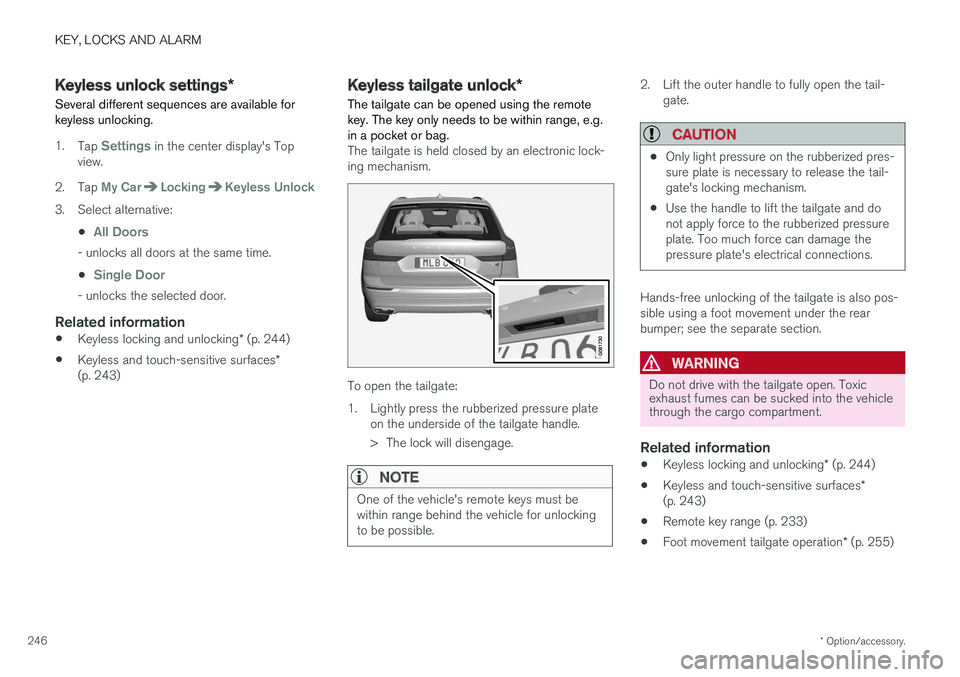
The tailgate is held closed by an electronic lock- ing mechanism.
To open the tailgate:
1. Lightly press the rubberized pressure plate on the underside of the tailgate handle.
> The lock will disengage.
NOTE
One of the vehicle's remote keys must be within range behind the vehicle for unlockingto be possible.
2. Lift the outer handle to fully open the tail-gate.
CAUTION
•Only light pressure on the rubberized pres- sure plate is necessary to release the tail-gate's locking mechanism.
• Use the handle to lift the tailgate and donot apply force to the rubberized pressureplate. Too much force can damage thepressure plate's electrical connections.
Hands-free unlocking of the tailgate is also pos- sible using a foot movement under the rearbumper; see the separate section.
WARNING
Do not drive with the tailgate open. Toxic exhaust fumes can be sucked into the vehiclethrough the cargo compartment.
Related information
•
Keyless locking and unlocking
* (p. 244)
• Keyless and touch-sensitive surfaces
*
(p. 243)
• Remote key range (p. 233)
• Foot movement tailgate operation
* (p. 255)
Page 250 of 674
||
KEY, LOCKS AND ALARM
* Option/accessory.
248
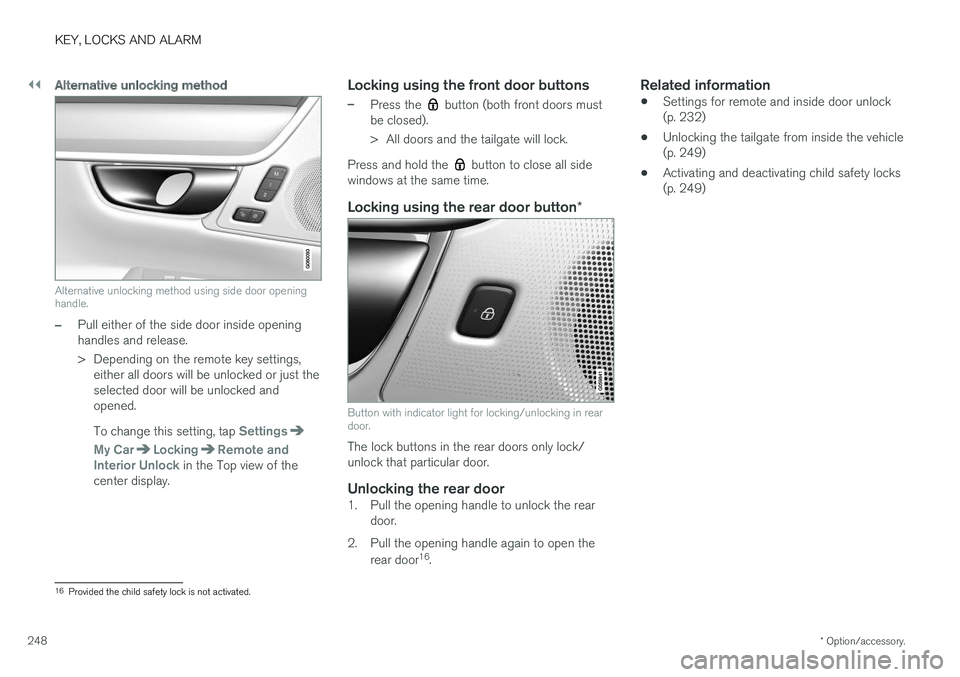
Alternative unlocking method
Alternative unlocking method using side door opening handle.
–Pull either of the side door inside opening handles and release.
> Depending on the remote key settings,
either all doors will be unlocked or just the selected door will be unlocked andopened. To change this setting, tap
Settings
My CarLockingRemote and
Interior Unlock in the Top view of the
center display.
Locking using the front door buttons
–Press the button (both front doors must
be closed).
> All doors and the tailgate will lock.
Press and hold the
button to close all side
windows at the same time.
Locking using the rear door button *
Button with indicator light for locking/unlocking in rear door.
The lock buttons in the rear doors only lock/ unlock that particular door.
Unlocking the rear door1. Pull the opening handle to unlock the rear
door.
2. Pull the opening handle again to open the rear door 16
.
Related information
• Settings for remote and inside door unlock(p. 232)
• Unlocking the tailgate from inside the vehicle(p. 249)
• Activating and deactivating child safety locks(p. 249)
16
Provided the child safety lock is not activated.