rear view VOLVO XC60 T8 2018 Owner´s Manual
[x] Cancel search | Manufacturer: VOLVO, Model Year: 2018, Model line: XC60 T8, Model: VOLVO XC60 T8 2018Pages: 674, PDF Size: 11.93 MB
Page 164 of 674
WINDOWS, GLASS AND MIRRORS
* Option/accessory.
162
Windows, glass and mirrors
The vehicle is equipped with controls for win- dows, glass and mirrors. Some of the windowsin the car are laminated.
Laminated glass
The windshield and panoramic roof * have lamina-
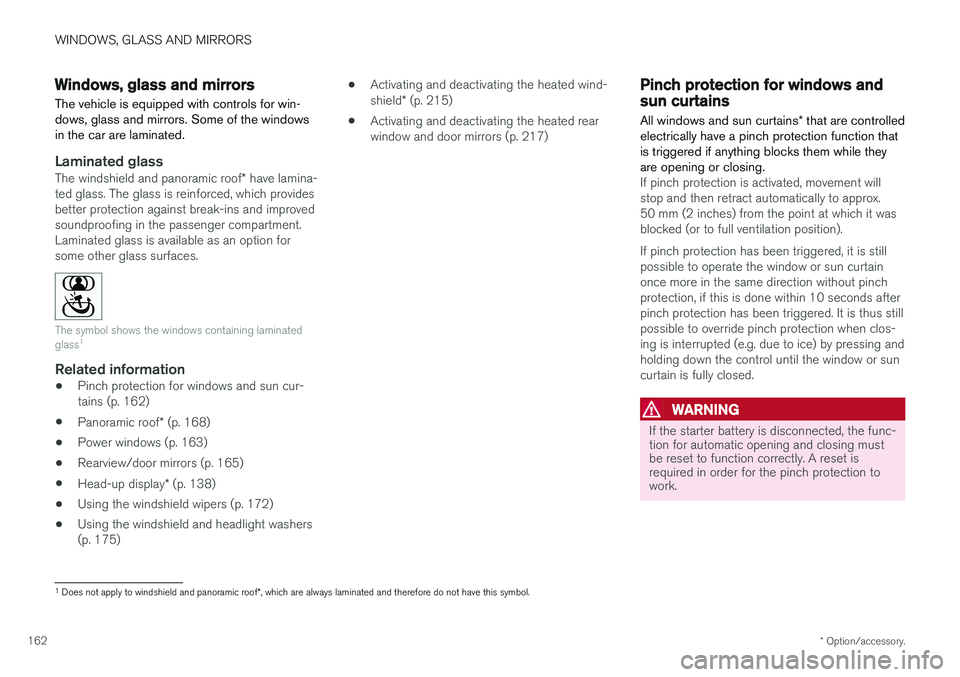
ted glass. The glass is reinforced, which provides better protection against break-ins and improvedsoundproofing in the passenger compartment.Laminated glass is available as an option forsome other glass surfaces.
The symbol shows the windows containing laminated glass 1
Related information
•
Pinch protection for windows and sun cur- tains (p. 162)
• Panoramic roof
* (p. 168)
• Power windows (p. 163)
• Rearview/door mirrors (p. 165)
• Head-up display
* (p. 138)
• Using the windshield wipers (p. 172)
• Using the windshield and headlight washers(p. 175) •
Activating and deactivating the heated wind- shield
* (p. 215)
• Activating and deactivating the heated rear window and door mirrors (p. 217)
Pinch protection for windows andsun curtains
All windows and sun curtains * that are controlled
electrically have a pinch protection function that is triggered if anything blocks them while theyare opening or closing.
If pinch protection is activated, movement will stop and then retract automatically to approx.50 mm (2 inches) from the point at which it wasblocked (or to full ventilation position). If pinch protection has been triggered, it is still possible to operate the window or sun curtainonce more in the same direction without pinchprotection, if this is done within 10 seconds afterpinch protection has been triggered. It is thus stillpossible to override pinch protection when clos-ing is interrupted (e.g. due to ice) by pressing andholding down the control until the window or suncurtain is fully closed.
WARNING
If the starter battery is disconnected, the func- tion for automatic opening and closing mustbe reset to function correctly. A reset isrequired in order for the pinch protection towork.
1 Does not apply to windshield and panoramic roof *, which are always laminated and therefore do not have this symbol.
Page 167 of 674
WINDOWS, GLASS AND MIRRORS
* Option/accessory.165
WARNING
Make sure that no child or other passenger comes into contact with the windows as they are closing with keyless closing *.
NOTE
One way to reduce the pulsating wind noise heard when the rear windows are open is toalso open the front windows slightly.
NOTE
The windows cannot be opened at speeds over approx. 180 km/h (ca112 mph), but theycan be closed. The driver is always responsible for following applicable traffic regulations.
Related information
• Power windows (p. 163)
• Pinch protection for windows and sun cur- tains (p. 162)
• Reset procedure for pinch protection(p. 163)
• Keyless locking and unlocking
* (p. 244)
• Locking and unlocking using the remote key(p. 231)
• Locking and unlocking from inside the vehi-cle (p. 247)
Rearview/door mirrors
The rearview mirror and door mirrors can be used to improve the driver's visibility behind thevehicle.
Rearview mirrorThe rearview mirror can be easily adjusted man- ually. The rearview mirror can be equipped with HomeLink *, auto-dim * and compass *.
Door mirrors
WARNING
The door mirror on the passenger side is curved to improve visibility. Objects in the mir-ror may appear farther away than they actuallyare.
The joystick in the drivers' door control panel is used to adjust the position of the door mirrors.There are also several automatic settings thatcan also be connected to the memory function buttons for the power seat *.
Related information
•
HomeLink ®
* (p. 468)
• Compass (p. 471)
• Adjusting the rearview mirror dimming func- tion (p. 166)
• Adjusting the door mirrors (p. 166) •
Storing memory settings in power front seats
* (p. 182)
• Activating and deactivating the heated rear window and door mirrors (p. 217)
Page 168 of 674
WINDOWS, GLASS AND MIRRORS
* Option/accessory.
166
Adjusting the rearview mirrordimming function
Bright light entering the vehicle from behind, e.g. from the headlights of following vehicles, couldreflect in the rearview mirror and door mirrorsand cause a glare. Use the dimming functionwhen light from behind is distracting.
Auto-dimIf bright light enters the vehicle from behind, the door mirrors will automatically dim. Auto-dim isalways active when the engine is running, exceptwhen reverse gear is engaged.
NOTE
When the level of sensitivity is changed, this change will not be noticeable immediately butwill instead take effect after a short period oftime.
The sensitivity level for dimming will affect both the rearview mirror and door mirrors. 1. Tap
Settings in the Top view in the center
display.
2. Tap
My CarMirrors and Convenience.
3. Under
Rearview Mirror Auto Dimming,
select Normal, Dark or Light.
The rearview mirror instead has two sensors - one pointing forward and one pointing rearward -which work together to identify and eliminate glare. The forward-pointing sensor monitorsambient light, while the rearward-pointing sensormonitors light from the headlights of followingvehicles. For the door mirrors to be equipped with auto- dim, the rearview mirror must also be equippedwith auto-dim.
NOTE
If the sensors are obstructed by e.g. a parking permit, transponder, sunshade or objects onthe seats or in the cargo compartment in away that prevents light from reaching the sen-sors, the auto-dim function in the door andrearview mirrors will be reduced.
Related information
•
Rearview/door mirrors (p. 165)
• Adjusting the door mirrors (p. 166)
Adjusting the door mirrors
To improve visibility to the rear, the door mirrors need to be adjusted to the driver's height andseating position. There are several automaticsettings that can also be connected to the mem- ory function buttons for the power seat *.
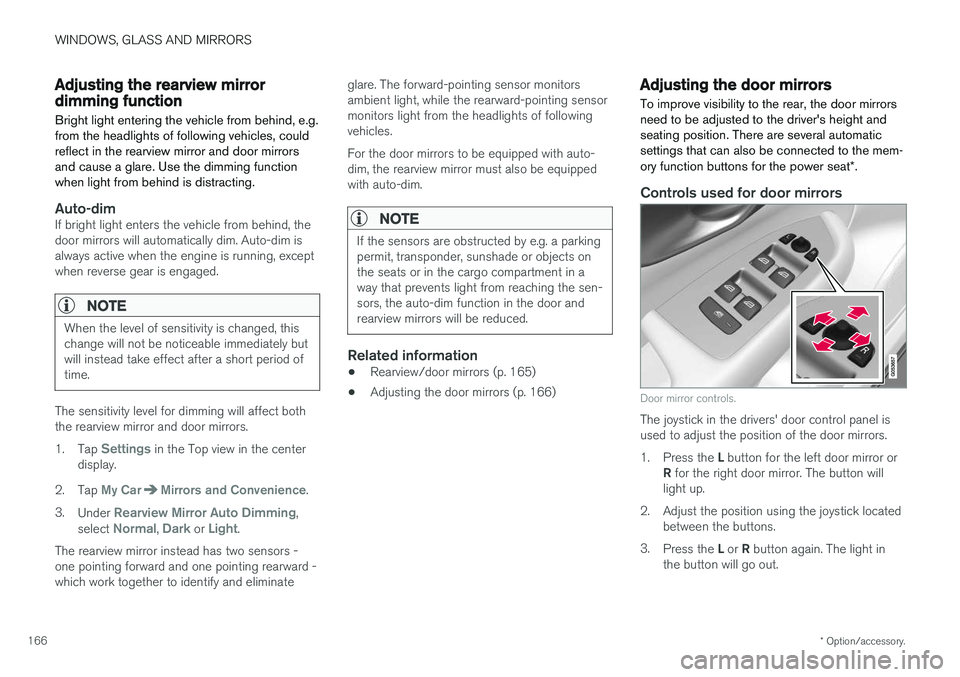
Controls used for door mirrors
Door mirror controls.
The joystick in the drivers' door control panel is used to adjust the position of the door mirrors. 1.
Press the L button for the left door mirror or
R for the right door mirror. The button will
light up.
2. Adjust the position using the joystick located between the buttons.
3. Press the L or R button again. The light in
the button will go out.
Page 169 of 674
WINDOWS, GLASS AND MIRRORS
* Option/accessory.167
Resetting the mirrors' positionA mirror that has been moved out of position manually (e.g. hit or bumped into) must be electri-cally returned to its normal position for automaticfolding to function properly. 1.Fold in the mirrors by pressing the L and R
buttons at the same time.
2. Open them again by pressing the L and R
buttons at the same time.
3. Repeat the above procedure as needed.The mirrors are now reset to their original posi- tions.
Automatically folding door mirrors *The door mirrors can be automatically foldedwhen driving or parking in tight spaces. 1.
Press the L and R buttons at the same time
(ignition must be in mode I or higher).
2. Release the buttons after about 1 second. The mirrors will automatically stop when they are completely folded in.
Open the mirrors by pressing L and R at the
same time. The mirrors will automatically stopwhen they are completely open.
Tilting when parking 3The door mirrors can be tilted down to improvethe driver's view along the sides of the vehicle(e.g. to see the curb while parking).
–Select reverse gear and press the
L or R mir-
ror button.
Please note that the button may need to be pressed twice depending on settings. When thedoor mirror is tilted down, the light in the buttonwill flash. When reverse gear is engaged, thedoor mirrors will automatically start to move after3 seconds and will reach their original positionafter about 8 seconds.
Automatically tilting when parking 3With this setting, the door mirrors will automati-cally tilt down when reverse gear is engaged. Thefolded position is preset and cannot be adjusted.To immediately return the door mirrors to their original position, press the
L or R button twice.
1. Tap
Settings in the center display's Top
view.
2. Tap
My CarMirrors and Convenience.
3. Under
Exterior Mirror Tilt at Reverse,
select Off, Driver, Passenger or Both to
activate/deactivate and to select which mir- ror to tilt.
Automatic folding when the vehicle is locked *
The door mirrors automatically fold in when the vehicle is locked and open when the vehicle isunlocked using the remote key. 1.
Tap
Settings in the center display's Top
view.
2. Tap
My CarMirrors and Convenience.
3. Select
Fold Mirror When Locked to acti-
vate/deactivate.
Related information
• Rearview/door mirrors (p. 165)
• Adjusting the rearview mirror dimming func- tion (p. 166)
• Storing memory settings in power front seats
* (p. 182)
• Activating and deactivating the heated rear window and door mirrors (p. 217)
3
Only on models equipped with a power driver's seat with memory buttons *.
Page 176 of 674
||
WINDOWS, GLASS AND MIRRORS
* Option/accessory.
174
Related information
• Using the windshield and headlight washers (p. 175)
• Using automatic rear window wiping whenbacking up (p. 176)
• Heated windshield washer nozzles
* (p. 173)
• Using the rain sensor's memory function(p. 174)
• Using the rear window wiper/washer (p. 176)
• Filling washer fluid (p. 640)
• Windshield wipers in the service position (p. 639)
• Replacing windshield wiper blades (p. 638)
• Changing rear window wipers (p. 637)
• Using the windshield wipers (p. 172)
Using the rain sensor's memoryfunction The rain sensor monitors the amount of water on the windshield and automatically starts the wind-shield wipers.
Activating/deactivating memory function
The rain sensor's memory function can be set to activate so that the rain sensor button does notneed to be pressed each time the engine isstarted: 1.
Tap
Settings in the Top view in the center
display.
2. Tap
My CarWipers.
3. Select
Rain Sensor Memory to activate/
deactivate the memory function.
Related information
• Using the rain sensor (p. 173)
• Using the windshield and headlight washers (p. 175)
• Using automatic rear window wiping whenbacking up (p. 176)
• Heated windshield washer nozzles
* (p. 173)
• Using the rear window wiper/washer(p. 176)
• Filling washer fluid (p. 640) •
Windshield wipers in the service position(p. 639)
• Replacing windshield wiper blades (p. 638)
• Changing rear window wipers (p. 637)
• Using the windshield wipers (p. 172)
Page 178 of 674
WINDOWS, GLASS AND MIRRORS
* Option/accessory.
176
Using the rear window wiper/washer
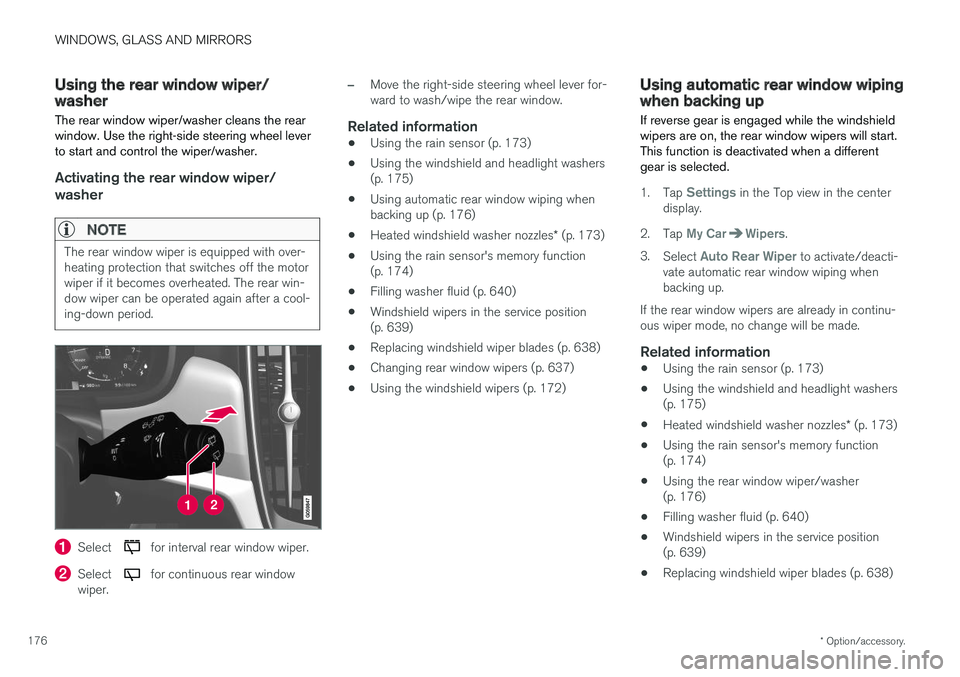
The rear window wiper/washer cleans the rear window. Use the right-side steering wheel leverto start and control the wiper/washer.
Activating the rear window wiper/ washer
NOTE
The rear window wiper is equipped with over- heating protection that switches off the motorwiper if it becomes overheated. The rear win-dow wiper can be operated again after a cool-ing-down period.
Select for interval rear window wiper.
Select for continuous rear window
wiper.
–Move the right-side steering wheel lever for- ward to wash/wipe the rear window.
Related information
• Using the rain sensor (p. 173)
• Using the windshield and headlight washers(p. 175)
• Using automatic rear window wiping whenbacking up (p. 176)
• Heated windshield washer nozzles
* (p. 173)
• Using the rain sensor's memory function(p. 174)
• Filling washer fluid (p. 640)
• Windshield wipers in the service position(p. 639)
• Replacing windshield wiper blades (p. 638)
• Changing rear window wipers (p. 637)
• Using the windshield wipers (p. 172)
Using automatic rear window wipingwhen backing up
If reverse gear is engaged while the windshield wipers are on, the rear window wipers will start.This function is deactivated when a differentgear is selected.
1. Tap Settings in the Top view in the center
display.
2. Tap
My CarWipers.
3. Select
Auto Rear Wiper to activate/deacti-
vate automatic rear window wiping when backing up.
If the rear window wipers are already in continu-ous wiper mode, no change will be made.
Related information
• Using the rain sensor (p. 173)
• Using the windshield and headlight washers(p. 175)
• Heated windshield washer nozzles
* (p. 173)
• Using the rain sensor's memory function(p. 174)
• Using the rear window wiper/washer(p. 176)
• Filling washer fluid (p. 640)
• Windshield wipers in the service position(p. 639)
• Replacing windshield wiper blades (p. 638)
Page 186 of 674
SEATS AND STEERING WHEEL
* Option/accessory.
184
Front seat massage settings *
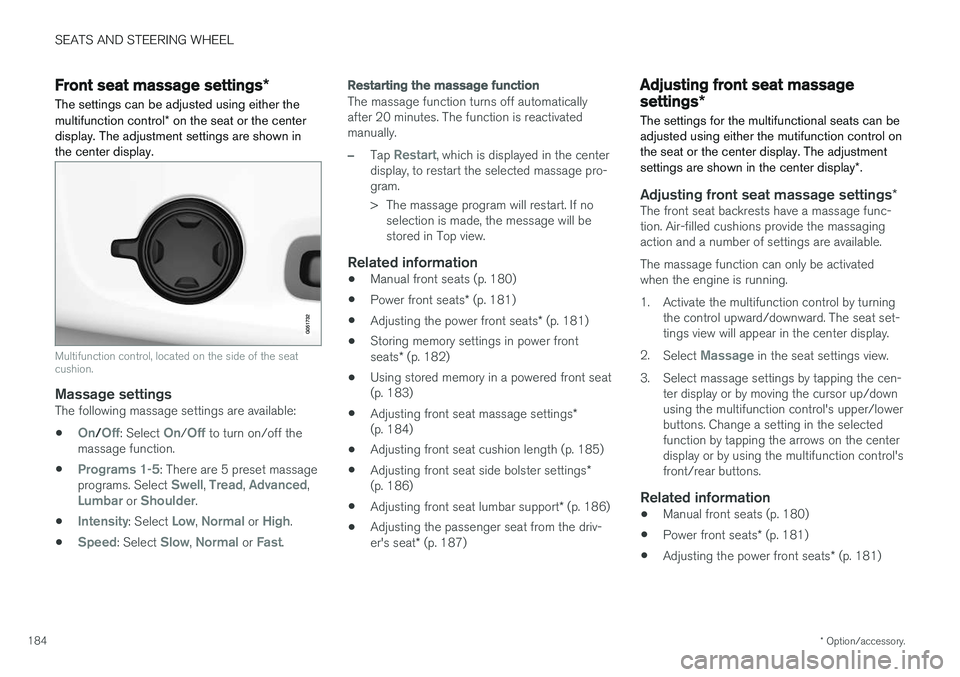
The settings can be adjusted using either the multifunction control * on the seat or the center
display. The adjustment settings are shown in the center display.
Multifunction control, located on the side of the seat cushion.
Massage settingsThe following massage settings are available:
•
On/Off: Select On/Off to turn on/off the
massage function.
•
Programs 1-5: There are 5 preset massage
programs. Select Swell, Tread, Advanced,Lumbar or Shoulder.
•
Intensity: Select Low, Normal or High.
•
Speed: Select Slow, Normal or Fast.
Restarting the massage function
The massage function turns off automatically after 20 minutes. The function is reactivatedmanually.
–Tap Restart, which is displayed in the center
display, to restart the selected massage pro- gram.
> The massage program will restart. If no selection is made, the message will be stored in Top view.
Related information
• Manual front seats (p. 180)
• Power front seats
* (p. 181)
• Adjusting the power front seats
* (p. 181)
• Storing memory settings in power front seats
* (p. 182)
• Using stored memory in a powered front seat (p. 183)
• Adjusting front seat massage settings
*
(p. 184)
• Adjusting front seat cushion length (p. 185)
• Adjusting front seat side bolster settings
*
(p. 186)
• Adjusting front seat lumbar support
* (p. 186)
• Adjusting the passenger seat from the driv- er's seat
* (p. 187)
Adjusting front seat massage
settings *
The settings for the multifunctional seats can be adjusted using either the mutifunction control onthe seat or the center display. The adjustment settings are shown in the center display *.
Adjusting front seat massage settings *The front seat backrests have a massage func- tion. Air-filled cushions provide the massagingaction and a number of settings are available. The massage function can only be activated when the engine is running.
1. Activate the multifunction control by turning
the control upward/downward. The seat set- tings view will appear in the center display.
2. Select
Massage in the seat settings view.
3. Select massage settings by tapping the cen- ter display or by moving the cursor up/down using the multifunction control's upper/lowerbuttons. Change a setting in the selectedfunction by tapping the arrows on the centerdisplay or by using the multifunction control'sfront/rear buttons.
Related information
• Manual front seats (p. 180)
• Power front seats
* (p. 181)
• Adjusting the power front seats
* (p. 181)
Page 187 of 674
SEATS AND STEERING WHEEL
* Option/accessory.185
•
Storing memory settings in power front seats
* (p. 182)
• Using stored memory in a powered front seat (p. 183)
• Adjusting front seat cushion length (p. 185)
• Front seat massage settings
* (p. 184)
• Adjusting front seat side bolster settings
*
(p. 186)
• Adjusting front seat lumbar support
* (p. 186)
• Adjusting the passenger seat from the driv- er's seat
* (p. 187)
Adjusting front seat cushion length
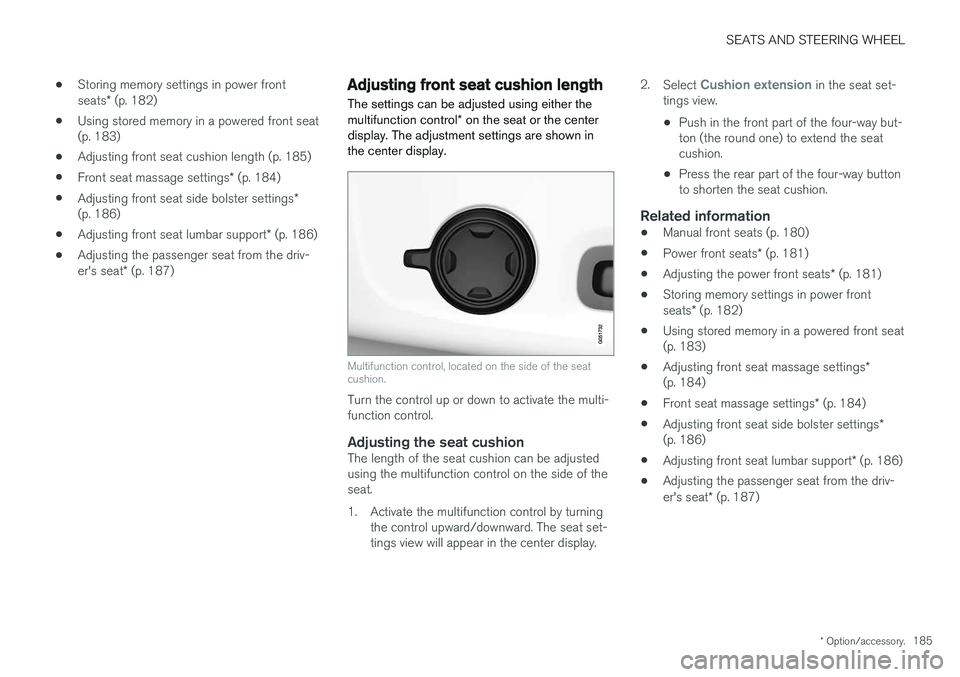
The settings can be adjusted using either the multifunction control * on the seat or the center
display. The adjustment settings are shown in the center display.
Multifunction control, located on the side of the seat cushion.
Turn the control up or down to activate the multi- function control.
Adjusting the seat cushionThe length of the seat cushion can be adjustedusing the multifunction control on the side of theseat.
1. Activate the multifunction control by turning the control upward/downward. The seat set- tings view will appear in the center display. 2.
Select
Cushion extension in the seat set-
tings view.
• Push in the front part of the four-way but- ton (the round one) to extend the seatcushion.
• Press the rear part of the four-way buttonto shorten the seat cushion.
Related information
• Manual front seats (p. 180)
• Power front seats
* (p. 181)
• Adjusting the power front seats
* (p. 181)
• Storing memory settings in power front seats
* (p. 182)
• Using stored memory in a powered front seat (p. 183)
• Adjusting front seat massage settings
*
(p. 184)
• Front seat massage settings
* (p. 184)
• Adjusting front seat side bolster settings
*
(p. 186)
• Adjusting front seat lumbar support
* (p. 186)
• Adjusting the passenger seat from the driv- er's seat
* (p. 187)
Page 188 of 674
SEATS AND STEERING WHEEL
* Option/accessory.
186
Adjusting front seat side bolster
settings *
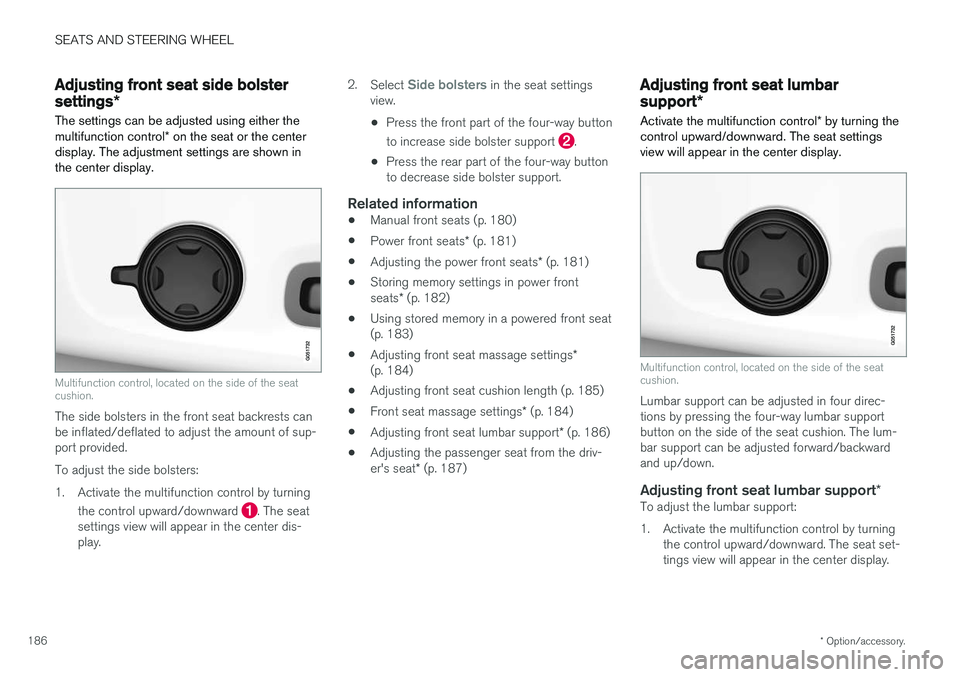
The settings can be adjusted using either the multifunction control * on the seat or the center
display. The adjustment settings are shown in the center display.
Multifunction control, located on the side of the seat cushion.
The side bolsters in the front seat backrests can be inflated/deflated to adjust the amount of sup-port provided. To adjust the side bolsters:
1. Activate the multifunction control by turning
the control upward/downward
. The seat
settings view will appear in the center dis- play. 2.
Select
Side bolsters in the seat settings
view.
• Press the front part of the four-way button to increase side bolster support
.
• Press the rear part of the four-way button to decrease side bolster support.
Related information
• Manual front seats (p. 180)
• Power front seats
* (p. 181)
• Adjusting the power front seats
* (p. 181)
• Storing memory settings in power front seats
* (p. 182)
• Using stored memory in a powered front seat (p. 183)
• Adjusting front seat massage settings
*
(p. 184)
• Adjusting front seat cushion length (p. 185)
• Front seat massage settings
* (p. 184)
• Adjusting front seat lumbar support
* (p. 186)
• Adjusting the passenger seat from the driv- er's seat
* (p. 187)
Adjusting front seat lumbar
support *
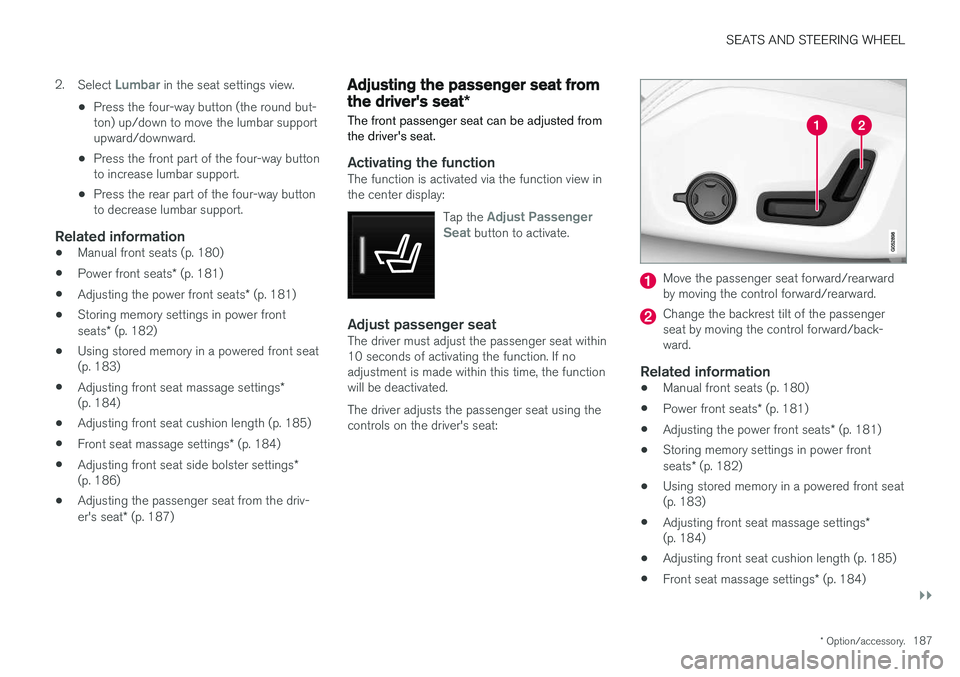
Activate the multifunction control * by turning the
control upward/downward. The seat settings view will appear in the center display.
Multifunction control, located on the side of the seat cushion.
Lumbar support can be adjusted in four direc- tions by pressing the four-way lumbar supportbutton on the side of the seat cushion. The lum-bar support can be adjusted forward/backwardand up/down.
Adjusting front seat lumbar support *To adjust the lumbar support:
1. Activate the multifunction control by turning
the control upward/downward. The seat set- tings view will appear in the center display.
Page 189 of 674
SEATS AND STEERING WHEEL
}}
* Option/accessory.187
2.
Select
Lumbar in the seat settings view.
• Press the four-way button (the round but- ton) up/down to move the lumbar supportupward/downward.
• Press the front part of the four-way buttonto increase lumbar support.
• Press the rear part of the four-way buttonto decrease lumbar support.
Related information
•
Manual front seats (p. 180)
• Power front seats
* (p. 181)
• Adjusting the power front seats
* (p. 181)
• Storing memory settings in power front seats
* (p. 182)
• Using stored memory in a powered front seat (p. 183)
• Adjusting front seat massage settings
*
(p. 184)
• Adjusting front seat cushion length (p. 185)
• Front seat massage settings
* (p. 184)
• Adjusting front seat side bolster settings
*
(p. 186)
• Adjusting the passenger seat from the driv- er's seat
* (p. 187)
Adjusting the passenger seat from
the driver's seat *
The front passenger seat can be adjusted from the driver's seat.
Activating the functionThe function is activated via the function view in the center display:
Tap the
Adjust Passenger
Seat button to activate.
Adjust passenger seatThe driver must adjust the passenger seat within 10 seconds of activating the function. If noadjustment is made within this time, the functionwill be deactivated. The driver adjusts the passenger seat using the controls on the driver's seat:
Move the passenger seat forward/rearward by moving the control forward/rearward.
Change the backrest tilt of the passenger seat by moving the control forward/back-ward.
Related information
• Manual front seats (p. 180)
• Power front seats
* (p. 181)
• Adjusting the power front seats
* (p. 181)
• Storing memory settings in power front seats
* (p. 182)
• Using stored memory in a powered front seat (p. 183)
• Adjusting front seat massage settings
*
(p. 184)
• Adjusting front seat cushion length (p. 185)
• Front seat massage settings
* (p. 184)