rear view VOLVO XC60 T8 2018 Owner´s Manual
[x] Cancel search | Manufacturer: VOLVO, Model Year: 2018, Model line: XC60 T8, Model: VOLVO XC60 T8 2018Pages: 674, PDF Size: 11.93 MB
Page 262 of 674
||
KEY, LOCKS AND ALARM
* Option/accessory.
260
Disarming the alarm without a functioning
remote key
The vehicle can be unlocked and disarmed even if the remote key is not functioning, e.g. if thebattery is discharged.
1. Open the driver's door using the detachable
key blade.
> This will trigger the alarm.
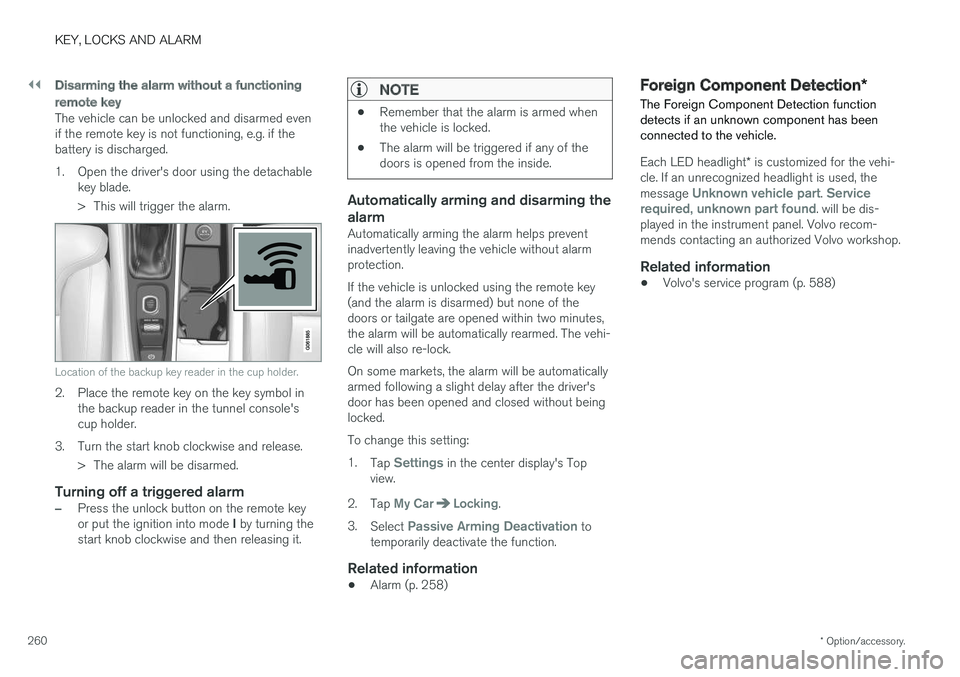
Location of the backup key reader in the cup holder.
2. Place the remote key on the key symbol inthe backup reader in the tunnel console's cup holder.
3. Turn the start knob clockwise and release. > The alarm will be disarmed.
Turning off a triggered alarm
–Press the unlock button on the remote key or put the ignition into mode I by turning the
start knob clockwise and then releasing it.
NOTE
• Remember that the alarm is armed when the vehicle is locked.
• The alarm will be triggered if any of thedoors is opened from the inside.
Automatically arming and disarming the alarm
Automatically arming the alarm helps prevent inadvertently leaving the vehicle without alarmprotection. If the vehicle is unlocked using the remote key (and the alarm is disarmed) but none of thedoors or tailgate are opened within two minutes,the alarm will be automatically rearmed. The vehi-cle will also re-lock. On some markets, the alarm will be automatically armed following a slight delay after the driver'sdoor has been opened and closed without beinglocked. To change this setting:1.
Tap
Settings in the center display's Top
view.
2. Tap
My CarLocking.
3. Select
Passive Arming Deactivation to
temporarily deactivate the function.
Related information
• Alarm (p. 258)
Foreign Component Detection
*
The Foreign Component Detection function detects if an unknown component has beenconnected to the vehicle.
Each LED headlight * is customized for the vehi-
cle. If an unrecognized headlight is used, the message
Unknown vehicle part. Service
required, unknown part found. will be dis-
played in the instrument panel. Volvo recom- mends contacting an authorized Volvo workshop.
Related information
• Volvo's service program (p. 588)
Page 338 of 674
||
DRIVER SUPPORT
336
Other limitations
WARNING
•Warnings and brake interventions can be triggered late or not at all if the traffic sit-uation or external influences prevent thecamera and radar unit from properlydetecting pedestrians, cyclists, large ani-mals or vehicles ahead of the vehicle.
• To be able to detect vehicles at night, itsfront and rear lights must work and illumi-nate clearly.
• The camera and radar unit have a limitedrange for pedestrians and cyclists – thesystem can provide effective warningsand brake interventions if the relativespeed is lower than 50 km/h (30 mph).For stationary or slow-moving vehicles,warnings and brake interventions areeffective at vehicle speeds of up to70 km/h (43 mph). Speed reduction forlarge animals is less than 15 km/h(9 mph) and can be achieved at vehiclespeeds over 70 km/h (43 mph). At lowerspeeds, the warning and brake interven-tion for large animals is less effective.
• Warnings for stationary or slow-movingvehicles and large animals can be disen-gaged due to darkness or poor visibility.
• Warnings and brake interventions for pedestrians and cyclists are disengagedat vehicle speeds over 80 km/h(50 mph).
• Do not place, affix or mount anything onthe inside or outside of the windshield, orin front of or around the camera andradar unit – this could disrupt camera-based functions.
• Objects, snow, ice or dirt in the area ofthe camera sensor can reduce the func-tion, disengage it completely or give animproper function response.
NOTE
The function uses the vehicle's camera unit, which has some general limitations – see thesection "Camera unit limitations".
NOTE
The function uses the vehicle's radar unit, which has some general limitations – see thesection "Radar unit limitations".
Market limitationsCity Safety is not available in all countries. If City Safety is not shown in the center display's
Settings menu, your vehicle is not equipped with
this function. In the center display's Top view, tap:
•
SettingsMy CarIntelliSafe
Related information
• City Safety
™ (p. 325)
Page 341 of 674
DRIVER SUPPORT
}}
* Option/accessory.339
BLIS*
The BLIS 77
function is designed to help provide
assistance in heavy traffic with several lanes moving in the same direction by helping thedriver to detect the presence of vehicles in the"blind spot" area behind and to the side of thevehicle.
BLIS is a driver support system designed to alert the driver of:
• vehicles in your "blind spot"
• vehicles approaching rapidly in adjacentlanes.
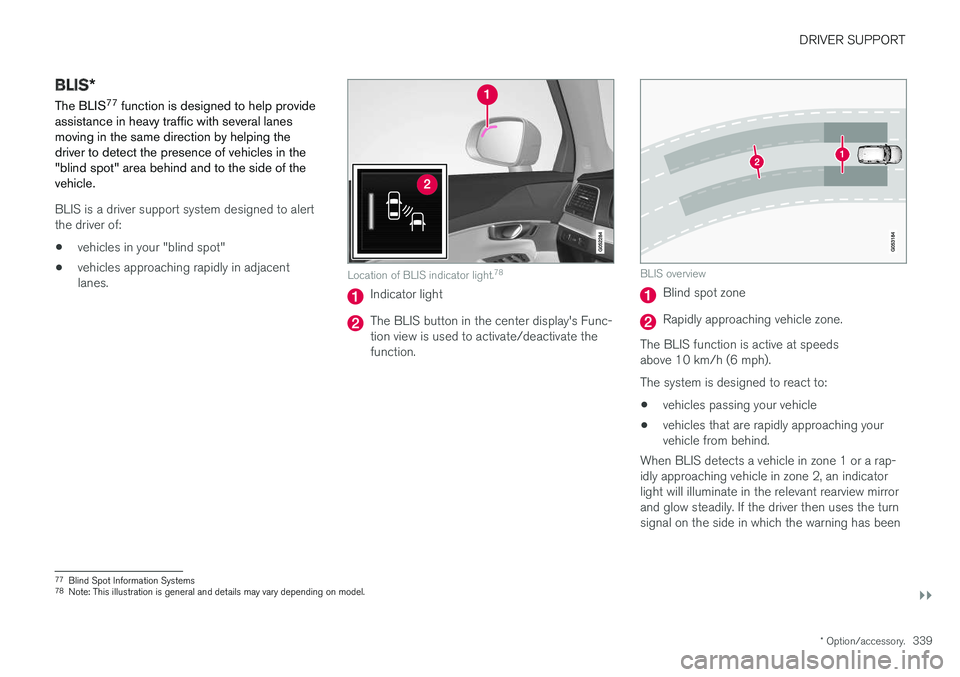
Location of BLIS indicator light. 78
Indicator light
The BLIS button in the center display's Func- tion view is used to activate/deactivate thefunction.
BLIS overview
Blind spot zone
Rapidly approaching vehicle zone.
The BLIS function is active at speeds above 10 km/h (6 mph). The system is designed to react to: • vehicles passing your vehicle
• vehicles that are rapidly approaching your vehicle from behind.
When BLIS detects a vehicle in zone 1 or a rap- idly approaching vehicle in zone 2, an indicatorlight will illuminate in the relevant rearview mirrorand glow steadily. If the driver then uses the turnsignal on the side in which the warning has been
77 Blind Spot Information Systems
78 Note: This illustration is general and details may vary depending on model.
Page 342 of 674
||
DRIVER SUPPORT
340given, the indicator light will become brighter and begin flashing.
NOTE
The light illuminates on the side of the vehicle where the system has detected the vehicle. Ifthe vehicle is passed on both sides simulta-neously, both lights come on.
WARNING
•
The BLIS function is supplementary driver support intended to facilitate driving andhelp make it safer – it cannot handle allsituations in all traffic, weather and roadconditions.
• The responsibility for changing lanessafely and using good judgment alwaysrests with the driver.
• BLIS is not a substitute for the driver'sattention and judgment. The driver isalways responsible for ensuring the vehi-cle is driven in a safe manner, at theappropriate speed, with an appropriatedistance to other vehicles, and in accord-ance with current traffic rules and regula-tions.
Related information
• Activating/deactivating BLIS (p. 340)
• BLIS limitations (p. 341) •
Recommended maintenance for BLIS(p. 342)
• BLIS messages (p. 343)
Activating/deactivating BLIS The BLIS 79
function can be activated/deacti-
vated.
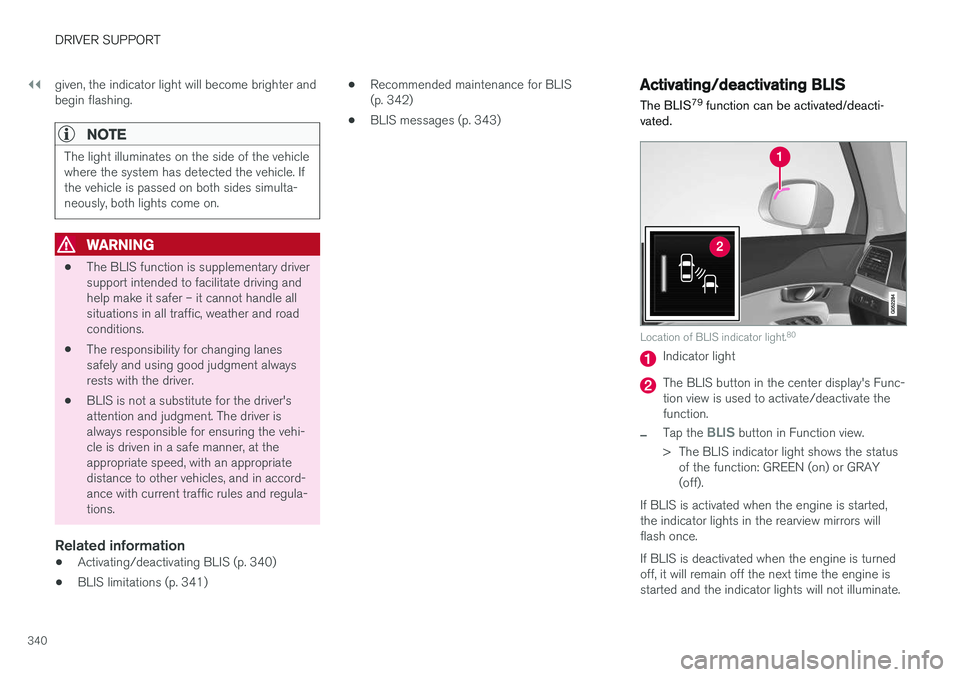
Location of BLIS indicator light. 80
Indicator light
The BLIS button in the center display's Func- tion view is used to activate/deactivate thefunction.
–Tap the BLIS button in Function view.
> The BLIS indicator light shows the status of the function: GREEN (on) or GRAY (off).
If BLIS is activated when the engine is started,the indicator lights in the rearview mirrors willflash once. If BLIS is deactivated when the engine is turned off, it will remain off the next time the engine isstarted and the indicator lights will not illuminate.
Page 374 of 674
DRIVER SUPPORT
* Option/accessory.
372
Park Assist *
The Park Assist function can help the driver
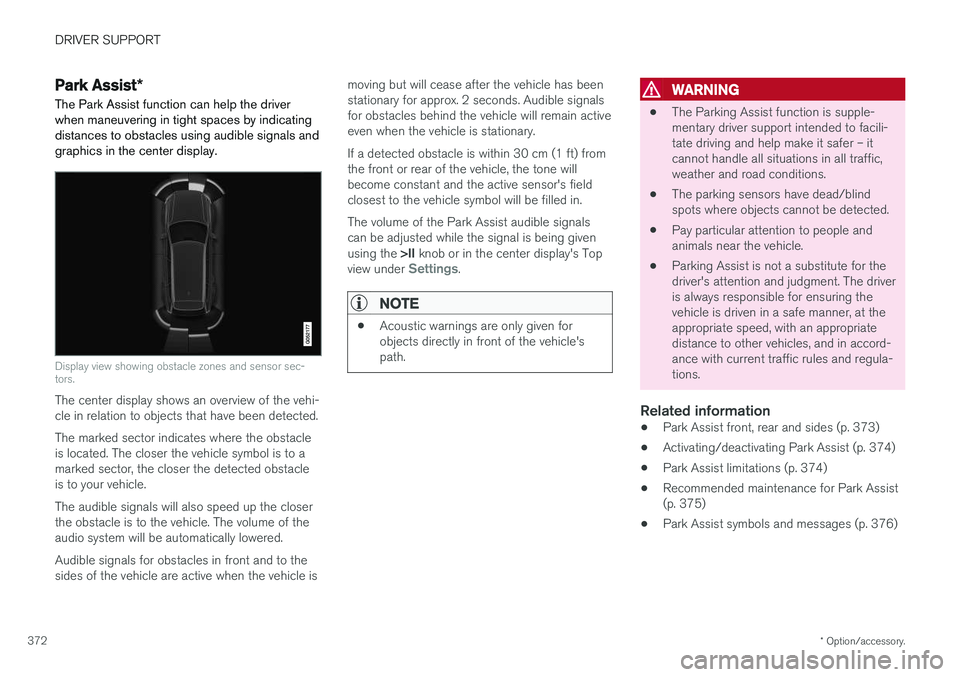
when maneuvering in tight spaces by indicating distances to obstacles using audible signals andgraphics in the center display.
Display view showing obstacle zones and sensor sec- tors.
The center display shows an overview of the vehi- cle in relation to objects that have been detected. The marked sector indicates where the obstacle is located. The closer the vehicle symbol is to amarked sector, the closer the detected obstacleis to your vehicle. The audible signals will also speed up the closer the obstacle is to the vehicle. The volume of theaudio system will be automatically lowered. Audible signals for obstacles in front and to the sides of the vehicle are active when the vehicle is moving but will cease after the vehicle has beenstationary for approx. 2 seconds. Audible signalsfor obstacles behind the vehicle will remain activeeven when the vehicle is stationary. If a detected obstacle is within 30 cm (1 ft) from the front or rear of the vehicle, the tone willbecome constant and the active sensor's fieldclosest to the vehicle symbol will be filled in. The volume of the Park Assist audible signals can be adjusted while the signal is being given using the
>II knob or in the center display's Top
view under
Settings.
NOTE
• Acoustic warnings are only given for objects directly in front of the vehicle'spath.
WARNING
•The Parking Assist function is supple- mentary driver support intended to facili-tate driving and help make it safer – itcannot handle all situations in all traffic,weather and road conditions.
• The parking sensors have dead/blindspots where objects cannot be detected.
• Pay particular attention to people andanimals near the vehicle.
• Parking Assist is not a substitute for thedriver's attention and judgment. The driveris always responsible for ensuring thevehicle is driven in a safe manner, at theappropriate speed, with an appropriatedistance to other vehicles, and in accord-ance with current traffic rules and regula-tions.
Related information
•Park Assist front, rear and sides (p. 373)
• Activating/deactivating Park Assist (p. 374)
• Park Assist limitations (p. 374)
• Recommended maintenance for Park Assist(p. 375)
• Park Assist symbols and messages (p. 376)
Page 376 of 674
||
DRIVER SUPPORT
* Option/accessory.
374
CAUTION
When installing auxiliary lights: Make sure these do not obscure the sensors – the auxili-ary lights could be perceived as an obstacle.
Related information
• Park Assist
* (p. 372)
Activating/deactivating Park Assist
The Park Assist Pilot function can be activated/ deactivated.
On/OffPark Assist's front and side sensors are automat- ically activated when the engine is started. Therear sensors are activated if the vehicle is movingbackward or reverse gear is engaged.
The function can be activated/deactivated in the center dis-play's Function view.
–Tap the Park Assist button in Function view.
> The Park Assist Pilot indicator light shows the status of the function: GREEN (on) or GRAY (off).
In vehicles equipped with Park Assist Camera,Park Assist can also be activated/deactivatedfrom the relevant camera view.
Related information
• Park Assist
* (p. 372)
Park Assist limitations
Park Assist may not be able to detect all condi- tions in all situations and functionality may there-fore be limited in certain cases.
The driver should be aware of the following limi- tations for Park Assist:
WARNING
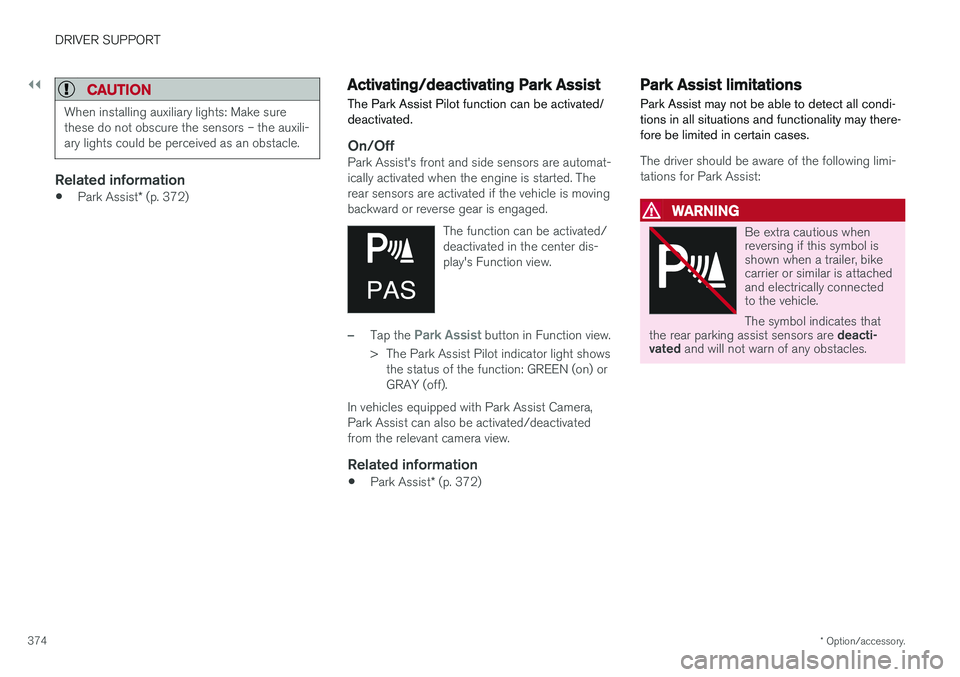
Be extra cautious when reversing if this symbol isshown when a trailer, bikecarrier or similar is attachedand electrically connectedto the vehicle. The symbol indicates that
the rear parking assist sensors are deacti-
vated and will not warn of any obstacles.
Page 380 of 674
DRIVER SUPPORT
* Option/accessory.
378
Park Assist Camera views
PAC can display a 360° panoramic view as well as separate views for each of the other cameras:rear, front, left and right.
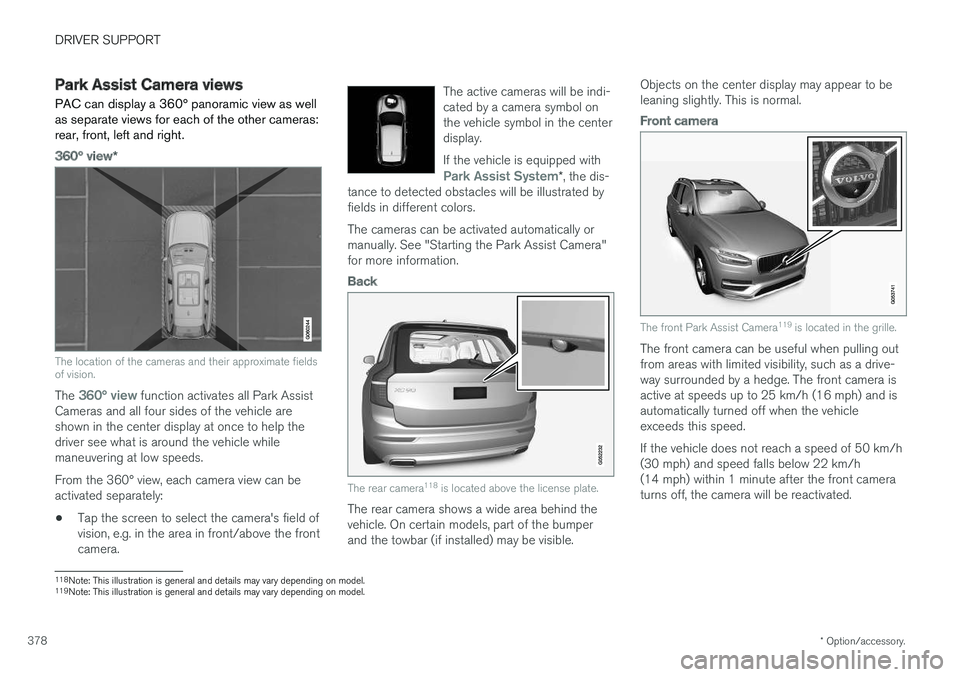
360° view *
The location of the cameras and their approximate fields of vision.
The 360° view function activates all Park Assist
Cameras and all four sides of the vehicle are shown in the center display at once to help thedriver see what is around the vehicle whilemaneuvering at low speeds. From the 360° view, each camera view can be activated separately:
• Tap the screen to select the camera's field ofvision, e.g. in the area in front/above the frontcamera. The active cameras will be indi-cated by a camera symbol onthe vehicle symbol in the centerdisplay. If the vehicle is equipped with
Park Assist System*
, the dis-
tance to detected obstacles will be illustrated by fields in different colors.
The cameras can be activated automatically or manually. See "Starting the Park Assist Camera"for more information.
Back
The rear camera 118
is located above the license plate.
The rear camera shows a wide area behind the vehicle. On certain models, part of the bumperand the towbar (if installed) may be visible. Objects on the center display may appear to beleaning slightly. This is normal.
Front camera
The front Park Assist Camera
119
is located in the grille.
The front camera can be useful when pulling out from areas with limited visibility, such as a drive-way surrounded by a hedge. The front camera isactive at speeds up to 25 km/h (16 mph) and isautomatically turned off when the vehicleexceeds this speed. If the vehicle does not reach a speed of 50 km/h (30 mph) and speed falls below 22 km/h(14 mph) within 1 minute after the front cameraturns off, the camera will be reactivated.
118Note: This illustration is general and details may vary depending on model.
119 Note: This illustration is general and details may vary depending on model.
Page 381 of 674
DRIVER SUPPORT
}}
* Option/accessory.379
Side cameras
The side cameras119
are located in the rearview mirrors.
The side cameras can show views along each side of the vehicle.
Related information
• Park Assist Camera
* (p. 377)
Park Assist Camera trajectory lines
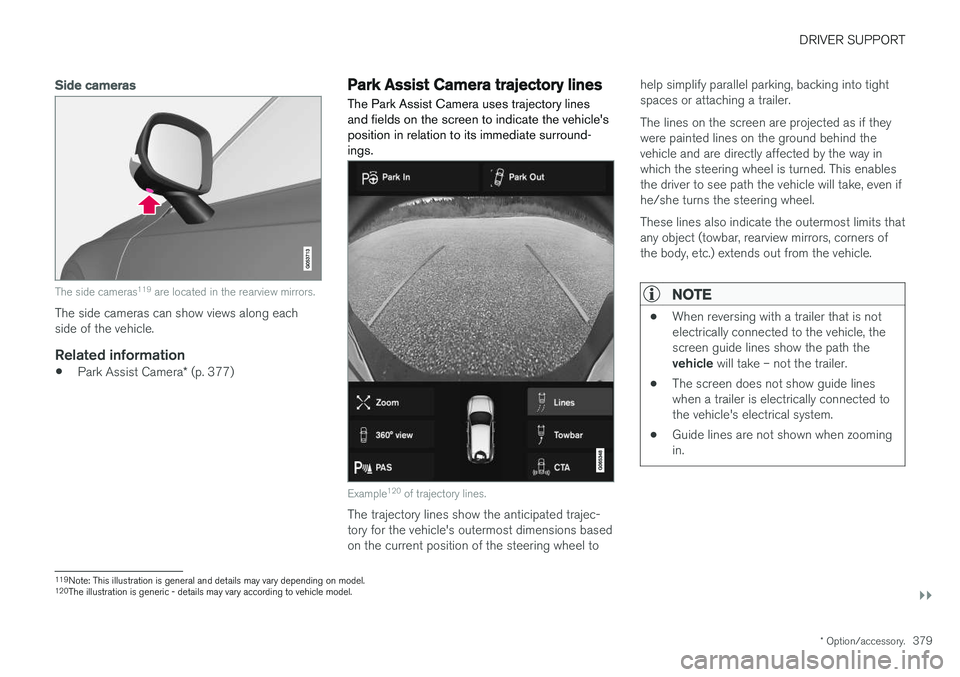
The Park Assist Camera uses trajectory lines and fields on the screen to indicate the vehicle'sposition in relation to its immediate surround-ings.
Example 120
of trajectory lines.
The trajectory lines show the anticipated trajec- tory for the vehicle's outermost dimensions basedon the current position of the steering wheel to help simplify parallel parking, backing into tightspaces or attaching a trailer. The lines on the screen are projected as if they were painted lines on the ground behind thevehicle and are directly affected by the way inwhich the steering wheel is turned. This enablesthe driver to see path the vehicle will take, even ifhe/she turns the steering wheel. These lines also indicate the outermost limits that any object (towbar, rearview mirrors, corners ofthe body, etc.) extends out from the vehicle.
NOTE
•
When reversing with a trailer that is not electrically connected to the vehicle, thescreen guide lines show the path the vehicle
will take – not the trailer.
• The screen does not show guide lines when a trailer is electrically connected tothe vehicle's electrical system.
• Guide lines are not shown when zoomingin.
119
Note: This illustration is general and details may vary depending on model.
120 The illustration is generic - details may vary according to vehicle model.
Page 382 of 674
||
DRIVER SUPPORT
* Option/accessory.
380
CAUTION
• Bear in mind that when the rearward camera view is selected, the screen onlyshows the area behind the vehicle – payattention to the sides and front of thevehicle when steering while reversing.
• The same applies to the reverse – payattention to what is happening with therear parts of the vehicle when the frontcamera view is selected.
• Note that the guide lines show the
short-
est path – pay extra attention to ensure
that the vehicle sides do not come incontact with/travel over anything whensteering while driving forward or that thevehicle front moves toward/over anythingwhen steering while reversing.
Trajectory lines in 360° view *
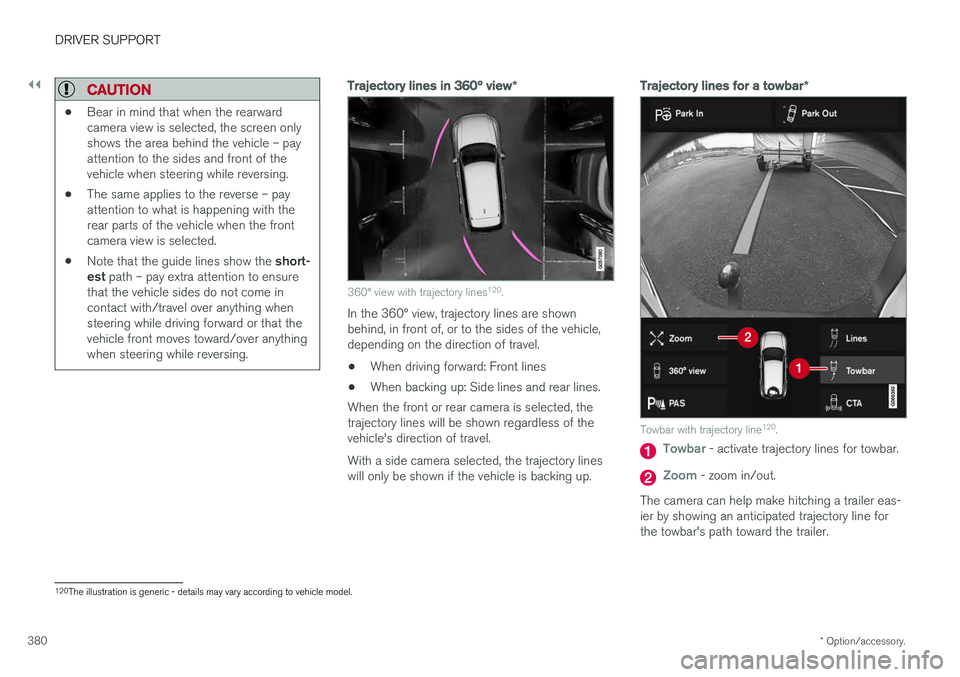
360° view with trajectory lines120
.
In the 360° view, trajectory lines are shown behind, in front of, or to the sides of the vehicle,depending on the direction of travel.
• When driving forward: Front lines
• When backing up: Side lines and rear lines.
When the front or rear camera is selected, thetrajectory lines will be shown regardless of thevehicle's direction of travel. With a side camera selected, the trajectory lines will only be shown if the vehicle is backing up.
Trajectory lines for a towbar *
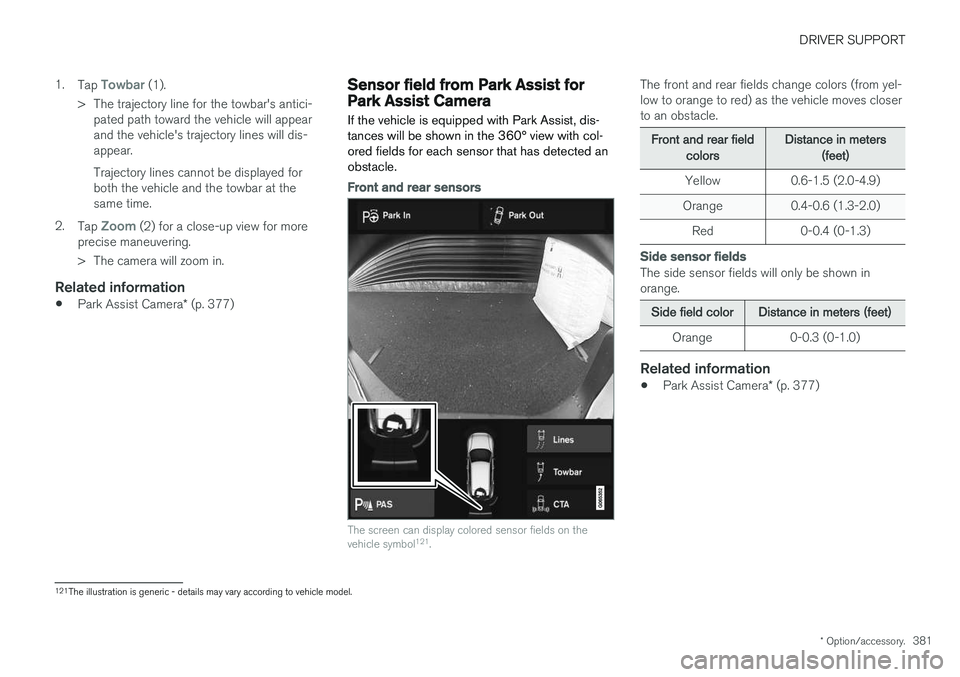
Towbar with trajectory line120
.
Towbar - activate trajectory lines for towbar.
Zoom - zoom in/out.
The camera can help make hitching a trailer eas- ier by showing an anticipated trajectory line for the towbar's path toward the trailer.
120 The illustration is generic - details may vary according to vehicle model.
Page 383 of 674
DRIVER SUPPORT
* Option/accessory.381
1.
Tap
Towbar (1).
> The trajectory line for the towbar's antici- pated path toward the vehicle will appear and the vehicle's trajectory lines will dis-appear. Trajectory lines cannot be displayed for both the vehicle and the towbar at thesame time.
2. Tap
Zoom (2) for a close-up view for more
precise maneuvering.
> The camera will zoom in.
Related information
• Park Assist Camera
* (p. 377)
Sensor field from Park Assist forPark Assist Camera
If the vehicle is equipped with Park Assist, dis- tances will be shown in the 360° view with col-ored fields for each sensor that has detected anobstacle.
Front and rear sensors
The screen can display colored sensor fields on the vehicle symbol 121
.
The front and rear fields change colors (from yel- low to orange to red) as the vehicle moves closerto an obstacle.
Front and rear fieldcolorsDistance in meters(feet)
Yellow 0.6-1.5 (2.0-4.9)
Orange 0.4-0.6 (1.3-2.0)
Red 0-0.4 (0-1.3)
Side sensor fields
The side sensor fields will only be shown in orange.
Side field colorDistance in meters (feet)
Orange 0-0.3 (0-1.0)
Related information
• Park Assist Camera
* (p. 377)
121
The illustration is generic - details may vary according to vehicle model.