ECO mode VOLVO XC60 TWIN ENGINE 2019 Owners Manual
[x] Cancel search | Manufacturer: VOLVO, Model Year: 2019, Model line: XC60 TWIN ENGINE, Model: VOLVO XC60 TWIN ENGINE 2019Pages: 695, PDF Size: 14.96 MB
Page 482 of 695
||
STARTING AND DRIVING
* Option/accessory.480
Follow applicable regulations regarding per-mitted speed and weight.
Drive slowly when towing a trailer up a longand steep incline.
The maximum trailer weights given only applyto altitudes up to 1000 meters (3280 feet)above sea level. At higher altitudes, enginepower (and thus the vehicle's climbing ability)is decreased due to the reduced air density,and the maximum trailer weight must there-fore be reduced. The weight of the vehicleand trailer must be decreased by 10% foreach additional 1000 m (3280 feet) or partthereof.
Avoid driving with a trailer on inclines of morethan 12%.
Avoid overloading and other incorrect use.
The trailer's brakes must be balanced withthe vehicle's brakes to help ensure safestops (follow applicable local regulations).
NOTE
To facilitate towing a trailer in a vehicle equip-ped with pneumatic suspension*, select: the
Suspension ControlDynamic setting inIndividual drive mode.
CAUTION
Bumper-attached trailer hitches must notbe used on Volvos, nor should safetychains be attached to the bumper.
Trailer hitches attaching to the vehiclerear axle must not be used.
Never connect a trailer's hydraulic brakesystem directly to the vehicle brake sys-tem, nor a trailer's lighting system directlyto the vehicle lighting system. Consultyour nearest authorized Volvo retailer forcorrect installation.
When towing a trailer, the trailer's safetychains or wire must be correctly fastenedto the attachment points provided in thetrailer hitch on the vehicle. The safetychain or wire must never be fastened toor wound around the towing ball.
NOTE
The optional detachable trailer hitch may notbe available in all markets or on all models.Consult your Volvo retailer.
NOTE
Extreme weather conditions, towing a trailer,driving at high altitudes and fuel quality arefactors that significantly increase a vehicle'sfuel consumption.
Trailer weights
WARNING
Please adhere to the recommendations provi-ded for trailer weight. If the recommendationsare not followed, the vehicle and trailer maybe difficult to control during evasive maneu-vers and braking.
NOTE
The specified maximum trailer weights arethose permitted by Volvo. National vehicleregulations may set additional restrictions ontrailer weight and speed. The trailer hitchesmay be certified for higher towing weightsthan the vehicle is permitted to tow.
Self-leveling suspension *
The vehicle's self-leveling system attempts tokeep the vehicle at a constant level, regardless ofload (up to the maximum permitted weight).When the vehicle is stationary, the rear end of thevehicle will be slightly lowered, which is normal.
Driving in hilly terrain or hot weather
In certain conditions, there is a risk of overheat-ing when driving with a trailer. If overheating ofthe engine and drive system is detected, a warn-ing symbol will illuminate in the instrument panelalong with a message.
Page 483 of 695
STARTING AND DRIVING
}}
* Option/accessory.481
The automatic transmission selects the optimalgear for the current load and engine speed.
Steep inclines
Do not lock the automatic transmission into ahigher gear than what the engine can handle ‒ itis not always preferable to drive in high gears atlow rpm.
Parking on a hill
1. Depress the brake pedal.
2. Apply the parking brake.
3.Put the gear selector in P.
4. Release the brake pedal.
Put chocks behind the wheels when the vehicleis parked on a hill with a trailer attached.
Starting on a hill
1. Depress the brake pedal.
2.Put the gear selector in D.
3. Release the parking brake.
4. Release the brake pedal and start driving.
Related information
Trailer Stability Assist* (p. 481)
Checking trailer lights (p. 482)
Towing capacity and tongue weight (p. 668)
Overheating of engine and transmission(p. 475)
Trailer Stability Assist*
Trailer Stability Assist (TSA8) is a functiondesigned to help stabilize a vehicle that is tow-ing a trailer when the vehicle and trailer havebegun to sway. The function is part of the Elec-
tronic Stability Control system ESC9.
Reasons for swaying
A vehicle towing a trailer may begin to sway forvarious reasons. Normally this only occurs at highspeeds. However, if the trailer is overloaded orunevenly distributed, e.g. too far back, there is arisk of swaying even at low speeds.
Swaying may be caused by factors such as:
The vehicle and trailer are hit by a sudden,strong crosswind.
The vehicle and trailer are traveling on anuneven road or over a bump.
Sudden movements of the steering wheel.
Once swaying has begun, it can be difficult orimpossible to stop it. This makes the vehicle andtrailer difficult to control and there is a risk ofswerving into oncoming traffic or driving off theroad.
Trailer Stability Assist function
Trailer Stability Assist continuously monitors thevehicle's movements, particularly lateral move-
ments. If swaying is detected, the brakes areapplied individually on the front wheels, which hasa stabilizing effect on the vehicle and trailer. Thisis often enough to enable the driver to regaincontrol of the vehicle.
If the Trailer Stability Assist function's firstattempt is not adequate to stop the swayingmotion, the brakes are applied on all wheels andengine power is temporarily reduced. As theswaying motion begins to decrease and the vehi-cle and trailer have once again become stable,TSA stops regulating the brakes/engine powerand the driver regains control of the vehicle.
NOTE
Trailer Stability Assist is deactivated if thedriver selects the sport mode by deactivatingESC in the center display's menu system.
Trailer Stability Assist may not intervene if thedriver tries to compensate for the swaying motionby moving the steering wheel rapidly, becausethe system will then not be able to determine if itis the trailer or the driver causing the swaying.
8Trailer Stability Assist9Electronic Stability Control
Page 485 of 695
STARTING AND DRIVING
483
Disabling the automatic check
The automatic light check can be disabled in thecenter display.
1.Tap Settings in the Top view.
2.Tap My CarLights and Lighting.
3.Deselect Automatic Trailer Lamp Check.
Manual check
If the automatic check has been disabled, thecheck can be started manually.
1.Tap Settings in the Top view.
2.Tap My CarLights and Lighting.
3.Select Manual Trailer Lamp Check.
>The light check will begin. Get out of thevehicle to perform the check.
Related information
Driving with a trailer (p. 479)
Towing using a towline
This section refers to one vehicle being towedbehind another using a towline.
Twin Engine vehicles may not be towed behindanother vehicle due to the risk of damage to theelectric motor. The vehicle must be lifted onto atow truck and transported with all four wheels onthe bed or lifting platform of the truck (no wheelsmay touch the road).
Towing another vehicle
Towing another vehicle requires a lot of power -use the AWD drive mode. This helps charge thehybrid battery and improve the vehicle's drivingand roadholding characteristics.
Before towing another vehicle, check applicablespeed limit regulations.
Jump starting
Do not tow the vehicle to start the engine. Use anauxiliary battery if the start battery's charge levelis so low that the engine cannot be started.
CAUTION
Attempts to tow-start the vehicle could causedamage to the electrical drive motor andthree-way catalytic converter.
Related information
Attaching and removing the towing eyelet(p. 484)
Hazard warning flashers (p. 161)
Recovery (p. 485)
Jump starting using another battery (p. 477)
Selecting ignition mode (p. 434)
Page 494 of 695
AUDIO, MEDIA AND INTERNET
* Option/accessory.492
Audio, media and Internet
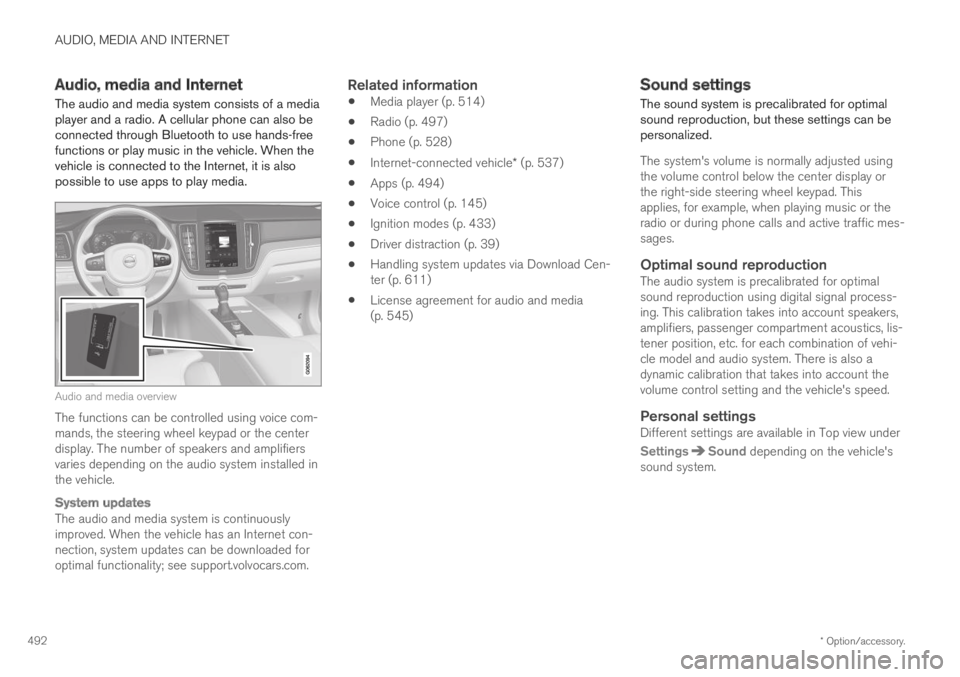
The audio and media system consists of a mediaplayer and a radio. A cellular phone can also beconnected through Bluetooth to use hands-freefunctions or play music in the vehicle. When thevehicle is connected to the Internet, it is alsopossible to use apps to play media.
Audio and media overview
The functions can be controlled using voice com-mands, the steering wheel keypad or the centerdisplay. The number of speakers and amplifiersvaries depending on the audio system installed inthe vehicle.
System updates
The audio and media system is continuouslyimproved. When the vehicle has an Internet con-nection, system updates can be downloaded foroptimal functionality; see support.volvocars.com.
Related information
Media player (p. 514)
Radio (p. 497)
Phone (p. 528)
Internet-connected vehicle* (p. 537)
Apps (p. 494)
Voice control (p. 145)
Ignition modes (p. 433)
Driver distraction (p. 39)
Handling system updates via Download Cen-ter (p. 611)
License agreement for audio and media(p. 545)
Sound settings
The sound system is precalibrated for optimalsound reproduction, but these settings can bepersonalized.
The system's volume is normally adjusted usingthe volume control below the center display orthe right-side steering wheel keypad. Thisapplies, for example, when playing music or theradio or during phone calls and active traffic mes-sages.
Optimal sound reproduction
The audio system is precalibrated for optimalsound reproduction using digital signal process-ing. This calibration takes into account speakers,amplifiers, passenger compartment acoustics, lis-tener position, etc. for each combination of vehi-cle model and audio system. There is also adynamic calibration that takes into account thevolume control setting and the vehicle's speed.
Personal settings
Different settings are available in Top view under
SettingsSound depending on the vehicle'ssound system.
Page 495 of 695
AUDIO, MEDIA AND INTERNET
}}
* Option/accessory.493
Premium Sound * (Bowers & Wilkins)
Tone - setting for e.g. bass, treble, equalizer,etc.
Balance - balance between right/left andfront/rear speakers.
System Volumes – adjusts volume in thevarious systems of the car, e.g. VoiceControl, Park Assist and Phone Ringtone.
High Performance Pro * (Harman
Kardon)
Equalizer - setting of equalizer.
Balance - balance between right/left andfront/rear speakers.
System Volumes – adjusts volume in thevarious systems of the car, e.g. VoiceControl, Park Assist and Phone Ringtone.
High Performance
Tone - setting for e.g. bass, treble, equalizer,etc.
Balance - balance between right/left andfront/rear speakers.
System Volumes – adjusts volume in thevarious systems of the car, e.g. VoiceControl, Park Assist and Phone Ringtone.
Related information
Sound experience* (p. 493)
Media player (p. 514)
Voice control settings (p. 148)
Phone settings (p. 536)
Audio, media and Internet (p. 492)
Internet-connected vehicle* (p. 537)
Sound experience*
Sound experience is an app that providesaccess to additional sound settings.
Open Sound Experience from the center dis-play's App view. Depending on the sound systeminstalled in the vehicle, the following settings arepossible:
Premium Sound * (Bowers & Wilkins)
Studio - the sound can be optimized forDriver, All and Rear.
Individual stage - surround sound modewith settings for intensity and enclosure.
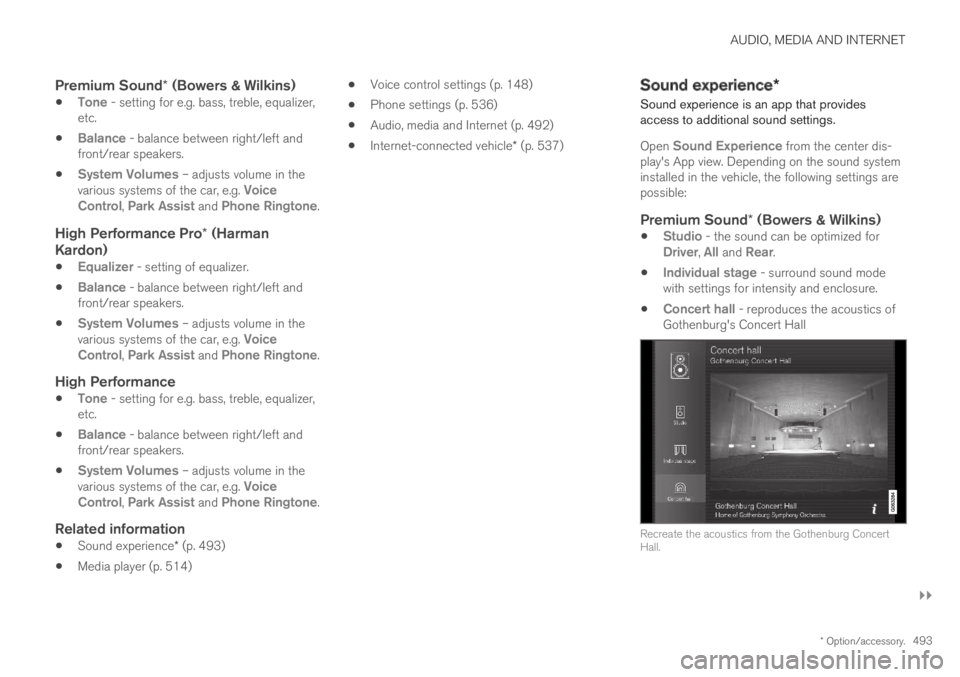
Concert hall - reproduces the acoustics ofGothenburg's Concert Hall
Recreate the acoustics from the Gothenburg ConcertHall.
Page 503 of 695
AUDIO, MEDIA AND INTERNET
}}
501
RBDS
RBDS radio
RBDS (Radio Broadcast Data System) enables
certain functionality2, such as:
Searches for program types or new broad-casts
Text information about currently broadcastprograms
Related information
Radio (p. 497)
Radio settings (p. 500)
HD Radio™
HD Radio is a brand name registered by the DTS,
Inc.3. They are the developer of a broadcastingtechnology called IBOC or In Band On Channel,which refers to the method of transmitting a digi-tal radio broadcast signal centered on the samefrequency as the FM station's present frequency.
Introduction
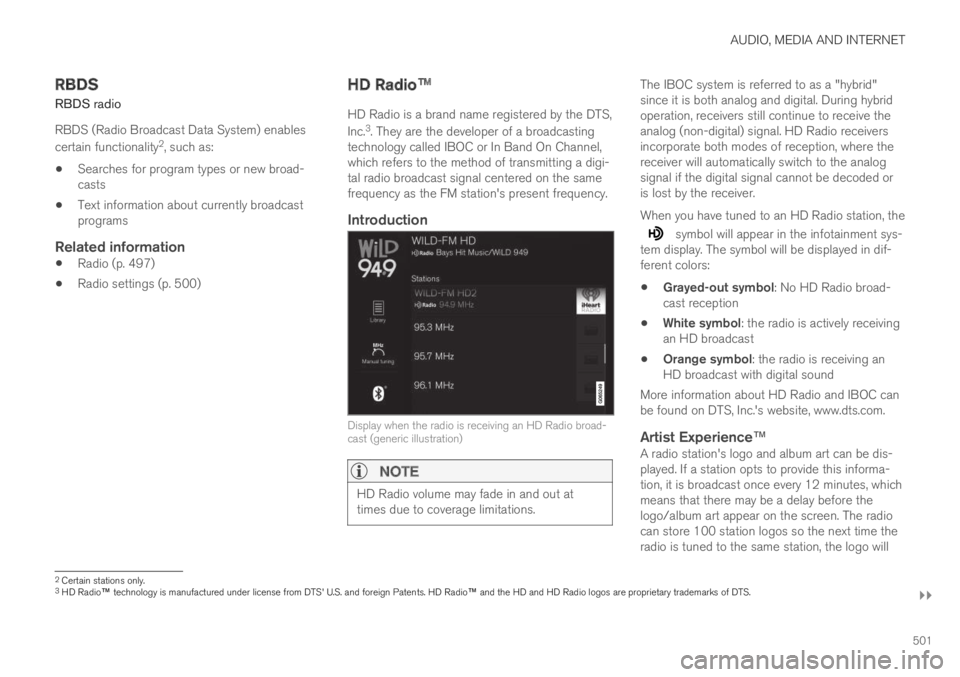
Display when the radio is receiving an HD Radio broad-cast (generic illustration)
NOTE
HD Radio volume may fade in and out attimes due to coverage limitations.
The IBOC system is referred to as a "hybrid"since it is both analog and digital. During hybridoperation, receivers still continue to receive theanalog (non-digital) signal. HD Radio receiversincorporate both modes of reception, where thereceiver will automatically switch to the analogsignal if the digital signal cannot be decoded oris lost by the receiver.
When you have tuned to an HD Radio station, the
symbol will appear in the infotainment sys-tem display. The symbol will be displayed in dif-ferent colors:
Grayed-out symbol: No HD Radio broad-cast reception
White symbol: the radio is actively receivingan HD broadcast
Orange symbol: the radio is receiving anHD broadcast with digital sound
More information about HD Radio and IBOC canbe found on DTS, Inc.'s website, www.dts.com.
Artist Experience ™
A radio station's logo and album art can be dis-played. If a station opts to provide this informa-tion, it is broadcast once every 12 minutes, whichmeans that there may be a delay before thelogo/album art appear on the screen. The radiocan store 100 station logos so the next time theradio is tuned to the same station, the logo will
2Certain stations only.3HD Radio™ technology is manufactured under license from DTS' U.S. and foreign Patents. HD Radio™ and the HD and HD Radio logos are proprietary trademarks of DTS.
Page 506 of 695
AUDIO, MEDIA AND INTERNET
* Option/accessory.504
HD Radio™ limitations
Limitations
Main channel vs. sub-channels (FM only):The main channel is the only channel thatcan receive in hybrid mode (both digital andanalog). If a frequency has sub-channels,they are broadcast in digital mode only. Themain FM channel will be displayed as, forexample, "WRIF-FM HD1". The sub-FMchannels will be displayed as"WRIF-FMHD2", "WRIF-FM HD3", etc.
Reception coverage area: Due to currentIBOC transmitter power limitations, thereception coverage area in digital mode issomewhat more limited than the station'sanalog coverage area. Be aware that, like allradio transmission technology, terrain, time ofday, vegetation and buildings can have apositive or negative effect on radio reception.
Analog to digital/digital to analog blend-ing: Analog to digital blending will occur asthe signal strength reaches a preset thresh-old in the receiver. This will be noticeable infringe areas (areas with weak reception) andis normal.
NOTE
There may be a noticeable difference insound quality when a change from analogueto digital or digital to analogue occurs, suchas:
Volume increase or decrease
Equalizer settings, i.e., Bass/ Midrange/Treble cut or boost
Time alignment (Digital program materialin extreme cases can be as much as 8seconds behind the analogue). This willnoticeable as a "stuttering" effect.
The above items are dependant on thebroadcaster's equipment settings and donot indicate a fault in the vehicle's radioreceiver or antenna systems.
Related information
HD Radio™ (p. 501)
Activating and deactivating the HD Radio™(p. 502)
HD Radio™ sub-channels (p. 503)
SiriusXM® Satellite radio*
The SiriusXM® Satellite system broadcasts fromof a number of high elevation satellites in geo-synchronous orbit.
Listening to satellite radio
The digital signals from the satellites are line-of-sight, which means that physical obstructionssuch as bridges, tunnels, etc, may temporarilyinterfere with signal reception.
Avoid any obstructions, such as metallic objectstransported on roof racks or in a ski box, or otherantennas that may impede signals from the
SiriusXM® satellites.
Selecting SiriusXM ®
Satellite radio
mode
1. From the center display's Home view, swipefrom right to left to come to App view.
2.Tap the SiriusXM® Satellite radio icon.
Page 527 of 695
AUDIO, MEDIA AND INTERNET
* Option/accessory.525
Related information
Apple® CarPlay®* (p. 523)
Using Apple® CarPlay®* (p. 523)
Resetting center display settings (p. 134)
Tips for using Apple® CarPlay®*
Here are some useful tips for when you use
CarPlay®.
Update your iPhone with the latest version ofiOS operating system and ensure that theapps have been updated.
In the event of a problem with CarPlay, dis-connect the phone from the USB port andreconnect. Otherwise, try to close the app onthe phone that is not working and thenrestart the app, or try closing all apps andrestart your phone.
If the apps do not appear when CarPlaystarts (black screen), try minimizing andexpanding the tile for CarPlay.
Using apps that are not compatible withCarPlay may sometimes mean that the con-nection between the phone and the car isbroken. Information about supported appsand compatible phone models can be foundon Apple's website. You can also search forCarPlay in the App Store to find informationabout apps that are compatible with CarPlayin your market.
CarPlay only works with iPhone9.
NOTE
Availability and functionality can vary depend-ing on market.
Related information
Apple® CarPlay®* (p. 523)
8Apple and CarPlay are registered trademarks of Apple Inc..9Apple, CarPlay and iPhone are registered trademarks owned by Apple Inc.
Page 558 of 695
WHEELS AND TIRES
556
Tires
The function of the tires is to carry loads, providetraction on road surfaces, reduce vibrations andprotect the wheels from wear.
The tires significantly influence the vehicle's driv-ing characteristics. The type, dimensions, tirepressure and speed rating have a considerableimpact on how the vehicle performs.
Your vehicle is equipped with tires according tothe vehicle's tire information placard on the B-pil-lar (the structural member at the side of the vehi-cle, at the rear of the driver's door opening).
WARNING
A damaged tire could cause the driver to losecontrol of the vehicle.
CAUTION
Some Volvo models are equipped with anUltra High Performance tire and wheel com-bination designed to provide maximum drypavement performance with consideration forhydroplaning resistance. They may be moresusceptible to road hazard damage and,depending on driving conditions, may achievea tread life of less than 30,000 km (20,000miles). Even if this vehicle is equipped withVolvo's advanced AWD or stability system,these tires are not designed for winter driving,and should be replaced with winter tires whenweather conditions dictate.
The tires have good road holding characteristicsand offer good handling on dry and wet surfaces.It should be noted however that the tires havebeen developed to give these features on snow/ice-free surfaces.
Most models are equipped with "all-season" tires,which provide a somewhat higher degree of road-holding on slippery road surfaces than tires with-out the "all-season" rating. However, for optimalroadholding on icy or snow-covered roads, Volvorecommends snow tires on all four wheels.
When replacing tires, be sure that the new tiresare the same size designation, type (radial) andpreferably from the same manufacturer, on all
four wheels. Otherwise there is a risk of alteringthe vehicle's roadholding and handling characte-ristics.
Recommended tires
On delivery, the car is equipped with Volvo origi-
nal tires that have the VOL1 marking on the sideof the tires. These tires have been designed spe-cifically for your vehicle. It is therefore importantwhen replacing tires that the new tires have thissame marking to help maintain the vehicle's driv-ing characteristics, comfort and fuel consumption.
New tires
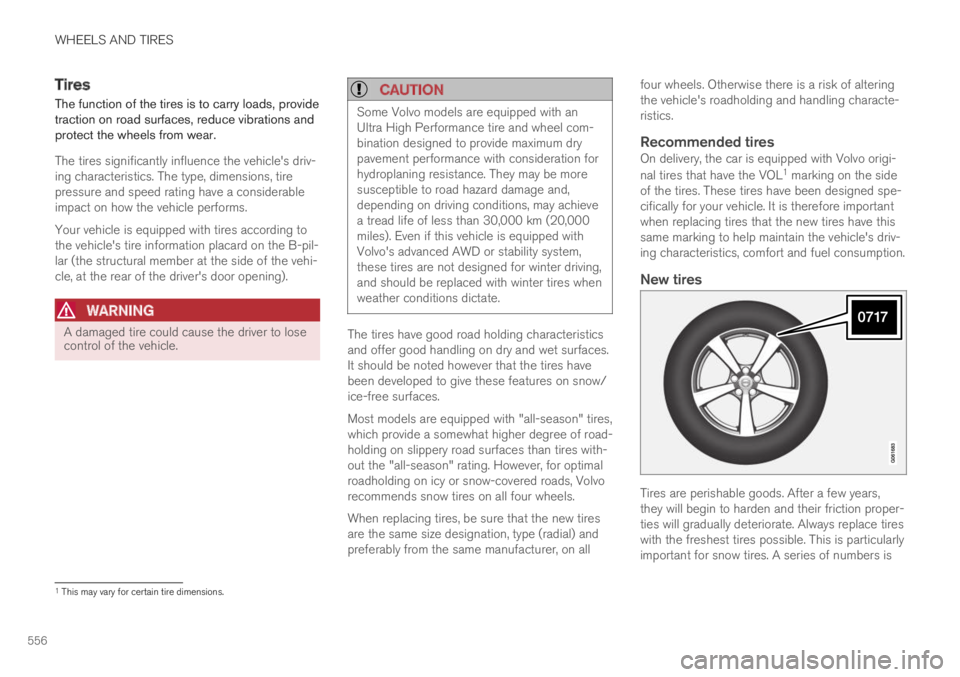
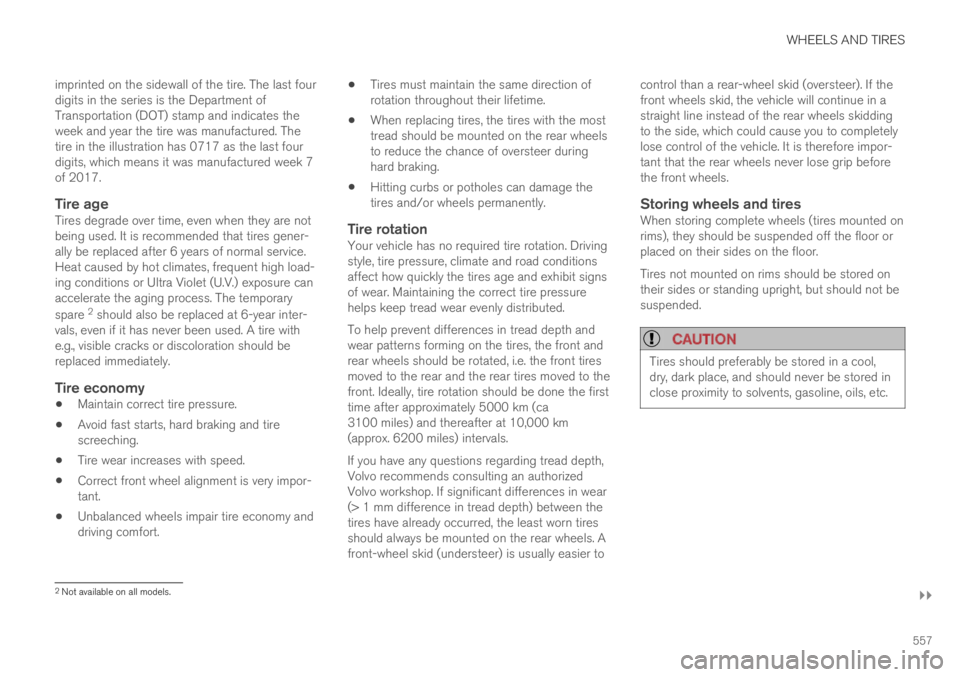
Tires are perishable goods. After a few years,they will begin to harden and their friction proper-ties will gradually deteriorate. Always replace tireswith the freshest tires possible. This is particularlyimportant for snow tires. A series of numbers is
1This may vary for certain tire dimensions.
Page 559 of 695
WHEELS AND TIRES
}}
557
imprinted on the sidewall of the tire. The last fourdigits in the series is the Department ofTransportation (DOT) stamp and indicates theweek and year the tire was manufactured. Thetire in the illustration has 0717 as the last fourdigits, which means it was manufactured week 7of 2017.
Tire age
Tires degrade over time, even when they are notbeing used. It is recommended that tires gener-ally be replaced after 6 years of normal service.Heat caused by hot climates, frequent high load-ing conditions or Ultra Violet (U.V.) exposure canaccelerate the aging process. The temporary
spare 2 should also be replaced at 6-year inter-vals, even if it has never been used. A tire withe.g., visible cracks or discoloration should bereplaced immediately.
Tire economy
Maintain correct tire pressure.
Avoid fast starts, hard braking and tirescreeching.
Tire wear increases with speed.
Correct front wheel alignment is very impor-tant.
Unbalanced wheels impair tire economy anddriving comfort.
Tires must maintain the same direction ofrotation throughout their lifetime.
When replacing tires, the tires with the mosttread should be mounted on the rear wheelsto reduce the chance of oversteer duringhard braking.
Hitting curbs or potholes can damage thetires and/or wheels permanently.
Tire rotation
Your vehicle has no required tire rotation. Drivingstyle, tire pressure, climate and road conditionsaffect how quickly the tires age and exhibit signsof wear. Maintaining the correct tire pressurehelps keep tread wear evenly distributed.
To help prevent differences in tread depth andwear patterns forming on the tires, the front andrear wheels should be rotated, i.e. the front tiresmoved to the rear and the rear tires moved to thefront. Ideally, tire rotation should be done the firsttime after approximately 5000 km (ca3100 miles) and thereafter at 10,000 km(approx. 6200 miles) intervals.
If you have any questions regarding tread depth,Volvo recommends consulting an authorizedVolvo workshop. If significant differences in wear(> 1 mm difference in tread depth) between thetires have already occurred, the least worn tiresshould always be mounted on the rear wheels. Afront-wheel skid (understeer) is usually easier to
control than a rear-wheel skid (oversteer). If thefront wheels skid, the vehicle will continue in astraight line instead of the rear wheels skiddingto the side, which could cause you to completelylose control of the vehicle. It is therefore impor-tant that the rear wheels never lose grip beforethe front wheels.
Storing wheels and tires
When storing complete wheels (tires mounted onrims), they should be suspended off the floor orplaced on their sides on the floor.
Tires not mounted on rims should be stored ontheir sides or standing upright, but should not besuspended.
CAUTION
Tires should preferably be stored in a cool,dry, dark place, and should never be stored inclose proximity to solvents, gasoline, oils, etc.
2Not available on all models.