light VOLVO XC60 TWIN ENGINE 2019 Owners Manual
[x] Cancel search | Manufacturer: VOLVO, Model Year: 2019, Model line: XC60 TWIN ENGINE, Model: VOLVO XC60 TWIN ENGINE 2019Pages: 695, PDF Size: 14.96 MB
Page 419 of 695
HYBRID INFORMATION
417
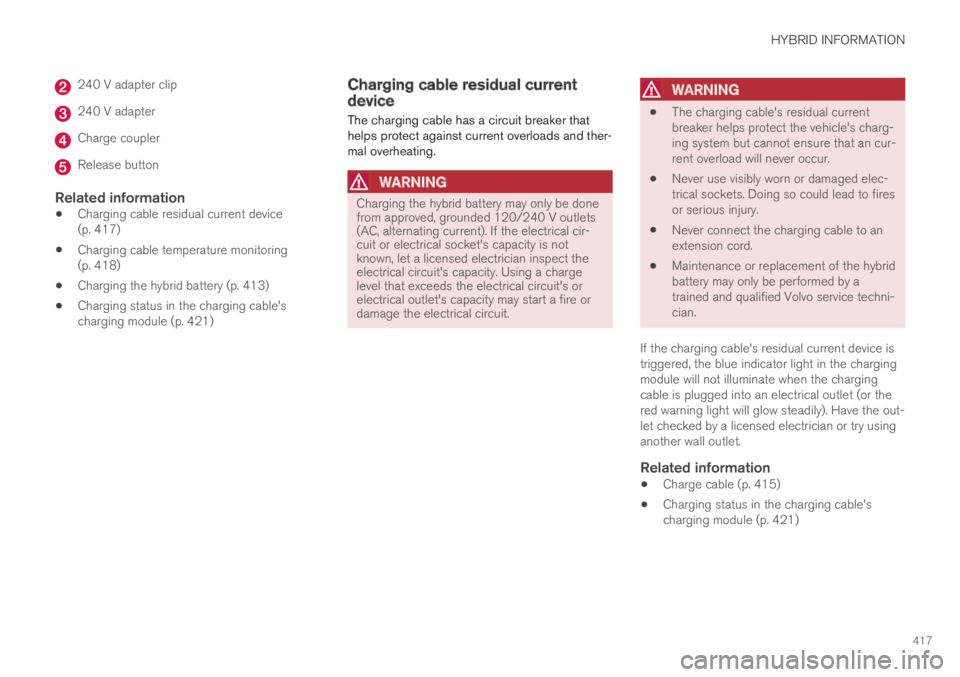
240 V adapter clip
240 V adapter
Charge coupler
Release button
Related information
Charging cable residual current device(p. 417)
Charging cable temperature monitoring(p. 418)
Charging the hybrid battery (p. 413)
Charging status in the charging cable'scharging module (p. 421)
Charging cable residual currentdevice
The charging cable has a circuit breaker thathelps protect against current overloads and ther-mal overheating.
WARNING
Charging the hybrid battery may only be donefrom approved, grounded 120/240 V outlets(AC, alternating current). If the electrical cir-cuit or electrical socket's capacity is notknown, let a licensed electrician inspect theelectrical circuit's capacity. Using a chargelevel that exceeds the electrical circuit's orelectrical outlet's capacity may start a fire ordamage the electrical circuit.
WARNING
The charging cable's residual currentbreaker helps protect the vehicle's charg-ing system but cannot ensure that an cur-rent overload will never occur.
Never use visibly worn or damaged elec-trical sockets. Doing so could lead to firesor serious injury.
Never connect the charging cable to anextension cord.
Maintenance or replacement of the hybridbattery may only be performed by atrained and qualified Volvo service techni-cian.
If the charging cable's residual current device istriggered, the blue indicator light in the chargingmodule will not illuminate when the chargingcable is plugged into an electrical outlet (or thered warning light will glow steadily). Have the out-let checked by a licensed electrician or try usinganother wall outlet.
Related information
Charge cable (p. 415)
Charging status in the charging cable'scharging module (p. 421)
Page 421 of 695
HYBRID INFORMATION
}}
419
Initiating hybrid battery charging
The hybrid battery is charged by connecting acharging cable between the vehicle and a120/240 V outlet (alternating current).
Only use the charging cable supplied with thecar or a replacement cable recommended byVolvo.
CAUTION
Never connect the charging cable if there is arisk of a thunderstorm or there is lightning.
WARNING
The charging cable must be groundedwhen in use. It is equipped with a cordwith a grounding conductor and agrounding plug. The plug must beinserted into an appropriate outlet that isproperly installed and grounded inaccordance with all local codes and ordi-nances and is not damaged in any way.
Children should be supervised when inthe vicinity of the charging cable when itis plugged in.
High voltage is present in your electricmeter housing and power distributionservice panel. Contact with high voltagecan cause death or serious personalinjury.
Do not use the charging cable if it isdamaged in any way. A damaged or mal-functioning charging cable may only berepaired by a workshop – an authorizedVolvo workshop is recommended.
Always position the charging cable sothat it will not be driven over, stepped on,tripped over or otherwise damaged, orcause personal injury.
Disconnect the charger from the wall out-let before cleaning it.
Never connect the charging cable to anextension cord or a multiple plug socket.
Also, refer to the manufacturer's instructionsfor using the charging cable and its compo-nents.
CAUTION
Make sure that the 120/240 V outlet (AC,alternating current) has a power capacity suf-ficient for charging electric vehicles. If you areuncertain of the capacity, have the outletchecked by a licensed electrician.
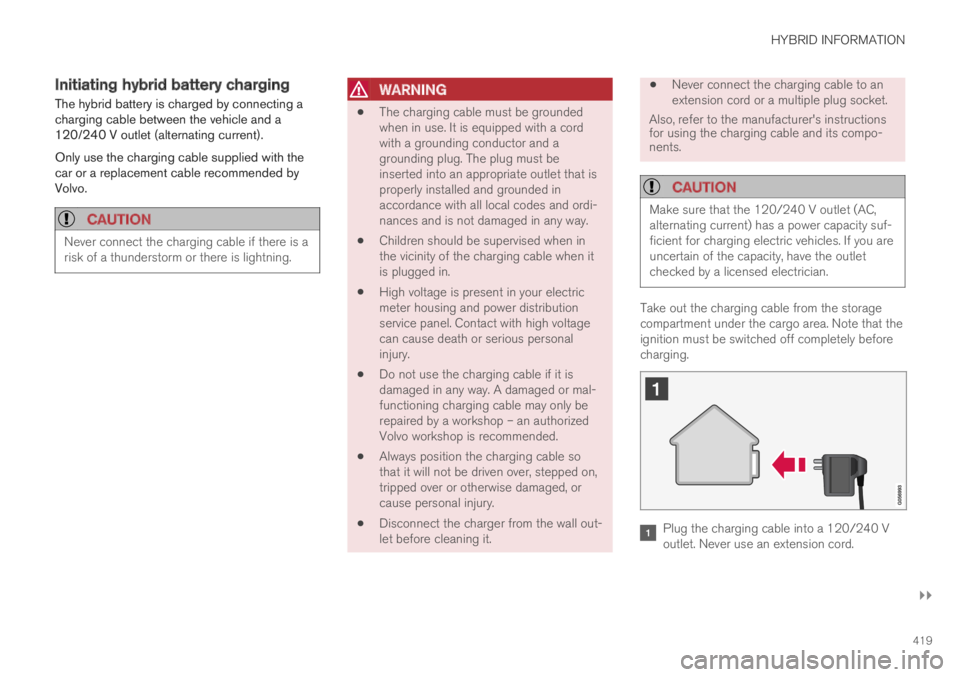
Take out the charging cable from the storagecompartment under the cargo area. Note that theignition must be switched off completely beforecharging.
Plug the charging cable into a 120/240 Voutlet. Never use an extension cord.
Page 422 of 695
||
HYBRID INFORMATION
420
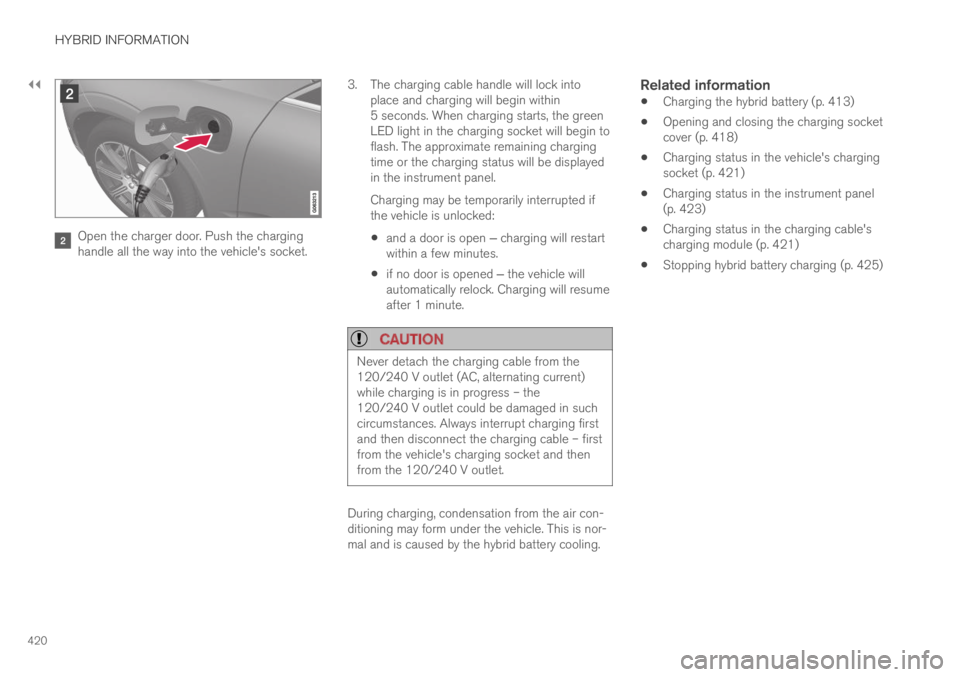
Open the charger door. Push the charginghandle all the way into the vehicle's socket.
3.The charging cable handle will lock intoplace and charging will begin within5 seconds. When charging starts, the greenLED light in the charging socket will begin toflash. The approximate remaining chargingtime or the charging status will be displayedin the instrument panel.
Charging may be temporarily interrupted ifthe vehicle is unlocked:
and a door is open ‒ charging will restartwithin a few minutes.
if no door is opened ‒ the vehicle willautomatically relock. Charging will resumeafter 1 minute.
CAUTION
Never detach the charging cable from the120/240 V outlet (AC, alternating current)while charging is in progress – the120/240 V outlet could be damaged in suchcircumstances. Always interrupt charging firstand then disconnect the charging cable – firstfrom the vehicle's charging socket and thenfrom the 120/240 V outlet.
During charging, condensation from the air con-ditioning may form under the vehicle. This is nor-mal and is caused by the hybrid battery cooling.
Related information
Charging the hybrid battery (p. 413)
Opening and closing the charging socketcover (p. 418)
Charging status in the vehicle's chargingsocket (p. 421)
Charging status in the instrument panel(p. 423)
Charging status in the charging cable'scharging module (p. 421)
Stopping hybrid battery charging (p. 425)
Page 423 of 695
HYBRID INFORMATION
}}
421
Charging status in the vehicle'scharging socket
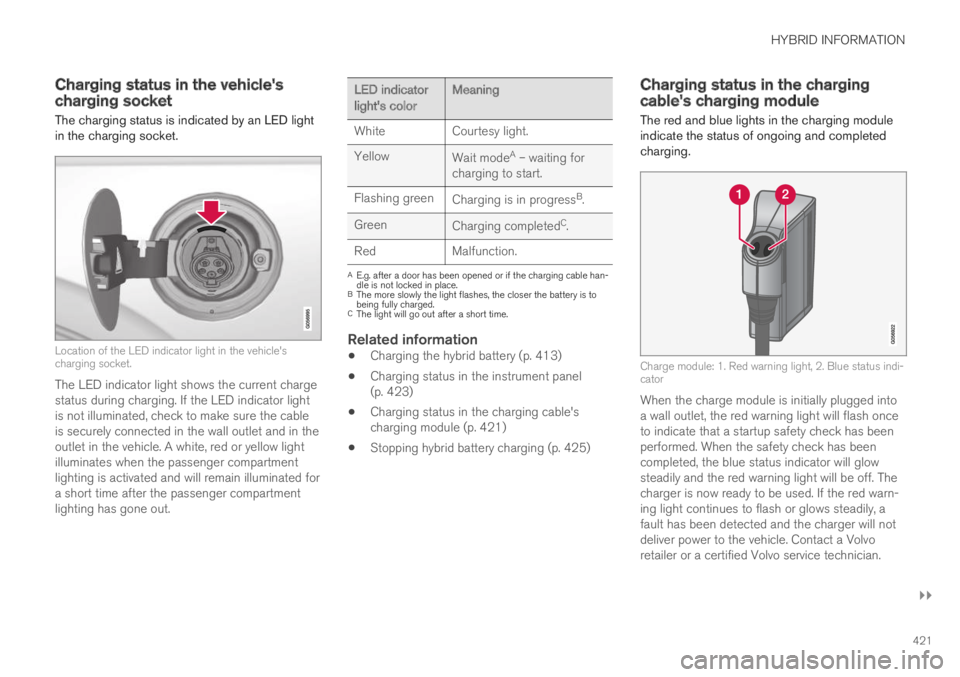
The charging status is indicated by an LED lightin the charging socket.
Location of the LED indicator light in the vehicle'scharging socket.
The LED indicator light shows the current chargestatus during charging. If the LED indicator lightis not illuminated, check to make sure the cableis securely connected in the wall outlet and in theoutlet in the vehicle. A white, red or yellow lightilluminates when the passenger compartmentlighting is activated and will remain illuminated fora short time after the passenger compartmentlighting has gone out.
LED indicatorlight's colorMeaning
WhiteCourtesy light.
YellowWait modeA – waiting forcharging to start.
Flashing greenCharging is in progressB.
GreenCharging completedC.
RedMalfunction.
AE.g. after a door has been opened or if the charging cable han-dle is not locked in place.BThe more slowly the light flashes, the closer the battery is tobeing fully charged.CThe light will go out after a short time.
Related information
Charging the hybrid battery (p. 413)
Charging status in the instrument panel(p. 423)
Charging status in the charging cable'scharging module (p. 421)
Stopping hybrid battery charging (p. 425)
Charging status in the chargingcable's charging module
The red and blue lights in the charging moduleindicate the status of ongoing and completedcharging.
Charge module: 1. Red warning light, 2. Blue status indi-cator
When the charge module is initially plugged intoa wall outlet, the red warning light will flash onceto indicate that a startup safety check has beenperformed. When the safety check has beencompleted, the blue status indicator will glowsteadily and the red warning light will be off. Thecharger is now ready to be used. If the red warn-ing light continues to flash or glows steadily, afault has been detected and the charger will notdeliver power to the vehicle. Contact a Volvoretailer or a certified Volvo service technician.
Page 424 of 695
||
HYBRID INFORMATION
422
When the charging cable is connected to thevehicle's charging socket, the blue light will flashonce.
Charging cable connected to the vehicle's charg-ing socket:
Indicatorlight's colorMeaning
FlashingblueCharging is in progress. Thelight flashes about once everyother second
Solid blueCharging completed. This willalso be indicated in the instru-ment panel
Related information
Charging the hybrid battery (p. 413)
Charging status in the vehicle's chargingsocket (p. 421)
Charging status in the instrument panel(p. 423)
Stopping hybrid battery charging (p. 425)
Page 425 of 695
HYBRID INFORMATION
}}
423
Charging status in the instrumentpanel
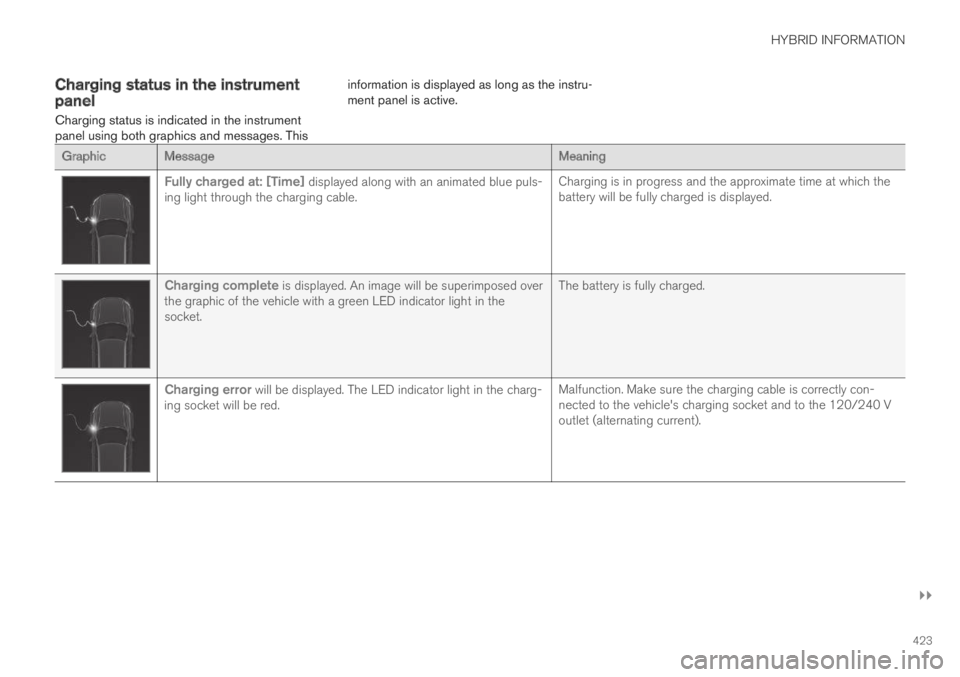
Charging status is indicated in the instrumentpanel using both graphics and messages. This
information is displayed as long as the instru-ment panel is active.
GraphicMessageMeaning
Fully charged at: [Time] displayed along with an animated blue puls-ing light through the charging cable.Charging is in progress and the approximate time at which thebattery will be fully charged is displayed.
Charging complete is displayed. An image will be superimposed overthe graphic of the vehicle with a green LED indicator light in thesocket.
The battery is fully charged.
Charging error will be displayed. The LED indicator light in the charg-ing socket will be red.Malfunction. Make sure the charging cable is correctly con-nected to the vehicle's charging socket and to the 120/240 Voutlet (alternating current).
Page 434 of 695
||
STARTING AND DRIVING
432
CAUTION
When starting in cold weather, the auto-matic transmission may shift up at slightlyhigher engine speeds than normal untilthe automatic transmission fluid reachesnormal operating temperature.
Do not race a cold engine immediatelyafter starting. This could prevent fluidsfrom properly lubricating vital compo-nents in the engine before it has reachedthe proper operating temperature.
The engine should be idling when thegear selector is moved. Never accelerateuntil the gear is fully engaged. Accelerat-ing rapidly before a gear is properlyengaged could lead to harder wear ofcomponents.
To help prevent the transmission oil fromoverheating, select P or N when idling ata standstill for prolonged periods of time.
Related information
Switching off the vehicle (p. 432)
Ignition modes (p. 433)
Adjusting the steering wheel (p. 198)
Jump starting using another battery (p. 477)
Selecting ignition mode (p. 434)
Switching off the vehicle
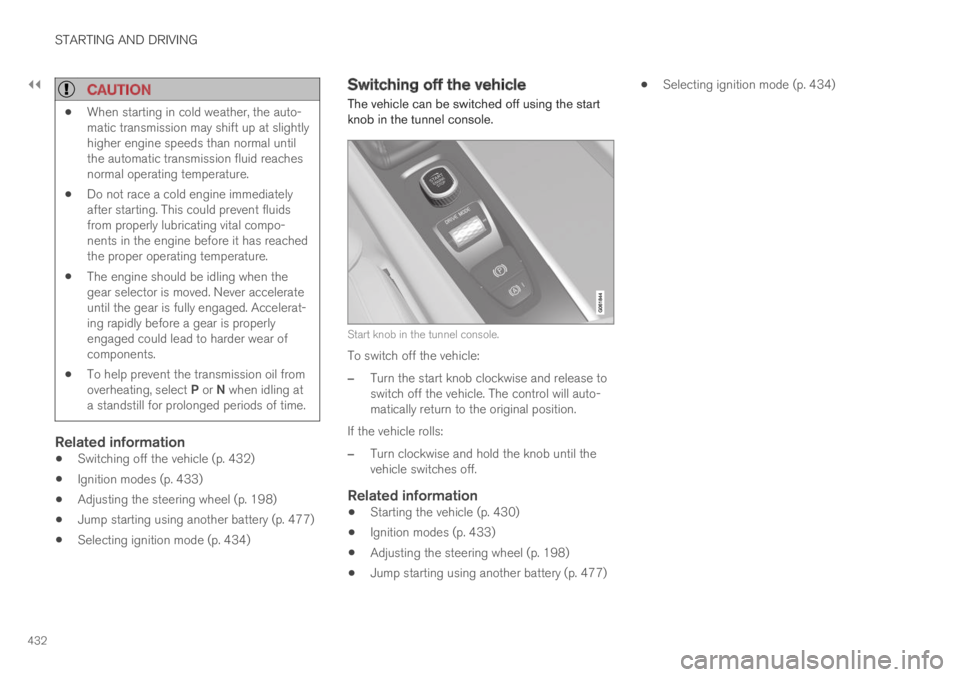
The vehicle can be switched off using the startknob in the tunnel console.
Start knob in the tunnel console.
To switch off the vehicle:
–Turn the start knob clockwise and release toswitch off the vehicle. The control will auto-matically return to the original position.
If the vehicle rolls:
–Turn clockwise and hold the knob until thevehicle switches off.
Related information
Starting the vehicle (p. 430)
Ignition modes (p. 433)
Adjusting the steering wheel (p. 198)
Jump starting using another battery (p. 477)
Selecting ignition mode (p. 434)
Page 435 of 695
STARTING AND DRIVING
* Option/accessory.433
Ignition modes
The vehicle's ignition can be put in variousmodes (levels) to make different functions availa-ble.
To enable the use of a limited number of func-tions when the engine is not running, the ignitioncan be put in one of three different levels: 0, Iand II. These levels are referred to as "ignitionmodes" in the Owner's Manual.
The following table shows which functions areavailable in each ignition mode:
ModeFunctions
0The odometer, clock and tem-
perature gauge are illuminatedA.
The power* seats can beadjusted.
The power windows can be used.
The center display is activated
and can be usedA.
The infotainment system can be
usedA.
In this mode, the functions are availa-ble for a limited time and then switchoff automatically.
IThe panoramic roof, power win-dows, 12-volt electrical socket inthe passenger compartment,Bluetooth, navigation, phone,blower and windshield wipers canbe used.
The power seats can be adjusted.
The 12-volt electrical socket* inthe cargo compartment can beused.
Electrical current will be takenfrom the battery in this ignitionmode.
ModeFunctions
IIThe headlights illuminate.
Warning/indicator lights illumi-nate for 5 seconds.
A number of other systems areactivated. However, seat and rearwindow heating can only be acti-vated when the engine is running.
This ignition mode uses a lot ofcurrent from the battery andshould be avoided whenever pos-sible!
AAlso activated when the door is opened.
Related information
Starting the vehicle (p. 430)
Adjusting the steering wheel (p. 198)
Jump starting using another battery (p. 477)
Selecting ignition mode (p. 434)
Page 436 of 695
STARTING AND DRIVING
434
Selecting ignition mode
The vehicle's ignition can be put in variousmodes (levels) to make different functions availa-ble.
Selecting an ignition mode
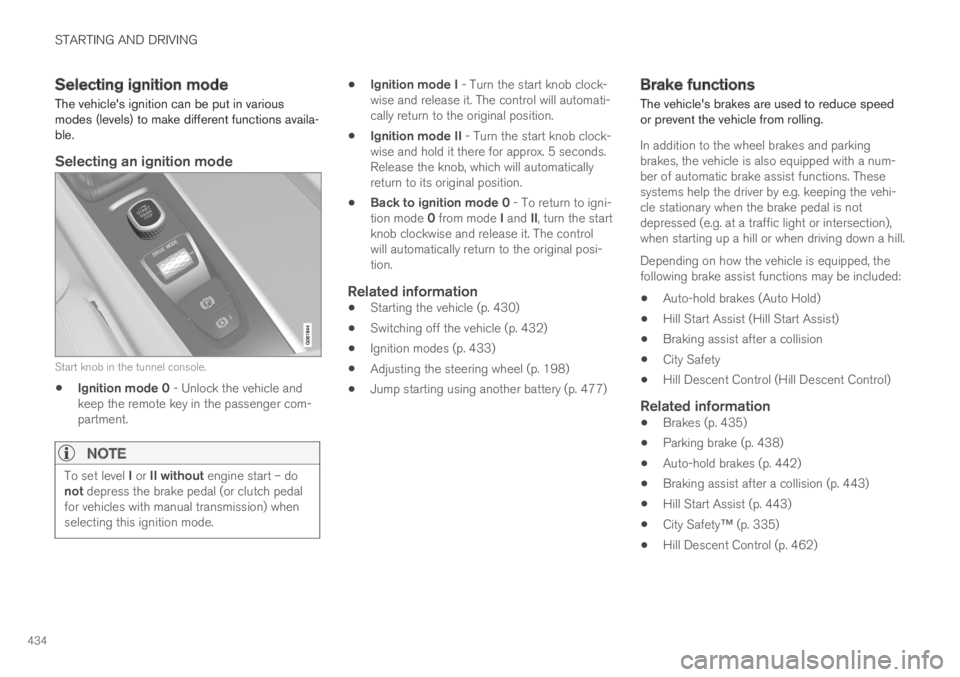
Start knob in the tunnel console.
Ignition mode 0 - Unlock the vehicle andkeep the remote key in the passenger com-partment.
NOTE
To set level I or II without engine start – donot depress the brake pedal (or clutch pedalfor vehicles with manual transmission) whenselecting this ignition mode.
Ignition mode I - Turn the start knob clock-wise and release it. The control will automati-cally return to the original position.
Ignition mode II - Turn the start knob clock-wise and hold it there for approx. 5 seconds.Release the knob, which will automaticallyreturn to its original position.
Back to ignition mode 0 - To return to igni-tion mode 0 from mode I and II, turn the startknob clockwise and release it. The controlwill automatically return to the original posi-tion.
Related information
Starting the vehicle (p. 430)
Switching off the vehicle (p. 432)
Ignition modes (p. 433)
Adjusting the steering wheel (p. 198)
Jump starting using another battery (p. 477)
Brake functions
The vehicle's brakes are used to reduce speedor prevent the vehicle from rolling.
In addition to the wheel brakes and parkingbrakes, the vehicle is also equipped with a num-ber of automatic brake assist functions. Thesesystems help the driver by e.g. keeping the vehi-cle stationary when the brake pedal is notdepressed (e.g. at a traffic light or intersection),when starting up a hill or when driving down a hill.
Depending on how the vehicle is equipped, thefollowing brake assist functions may be included:
Auto-hold brakes (Auto Hold)
Hill Start Assist (Hill Start Assist)
Braking assist after a collision
City Safety
Hill Descent Control (Hill Descent Control)
Related information
Brakes (p. 435)
Parking brake (p. 438)
Auto-hold brakes (p. 442)
Braking assist after a collision (p. 443)
Hill Start Assist (p. 443)
City Safety™ (p. 335)
Hill Descent Control (p. 462)
Page 437 of 695
STARTING AND DRIVING
}}
435
Brakes
The brake pedal is used to apply the vehicle'sregular brakes, which are part of the brake sys-tem.
The vehicle is equipped with two brake circuits. Ifone brake circuit is damaged, the brake pedal willgo down further when depressed. More pressurewill then be required from the driver for normalbraking effect.
WARNING
The power brakes only work when the electricmotor or combustion engine is running.
If the brake pedal is used when the engine isswitched off, greater pressure must be applied tobrake the vehicle.
In very hilly areas or when driving with a heavyload, gear position B can be used to augment thebrakes with engine braking.
Use the Off Road drive mode to increase theengine braking effect when driving on steepdowngrades at low speeds.
Anti-lock brakes
The vehicle is equipped with an Anti-lock BrakingSystem (ABS), which helps prevent the wheelsfrom locking and helps maintain steering controlwhen braking. Vibrations may be felt from the
brake pedal when ABS is operating, which is nor-mal.
After the vehicle is started, a brief test of theABS system is automatically performed when thedriver releases the brake pedal. An additionalautomatic test of the system may be performedwhen the vehicle is traveling at a low speed. Dur-ing the test, the brake pedal may feel as though itis pulsating.
Light braking charges the hybrid battery
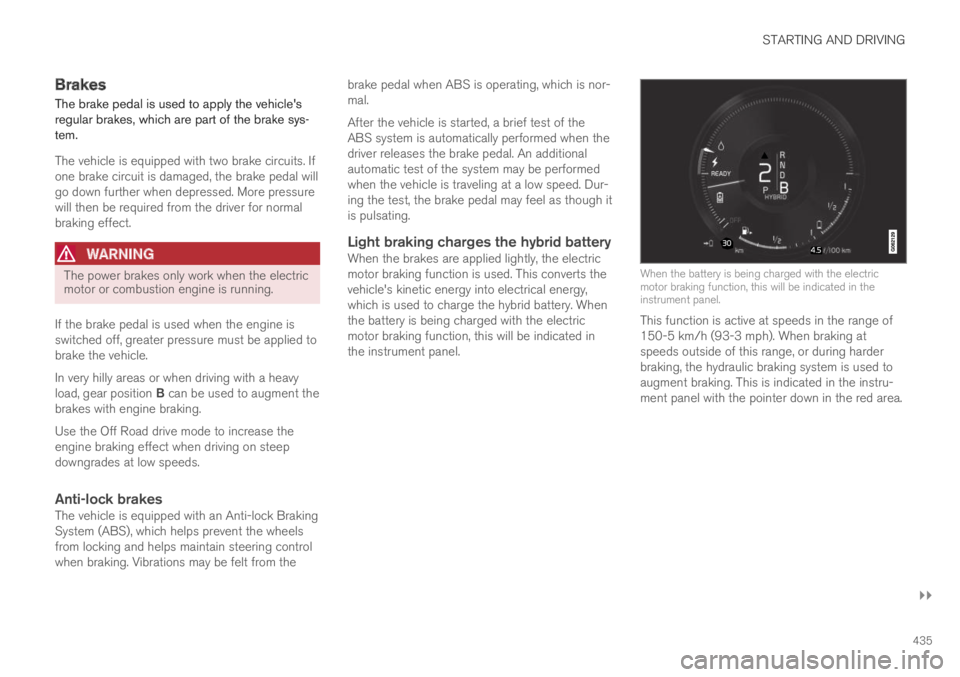
When the brakes are applied lightly, the electricmotor braking function is used. This converts thevehicle's kinetic energy into electrical energy,which is used to charge the hybrid battery. Whenthe battery is being charged with the electricmotor braking function, this will be indicated inthe instrument panel.
When the battery is being charged with the electricmotor braking function, this will be indicated in theinstrument panel.
This function is active at speeds in the range of150-5 km/h (93-3 mph). When braking atspeeds outside of this range, or during harderbraking, the hydraulic braking system is used toaugment braking. This is indicated in the instru-ment panel with the pointer down in the red area.