light VOLVO XC60 TWIN ENGINE 2019 Owners Manual
[x] Cancel search | Manufacturer: VOLVO, Model Year: 2019, Model line: XC60 TWIN ENGINE, Model: VOLVO XC60 TWIN ENGINE 2019Pages: 695, PDF Size: 14.96 MB
Page 325 of 695
DRIVER SUPPORT
}}
* Option/accessory.323
Pilot Assist limitations
Pilot Assist functionality may be reduced in cer-tain situations.
Pilot Assist is a driver support function designedto simplify driving and assist the driver in manysituations. However, the driver is always responsi-ble for maintaining a suitable distance to vehiclesor objects around it and ensuring that the vehicleis correctly positioned in the traffic lane.
WARNING
In some situations, Pilot Assist may have trou-ble helping the driver properly or may bedeactivated automatically – we advise againstusing Pilot Assist in such cases. Examples ofsuch situations include:
the lane markings are worn, missing orcross each other.
lane division is unclear, for example, whenthe lanes divide or merge or at exits orwhen there are multiple sets of markings.
edges or other lines than lane markingsare present on or near the road, e.g.curbs, joints or repairs to the road sur-face, edges of barriers, roadside edges orstrong shadows.
the lane is narrow or winding.
the lane contains ridges or holes.
weather conditions are poor, e.g. rain,snow or fog or slush or reduced visibilitywith poor light conditions, backlighting,wet road surface, etc.
The driver should also note that Pilot Assisthas the following limitations:
High curbs, roadside barriers, temporaryobstacles (traffic cones, safety barriers,etc.) are not detected. Alternatively, theymay be detected incorrectly as lane mark-ings, with a subsequent risk of contactbetween the vehicle and such obstacles.
The driver is responsible for ensuring thatthe vehicle maintains a suitable distancefrom such obstacles.
The camera and radar sensors do nothave the capacity to detect all oncomingobjects and obstacles in traffic environ-ments, e.g. potholes, stationary obstaclesor objects that completely or partiallyblock the route.
Pilot Assist does not "see" pedestrians,animals, etc.
The recommended steering input is lim-ited in force, which means that it cannotalways help the driver to steer and keepthe vehicle within the lane.
In vehicles equipped with SensusNavigation*, the function is able to useinformation from map data, which couldcause variations in performance.
Pilot Assist is switched off if the powersteering is working with reduced power -e.g. during cooling due to overheating(see section "Speed-dependent steeringforce").
The driver can always correct or adjust steeringassistance provided by Pilot Assist by turning thesteering wheel to the desired position.
Page 334 of 695
DRIVER SUPPORT
332
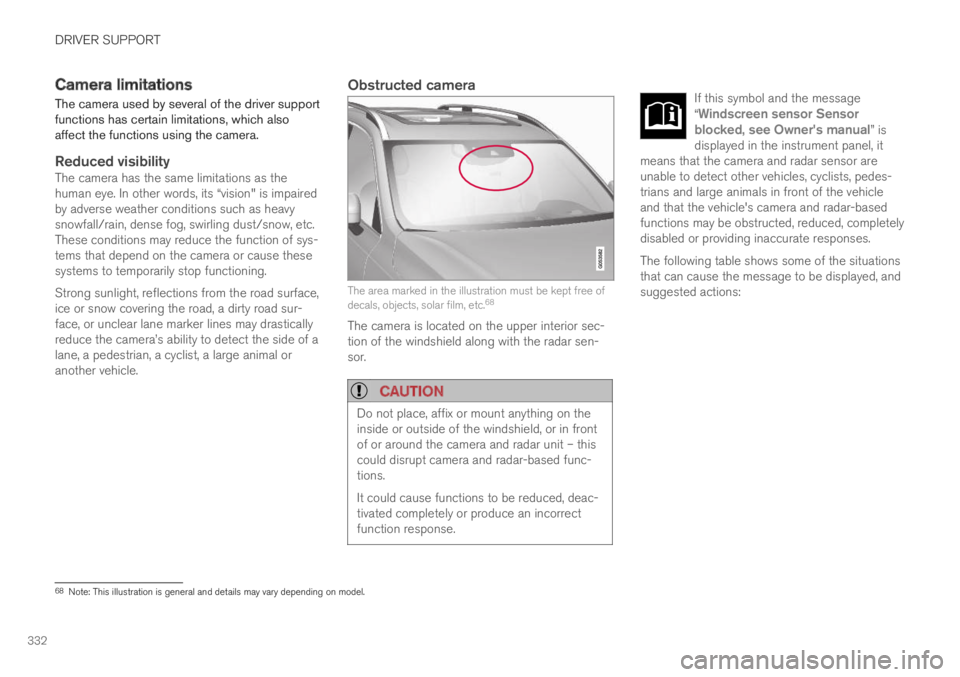
Camera limitations
The camera used by several of the driver supportfunctions has certain limitations, which alsoaffect the functions using the camera.
Reduced visibility
The camera has the same limitations as thehuman eye. In other words, its “vision" is impairedby adverse weather conditions such as heavysnowfall/rain, dense fog, swirling dust/snow, etc.These conditions may reduce the function of sys-tems that depend on the camera or cause thesesystems to temporarily stop functioning.
Strong sunlight, reflections from the road surface,ice or snow covering the road, a dirty road sur-face, or unclear lane marker lines may drasticallyreduce the camera
Page 335 of 695
DRIVER SUPPORT
}}}}
333
CauseAction
The area of the windshield in front of the camera/radar sensor isdirty or covered by ice or snow.Clean the windshield in front of the camera/radar sensor and remove dirt, ice andsnow.
Thick fog, heavy rain or snow is blocking the radar signals or thecamera's range of visibility.No action. Heavy precipitation may sometimes prevent the camera/radar sensor fromfunctioning.
Water or snow is spraying/swirling up and blocking the radar signalsor the camera's range of visibility.No action. Very wet or snow-covered roads may sometimes prevent the camera/radar sensor from functioning.
There is dirt between the inside of the windshield and the camera/radar sensor.Consult a workshop to have the area of the windshield on the inside of the camera'scasing cleaned. An authorized Volvo workshop is recommended.
Bright sunlight.No action. The camera/radar sensor will reset automatically when lighting conditionsimprove.
NOTE
Keep the windshield in front of the cameraand radar unit clean.
High temperatures
If the temperature in the passenger compartmentis very high, the camera/radar sensor will switchoff temporarily for approx. 15 minutes after theengine is started to protect its electronic compo-nents. When the temperature has cooled suffi-ciently, the camera/radar sensor will automati-cally restart.
Damaged windshield
CAUTION
If there are cracks, scratches or stone chipson the windshield in front of any of the cam-era and radar unit "windows" and this coversan area of about 0.5 × 3.0 mm(0.02 × 0.12 in.) or more, contact a workshopto have the windshield replaced – an author-ized Volvo workshop is recommended.
Failure to take action could result in reducedperformance for the driver support systemsthat use the camera and radar unit.
It could cause functions to be reduced, deac-tivated completely or produce an incorrectfunction response.
To avoid the risk of loss of function, malfunc-tion or reduced function of the driver supportsystems that use the radar unit, the followingalso apply:
Volvo advises against repairing cracks,scratches or stone chips in the area infront of the camera and radar unit – theentire windshield should instead bereplaced.
Before replacing the windshield, contactan authorized Volvo workshop to verify
Page 337 of 695
DRIVER SUPPORT
}}
335
Recommended maintenance for thecamera/radar sensor
In order for the camera/radar sensor to functionproperly, the area of the windshield in front ofthe unit must be kept free of dirt, ice, snow, etc.and should be washed regularly with water andcar washing detergent.
NOTE
Dirt, ice and snow covering the camera andradar unit reduce their function and can makemeasurement impossible.
It could cause functions to be reduced, deac-tivated completely or produce an incorrectfunction response.
Related information
Camera (p. 331)
City Safety™
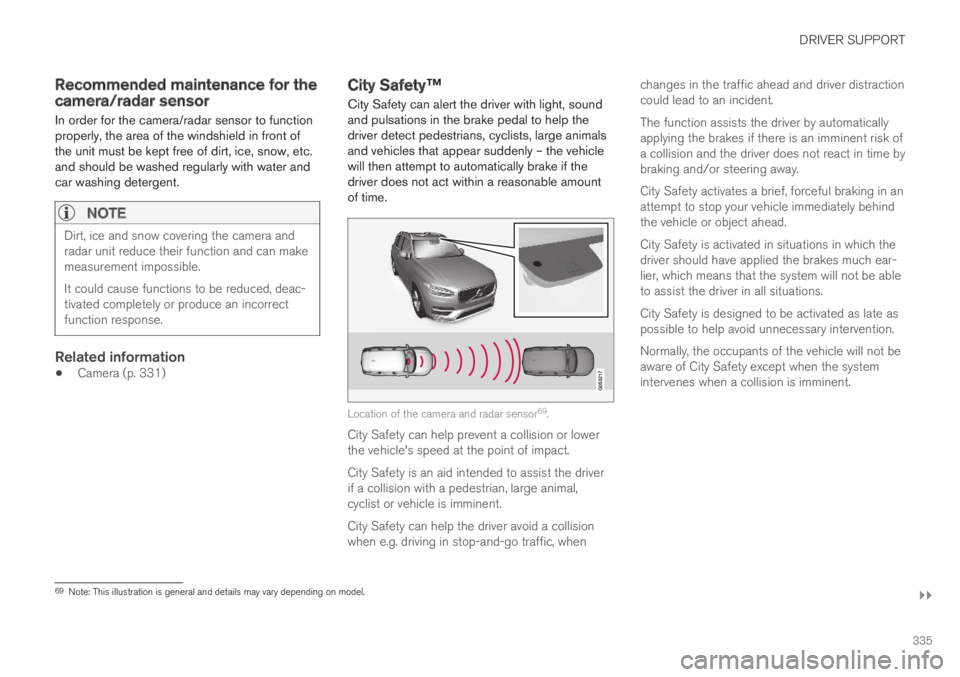
City Safety can alert the driver with light, soundand pulsations in the brake pedal to help thedriver detect pedestrians, cyclists, large animalsand vehicles that appear suddenly – the vehiclewill then attempt to automatically brake if thedriver does not act within a reasonable amountof time.
Location of the camera and radar sensor69.
City Safety can help prevent a collision or lowerthe vehicle's speed at the point of impact.
City Safety is an aid intended to assist the driverif a collision with a pedestrian, large animal,cyclist or vehicle is imminent.
City Safety can help the driver avoid a collisionwhen e.g. driving in stop-and-go traffic, when
changes in the traffic ahead and driver distractioncould lead to an incident.
The function assists the driver by automaticallyapplying the brakes if there is an imminent risk ofa collision and the driver does not react in time bybraking and/or steering away.
City Safety activates a brief, forceful braking in anattempt to stop your vehicle immediately behindthe vehicle or object ahead.
City Safety is activated in situations in which thedriver should have applied the brakes much ear-lier, which means that the system will not be ableto assist the driver in all situations.
City Safety is designed to be activated as late aspossible to help avoid unnecessary intervention.
Normally, the occupants of the vehicle will not beaware of City Safety except when the systemintervenes when a collision is imminent.
69Note: This illustration is general and details may vary depending on model.
Page 339 of 695
DRIVER SUPPORT
}}
* Option/accessory.337
Large animals
If there is a risk of colliding with a large animal,City Safety can help reduce your vehicle's speedby up to 15 km/h (9 mph).
The braking function for large animals is primarilyintended to mitigate the force of a collision athigher speeds. Braking is most effective atspeeds above 70 km/h (43 mph) and less effec-tive at lower speeds.
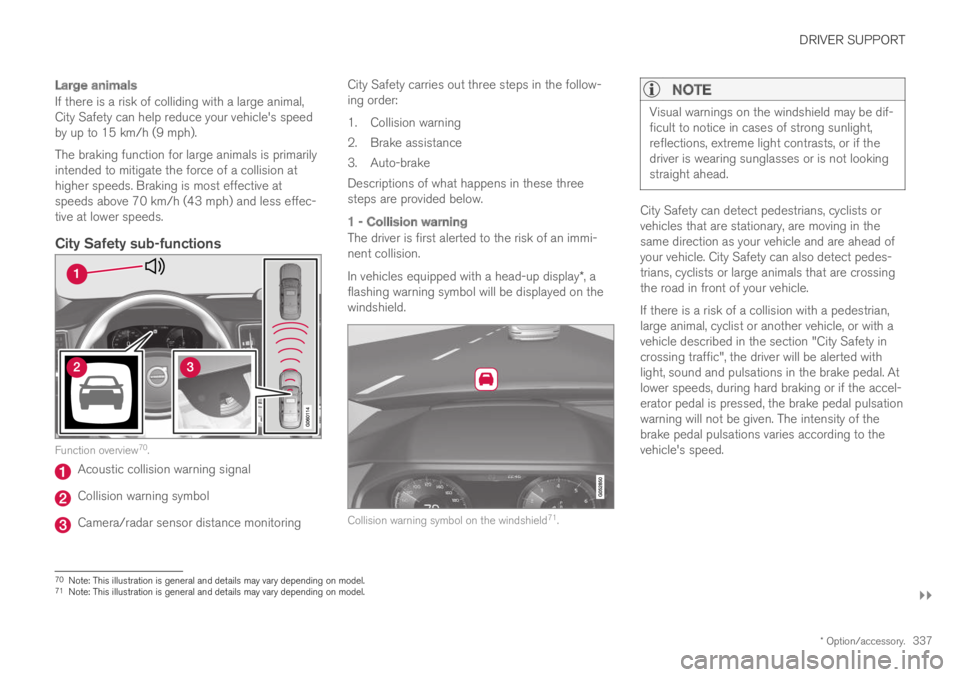
City Safety sub-functions
Function overview70.
Acoustic collision warning signal
Collision warning symbol
Camera/radar sensor distance monitoring
City Safety carries out three steps in the follow-ing order:
1.Collision warning
2. Brake assistance
3. Auto-brake
Descriptions of what happens in these threesteps are provided below.
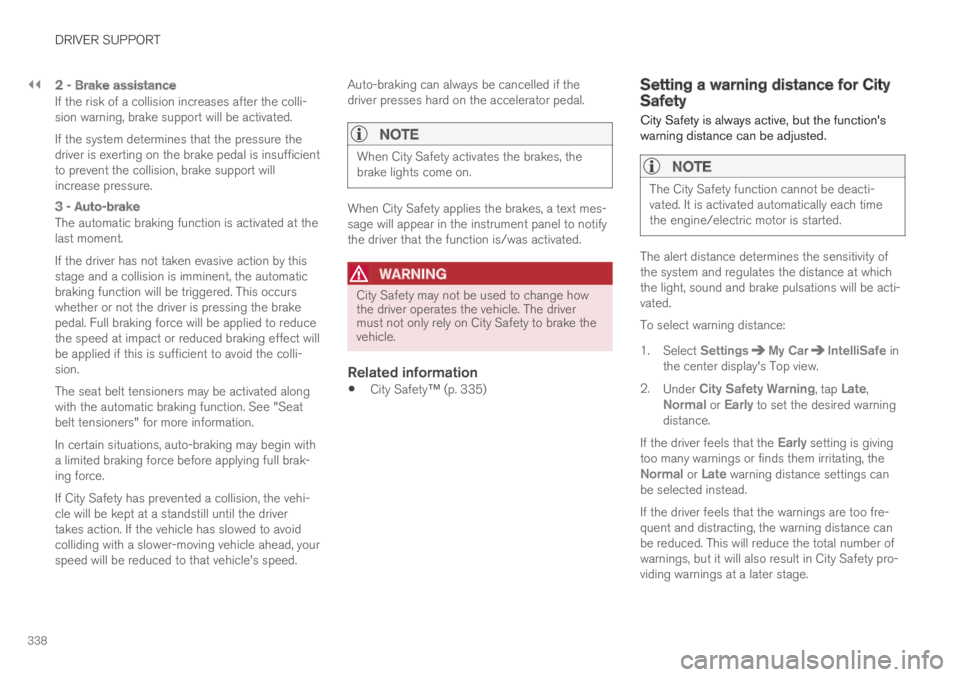
1 - Collision warning
The driver is first alerted to the risk of an immi-nent collision.
In vehicles equipped with a head-up display*, aflashing warning symbol will be displayed on thewindshield.
Collision warning symbol on the windshield71.
NOTE
Visual warnings on the windshield may be dif-ficult to notice in cases of strong sunlight,reflections, extreme light contrasts, or if thedriver is wearing sunglasses or is not lookingstraight ahead.
City Safety can detect pedestrians, cyclists orvehicles that are stationary, are moving in thesame direction as your vehicle and are ahead ofyour vehicle. City Safety can also detect pedes-trians, cyclists or large animals that are crossingthe road in front of your vehicle.
If there is a risk of a collision with a pedestrian,large animal, cyclist or another vehicle, or with avehicle described in the section "City Safety incrossing traffic", the driver will be alerted withlight, sound and pulsations in the brake pedal. Atlower speeds, during hard braking or if the accel-erator pedal is pressed, the brake pedal pulsationwarning will not be given. The intensity of thebrake pedal pulsations varies according to thevehicle's speed.
70Note: This illustration is general and details may vary depending on model.71Note: This illustration is general and details may vary depending on model.
Page 340 of 695
||
DRIVER SUPPORT
338
2 - Brake assistance
If the risk of a collision increases after the colli-sion warning, brake support will be activated.
If the system determines that the pressure thedriver is exerting on the brake pedal is insufficientto prevent the collision, brake support willincrease pressure.
3 - Auto-brake
The automatic braking function is activated at thelast moment.
If the driver has not taken evasive action by thisstage and a collision is imminent, the automaticbraking function will be triggered. This occurswhether or not the driver is pressing the brakepedal. Full braking force will be applied to reducethe speed at impact or reduced braking effect willbe applied if this is sufficient to avoid the colli-sion.
The seat belt tensioners may be activated alongwith the automatic braking function. See "Seatbelt tensioners" for more information.
In certain situations, auto-braking may begin witha limited braking force before applying full brak-ing force.
If City Safety has prevented a collision, the vehi-cle will be kept at a standstill until the drivertakes action. If the vehicle has slowed to avoidcolliding with a slower-moving vehicle ahead, yourspeed will be reduced to that vehicle's speed.
Auto-braking can always be cancelled if thedriver presses hard on the accelerator pedal.
NOTE
When City Safety activates the brakes, thebrake lights come on.
When City Safety applies the brakes, a text mes-sage will appear in the instrument panel to notifythe driver that the function is/was activated.
WARNING
City Safety may not be used to change howthe driver operates the vehicle. The drivermust not only rely on City Safety to brake thevehicle.
Related information
City Safety™ (p. 335)
Setting a warning distance for CitySafety
City Safety is always active, but the function'swarning distance can be adjusted.
NOTE
The City Safety function cannot be deacti-vated. It is activated automatically each timethe engine/electric motor is started.
The alert distance determines the sensitivity ofthe system and regulates the distance at whichthe light, sound and brake pulsations will be acti-vated.
To select warning distance:
1.Select SettingsMy CarIntelliSafe inthe center display's Top view.
2.Under City Safety Warning, tap Late,Normal or Early to set the desired warningdistance.
If the driver feels that the Early setting is givingtoo many warnings or finds them irritating, theNormal or Late warning distance settings canbe selected instead.
If the driver feels that the warnings are too fre-quent and distracting, the warning distance canbe reduced. This will reduce the total number ofwarnings, but it will also result in City Safety pro-viding warnings at a later stage.
Page 341 of 695
DRIVER SUPPORT
}}
339
The Late warning distance setting should there-fore only be used in exceptional cases, such aswhen a more dynamic driving style is preferred.
WARNING
No automatic system can guarantee100% correct function in all situations.You should therefore never test use ofCity Safety in the direction of people, ani-mals or vehicles – this could lead tosevere damage, serious personal injury oreven death.
City Safety warns the driver if there is arisk of collision, but the function cannotreduce the driver's reaction time.
Even if the warning distance has been setto Early, warnings may be perceived aslate in certain situations – e.g. when thereare large speed differences or if the vehi-cle ahead suddenly brakes heavily.
With the warning distance set to Early,warnings come further in advance. Thismay cause the warnings to come morefrequently than with warning distanceNormal, but is recommended since it canmake City Safety more effective.
NOTE
The warning with direction indicators for RearCollision Warning is deactivated if the colli-sion warning distance in the City Safety func-tion is set to the lowest level "Late".
The seat belt tensioning and braking func-tions remain active.
Related information
City Safety™ (p. 335)
Detecting obstacles with City Safety
City Safety can help detect vehicles, cyclists,large animals and pedestrians.
Vehicles
City Safety detects most types of vehicles thatare either stationary, moving in the same direc-tion as your vehicle or those described in “CitySafety in crossing traffic” and City Safety brakingfor oncoming vehicles”.
For City Safety to be able to detect a vehicle inthe dark, its headlights and taillights must be onand clearly visible.
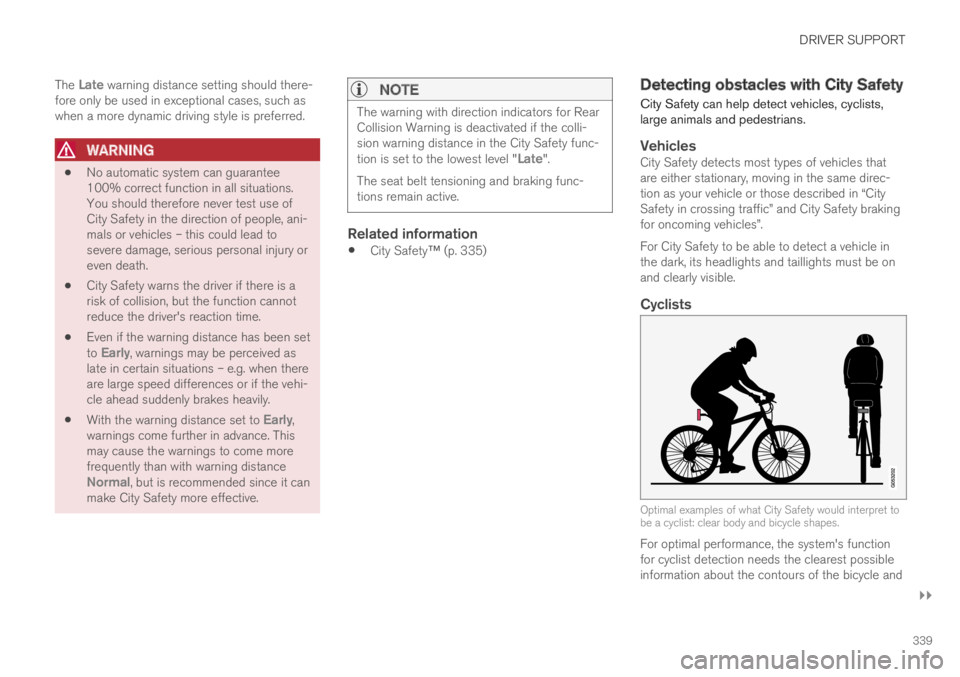
Cyclists
Optimal examples of what City Safety would interpret tobe a cyclist: clear body and bicycle shapes.
For optimal performance, the system's functionfor cyclist detection needs the clearest possibleinformation about the contours of the bicycle and
Page 342 of 695
||
DRIVER SUPPORT
340
of the cyclist's head, arm, shoulders, legs, torsoand lower body in combination with normalhuman movements.
If large portions of the cyclist's body or the bicy-cle itself are not visible to the function's camera,it will not be able to detect a cyclist.
The system can only detect adult cyclists ridingon bicycles intended for adults.
WARNING
City Safety is supplementary driver support,but it cannot detect all cyclists in all situationsand, for example, cannot see:
partially obscured cyclists.
cyclists if the background contrast of thecyclist is poor - warning and brake inter-ventions may then be late or not occur atall.
cyclists in clothing that hides their bodycontour.
bikes loaded with large objects.
The driver is always responsible for ensuringthat the vehicle is driven correctly and with asafety distance suitable for the speed.
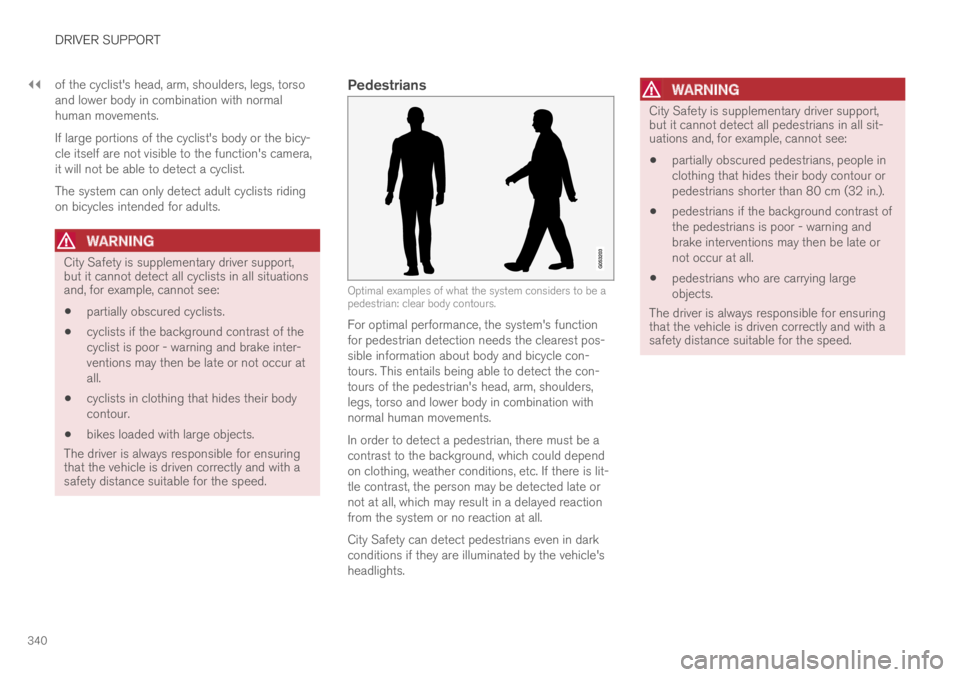
Pedestrians
Optimal examples of what the system considers to be apedestrian: clear body contours.
For optimal performance, the system's functionfor pedestrian detection needs the clearest pos-sible information about body and bicycle con-tours. This entails being able to detect the con-tours of the pedestrian's head, arm, shoulders,legs, torso and lower body in combination withnormal human movements.
In order to detect a pedestrian, there must be acontrast to the background, which could dependon clothing, weather conditions, etc. If there is lit-tle contrast, the person may be detected late ornot at all, which may result in a delayed reactionfrom the system or no reaction at all.
City Safety can detect pedestrians even in darkconditions if they are illuminated by the vehicle'sheadlights.
WARNING
City Safety is supplementary driver support,but it cannot detect all pedestrians in all sit-uations and, for example, cannot see:
partially obscured pedestrians, people inclothing that hides their body contour orpedestrians shorter than 80 cm (32 in.).
pedestrians if the background contrast ofthe pedestrians is poor - warning andbrake interventions may then be late ornot occur at all.
pedestrians who are carrying largeobjects.
The driver is always responsible for ensuringthat the vehicle is driven correctly and with asafety distance suitable for the speed.
Page 343 of 695
DRIVER SUPPORT
}}
* Option/accessory.341
Large animals
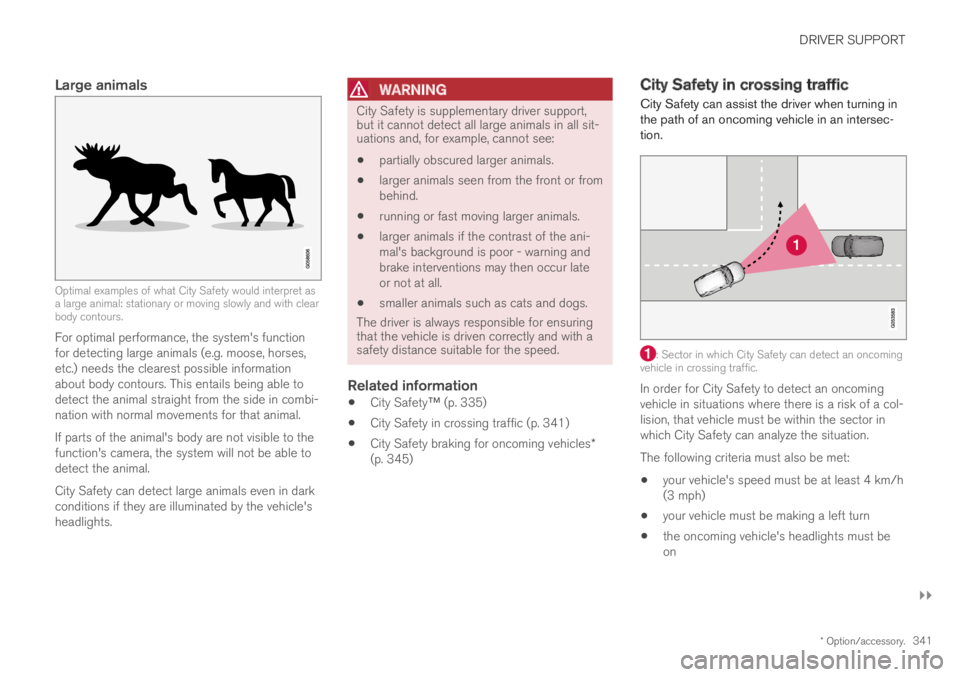
Optimal examples of what City Safety would interpret asa large animal: stationary or moving slowly and with clearbody contours.
For optimal performance, the system's functionfor detecting large animals (e.g. moose, horses,etc.) needs the clearest possible informationabout body contours. This entails being able todetect the animal straight from the side in combi-nation with normal movements for that animal.
If parts of the animal's body are not visible to thefunction's camera, the system will not be able todetect the animal.
City Safety can detect large animals even in darkconditions if they are illuminated by the vehicle'sheadlights.
WARNING
City Safety is supplementary driver support,but it cannot detect all large animals in all sit-uations and, for example, cannot see:
partially obscured larger animals.
larger animals seen from the front or frombehind.
running or fast moving larger animals.
larger animals if the contrast of the ani-mal's background is poor - warning andbrake interventions may then occur lateor not at all.
smaller animals such as cats and dogs.
The driver is always responsible for ensuringthat the vehicle is driven correctly and with asafety distance suitable for the speed.
Related information
City Safety™ (p. 335)
City Safety in crossing traffic (p. 341)
City Safety braking for oncoming vehicles*(p. 345)
City Safety in crossing traffic
City Safety can assist the driver when turning inthe path of an oncoming vehicle in an intersec-tion.
: Sector in which City Safety can detect an oncomingvehicle in crossing traffic.
In order for City Safety to detect an oncomingvehicle in situations where there is a risk of a col-lision, that vehicle must be within the sector inwhich City Safety can analyze the situation.
The following criteria must also be met:
your vehicle's speed must be at least 4 km/h(3 mph)
your vehicle must be making a left turn
the oncoming vehicle's headlights must beon
Page 344 of 695
||
DRIVER SUPPORT
342
WARNING
The "City Safety in crossing traffic" func-tion is supplementary driver supportintended to improve driving safety – itcannot handle all situations in all traffic,weather and road conditions.
Warnings and brake interventions due toa collision risk with an oncoming vehicleoften come very late.
Never wait for a collision warning or forCity Safety to intervene.
City Safety is not a substitute for the driv-er's attention and judgment. The driver isalways responsible for ensuring the vehi-cle is driven in a safe manner, at theappropriate speed, with an appropriatedistance to other vehicles, and in accord-ance with current traffic rules and regula-tions.
Related information
City Safety™ (p. 335)
Limitations of City Safety incrossing traffic
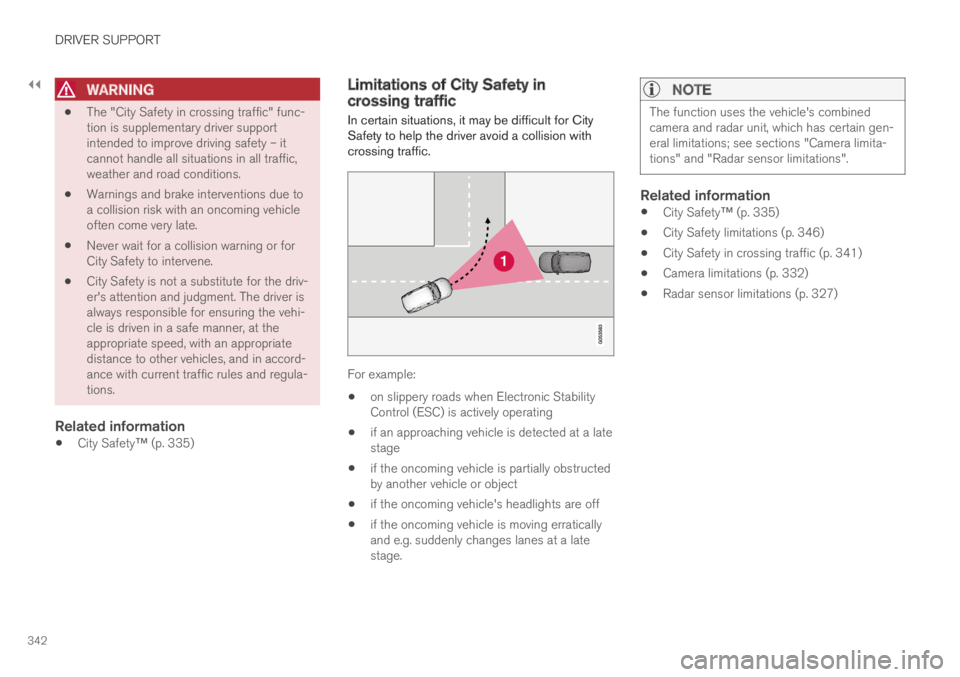
In certain situations, it may be difficult for CitySafety to help the driver avoid a collision withcrossing traffic.
For example:
on slippery roads when Electronic StabilityControl (ESC) is actively operating
if an approaching vehicle is detected at a latestage
if the oncoming vehicle is partially obstructedby another vehicle or object
if the oncoming vehicle's headlights are off
if the oncoming vehicle is moving erraticallyand e.g. suddenly changes lanes at a latestage.
NOTE
The function uses the vehicle's combinedcamera and radar unit, which has certain gen-eral limitations; see sections "Camera limita-tions" and "Radar sensor limitations".
Related information
City Safety™ (p. 335)
City Safety limitations (p. 346)
City Safety in crossing traffic (p. 341)
Camera limitations (p. 332)
Radar sensor limitations (p. 327)