audio VOLVO XC90 2006 User Guide
[x] Cancel search | Manufacturer: VOLVO, Model Year: 2006, Model line: XC90, Model: VOLVO XC90 2006Pages: 254, PDF Size: 8.43 MB
Page 204 of 254
203 Infotainmentsystem
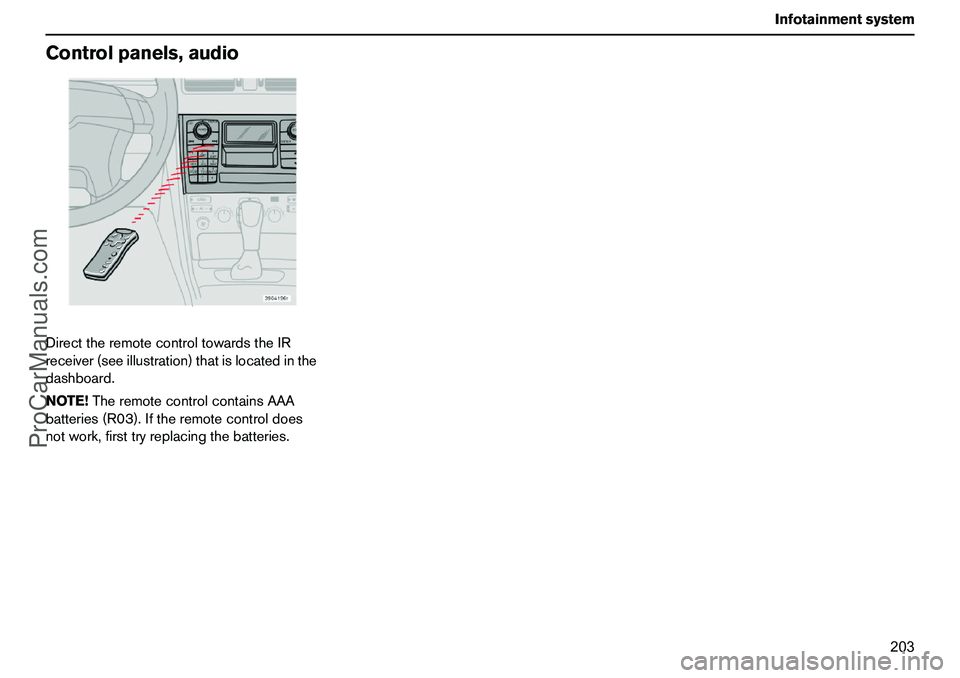
Controlpanels,audioDirecttheremotecontroltowardstheIR
receiver(seeillustration)thatislocatedinthe
dashboard.
NOTE!TheremotecontrolcontainsAAA
batteries(R03).Iftheremotecontroldoes
notwork,firsttryreplacingthebatteries.
ProCarManuals.com
Page 205 of 254
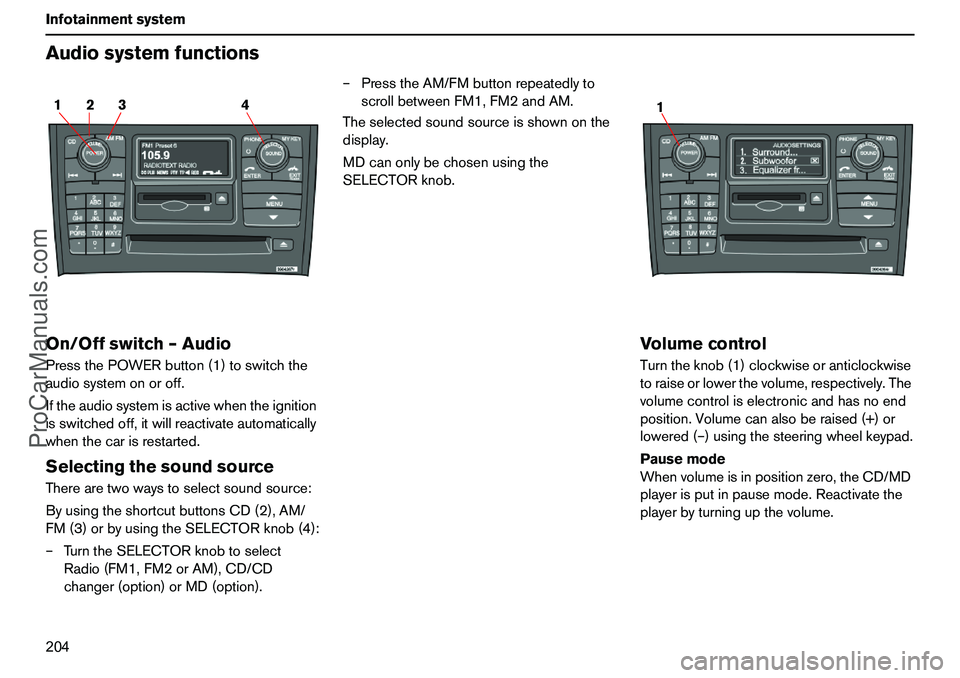
204 InfotainmentsystemAudiosystemfunctionsOn/Offswitch–AudioPressthePOWERbutton(1)toswitchthe
audiosystemonoroff.
Iftheaudiosystemisactivewhentheignition
isswitchedoff,itwillreactivateautomatically
whenthecarisrestarted.SelectingthesoundsourceTherearetwowaystoselectsoundsource:
ByusingtheshortcutbuttonsCD(2),AM/
FM(3)orbyusingtheSELECTORknob(4):
–TurntheSELECTORknobtoselect
Radio(FM1,FM2orAM),CD/CD
changer(option)orMD(option).–PresstheAM/FMbuttonrepeatedlyto
scrollbetweenFM1,FM2andAM.
Theselectedsoundsourceisshownonthe
display.
MDcanonlybechosenusingthe
SELECTORknob.
VolumecontrolTurntheknob(1)clockwiseoranticlockwise
toraiseorlowerthevolume,respectively.The
volumecontroliselectronicandhasnoend
position.Volumecanalsoberaised(+)or
lowered(–)usingthesteeringwheelkeypad.
Pausemode
Whenvolumeisinpositionzero,theCD/MD
playerisputinpausemode.Reactivatethe
playerbyturningupthevolume.
2 14 3
1
ProCarManuals.com
Page 206 of 254
205 Infotainmentsystem
AudiosystemfunctionsVolumecontrol–TP/PTY/
NEWS/ALARMIfaCDorthelikeisplayingwhentheradio
receivesatrafficbulletin,theCDplayerisput
inpausemode.Themessageisplayedatthe
volumeselectedforthattypeofmessage.
Playbackoftheoriginallyselectedsound
sourceisthenresumedattheprevious
volume.Ifvolumeisadjustedwhilethe
bulletinisplayed,thenewvolumeissaved
andusedforthenextbulletin.
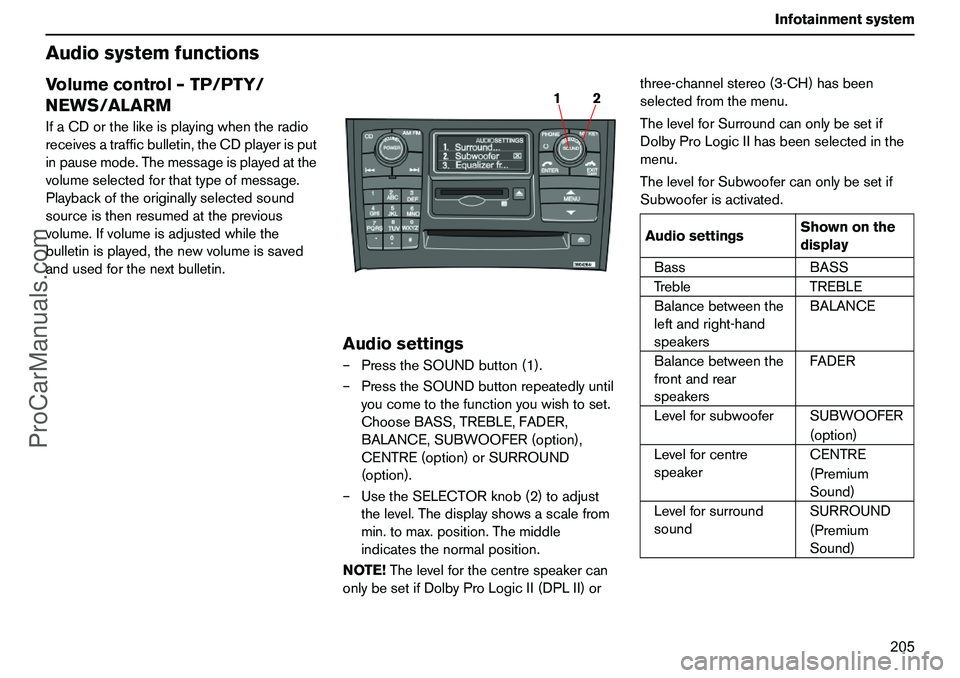
Audiosettings–PresstheSOUNDbutton(1).
–PresstheSOUNDbuttonrepeatedlyuntil
youcometothefunctionyouwishtoset.
ChooseBASS,TREBLE,FADER,
BALANCE,SUBWOOFER(option),
CENTRE(option)orSURROUND
(option).
–UsetheSELECTORknob(2)toadjust
thelevel.Thedisplayshowsascalefrom
min.tomax.position.Themiddle
indicatesthenormalposition.
NOTE!Thelevelforthecentrespeakercan
onlybesetifDolbyProLogicII(DPLII)orthree-channelstereo(3-CH)hasbeen
selectedfromthemenu.
ThelevelforSurroundcanonlybesetif
DolbyProLogicIIhasbeenselectedinthe
menu.
ThelevelforSubwoofercanonlybesetif
Subwooferisactivated.
2 1
AudiosettingsShownonthe
display
BassBASS
TrebleTREBLE
Balancebetweenthe
leftandright-hand
speakersBALANCE
Balancebetweenthe
frontandrear
speakersFADER
LevelforsubwooferSUBWOOFER
(option)
Levelforcentre
speakerCENTRE
(Premium
Sound)
Levelforsurround
soundSURROUND
(Premium
Sound)
ProCarManuals.com
Page 207 of 254
206 InfotainmentsystemAudiosystemfunctionsSURROUND(option)
DolbySurroundProLogicIIDolbySurroundProLogicII
1togetherwitha
centrespeakerinthedashboardoffersa
soundexperienceveryclosetobeingthere.
Thenormalleft-rightstereochannelsare
dividedintoleft-centre-right.Inaddition,
surroundsoundisproducedbytherear
speakerchannels.Surroundsoundcanbe
describedasthetypesofresidualtones
whichareaudibleinaconcerthall.Settings
forFMradioandCD/MDplayerarestored
individually.NOTE!IfFMradioreceptiondeteriorates
thentwoorthreechannelstereocanprovide
bettersoundqualitythansurroundsound.
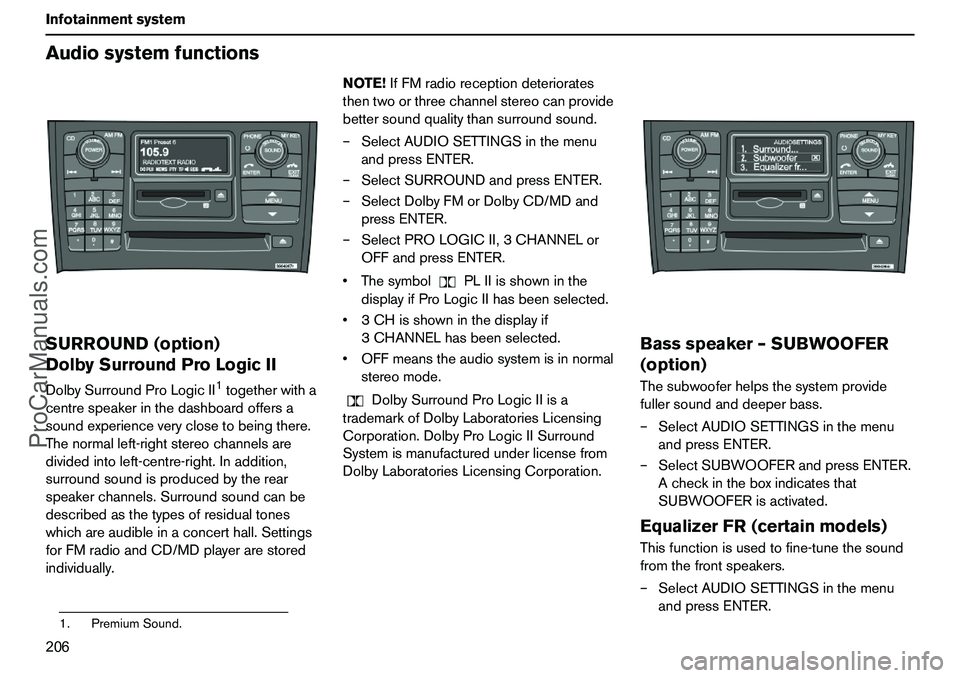
–SelectAUDIOSETTINGSinthemenu
andpressENTER.
–SelectSURROUNDandpressENTER.
–SelectDolbyFMorDolbyCD/MDand
pressENTER.
–SelectPROLOGICII,3CHANNELor
OFFandpressENTER.
ThesymbolPLIIisshowninthe
displayifProLogicIIhasbeenselected.
3CHisshowninthedisplayif
3CHANNELhasbeenselected.
OFFmeanstheaudiosystemisinnormal
stereomode.
DolbySurroundProLogicIIisa
trademarkofDolbyLaboratoriesLicensing
Corporation.DolbyProLogicIISurround
Systemismanufacturedunderlicensefrom
DolbyLaboratoriesLicensingCorporation.
Bassspeaker–SUBWOOFER
(option)Thesubwooferhelpsthesystemprovide
fullersoundanddeeperbass.
–SelectAUDIOSETTINGSinthemenu
andpressENTER.
–SelectSUBWOOFERandpressENTER.
Acheckintheboxindicatesthat
SUBWOOFERisactivated.EqualizerFR(certainmodels)Thisfunctionisusedtofine-tunethesound
fromthefrontspeakers.
–SelectAUDIOSETTINGSinthemenu
andpressENTER.
1.PremiumSound.
ProCarManuals.com
Page 208 of 254
207 Infotainmentsystem
Audiosystemfunctions–SelectEqualizerFRandpressENTER.
–Usethemenuselectionbuttonsorthe
SELECTORknobtosetthelevel.
–PressENTERtoselectthenext
frequency.Youcanselectfive
frequencies.
–PressENTERuntilyoucometomenu
modetosaveanychanges.EqualizerRR(certainmodels)Thisfunctionisusedtofine-tunethesound
fromtherearspeakers.
–SelectAUDIOSETTINGSinthemenu
andpressENTER.
–SelectEqualizerRRandpressENTER.
–Usethemenuselectionbuttonsorthe
SELECTORknobtosetthelevel.
–PressENTERtoselectthenext
frequency.Youcanselectfive
frequencies.
–PressENTERuntilyoucometomenu
modetosaveanychanges.
ProCarManuals.com
Page 211 of 254
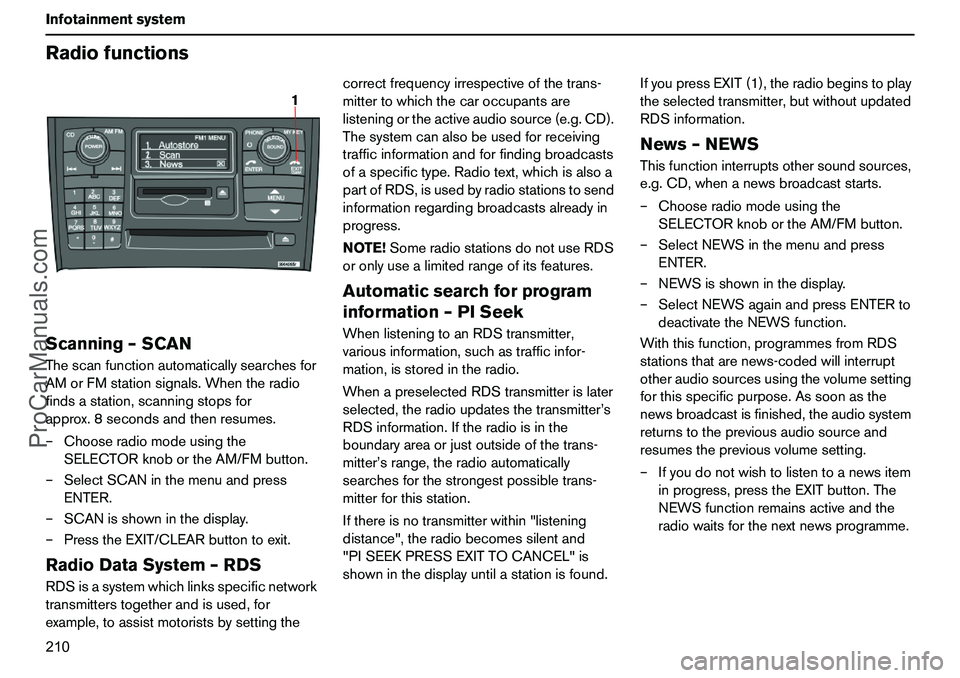
210 InfotainmentsystemRadiofunctionsScanning–SCANThescanfunctionautomaticallysearchesfor
AMorFMstationsignals.Whentheradio
findsastation,scanningstopsfor
approx.8secondsandthenresumes.
–Chooseradiomodeusingthe
SELECTORknobortheAM/FMbutton.
–SelectSCANinthemenuandpress
ENTER.
–SCANisshowninthedisplay.
–PresstheEXIT/CLEARbuttontoexit.RadioDataSystem–RDSRDSisasystemwhichlinksspecificnetwork
transmitterstogetherandisused,for
example,toassistmotoristsbysettingthecorrectfrequencyirrespectiveofthetrans-
mittertowhichthecaroccupantsare
listeningortheactiveaudiosource(e.g.CD).
Thesystemcanalsobeusedforreceiving
trafficinformationandforfindingbroadcasts
ofaspecifictype.Radiotext,whichisalsoa
partofRDS,isusedbyradiostationstosend
informationregardingbroadcastsalreadyin
progress.
NOTE!SomeradiostationsdonotuseRDS
oronlyusealimitedrangeofitsfeatures.
Automaticsearchforprogram
information–PISeekWhenlisteningtoanRDStransmitter,
variousinformation,suchastrafficinfor-
mation,isstoredintheradio.
WhenapreselectedRDStransmitterislater
selected,theradioupdatesthetransmitter’s
RDSinformation.Iftheradioisinthe
boundaryareaorjustoutsideofthetrans-
mitter’srange,theradioautomatically
searchesforthestrongestpossibletrans-
mitterforthisstation.
Ifthereisnotransmitterwithin"listening
distance",theradiobecomessilentand
"PISEEKPRESSEXITTOCANCEL"is
showninthedisplayuntilastationisfound.IfyoupressEXIT(1),theradiobeginstoplay
theselectedtransmitter,butwithoutupdated
RDSinformation.
News–NEWSThisfunctioninterruptsothersoundsources,
e.g.CD,whenanewsbroadcaststarts.
–Chooseradiomodeusingthe
SELECTORknobortheAM/FMbutton.
–SelectNEWSinthemenuandpress
ENTER.
–NEWSisshowninthedisplay.
–SelectNEWSagainandpressENTERto
deactivatetheNEWSfunction.
Withthisfunction,programmesfromRDS
stationsthatarenews-codedwillinterrupt
otheraudiosourcesusingthevolumesetting
forthisspecificpurpose.Assoonasthe
newsbroadcastisfinished,theaudiosystem
returnstothepreviousaudiosourceand
resumesthepreviousvolumesetting.
–Ifyoudonotwishtolistentoanewsitem
inprogress,presstheEXITbutton.The
NEWSfunctionremainsactiveandthe
radiowaitsforthenextnewsprogramme.
1
ProCarManuals.com
Page 212 of 254
211 Infotainmentsystem
RadiofunctionsTrafficinformation–TPThisfunctioninterruptsotheraudiosources
inordertobroadcasttrafficinformationfrom
RDSstations;themessageisheardatthe
volumesetforthisspecificpurpose.Assoon
asthemessageends,theaudiosystem
returnstothepreviousaudiosourceand
resumesthepreviousvolumesetting.
–SelectTPinthemenuandpressENTER.
–TPisshowninthedisplay.
–SelectTPagainandpressENTERto
deactivatetheTPfunction.
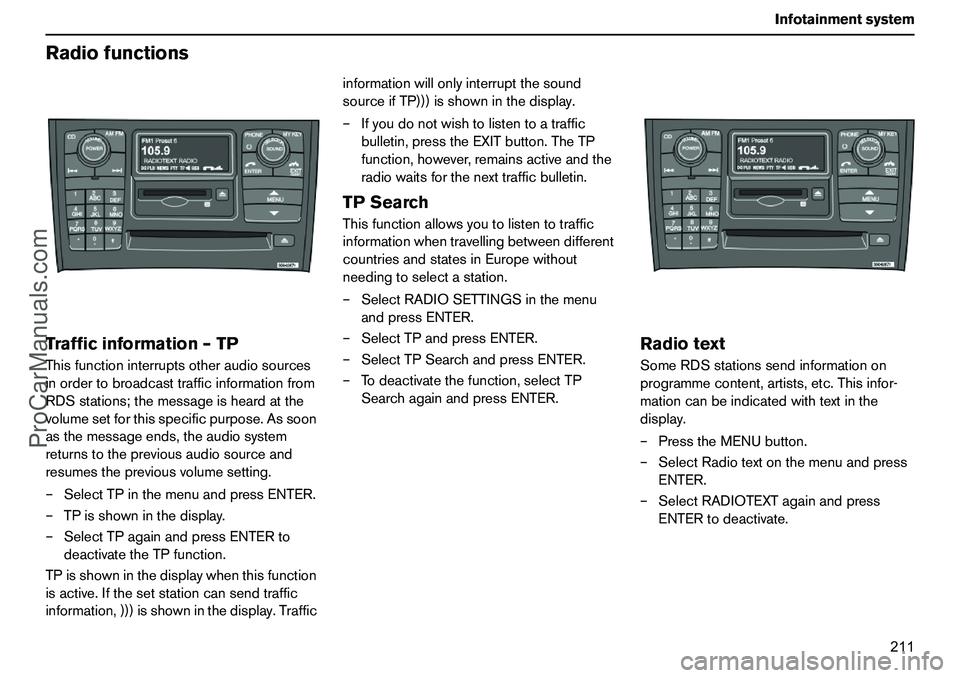
TPisshowninthedisplaywhenthisfunction
isactive.Ifthesetstationcansendtraffic
information,)))isshowninthedisplay.Trafficinformationwillonlyinterruptthesound
sourceifTP)))isshowninthedisplay.
–Ifyoudonotwishtolistentoatraffic
bulletin,presstheEXITbutton.TheTP
function,however,remainsactiveandthe
radiowaitsforthenexttrafficbulletin.
TPSearchThisfunctionallowsyoutolistentotraffic
informationwhentravellingbetweendifferent
countriesandstatesinEuropewithout
needingtoselectastation.
–SelectRADIOSETTINGSinthemenu
andpressENTER.
–SelectTPandpressENTER.
–SelectTPSearchandpressENTER.
–Todeactivatethefunction,selectTP
SearchagainandpressENTER.
RadiotextSomeRDSstationssendinformationon
programmecontent,artists,etc.Thisinfor-
mationcanbeindicatedwithtextinthe
display.
–PresstheMENUbutton.
–SelectRadiotextonthemenuandpress
ENTER.
–SelectRADIOTEXTagainandpress
ENTERtodeactivate.
ProCarManuals.com
Page 221 of 254
220 InfotainmentsystemMenustructure–AudioAM/FMMenu1.Autostore
1
1.ASTSearch
2.ASTMode
2.Scan
1
3.News
1(On/Off
2)
4.TP
1(On/Off
2)
5.RadioText1(On/Off
2)
6.RadioSettings
1.PTY
1.SelectPTY
1.ClearAllPTY
2.PTYList
2.SearchPTY
2
3.ShowPTY(On/Off
2)
2.TP
1.TPStation
1.SetCurrent/ResetCurrent
2.TPSearch(On/Off2)
3.NEWSStation
1.SetCurrent/ResetCurrent
4.AF
2(On
2/Off)
5.Regional2(On/Off
2)
6.EON
1.Off
2.Local3.Distant
2
7.ResetAll
7.AudioSettings
3
1.DolbyFM
1.ProLogicII
2.3Channel
3.Off
2
2.DolbyCD/MD
1.ProLogicII
2
2.3Channel
3.Off
3.Subwoofer
2,4
(On
2/Off)
4.EqualizerFr
5.EqualizerRr
6.ResetAll
CDMenu1.Random
1
2.Scan
1
3.News
1(On/Off
2)
4.TP
1(On/Off
2)
5.AudioSettings3
SeeAudioSettingsinAM/FMMenu.
CDMenu(CDchanger)1.Random
1
1.Off
2
2.SingleDisc
3.AllDiscs
2.Scan
1
3.News
1(On/Off
2)
4.TP
1(On/Off
2)
5.DiscText
1(On/Off
2)
6.AudioSettings
3
SeeAudioSettingsinAM/FMMenu.MDMenu1.Random
1
2.Scan
1
3.News
1
4.TP
1
5.DiscText
1(On/Off
2)
6.AudioSettings
3
SeeAudioSettingsinAM/FMMenu.
1.ProgrammablewithMYKEY,see
page221.
2.Default/factorysettings.
3.Certainmodels.
4.Option.
ProCarManuals.com
Page 222 of 254
221 Infotainmentsystem
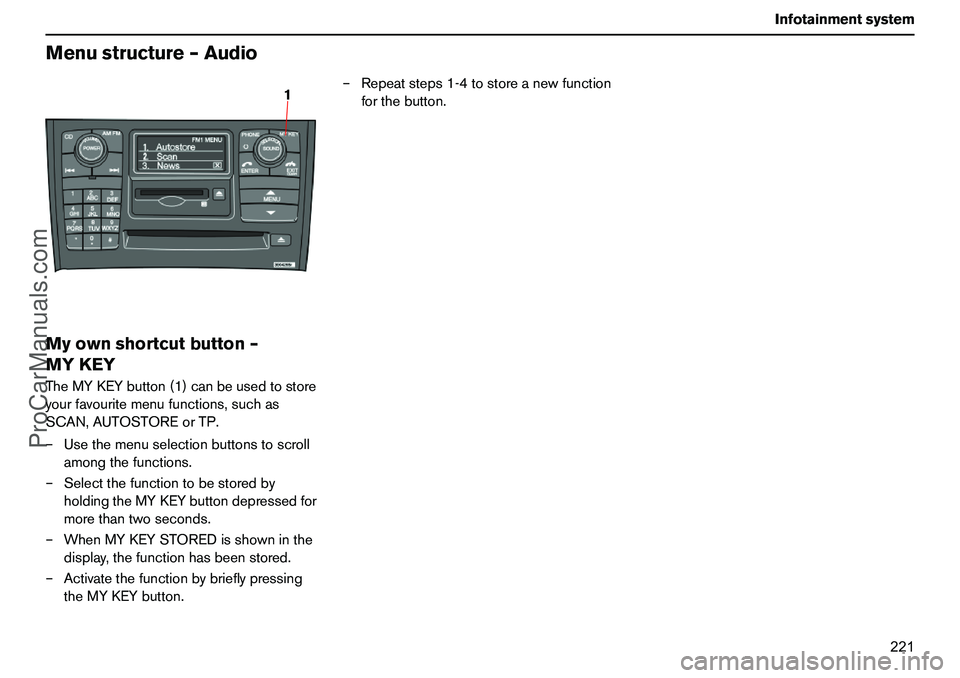
Menustructure–AudioMyownshortcutbutton–
MYKEYTheMYKEYbutton(1)canbeusedtostore
yourfavouritemenufunctions,suchas
SCAN,AUTOSTOREorTP.
–Usethemenuselectionbuttonstoscroll
amongthefunctions.
–Selectthefunctiontobestoredby
holdingtheMYKEYbuttondepressedfor
morethantwoseconds.
–WhenMYKEYSTOREDisshowninthe
display,thefunctionhasbeenstored.
–Activatethefunctionbybrieflypressing
theMYKEYbutton.–Repeatsteps1-4tostoreanewfunction
forthebutton.
1
ProCarManuals.com
Page 224 of 254
223 Infotainmentsystem
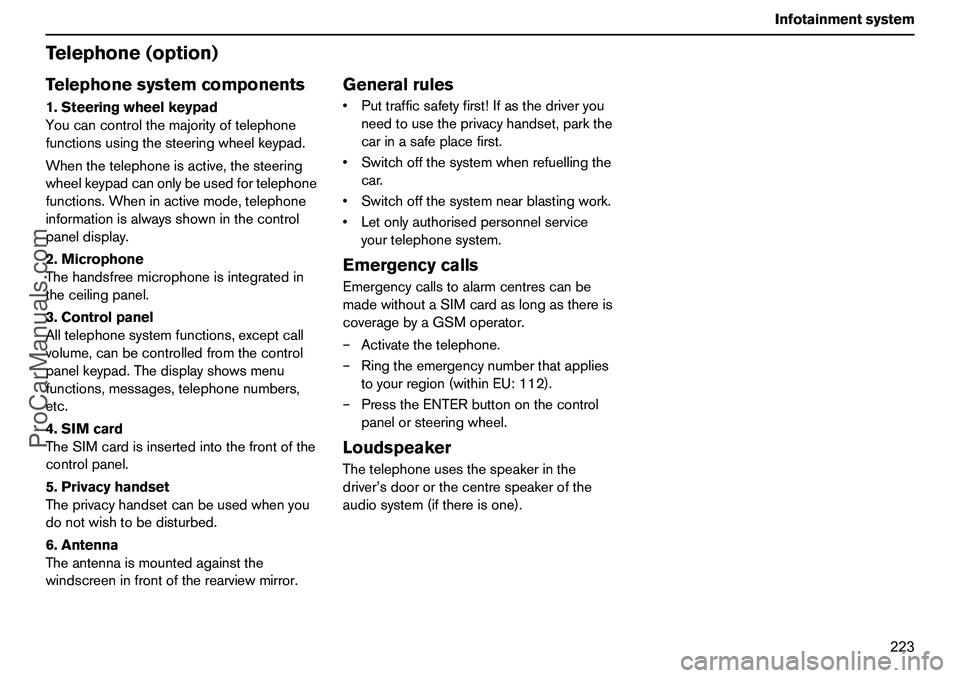
Telephone(option)Telephonesystemcomponents1.Steeringwheelkeypad
Youcancontrolthemajorityoftelephone
functionsusingthesteeringwheelkeypad.
Whenthetelephoneisactive,thesteering
wheelkeypadcanonlybeusedfortelephone
functions.Wheninactivemode,telephone
informationisalwaysshowninthecontrol
paneldisplay.
2.Microphone
Thehandsfreemicrophoneisintegratedin
theceilingpanel.
3.Controlpanel
Alltelephonesystemfunctions,exceptcall
volume,canbecontrolledfromthecontrol
panelkeypad.Thedisplayshowsmenu
functions,messages,telephonenumbers,
etc.
4.SIMcard
TheSIMcardisinsertedintothefrontofthe
controlpanel.
5.Privacyhandset
Theprivacyhandsetcanbeusedwhenyou
donotwishtobedisturbed.
6.Antenna
Theantennaismountedagainstthe
windscreeninfrontoftherearviewmirror.
GeneralrulesPuttrafficsafetyfirst!Ifasthedriveryou
needtousetheprivacyhandset,parkthe
carinasafeplacefirst.
Switchoffthesystemwhenrefuellingthe
car.
Switchoffthesystemnearblastingwork.
Letonlyauthorisedpersonnelservice
yourtelephonesystem.EmergencycallsEmergencycallstoalarmcentrescanbe
madewithoutaSIMcardaslongasthereis
coveragebyaGSMoperator.
–Activatethetelephone.
–Ringtheemergencynumberthatapplies
toyourregion(withinEU:112).
–PresstheENTERbuttononthecontrol
panelorsteeringwheel.LoudspeakerThetelephoneusesthespeakerinthe
driver’sdoororthecentrespeakerofthe
audiosystem(ifthereisone).
ProCarManuals.com