language VOLVO XC90 2006 Owners Manual
[x] Cancel search | Manufacturer: VOLVO, Model Year: 2006, Model line: XC90, Model: VOLVO XC90 2006Pages: 254, PDF Size: 8.43 MB
Page 232 of 254
231 Infotainmentsystem
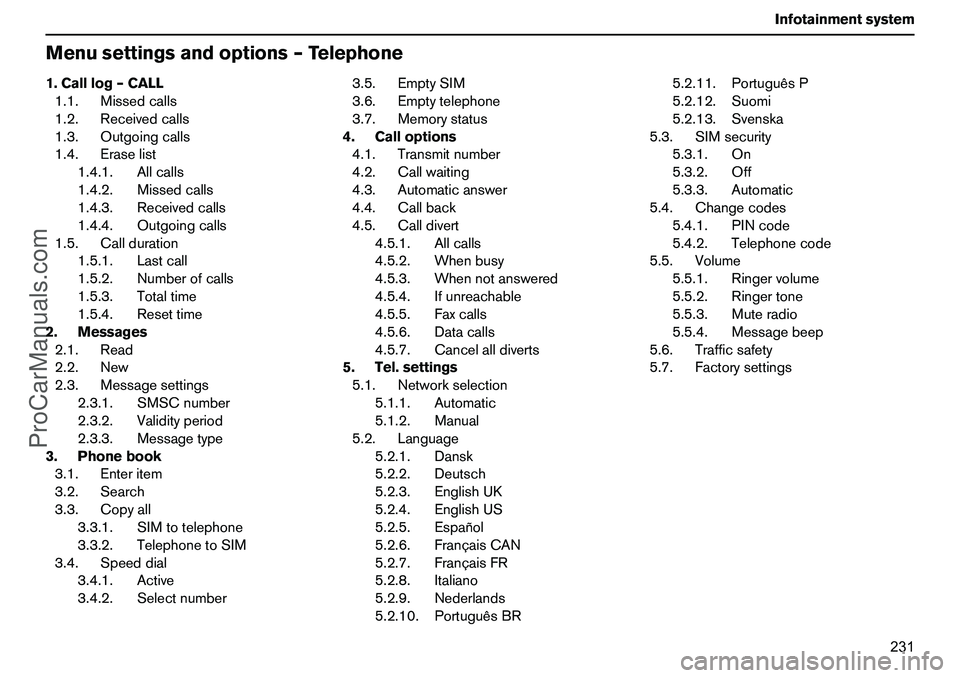
Menusettingsandoptions–Telephone1.Calllog–CALL
1.1.Missedcalls
1.2.Receivedcalls
1.3.Outgoingcalls
1.4.Eraselist
1.4.1.Allcalls
1.4.2.Missedcalls
1.4.3.Receivedcalls
1.4.4.Outgoingcalls
1.5.Callduration
1.5.1.Lastcall
1.5.2.Numberofcalls
1.5.3.Totaltime
1.5.4.Resettime
2.Messages
2.1.Read
2.2.New
2.3.Messagesettings
2.3.1.SMSCnumber
2.3.2.Validityperiod
2.3.3.Messagetype
3.Phonebook
3.1.Enteritem
3.2.Search
3.3.Copyall
3.3.1.SIMtotelephone
3.3.2.TelephonetoSIM
3.4.Speeddial
3.4.1.Active
3.4.2.Selectnumber3.5.EmptySIM
3.6.Emptytelephone
3.7.Memorystatus
4.Calloptions
4.1.Transmitnumber
4.2.Callwaiting
4.3.Automaticanswer
4.4.Callback
4.5.Calldivert
4.5.1.Allcalls
4.5.2.Whenbusy
4.5.3.Whennotanswered
4.5.4.Ifunreachable
4.5.5.Faxcalls
4.5.6.Datacalls
4.5.7.Cancelalldiverts
5.Tel.settings
5.1.Networkselection
5.1.1.Automatic
5.1.2.Manual
5.2.Language
5.2.1.Dansk
5.2.2.Deutsch
5.2.3.EnglishUK
5.2.4.EnglishUS
5.2.5.Español
5.2.6.FrançaisCAN
5.2.7.FrançaisFR
5.2.8.Italiano
5.2.9.Nederlands
5.2.10.PortuguêsBR5.2.11.PortuguêsP
5.2.12.Suomi
5.2.13.Svenska
5.3.SIMsecurity
5.3.1.On
5.3.2.Off
5.3.3.Automatic
5.4.Changecodes
5.4.1.PINcode
5.4.2.Telephonecode
5.5.Volume
5.5.1.Ringervolume
5.5.2.Ringertone
5.5.3.Muteradio
5.5.4.Messagebeep
5.6.Trafficsafety
5.7.Factorysettings
ProCarManuals.com
Page 234 of 254
233 Infotainmentsystem
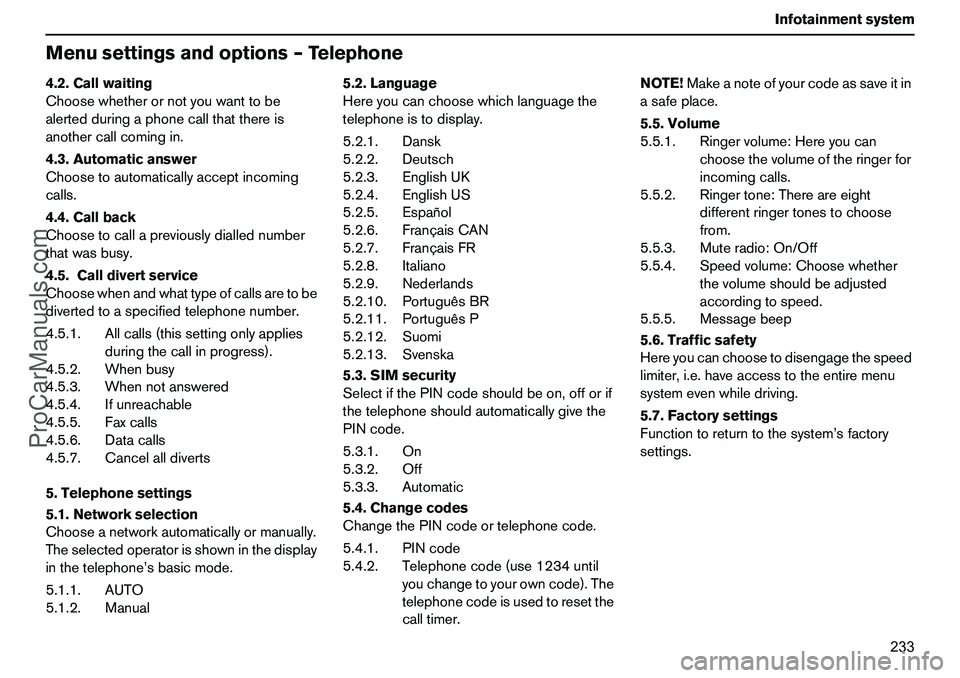
Menusettingsandoptions–Telephone4.2.Callwaiting
Choosewhetherornotyouwanttobe
alertedduringaphonecallthatthereis
anothercallcomingin.
4.3.Automaticanswer
Choosetoautomaticallyacceptincoming
calls.
4.4.Callback
Choosetocallapreviouslydiallednumber
thatwasbusy.
4.5.Calldivertservice
Choosewhenandwhattypeofcallsaretobe
divertedtoaspecifiedtelephonenumber.
4.5.1.Allcalls(thissettingonlyapplies
duringthecallinprogress).
4.5.2.Whenbusy
4.5.3.Whennotanswered
4.5.4.Ifunreachable
4.5.5.Faxcalls
4.5.6.Datacalls
4.5.7.Cancelalldiverts
5.Telephonesettings
5.1.Networkselection
Chooseanetworkautomaticallyormanually.
Theselectedoperatorisshowninthedisplay
inthetelephone’sbasicmode.
5.1.1.AUTO
5.1.2.Manual5.2.Language
Hereyoucanchoosewhichlanguagethe
telephoneistodisplay.
5.2.1.Dansk
5.2.2.Deutsch
5.2.3.EnglishUK
5.2.4.EnglishUS
5.2.5.Español
5.2.6.FrançaisCAN
5.2.7.FrançaisFR
5.2.8.Italiano
5.2.9.Nederlands
5.2.10.PortuguêsBR
5.2.11.PortuguêsP
5.2.12.Suomi
5.2.13.Svenska
5.3.SIMsecurity
SelectifthePINcodeshouldbeon,offorif
thetelephoneshouldautomaticallygivethe
PINcode.
5.3.1.On
5.3.2.Off
5.3.3.Automatic
5.4.Changecodes
ChangethePINcodeortelephonecode.
5.4.1.PINcode
5.4.2.Telephonecode(use1234until
youchangetoyourowncode).The
telephonecodeisusedtoresetthe
calltimer.NOTE!Makeanoteofyourcodeassaveitin
asafeplace.
5.5.Volume
5.5.1.Ringervolume:Hereyoucan
choosethevolumeoftheringerfor
incomingcalls.
5.5.2.Ringertone:Thereareeight
differentringertonestochoose
from.
5.5.3.Muteradio:On/Off
5.5.4.Speedvolume:Choosewhether
thevolumeshouldbeadjusted
accordingtospeed.
5.5.5.Messagebeep
5.6.Trafficsafety
Hereyoucanchoosetodisengagethespeed
limiter,i.e.haveaccesstotheentiremenu
systemevenwhiledriving.
5.7.Factorysettings
Functiontoreturntothesystem’sfactory
settings.
ProCarManuals.com