key VOLVO XC90 2015 Manual PDF
[x] Cancel search | Manufacturer: VOLVO, Model Year: 2015, Model line: XC90, Model: VOLVO XC90 2015Pages: 570, PDF Size: 12.44 MB
Page 288 of 570
DRIVER SUPPORT
* Option/accessory, for more information, see Introduction.
286
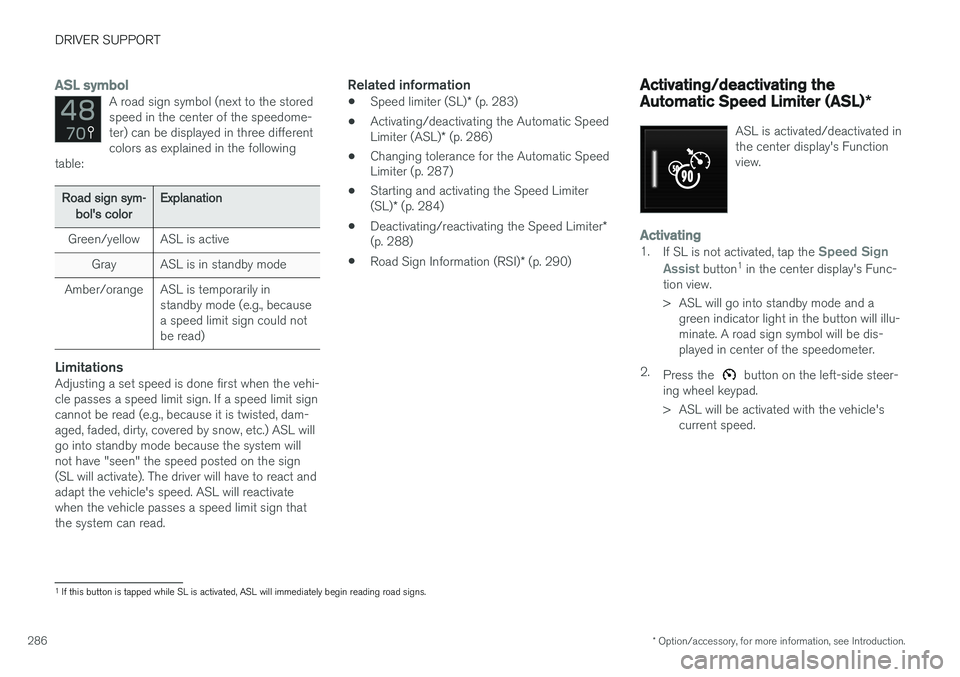
ASL symbolA road sign symbol (next to the stored speed in the center of the speedome-ter) can be displayed in three differentcolors as explained in the following
table:
Road sign sym-
bol's colorExplanation
Green/yellowASL is active
GrayASL is in standby mode
Amber/orangeASL is temporarily in standby mode (e.g., becausea speed limit sign could notbe read)
LimitationsAdjusting a set speed is done first when the vehi- cle passes a speed limit sign. If a speed limit signcannot be read (e.g., because it is twisted, dam-aged, faded, dirty, covered by snow, etc.) ASL willgo into standby mode because the system willnot have "seen" the speed posted on the sign(SL will activate). The driver will have to react andadapt the vehicle's speed. ASL will reactivatewhen the vehicle passes a speed limit sign thatthe system can read.
Related information
• Speed limiter (SL)
* (p. 283)
• Activating/deactivating the Automatic Speed Limiter (ASL)
* (p. 286)
• Changing tolerance for the Automatic Speed Limiter (p. 287)
• Starting and activating the Speed Limiter (SL)
* (p. 284)
• Deactivating/reactivating the Speed Limiter
*
(p. 288)
• Road Sign Information (RSI)
* (p. 290)
Activating/deactivating the Automatic Speed Limiter (ASL) *
ASL is activated/deactivated in the center display's Functionview.
Activating1.
If SL is not activated, tap the Speed Sign
Assist
button 1
in the center display's Func-
tion view.
> ASL will go into standby mode and a green indicator light in the button will illu- minate. A road sign symbol will be dis-played in center of the speedometer.
2. Press the
button on the left-side steer-
ing wheel keypad.
> ASL will be activated with the vehicle's current speed.
1If this button is tapped while SL is activated, ASL will immediately begin reading road signs.
Page 289 of 570
DRIVER SUPPORT
* Option/accessory, for more information, see Introduction.287
Deactivating1.
Tap the Speed Sign Assist button in the
center display's Function view.
> ASL will be deactivated and the Speed limiter (SL) will be activated.
2. Press the
button on the left-side steer-
ing wheel keypad.
> SL will go into standby mode.
WARNING
After switching from ASL to SL, the vehicle will no longer adapt speed to posted speedlimits. It will only limit the vehicle's maximumspeed.
Related information
• Speed limiter (SL)
* (p. 283)
• Automatic Speed Limiter (ASL)
* (p. 285)
Changing tolerance for the Automatic Speed Limiter
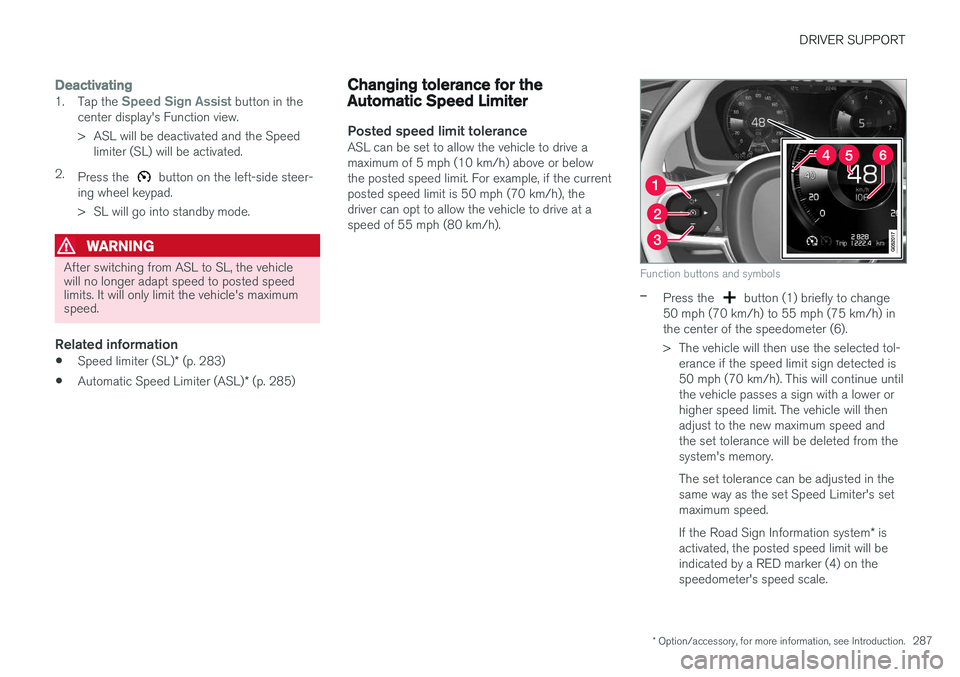
Posted speed limit toleranceASL can be set to allow the vehicle to drive a maximum of 5 mph (10 km/h) above or belowthe posted speed limit. For example, if the currentposted speed limit is 50 mph (70 km/h), thedriver can opt to allow the vehicle to drive at aspeed of 55 mph (80 km/h).
Function buttons and symbols
–Press the button (1) briefly to change
50 mph (70 km/h) to 55 mph (75 km/h) in the center of the speedometer (6).
> The vehicle will then use the selected tol- erance if the speed limit sign detected is 50 mph (70 km/h). This will continue untilthe vehicle passes a sign with a lower orhigher speed limit. The vehicle will thenadjust to the new maximum speed andthe set tolerance will be deleted from thesystem's memory. The set tolerance can be adjusted in the same way as the set Speed Limiter's setmaximum speed. If the Road Sign Information system * is
activated, the posted speed limit will be indicated by a RED marker (4) on thespeedometer's speed scale.
Page 290 of 570
DRIVER SUPPORT
* Option/accessory, for more information, see Introduction.
288
Related information
• Automatic Speed Limiter (ASL)
* (p. 285)
• Activating/deactivating the Automatic Speed Limiter (ASL)
* (p. 286)
• Road Sign Information (RSI)
* (p. 290)
• Changing a Speed Limiter (SL)
* maximum
speed (p. 285)
Deactivating/reactivating the Speed Limiter *
The Speed Limiter (SL) can be temporarily deac- tivated and put in standby mode.Deactivating and putting SL in standby mode
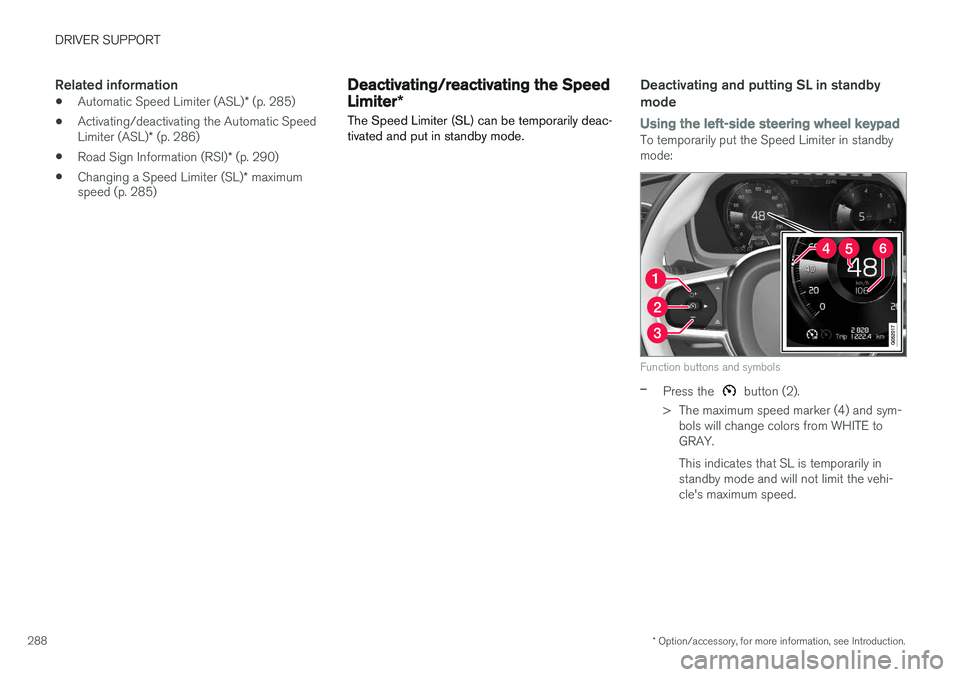
Using the left-side steering wheel keypadTo temporarily put the Speed Limiter in standby mode:
Function buttons and symbols
–Press the button (2).
> The maximum speed marker (4) and sym- bols will change colors from WHITE to GRAY. This indicates that SL is temporarily in standby mode and will not limit the vehi-cle's maximum speed.
Page 309 of 570

DRIVER SUPPORT
* Option/accessory, for more information, see Introduction.307
Park Assist Pilot (PAP)* symbols
and messages
Park Assist Pilot uses symbols, graphics and text messages to indicate if there is a problemwith the system.Various PAP-related combinations of symbols, graphics and text messages are displayed in theinstrument panel and sometimes also includesuitable actions. The following table provides some examples.
SymbolMessageExplanation
Park Assist System Unavailable Service requiredThe system is not functioning properly. Contact a trained and qualified Volvo service technician.
Park Assist System Sensors blocked, cleaning neededOne or more of the system's sensors are blocked. Check and clean the sensors as soon as possible.
A text message can be erased by briefly pressing the
O button in the center of the right-side steer-
ing wheel keypad. Contact a Volvo retailer or a trained and qualified Volvo service technician If a message indicatingthat PAP is not functioning properly remains dis-played or recurs.
Related information
• Park Assist Pilot (PAP)
* (p. 301)
• Using Park Assist Pilot (PAP)
* (p. 302)
• Park Assist Pilot (PAP)
* limitations (p. 305)
Page 320 of 570

DRIVER SUPPORT
* Option/accessory, for more information, see Introduction.
318
Maintenance
The BLIS/CTA 8
sensors are located on the
inside of the rear fenders/bumper.
Keep the highlighted area clean (on both sides of the vehicle)
For the system to function optimally, the area over and around the sensors must be kept clean. If one or both of the sensors are blocked and "
Rear sensors blocked, cleaning needed" is
displayed in the instrument panel, clean the area over and around the sensors as soon as possible. A text message can be erased by briefly pressing the O button on the right-side steering wheel
keypad.
CAUTION
Repairs to the BLIS/CTA systems and/or repainting the rear bumper should only bedone by a trained and qualified Volvo servicetechnician.
Related information
• Blind Spot Information (BLIS)
* On/Off
(p. 317)
• Blind Spot Information (BLIS)
* (p. 315)
• Cross Traffic Alert (CTA)
* (p. 318)
Cross Traffic Alert (CTA) *
Cross Traffic Alert (CTA) is a supplementary part of Blind Spot Information and is intended todetect vehicles crossing behind your vehiclewhile you are backing up.
When does Cross Traffic Alert function
Principle for CTA
CTA supplements BLIS by warning the driver of crossing traffic behind your vehicle, for example,when backing out of a parking space. It is primarily designed to detect another vehicle but in certain cases may also detect pedestriansor smaller objects such as bicycles. CTA is only activated when the vehicle is rolling rearward or backing up and is activated automati-cally when the gear selector is put in reverse.
8 Cross Traffic Alert *
Page 345 of 570

STARTING AND DRIVING
343
Towing eyelet
When used, the towing eyelet should always be securely attached in the openings on the rightside of the front and rear bumpers. There arecovers over these attachment points.
Take out the towing eyelet, which is stored under the floor in the cargo compartment.
Front bumper: Carefully pry open the cover by inserting a small screwdriver or theremote key's removable key blade into thegroove on its left side.
> The cover can now be folded out and removed.
Rear bumper: Remove the cover by pressing the mark in the lower left corner with a fingerand folding out the upper right corner.
> The cover folds out and can then beremoved. 4. Screw the towing eyelet into place, first by
hand and then using the tire iron, etc. until it has been screwed in as far as possible.
After use, the eyelet should be removed and returned to its storage location. Reinsert the cover into the bumper.
CAUTION
In certain conditions, the towing eyelet may be used to pull the vehicle onto aflatbed tow truck.
• The vehicle's position and ground clear- ance determine if it can be pulled up ontoa flatbed tow truck using the towing eye-let.
• If the angle of the tow truck
Page 346 of 570

STARTING AND DRIVING
344
Towing recommendations
Always check with state and local authorities before attempting to tow another vehiclebecause this type of towing is subject to regula-tions regarding maximum towing speed, lengthand type of towing device, lighting, etc.
Towing your vehicle behind another
vehicle
1. After securely attaching the towing line to both vehicles, put the gear selector in posi- tion N and release the parking brake.
2. Put the ignition in mode II by turning the
start knob to START (without depressing
the brake pedal) and hold it in this position
for approx. 4 seconds. Release the knob.
3. Put the gear selector in position N and
release the parking brake.
4. The towing vehicle can now begin driving.
5. Keep the tow rope taut when the towing vehicle slows down by applying light pressure on the brake pedal. This will help prevent jar-ring movements of the vehicle being towed.
6. Be prepared to apply the brakes to stop the vehicle being towed.
CAUTION
General towing precautions:
• If the vehicle's battery is dead, an auxiliary battery will be necessary to provide cur-rent for releasing the electric parkingbrake and to move the gear selector from the
P position to N. If this is not possible,
use the shiftlock override procedure tomanually release the gear selector from P
and move it to N.
• Maximum speed: 50 mph (80 km/h). Do not exceed the maximum allowable tow-ing speed.
• Maximum distance with front wheels onground: 50 miles (80 km).
• The vehicle should only be towed in theforward direction.
WARNING
• When the vehicle is being towed, the igni- tion should be in mode
II (in mode I, all of
the vehicle's airbags are deactivated).
• The remote key must remain inside the vehicle.
• The power brakes and power steering willnot function when the engine is not run-ning. Approximately 5 times more pres-sure will be required on the brake pedaland the steering wheel will be considera-bly harder to turn.
• The towing eyelets must not be used forpulling the vehicle out of a ditch or forany similar purpose involving severestrain.
Page 357 of 570
STARTING AND DRIVING
* Option/accessory, for more information, see Introduction.355
Ignition modes
The vehicle's ignition can be put in various modes (levels) to make different functions availa-ble.
The vehicle's ignition has 3 modes: 0, I, and II
that can be used to operate various functions without starting the engine. The following tableshows examples of which functions are availablein the respective modes.
ModeFunctions available
0• The odometer, clock and tem- perature gauge are illuminated
• Power seats
* can be adjusted
• The power windows can be oper-ated
• The 12-volt socket in the cargocompartment can be used
• The center display is activatedand can be used
• The infotainment system can beused for a limited time
In this mode, certain functions can only be used for a limited time to helpminimize battery drain
I• The laminated panoramic roof
*,
power seats */windows,12-volt
sockets in the passenger com- partment, Bluetooth, navigation system *, climate system blower,
windshield wipers can be oper- ated
• The infotainment system will start(if it was started when the ignitionwas switched off)
ModeFunctions available
II• The headlights illuminate
• Warning/indicator lights illumi- nate for 5 seconds
• A number of other functions willalso be activated. However, the heated seats
* and heated rear
window functions can only be activated when the engine is run-ning.
This mode should only be used for very short periods to help avoiddraining the battery.
Selecting an ignition mode
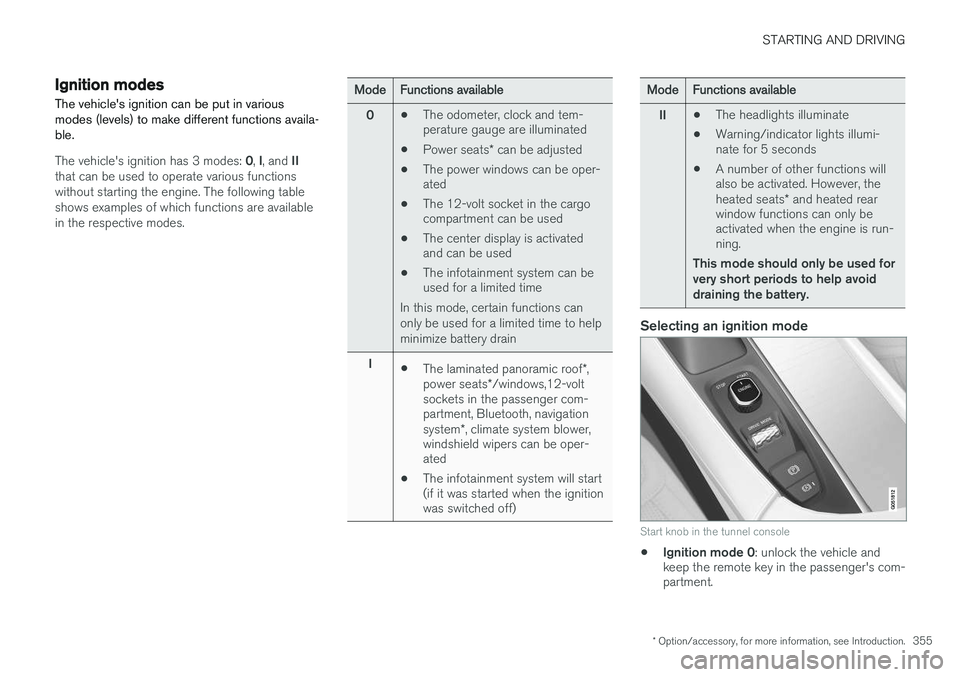
Start knob in the tunnel console
• Ignition mode 0
: unlock the vehicle and
keep the remote key in the passenger's com- partment.
Page 358 of 570
STARTING AND DRIVING
356
NOTE
To access ignition modes I or II without star-
ting the engine, the brake pedal must not be
depressed when these modes are selected.
• Ignition mode I
: Turn the start knob to
START and release it. The knob will return
automatically to its original position.
• Ignition mode II
: Turn the start knob to
START and hold it there for approx.
4 seconds. Release the knob.
• Returning to ignition mode 0
: To return to
mode 0 from mode II or I, turn the start knob
to STOP and release it.
Related information
•Starting the engine (p. 356)
• Turning the engine off (p. 359)
Battery drain Your vehicle's electrical functions drain the bat- tery to varying extents.
Avoid using ignition mode
II as much as posssi-
ble, or electrical functions that require a great deal of electrical current when the engine is notrunning. Using ignition mode I whenever possible con-
sumes less electrical current. Functions that require a great deal of electrical current include:
• the climate system blower
• headlights
• wipers
• infotainment system (especially at high vol- ume).
If the battery's charge level is low, a text message will appear in the instrument panel. The vehicle'senergy-saving function will then turn off orreduce certain functions that are currently con-suming electrical current. If the battery needs to be recharged, start the engine and let it idle for at least 15 minutes ordrive the vehicle (driving charges the batteryfaster than letting the engine idle).
Related information
• Ignition modes (p. 355)
Starting the engine
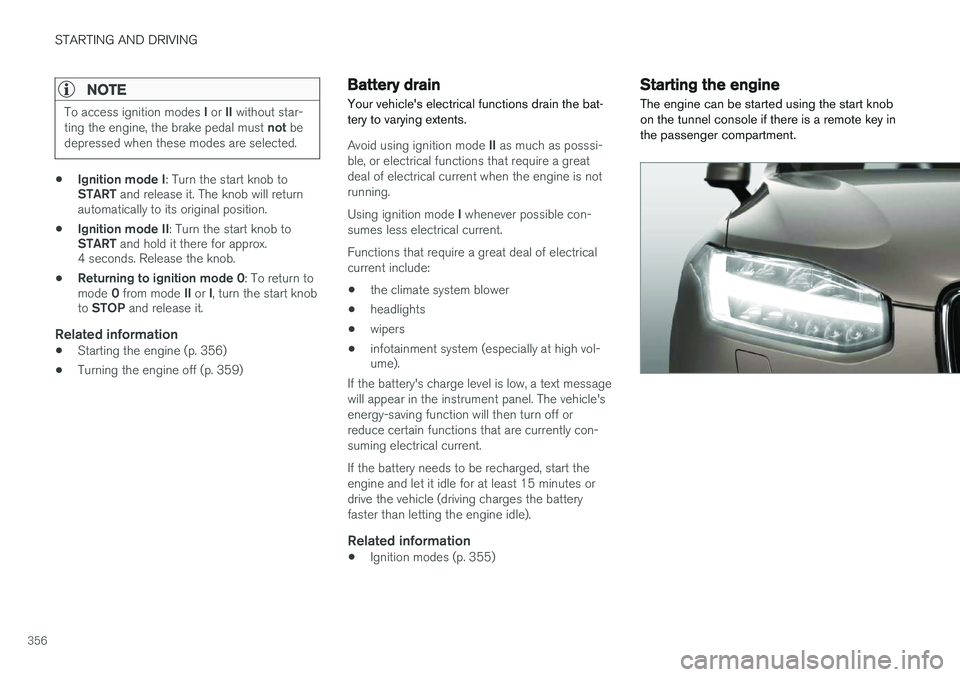
The engine can be started using the start knob on the tunnel console if there is a remote key inthe passenger compartment.
Page 359 of 570
STARTING AND DRIVING
357
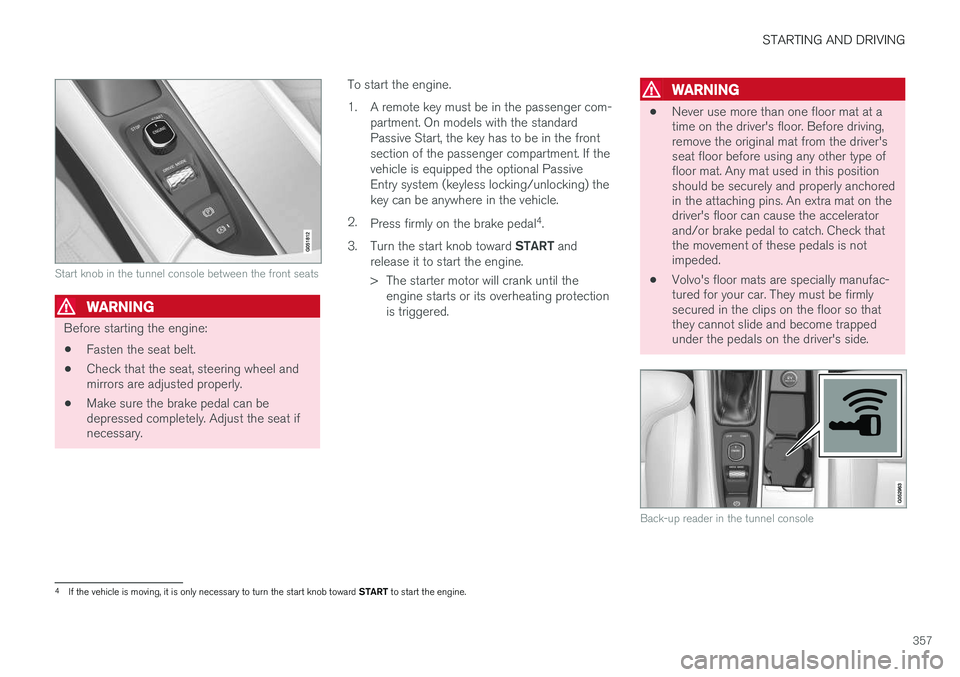
Start knob in the tunnel console between the front seats
WARNING
Before starting the engine:• Fasten the seat belt.
• Check that the seat, steering wheel and mirrors are adjusted properly.
• Make sure the brake pedal can bedepressed completely. Adjust the seat ifnecessary. To start the engine.
1. A remote key must be in the passenger com-
partment. On models with the standard Passive Start, the key has to be in the frontsection of the passenger compartment. If thevehicle is equipped the optional PassiveEntry system (keyless locking/unlocking) thekey can be anywhere in the vehicle.
2. Press firmly on the brake pedal 4
.
3. Turn the start knob toward START and
release it to start the engine.
> The starter motor will crank until the engine starts or its overheating protection is triggered.
WARNING
• Never use more than one floor mat at a time on the driver's floor. Before driving,remove the original mat from the driver'sseat floor before using any other type offloor mat. Any mat used in this positionshould be securely and properly anchoredin the attaching pins. An extra mat on thedriver's floor can cause the acceleratorand/or brake pedal to catch. Check thatthe movement of these pedals is notimpeded.
• Volvo's floor mats are specially manufac-tured for your car. They must be firmlysecured in the clips on the floor so thatthey cannot slide and become trappedunder the pedals on the driver's side.
Back-up reader in the tunnel console
4
If the vehicle is moving, it is only necessary to turn the start knob toward START to start the engine.