infotainment VOLVO XC90 T8 2017 Owner´s Manual
[x] Cancel search | Manufacturer: VOLVO, Model Year: 2017, Model line: XC90 T8, Model: VOLVO XC90 T8 2017Pages: 580, PDF Size: 10.37 MB
Page 467 of 580
INFOTAINMENT
}}
465
Dirac Live technology has been used in the development and tuning of the sound in order toensure a world-class sound experience. DiracLive and the D-symbol are registered trademarksof Dirac Research AB.
DivX
®
DivX
®
, DivX Certified ®
and associated logos are
trademarks of DivX, LLC and are used under license. About DIVX VIDEO:This DivX Certified ®
device
can play DivX ®
Home Theater video files up to
576p (including .avi, .divx). Download free soft- ware at www.divx.com to create, play and streamdigital video. About DIVX VIDEO-ON-DEMAND: This DivX Certified ®
device must be registered in order to
play purchased DivX Video-on-Demand (VOD) movies. To obtain your registration code, locatethe DivX VOD section in your device setup menu. Go to vod.divx.com for more information on howto complete your registration.
Patent number
Covered by one or more of the following U.S. pat- ents: 7,295,673; 7,460,668; 7,515,710;8,656,183; 8,731,369; RE45,052."
Gracenote
®
Gracenote, Gracenote logo and logotype, "Powered by Gracenote" and Gracenote MusicIDare either registered trademarks or trademarks ofGracenote, Inc in the United States and/or othercountries.
Gracenote
®
End User License Agreement
This application or device contains software from Gracenote, Inc. of Emeryville, California (“Grace-note”). The software from Gracenote (the “Grace-note Software”) enables this application to per-form disc and/or file identification and obtainmusic-related information, including name, artist,track, and title information (“Gracenote Data”)from online servers or embedded databases (col- lectively, “Gracenote Servers”) and to performother functions. You may use Gracenote Dataonly by means of the intended End-User func-tions of this application or device. You agree that you will use Gracenote Data, the Gracenote Software, and Gracenote Servers foryour own personal non-commercial use only. Youagree not to assign, copy, transfer or transmit theGracenote Software or any Gracenote Data toany third party. YOU AGREE NOT TO USE OREXPLOIT GRACENOTE DATA, THE GRACE-NOTE SOFTWARE, OR GRACENOTE SERVERS,EXCEPT AS EXPRESSLY PERMITTED HEREIN. You agree that your non-exclusive license to use the Gracenote Data, the Gracenote Software, andGracenote Servers will terminate if you violatethese restrictions. If your license terminates, youagree to cease any and all use of the GracenoteData, the Gracenote Software, and GracenoteServers. Gracenote reserves all rights in Grace-note Data, the Gracenote Software, and theGracenote Servers, including all ownership rights.Under no circumstances will Gracenote becomeliable for any payment to you for any informationthat you provide. You agree that Gracenote, Inc.may enforce its rights under this Agreementagainst you directly in its own name. The Gracenote service uses a unique identifier to track queries for statistical purposes. The pur-pose of a randomly assigned numeric identifier isto allow the Gracenote service to count queries
Page 468 of 580
||
INFOTAINMENT
466without knowing anything about who you are. For more information, see the web page for theGracenote Privacy Policy for the Gracenote serv-ice. The Gracenote Software and each item of Grace- note Data are licensed to you “AS IS.” Gracenotemakes no representations or warranties, expressor implied, regarding the accuracy of any Grace-note Data from in the Gracenote Servers. Grace-note reserves the right to delete data from theGracenote Servers or to change data categoriesfor any cause that Gracenote deems sufficient.No warranty is made that the Gracenote Softwareor Gracenote Servers are error-free or that func-tioning of Gracenote Software or GracenoteServers will be uninterrupted. Gracenote is notobligated to provide you with new enhanced oradditional data types or categories that Grace-note may provide in the future and is free to dis-continue its services at any time. GRACENOTE DISCLAIMS ALL WARRANTIES EXPRESS OR IMPLIED, INCLUDING, BUT NOTLIMITED TO, IMPLIED WARRANTIES OF MER-CHANTABILITY, FITNESS FOR A PARTICULARPURPOSE, TITLE, AND NON-INFRINGEMENT.GRACENOTE DOES NOT WARRANT THERESULTS THAT WILL BE OBTAINED BY YOURUSE OF THE GRACENOTE SOFTWARE ORANY GRACENOTE SERVER. IN NO CASE WILLGRACENOTE BE LIABLE FOR ANY CONSE-QUENTIAL OR INCIDENTAL DAMAGES ORFOR ANY LOST PROFITS OR LOST REVENUES.
©
Gracenote, Inc. 2009
Sensus software
This software uses parts of sources from clib2and Prex Embedded Real-time OS - Source (Copyright ©) 1982, 1986, 1991, 1993, 1994),
and Quercus Robusta (Copyright ©) 1990,
1993), The Regents of the University of California. All or some portions are derived frommaterial licensed to the University of California byAmerican Telephone and Telegraph Co. or UnixSystem Laboratories, Inc. and are reproducedherein with the permission of UNIX SystemLaboratories, Inc. Redistribution and use insource and binary forms, with or withoutmodification, are permitted provided that thefollowing conditions are met: Redistributions ofsource code must retain the above copyrightnotice, this list of conditions and the followingdisclaimer. Redistributions in binary form mustreproduce the above copyright notice, this list ofconditions and the following disclaimer in thedocumentation and/or other materials providedwith the distribution. Neither the name of the
©) 1991-2000 Silicon
Graphics, Inc. Copyright in any portions created by third parties is as indicated elsewhere herein. All Rights Reserved. Copyright ©) [1991-2000]
Silicon Graphics, Inc. All Rights Reserved. Permission is hereby granted, free of charge, toany person obtaining a copy of this software andassociated documentation files (the "Software"),to deal in the Software without restriction,
Page 469 of 580
INFOTAINMENT
}}
467
including without limitation the rights to use, copy, modify, merge, publish, distribute,sublicense, and/or sell copies of the Software,and to permit persons to whom the Software isfurnished to do so, subject to the followingconditions: The above copyright notice includingthe dates of first publication and either thispermission notice or a reference to http://oss.sgi.com/projects/FreeB/ shall be included inall copies or substantial portions of the Software.THE SOFTWARE IS PROVIDED "AS IS",WITHOUT WARRANTY OF ANY KIND,EXPRESS OR IMPLIED, INCLUDING BUT NOTLIMITED TO THE WARRANTIES OFMERCHANTABILITY, FITNESS FOR APARTICULAR PURPOSE ANDNONINFRINGEMENT. IN NO EVENT SHALLSILICON GRAPHICS, INC. BE LIABLE FOR ANYCLAIM, DAMAGES OR OTHER LIABILITY,WHETHER IN AN ACTION OF CONTRACT,TORT OR OTHERWISE, ARISING FROM, OUTOF OR IN CONNECTION WITH THE SOFTWAREOR THE USE OR OTHER DEALINGS IN THESOFTWARE. Except as contained in this notice,the name of Silicon Graphics, Inc. shall not beused in advertising or otherwise to promote thesale, use or other dealings in this Softwarewithout prior written authorization from SiliconGraphics, Inc. This software is based in parts on the work of the FreeType Team.
This software uses parts of SSLeay Library: Copyright
©) 1995-1998 Eric Young
([email protected]). All rights reserved
Linux software
This product contains software licensed under GNU General Public License (GPL) or GNULesser General Public License (LGPL), etc. You have the right of acquisition, modification, and distribution of the source code of the GPL/LGPL software. You may download Source Code from the following website at no charge: http://www.embedded-carmultimedia.jp/linux/oss/download/TVM_8351_013 The website provides the Source Code "As Is" and without warranty of any kind. By downloading Source Code, you expressly assume all risk and liability associated withdownloading and using the Source Code andcomplying with the user agreements thataccompany each Source Code. Please note that we cannot respond to any inquiries regarding the source code.
camellia:1.2.0
Copyright ©) 2006, 2007
NTT (Nippon Telegraph and TelephoneCorporation). All rights reserved. Redistribution and use in source and binaryforms, with or without modification, are permittedprovided that the following conditions are met:
1. Redistributions of source code must retain
the above copyright notice, this list of conditions and the following disclaimer asthe first lines of this file unmodified.
2. Redistributions in binary form must reproduce the above copyright notice, this listof conditions and the following disclaimer inthe documentation and/or other materialsprovided with the distribution.
THIS SOFTWARE IS PROVIDED BY NTT ``ASIS'' AND ANY EXPRESS OR IMPLIEDWARRANTIES, INCLUDING, BUT NOT LIMITEDTO, THE IMPLIED WARRANTIES OFMERCHANTABILITY AND FITNESS FOR APARTICULAR PURPOSE ARE DISCLAIMED. INNO EVENT SHALL NTT BE LIABLE FOR ANYDIRECT, INDIRECT, INCIDENTAL, SPECIAL,EXEMPLARY, OR CONSEQUENTIAL DAMAGES(INCLUDING, BUT NOT LIMITED TO,PROCUREMENT OF SUBSTITUTE GOODS ORSERVICES; LOSS OF USE, DATA, OR PROFITS;OR BUSINESS INTERRUPTION) HOWEVERCAUSED AND ON ANY THEORY OF LIABILITY,WHETHER IN CONTRACT, STRICT LIABILITY,OR TORT (INCLUDING NEGLIGENCE OROTHERWISE) ARISING IN ANY WAY OUT OFTHE USE OF THIS SOFTWARE, EVEN IFADVISED OF THE POSSIBILITY OF SUCHDAMAGE.
Page 470 of 580

||
INFOTAINMENT
468
Unicode: 5.1.0COPYRIGHT AND PERMISSION NOTICE Copyright c 1991-2013 Unicode, Inc. All rights reserved. Distributed under the Terms of Use inhttp://www.unicode.org/copyright.html. Permission is hereby granted, free of charge, to any person obtaining a copy of the Unicode datafiles and any associated documentation (the"Data Files") or Unicode software and anyassociated documentation (the "Software") todeal in the Data Files or Software withoutrestriction, including without limitation the rightsto use, copy, modify, merge, publish, distribute,and/or sell copies of the Data Files or Software,and to permit persons to whom the Data Files orSoftware are furnished to do so, provided that (a)the above copyright notice(s) and this permissionnotice appear with all copies of the Data Files orSoftware, (b) both the above copyright notice(s)and this permission notice appear in associated documentation, and ©) there is clear notice in
each modified Data File or in the Software as well as in the documentation associated with theData File(s) or Software that the data or softwarehas been modified. THE DATA FILES AND SOFTWARE ARE PROVIDED "AS IS", WITHOUT WARRANTY OFANY KIND, EXPRESS OR IMPLIED, INCLUDINGBUT NOT LIMITED TO THE WARRANTIES OFMERCHANTABILITY, FITNESS FOR APARTICULAR PURPOSE AND NONINFRINGEMENT OF THIRD PARTYRIGHTS. IN NO EVENT SHALL THECOPYRIGHT HOLDER OR HOLDERSINCLUDED IN THIS NOTICE BE LIABLE FORANY CLAIM, OR ANY SPECIAL INDIRECT ORCONSEQUENTIAL DAMAGES, OR ANYDAMAGES WHATSOEVER RESULTING FROMLOSS OF USE, DATA OR PROFITS, WHETHERIN AN ACTION OF CONTRACT, NEGLIGENCEOR OTHER TORTIOUS ACTION, ARISING OUTOF OR IN CONNECTION WITH THE USE ORPERFORMANCE OF THE DATA FILES ORSOFTWARE. Except as contained in this notice, the name of a copyright holder shall not be used in advertisingor otherwise to promote the sale, use or otherdealings in these Data Files or Software withoutprior written authorization of the copyright holder.
Bluetooth
®
declaration of conformityUnited States FCC CAUTION Changes or modifications not expressly approved by the party responsible for compliance couldvoid the user's authority to operate the equip-ment. This transmitter must not be co-located oroperated in conjunction with any other antennaor transmitter. CanadaThis device complies with Industry Canada licence-exempt RSS standard(s). Operation is subject to the following two conditions: (1) thisdevice may not cause interference, and (2) thisdevice must accept any interference, includinginterference that may cause undesired operationof the device.
Page 471 of 580
INFOTAINMENT
469
Terms, conditions and confidentiality
See terms and conditions for services and cus- tomer privacy policy at support.volvocars.com.
Terms & Conditions for ServicesVolvo offers the best possible services to make owning and operating a Volvo safe, convenient,comfortable and enjoyable. Volvo offers a widearray of services, ranging from emergency assis-tance to navigation and infotainment.
Customer privacy policyThis policy applies to the way in which customer-related and personal information are handled. Itspurpose is to provide our present, previous andfuture customers a general understanding of: • The circumstances under which we gather and process your personal information.
• The types of personal information gathered.
• The reasons for gathering your personalinformation.
• How we deal with your personal information.
This policy can be read in its entirety atsupport.volvocars.com.
Page 502 of 580
||
MAINTENANCE AND SERVICING
500
Related information
•Climate system service (p. 505)
System updates
Updates are available for infotainment-related services and Internet connections. If system soft-ware updates are available, they can be to bedownloaded all at once or separately.
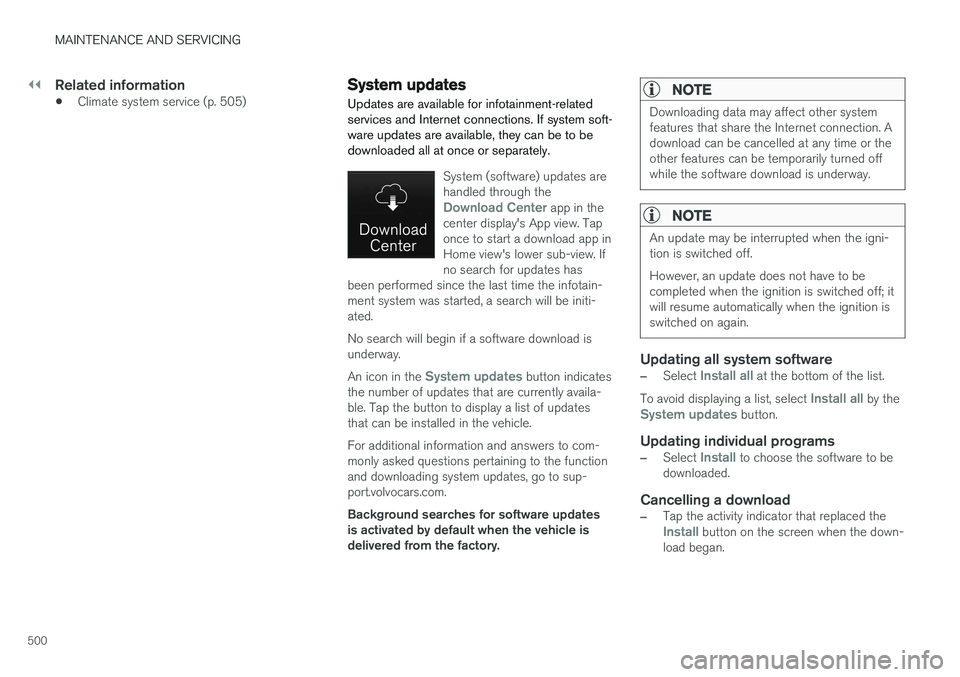
System (software) updates are handled through the
Download Center app in the
center display's App view. Tap once to start a download app inHome view's lower sub-view. Ifno search for updates has
been performed since the last time the infotain-ment system was started, a search will be initi-ated. No search will begin if a software download is underway. An icon in the
System updates button indicates
the number of updates that are currently availa- ble. Tap the button to display a list of updatesthat can be installed in the vehicle. For additional information and answers to com- monly asked questions pertaining to the functionand downloading system updates, go to sup-port.volvocars.com. Background searches for software updates is activated by default when the vehicle isdelivered from the factory.
NOTE
Downloading data may affect other system features that share the Internet connection. Adownload can be cancelled at any time or theother features can be temporarily turned offwhile the software download is underway.
NOTE
An update may be interrupted when the igni- tion is switched off. However, an update does not have to be completed when the ignition is switched off; itwill resume automatically when the ignition isswitched on again.
Updating all system software
–Select Install all at the bottom of the list.
To avoid displaying a list, select
Install all by theSystem updates button.
Updating individual programs
–Select Install to choose the software to be
downloaded.
Cancelling a download
–Tap the activity indicator that replaced theInstall button on the screen when the down-
load began.
Page 509 of 580
MAINTENANCE AND SERVICING
}}
507
CAUTION
•The infotainment system's energy-saving feature may not function correctly or atall, and/or a message may be displayed ifa battery charger or jumper cables arenot connected properly.
• The negative terminal on the battery must never
be used to connect a jumper cable
or a battery charger. Only the ground point on the chassis may be used.
NOTE
• The service life of the start battery is shortened if it becomes dischargedrepeatedly.
• The service life of the start battery isaffected by factors such as driving condi-tions and climate. Extreme cold may alsofurther decrease the battery's startcapacity.
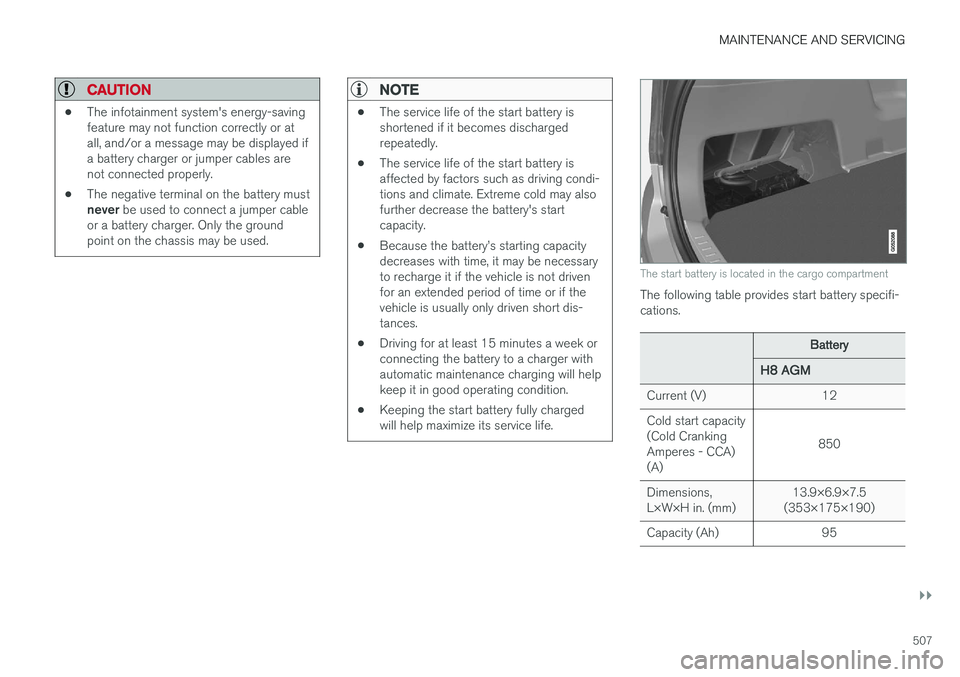
• Because the battery
Page 520 of 580

||
MAINTENANCE AND SERVICING
* Option/accessory.
518
Positions
• Fuses 1, 3–21, 23–36, 39–53 and 55–59 are called "Micro".
• Fuses 2, 22, 37–38 and 54 are called"MCase" and should only be replaced by atrained and qualified Volvo service technician.
Function
A
– –
– –
– –
Alarm system movement sensorA
5
Media player 5
Instrument panel 5
Center console buttons 5
Sun sensor 5
– –
– –
Steering wheel module 5
Module for start knob and parking brake 5
Heated steering wheel
* module 15
Function
A
– –
– –
– –
– –
Climate system control module 10
– –
On-board diagnostics (OBDII) 10
Center display 5
Climate system blower module (front)40
– –
Instrument lighting; Courtesy light- ing; Auto-dim rearview mirror; Rainand light sensor; Rear tunnel con- sole keypad
*B
; Power front seats *;
Power rear seats C
; Display for rear
seat convenience functions *; Rear
seat massage function *; Rear door
control panels 7.5
Control module for driver support functions
5
Function
A
Panorama roof and sun shade*20
Head-up display
* 5
Courtesy lighting 5
– –
Ceiling console display (seat belt reminder, front passenger side air-bag indicator) 5
– –
Humidity sensor 5
Rear passenger-side door module 20
Fuses in the cargo compartment 10
Internet connection control module; Volvo On Call control module
5
Rear driver-side door module 20
Infotainment control module (amplifier)40
Climate system blower module (rear)
* 40
Multi-band antenna module 5
Front seat massage function 5
Page 571 of 580
INDEX
569
Head restraints, rear seat 173
Head-up display 120
Heated front seats 208
Heated oxygen sensors 381
Heated steering wheel 206
High beam bulb, replacing 528
High beams 147
active 147
Hill Descent Control 366
Hill Start Assist (HSA) 368
Hoisting the vehicle 531 HomeLink ®
Wireless Control System 102,
103
Home safe lighting 154
Hood, opening/closing 533
Horn, Keypad, Paddles, Signal 164hybrid battery 508
Hybrid battery charge level 410
battery charge status 404
battery specifications 559
charging cable circuit breaker 396
charging current 407
charging the battery 399, 401, 403, 406
drive systems 393
electric motor in city driving 408
information in the instrument panel 133
messages and symbols 397
vehicle storage 408
Hybrid battery charging cable 394
stopping the charging procedure 400
I
ID, Volvo 32
Ignition modes 389
Immobilizer (start inhibitor) 232
Indicator lights 140
Infant seats 83
Inflatable Curtain 77
Inflation pressure 480
Inflation pressure table 563
Information lights 140
Infotainment 469
Infotainment (Infotainment system) 422
Infotainment system 426, 427, 428, 429CD player 451
cell phone 438
general sound settings 423
Gracenote 456
introduction 422
media player 445, 446, 452
media player sound settings 455
media search 454
radio 424
searching for radio stations 425
sound settings 423, 455
type approval 464
video 456
voice control 123
Inspection readiness 498
Instrument lighting 144
Instrument overview 98
Instrument panel 128 hybrid information 133
settings 130
Intellisafe 21
Interior Air Quality System 195
Interior lighting 151
Internet connection 458 applications (apps) 422
bluetooth settings 460
booking service 502
establishing a connection 459
troubleshooting 462
ISOFIX/LATCH anchors 89
Page 572 of 580
INDEX
570
J
Jack 482location of 482, 483
Jump starting 378, 382
K
Key remote 181, 235
Key blade 239, 251
Keys 238
L
Labels list of 553
location of 553
Laminated panoramic roof 108, 109
Lane Keeping Aid 336, 339 settings 338
LATCH anchors 89
Leather care 544
Lighting panel 143
Load anchoring eyelets 224
Loading the vehicle 216, 478
Locking 241, 243
Locks and alarm 232
Low beam bulb, replacing 527
Low beams 146, 147
Low Speed Control 367
M
Maintenance 498 hoisting the vehicle 531
performed by the owner 498
Malfunction indicator light 131
Manual front seat adjustment 166
Media player 445, 446 compatible file formats 457
Media player (infotainment system) 452Menus instrument panel 154, 156, 157, 160
Mirrors defroster 204
power door 106
retractable 106
Mirrors, rearview mirror 112
Modem 464Motor oil checking 535, 536
MP3 files 457
Multifunctional front seats 169, 170
MY CAR 113, 114
N
Navigation systemvoice commands 127
Net cargo 221
O
Occupant safety 60
Occupant weight sensor 73
Octane recommendations 379
Odometer 99Oilchecking 535, 536
Oil quality 562
On-board diagnostics 498
On-board Diagnostic socket 26
On Call Roadside Assistance 14
Opening the hood 533
Option/accessory 53