warning light VOLVO XC90 TWIN ENGINE 2018 User Guide
[x] Cancel search | Manufacturer: VOLVO, Model Year: 2018, Model line: XC90 TWIN ENGINE, Model: VOLVO XC90 TWIN ENGINE 2018Pages: 686, PDF Size: 17 MB
Page 155 of 686
LIGHTING
* Option/accessory.153
WARNINGThe vehicle lighting system cannot in all situa-
tions determine when the daylight is too weak
or not strong enough, e.g. when there is fog
or rain.
The driver is always responsible for driving the
vehicle with lighting that is safe for the traffic
conditions and as specified by applicable traf-
fic regulations.
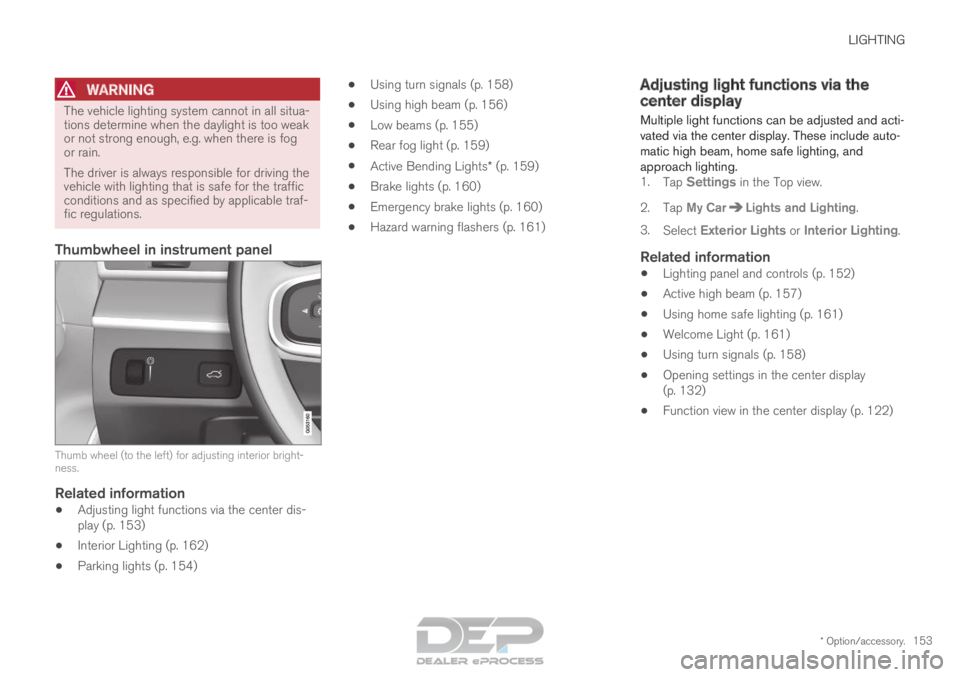
Thumbwheel in instrument panel
Thumb wheel (to the left) for adjusting interior bright-
ness.
Related information
•
Adjusting light functions via the center dis-
play (p. 153)
• Interior Lighting (p. 162)
• Parking lights (p. 154) •
Using turn signals (p. 158)
• Using high beam (p. 156)
• Low beams (p. 155)
• Rear fog light (p. 159)
• Active Bending Lights* (p. 159)
• Brake lights (p. 160)
• Emergency brake lights (p. 160)
• Hazard warning flashers (p. 161) Adjusting light functions via the
center display
Multiple light functions can be adjusted and acti-
vated via the center display. These include auto-
matic high beam, home safe lighting, and
approach lighting. 1. Tap Settings in the Top view.
2.
Tap My Car Lights and Lighting
.
3. Select Exterior Lights or Interior Lighting.
Related information
• Lighting panel and controls (p. 152)
• Active high beam (p. 157)
• Using home safe lighting (p. 161)
• Welcome Light (p. 161)
• Using turn signals (p. 158)
• Opening settings in the center display
(p. 132)
• Function view in the center display (p. 122)
Page 157 of 686
LIGHTING
}}
* Option/accessory. 155
With the steering wheel lever's lighting ring in the position, the daytime running lights (DRL
1
)
will illuminate when the vehicle is driven in day-
light conditions. The headlights will switch auto-
matically from daytime running lights to low
beams in weak daylight or dark conditions. The
headlights will also switch to low beams if the
front fog lights* and/or rear fog light are acti-
vated.
US models: When mode is selected, the
daytime running lights can be deactivated in the
center display. The parking lights will also be
deactivated. In weak daylight or dark conditions,
the parking lights and low beams will be illumi-
nated.
In the US: With the lighting ring in the or
position, the daytime running lights will be
off.
In Canada: With the lighting ring in the or
position, the daytime running lights will be
on.
NOTE Volvo recommends use of Daytime Running
Lights in the US. Its use is mandatory in Can-
ada.
WARNING The system is an energy saving aid – it cannot
in all situations determine when the daylight is
too weak or not strong enough, e.g. when
there is fog or rain.
The driver is always responsible for driving the
vehicle with lighting that is safe for the traffic
conditions and as specified by applicable traf-
fic regulations.
Related information
•
Lighting panel and controls (p. 152)
• Ignition modes (p. 427)
• Low beams (p. 155) Low beams
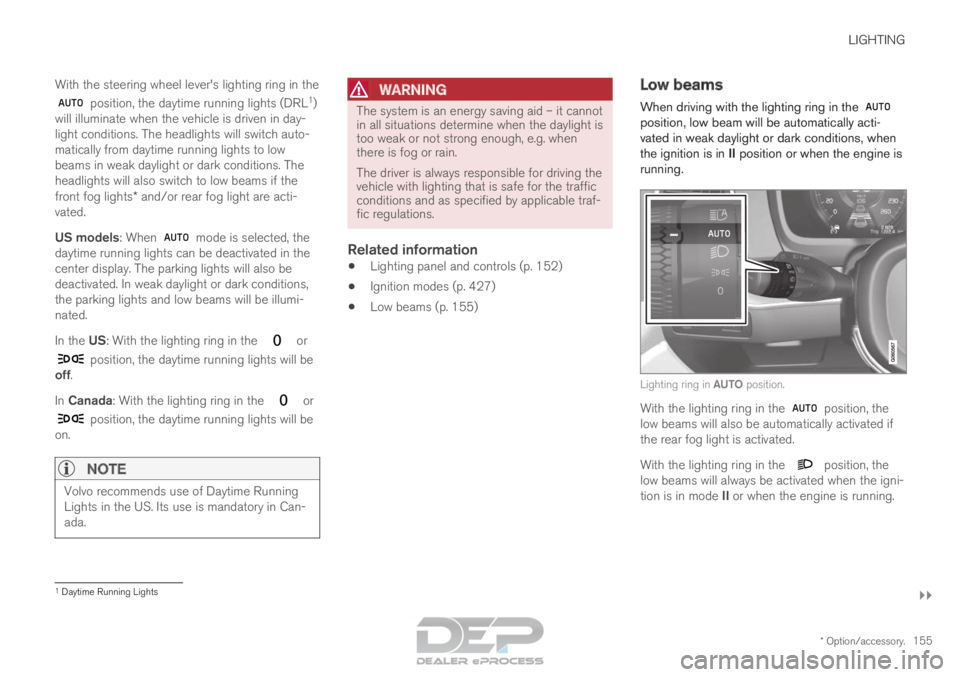
When driving with the lighting ring in the position, low beam will be automatically acti-
vated in weak daylight or dark conditions, when
the ignition is in II position or when the engine is
running. Lighting ring in AUTO position.
With the lighting ring in the
position, the
low beams will also be automatically activated if
the rear fog light is activated.
With the lighting ring in the position, the
low beams will always be activated when the igni-
tion is in mode II or when the engine is running. 1
Daytime Running Lights
Page 159 of 686

LIGHTING
}}
* Option/accessory. 157
Active high beam
Active high beams is a function that uses cam-
era sensors in the upper edge of the windshield
to detect the headlights of approaching vehicles
or the taillights of the vehicle directly ahead.
When either of these is detected, the vehicle's
headlights will automatically switch from high
beams to low beams. Active high beam is enabled by moving the lighting ring
on the steering wheel lever to
.
The function can also detect street lighting.
When the camera sensor no longer detects an
approaching vehicle or a vehicle ahead, the head-
lights will return to high beams. This function can be used in dark conditions
when the vehicle's speed is approx. 20 km/h
(approx. 12 mph) or higher.
If active high beams are deactivated when the
high beams are on, the headlights will automati-
cally switch to low beams.
When active high beams are activated, a white symbol will be displayed in the instrument
panel.
When high beams are on, the symbol will be blue.
For LED headlights, this applies even if the high
beams are partially dimmed, i.e. if the headlights
are illuminated with slightly more than low beams.
Vehicles with LED 3
headlights*
If the active high beams are equipped with the
auto on/off function 4
, the headlights will return to
high beams a second or so after the camera sen-
sor no longer detects the headlights of approach-
ing vehicles or the taillights of a vehicle ahead.
Limitations for active high beams
The camera sensor on which the function is
based has limitations. If this symbol and the message Active
High Beam Temporarily unavailable is displayed in the instru-
ment panel, switching between high
and low beams must be done manually. The light-
ing ring on the steering wheel lever can remain in
the position. The symbol will go out
when the message is displayed. The same applies if this symbol along
with the message
Windscreen
sensor Sensor blocked, see Owner's manual is displayed. Active high beams may be temporarily unavailable
in certain situations, e.g. heavy fog or rain. When
active high beams become available again, or the
windshield sensors are no longer blocked, the
message will disappear and the
symbol will
be displayed.
WARNING Automatic high beam is an aid in using the
best possible light based on prevailing condi-
tions.
The driver is always responsible for manually
switching between high and low beam when
traffic situations or weather conditions require
this.
3
LED (Light Emitting Diode)4 Depends on the vehicle's equipment level.
Page 160 of 686
||LIGHTING
158
Related information
•
Lighting panel and controls (p. 152)
• Using high beam (p. 156)
• Camera limitations (p. 332) Using turn signals
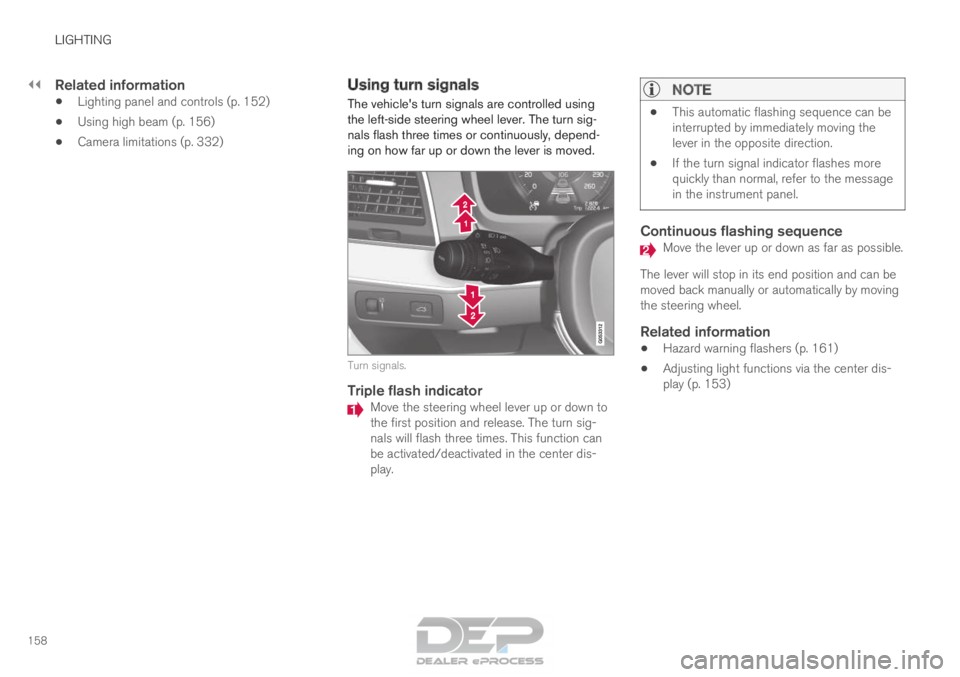
The vehicle's turn signals are controlled using
the left-side steering wheel lever. The turn sig-
nals flash three times or continuously, depend-
ing on how far up or down the lever is moved. Turn signals.
Triple flash indicator
Move the steering wheel lever up or down to
the first position and release. The turn sig-
nals will flash three times. This function can
be activated/deactivated in the center dis-
play.
NOTE •
This automatic flashing sequence can be
interrupted by immediately moving the
lever in the opposite direction.
• If the turn signal indicator flashes more
quickly than normal, refer to the message
in the instrument panel.
Continuous flashing sequence Move the lever up or down as far as possible.
The lever will stop in its end position and can be
moved back manually or automatically by moving
the steering wheel.
Related information
• Hazard warning flashers (p. 161)
• Adjusting light functions via the center dis-
play (p. 153)
Page 162 of 686

||LIGHTING
160
The rear fog light turns off automatically when
the start knob is turned clockwise to turn off the
ignition or when the lighting ring is turned to the
or position.
NOTE
Regulations concerning rear fog light use vary
from country to country.
Related information
•
Lighting panel and controls (p. 152)
• Ignition modes (p. 427) Brake lights
The brake lights are automatically illuminated
when braking.
The brake lights illuminate when the brake pedal
is depressed. They also illuminate when the
brakes are automatically applied by one of the
driver support systems.
Related information
•
Emergency brake lights (p. 160)
• Brake functions (p. 429) Emergency brake lights
The emergency brake lights are activated to
warn following vehicles of hard braking.
This function causes an additional taillight on
each side of the vehicle to illuminate.
The emergency brake lights are activated in the
event of hard braking or if the ABS system is
activated and the vehicle is traveling at a high
speed.
After the driver decelerates to a low speed and
then releases the brake, the brake lights resume
their normal brightness.
Related information
• Brake lights (p. 160)
• Brakes (p. 429)
• Hazard warning flashers (p. 161)
Page 163 of 686
LIGHTING
* Option/accessory.161
Hazard warning flashers
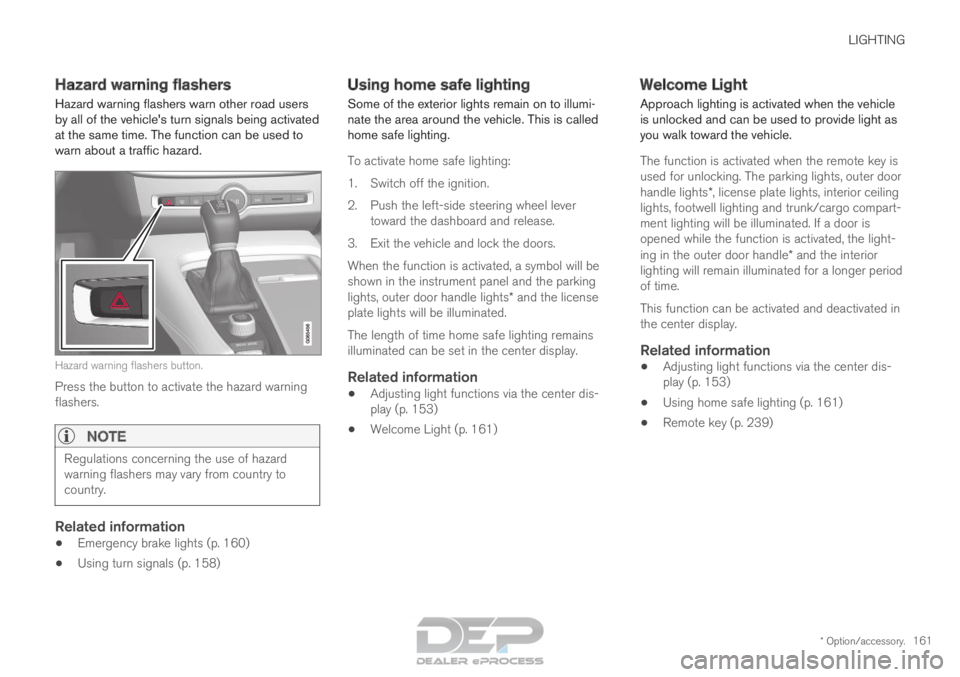
Hazard warning flashers warn other road users
by all of the vehicle's turn signals being activated
at the same time. The function can be used to
warn about a traffic hazard. Hazard warning flashers button.
Press the button to activate the hazard warning
flashers.
NOTE Regulations concerning the use of hazard
warning flashers may vary from country to
country.
Related information
•
Emergency brake lights (p. 160)
• Using turn signals (p. 158) Using home safe lighting
Some of the exterior lights remain on to illumi-
nate the area around the vehicle. This is called
home safe lighting.
To activate home safe lighting:
1.
Switch off the ignition.
2. Push the left-side steering wheel lever toward the dashboard and release.
3. Exit the vehicle and lock the doors.
When the function is activated, a symbol will be
shown in the instrument panel and the parking
lights, outer door handle lights* and the license
plate lights will be illuminated.
The length of time home safe lighting remains
illuminated can be set in the center display.
Related information
• Adjusting light functions via the center dis-
play (p. 153)
• Welcome Light (p. 161) Welcome Light
Approach lighting is activated when the vehicle
is unlocked and can be used to provide light as
you walk toward the vehicle.
The function is activated when the remote key is
used for unlocking. The parking lights, outer door
handle lights*, license plate lights, interior ceiling
lights, footwell lighting and trunk/cargo compart-
ment lighting will be illuminated. If a door is
opened while the function is activated, the light-
ing in the outer door handle* and the interior
lighting will remain illuminated for a longer period
of time.
This function can be activated and deactivated in
the center display.
Related information
• Adjusting light functions via the center dis-
play (p. 153)
• Using home safe lighting (p. 161)
• Remote key (p. 239)
Page 168 of 686
WINDOWS, GLASS AND MIRRORS
* Option/accessory.
166 Windows, glass and mirrors
The vehicle is equipped with controls for win-
dows, glass and mirrors. Some of the windows
in the car are laminated.
Laminated glass
The windshield and panoramic roof* have lamina-
ted glass. The glass is reinforced, which provides
better protection against break-ins and improved
soundproofing in the passenger compartment.
Laminated glass is available as an option for
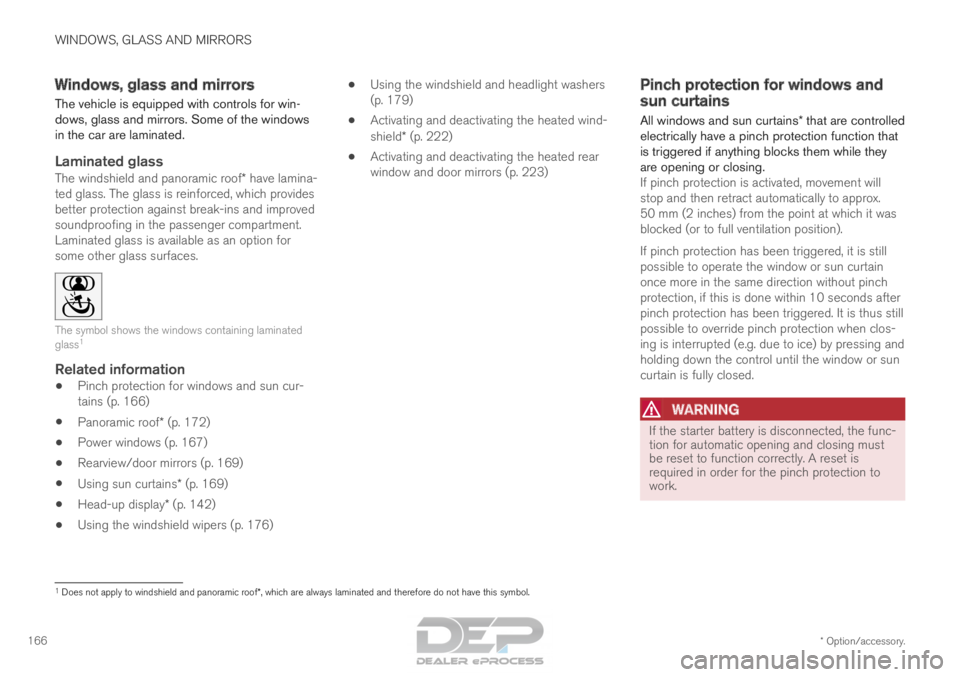
some other glass surfaces. The symbol shows the windows containing laminated
glass
1
Related information
•
Pinch protection for windows and sun cur-
tains (p. 166)
• Panoramic roof* (p. 172)
• Power windows (p. 167)
• Rearview/door mirrors (p. 169)
• Using sun curtains* (p. 169)
• Head-up display* (p. 142)
• Using the windshield wipers (p. 176) •
Using the windshield and headlight washers
(p. 179)
• Activating and deactivating the heated wind-
shield* (p. 222)
• Activating and deactivating the heated rear
window and door mirrors (p. 223) Pinch protection for windows and
sun curtains
All windows and sun curtains* that are controlled
electrically have a pinch protection function that
is triggered if anything blocks them while they
are opening or closing. If pinch protection is activated, movement will
stop and then retract automatically to approx.
50 mm (2 inches) from the point at which it was
blocked (or to full ventilation position).
If pinch protection has been triggered, it is still
possible to operate the window or sun curtain
once more in the same direction without pinch
protection, if this is done within 10 seconds after
pinch protection has been triggered. It is thus still
possible to override pinch protection when clos-
ing is interrupted (e.g. due to ice) by pressing and
holding down the control until the window or sun
curtain is fully closed.
WARNING If the starter battery is disconnected, the func-
tion for automatic opening and closing must
be reset to function correctly. A reset is
required in order for the pinch protection to
work.
1
Does not apply to windshield and panoramic roof*, which are always laminated and therefore do not have this symbol.
Page 170 of 686
||WINDOWS, GLASS AND MIRRORS
* Option/accessory.
168
WARNING Children, other passengers or objects can be
trapped by the moving parts.
• Always operate the windows with caution.
• Do not allow children to play with the
operating controls.
• Never leave a child alone in the vehicle.
• Remember to always cut the current to
the power windows by setting the vehi-
cle's electrical system to ignition mode 0
and then taking the remote key with you
when leaving the vehicle.
• Never stick objects or body parts out
through the windows, even if the vehicle
electrical system is completely turned off.
Related information
•Operating the power windows (p. 168)
• Pinch protection for windows and sun cur-
tains (p. 166)
• Reset procedure for pinch protection
(p. 167) Operating the power windows
All power windows can be operated using the
control panel in the driver's door. The control
panels in the other doors can be used to oper-
ate that particular door. The power windows have pinch protection. If
there is any problem with the pinch protection, a
rest procedure can be tested.
WARNING Children, other passengers or objects can be
trapped by the moving parts.
• Always operate the windows with caution.
• Do not allow children to play with the
operating controls.
• Never leave a child alone in the vehicle.
• Remember to always cut the current to
the power windows by setting the vehi-
cle's electrical system to ignition mode 0
and then taking the remote key with you
when leaving the vehicle.
• Never stick objects or body parts out
through the windows, even if the vehicle
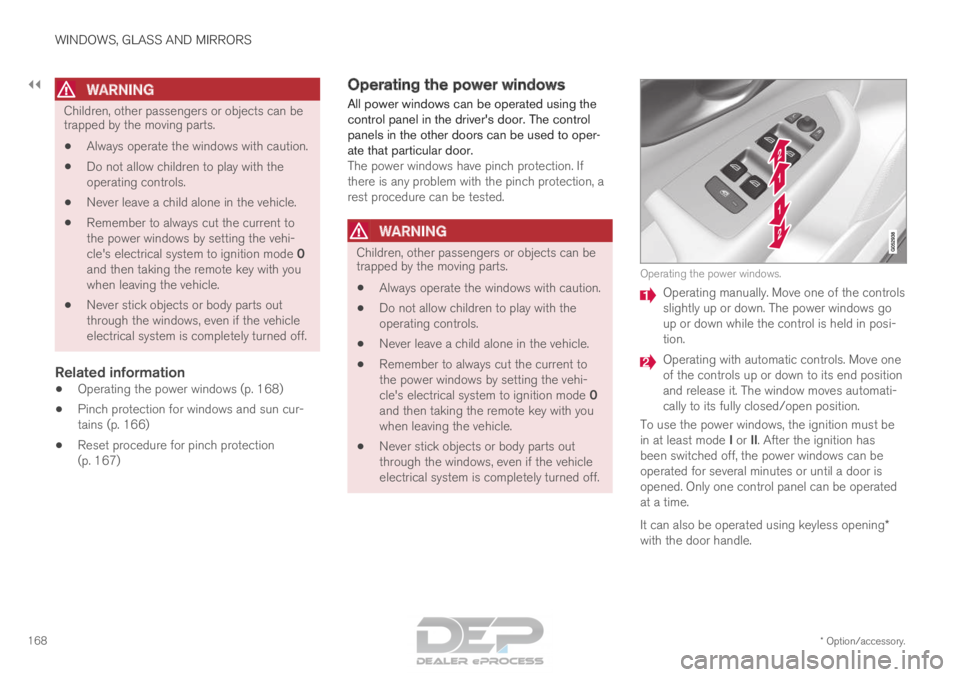
electrical system is completely turned off. Operating the power windows.
Operating manually. Move one of the controls
slightly up or down. The power windows go
up or down while the control is held in posi-
tion.
Operating with automatic controls. Move one
of the controls up or down to its end position
and release it. The window moves automati-
cally to its fully closed/open position.
To use the power windows, the ignition must be
in at least mode I or II. After the ignition has
been switched off, the power windows can be
operated for several minutes or until a door is
opened. Only one control panel can be operated
at a time.
It can also be operated using keyless opening*
with the door handle.
Page 171 of 686
WINDOWS, GLASS AND MIRRORS
}}
* Option/accessory. 169
WARNINGMake sure that no child or other passenger
comes into contact with the windows as they
are closing with keyless closing*.
NOTE
One way to reduce the pulsating wind noise
heard when the rear windows are open is to
also open the front windows slightly.
NOTE
The windows cannot be opened at speeds
over approx. 180 km/h (ca112 mph), but they
can be closed.
The driver is always responsible for following
applicable traffic regulations.
Related information
•
Power windows (p. 167)
• Pinch protection for windows and sun cur-
tains (p. 166)
• Reset procedure for pinch protection
(p. 167)
• Keyless locking and unlocking* (p. 254)
• Locking and unlocking using the remote key
(p. 241)
• Locking and unlocking from inside the vehi-
cle (p. 257) Using sun curtains*
Sun curtains are integrated into each of the rear
doors.
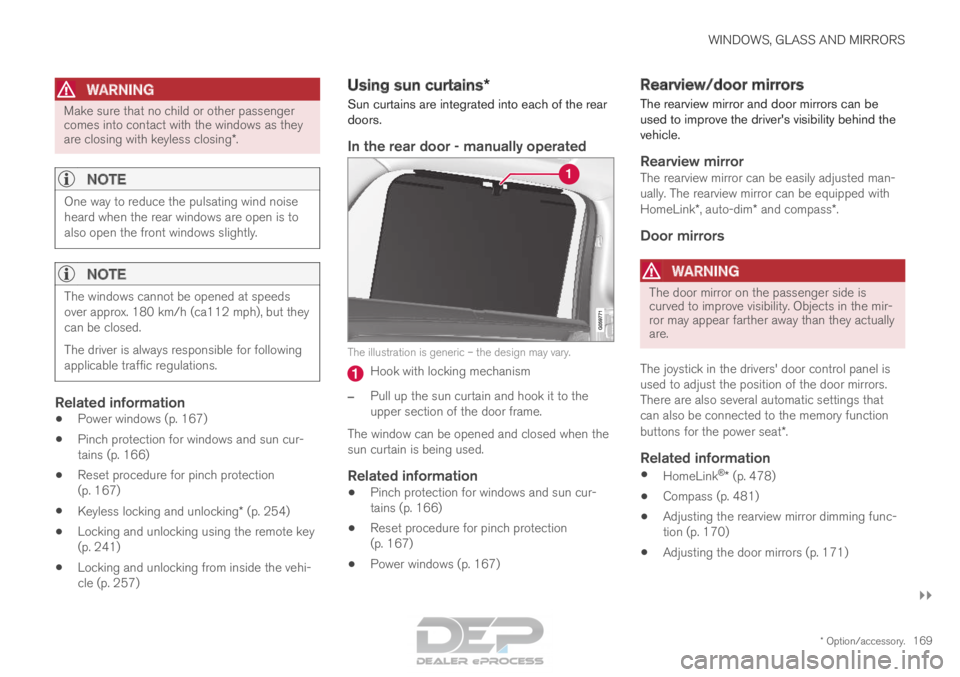
In the rear door - manually operated The illustration is generic – the design may vary.
Hook with locking mechanism
– Pull up the sun curtain and hook it to the
upper section of the door frame.
The window can be opened and closed when the
sun curtain is being used.
Related information
• Pinch protection for windows and sun cur-
tains (p. 166)
• Reset procedure for pinch protection
(p. 167)
• Power windows (p. 167) Rearview/door mirrors
The rearview mirror and door mirrors can be
used to improve the driver's visibility behind the
vehicle.
Rearview mirrorThe rearview mirror can be easily adjusted man-
ually. The rearview mirror can be equipped with
HomeLink*, auto-dim* and compass*.
Door mirrors
WARNING The door mirror on the passenger side is
curved to improve visibility. Objects in the mir-
ror may appear farther away than they actually
are.
The joystick in the drivers' door control panel is
used to adjust the position of the door mirrors.
There are also several automatic settings that
can also be connected to the memory function
buttons for the power seat*.
Related information
• HomeLink ®
* (p. 478)
• Compass (p. 481)
• Adjusting the rearview mirror dimming func-
tion (p. 170)
• Adjusting the door mirrors (p. 171)
Page 174 of 686
||WINDOWS, GLASS AND MIRRORS
* Option/accessory.
172
Automatic folding when the vehicle is
locked*
The door mirrors automatically fold in when the
vehicle is locked and open when the vehicle is
unlocked using the remote key.
1.
Tap Settings in the center display's Top
view.
2.
Tap My Car Mirrors and Convenience
.
3. Select Fold Mirror When Locked to acti-
vate/deactivate.
Related information
• Rearview/door mirrors (p. 169)
• Adjusting the rearview mirror dimming func-
tion (p. 170)
• Storing memory settings in power front
seats* (p. 186)
• Activating and deactivating the heated rear
window and door mirrors (p. 223) Panoramic roof*
The panoramic roof is divided into two glass
sections. The front section can be opened verti-
cally at the rear edge (ventilation position) or hor-
izontally (open position). The rear section cannot
be moved.
The panoramic roof has a wind deflector and
sun curtain made of perforated fabric (located
beneath the glass sections) for extra protection
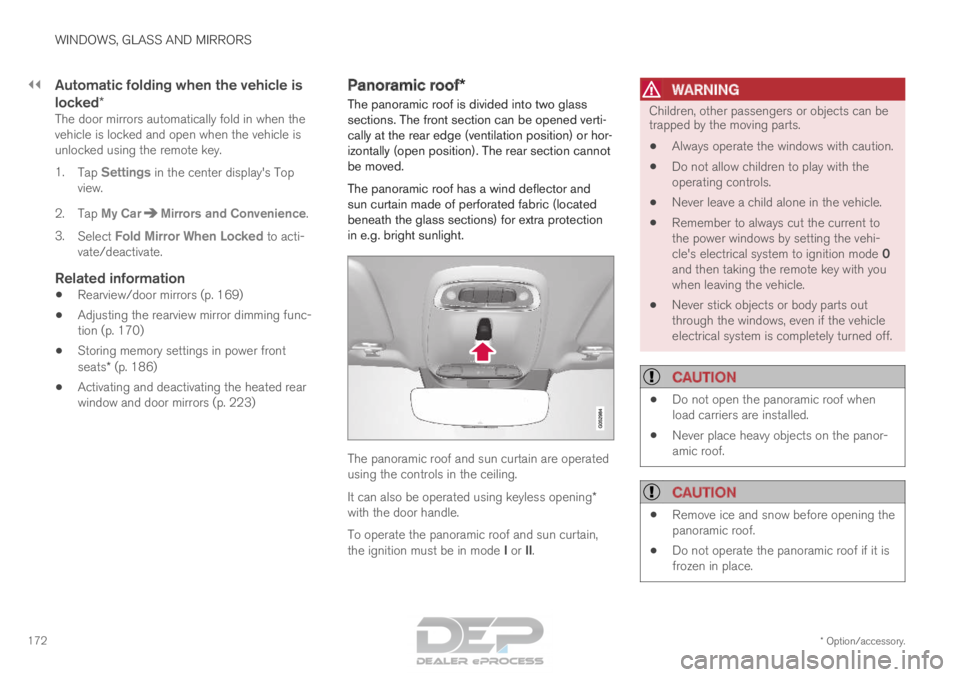
in e.g. bright sunlight. The panoramic roof and sun curtain are operated
using the controls in the ceiling.
It can also be operated using keyless opening*
with the door handle.
To operate the panoramic roof and sun curtain,
the ignition must be in mode I or II.
WARNING Children, other passengers or objects can be
trapped by the moving parts.
• Always operate the windows with caution.
• Do not allow children to play with the
operating controls.
• Never leave a child alone in the vehicle.
• Remember to always cut the current to
the power windows by setting the vehi-
cle's electrical system to ignition mode 0
and then taking the remote key with you
when leaving the vehicle.
• Never stick objects or body parts out
through the windows, even if the vehicle
electrical system is completely turned off.
CAUTION •
Do not open the panoramic roof when
load carriers are installed.
• Never place heavy objects on the panor-
amic roof.
CAUTION •
Remove ice and snow before opening the
panoramic roof.
• Do not operate the panoramic roof if it is
frozen in place.