display VOLVO XC90 TWIN ENGINE 2018 Owners Manual
[x] Cancel search | Manufacturer: VOLVO, Model Year: 2018, Model line: XC90 TWIN ENGINE, Model: VOLVO XC90 TWIN ENGINE 2018Pages: 686, PDF Size: 17 MB
Page 401 of 686

DRIVER SUPPORT
* Option/accessory.399
2. Be prepared to stop the vehicle when
instructed to do so by a graphic and mes-
sage in the center display.
3. Engage reverse gear and back up slowly.
4. Be prepared to stop the vehicle when instructed to do so by a graphic and mes-
sage in the center display.
The function will switch off automatically and a
graphic and message will appear to indicate that
parking has been completed. Adjustments can
always be made be the driver afterward. Only the
driver can determine when the vehicle is correctly
parked.
CAUTION The warning distance is shorter when the
sensors are used by PAP compared to when
they are used by the Parking Assist system.
Related information
•
Park Assist Pilot* (p. 395) Leaving a parking space with Park
Assist Pilot
The function Park Out can also help the driver
to leave a parking space.
NOTE Leaving a parking space with the Park Out
function should only be used in connection
with parallel parking – it does not work for
perpendicular parking.
The Park Out function is acti-
vated in the center display's
Function view or in Camera
view. To do so:
1.
Tap Park Out in Function view or in Camera
view.
2.
Move the gear selector to the suitable posi-
tion (e.g. D or R) for the direction in which
you will be pulling out of the parking space.
3. Be prepared to stop the vehicle when instructed to do so by a graphic and mes-
sage in the center display. Follow the instruc-
tions in the same way as for the parking pro-
cedure.
Note that the steering wheel can "spring" back
when the procedure is completed and the driver may need to turn the steering wheel back to the
maximum position in order to pull out of the park-
ing space.
If PAP determines that the driver can pull out of
the parking space without any extra maneuvers,
the function will be deactivated, even if it seems
as though the vehicle is not completely out of the
parking space.
Related information
•
Park Assist Pilot* (p. 395)
Page 402 of 686

DRIVER SUPPORT
* Option/accessory.
400 Park Assist Pilot* limitations
Park Assist Pilot PAP 127
may not be able to
detect all conditions in all situations and func-
tionality may therefore be limited.
WARNING •
The PAP function is supplementary driver
support intended to facilitate driving and
help make it safer – it cannot handle all
situations in all traffic, weather and road
conditions.
• Pay particular attention to people and
animals near the vehicle.
• Bear in mind that the front end of the
vehicle may swing out towards oncoming
traffic during the parking maneuver.
• Objects situated higher than the detec-
tion area of the sensors are not included
when the parking maneuver is calculated,
which could cause PAP to swing into the
parking space too early. Such parking
spaces should be avoided for this reason.
• PAP is not a substitute for the driver's
attention and judgment. The driver is
always responsible for ensuring the vehi-
cle is driven in a safe manner, at the
appropriate speed, with an appropriate
distance to other vehicles, and in accord-
ance with current traffic rules and regula-
tions.
The driver should be aware of the following limi-
tations for Park Assist Pilot:The parking sequence is cancelledA parking sequence will be cancelled if:
• the driver moves the steering wheel
• the vehicle's speed exceeds 7 km/h (4 mph)
• the driver taps
Cancel in the center display
• when the anti-lock brakes or the Electronic
stability control are engaged - e.g. when a
wheel loses grip on a slippery road
• when the power steering works at reduced
power - e.g. during cooling due to overheat-
ing (see section "Speed-dependent steering
force").
A message in the center display will explain why
the parking sequence was cancelled.
CAUTION Under certain circumstances, PAP may not be
able to find parking spaces – one reason may
be that the sensors are disrupted by external
sound sources that emit the same ultrasonic
frequencies that the system works with.
Examples of such sources include horns, wet
tires on asphalt, pneumatic brakes, exhaust
noise from motorcycles, etc.
127
Park Assist Pilot
Page 405 of 686

DRIVER SUPPORT
* Option/accessory.403
Park Assist Pilot* messages
Messages for Park Assist Pilot PAP 131
may be
displayed in the instrument panel and/or the
center display.
Some examples of symbols and messages are shown in the table below. Message
Meaning
Park Assist System
Sensors blocked, cleaning needed One or more of the sensors are blocked. Check and clean/remove the obsta\
cle as soon as possible.
Park Assist System
Unavailable Service required The system is not functioning as intended. Contact a workshop ‒ an authorized Volvo workshop is recommended.A text message can be erased by briefly pressing
the
button in the center of the right-side
steering wheel keypad.
If the message persists: Contact a workshop ‒ an
authorized Volvo workshop is recommended.
Related information
• Park Assist Pilot* (p. 395) 131
Park Assist Pilot
Page 408 of 686
HYBRID INFORMATION
406General information about Twin
Engine
Twin Engine vehicles are driven just like any
other vehicle, but certain functions differ from a
vehicle powered exclusively by gasoline. The
electric motor powers the vehicle primarily at low
speeds; the gasoline engine is used at higher
speeds or during more active driving. The instrument panel displays Twin Engine-spe-
cific information - charging information, selected
drive mode, distance to discharged battery and
hybrid battery charge level.
Different drive modes can be selected while driv-
ing, e.g. electric power only or, if more power is
needed, a combination of electric and gasoline
power. The vehicle calculates the optimal combi-
nation of driveability, driving experience, environ-
mental impact and fuel economy for the selected
drive mode.
In order to function optimally, the hybrid battery
(and its electrical drive systems) and the gasoline
engine (and its drive systems) must be at the
correct operating temperature. Battery capacity
can be considerably reduced if the battery is too
cold or too hot. Preconditioning prepares the
vehicle's drive systems and passenger compart-
ment before driving to help reduce both wear and
energy consumption. It also helps increase the
hybrid battery's range.
The hybrid battery, which powers the electric
motor, is recharged using the charging cable. It
can also be recharged during light braking and through engine braking in gear position B. The
combustion engine can also help recharge the
hybrid battery.
Important
No electrical current
Keep in mind that if there is no electrical current
to the vehicle, i.e. the ignition is switched off or
the start battery is discharged, certain functions
such as brakes, power steering, etc. will not work.
WARNING If the vehicle does not have electrical current
and both the electric motor and the gasoline
engine are switched off, the brakes cannot be
used to stop the vehicle.
Towing not permitted
Never tow a Twin Engine vehicle behind another
vehicle, as this could damage the electric motor.
Exterior engine noise
WARNING
Keep in mind that the vehicle does not emit
any engine noise when using the electric
motor and may therefore be difficult to detect
for children, pedestrians, cyclists or animals.
This is especially true at low speeds, e.g. in
parking lots.
High-voltage electrical current
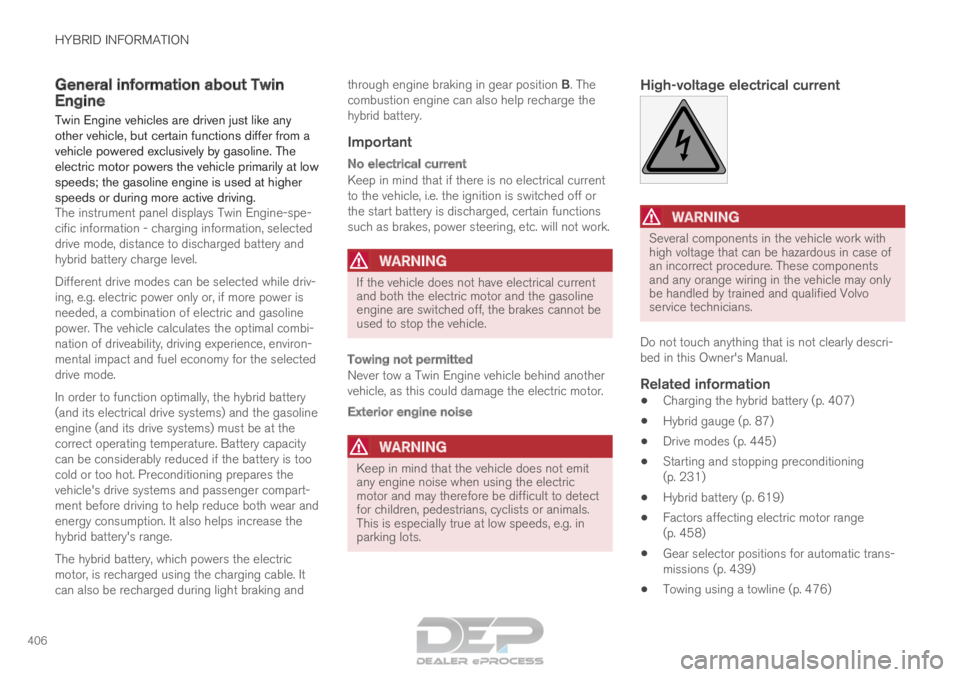
WARNING Several components in the vehicle work with
high voltage that can be hazardous in case of
an incorrect procedure. These components
and any orange wiring in the vehicle may only
be handled by trained and qualified Volvo
service technicians.
Do not touch anything that is not clearly descri-
bed in this Owner's Manual.
Related information
• Charging the hybrid battery (p. 407)
• Hybrid gauge (p. 87)
• Drive modes (p. 445)
• Starting and stopping preconditioning
(p. 231)
• Hybrid battery (p. 619)
• Factors affecting electric motor range
(p. 458)
• Gear selector positions for automatic trans-
missions (p. 439)
• Towing using a towline (p. 476)
Page 410 of 686
||HYBRID INFORMATION
408
released and the hybrid battery is recharged
at the same time.
• The combustion engine can also help
recharge the hybrid battery.
Related information
•Charge cable (p. 409)
• Charging current (p. 408)
• Opening and closing the charging socket
cover (p. 411)
• Initiating hybrid battery charging (p. 412)
• Stopping hybrid battery charging (p. 418)
• Charging status in the charging cable's
charging module (p. 415)
• Charging status in the vehicle's charging
socket (p. 414)
• Charging status in the instrument panel
(p. 416)
• Twin Engine symbols and messages in the
instrument panel (p. 419)
• Gear selector positions for automatic trans-
missions (p. 439)
• Changing drive mode (p. 449)
• Long-term storage of vehicles with hybrid
batteries (p. 421) Charging current
Charging current is used to charge the hybrid
battery and precondition the vehicle. Charging is
performed by connecting a charging cable
between the vehicle's charging socket and a
120/240 V electrical socket (alternating cur-
rent).
When the charging cable is activated, a message
will be displayed in the instrument panel and an
indicator light in the vehicle's charging socket will
illuminate. Charging current is primarily used for
battery charging, but is also used for precondi-
tioning. The vehicle's start battery is charged
along with the hybrid battery.
CAUTION
Never detach the charging cable from the
120/240 V outlet (AC, alternating current)
while charging is in progress – the
120/240 V outlet could be damaged in such
circumstances. Always interrupt charging first
and then disconnect the charging cable – first
from the vehicle's charging socket and then
from the 120/240 V outlet.
NOTE •
In extremely cold or hot weather, part of
the charging current is used to heat/cool
the hybrid battery and the passenger
compartment, resulting in a longer charg-
ing time.
• The charging time is longer if precondi-
tioning has been selected. The time
required depends primarily on the ambi-
ent temperature. There are normally several 120/240 V power
consumers in one fuse circuit, which means that
more than one power consumer (e.g. lighting,
vacuum cleaner, electric drill, etc.) may use the
same fuse.
Related information
•
Charge cable (p. 409)
• Charging status in the instrument panel
(p. 416)
• Charging status in the vehicle's charging
socket (p. 414)
• Starting and stopping preconditioning
(p. 231)
• Stopping hybrid battery charging (p. 418)
Page 415 of 686

HYBRID INFORMATION
}}
413 •
Disconnect the charger from the wall out-
let before cleaning it.
• Never connect the charging cable to an
extension cord or a multiple plug socket.
Also, refer to the manufacturer's instructions
for using the charging cable and its compo-
nents.
CAUTION Make sure that the 120/240 V outlet (AC,
alternating current) has a power capacity suf-
ficient for charging electric vehicles. If you are
uncertain of the capacity, have the outlet
checked by a licensed electrician.
Take out the charging cable from the storage
compartment under the cargo area. Note that the
ignition must be switched off completely before
charging. Plug the charging cable into a 120/240 V
outlet. Never use an extension cord.
Open the charger door and remove the
charging socket's protective cover. Push the
charging handle all the way into the vehicle's
socket.3.
The charging cable handle will lock into
place and charging will begin within
5 seconds. When charging starts, the green
LED light in the charging socket will begin to
flash. The approximate remaining charging
time or the charging status will be displayed
in the instrument panel.
Charging may be temporarily interrupted if
the vehicle is unlocked:
• and a door is open ‒ charging will restart
within a few minutes.
• if no door is opened ‒ the vehicle will
automatically relock. Charging will resume
after 1 minute.
CAUTION Never detach the charging cable from the
120/240 V outlet (AC, alternating current)
while charging is in progress – the
120/240 V outlet could be damaged in such
circumstances. Always interrupt charging first
and then disconnect the charging cable – first
from the vehicle's charging socket and then
from the 120/240 V outlet.
During charging, condensation from the air con-
ditioning may form under the vehicle. This is nor-
mal and is caused by the hybrid battery cooling.
Page 418 of 686

HYBRID INFORMATION
416Charging status in the instrument
panel
Charging status is indicated in the instrument
panel using both graphics and messages. This information is displayed as long as the instru-
ment panel is active.Graphic
Message MeaningFully charged at: [Time] displayed along with an animated blue puls-
ing light through the charging cable. Charging is in progress and the approximate time at which the
battery will be fully charged is displayed.Charging complete is displayed. An image will be superimposed over
the graphic of the vehicle with a green LED indicator light in the socket. The battery is fully charged.Charging error will be displayed. The LED indicator light in the charg-
ing socket will be red. Malfunction. Make sure the charging cable is correctly con-
nected to the vehicle's charging socket and to the 120/240 V
outlet (alternating current).
Page 419 of 686

HYBRID INFORMATION
417
NOTEIf the instrument panel is not used, it will go
dark after a period of time. To reactivate the
display:
•
depress the brake pedal,
• open one of the doors, or
• put the ignition in mode I by turning the
START knob clockwise and then releas-
ing.
Related information
• Charging the hybrid battery (p. 407)
• Twin Engine symbols and messages in the
instrument panel (p. 419)
• Charging status in the vehicle's charging
socket (p. 414)
• Charging status in the charging cable's
charging module (p. 415)
• Stopping hybrid battery charging (p. 418)
Page 421 of 686

HYBRID INFORMATION
}}
419
Twin Engine symbols and messages
in the instrument panel
A number of symbols and messages relating to
the Twin Engine may be displayed in the instru-
ment panel. They may also appear in combina-
tion with general indicator and warning symbols
and disappear when the necessary action has
been taken.Symbol
Message Meaning12 V Battery
Charging fault, service urgent. Drive
to workshop
Battery fault. Contact a workshop
A
to have the battery checked as soon as possible. 12 V Battery
Charging fault Stop safely
Battery fault. Stop the vehicle as soon as possible and contact a worksh\
op
A
to have the battery
checked. 12 V Battery
Fuse failure Service required
Battery fault. Contact a workshop
A
to have the system checked as soon as possible. Hybrid battery
Overheated, stop safely
The hybrid battery's temperature seems to be rising at an abnormal ra\
te. Stop the vehicle and turn
off the engine. Wait at least 5 minutes before driving. Call a workshop
A
or inspect the vehicle to
make sure everything seems normal before continuing to drive. Reduced performance
Max vehicle speed limited
The hybrid battery's charge level is too low for driving at high spee\
ds. Charge the battery as soon as
possible.Hybrid system
Harsh behavior at low speed, vehicle
ok to use
The hybrid system is not functioning properly. Contact a workshop
A
to have the system checked as
soon as possible.
Page 422 of 686

||HYBRID INFORMATION
420
Symbol
Message MeaningHybrid system failure
Service required
The hybrid system is not functioning. Contact a workshop
A
to have the system checked as soon as
possible. Charge cable
Remove before start
Displayed when the driver attempts to start the vehicle with the chargin\
g cable still connected.
Remove the charging cable and close the charger cover.Charge cable
Removed? Turn and hold start knob
7s
Displayed when the driver again attempts to start the vehicle with the c\
harging cable connected.
Disconnect the charging cable or verify that the cable is completely dis\
connected and the charger
cover is closed.A
An authorized Volvo workshop is recommended.
Related information
• Initiating hybrid battery charging (p. 412)
• Stopping hybrid battery charging (p. 418)
• Charging the hybrid battery (p. 407)
• Warning symbols in the instrument panel
(p. 97)
• Indicator symbols in the instrument panel
(p. 94)
• Hybrid gauge (p. 87)
• Hybrid gauge (p. 88)