wheel VOLVO XC90 TWIN ENGINE 2019 Owners Manual
[x] Cancel search | Manufacturer: VOLVO, Model Year: 2019, Model line: XC90 TWIN ENGINE, Model: VOLVO XC90 TWIN ENGINE 2019Pages: 697, PDF Size: 10.33 MB
Page 470 of 697
||STARTING AND DRIVING
* Option/accessory.
468
Preconditioning
Whenever possible, precondition the vehicle
before driving by connecting the charging
cable to an electrical outlet.
Avoid parking the vehicle somewhere where
the interior will become too hot or too cold
while the vehicle is parked. If possible, park
the vehicle in a climate-controlled garage.
During a short drive after passenger com-
partment preconditioning, turn off the pas-
senger compartment fan or the air condition-
ing in a hot climate.
If preconditioning is not possible when it is
cold outside, use seat and steering wheel
heating first. Avoid heating the entire pas-
senger compartment to reduce the amount
of current being taken from the hybrid bat-
tery.
Driving
Choose the Pure drive mode to help mini-
mize electric power consumption.
Maintain a steady speed and a generous fol-
lowing distance to traffic ahead to minimize
braking. This drive mode has the lowest
power consumption.
Balance energy requirements using the
accelerator pedal. Use the indicator on the
instrument panel to see available electric
power and avoid starting the combustion
engine unnecessarily. The electric motor is more effective than the combustion engine,
especially at low speeds.
When braking is necessary, brake gently
using the brake pedal. This will help recharge
the hybrid battery. A regenerative function is
integrated in the brake pedal and can be
augmented by the electric motor's braking
capacity when the gear selector is in mode
B.
Higher speeds increase energy consumption
- air resistance increases with speed.
Activate the Hold function in the Function
view at high speeds when traveling farther
than is possible using the hybrid battery's
capacity.
Whenever possible, avoid using the Charge
function to charge the hybrid battery. Charg-
ing the battery using the combustion engine
increases fuel consumption and carbon diox-
ide emissions.
In a cold climate, reduce heating of the wind-
shield/rear window, mirrors, seats and the
steering wheel.
Maintain the correct pressure in the tires and
check pressure regularly.
The type of tires used could affect energy
consumption - consult a retailer for advice on
suitable tires.
Remove unnecessary items from the vehicle
- the heavier the load, the higher the fuel
consumption.
Roof loads increase air resistance and
increase fuel consumption. Remove roof
boxes, ski racks, etc. that are not in use.
Avoid driving with the windows open.
Do not keep the vehicle still on an upward
gradient by using the accelerator pedal. Use
the brakes instead.
Related information
Drive-E ‒ purer driving pleasure (p. 27)
Energy distribution in hybrid mode using map
data* (p. 460)
Factors affecting electric motor range
(p. 469)
Using the electric motor only (p. 469)
Hybrid gauge (p. 87)
Checking tire pressure (p. 567)
Page 475 of 697
STARTING AND DRIVING
473
Slippery driving conditionsFor optimal traction and roadholding, Volvo rec-
ommends using snow tires on all wheels when-
ever there is a risk of snow or ice on the road.
NOTECertain countries require use of winter tires
by law. Not all countries permit the use of
studded tires.
Practice driving on slippery surfaces under con-
trolled conditions to learn how the vehicle reacts.
Related information
Snow tires (p. 581)
Snow chains (p. 581)
Braking on salted roads (p. 441)
Braking on wet roads (p. 441)
Filling washer fluid (p. 662)
Start battery (p. 627)
Replacing windshield wiper blades (p. 660)
Changing rear window wipers (p. 659)
Refilling coolant (p. 625) Driving through standing water
Driving the vehicle through a deep pool of stand-
ing water on a water-covered roadway is called
fording. This must be done with great caution.
To prevent damage to the vehicle when driving
through water (e.g. on flooded roads):
Do not drive in water higher than the floor of
the vehicle. If possible, check the depth of
the water at its deepest point before driving
through it. Be particularly careful when driv-
ing through flowing water.
Always select the
Off Road drive mode
before driving in water to ensure the gasoline
engine is running.
Do not drive faster than walking speed.
Do not stop the vehicle in the water. Drive
carefully forward or back the vehicle out of
the water.
Remember that waves created by passing
vehicles could cause the water level to rise
above the vehicle's floor level.
Avoid driving through salt water to help avoid
the risk of corrosion.
CAUTION Parts of the vehicle (e.g. engine, transmission,
driveline, electrical components, etc.) can be
damaged if the vehicle is driven through water
higher than its floor level. Damage to any
components caused by flooding, vapor lock or
insufficient oil is not covered under warranty.
If the engine stalls while the vehicle is in
water, do not attempt to restart it. Have the
vehicle towed on the bed of a tow truck to a
workshop - an authorized Volvo workshop is
recommended.
CAUTION
Because it can be difficult to determine the
water depth, avoid driving through standing or
running water.
When you have passed the water, press lightly on
the brake pedal and check that the brakes are
functioning properly. Water, mud, slush, etc. can
make the brake linings slippery, resulting in
delayed braking effect.
If the vehicle is equipped with a trailer coupling
contact, clean the contact after driving in water or
mud.
Related information
Recovery (p. 489)
Low Speed Control (p. 464)
Page 484 of 697
||STARTING AND DRIVING
* Option/accessory.
482 12. Remove the jumper cables in the reverse
order ‒ first the black cables and then the
red cables.
Make sure that none of the clamps of the
black jumper cables come into contact with
either vehicle's positive (+) jump start termi-
nals or either of the red jumper cable's con-
nected clamps.
WARNING PROPOSITION 65 WARNING! Battery posts,
terminals, and related accessories contain
lead and lead compounds, chemicals known
to the state of California to cause cancer and
reproductive harm. Wash hands after han-
dling.
WARNING
Batteries generate hydrogen gas, which
is flammable and explosive.
Do not connect the jumper cable to any
part of the fuel system or to any moving
parts. Avoid touching hot manifolds.
Battery fluid contains sulfuric acid. Do not
allow battery fluid to contact eyes, skin,
fabrics or painted surfaces.
If contact occurs, flush the affected area
immediately with water. Obtain medical
help immediately if eyes are affected.
Never expose the battery to open flame
or electric spark. Do not smoke near the
battery. Failure to follow the instructions
for jump starting can lead to injury.
NOTE The vehicle cannot be started if the hybrid
battery is discharged.
Related information
Starting the vehicle (p. 434)
Ignition modes (p. 437)
Adjusting the steering wheel (p. 201)
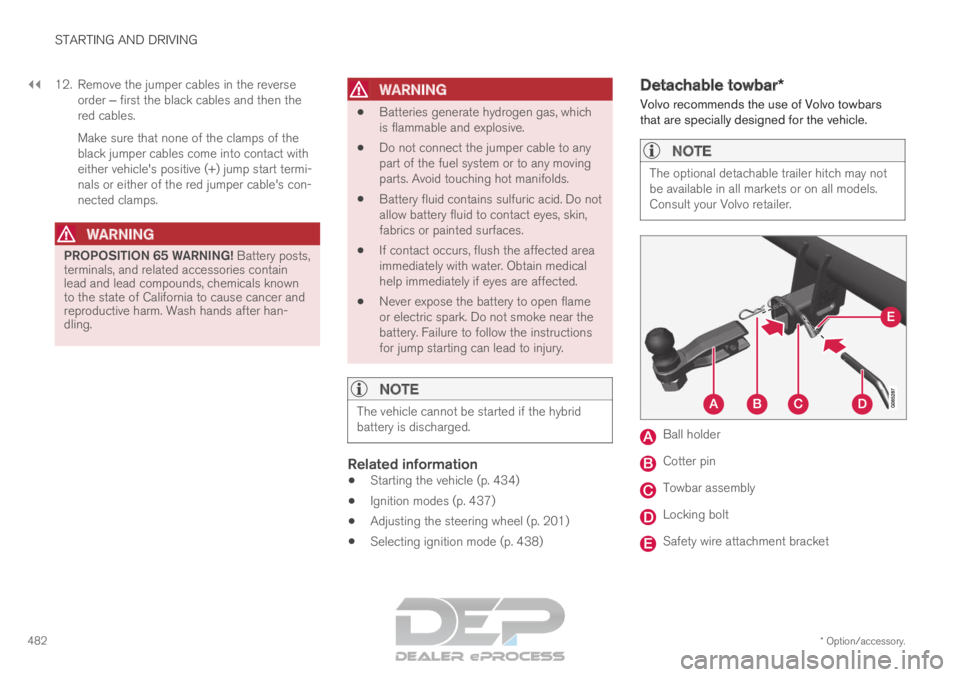
Selecting ignition mode (p. 438) Detachable towbar*
Volvo recommends the use of Volvo towbars
that are specially designed for the vehicle.
NOTE The optional detachable trailer hitch may not
be available in all markets or on all models.
Consult your Volvo retailer.
Ball holder
Cotter pin
Towbar assembly
Locking bolt
Safety wire attachment bracket
Page 487 of 697
STARTING AND DRIVING
}}
* Option/accessory. 485
The automatic transmission selects the optimal
gear for the current load and engine speed.
Steep inclines
Do not lock the automatic transmission into a
higher gear than what the engine can handle ‒ it
is not always preferable to drive in high gears at
low rpm.
Parking on a hill
1. Depress the brake pedal.
2. Apply the parking brake.
3. Put the gear selector in P.
4. Release the brake pedal.
Put chocks behind the wheels when the vehicle
is parked on a hill with a trailer attached.
Starting on a hill
1. Depress the brake pedal.
2. Put the gear selector in D.
3. Release the parking brake.
4. Release the brake pedal and start driving.
Related information
Trailer Stability Assist* (p. 485)
Checking trailer lights (p. 486)
Towing capacity and tongue weight (p. 670)
Overheating of engine and transmission
(p. 479) Trailer Stability Assist*
Trailer Stability Assist (TSA 8
) is a function
designed to help stabilize a vehicle that is tow-
ing a trailer when the vehicle and trailer have
begun to sway. The function is part of the Elec-
tronic Stability Control system ESC 9
.
Reasons for swayingA vehicle towing a trailer may begin to sway for
various reasons. Normally this only occurs at high
speeds. However, if the trailer is overloaded or
unevenly distributed, e.g. too far back, there is a
risk of swaying even at low speeds.
Swaying may be caused by factors such as:
The vehicle and trailer are hit by a sudden,
strong crosswind.
The vehicle and trailer are traveling on an
uneven road or over a bump.
Sudden movements of the steering wheel.
Once swaying has begun, it can be difficult or
impossible to stop it. This makes the vehicle and
trailer difficult to control and there is a risk of
swerving into oncoming traffic or driving off the
road.
Trailer Stability Assist functionTrailer Stability Assist continuously monitors the
vehicle's movements, particularly lateral move- ments. If swaying is detected, the brakes are
applied individually on the front wheels, which has
a stabilizing effect on the vehicle and trailer. This
is often enough to enable the driver to regain
control of the vehicle.
If the Trailer Stability Assist function's first
attempt is not adequate to stop the swaying
motion, the brakes are applied on all wheels and
engine power is temporarily reduced. As the
swaying motion begins to decrease and the vehi-
cle and trailer have once again become stable,
TSA stops regulating the brakes/engine power
and the driver regains control of the vehicle.
NOTE
Trailer Stability Assist is deactivated if the
driver selects the sport mode by deactivating
ESC in the center display's menu system. Trailer Stability Assist may not intervene if the
driver tries to compensate for the swaying motion
by moving the steering wheel rapidly, because
the system will then not be able to determine if it
is the trailer or the driver causing the swaying.
8
Trailer Stability Assist
9 Electronic Stability Control
Page 488 of 697
||STARTING AND DRIVING
* Option/accessory.
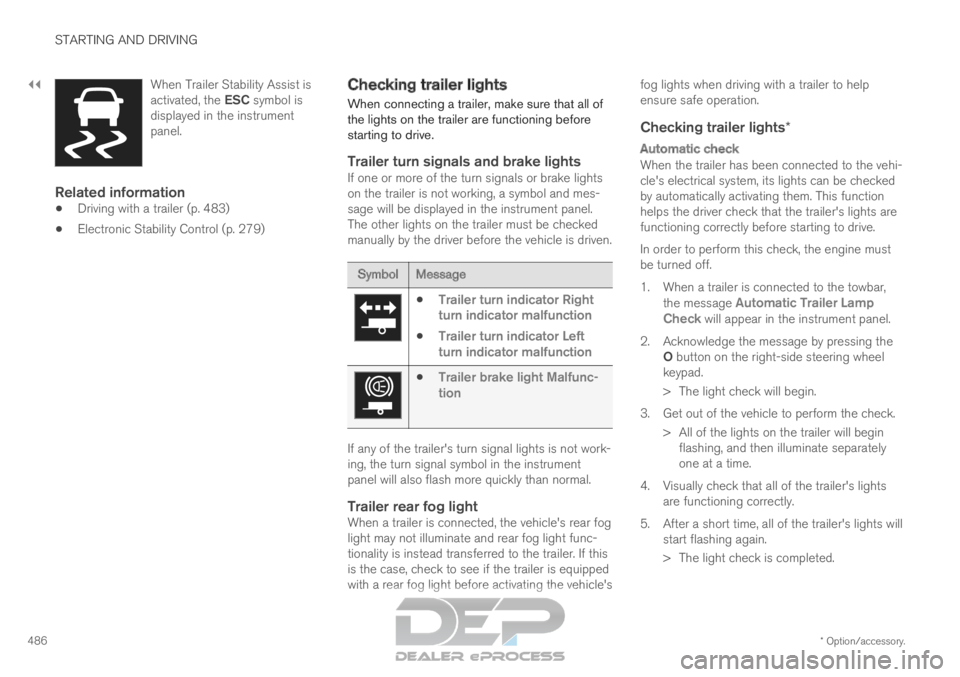
486 When Trailer Stability Assist is
activated, the ESC symbol is
displayed in the instrument
panel.
Related information
Driving with a trailer (p. 483)
Electronic Stability Control (p. 279) Checking trailer lights
When connecting a trailer, make sure that all of
the lights on the trailer are functioning before
starting to drive.
Trailer turn signals and brake lightsIf one or more of the turn signals or brake lights
on the trailer is not working, a symbol and mes-
sage will be displayed in the instrument panel.
The other lights on the trailer must be checked
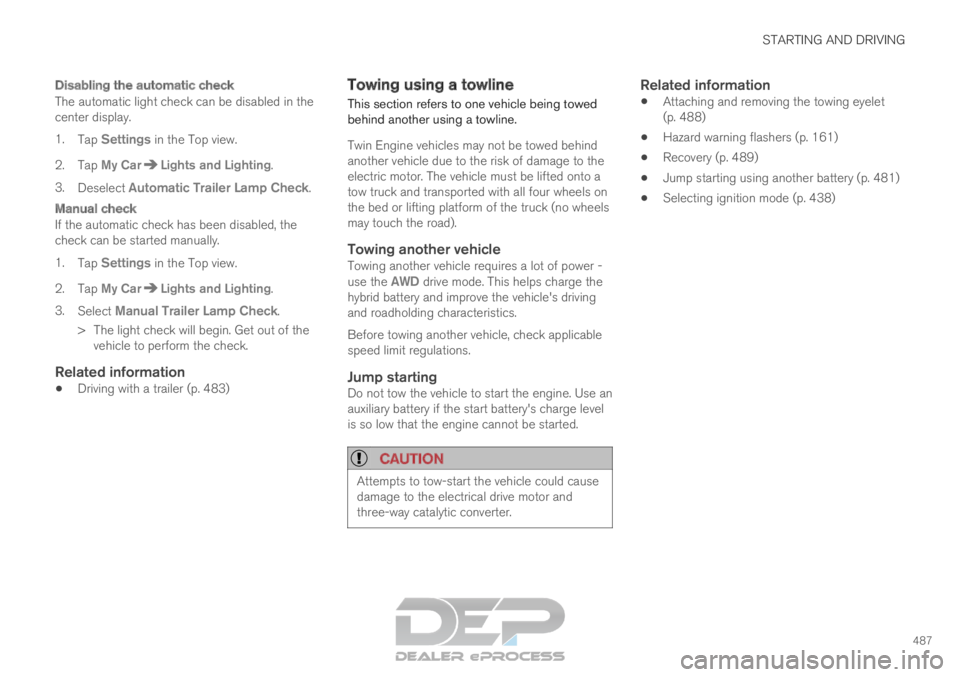
manually by the driver before the vehicle is driven. Symbol
Message
Trailer turn indicator Right
turn indicator malfunction
Trailer turn indicator Left
turn indicator malfunction
Trailer brake light Malfunc-
tion If any of the trailer's turn signal lights is not work-
ing, the turn signal symbol in the instrument
panel will also flash more quickly than normal.
Trailer rear fog lightWhen a trailer is connected, the vehicle's rear fog
light may not illuminate and rear fog light func-
tionality is instead transferred to the trailer. If this
is the case, check to see if the trailer is equipped
with a rear fog light before activating the vehicle'sfog lights when driving with a trailer to help
ensure safe operation.
Checking trailer lights*
Automatic check
When the trailer has been connected to the vehi-
cle's electrical system, its lights can be checked
by automatically activating them. This function
helps the driver check that the trailer's lights are
functioning correctly before starting to drive.
In order to perform this check, the engine must
be turned off.
1. When a trailer is connected to the towbar, the message Automatic Trailer Lamp
Check will appear in the instrument panel.
2.
Acknowledge the message by pressing the
O button on the right-side steering wheel
keypad.
> The light check will begin.
3. Get out of the vehicle to perform the check. > All of the lights on the trailer will beginflashing, and then illuminate separately
one at a time.
4. Visually check that all of the trailer's lights are functioning correctly.
5. After a short time, all of the trailer's lights will start flashing again.
> The light check is completed.
Page 489 of 697
STARTING AND DRIVING
487
Disabling the automatic check
The automatic light check can be disabled in the
center display.
1.Tap Settings in the Top view.
2.
Tap My Car Lights and Lighting
.
3. Deselect Automatic Trailer Lamp Check.
Manual check
If the automatic check has been disabled, the
check can be started manually.
1.
Tap Settings in the Top view.
2.
Tap My Car Lights and Lighting
.
3. Select Manual Trailer Lamp Check.
>
The light check will begin. Get out of the
vehicle to perform the check.
Related information
Driving with a trailer (p. 483) Towing using a towline
This section refers to one vehicle being towed
behind another using a towline.
Twin Engine vehicles may not be towed behind
another vehicle due to the risk of damage to the
electric motor. The vehicle must be lifted onto a
tow truck and transported with all four wheels on
the bed or lifting platform of the truck (no wheels
may touch the road).
Towing another vehicleTowing another vehicle requires a lot of power -
use the AWD drive mode. This helps charge the
hybrid battery and improve the vehicle's driving
and roadholding characteristics.
Before towing another vehicle, check applicable
speed limit regulations.
Jump startingDo not tow the vehicle to start the engine. Use an
auxiliary battery if the start battery's charge level
is so low that the engine cannot be started.
CAUTION Attempts to tow-start the vehicle could cause
damage to the electrical drive motor and
three-way catalytic converter.
Related information
Attaching and removing the towing eyelet
(p. 488)
Hazard warning flashers (p. 161)
Recovery (p. 489)
Jump starting using another battery (p. 481)
Selecting ignition mode (p. 438)
Page 491 of 697
STARTING AND DRIVING
}}
* Option/accessory. 489
Recovery
This section refers to transporting the vehicle
with a tow truck or similar vehicle.
Call a professional towing service for assistance.
In certain conditions, the towing eyelet can be
used to pull the vehicle onto a flatbed tow truck.
CAUTION Note that vehicles with Twin Engine must
always be towed raised with all wheels on the
tow truck.
For vehicles equipped with leveling control*:
If the vehicle is equipped with pneumatic suspen-
sion, this feature must be turned off before the
vehicle is lifted onto a tow truck. Turning off the
function in the center display.
1. Tap Settings in the Top view.
2.
Tap My Car Parking Brake and
Suspension .
3. Select Disable Leveling Control.
The vehicle's location and ground clearance
determine if it can be lifted onto a tow truck. If
the incline of the tow truck is too steep or if the
ground clearance under the vehicle is insufficient,
attempting to pull it up may result in damage. In
this case, the vehicle should only be lifted with
the tow truck's lifting equipment.
WARNING No person or object should be behind the tow
truck when the vehicle is lifted onto the bed
of the truck.
Related information
Attaching and removing the towing eyelet
(p. 488) HomeLink
®
*10
HomeLink ®11
is a programmable remote control,
integrated in the vehicle electrical system, that
can control up to three different devices (e.g.
garage door opener, alarm system, outdoor and
indoor lighting) and thereby replace the remote
controls for these.
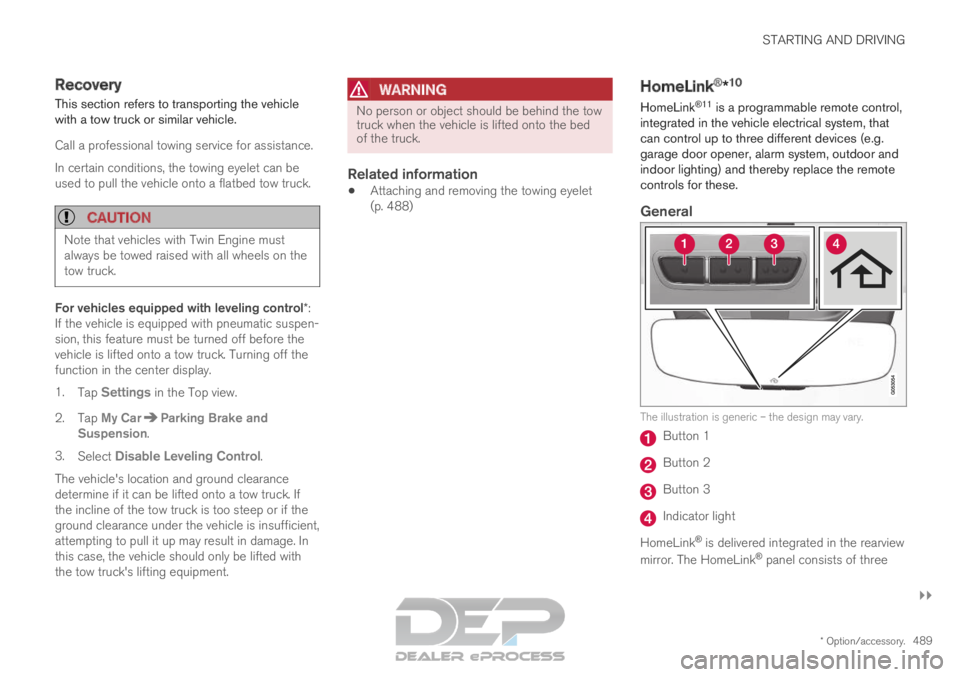
General The illustration is generic – the design may vary.
Button 1
Button 2
Button 3
Indicator light
HomeLink ®
is delivered integrated in the rearview
mirror. The HomeLink ®
panel consists of three
Page 498 of 697
AUDIO, MEDIA AND INTERNET
* Option/accessory.
496 Audio, media and Internet
The audio and media system consists of a media
player and a radio. A cellular phone can also be
connected through Bluetooth to use hands-free
functions or play music in the vehicle. When the
vehicle is connected to the Internet, it is also
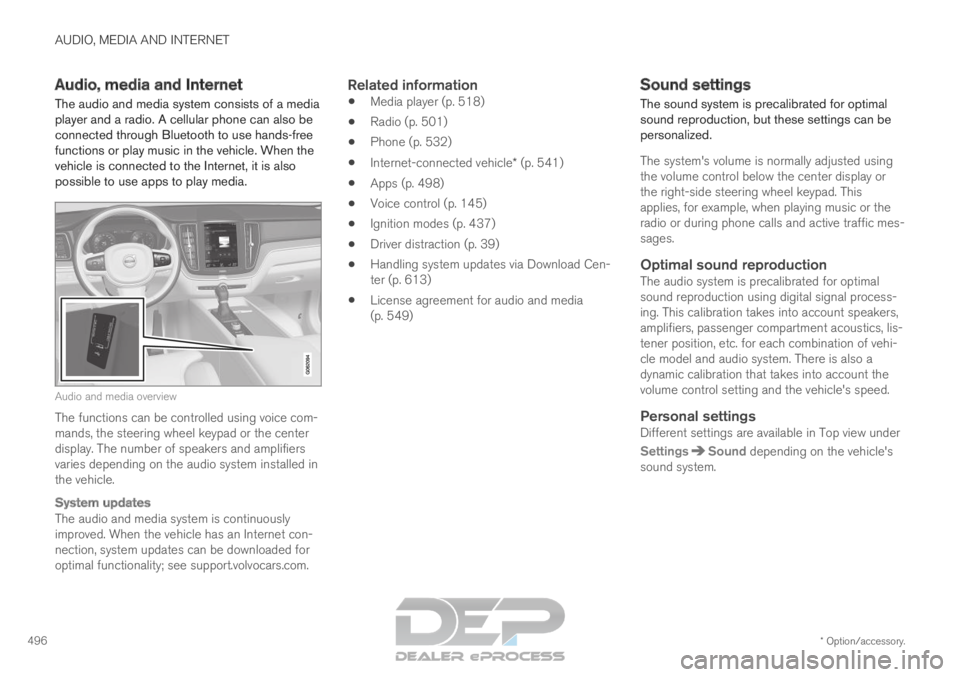
possible to use apps to play media. Audio and media overview
The functions can be controlled using voice com-
mands, the steering wheel keypad or the center
display. The number of speakers and amplifiers
varies depending on the audio system installed in
the vehicle.
System updates
The audio and media system is continuously
improved. When the vehicle has an Internet con-
nection, system updates can be downloaded for
optimal functionality; see support.volvocars.com.
Related information
Media player (p. 518)
Radio (p. 501)
Phone (p. 532)
Internet-connected vehicle* (p. 541)
Apps (p. 498)
Voice control (p. 145)
Ignition modes (p. 437)
Driver distraction (p. 39)
Handling system updates via Download Cen-
ter (p. 613)
License agreement for audio and media
(p. 549) Sound settings
The sound system is precalibrated for optimal
sound reproduction, but these settings can be
personalized.
The system's volume is normally adjusted using
the volume control below the center display or
the right-side steering wheel keypad. This
applies, for example, when playing music or the
radio or during phone calls and active traffic mes-
sages.
Optimal sound reproductionThe audio system is precalibrated for optimal
sound reproduction using digital signal process-
ing. This calibration takes into account speakers,
amplifiers, passenger compartment acoustics, lis-
tener position, etc. for each combination of vehi-
cle model and audio system. There is also a
dynamic calibration that takes into account the
volume control setting and the vehicle's speed.
Personal settingsDifferent settings are available in Top view under
Settings Sound
depending on the vehicle's
sound system.
Page 503 of 697
AUDIO, MEDIA AND INTERNET
}}
* Option/accessory. 501
Radio
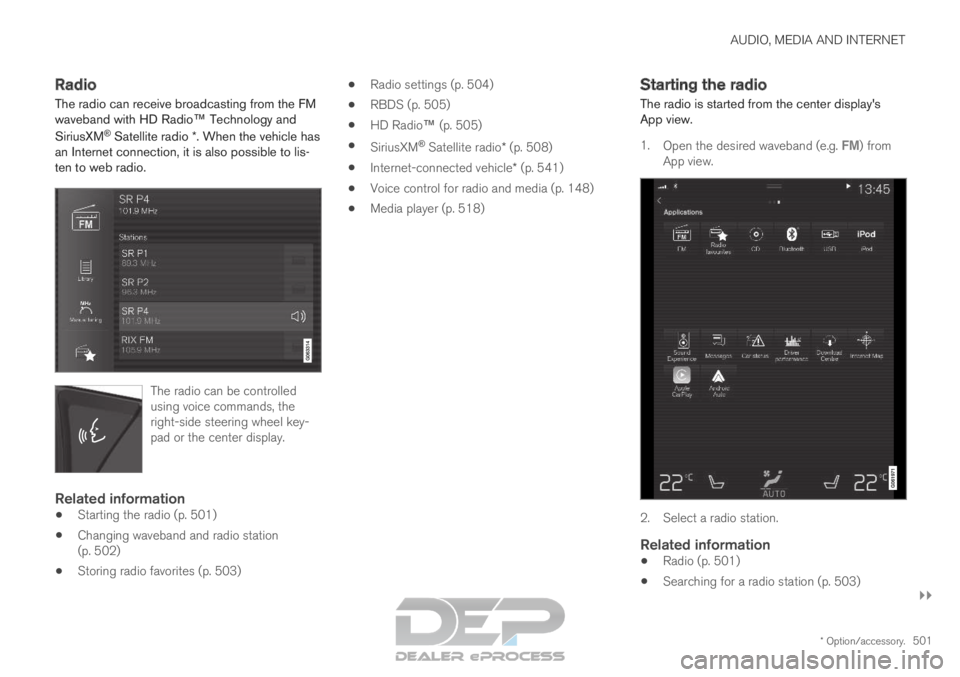
The radio can receive broadcasting from the FM
waveband with HD Radio™ Technology and
SiriusXM
®
Satellite radio *. When the vehicle has
an Internet connection, it is also possible to lis-
ten to web radio. The radio can be controlled
using voice commands, the
right-side steering wheel key-
pad or the center display.
Related information
Starting the radio (p. 501)
Changing waveband and radio station
(p. 502)
Storing radio favorites (p. 503)
Radio settings (p. 504)
RBDS (p. 505)
HD Radio™ (p. 505)
SiriusXM ®
Satellite radio* (p. 508)
Internet-connected vehicle* (p. 541)
Voice control for radio and media (p. 148)
Media player (p. 518) Starting the radio
The radio is started from the center display's
App view.
1.
Open the desired waveband (e.g. FM) from
App view. 2. Select a radio station.
Related information
Radio (p. 501)
Searching for a radio station (p. 503)
Page 504 of 697
AUDIO, MEDIA AND INTERNET
502
Changing waveband and radio station
(p. 502)
Storing radio favorites (p. 503)
Radio settings (p. 504)
Voice control for radio and media (p. 148) Changing waveband and radio
station
Instructions for changing wavebands, waveband
lists and radio stations in the selected list are
provided here.
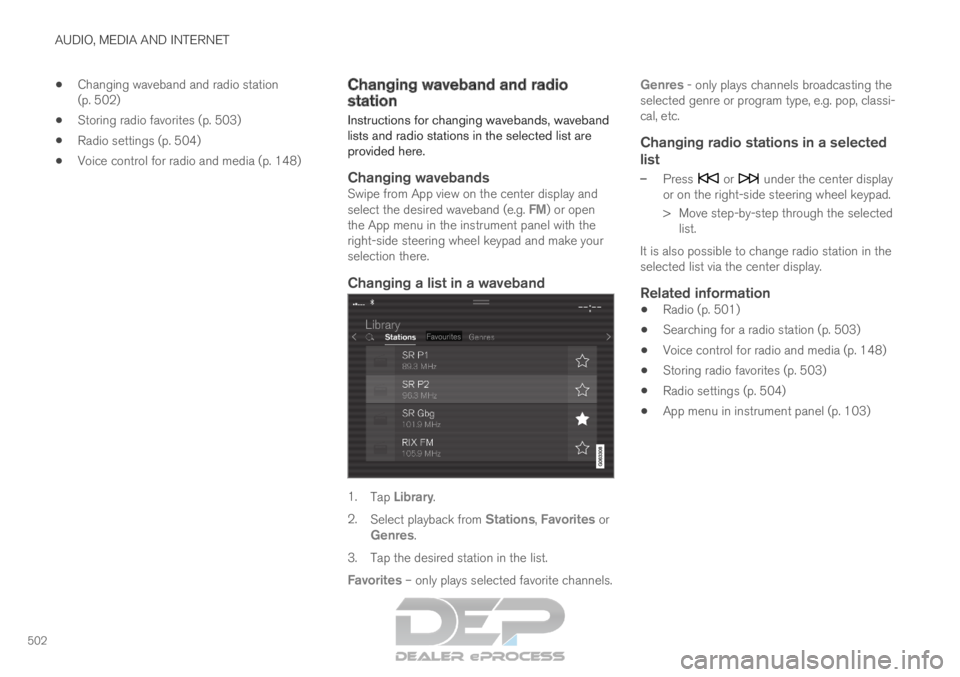
Changing wavebandsSwipe from App view on the center display and
select the desired waveband (e.g. FM) or open
the App menu in the instrument panel with the
right-side steering wheel keypad and make your
selection there.
Changing a list in a waveband 1.
Tap Library.
2. Select playback from Stations, Favorites or
Genres.
3.
Tap the desired station in the list.
Favorites – only plays selected favorite channels. Genres - only plays channels broadcasting the
selected genre or program type, e.g. pop, classi-
cal, etc.
Changing radio stations in a selected
list
– Press or under the center display
or on the right-side steering wheel keypad.
>
Move step-by-step through the selected
list.
It is also possible to change radio station in the
selected list via the center display.
Related information
Radio (p. 501)
Searching for a radio station (p. 503)
Voice control for radio and media (p. 148)
Storing radio favorites (p. 503)
Radio settings (p. 504)
App menu in instrument panel (p. 103)