service VOLVO XC90 TWIN ENGINE 2019 Service Manual
[x] Cancel search | Manufacturer: VOLVO, Model Year: 2019, Model line: XC90 TWIN ENGINE, Model: VOLVO XC90 TWIN ENGINE 2019Pages: 697, PDF Size: 10.33 MB
Page 259 of 697
KEY, LOCKS AND ALARM
}}
* Option/accessory. 257
Electronic immobilizer
The electronic immobilizer is a start inhibitor that
helps prevent the vehicle from being started by
an unauthorized person.
The vehicle can only be started with the right
remote key.
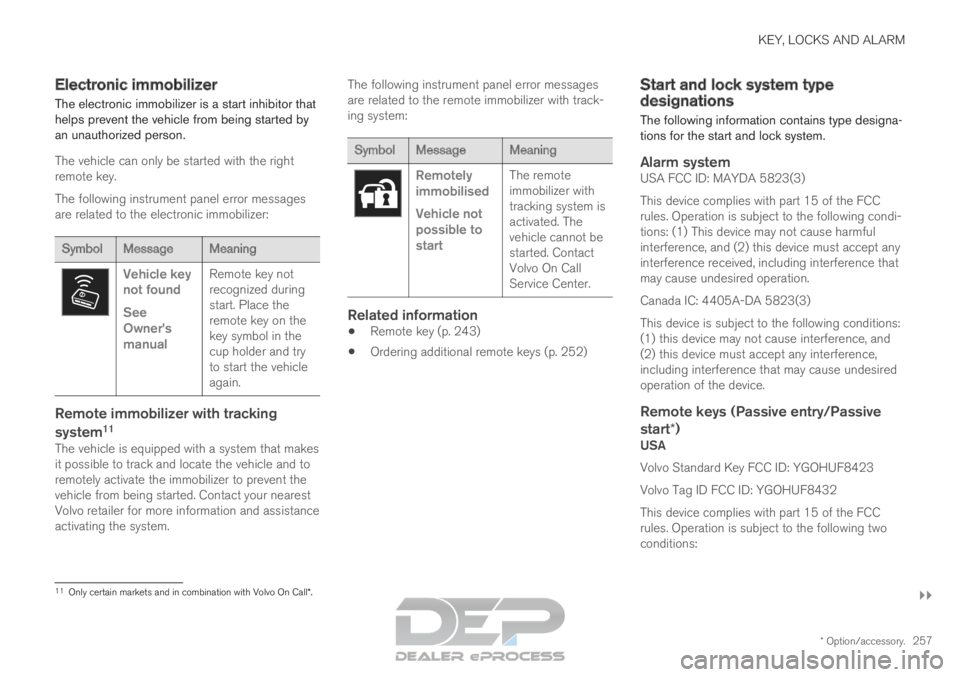
The following instrument panel error messages
are related to the electronic immobilizer: Symbol
Message Meaning Vehicle key
not found
See
Owner's
manual
Remote key not
recognized during
start. Place the
remote key on the
key symbol in the
cup holder and try
to start the vehicle
again.
Remote immobilizer with tracking
system
11
The vehicle is equipped with a system that makes
it possible to track and locate the vehicle and to
remotely activate the immobilizer to prevent the
vehicle from being started. Contact your nearest
Volvo retailer for more information and assistance
activating the system. The following instrument panel error messages
are related to the remote immobilizer with track-
ing system: Symbol
Message Meaning Remotely
immobilised
Vehicle not
possible to
start
The remote
immobilizer with
tracking system is
activated. The
vehicle cannot be
started. Contact
Volvo On Call
Service Center.
Related information
Remote key (p. 243)
Ordering additional remote keys (p. 252) Start and lock system type
designations
The following information contains type designa-
tions for the start and lock system.
Alarm systemUSA FCC ID: MAYDA 5823(3)
This device complies with part 15 of the FCC
rules. Operation is subject to the following condi-
tions: (1) This device may not cause harmful
interference, and (2) this device must accept any
interference received, including interference that
may cause undesired operation.
Canada IC: 4405A-DA 5823(3)
This device is subject to the following conditions:
(1) this device may not cause interference, and
(2) this device must accept any interference,
including interference that may cause undesired
operation of the device.
Remote keys (Passive entry/Passive
start*)
USA
Volvo Standard Key FCC ID: YGOHUF8423
Volvo Tag ID FCC ID: YGOHUF8432
This device complies with part 15 of the FCC
rules. Operation is subject to the following two
conditions:
11 Only certain markets and in combination with Volvo On Call*.
Page 276 of 697
||KEY, LOCKS AND ALARM
* Option/accessory.
274
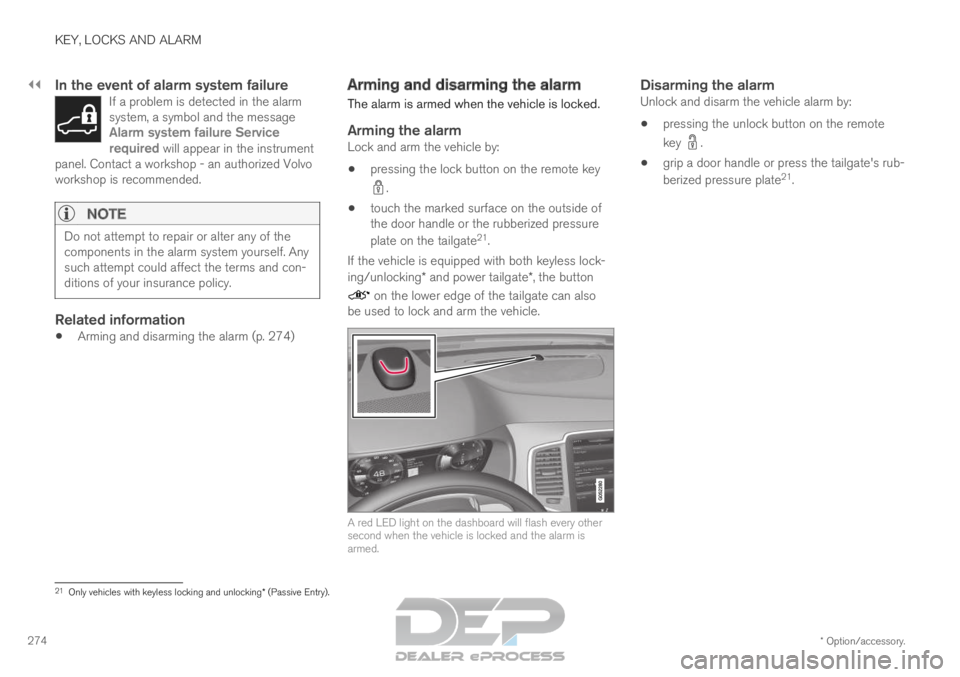
In the event of alarm system failureIf a problem is detected in the alarm
system, a symbol and the message
Alarm system failure Service
required will appear in the instrument
panel. Contact a workshop - an authorized Volvo
workshop is recommended.
NOTE Do not attempt to repair or alter any of the
components in the alarm system yourself. Any
such attempt could affect the terms and con-
ditions of your insurance policy.
Related information
Arming and disarming the alarm (p. 274) Arming and disarming the alarm
The alarm is armed when the vehicle is locked.
Arming the alarmLock and arm the vehicle by:
pressing the lock button on the remote key .
touch the marked surface on the outside of
the door handle or the rubberized pressure
plate on the tailgate 21
.
If the vehicle is equipped with both keyless lock-
ing/unlocking* and power tailgate*, the button on the lower edge of the tailgate can also
be used to lock and arm the vehicle. A red LED light on the dashboard will flash every other
second when the vehicle is locked and the alarm is
armed.
Disarming the alarmUnlock and disarm the vehicle alarm by:
pressing the unlock button on the remote
key .
grip a door handle or press the tailgate's rub-
berized pressure plate 21
. 21
Only vehicles with keyless locking and unlocking* (Passive Entry).
Page 284 of 697
DRIVER SUPPORT
282Electronic Stability Control symbols
and messages
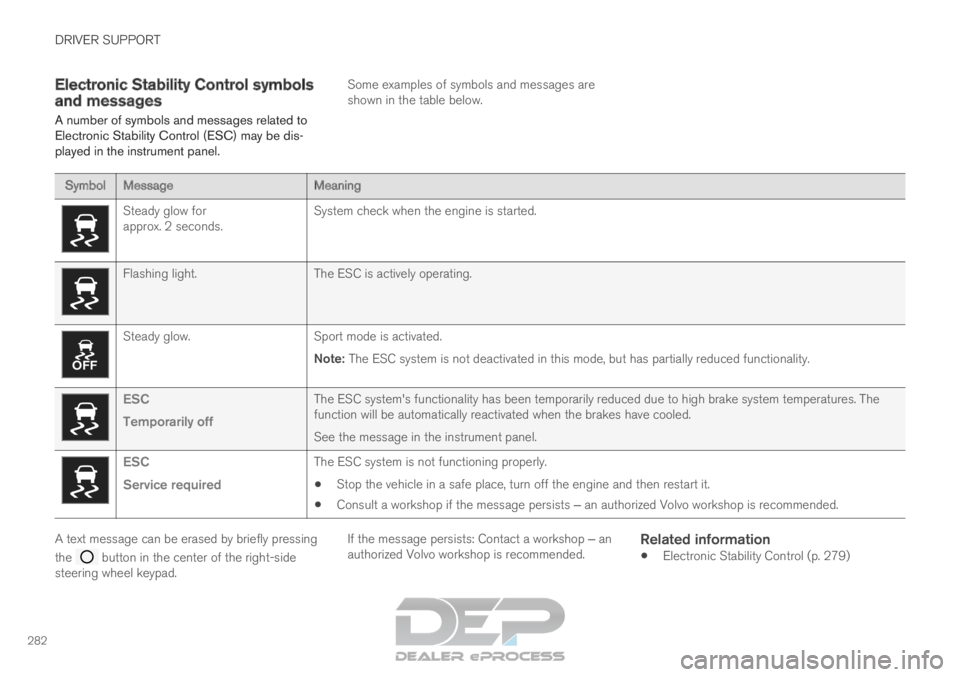
A number of symbols and messages related to
Electronic Stability Control (ESC) may be dis-
played in the instrument panel. Some examples of symbols and messages are
shown in the table below.Symbol
Message MeaningSteady glow for
approx. 2 seconds.
System check when the engine is started.Flashing light.
The ESC is actively operating.Steady glow.
Sport mode is activated.
Note: The ESC system is not deactivated in this mode, but has partially reduc\
ed functionality. ESC
Temporarily off
The ESC system's functionality has been temporarily reduced due to hi\
gh brake system temperatures. The
function will be automatically reactivated when the brakes have cooled.
See the message in the instrument panel.ESC
Service required
The ESC system is not functioning properly.
Stop the vehicle in a safe place, turn off the engine and then restart i\
t.
Consult a workshop if the message persists ‒ an authorized Volvo workshop is recommended. A text message can be erased by briefly pressing
the
button in the center of the right-side
steering wheel keypad. If the message persists: Contact a workshop ‒ an
authorized Volvo workshop is recommended.
Related information
Electronic Stability Control (p. 279)
Page 317 of 697
DRIVER SUPPORT
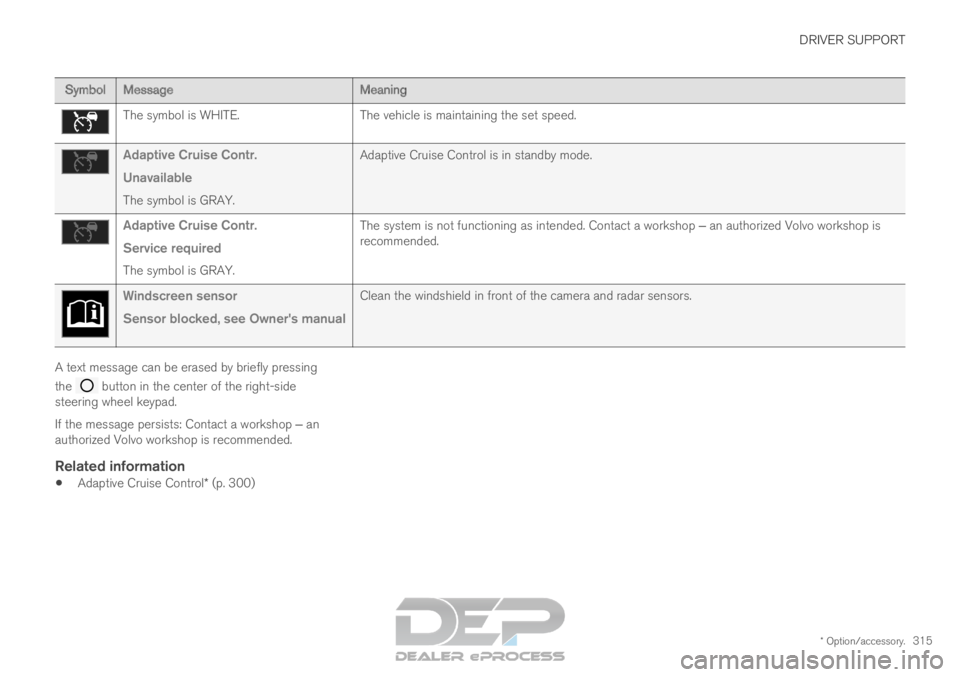
* Option/accessory.315Symbol
Message MeaningThe symbol is WHITE.
The vehicle is maintaining the set speed.Adaptive Cruise Contr.
Unavailable
The symbol is GRAY. Adaptive Cruise Control is in standby mode.Adaptive Cruise Contr.
Service required
The symbol is GRAY. The system is not functioning as intended. Contact a workshop ‒ an authorized Volvo workshop is
recommended. Windscreen sensor
Sensor blocked, see Owner's manual
Clean the windshield in front of the camera and radar sensors.A text message can be erased by briefly pressing
the
button in the center of the right-side
steering wheel keypad.
If the message persists: Contact a workshop ‒ an
authorized Volvo workshop is recommended.
Related information
Adaptive Cruise Control* (p. 300)
Page 355 of 697

DRIVER SUPPORT
353
City Safety messages
A number of messages related to City Safety
may be displayed in the instrument panel.
Some examples of symbols and messages are shown in the table below.
Message
Meaning
City Safety
Automatic intervention When City Safety is braking or has activated the automatic braking funct\
ion, one or more symbols may illuminate in
the instrument panel and a text message may be displayed.
City Safety
Reduced functionality Service
required The system is not functioning as intended. Contact a workshop ‒ an authorized Volvo workshop is recommended.A text message can be erased by briefly pressing
the
button in the center of the right-side
steering wheel keypad.
If the message persists: Contact a workshop ‒ an
authorized Volvo workshop is recommended.
Related information
City Safety™ (p. 341)
Page 361 of 697

DRIVER SUPPORT
* Option/accessory.359
BLIS messages
A number of messages related to BLIS 81
may
be displayed in the instrument panel.
Some examples of symbols and messages are shown in the table below. Message
Meaning
Blind spot sensor
Service required The system is not functioning as intended. Contact a workshop ‒ an authorized Volvo workshop is recommended.
Blind spot system off
Trailer attached BLIS and CTA have been deactivated because a trailer has been connected \
to the vehicle's electrical system.A text message can be erased by briefly pressing
the
button in the center of the right-side
steering wheel keypad.
If the message persists: Contact a workshop ‒ an
authorized Volvo workshop is recommended.
Related information
BLIS* (p. 355) 81
Blind Spot Information
Page 365 of 697

DRIVER SUPPORT
* Option/accessory.363
Cross Traffic Alert messages
A number of messages related to CTA 90
may be
displayed in the instrument panel.
Some examples of symbols and messages are shown in the table below. Message
Meaning
Blind spot sensor
Service required The system is not functioning as intended. Contact a workshop ‒ an authorized Volvo workshop is recommended.
Blind spot system off
Trailer attached BLIS and CTA have been deactivated because a trailer has been connected \
to the vehicle's electrical system.A text message can be erased by briefly pressing
the
button in the center of the right-side
steering wheel keypad.
If the message persists: Contact a workshop ‒ an
authorized Volvo workshop is recommended.
Related information
Cross Traffic Alert* (p. 360) 90
Cross Traffic Alert
Page 379 of 697

DRIVER SUPPORT
}}
377
Lane Keeping Aid symbols and
messages
A number of symbols and messages related to
Lane Keeping Aid LKA 110
may be displayed in
the instrument panel. Some examples of symbols and messages are shown in the table below. Symbol
Message MeaningDriver support system
Reduced functionality Service required
The system is not functioning as intended. Contact a workshop ‒ an authorized Volvo work-
shop is recommended. Windscreen sensor
Sensor blocked, see Owner's manual
The camera's ability to detect the lane in front of the vehicle is re\
duced.Lane Keeping Aid
Apply steering
LKA's steering assistance is disabled when the driver's hands are \
not on the wheel. Follow
the instructions and steer the vehicle.Lane Keeping Aid
Apply steering
LKA will go into standby mode until the driver begins steering the vehic\
le again.110
Lane Keeping Aid
Page 397 of 697

DRIVER SUPPORT
* Option/accessory.395
Park Assist symbols and messages
Symbols and messages for the Park Assist may
be displayed in the instrument panel and/or the
center display. Some examples of symbols and messages are shown in the table below. Symbol
Message Meaning The rear Park Assist sensors are turned off and no acoustic warnings for obstacles/objects will
be provided.
Park Assist System
Sensors blocked, cleaning nee-
ded One or more of the sensors are blocked. Check and clean/remove the obsta\
cle as soon as pos-
sible.
Park Assist System
Unavailable Service required The system is not functioning as intended. Contact a workshop ‒ an authorized Volvo workshop
is recommended. A text message can be erased by briefly pressing
the
button in the center of the right-side
steering wheel keypad.
If the message persists: Contact a workshop ‒ an
authorized Volvo workshop is recommended.
Related information
Park Assist* (p. 390)
Page 407 of 697

DRIVER SUPPORT
* Option/accessory.405
Park Assist Camera symbols and
messages
Symbols and messages for the Park Assist
Camera may be displayed in the instrument
panel and/or the center display.
Some examples of symbols and messages are shown in the table below. Symbol
Message Meaning The rear Park Assist sensors are turned off and no acoustic warnings or field markings for obsta-
cles/objects will be provided.
The camera is not functioning properly.
Park Assist System
Sensors blocked, cleaning
needed One or more of the sensors are blocked. Check and clean/remove the obsta\
cle as soon as possible.
Park Assist System
Unavailable Service required The system is not functioning as intended. Contact a workshop ‒ an authorized Volvo workshop is
recommended. A text message can be erased by briefly pressing
the
button in the center of the right-side
steering wheel keypad. If the message persists: Contact a workshop ‒ an
authorized Volvo workshop is recommended.
Related information
Park Assist Camera* (p. 396)