service VOLVO XC90 TWIN ENGINE 2019 Manual Online
[x] Cancel search | Manufacturer: VOLVO, Model Year: 2019, Model line: XC90 TWIN ENGINE, Model: VOLVO XC90 TWIN ENGINE 2019Pages: 697, PDF Size: 10.33 MB
Page 519 of 697
AUDIO, MEDIA AND INTERNET
* Option/accessory.517
2. Tap a brand to display a list of service sta-
tions affiliated with that brand (BP, Exxon,
etc.).
3. Tap the name of a service station to display more detailed information.
In addition to the Select fuel type button at the bottom of the screen, tap the
Sort button to
arrange the list according to Nearest or
Cheapest/Recommended. Tap Done to return to the previous screen.
Related information
SiriusXM Travel Link ®
* (p. 512)
SiriusXM Travel Link ®
* - Notifications
(p. 515)
SiriusXM Travel Link ®
* - Sports (p. 517)
SiriusXM Travel Link ®
* - Weather (p. 514) SiriusXM Travel Link
®
* - Sports
This SiriusXM Travel Link service provides infor-
mation about sporting events, tournaments,
teams, leagues, etc.
From the SiriusXM Travel Link home screen, to
display sports information:
– Tap the
Sports button to display the main
sports screen.
A number of sports categories will be listed
(Football, Baseball, Basketball, etc.)
Tap a sport to select a league in that sport (NFL,
MLB, etc.) or a sport organization (PGA, LPGA,
etc.).
The following is an example of the result of
tapping Baseball:
1.
MLB (Major League Baseball) will be dis-
played.
2. Tap MLB to display the two leagues in Major League Baseball (American League or
National League).
3. Tap one of the league names to display the divisions in the league. 4. Tap one of the divisions to display:
In progress: play-by-play information
about a match/game/tournament cur-
rently in progress. Continue tapping to
display. In the detailed view, you can also
select a radio station that is currently
broadcasting an ongoing sporting event
Headlines for MLB: Tap to display brief
headline information
Scheduled: schedules for coming
matches, games, etc.
Scores: match/game results
The same principle applies to all sports.
Related information
SiriusXM Travel Link ®
* (p. 512)
SiriusXM Travel Link ®
* - Notifications
(p. 515)
SiriusXM Travel Link ®
* - Fuel (p. 516)
SiriusXM Travel Link ®
* - Weather (p. 514)
Page 520 of 697
AUDIO, MEDIA AND INTERNET
* Option/accessory.
518 Media player
The media player can play audio from the CD
player* and from external audio sources con-
nected via USB port or Bluetooth. It can also
play video format via the USB port.
When the vehicle is connected to the Internet, it
is also possible to listen to web radio, audio
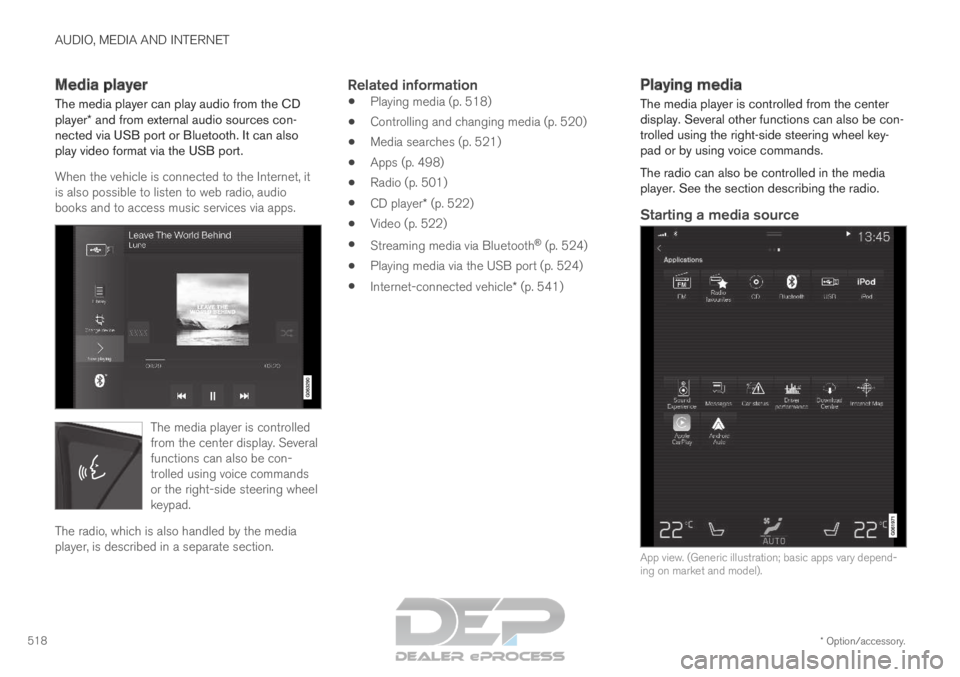
books and to access music services via apps. The media player is controlled
from the center display. Several
functions can also be con-
trolled using voice commands
or the right-side steering wheel
keypad.
The radio, which is also handled by the media
player, is described in a separate section.
Related information
Playing media (p. 518)
Controlling and changing media (p. 520)
Media searches (p. 521)
Apps (p. 498)
Radio (p. 501)
CD player* (p. 522)
Video (p. 522)
Streaming media via Bluetooth ®
(p. 524)
Playing media via the USB port (p. 524)
Internet-connected vehicle* (p. 541) Playing media
The media player is controlled from the center
display. Several other functions can also be con-
trolled using the right-side steering wheel key-
pad or by using voice commands.
The radio can also be controlled in the media
player. See the section describing the radio.
Starting a media source
App view. (Generic illustration; basic apps vary depend-
ing on market and model).
Page 529 of 697
AUDIO, MEDIA AND INTERNET
}}
* Option/accessory. 527
Apple
®
CarPlay ®
*
With CarPlay, you can listen to music, make
phone calls, get driving instructions, send/
receive messages and use Siri, all while remain-
ing focused on driving.
CarPlay works with select
Apple devices. If the car does
not already support CarPlay,
this can be retrofitted. Contact
a Volvo retailer to install
CarPlay.Information about supported apps and compati-
ble phones is available on the Apple website:
www.apple.com/ios/carplay/. Using apps that are
not compatible with CarPlay could cause the con-
nection between iPhone and the vehicle to be
lost. Please note that Volvo is not responsible for
the content of CarPlay.
When using map navigation via CarPlay, guidance
will only be shown on the center display and not
in the instrument panel or head-up display.
CarPlay apps can be controlled from the center
display, a phone or with the right-side steering
wheel keypad (for certain functions). The apps
can also be voice-controlled using Siri. Press and
hold the
button on the steering wheel to
start voice control with Siri. Press briefly to acti-
vate the vehicle's own voice control system. If Siri cuts off too soon, press and hold the 6
but-
ton on the steering wheel.
By using Apple CarPlay you acknowledge
the following: Apple CarPlay is a service
provided by Apple Inc. under its terms and
conditions. Volvo Cars is thus not
responsible for Apple CarPlay or its
features/applications. When using Apple
CarPlay, certain information from your car
(including its position) is transferred to your
iPhone. In relation to Volvo Cars, you are
fully responsible for your and any others
person
Page 532 of 697
AUDIO, MEDIA AND INTERNET
* Option/accessory.
530 Android Auto*
Android Auto lets you listen to music, make calls,
get driving directions and use apps customized
for your vehicle from an Android device.
Android Auto can be used with selected Android
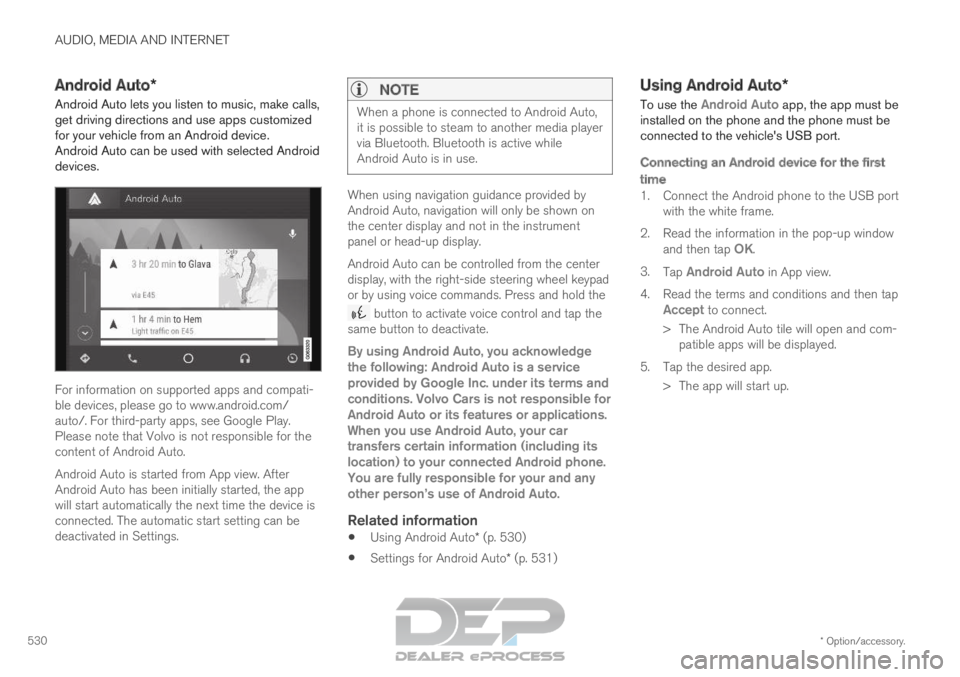
devices. For information on supported apps and compati-
ble devices, please go to www.android.com/
auto/. For third-party apps, see Google Play.
Please note that Volvo is not responsible for the
content of Android Auto.
Android Auto is started from App view. After
Android Auto has been initially started, the app
will start automatically the next time the device is
connected. The automatic start setting can be
deactivated in Settings.
NOTE When a phone is connected to Android Auto,
it is possible to steam to another media player
via Bluetooth. Bluetooth is active while
Android Auto is in use.
When using navigation guidance provided by
Android Auto, navigation will only be shown on
the center display and not in the instrument
panel or head-up display.
Android Auto can be controlled from the center
display, with the right-side steering wheel keypad
or by using voice commands. Press and hold the
button to activate voice control and tap the
same button to deactivate.
By using Android Auto, you acknowledge
the following: Android Auto is a service
provided by Google Inc. under its terms and
conditions. Volvo Cars is not responsible for
Android Auto or its features or applications.
When you use Android Auto, your car
transfers certain information (including its
location) to your connected Android phone.
You are fully responsible for your and any
other person
Page 543 of 697
AUDIO, MEDIA AND INTERNET
}}
* Option/accessory. 541
Settings for Bluetooth devices
Settings for Bluetooth-connected devices.
1. Tap Settings in the Top view.
2.
Tap Communication Bluetooth
Devices and select settings:
Add device - start the procedure for pairing
a new device.
Previously paired devices - lists regis-
tered/paired devices.
Remove device - remove a connected
device.
Allowed services for this device - select
what the device will be used for: making
calls, sending/receiving messages, stream-
ing media, Internet connection.
Internet connection connect the vehicle to
the Internet using the device's Bluetooth
connection.
Bluetooth ®
declaration of conformityUSA
FCC CAUTION
Changes or modifications not expressly approved
by the party responsible for compliance could
void the user's authority to operate the equip-
ment. This transmitter must not be co-located or
operated in conjunction with any other antenna
or transmitter. Canada
This device complies with Industry Canada
license-exempt RSS standard(s). Operation is
subject to the following two conditions:
(1) this device may not cause interference, and
(2) this device must accept any interference,
including interference that may cause undesired
operation of the device.
Related information
Phone (p. 532)
Phone settings (p. 540)
Internet-connected vehicle* (p. 541)
Connecting a phone to the car via Bluetooth
for the first time (p. 533) Internet-connected vehicle*
When the vehicle is connected to the Internet, it
is possible to use web radio and music services
via apps, download software and contact retail-
ers from the vehicle.
The vehicle can be connected to the Internet
using Bluetooth, Wi-Fi or the vehicle's integrated
modem (SIM card).
When the vehicle is connected to the Internet, it
is possible to share the vehicle's Internet connec-
Page 544 of 697
||AUDIO, MEDIA AND INTERNET
542
tion (Wi-Fi hotspot) so that other devices, e.g.
tablets, can access the Internet
12
.
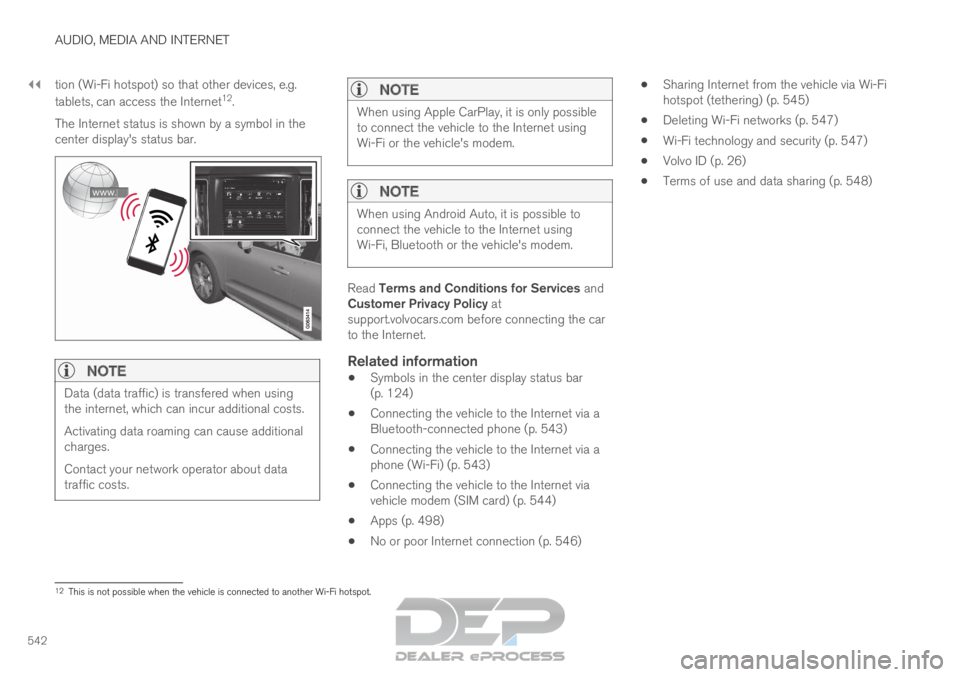
The Internet status is shown by a symbol in the
center display's status bar.
NOTE Data (data traffic) is transfered when using
the internet, which can incur additional costs.
Activating data roaming can cause additional
charges.
Contact your network operator about data
traffic costs.
NOTE When using Apple CarPlay, it is only possible
to connect the vehicle to the Internet using
Wi-Fi or the vehicle's modem.
NOTE
When using Android Auto, it is possible to
connect the vehicle to the Internet using
Wi-Fi, Bluetooth or the vehicle's modem.
Read Terms and Conditions for Services and
Customer Privacy Policy at
support.volvocars.com before connecting the car
to the Internet.
Related information
Symbols in the center display status bar
(p. 124)
Connecting the vehicle to the Internet via a
Bluetooth-connected phone (p. 543)
Connecting the vehicle to the Internet via a
phone (Wi-Fi) (p. 543)
Connecting the vehicle to the Internet via
vehicle modem (SIM card) (p. 544)
Apps (p. 498)
No or poor Internet connection (p. 546)
Sharing Internet from the vehicle via Wi-Fi
hotspot (tethering) (p. 545)
Deleting Wi-Fi networks (p. 547)
Wi-Fi technology and security (p. 547)
Volvo ID (p. 26)
Terms of use and data sharing (p. 548) 12
This is not possible when the vehicle is connected to another Wi-Fi hots\
pot.
Page 545 of 697
AUDIO, MEDIA AND INTERNET
}}
* Option/accessory. 543
Connecting the vehicle to the
Internet via a Bluetooth-connected
phone
Establish an Internet connection using Bluetooth
and tethering from a phone and get access to
multiple connected services in your vehicle.
1. To connect the vehicle to the Internet via a Bluetooth-connected phone, the phone must
first be paired with the vehicle via Bluetooth.
2.
Make sure that the phone supports Internet
sharing (tethering) and that the function is
activated. The function is called “personal
hotspot” on iPhones and “Wi-Fi hotspot“ on
Android phones. For iPhones, the “Personal
Hotspot” menu page must remain open until
the Internet connection is established.
3. If the phone has been connected via Blue- tooth previously, tap Settings in the center
display's Top view.
4.
Tap Communication Bluetooth
Devices .
5. Mark the window for Bluetooth Internet
connection under the heading Internet
connection.
6.
If a different connection is being used, con-
firm the connection change.
> Your vehicle is now connected to the Internet via your Bluetooth-connected
phone.
NOTE The cellular phone and network operator
must support tethering (sharing of Internet
connection) and the subscription must
include data traffic.
NOTE
When using Apple CarPlay, it is only possible
to connect the vehicle to the Internet using
Wi-Fi or the vehicle's modem.
Related information
Internet-connected vehicle* (p. 541)
Connecting the vehicle to the Internet via
vehicle modem (SIM card) (p. 544)
Connecting a phone to the car via Bluetooth
for the first time (p. 533)
Connecting the vehicle to the Internet via a
phone (Wi-Fi) (p. 543)
Apple ®
CarPlay ®
* (p. 527)
No or poor Internet connection (p. 546)
Settings for Bluetooth devices (p. 541) Connecting the vehicle to the
Internet via a phone (Wi-Fi)
Establish an Internet connection using Wi-Fi
through Internet sharing (tethering) from a phone
and get access to the connected services in
your vehicle.
1. Make sure that the phone supports Internet sharing (tethering) and that the function is
activated. The function is called “personal
hotspot” on iPhones and “Wi-Fi hotspot“ on
Android phones. For iPhones, the “Personal
Hotspot” menu page must remain open until
the Internet connection is established.
2. Tap Settings in the Top view.
3.
Proceed to Communication Wi-Fi
.
4. Activate/deactivate by tapping to check/ uncheck the Wi-Fi box.
5. If a different connection is being used, con- firm the connection change.
6. Tap the name of the network you would like to connect.
7. Enter the network password. > The vehicle will connect to the network.
Please note that certain cellular phones will disa-
ble Internet sharing (tethering) when the connec-
tion to the vehicle has been broken, e.g. when the
phone has been removed from the vehicle. The
phone's tethering function will then need to be
Page 546 of 697
||AUDIO, MEDIA AND INTERNET
* Option/accessory.
544 reactivated the next time the phone's hotspot is
used to connect to the Internet.
When a phone is connected to the vehicle, it will
be saved for future use. To display a list of saved
networks or to manually delete saved networks,
tap
Settings Communication Wi-Fi
Saved networks
.
NOTE
The cellular phone and network operator
must support tethering (sharing of Internet
connection) and the subscription must
include data traffic.
Technical and security requirements for Wi-Fi
connection are described in a separate section.
Related information
Internet-connected vehicle* (p. 541)
Deleting Wi-Fi networks (p. 547)
No or poor Internet connection (p. 546)
Wi-Fi technology and security (p. 547) Connecting the vehicle to the
Internet via vehicle modem (SIM
card)
For vehicles equipped with Volvo On Call, it is
possible to establish an Internet connection via
the vehicle modem and a personal SIM card (P-
SIM).
When the vehicle is connected using the inte-
grated modem, the Volvo On Call services will
use this connection.
1. Insert a personal SIM card in the holder.
2. Tap Settings in the Top view.
3.
Tap Communication Vehicle Modem
Internet .
4.
Activate/deactivate by tapping to check/
uncheck the Vehicle modem Internet box. 5.
If a different connection is being used, con-
firm the connection change.
6. Enter the SIM card's PIN code. > The vehicle will connect to the network.
Related information
Internet-connected vehicle* (p. 541)
No or poor Internet connection (p. 546)
Vehicle modem settings (p. 545)
Page 547 of 697
AUDIO, MEDIA AND INTERNET
}}
545
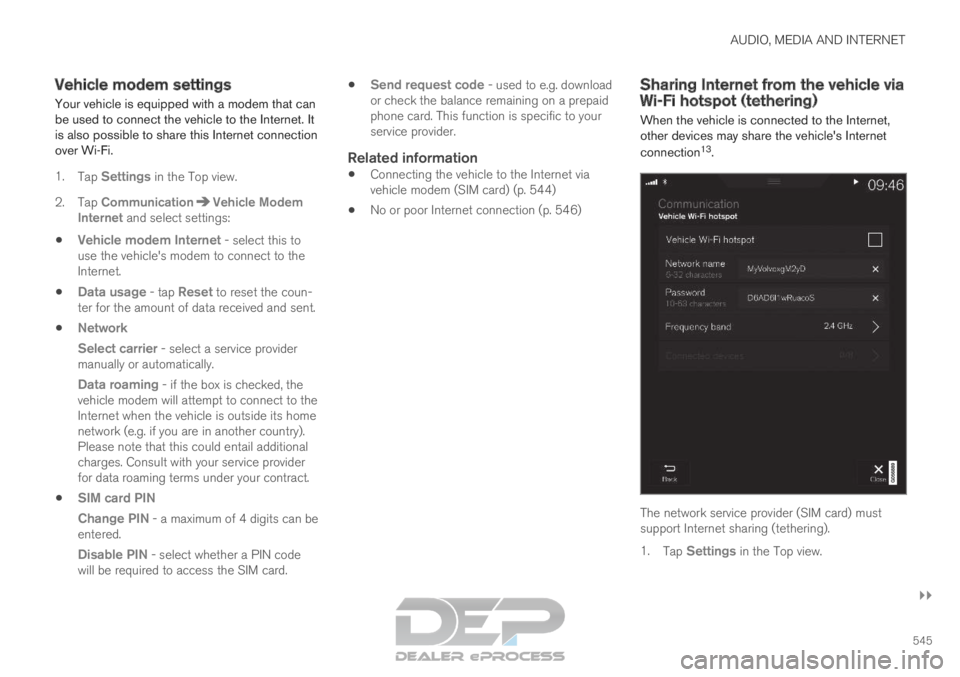
Vehicle modem settings
Your vehicle is equipped with a modem that can
be used to connect the vehicle to the Internet. It
is also possible to share this Internet connection
over Wi-Fi.
1. Tap Settings in the Top view.
2.
Tap Communication Vehicle Modem
Internet and select settings:
Vehicle modem Internet
- select this to
use the vehicle's modem to connect to the
Internet.
Data usage - tap Reset to reset the coun-
ter for the amount of data received and sent.
Network
Select carrier - select a service provider
manually or automatically.
Data roaming - if the box is checked, the vehicle modem will attempt to connect to the
Internet when the vehicle is outside its home
network (e.g. if you are in another country).
Please note that this could entail additional
charges. Consult with your service provider
for data roaming terms under your contract.
SIM card PIN
Change PIN - a maximum of 4 digits can be
entered.
Disable PIN - select whether a PIN code will be required to access the SIM card.
Send request code - used to e.g. download
or check the balance remaining on a prepaid
phone card. This function is specific to your
service provider.
Related information
Connecting the vehicle to the Internet via
vehicle modem (SIM card) (p. 544)
No or poor Internet connection (p. 546) Sharing Internet from the vehicle via
Wi-Fi hotspot (tethering)
When the vehicle is connected to the Internet,
other devices may share the vehicle's Internet
connection 13
. The network service provider (SIM card) must
support Internet sharing (tethering).
1.
Tap Settings in the Top view.
Page 548 of 697
||AUDIO, MEDIA AND INTERNET
* Option/accessory.
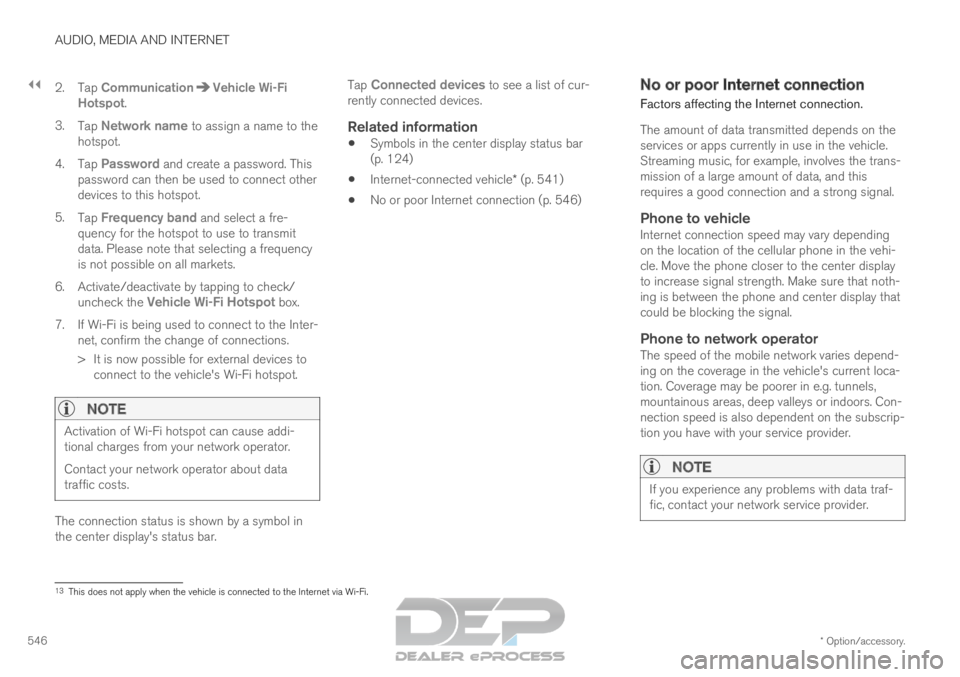
546 2. Tap
Communication Vehicle Wi-Fi
Hotspot .
3. Tap Network name to assign a name to the
hotspot.
4. Tap Password and create a password. This
password can then be used to connect other
devices to this hotspot.
5. Tap Frequency band and select a fre-
quency for the hotspot to use to transmit
data. Please note that selecting a frequency
is not possible on all markets.
6.
Activate/deactivate by tapping to check/
uncheck the Vehicle Wi-Fi Hotspot box.
7.
If Wi-Fi is being used to connect to the Inter-
net, confirm the change of connections.
> It is now possible for external devices to connect to the vehicle's Wi-Fi hotspot.
NOTE Activation of Wi-Fi hotspot can cause addi-
tional charges from your network operator.
Contact your network operator about data
traffic costs.
The connection status is shown by a symbol in
the center display's status bar. Tap
Connected devices to see a list of cur-
rently connected devices.
Related information
Symbols in the center display status bar
(p. 124)
Internet-connected vehicle* (p. 541)
No or poor Internet connection (p. 546) No or poor Internet connection
Factors affecting the Internet connection.
The amount of data transmitted depends on the
services or apps currently in use in the vehicle.
Streaming music, for example, involves the trans-
mission of a large amount of data, and this
requires a good connection and a strong signal.
Phone to vehicleInternet connection speed may vary depending
on the location of the cellular phone in the vehi-
cle. Move the phone closer to the center display
to increase signal strength. Make sure that noth-
ing is between the phone and center display that
could be blocking the signal.
Phone to network operatorThe speed of the mobile network varies depend-
ing on the coverage in the vehicle's current loca-
tion. Coverage may be poorer in e.g. tunnels,
mountainous areas, deep valleys or indoors. Con-
nection speed is also dependent on the subscrip-
tion you have with your service provider.
NOTE If you experience any problems with data traf-
fic, contact your network service provider.
13
This does not apply when the vehicle is connected to the Internet via Wi\
-Fi.