light VOLVO XC90 TWIN ENGINE HYBRID 2017 User Guide
[x] Cancel search | Manufacturer: VOLVO, Model Year: 2017, Model line: XC90 TWIN ENGINE HYBRID, Model: VOLVO XC90 TWIN ENGINE HYBRID 2017Pages: 584, PDF Size: 14.2 MB
Page 43 of 584
INTRODUCTION
}}
41
Function view buttons
The Function view, which is one of the centerdisplay's basic views, contains all of the vehicle's
on-screen function buttons. From the Homeview, swipe from left to right on the screen tocome to the Function view.
Different types of buttons
There are three different types of vehicle functionbuttons as listed in the following table.
Type of buttonFunctionsVehicle function affected
Function buttonsHave On/Off modes.
An LED indicator light to the left of the button's icon will illuminate when a function isactive. Press the button to turn the function on or off.
Most of the buttons in the function view arefunction buttons.
Start buttonsDo not have On/Off modes.
Pressing a start button opens a function's window, e.g., a window for adjusting thedriver's seat.
•Camera.
•Headrest fold.
•Functions for folding down a seat.
•Head-up display adjustments.
Parking buttonsHave On/Off and scanning modes.
Similar to function buttons but have an additional parking scanning mode.
•Park In.
•Park Out.
Button modes
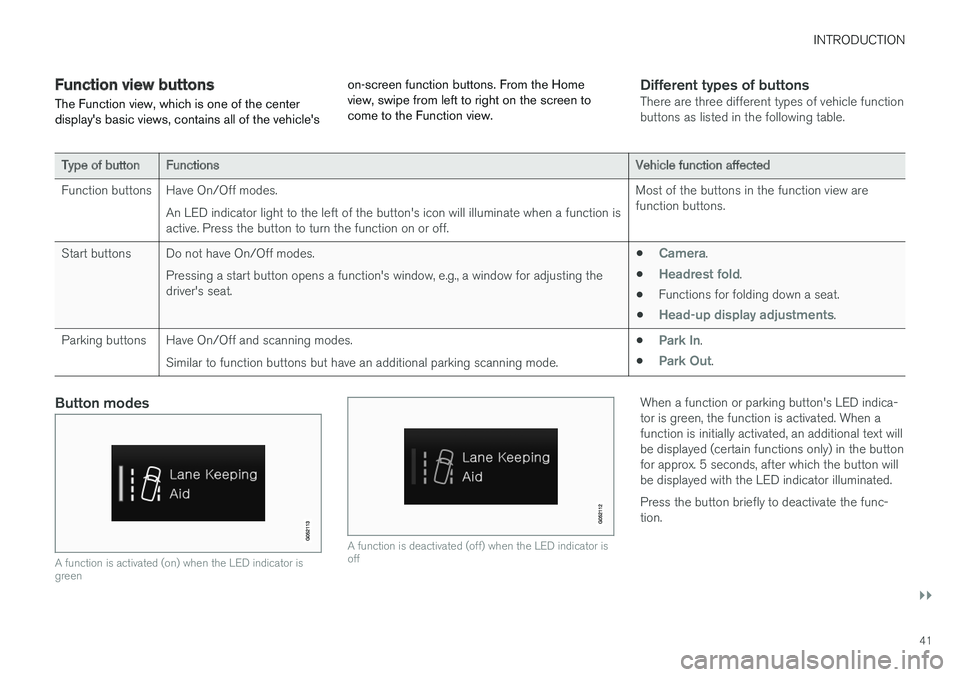
A function is activated (on) when the LED indicator isgreen
A function is deactivated (off) when the LED indicator isoff
When a function or parking button's LED indica-tor is green, the function is activated. When afunction is initially activated, an additional text willbe displayed (certain functions only) in the buttonfor approx. 5 seconds, after which the button willbe displayed with the LED indicator illuminated.
Press the button briefly to deactivate the func-tion.
Page 48 of 584
||
INTRODUCTION
46
ignition is being started/switched off or when amessage is displayed on the screen.
Going to Top view from an app
To pull down Top view when an app is running(e.g., FM radio):
•Tap FM Radio Settings to display thesesettings.
•Tap Owner's manual to open an articlerelated to the specific app.
This applies only to your vehicle's factory-installed apps. This is not possible for third-party apps that have been downloaded.
Climate view
The climate bar, where the most common climatesystem settings can be made, is located at thebottom of the screen and is always visible.
Tap the symbol at the center of the cli-mate bar to open Climate view foraccess to additional climate systemsettings.
Tap the symbol to close Climate viewand return to a previous view.
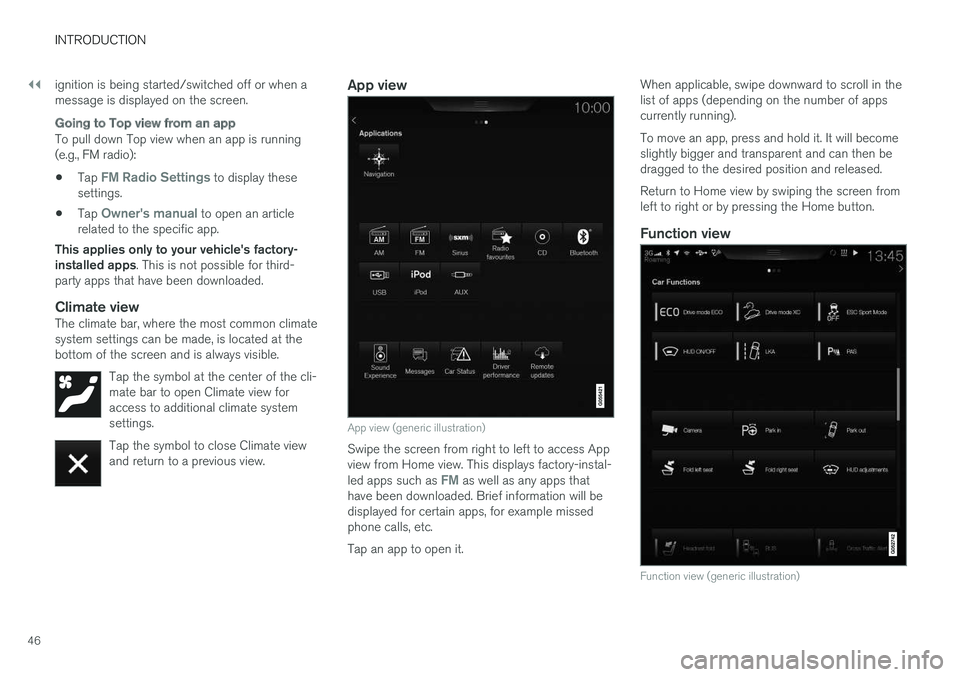
App view
App view (generic illustration)
Swipe the screen from right to left to access Appview from Home view. This displays factory-instal-led apps such as FM as well as any apps thathave been downloaded. Brief information will bedisplayed for certain apps, for example missedphone calls, etc.
Tap an app to open it.
When applicable, swipe downward to scroll in thelist of apps (depending on the number of appscurrently running).
To move an app, press and hold it. It will becomeslightly bigger and transparent and can then bedragged to the desired position and released.
Return to Home view by swiping the screen fromleft to right or by pressing the Home button.
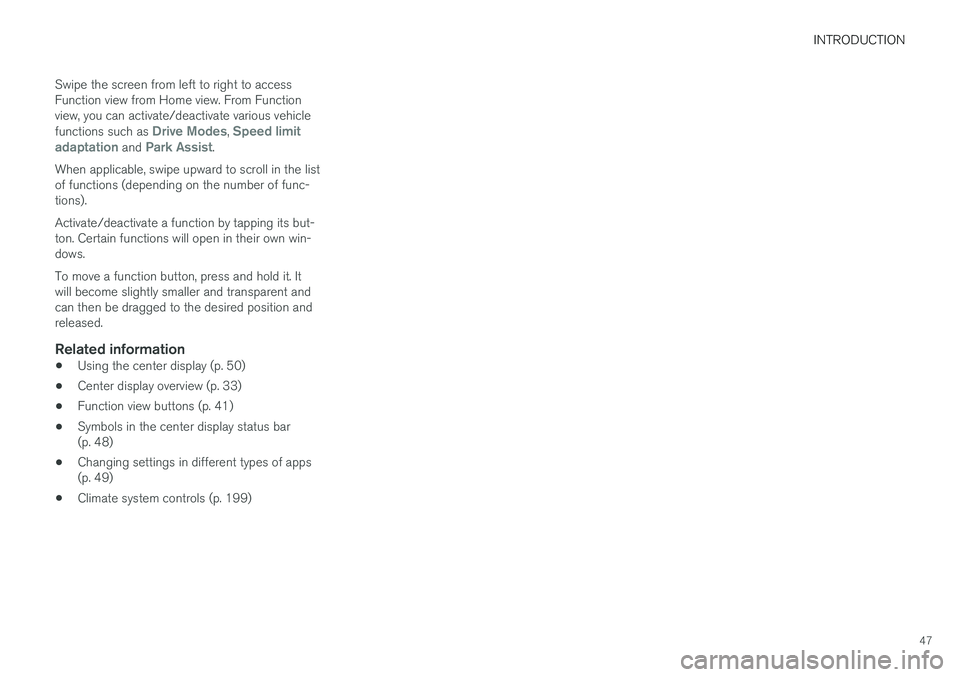
Function view
Function view (generic illustration)
Page 49 of 584
INTRODUCTION
47
Swipe the screen from left to right to accessFunction view from Home view. From Functionview, you can activate/deactivate various vehiclefunctions such as Drive Modes, Speed limitadaptation and Park Assist.
When applicable, swipe upward to scroll in the listof functions (depending on the number of func-tions).
Activate/deactivate a function by tapping its but-ton. Certain functions will open in their own win-dows.
To move a function button, press and hold it. Itwill become slightly smaller and transparent andcan then be dragged to the desired position andreleased.
Related information
•Using the center display (p. 50)
•Center display overview (p. 33)
•Function view buttons (p. 41)
•Symbols in the center display status bar(p. 48)
•Changing settings in different types of apps(p. 49)
•Climate system controls (p. 199)
Page 56 of 584
INTRODUCTION
54
Using the owner's manual
Reading your owner's manual is a good way offamiliarizing yourself with the features and sys-tems in your vehicle.
On-board owner's manual
Reading the owner's manual is a good way tobecome familiar with your vehicle and to learn toutilize the features and functions that it offers.Pay particular attention to the warnings provided.
Volvo reserves the right to make model changesat any time, or to change specifications or designwithout notice and without incurring obligation.
© Volvo Car Corporation
Printed owner's information
We advise keeping printed owner's information inthe vehicle for quick access to necessary infor-mation and how to contact Volvo if help isrequired.
Illustrations
Some of the illustrations used in your owner'sinformation may be generic and will give a gen-eral view of a certain feature or function. Forexample, some illustrations describing climatesystem functions may display a temperature indegrees Celsius but the same information appliesto Fahrenheit.
Options and accessories
Optional or accessory equipment described inthis manual is indicated by an asterisk.
Optional or accessory equipment may not beavailable in all countries or markets. Please notethat some vehicles may be equipped differently,depending on special legal requirements.
Contact your Volvo retailer for additional informa-tion.
Footnotes
Certain pages of this manual contain informationin the form of footnotes at the bottom of thepage. This information supplements the text thatthe footnote number refers to (a letter is used ifthe footnote refers to text in a table).
Messages
There are several displays in the vehicle thatshow messages generated by various systemsand functions in the vehicle. The appearance ofthese texts differs slightly from normal texts (forexample: Phone, Accept).
Decals
There are various types of decals in the vehiclewhose purpose is to provide important informa-tion in a clear and concise way. The importanceof these decals is explained as follows, indescending order of importance.
Risk of injury
Black ISO symbols on a yellow warning back-ground, white text/image on a black background.Decals of this type are used to indicate potentialdanger. Ignoring a warning of this type couldresult in serious injury or death.
Page 59 of 584
INTRODUCTION
}}
57
Symbols and their descriptions
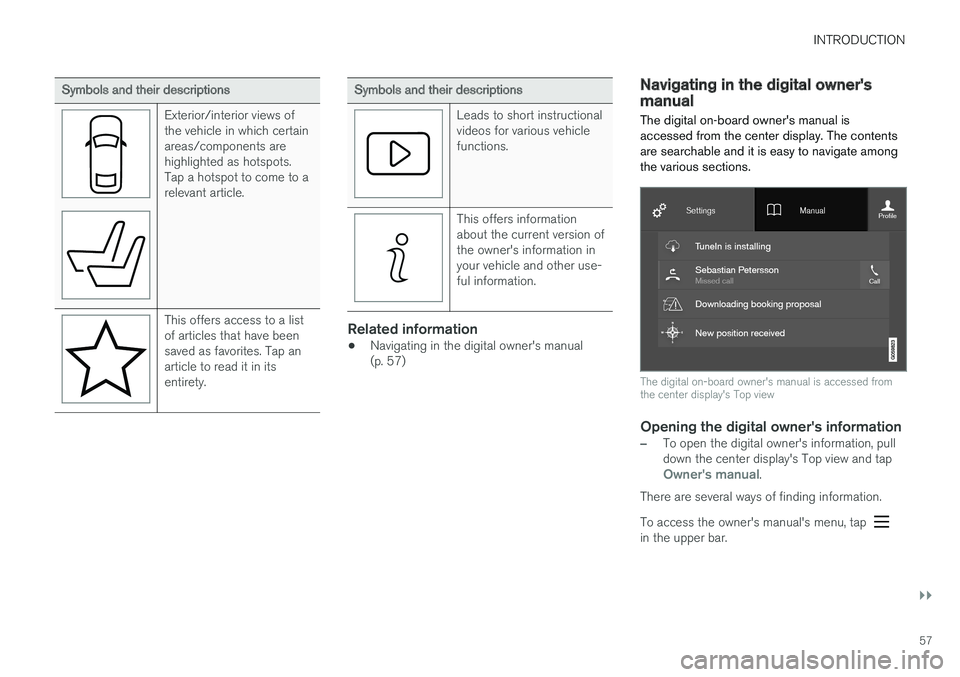
Exterior/interior views ofthe vehicle in which certainareas/components arehighlighted as hotspots.Tap a hotspot to come to arelevant article.
This offers access to a listof articles that have beensaved as favorites. Tap anarticle to read it in itsentirety.
Symbols and their descriptions
Leads to short instructionalvideos for various vehiclefunctions.
This offers informationabout the current version ofthe owner's information inyour vehicle and other use-ful information.
Related information
•Navigating in the digital owner's manual(p. 57)
Navigating in the digital owner'smanual
The digital on-board owner's manual isaccessed from the center display. The contentsare searchable and it is easy to navigate amongthe various sections.
The digital on-board owner's manual is accessed fromthe center display's Top view
Opening the digital owner's information
–To open the digital owner's information, pulldown the center display's Top view and tapOwner's manual.
There are several ways of finding information.
To access the owner's manual's menu, tap in the upper bar.
Page 61 of 584
INTRODUCTION
* Option/accessory, for more information, see Introduction.59
Using the search function
1.Tap the magnifying glass icon () in theowner's manual's upper menu. A keyboardwill appear at the bottom of the screen.
2.Enter a word, e.g., "seat belt."
> Suggested articles will be displayed asmore characters are entered.
3. Confirm by tapping the article. To leavesearch mode tap the up-arrow next to thesearch box.
Related information
•On-board digital owner's manual (p. 56)
•Using the center display keyboard (p. 36)
Glass
Laminated glass
The windshield and panoramic roof* are made oflaminated glass, which is reinforced to help pre-vent break-ins and to provide additional sound-proofing. Laminated glass is optional for theother side windows.
Laminated glass symbol5
Related information
•Laminated panoramic roof* (p. 110)
•Power windows (p. 113)
•Defrosting windows and mirrors (p. 206)
•Using sun shades (p. 115)
•Rearview mirror (p. 114)
•Power windows (p. 113)
•Head-up display (HUD)* (p. 122)
•Activating/deactivating the rain sensor(p. 162)
•Windshield and headlight washers (p. 163)
•Tailgate window wiper and washer (p. 164)
•Defrosting windows and mirrors (p. 206)
Technician certification
In addition to Volvo factory training, Volvo sup-ports certification by the National Institute forAutomotive Service Excellence (A.S.E.).
Certified technicians have demonstrated a highdegree of competence in specific areas. Besidespassing exams, each technician must also haveworked in the field for two or more years before acertificate is issued. These professional techni-cians are best able to analyze vehicle problemsand perform the necessary maintenance proce-dures to keep your Volvo at peak operating con-dition.
XC90 T8 Twin Engine Plug-in Hybrid
Technicians performing work on a vehicle withelectrification should also have the necessarytraining and specialized certification required forperforming repairs and/or maintenance on avehicle with electrification.
WARNING
A number of electrical components in theXC90 T8 Twin Engine Plug-in Hybrid usehigh-voltage current and can be extremelydangerous if handled incorrectly. These com-ponents and any orange wiring in the vehiclemay only be handled by trained and qualifiedVolvo service technicians.
5This symbol is not shown on the windshield or moon roof/panoramic roof.
Page 64 of 584
SAFETY
62
General safety information
The vehicle is equipped with a number of safetysystems for the driver and passengers.
In the event of an accident, there are a number ofsensors in the vehicle that react and triggersafety systems such as Roll Stability Control, air-bags, seat belt pretensioners, etc., depending onthe severity of the collision. There are alsomechanical systems such as the WhiplashProtection System.
Warning symbol in the instrument panel
The warning symbol in the instrumentpanel illuminates when the ignition is inmode II or higher. It will go out afterapprox. 6 seconds if no faults aredetected in the airbag system.
WARNING
•If the SRS warning light stays on after theengine has started or if it illuminateswhile you are driving, have the vehicleinspected by a trained and qualified Volvoservice technician as soon as possible.
•Never try to repair any component or partof the SRS yourself. Any interference inthe system could cause malfunction andserious injury. All work on these systemsshould be performed by a trained andqualified Volvo service technician.
If the dedicated warning symbol is notfunctioning, the general warning sym-bol will illuminate instead and the samemessage will be displayed in the instru-ment panel.
Related information
•Safety during pregnancy (p. 64)
•Seat belts (p. 66)
•Airbag system (p. 71)
•Safety mode (p. 79)
•Whiplash protection system (p. 65)
•Child safety (p. 81)
Occupant safety
Safety is Volvo's cornerstone.
Volvo's concern for safety
Our concern for safety dates back to 1927 whenthe first Volvo rolled off the production line.Three-point seat belts (a Volvo invention), safetycages, and energy-absorbing impact zones weredesigned into Volvo vehicles long before it wasfashionable or required by government regulation.
We will not compromise our commitment tosafety. We continue to seek out new safety fea-tures and to refine those already in our vehicles.You can help. We would appreciate hearing yoursuggestions about improving automobile safety.We also want to know if you ever have a safetyconcern with your vehicle. Call us in the U.S. at:1-800-458-1552 or in Canada at:1-800-663-8255.
Page 65 of 584

SAFETY
}}
63
Occupant safety reminders
How safely you drive doesn't depend on how oldyou are but rather on:
•How well you see.
•Your ability to concentrate.
•How quickly you make decisions understress to avoid an accident.
The following suggestions are intended to helpyou cope with the ever changing traffic environ-ment.
•Never drink and drive.
•If you are taking any medication, consult yourphysician about its potential effects on yourdriving abilities.
•Take a driver-retraining course.
•Have your eyes checked regularly.
•Keep your windshield and headlights clean.
•Replace wiper blades when they start toleave streaks.
•Take into account the traffic, road, andweather conditions, particularly with regard tostopping distance.
•Never send text messages while driving.
•Refrain from using or minimize the use of acell phone while driving.
Related information
•Recall information (p. 64)
•Reporting safety defects (p. 63)
Reporting safety defects
The following information will help you report anyperceived safety-related defects in your vehicle.
Reporting safety defects in the U.S.
If you believe that your vehicle has a
defect which could cause a crash or
could cause injury or death, you should
immediately inform the National High-
way Traffic Safety Administration
(NHTSA) in addition to notifying Volvo
Car USA, LLC. If NHTSA receives simi-
lar complaints, it may open an investi-
gation, and if it finds that a safety
defect exists in a group of vehicles, it
may order a recall and remedy cam-
paign. However, NHTSA cannot
become involved in individual problems
between you, your retailer, or Volvo Car
USA, LLC. To contact NHTSA, you may
either call the Auto Safety Hotline toll-
free at
1-888-327-4236
(TTY: 1-800-424-9153) or write to:
NHTSA, U.S. Department of Transpor-
tation, Washington D.C. 20590.
You can also obtain other information
about motor vehicle safety from http://
www.safercar.gov, where you can also
enter your vehicle's VIN (Vehicle Identi-
fication Number) to see if it has any
open recalls.
Volvo strongly recommends that if your
vehicle is covered under a service cam-
paign, safety or emission recall or simi-
lar action, it should be completed as
soon as possible. Please check with
your local retailer or Volvo Car USA,
LLC if your vehicle is covered under
these conditions.
NHTSA can be reached at:
Internet:
http://www.nhtsa.gov
Telephone:
1-888-DASH-2-DOT
(1-888-327-4236).
Reporting safety defects in Canada
If you believe your vehicle has a defect that couldcause a crash or could cause injury or death, youshould immediately inform Transport Canada inaddition to notifying Volvo Cars of Canada Corp.
Page 67 of 584
SAFETY
}}
* Option/accessory, for more information, see Introduction.65
Related information
•Buckling and unbuckling seat belts (p. 67)
•Adjusting power front seats* (p. 168)
•Manually operated front seats (p. 167)
Whiplash protection system
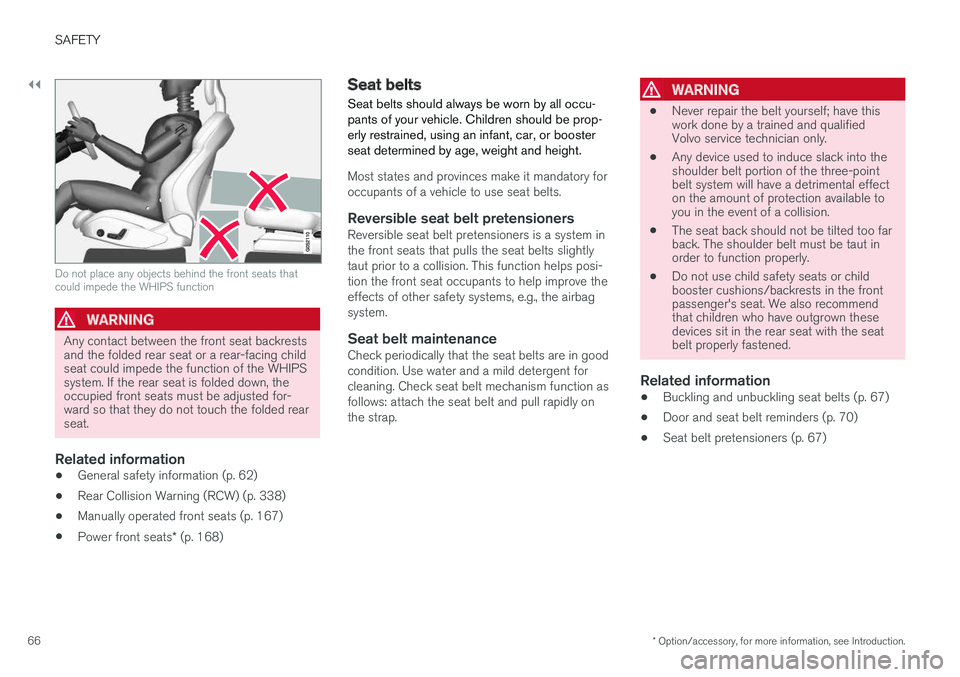
The Whiplash protection system (WHIPS) con-sists of specially designed hinges and bracketson the front seat backrests designed to helpabsorb some of the energy generated in a colli-sion from the rear (when the vehicle is rear-ended).
Function
In the event of certain rear-end collisions, thehinges and brackets of the front seat backrestsare designed to change position slightly to allowthe backrest/head restraint to help support theoccupant's head before moving slightly rearward.This movement helps absorb some of the forcesthat could result in whiplash.
WARNING
•The WHIPS system is designed to sup-plement the other safety systems in yourvehicle. For this system to function prop-erly, the three-point seat belt must beworn. Please be aware that no systemcan prevent all possible injuries that mayoccur in an accident.
•The WHIPS system is designed to func-tion in certain collisions from the rear,depending on the crash severity, angleand speed.
WARNING
•Occupants in the front seats must neversit out of position. The occupant's backmust be as upright as comfort allows andbe against the seat back with the seatbelt properly fastened.
•If your vehicle has been involved in a rear-end collision, the front seat backrestsmust be inspected by a trained and quali-fied Volvo service technician, even if theseats appear to be undamaged. Certaincomponents in the WHIPS system mayneed to be replaced.
•Do not attempt to service any componentin the WHIPS system yourself.
WARNING
•Boxes, suitcases, etc. wedged behind thefront seats could impede the function ofthe Whiplash Protection System.
•If the rear seat backrests are foldeddown, cargo must be secured to preventit from sliding forward against the frontseat backrests in the event of a collisionfrom the rear. This could interfere withthe action of the Whiplash ProtectionSystem.
Page 68 of 584
||
SAFETY
* Option/accessory, for more information, see Introduction.66
Do not place any objects behind the front seats thatcould impede the WHIPS function
WARNING
Any contact between the front seat backrestsand the folded rear seat or a rear-facing childseat could impede the function of the WHIPSsystem. If the rear seat is folded down, theoccupied front seats must be adjusted for-ward so that they do not touch the folded rearseat.
Related information
•General safety information (p. 62)
•Rear Collision Warning (RCW) (p. 338)
•Manually operated front seats (p. 167)
•Power front seats* (p. 168)
Seat belts
Seat belts should always be worn by all occu-pants of your vehicle. Children should be prop-erly restrained, using an infant, car, or boosterseat determined by age, weight and height.
Most states and provinces make it mandatory foroccupants of a vehicle to use seat belts.
Reversible seat belt pretensioners
Reversible seat belt pretensioners is a system inthe front seats that pulls the seat belts slightlytaut prior to a collision. This function helps posi-tion the front seat occupants to help improve theeffects of other safety systems, e.g., the airbagsystem.
Seat belt maintenance
Check periodically that the seat belts are in goodcondition. Use water and a mild detergent forcleaning. Check seat belt mechanism function asfollows: attach the seat belt and pull rapidly onthe strap.
WARNING
•Never repair the belt yourself; have thiswork done by a trained and qualifiedVolvo service technician only.
•Any device used to induce slack into theshoulder belt portion of the three-pointbelt system will have a detrimental effecton the amount of protection available toyou in the event of a collision.
•The seat back should not be tilted too farback. The shoulder belt must be taut inorder to function properly.
•Do not use child safety seats or childbooster cushions/backrests in the frontpassenger's seat. We also recommendthat children who have outgrown thesedevices sit in the rear seat with the seatbelt properly fastened.
Related information
•Buckling and unbuckling seat belts (p. 67)
•Door and seat belt reminders (p. 70)
•Seat belt pretensioners (p. 67)