light VOLVO XC90 TWIN ENGINE HYBRID 2017 Workshop Manual
[x] Cancel search | Manufacturer: VOLVO, Model Year: 2017, Model line: XC90 TWIN ENGINE HYBRID, Model: VOLVO XC90 TWIN ENGINE HYBRID 2017Pages: 584, PDF Size: 14.2 MB
Page 152 of 584
||
INSTRUMENTS AND CONTROLS
150
NOTE
This function is only active in twilight or darkconditions, and only when the vehicle is inmotion.
Deactivating/activating the function
ABL can be deactivated/activated in two ways inthe center display:
Via Function view
Tap the Active BendingLights button.
Via settings
1.Tap Settings in Top view.
2.Tap My CarLightsExterior Lights.
3.Deselect/select Active Bending Lights.
Related information
•Settings view (p. 115)
Rear fog lights (certain models only)
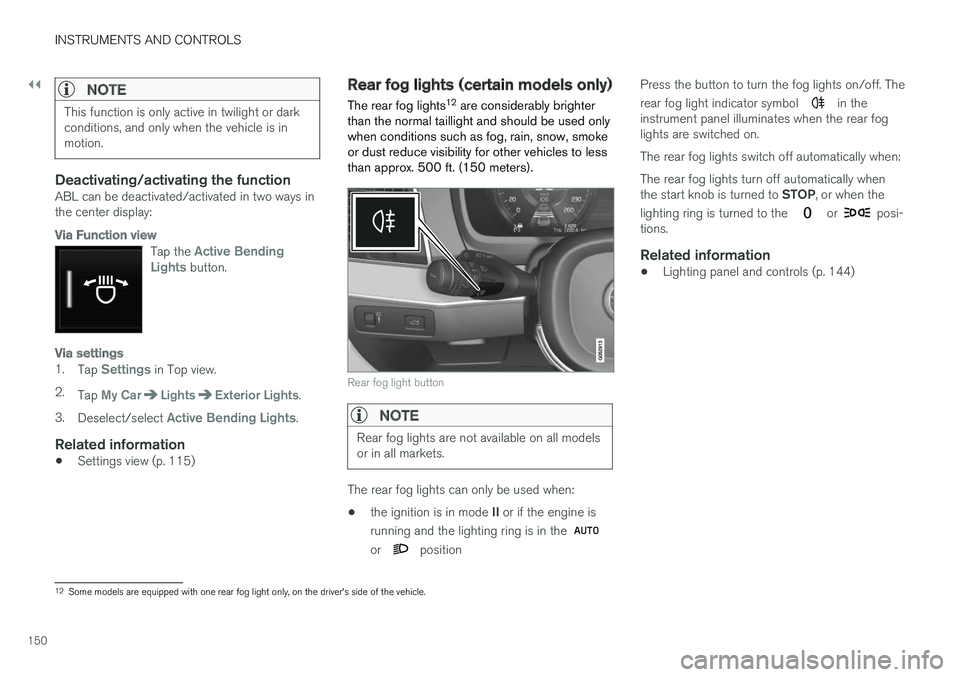
The rear fog lights12 are considerably brighterthan the normal taillight and should be used onlywhen conditions such as fog, rain, snow, smokeor dust reduce visibility for other vehicles to lessthan approx. 500 ft. (150 meters).
Rear fog light button
NOTE
Rear fog lights are not available on all modelsor in all markets.
The rear fog lights can only be used when:
•the ignition is in mode II or if the engine is
running and the lighting ring is in the
or position
Press the button to turn the fog lights on/off. The
rear fog light indicator symbol in theinstrument panel illuminates when the rear foglights are switched on.
The rear fog lights switch off automatically when:
The rear fog lights turn off automatically whenthe start knob is turned to STOP, or when the
lighting ring is turned to the or posi-tions.
Related information
•Lighting panel and controls (p. 144)
12Some models are equipped with one rear fog light only, on the driver's side of the vehicle.
Page 153 of 584
INSTRUMENTS AND CONTROLS
}}
* Option/accessory, for more information, see Introduction.151
Brake lights
The brake lights illuminate automatically whenthe brakes are applied.
In addition to illuminating when the brake pedal isdepressed, the brake lights also illuminate whenone of the driver support systems (e.g., adaptivecruise control, City Safety or collision warning)slow the vehicle.
Related information
•Adaptive Cruise Control (ACC)* (p. 281)
•City Safety™ (p. 326)
•Emergency brake lights (p. 380)
Hazard warning flashers
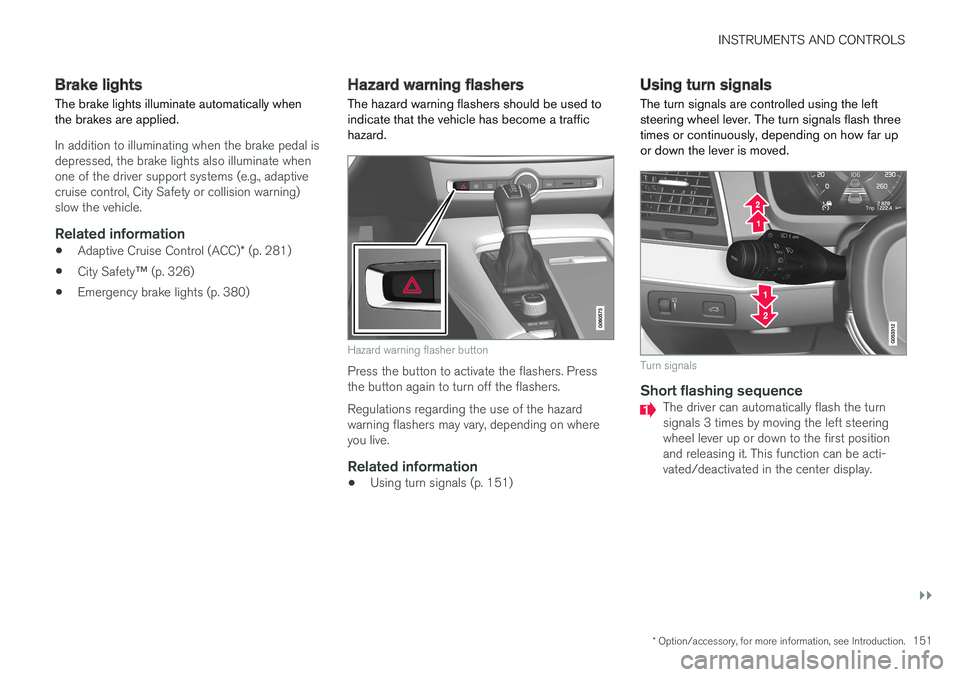
The hazard warning flashers should be used toindicate that the vehicle has become a traffichazard.
Hazard warning flasher button
Press the button to activate the flashers. Pressthe button again to turn off the flashers.
Regulations regarding the use of the hazardwarning flashers may vary, depending on whereyou live.
Related information
•Using turn signals (p. 151)
Using turn signals
The turn signals are controlled using the leftsteering wheel lever. The turn signals flash threetimes or continuously, depending on how far upor down the lever is moved.
Turn signals
Short flashing sequence
The driver can automatically flash the turnsignals 3 times by moving the left steeringwheel lever up or down to the first positionand releasing it. This function can be acti-vated/deactivated in the center display.
Page 154 of 584
||
INSTRUMENTS AND CONTROLS
152
NOTE
•This automatic flashing sequence can beinterrupted by immediately moving thelever in the opposite direction.
•If the turn signal indicator flashes fasterthan normal, see the message in theinstrument panel.
Continuous flashing sequence
Move the lever as far up or down as possibleto start the turn signals.
The turn signals will be cancelled automaticallyby the movement of the steering wheel, or thelever can be returned to its initial position byhand.
Related information
•Lighting panel and controls (p. 144)
•Hazard warning flashers (p. 151)
•Settings view (p. 115)
Passenger compartment lighting
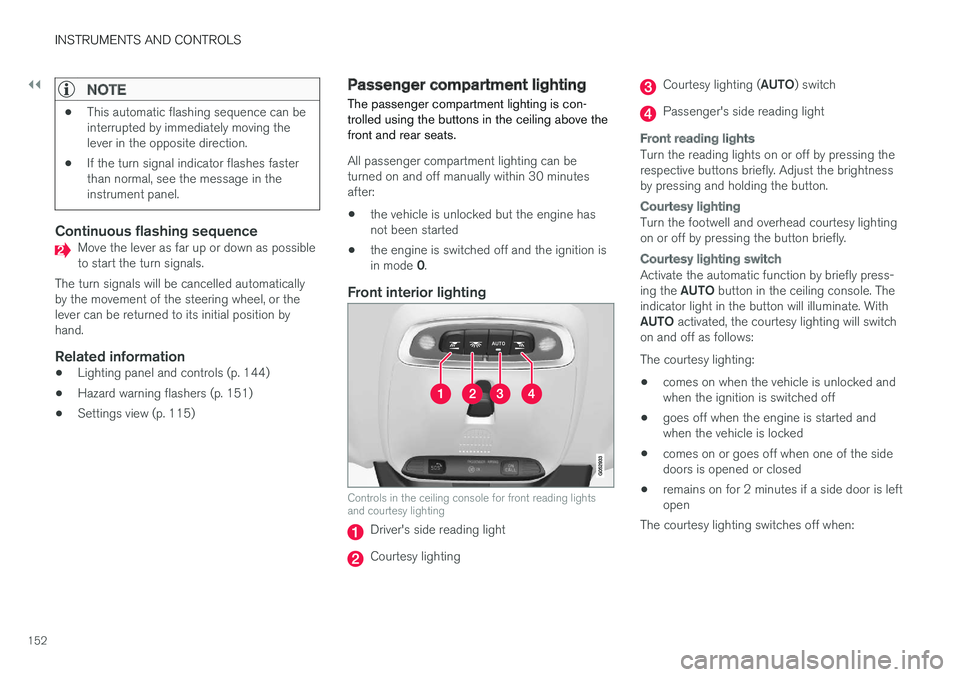
The passenger compartment lighting is con-trolled using the buttons in the ceiling above thefront and rear seats.
All passenger compartment lighting can beturned on and off manually within 30 minutesafter:
•the vehicle is unlocked but the engine hasnot been started
•the engine is switched off and the ignition isin mode 0.
Front interior lighting
Controls in the ceiling console for front reading lightsand courtesy lighting
Driver's side reading light
Courtesy lighting
Courtesy lighting (AUTO) switch
Passenger's side reading light
Front reading lights
Turn the reading lights on or off by pressing therespective buttons briefly. Adjust the brightnessby pressing and holding the button.
Courtesy lighting
Turn the footwell and overhead courtesy lightingon or off by pressing the button briefly.
Courtesy lighting switch
Activate the automatic function by briefly press-ing the AUTO button in the ceiling console. Theindicator light in the button will illuminate. WithAUTO activated, the courtesy lighting will switchon and off as follows:
The courtesy lighting:
•comes on when the vehicle is unlocked andwhen the ignition is switched off
•goes off when the engine is started andwhen the vehicle is locked
•comes on or goes off when one of the sidedoors is opened or closed
•remains on for 2 minutes if a side door is leftopen
The courtesy lighting switches off when:
Page 155 of 584
INSTRUMENTS AND CONTROLS
}}
* Option/accessory, for more information, see Introduction.153
Rear interior lighting
Rear reading lights
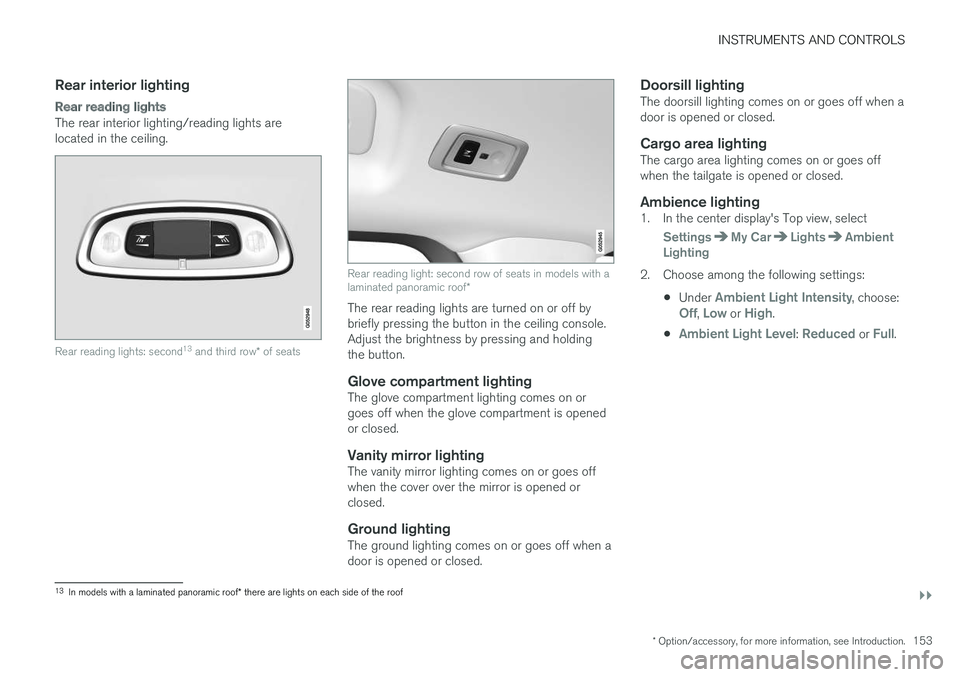
The rear interior lighting/reading lights arelocated in the ceiling.
Rear reading lights: second13 and third row* of seats
Rear reading light: second row of seats in models with alaminated panoramic roof*
The rear reading lights are turned on or off bybriefly pressing the button in the ceiling console.Adjust the brightness by pressing and holdingthe button.
Glove compartment lighting
The glove compartment lighting comes on orgoes off when the glove compartment is openedor closed.
Vanity mirror lighting
The vanity mirror lighting comes on or goes offwhen the cover over the mirror is opened orclosed.
Ground lighting
The ground lighting comes on or goes off when adoor is opened or closed.
Doorsill lighting
The doorsill lighting comes on or goes off when adoor is opened or closed.
Cargo area lighting
The cargo area lighting comes on or goes offwhen the tailgate is opened or closed.
Ambience lighting
1. In the center display's Top view, select
SettingsMy CarLightsAmbientLighting
2. Choose among the following settings:
•Under Ambient Light Intensity, choose:Off, Low or High.
•Ambient Light Level: Reduced or Full.
13In models with a laminated panoramic roof* there are lights on each side of the roof
Page 156 of 584
||
INSTRUMENTS AND CONTROLS
* Option/accessory, for more information, see Introduction.154
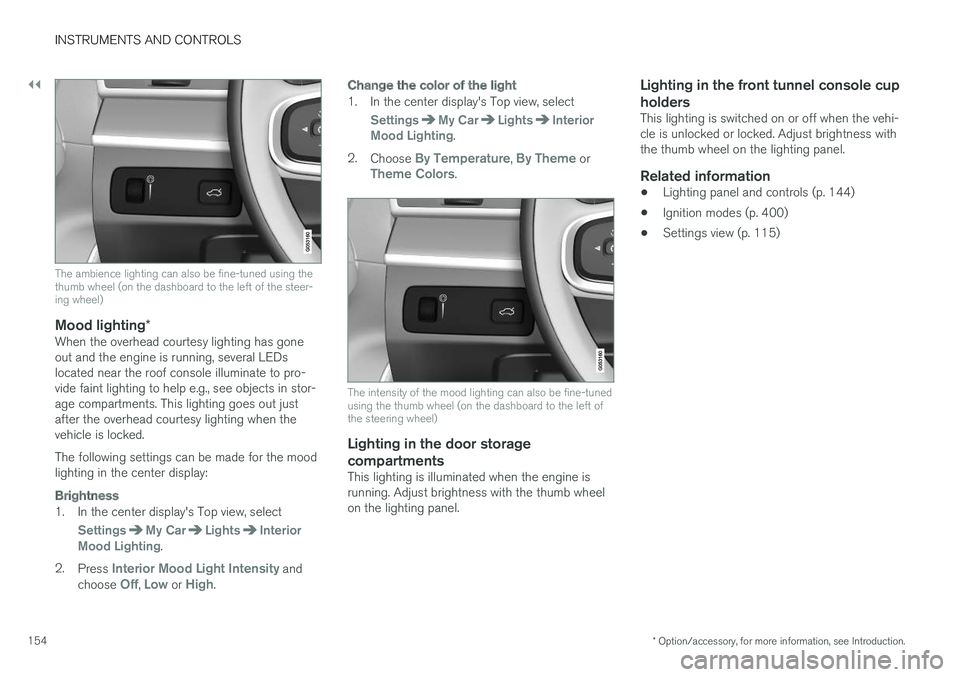
The ambience lighting can also be fine-tuned using thethumb wheel (on the dashboard to the left of the steer-ing wheel)
Mood lighting *
When the overhead courtesy lighting has goneout and the engine is running, several LEDslocated near the roof console illuminate to pro-vide faint lighting to help e.g., see objects in stor-age compartments. This lighting goes out justafter the overhead courtesy lighting when thevehicle is locked.
The following settings can be made for the moodlighting in the center display:
Brightness
1. In the center display's Top view, select
SettingsMy CarLightsInteriorMood Lighting.
2.Press Interior Mood Light Intensity andchoose Off, Low or High.
Change the color of the light
1. In the center display's Top view, select
SettingsMy CarLightsInteriorMood Lighting.
2.Choose By Temperature, By Theme orTheme Colors.
The intensity of the mood lighting can also be fine-tunedusing the thumb wheel (on the dashboard to the left ofthe steering wheel)
Lighting in the door storage
compartments
This lighting is illuminated when the engine isrunning. Adjust brightness with the thumb wheelon the lighting panel.
Lighting in the front tunnel console cup
holders
This lighting is switched on or off when the vehi-cle is unlocked or locked. Adjust brightness withthe thumb wheel on the lighting panel.
Related information
•Lighting panel and controls (p. 144)
•Ignition modes (p. 400)
•Settings view (p. 115)
Page 157 of 584
INSTRUMENTS AND CONTROLS
}}
* Option/accessory, for more information, see Introduction.155
Home safe lighting
The home safe lighting function illuminates thearea in front of the vehicle in dark conditions.
This function turns on the headlights, parkinglights, outer door handle lights* and license platelights for a set amount of time.
The length of time that these lights remain illumi-nated can be set in the center display. Thedefault setting is 30 seconds.
To activate home safe lighting:
1.Switch off the ignition (mode 0).
2.Push the turn signal lever as far as possibletowards the dashboard and release it.
3. Exit the vehicle and lock the doors.
Related information
•Using the center display (p. 50)
•Settings view (p. 115)
•Ignition modes (p. 400)
Approach lighting
Approach lighting (the parking lights, outer doorhandle lights*, license plate lighting, courtesylighting and footwell lighting) can be activated toprovide light as you walk toward the vehicle.
To use this feature, deselect/select WelcomeLight in the center display's menu system.
If this function has been selected in the menu, itis activated by pressing the unlock button onthe remote key as you approach the vehicle.
If a door is opened while the function is activated,the lighting in the outer door handle* and cour-tesy lighting will remain illuminated for a some-what longer period of time.
Related information
•Settings view (p. 115)
•Home safe lighting (p. 155)
•Remote key (p. 238)
Messages in the instrument paneland center display
Information and warning messages are dis-played in the instrument panel and center dis-play.
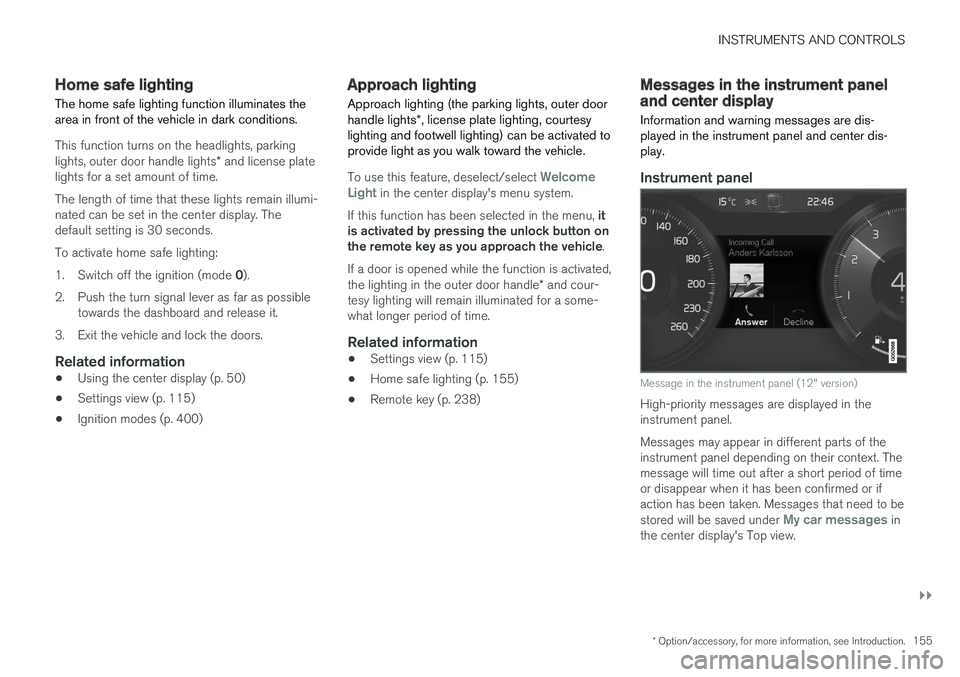
Instrument panel
Message in the instrument panel (12" version)
High-priority messages are displayed in theinstrument panel.
Messages may appear in different parts of theinstrument panel depending on their context. Themessage will time out after a short period of timeor disappear when it has been confirmed or ifaction has been taken. Messages that need to bestored will be saved under My car messages inthe center display's Top view.
Page 163 of 584

INSTRUMENTS AND CONTROLS
* Option/accessory, for more information, see Introduction.161
Opening/closing the App menu
–Press the App menu (1).
The App menu cannot be opened if there areunread/unconfirmed messages in the instru-ment panel. The message must be confirmedbefore the App menu can be opened.
>The App menu opens/closes.
The App menu closes automatically after a periodof inactivity or after certain selections are made.
Navigating and making selections in the
App menu
1. Navigate between the various apps by press-ing left or right (3).
> Functions for the preceding/next app willbe displayed in the App menu.
2. Scroll through the current app's selectionsusing up or down (4).
3. Confirm or select a function by pressing (2).
> The function will be activated and in cer-tain cases, the App menu will close.
Related information
•Instrument panel App menu (p. 160)
Using the windshield wipers
Before using the wipers, ice and snow shouldbe removed from the windshield. Be sure thewiper blades are not frozen in place.
Right-side steering wheel lever
Thumb wheel to set rain sensor* sensitivity/interval wiper speed
Single sweep
Move the lever down and release it for asingle sweep.
Wipers off
Move the lever to position 0 to turn offthe windshield wipers.
Interval wipers
Set the wiper interval speed by movingthe thumb wheel upward or downward.
Continuous wipers
Move the lever upward for the wipers tooperate at normal speed.
NOTE
Before using the wipers, be sure that thewiper blades are not frozen onto the wind-shield and that any ice or snow on the wind-shield has been removed.
Move the lever upward to the next posi-tion for maximum wiper speed.
Related information
•Tailgate window wiper and washer (p. 164)
•Activating/deactivating the rain sensor(p. 162)
•Windshield and headlight washers (p. 163)
Page 165 of 584
INSTRUMENTS AND CONTROLS
* Option/accessory, for more information, see Introduction.163
Windshield and headlight washers
Use the windshield/headlight washers to helpimprove visibility.
Starting the windshield and headlight
washers
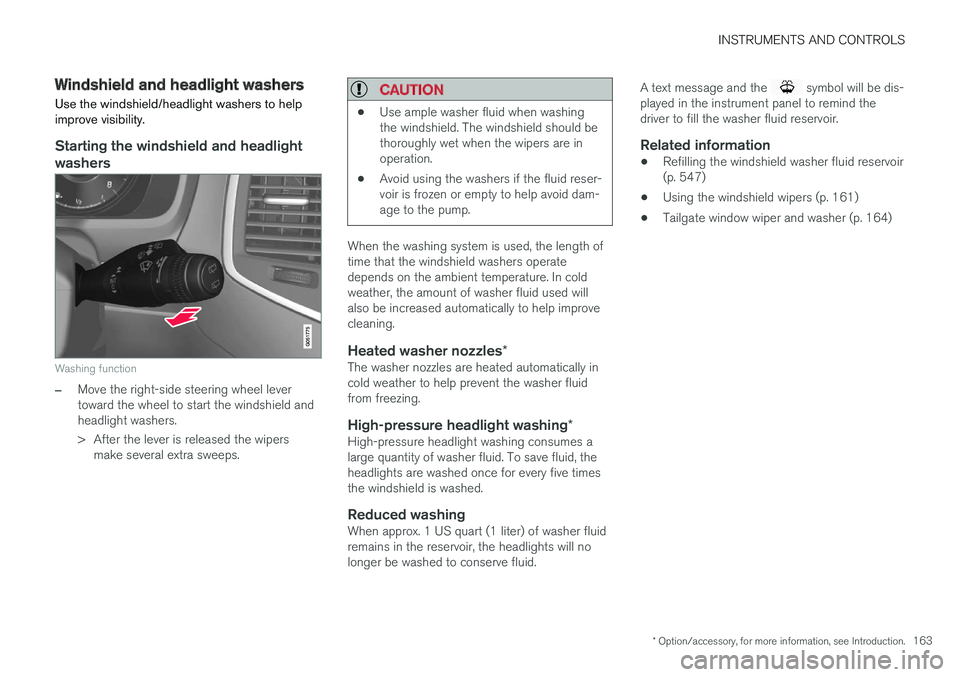
Washing function
–Move the right-side steering wheel levertoward the wheel to start the windshield andheadlight washers.
>After the lever is released the wipersmake several extra sweeps.
CAUTION
•Use ample washer fluid when washingthe windshield. The windshield should bethoroughly wet when the wipers are inoperation.
•Avoid using the washers if the fluid reser-voir is frozen or empty to help avoid dam-age to the pump.
When the washing system is used, the length oftime that the windshield washers operatedepends on the ambient temperature. In coldweather, the amount of washer fluid used willalso be increased automatically to help improvecleaning.
Heated washer nozzles *
The washer nozzles are heated automatically incold weather to help prevent the washer fluidfrom freezing.
High-pressure headlight washing *
High-pressure headlight washing consumes alarge quantity of washer fluid. To save fluid, theheadlights are washed once for every five timesthe windshield is washed.
Reduced washing
When approx. 1 US quart (1 liter) of washer fluidremains in the reservoir, the headlights will nolonger be washed to conserve fluid.
A text message and the symbol will be dis-played in the instrument panel to remind thedriver to fill the washer fluid reservoir.
Related information
•Refilling the windshield washer fluid reservoir(p. 547)
•Using the windshield wipers (p. 161)
•Tailgate window wiper and washer (p. 164)
Page 166 of 584
INSTRUMENTS AND CONTROLS
* Option/accessory, for more information, see Introduction.164
Tailgate window wiper and washer
Start the tailgate window wiper/washer with con-trols on the right-side steering wheel lever.
NOTE
The rear wiper is equipped with a cut-offfunction, which means that it will not operateif its electric motor overheats. The wiper willfunction again after a cool-down period(30 seconds or longer, depending on the heatof the motor and ambient temperature condi-tions).
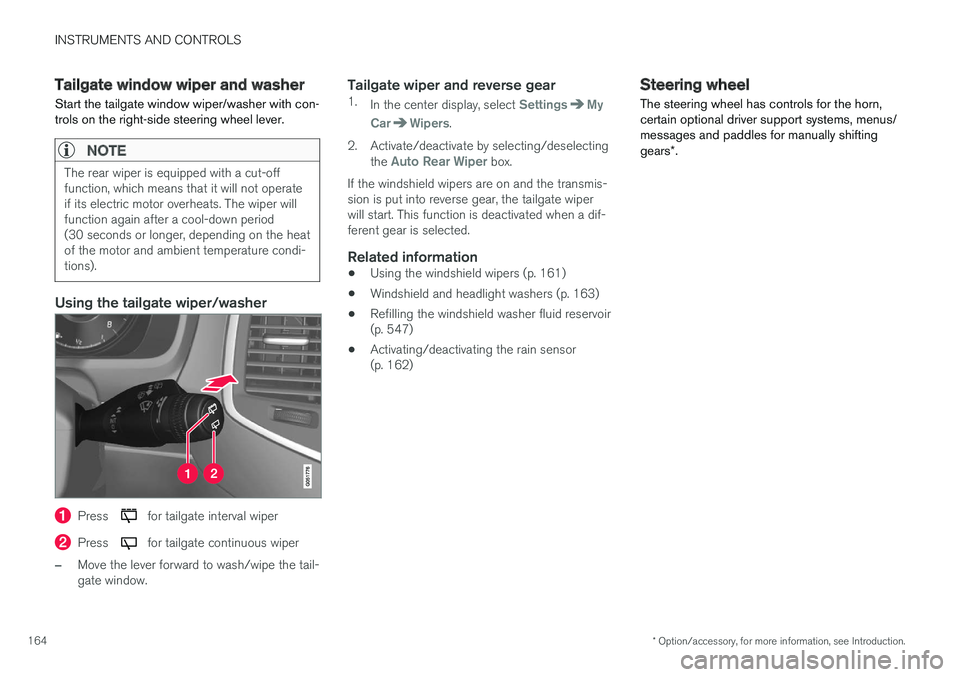
Using the tailgate wiper/washer
Press for tailgate interval wiper
Press for tailgate continuous wiper
–Move the lever forward to wash/wipe the tail-gate window.
Tailgate wiper and reverse gear
1.In the center display, select SettingsMy
CarWipers.
2. Activate/deactivate by selecting/deselectingthe Auto Rear Wiper box.
If the windshield wipers are on and the transmis-sion is put into reverse gear, the tailgate wiperwill start. This function is deactivated when a dif-ferent gear is selected.
Related information
•Using the windshield wipers (p. 161)
•Windshield and headlight washers (p. 163)
•Refilling the windshield washer fluid reservoir(p. 547)
•Activating/deactivating the rain sensor(p. 162)
Steering wheel
The steering wheel has controls for the horn,certain optional driver support systems, menus/messages and paddles for manually shiftinggears*.
Page 168 of 584
INSTRUMENTS AND CONTROLS
* Option/accessory, for more information, see Introduction.166
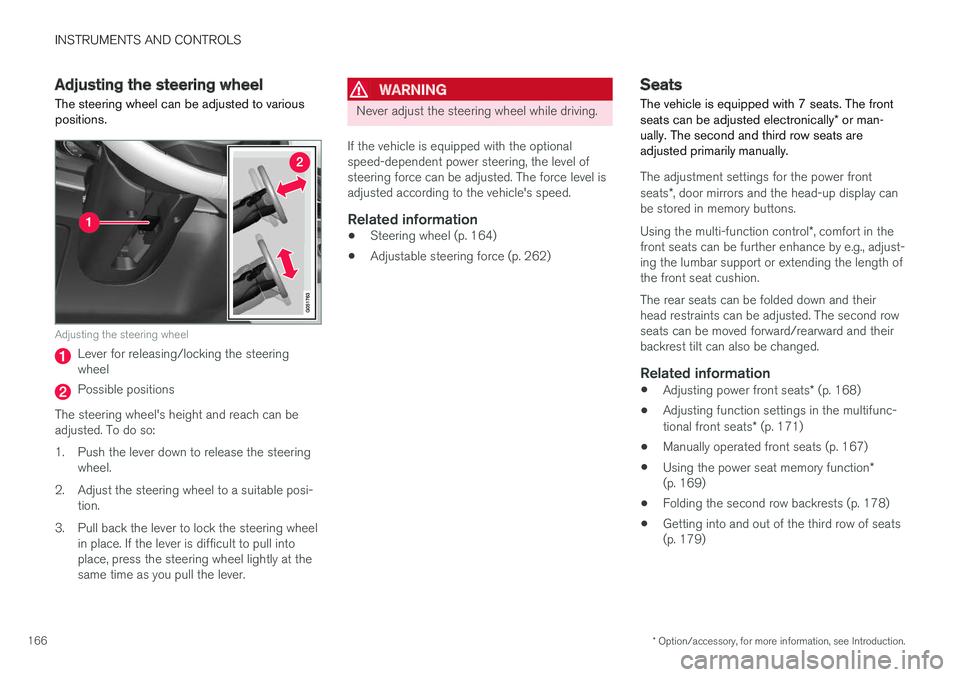
Adjusting the steering wheel
The steering wheel can be adjusted to variouspositions.
Adjusting the steering wheel
Lever for releasing/locking the steeringwheel
Possible positions
The steering wheel's height and reach can beadjusted. To do so:
1.Push the lever down to release the steeringwheel.
2. Adjust the steering wheel to a suitable posi-tion.
3. Pull back the lever to lock the steering wheelin place. If the lever is difficult to pull intoplace, press the steering wheel lightly at thesame time as you pull the lever.
WARNING
Never adjust the steering wheel while driving.
If the vehicle is equipped with the optionalspeed-dependent power steering, the level ofsteering force can be adjusted. The force level isadjusted according to the vehicle's speed.
Related information
•Steering wheel (p. 164)
•Adjustable steering force (p. 262)
Seats
The vehicle is equipped with 7 seats. The frontseats can be adjusted electronically* or man-ually. The second and third row seats areadjusted primarily manually.
The adjustment settings for the power frontseats*, door mirrors and the head-up display canbe stored in memory buttons.
Using the multi-function control*, comfort in thefront seats can be further enhance by e.g., adjust-ing the lumbar support or extending the length ofthe front seat cushion.
The rear seats can be folded down and theirhead restraints can be adjusted. The second rowseats can be moved forward/rearward and theirbackrest tilt can also be changed.
Related information
•Adjusting power front seats* (p. 168)
•Adjusting function settings in the multifunc-tional front seats* (p. 171)
•Manually operated front seats (p. 167)
•Using the power seat memory function*(p. 169)
•Folding the second row backrests (p. 178)
•Getting into and out of the third row of seats(p. 179)