ECU YAMAHA EC-03 2011 Owner's Manual
[x] Cancel search | Manufacturer: YAMAHA, Model Year: 2011, Model line: EC-03, Model: YAMAHA EC-03 2011Pages: 78, PDF Size: 2.04 MB
Page 65 of 78
PERIODIC MAINTENANCE AND ADJUSTMENT
8-16
2
3
4
5
6
789
NOTICE
ECA11981
Do not use a bulb of a wattage other
than specified to avoid causing ex-
tensive damage to the electrical sys-tem and possibly a fire.
The motor stops while riding
Check the following:
1. Is the battery sufficiently charged?
Check the battery level indicator. If
the remaining charge is insuffi-
cient, charge the battery before
continuing to ride.
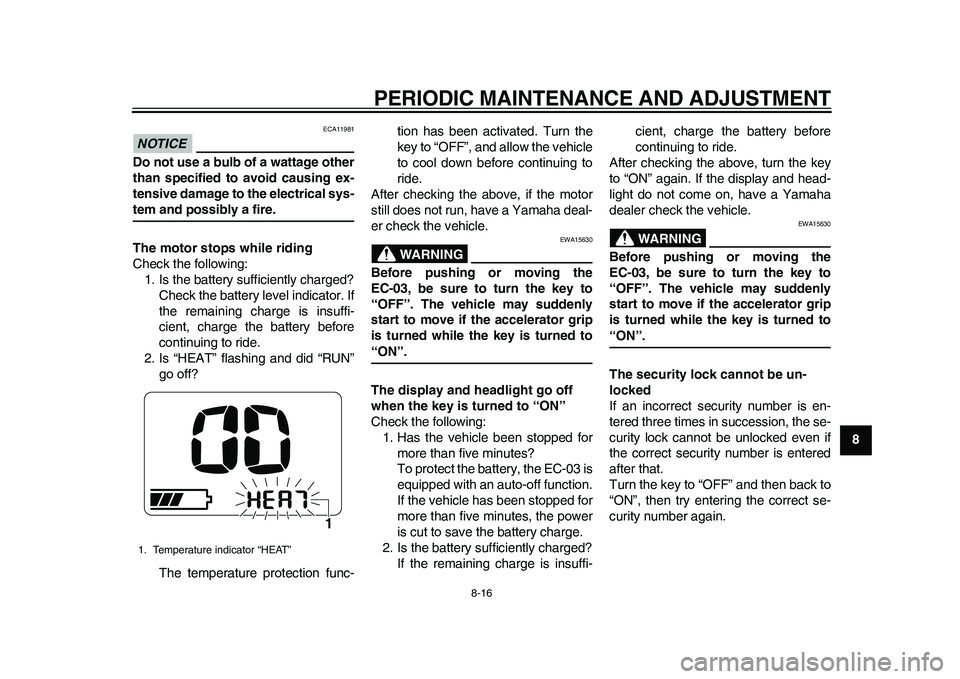
2. Is “HEAT” flashing and did “RUN”
go off?
The temperature protection func-tion has been activated. Turn the
key to “OFF”, and allow the vehicle
to cool down before continuing to
ride.
After checking the above, if the motor
still does not run, have a Yamaha deal-
er check the vehicle.
WARNING
EWA15630
Before pushing or moving the
EC-03, be sure to turn the key to
“OFF”. The vehicle may suddenly
start to move if the accelerator grip
is turned while the key is turned to“ON”.
The display and headlight go off
when the key is turned to “ON”
Check the following:
1. Has the vehicle been stopped for
more than five minutes?
To protect the battery, the EC-03 is
equipped with an auto-off function.
If the vehicle has been stopped for
more than five minutes, the power
is cut to save the battery charge.
2. Is the battery sufficiently charged?
If the remaining charge is insuffi-cient, charge the battery before
continuing to ride.
After checking the above, turn the key
to “ON” again. If the display and head-
light do not come on, have a Yamaha
dealer check the vehicle.
WARNING
EWA15630
Before pushing or moving the
EC-03, be sure to turn the key to
“OFF”. The vehicle may suddenly
start to move if the accelerator grip
is turned while the key is turned to“ON”.
The security lock cannot be un-
locked
If an incorrect security number is en-
tered three times in succession, the se-
curity lock cannot be unlocked even if
the correct security number is entered
after that.
Turn the key to “OFF” and then back to
“ON”, then try entering the correct se-
curity number again.
1. Temperature indicator “HEAT”
1
1CB-9-E0.book 16 ページ 2010年10月15日 金曜日 午前10時19分
Page 76 of 78
INDEXAAcceleration and deceleration....................7-4
Accelerator grip, checking..........................8-4BBattery, charging location ..........................6-1
Battery, charging procedure.......................6-3
Battery, charging safely .............................1-5
Battery, charging time ................................6-8
Battery, effective use of .............................3-3
Battery level ...............................................3-4
Battery type, about .....................................6-9
Beeper .......................................................4-1
Brake lever, front......................................4-11
Brake lever, rear ......................................4-11
Brake levers, lubricating.............................8-9
Brake shoes, checking ...............................8-8
Braking .......................................................7-5CCables, checking and lubricating ...............8-8
Care ...........................................................9-1
Centerstand, checking and lubricating .......8-9
Charging cord and plug, checking ...........8-14
Charging display, progress status..............6-9FFeatures .....................................................3-1
Front and rear brake lever free play,
adjusting ..................................................8-6
Front fork, checking .................................8-10GGrab bar ...................................................4-13HHandlebar switches..................................4-11
Headlight bulb, replacing .........................8-11
Helmet holder...........................................4-12Horn switch .............................................. 4-11
IIdentification numbers ............................. 11-1LLuggage hook .......................................... 4-13MMain switch/steering lock........................... 4-1
Maintenance and lubrication, periodic ....... 8-2
Matte color, caution ................................... 9-1
Model label .............................................. 11-1
Motor, checking for irregular sounds ......... 8-4
Multi-function display ................................. 4-2PParking ...................................................... 7-5
Part locations ............................................. 2-1SSafe-riding points....................................... 1-4
Safety information...................................... 1-1
Seat ......................................................... 4-12
Security lock, using.................................... 4-7
Specifications .......................................... 10-1
Standard mode/power mode ..................... 3-1
Starting off ................................................. 7-3
Starting off, preparations ........................... 7-1
Steering, checking ................................... 8-10
Storage ...................................................... 9-3TTail/brake light bulb, replacing ................. 8-12
Tires........................................................... 8-5
Traveling distance ..................................... 3-2
Troubleshooting ....................................... 8-15
Turn signal light bulb, replacing ............... 8-13
Turn signal switch .................................... 4-11
VVehicle identification number .................. 11-1WWheel bearings, checking ....................... 8-11
Wheels ...................................................... 8-6
1CB-9-E0.book 2 ページ 2010年10月15日 金曜日 午前10時19分